Get started with maps
Learn how to display a map view and use the GemMapController to enable additional map functionalities.
Display a map
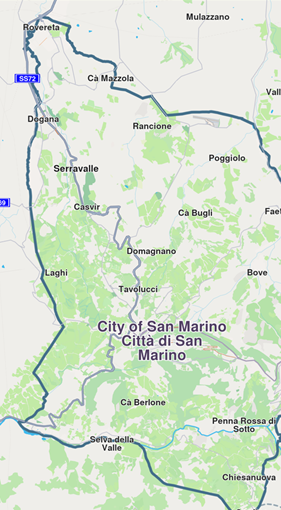
The GemMap widget, a subclass of StatefulWidget, provides powerful mapping capabilities with a wide range of configurable options. The following code demonstrates how to display a map view in your main.dart file:
import 'package:flutter/material.dart';
import 'package:magiclane_maps_flutter/core.dart';
import 'package:magiclane_maps_flutter/map.dart';
const projectApiToken = String.fromEnvironment('YOUR_API_TOKEN_HERE');
void main() {
runApp(const MyApp());
}
class MyApp extends StatelessWidget {
const MyApp({super.key});
Widget build(BuildContext context) {
return const MaterialApp(
debugShowCheckedModeBanner: false,
title: 'Hello Map',
home: MyHomePage(),
);
}
}
class MyHomePage extends StatefulWidget {
const MyHomePage({super.key});
State<MyHomePage> createState() => _MyHomePageState();
}
class _MyHomePageState extends State<MyHomePage> {
void dispose() {
GemKit.release();
super.dispose();
}
Widget build(BuildContext context) {
return Scaffold(
appBar: AppBar(
backgroundColor: Colors.deepPurple[900],
title: const Text('Hello Map', style: TextStyle(color: Colors.white)),
),
body: const GemMap(
appAuthorization: projectApiToken,
onMapCreated: _onMapCreated,
),
);
}
void _onMapCreated(GemMapController mapController) {
// Code executed when the map is initialized
}
}
Paste your API token in place of YOUR_API_TOKEN_HERE, in between the qoutes for a quick start.
Note that it is recommended to store the API token securely, such as in environment variables or secure storage, rather than hardcoding it in the source code for production applications.
Keep in mind that the token has an expiration date, so please ensure to update it before it expires to maintain uninterrupted access to the services.
Use the map controller
The GemMap widget includes an onMapCreated callback, which is triggered once the map has finished initializing. This callback provides a GemMapController to enable additional map functionalities.
const GemMap(
  appAuthorization: projectApiToken,
  onMapCreated: _onMapCreated,
),
Multiple GemMap widgets can be instantiated within a single application, allowing you to display different data on each map. Each GemMap is independently controlled via its respective GemMapController.
Certain settings, such as language, overlay visibility, and position tracking, are shared across all GemMap instances within the application.