Display route instructions
Learn how to display route instructions as arrows on the map and manage their visibility.
Display instructions on the map
Route instructions are represented as arrows on the map. Display them using GemMapController.centerOnRouteInstruction(instruction, zoomLevel: zoomLevel). To obtain a route's instructions, see the Get the route segments and instructions section.
The following example iterates through all instructions of the first segment and displays each one:
for (final instruction in route.segments.first.instructions) {
  mapController.centerOnRouteInstruction(instruction, zoomLevel: 75);

  await Future.delayed(Duration(seconds: 3));
}
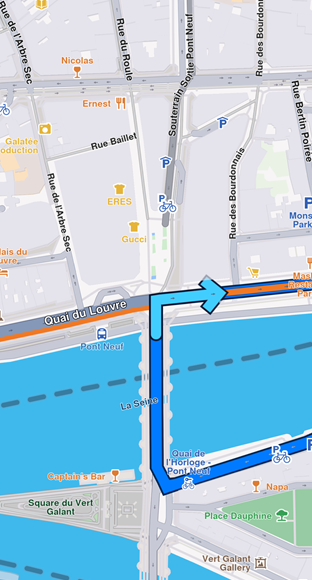
Turn right arrow instruction
Remove instruction arrows
Remove the instruction arrow from the map using the GemMapController.clearRouteInstruction() method. The route instruction arrow is automatically cleared when a new route instruction is centered on or when the route is cleared.