Styling
Learn how to customize map appearance using predefined styles or custom styles created in Magic Lane Map Studio.
Apply predefined styles
Retrieve available styles
Use MapStyleContext to fetch online style entries and inspect local styles.
let styleContext = MapStyleContext()

styleContext.getOnlineList { styles in
    for style in styles {
        print("id=\(style.getIdentifier()) name=\(style.getName()) type=\(style.getType())")
    }
}

let styles = styleContext.getLocalList()
for style in styles {
    print("id=\(style.getIdentifier()) name=\(style.getName()) type=\(style.getType())")
}
Download a style
styleContext.downloadStyle(withIdentifier: styleId, allowCellularNetwork: true) { success in
    print("style download success: \(success)")
}
Apply the downloaded style
Apply by identifier with either MapViewController or preferences:
mapViewController.applyStyle(withStyleIdentifier: styleId, smoothTransition: true)
info
Two predefined online style categories are available in content store APIs:
ContentStoreOnlineTypeViewStyleHighResContentStoreOnlineTypeViewStyleLowRes
Apply custom styles
Load a .style file from your app bundle and apply it using style data.
guard let url = Bundle.main.url(forResource: "CustomMapStyle", withExtension: "style"),
      let data = try? Data(contentsOf: url) else {
    return
}

mapViewController.applyStyle(withStyleBuffer: data, smoothTransition: true)
You can also apply by file path:
if let path = Bundle.main.path(forResource: "CustomMapStyle", ofType: "style") {
    mapViewController.applyStyle(withFilePath: path, smoothTransition: true)
}
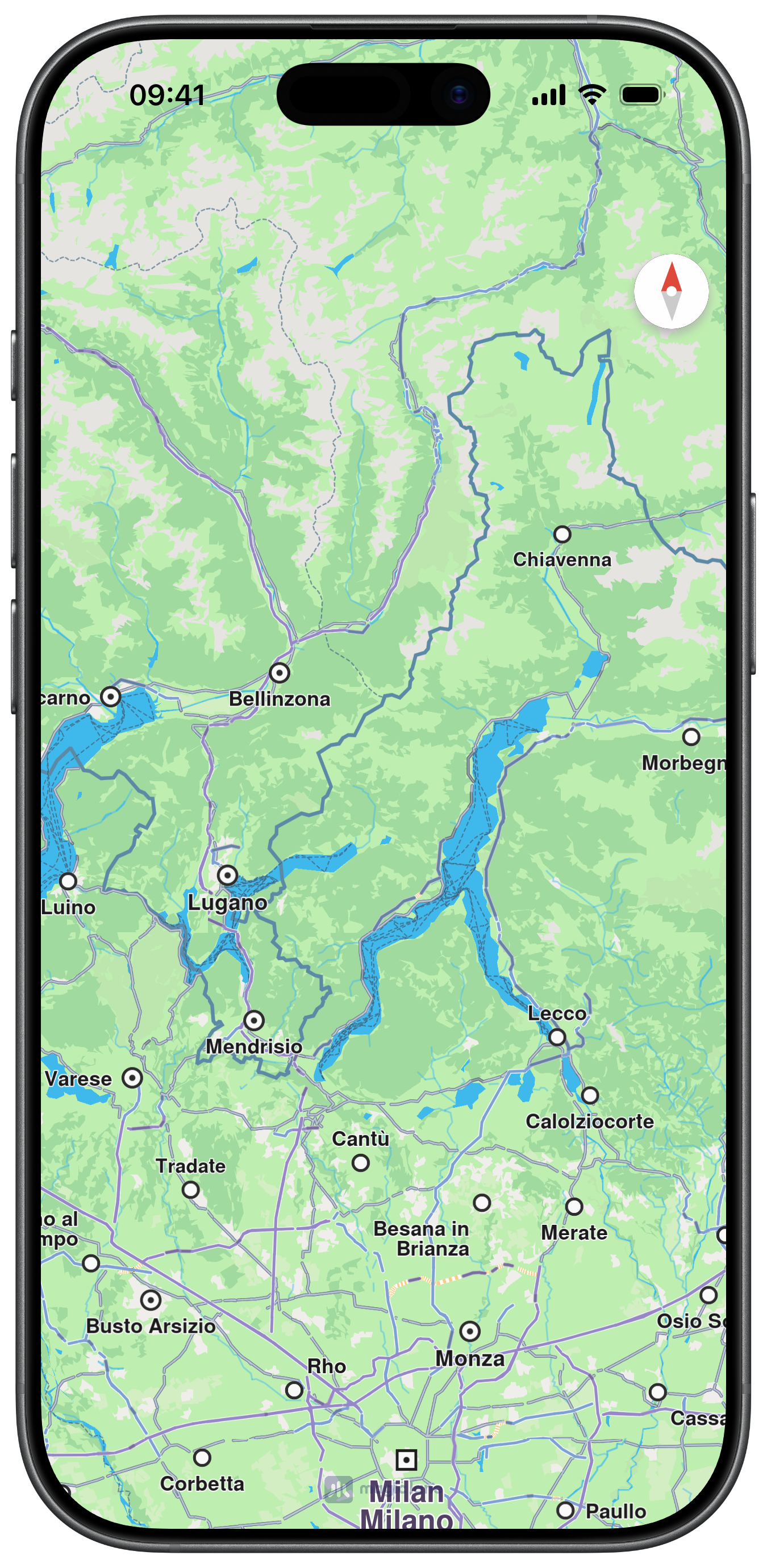
Default Map Style
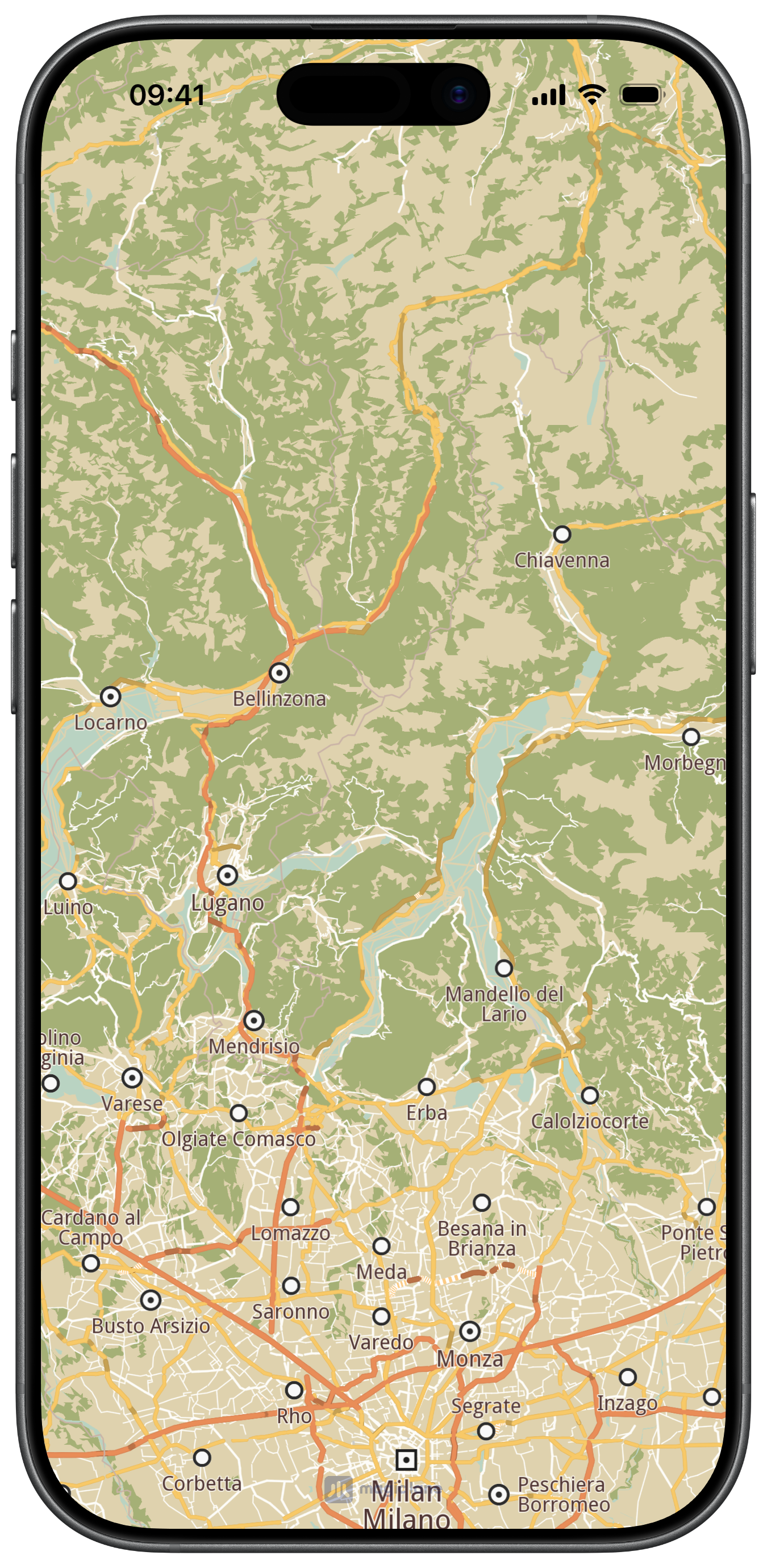
Custom Map Style
Observe style changes
MapViewControllerDelegate provides a callback when style changes are applied.
func mapViewController(_ mapViewController: MapViewController, onMapStyleChanged identifier: Int) {
    print("Style changed to id=\(identifier)")
}
ContentStoreObject quick reference
| Method | Description |
|---|---|
getIdentifier() | Unique content ID |
getName() | Display name |
getType() | Content type (view style, road map, voice) |
getFileName() | Local content path when available |
getTotalSize() / getTotalSizeFormatted() | Full item size |
isCompleted() | Download completion flag |
getStatus() | Current download state |
downloadWithAllowCellularNetwork | Start or resume download |
pauseDownload() / cancelDownload() | Pause/cancel transfer |
getDownloadProgress() | Current progress percent |
canDeleteContent() / deleteContent() | Remove downloaded content |
isUpdatable() / getUpdateVersion() | Update information |