# Styling
Last updated:
October 18, 2026
\| 2 minutes read
Learn how to customize map appearance using predefined styles or custom styles created in [Magic Lane Map Studio](https://developer.magiclane.com/docs/guides/map-studio/create-a-map-style/).
## Apply predefined styles[](#apply-predefined-styles "Direct link to Apply predefined styles")
### Retrieve available styles[](#retrieve-available-styles "Direct link to Retrieve available styles")
Use `MapStyleContext` to fetch online style entries and inspect local styles.
```swift
let styleContext = MapStyleContext()
styleContext.getOnlineList { styles in
for style in styles {
print("id=\(style.getIdentifier()) name=\(style.getName()) type=\(style.getType())")
}
}
let styles = styleContext.getLocalList()
for style in styles {
print("id=\(style.getIdentifier()) name=\(style.getName()) type=\(style.getType())")
}
```
### Download a style[](#download-a-style "Direct link to Download a style")
```swift
styleContext.downloadStyle(withIdentifier: styleId, allowCellularNetwork: true) { success in
print("style download success: \(success)")
}
```
### Apply the downloaded style[](#apply-the-downloaded-style "Direct link to Apply the downloaded style")
Apply by identifier with either `MapViewController` or preferences:
```swift
mapViewController.applyStyle(withStyleIdentifier: styleId, smoothTransition: true)
```
info
Two predefined online style categories are available in content store APIs:
* `ContentStoreOnlineTypeViewStyleHighRes`
* `ContentStoreOnlineTypeViewStyleLowRes`
## Apply custom styles[](#apply-custom-styles "Direct link to Apply custom styles")
Load a `.style` file from your app bundle and apply it using style data.
```swift
guard let url = Bundle.main.url(forResource: "CustomMapStyle", withExtension: "style"),
let data = try? Data(contentsOf: url) else {
return
}
mapViewController.applyStyle(withStyleBuffer: data, smoothTransition: true)
```
You can also apply by file path:
```swift
if let path = Bundle.main.path(forResource: "CustomMapStyle", ofType: "style") {
mapViewController.applyStyle(withFilePath: path, smoothTransition: true)
}
```
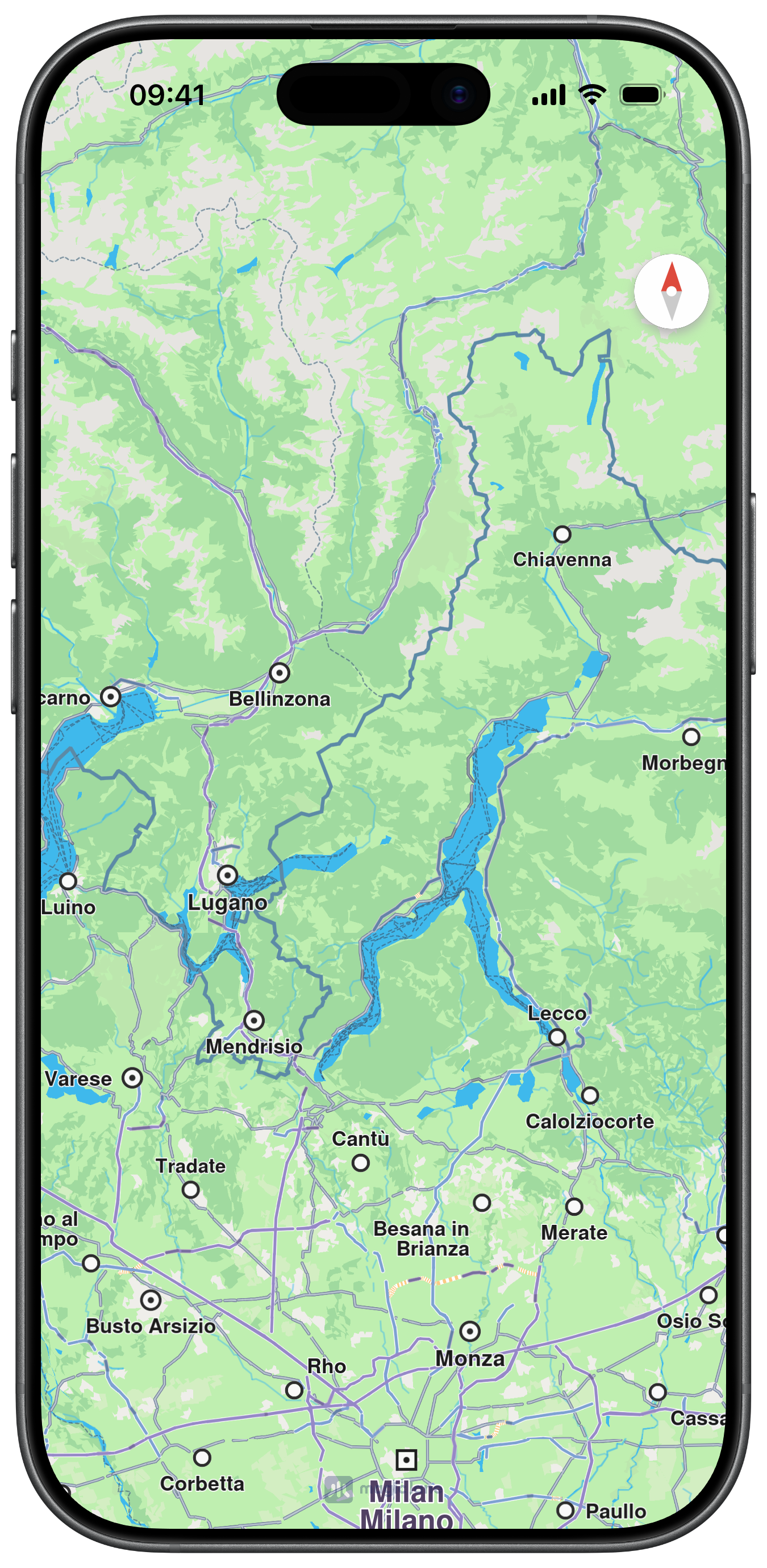
**Default Map Style**
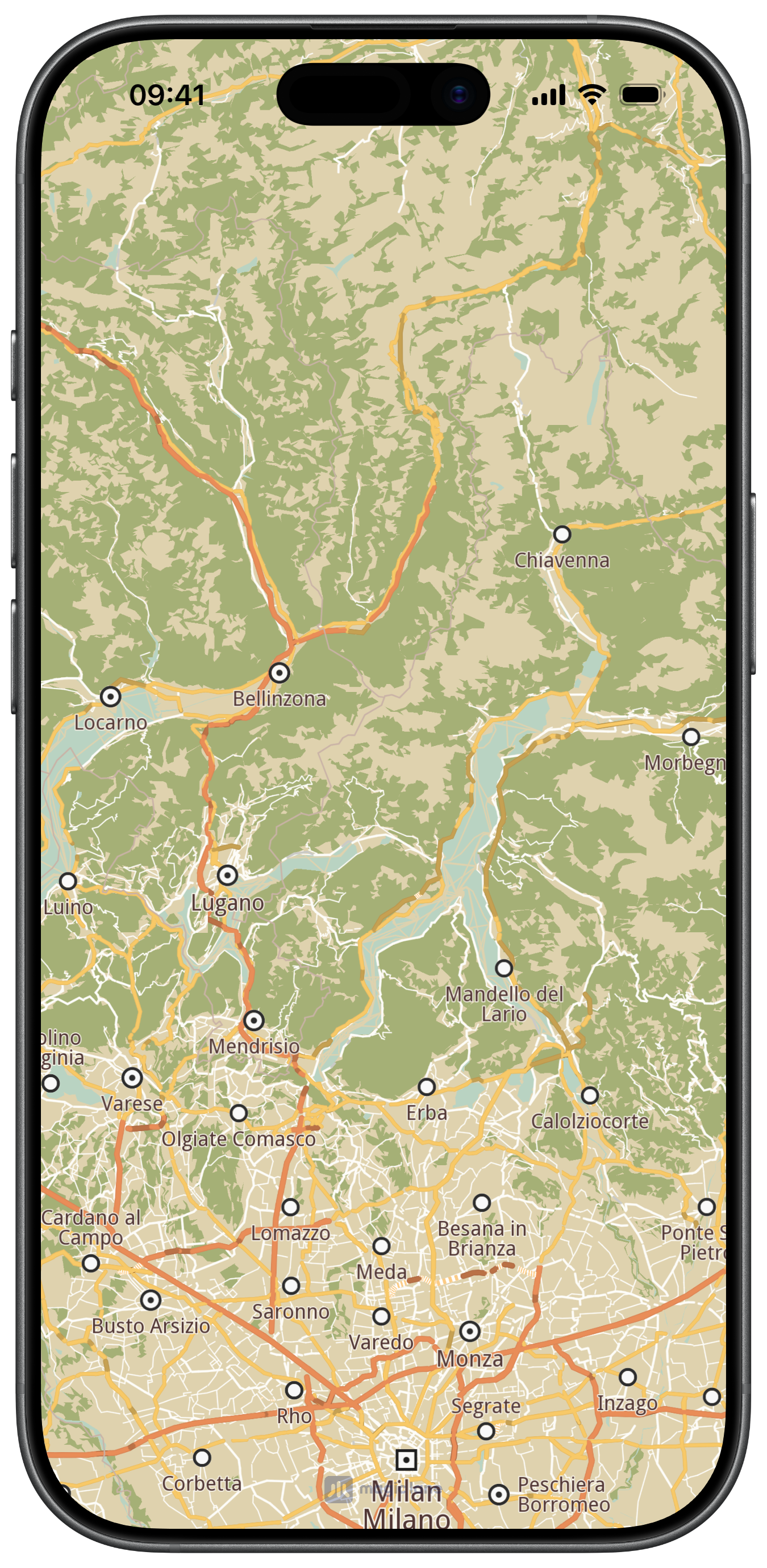
**Custom Map Style**
## Observe style changes[](#observe-style-changes "Direct link to Observe style changes")
`MapViewControllerDelegate` provides a callback when style changes are applied.
```swift
func mapViewController(_ mapViewController: MapViewController, onMapStyleChanged identifier: Int) {
print("Style changed to id=\(identifier)")
}
```
## ContentStoreObject quick reference[](#contentstoreobject-quick-reference "Direct link to ContentStoreObject quick reference")
| Method | Description |
| -------------------------------------------- | ------------------------------------------------ |
| `getIdentifier()` | Unique content ID |
| `getName()` | Display name |
| `getType()` | Content type (`view style`, `road map`, `voice`) |
| `getFileName()` | Local content path when available |
| `getTotalSize()` / `getTotalSizeFormatted()` | Full item size |
| `isCompleted()` | Download completion flag |
| `getStatus()` | Current download state |
| `downloadWithAllowCellularNetwork` | Start or resume download |
| `pauseDownload()` / `cancelDownload()` | Pause/cancel transfer |
| `getDownloadProgress()` | Current progress percent |
| `canDeleteContent()` / `deleteContent()` | Remove downloaded content |
| `isUpdatable()` / `getUpdateVersion()` | Update information |
## Relevant examples demonstrating map styling related features[](#relevant-examples-demonstrating-map-styling-related-features "Direct link to Relevant examples demonstrating map styling related features")
* [Map Custom Style](/docs/ios/examples/maps-3dscene/map-style.md)
* [Map Style Following Theme](/docs/ios/examples/maps-3dscene/map-style-following-theme.md)