# Display routes
Last updated:
October 18, 2026
\| 2 minutes read
Learn how to display routes on the map, assign the main route, style route rendering, and manage route labels.
info
This page focuses on rendering already computed routes. For route calculation APIs, see the routing guides.
## Add routes to the map[](#add-routes-to-the-map "Direct link to Add routes to the map")
Add routes with methods called directly on `MapViewController`:
```swift
mapViewController.presentRoutes([mainRoute, alternativeRoute], withTraffic: nil, showSummary: true, animationDuration: 500)
// To set the main route explicitly:
mapViewController.setMainRoute(alternativeRoute)
```
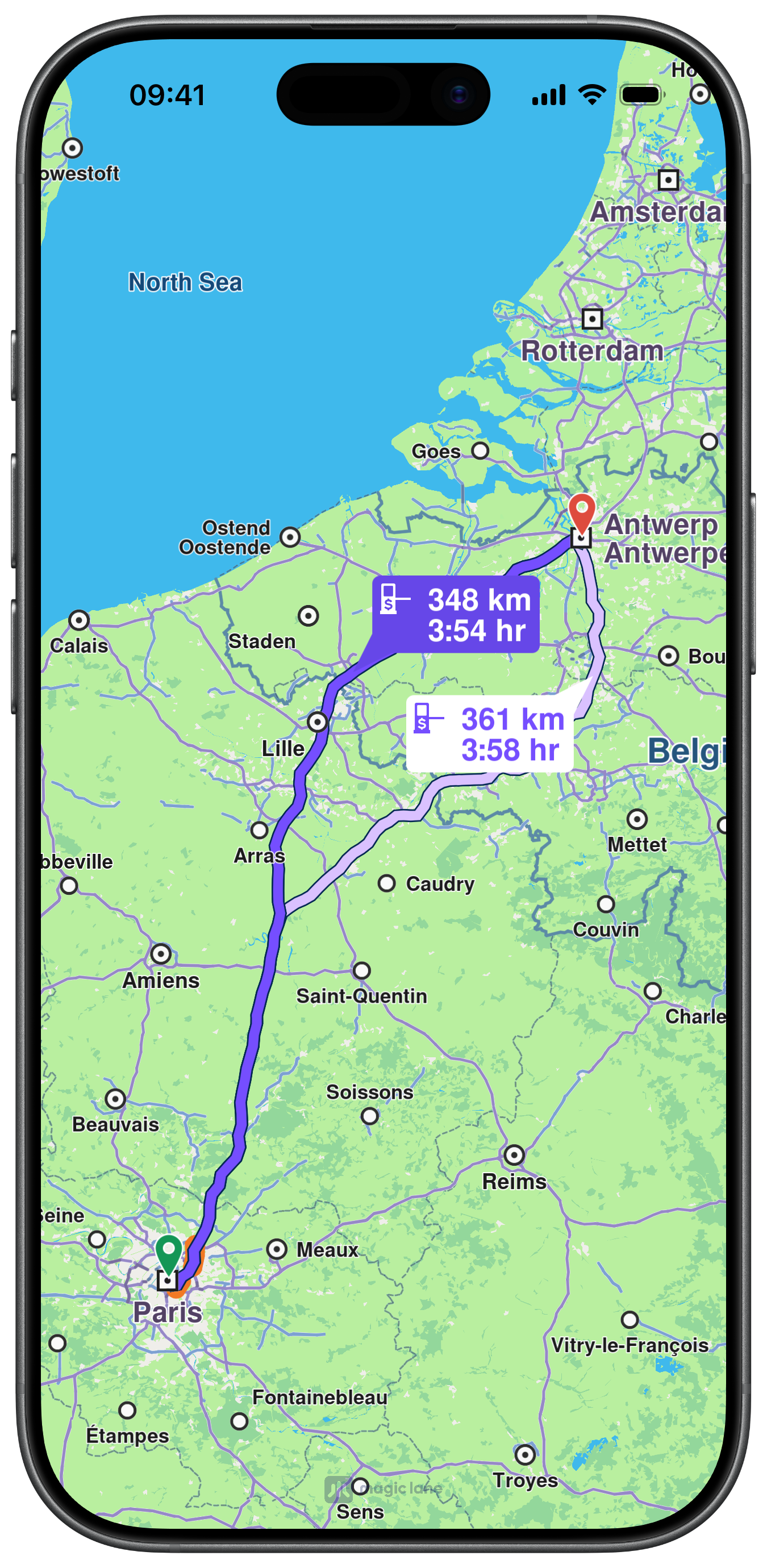
**Presenting routes through MapViewController with default summary**
info
When presenting the routes through `MapViewController`, the first route will be set as the main route by default and the routes will be centered on.
Or add routes through `MapViewPreferencesContext`.
```swift
let preferences = mapViewController.getPreferences()
_ = preferences.addRoute(mainRoute, isMainRoute: true, label: "Fastest", images: nil)
_ = preferences.addRoute(alternativeRoute, isMainRoute: false, label: "Alternative", images: nil)
// To set the main route explicitly:
preferences.setMainRoute(alternativeRoute)
let currentMain = preferences.getMainRoute()
print("main route updated: \(currentMain != nil)")
mapViewController.center(onRoutes: [mainRoute, alternativeRoute], displayMode: .full, animationDuration: 500)
```
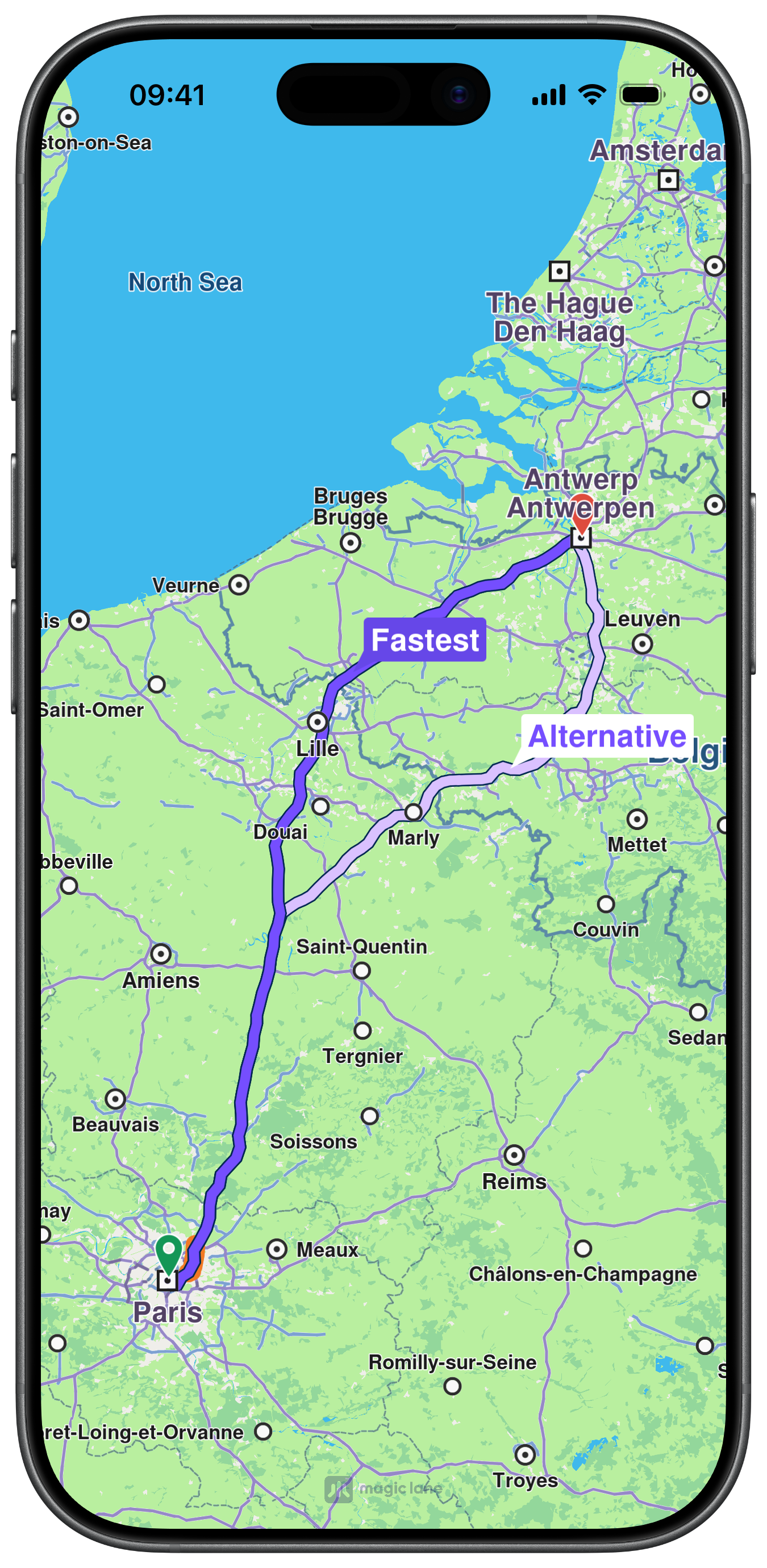
**Presenting routes through MapViewPreferencesContext with custom labels**
warning
Only one route can be marked as main at a time.
## Customize route appearance[](#customize-route-appearance "Direct link to Customize route appearance")
Customize route rendering with `MapViewRouteRenderSettings`.
```swift
let preferences = mapViewController.getPreferences()
let settings = preferences.getRenderSettings(mainRoute)
settings.options = Int32(
MapViewRouteRenderOption.main.rawValue |
MapViewRouteRenderOption.showTraffic.rawValue
)
settings.contourInnerColor = .red
settings.contourOuterColor = .white
settings.contourInnerSize = 1.2
settings.contourOuterSize = 2.0
preferences.setRenderSettings(settings, route: mainRoute)
```
All route dimensional values in `MapViewRouteRenderSettings` are measured in millimeters.
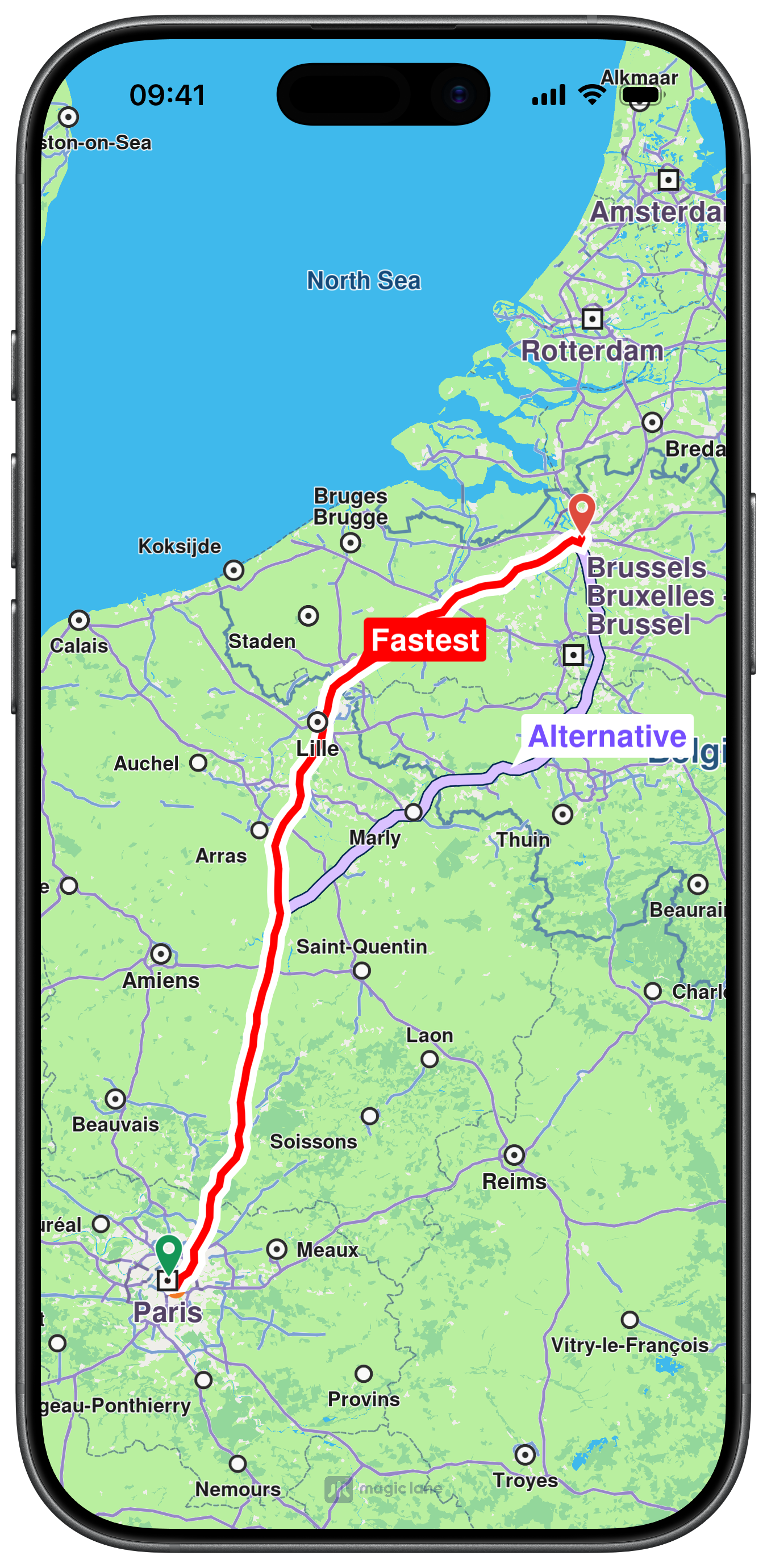
**Customizing route rendering with MapViewRouteRenderSettings**
## Add and update route labels[](#add-and-update-route-labels "Direct link to Add and update route labels")
```swift
let preferences = mapViewController.getPreferences()
preferences.setRouteLabel(mainRoute, label: "ETA 12 min %%0%%")
preferences.setRouteImages(mainRoute, images: [UIImage(systemName: "clock.fill")!.withTintColor(.white)])
let label = preferences.getRouteLabel(mainRoute)
print("route label: \(label ?? "")")
```
Hide a label:
```swift
preferences.hideRouteLabel(mainRoute)
```
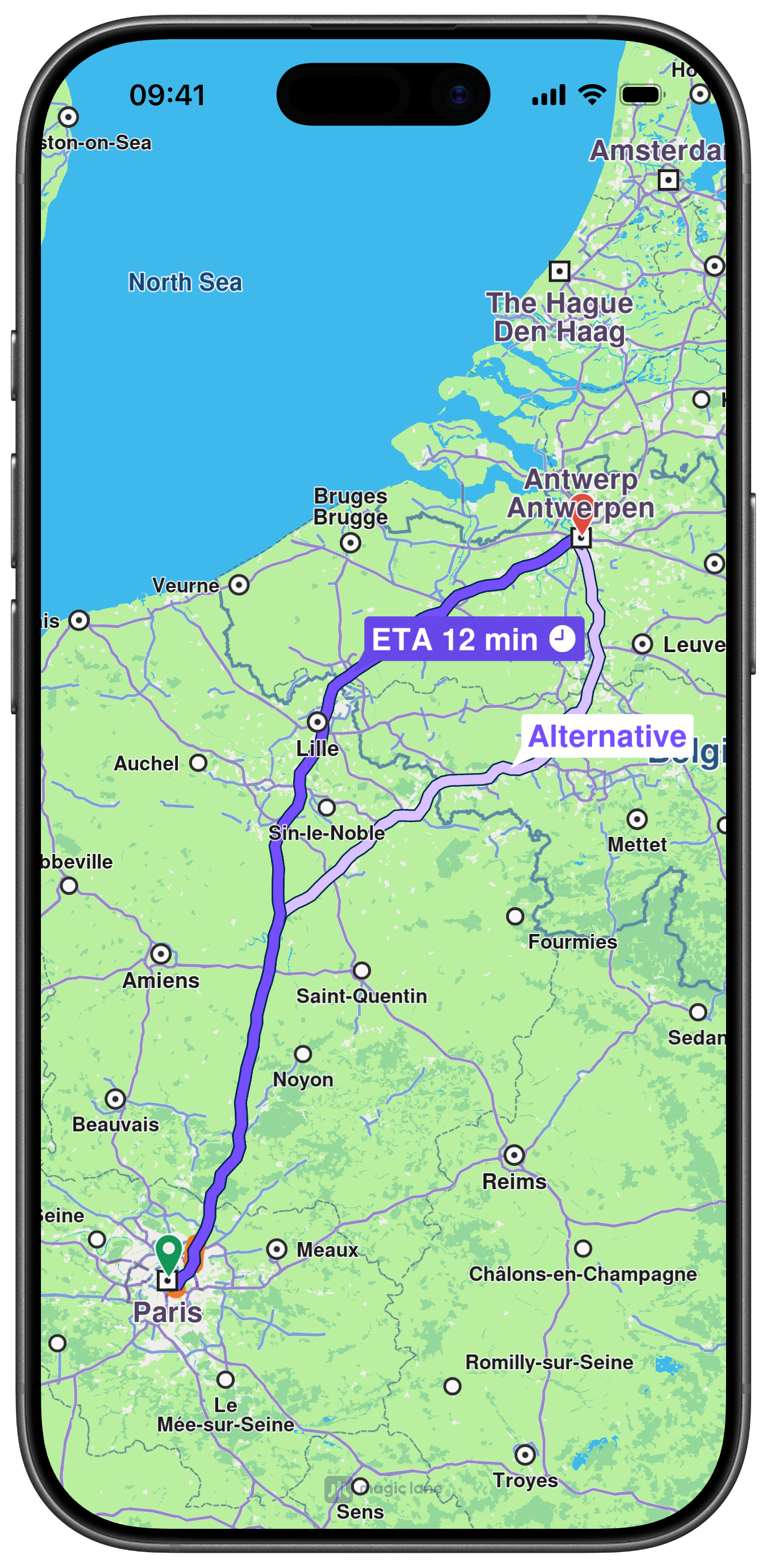
**Setting a custom label with an image**
## Check visible route interval[](#check-visible-route-interval "Direct link to Check visible route interval")
Retrieve the visible portion of a route - defined by its start and end distances in meters - using the `getVisibleRouteInterval` method from `MapViewController`:
```swift
let interval = mapViewController.getVisibleRouteInterval(mainRoute, rect: .zero)
if interval.count == 2 {
let startMeters = interval[0].intValue
let endMeters = interval[1].intValue
print("visible route meters: \(startMeters)-\(endMeters)")
}
```
## Remove routes[](#remove-routes "Direct link to Remove routes")
```swift
// Using MapViewController
mapViewController.removeRoutes([alternativeRoute])
mapViewController.removeAllRoutes()
// Using preferences
let preferences = mapViewController.getPreferences()
preferences.removeRoute(alternativeRoute)
preferences.clearRoutes()
```
## Relevant examples demonstrating route rendering related features[](#relevant-examples-demonstrating-route-rendering-related-features "Direct link to Relevant examples demonstrating route rendering related features")
* [Finger Draw Route](/docs/ios/examples/routing-navigation/finger-drawn-route-navigation.md)
* [Range](/docs/ios/examples/maps-3dscene/range.md)