Display paths
Learn how to render PathObject instances on the map using PathCollectionObject.
Add paths to the map
Display Path objects by adding them to the map path collection available from MapViewPreferencesContext.
PathCollectionObject is an iterable collection with utility methods such as size, add, remove, removeAt, getPathAt, and getPathByName.
guard let paths = mapViewController.getPreferences().getPaths() else { return }

let path = PathObject(coordinates: [
    CoordinatesObject.coordinates(withLatitude: 52.3676, longitude: 4.9041),
    CoordinatesObject.coordinates(withLatitude: 52.3610, longitude: 4.9156),
    CoordinatesObject.coordinates(withLatitude: 52.3540, longitude: 4.9230)
])
path.setName("Recorded track")

_ = paths.add(
    path,
    colorBorder: .black,
    colorInner: .red,
    szBorder: 1.2,
    szInner: 0.7
)
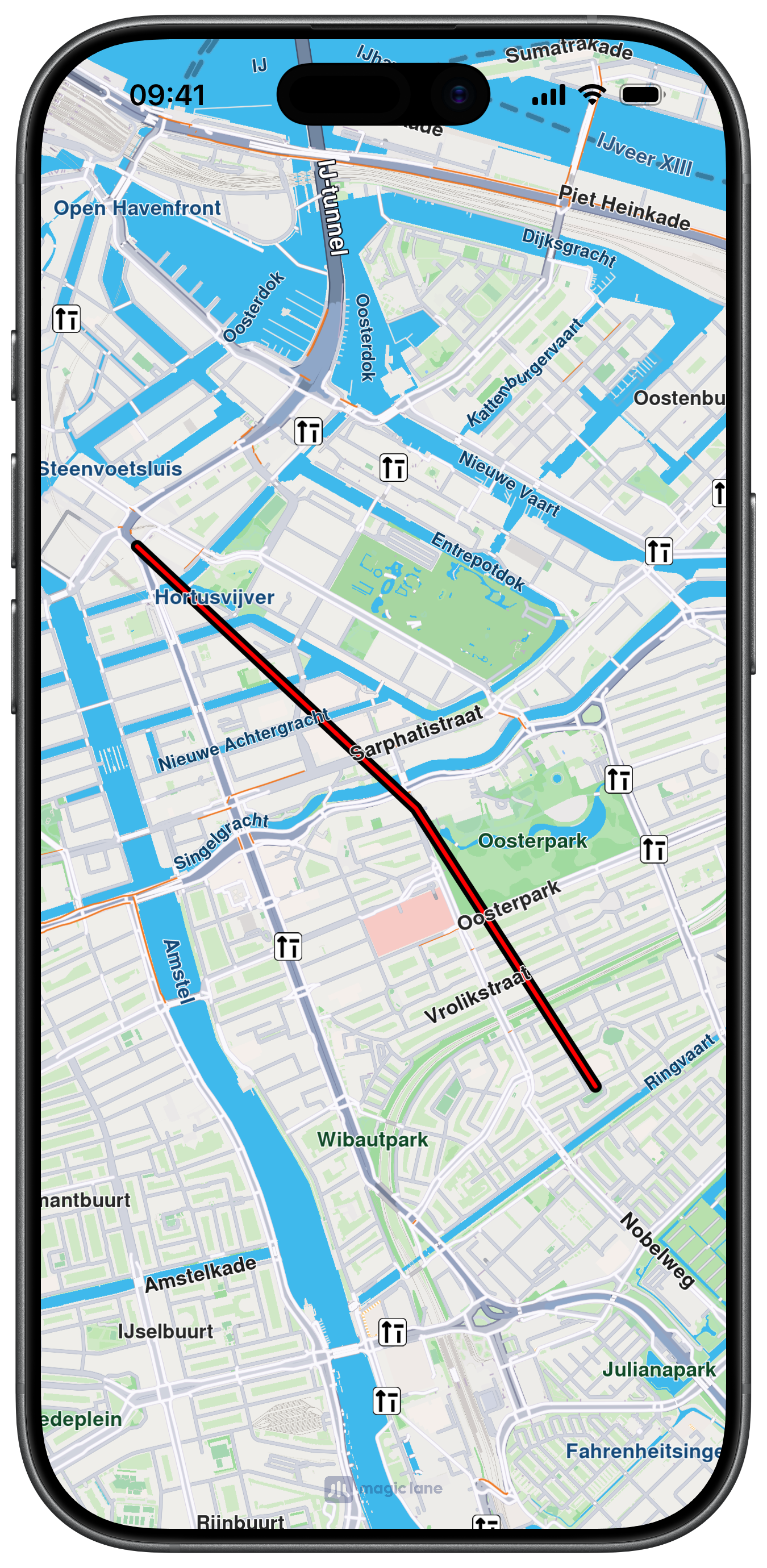
Customize path appearance
When adding a path, you can configure border/inner colors and sizes using colorBorder, colorInner, szBorder, and szInner.
Center on path
Center the map on a path by reading its geographic area and passing it to center(onArea:zoomLevel:animationDuration:).
if let area = path.getArea() {
    mapViewController.center(onArea: area, zoomLevel: -1, animationDuration: 700)
}
Access paths in collection
Read paths from the collection by index or name, and use size() to inspect how many paths are currently displayed.
guard let paths = mapViewController.getPreferences().getPaths() else { return }

let count = paths.size()
let first = paths.getPathAt(0)
let byName = paths.getPathByName("Recorded track")

print("count=\(count) first=\(first != nil) byName=\(byName != nil)")
Remove paths
Use remove(_:) to delete a specific path instance, remove(at:) to delete by index, or clear() to remove all paths.
guard let paths = mapViewController.getPreferences().getPaths() else { return }

_ = paths.remove(path)
_ = paths.remove(at: 0)
paths.clear()