# Display markers
Last updated:
October 18, 2026
\| 4 minutes read
Learn how to add and style point, polyline, and polygon markers, including labeling and clustering behavior.
## Overview[](#overview "Direct link to Overview")
`MarkerObject` stores coordinates grouped into marker parts. Coordinates in the same part are connected for polyline/polygon marker collections, while different parts stay independent. You can append coordinates in order or insert at a specific index.
**Code used for creating a marker with coordinates added to the same part:**
```swift
let marker = MarkerObject(coordinates: [
CoordinatesObject.coordinates(withLatitude: 52.1459, longitude: 1.0613),
CoordinatesObject.coordinates(withLatitude: 52.14569, longitude: 1.0615),
CoordinatesObject.coordinates(withLatitude: 52.14585, longitude: 1.06186),
CoordinatesObject.coordinates(withLatitude: 52.14611, longitude: 1.06215)
])
```
**Code used for creating a marker with coordinates separated into different parts:**
```swift
let marker = MarkerObject(coordinates: [
CoordinatesObject.coordinates(withLatitude: 52.1459, longitude: 1.0613),
CoordinatesObject.coordinates(withLatitude: 52.14569, longitude: 1.0615)
])
marker.add(
CoordinatesObject.coordinates(withLatitude: 52.14585, longitude: 1.06186),
index: -1,
part: 1
)
marker.add(
CoordinatesObject.coordinates(withLatitude: 52.14611, longitude: 1.06215),
index: -1,
part: 1
)
```
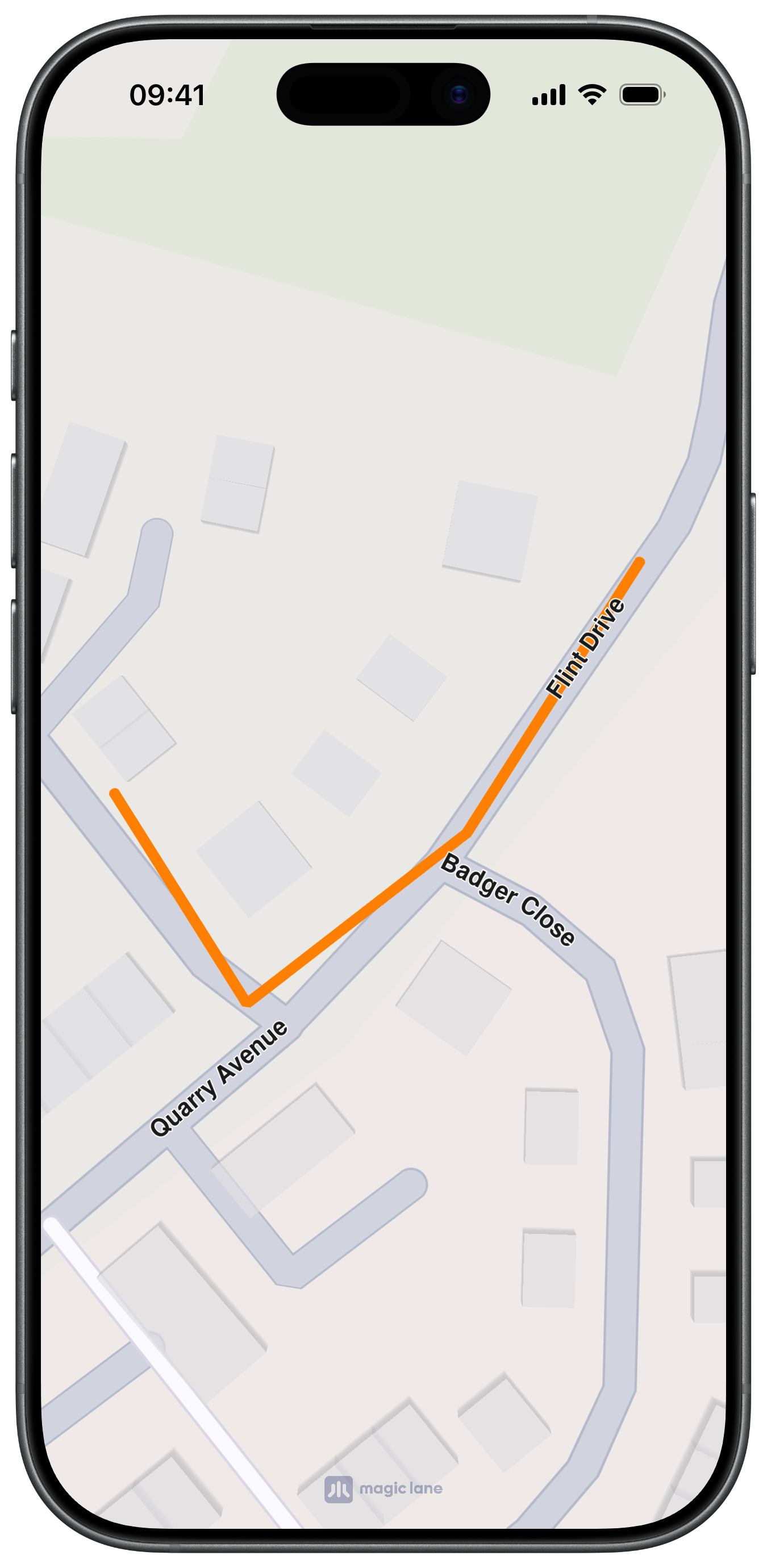
**Polyline Markers with one part**
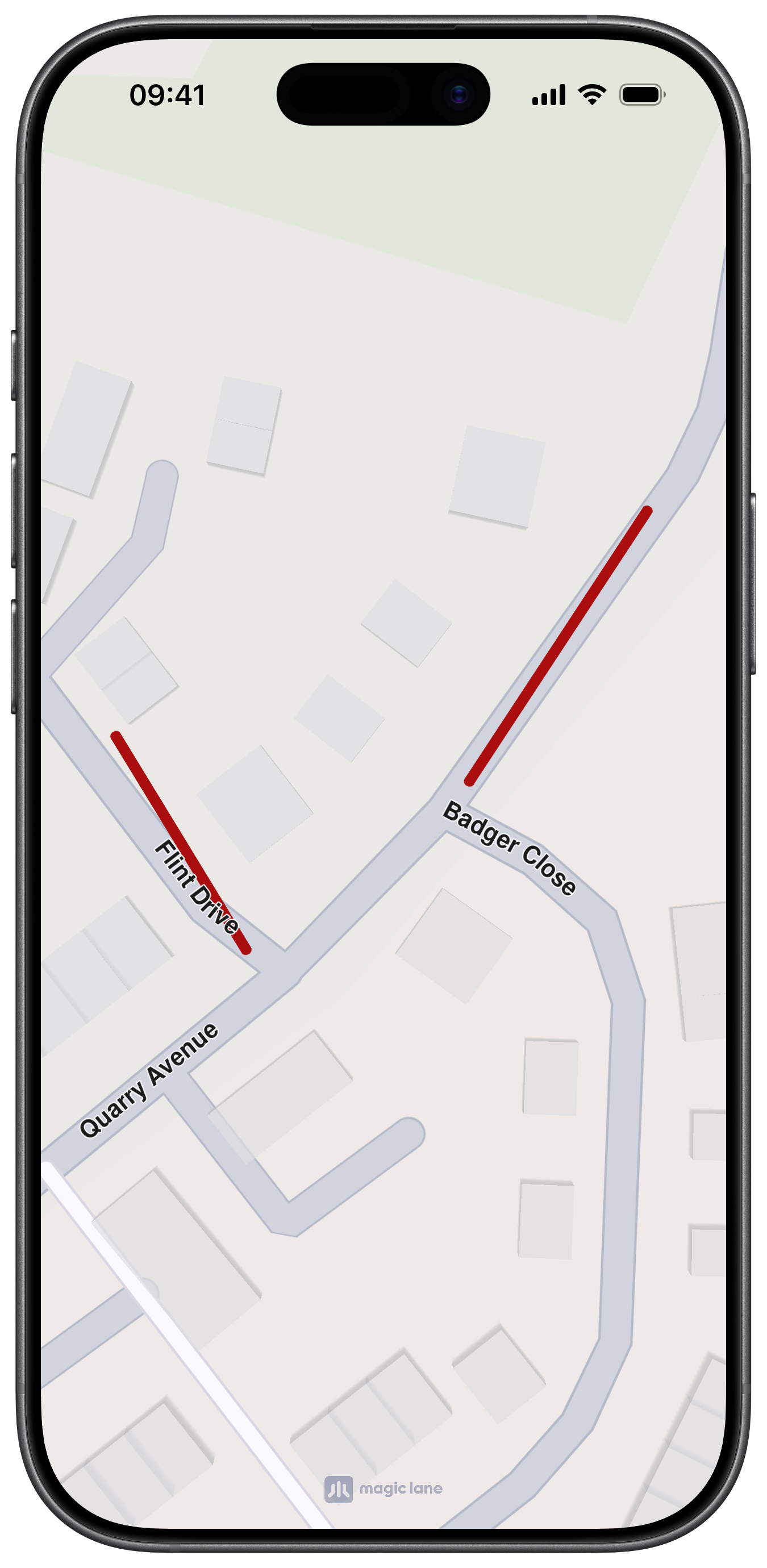
**Polyline Markers with coordinates added to separate parts**
## Add markers to the map[](#add-markers-to-the-map "Direct link to Add markers to the map")
Create `MarkerObject` instances and group them in a `MarkerCollectionObject`, then add the collection to the map.
```swift
let marker = MarkerObject(coordinates: [
CoordinatesObject.coordinates(withLatitude: 52.14590, longitude: 1.06130),
CoordinatesObject.coordinates(withLatitude: 52.14569, longitude: 1.06150),
CoordinatesObject.coordinates(withLatitude: 52.14579, longitude: 1.06180),
])
let collection = MarkerCollectionObject(name: "points", type: .point)
collection.addMarker(marker)
mapViewController.addMarker(collection)
```
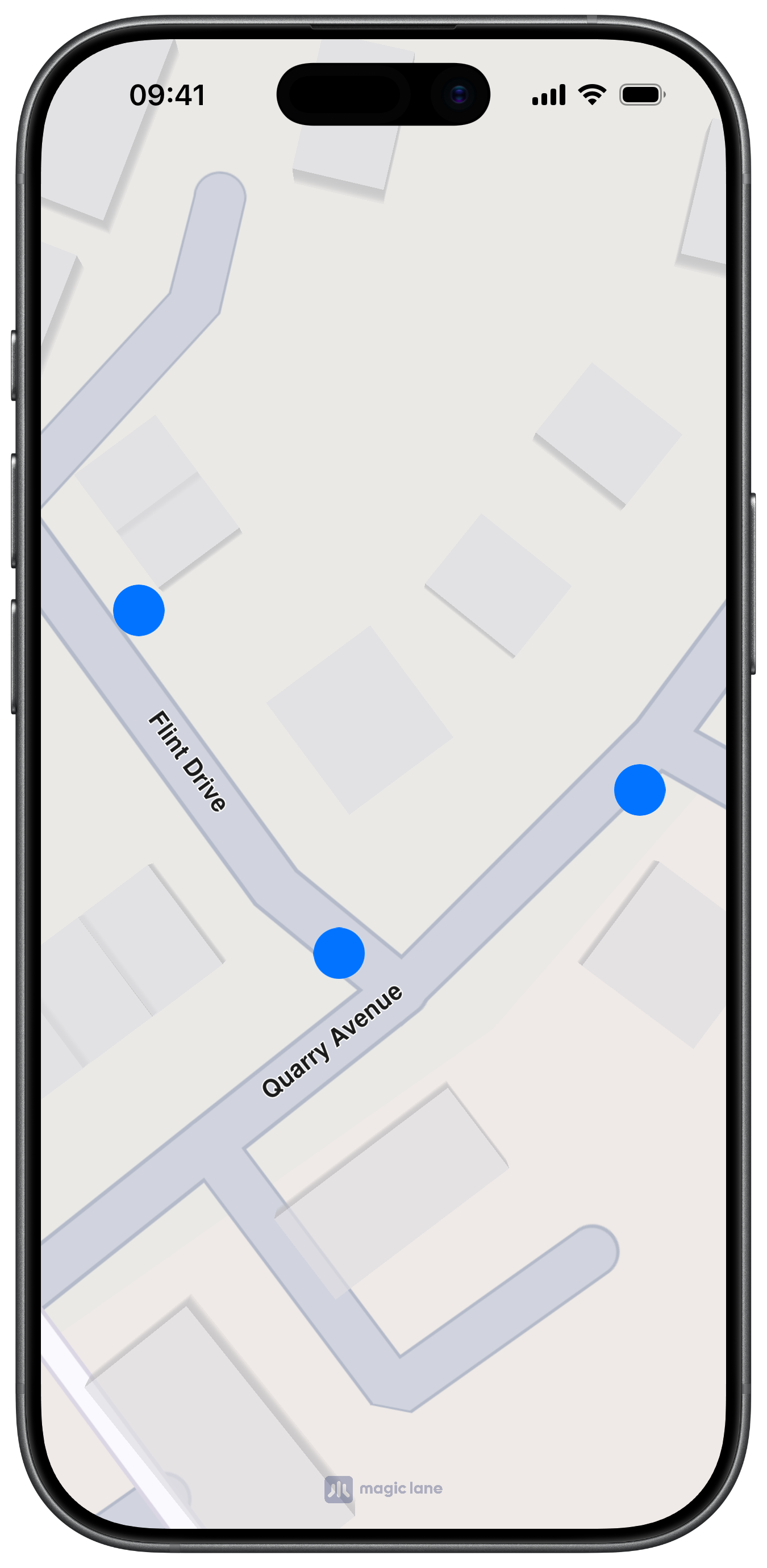
**Point Markers**
For `MarkerCollectionObject`, choose a marker type that matches your geometry: `.point`, `.polyline`, `.polygon`, or `.area`.
## Marker types[](#marker-types "Direct link to Marker types")
* `MarkerCollectionTypePoint` for point markers
* `MarkerCollectionTypePolyline` for line markers
* `MarkerCollectionTypePolygon` for filled polygons
* `MarkerCollectionTypeArea` for top-level area overlays
### Point markers[](#point-markers "Direct link to Point markers")
Point markers are rendered as icons and can be labeled or grouped at configured zoom levels.
### Polyline markers[](#polyline-markers "Direct link to Polyline markers")
Polyline markers render connected segments for coordinates in the same part.
### Polygon markers[](#polygon-markers "Direct link to Polygon markers")
Polygon markers render filled areas when each part has at least three coordinates.
warning
If a polygon part has fewer than three coordinates, it is rendered as an open polyline.
### Polyline and polygon example[](#polyline-and-polygon-example "Direct link to Polyline and polygon example")
```swift
let line = MarkerObject(coordinates: [
CoordinatesObject.coordinates(withLatitude: 52.360495, longitude: 4.936882),
CoordinatesObject.coordinates(withLatitude: 52.360495, longitude: 4.836882),
CoordinatesObject.coordinates(withLatitude: 52.410495, longitude: 4.886882),
])
// change type to .polyline for open polyline rendering
let lines = MarkerCollectionObject(name: "polyExample", type: .polygon)
lines.addMarker(line)
lines.setInnerColor(.systemRed)
lines.setOuterColor(.black)
lines.setInnerSize(1.0)
lines.setOuterSize(1.4)
mapViewController.addMarker(lines)
```
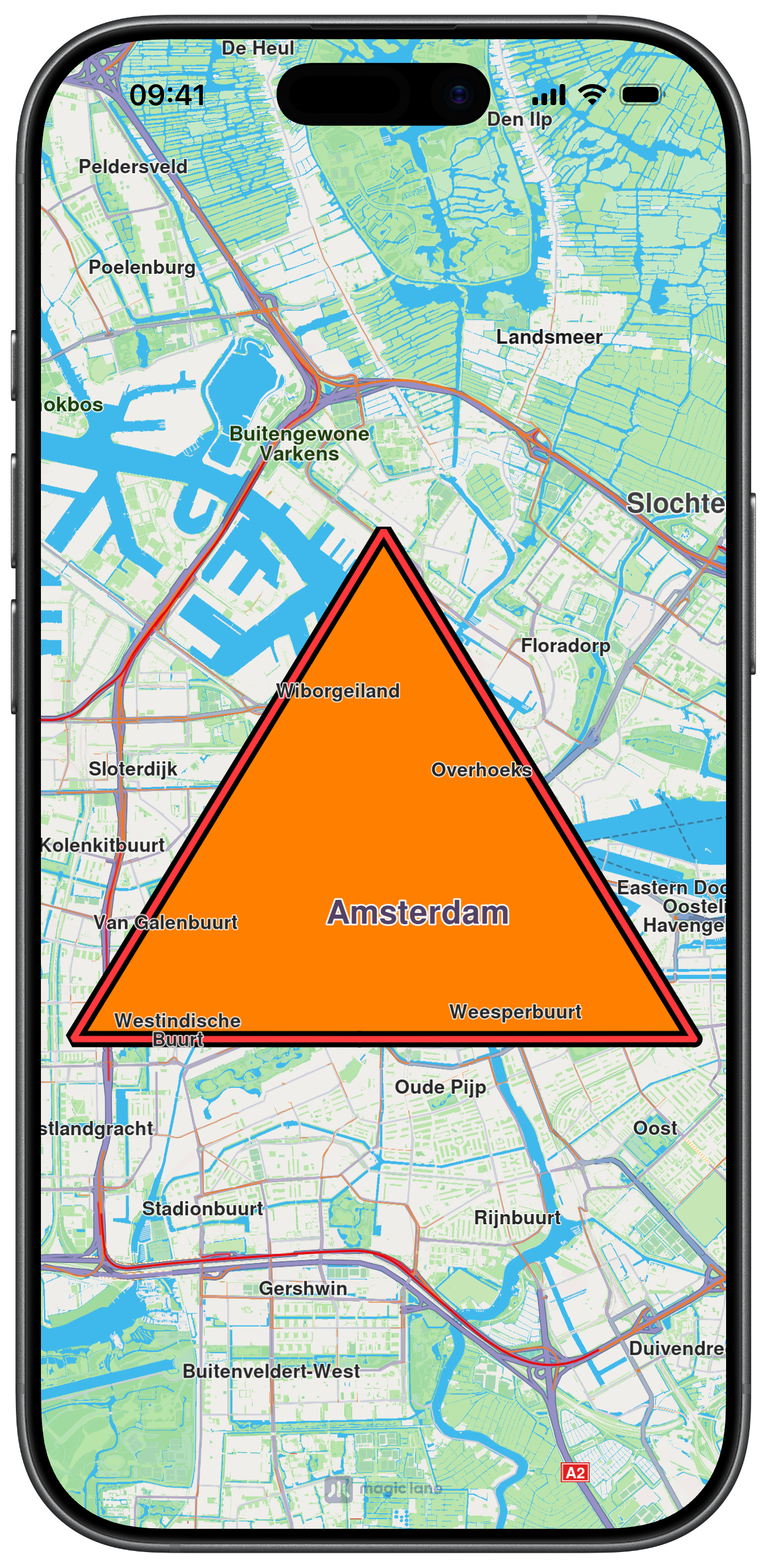
**Rendering Markers as a Polygon**
## Customize marker appearance[](#customize-marker-appearance "Direct link to Customize marker appearance")
You can style a collection directly or pass `MarkerCollectionRenderSettingsObject` when adding.
`MarkerCollectionRenderSettingsObject` supports type-specific customization:
* **Point markers**: `pointImage`, `imageSize`, `labelTextSize`, `labelTextColor`, `labelingMode`
* **Polyline markers**: `polylineInnerColor`, `polylineOuterColor`, `polylineInnerSize`, `polylineOuterSize`
* **Polygon markers**: `polygonFillColor`
All size values are in millimeters.
info
Properties not applicable to the collection type are ignored.
```swift
let settings = MarkerCollectionRenderSettingsObject()
settings.pointImage = UIImage(systemName: "mappin.circle.fill")
settings.imageSize = 4.0
settings.labelTextSize = 2.6
settings.labelingMode = NSNumber(
value: MarkerLabelingMode.item.rawValue |
MarkerLabelingMode.textAbove.rawValue
)
settings.pointsGroupingZoomLevel = 70
mapViewController.addMarker(collection, renderSettingsObject: settings)
```
### Labeling and clustering[](#labeling-and-clustering "Direct link to Labeling and clustering")
```swift
let clusteredCollection = MarkerCollectionObject(name: "poi-clustered", type: .point)
for index in 0..<40 {
let latitude = 52.3676 + Double(index % 8) * 0.0012
let longitude = 4.9041 + Double(index / 8) * 0.0012
let point = MarkerObject(coordinates: [
CoordinatesObject.coordinates(withLatitude: latitude, longitude: longitude)
])
clusteredCollection.addMarker(point)
}
let clusteringSettings = MarkerCollectionRenderSettingsObject()
clusteringSettings.imageSize = 3.8
clusteringSettings.labelTextSize = 2.4
clusteringSettings.labelGroupTextSize = 2.6
clusteringSettings.labelingMode = NSNumber(
value: MarkerLabelingMode.item.rawValue |
MarkerLabelingMode.group.rawValue |
MarkerLabelingMode.textAbove.rawValue
)
clusteringSettings.pointsGroupingZoomLevel = 70
mapViewController.addMarker(clusteredCollection, renderSettingsObject: clusteringSettings)
// Compare behavior around the grouping threshold.
let focus = CoordinatesObject.coordinates(withLatitude: 52.3690, longitude: 4.9060)
mapViewController.center(onCoordinates: focus, zoomLevel: 72, animationDuration: 0)
```
warning
Set `pointsGroupingZoomLevel` to `0` to disable grouping for that collection. Be careful though, as a large number of visible point markers may impact performance.
## Remove markers[](#remove-markers "Direct link to Remove markers")
```swift
mapViewController.removeMarker(collection)
mapViewController.removeAllMarkers()
let current = mapViewController.getAvailableMarkers()
print("marker collections on map: \(current.count)")
```
## Relevant examples demonstrating markers related features[](#relevant-examples-demonstrating-markers-related-features "Direct link to Relevant examples demonstrating markers related features")
* [Shapes](/docs/ios/examples/maps-3dscene/shapes.md)