# Overlays
Last updated:
October 18, 2026
\| 9 minutes read
An **overlay** is an additional map layer with data stored on Magic Lane servers, accessible in both online and offline modes. Overlays can be default or user-defined, and they support category hierarchies and downloadable offline data.
Core classes:
* `OverlayInfoObject` — dataset metadata and category tree
* `OverlayCategoryObject` — category node in the hierarchy
* `OverlayItemObject` — single item on the map
* `OverlayCollectionObject` — all available datasets
* `OverlayServiceContext` — enable/disable and offline control
danger
Overlays require map content to be downloaded for offline use. Most overlay features require an active map view with a style that supports the overlay. See details in the offline content management guide.
## OverlayInfoObject[](#overlayinfoobject "Direct link to OverlayInfoObject")
`OverlayInfoObject` describes one overlay dataset. You retrieve instances from `OverlayCollectionObject`.
| Method | Return type | Description |
| ------------------- | ------------------------- | -------------------------------------- |
| `getUid()` | `Int` | Unique overlay ID |
| `getName()` | `String` | Overlay name |
| `getImage(_:)` | `UIImage?` | Overlay icon at the given height |
| `getCategories()` | `[OverlayCategoryObject]` | Root category list |
| `getCategory(_:)` | `OverlayCategoryObject?` | Category by ID |
| `hasCategories(_:)` | `Bool` | Checks if a category has subcategories |
### Usage[](#usage "Direct link to Usage")
Use `OverlayInfoObject` to:
* Access categories within an overlay
* Get the overlay `uid` for filtering search results
* Toggle overlay visibility on the map
* Display overlay information in the UI
```swift
let service = OverlayServiceContext()
if let collection = service.getAvailableOverlays() {
for overlay in collection.getOverlays() {
print("\(overlay.getUid()): \(overlay.getName())")
for category in overlay.getCategories() {
print(" Category: \(category.getName())")
}
}
}
```
## OverlayCategoryObject[](#overlaycategoryobject "Direct link to OverlayCategoryObject")
`OverlayCategoryObject` represents a node in an overlay's category hierarchy. Categories can be nested to any depth.
| Method | Return type | Description |
| -------------------- | ------------------------- | ------------------------------ |
| `getUid()` | `Int` | Category ID within the overlay |
| `getOverlayUid()` | `Int` | Parent overlay ID |
| `getName()` | `String` | Category name |
| `getImage()` | `ImageObject?` | Category icon |
| `getSubcategories()` | `[OverlayCategoryObject]` | Direct subcategories |
| `hasSubcategories()` | `Bool` | Subcategory existence check |
### Usage[](#usage-1 "Direct link to Usage")
Use the category `uid` to:
* Filter search results
* Filter and manage overlay items that trigger alerts in `AlarmContext`
### Traverse the category tree[](#traverse-the-category-tree "Direct link to Traverse the category tree")
```swift
func printCategories(_ categories: [OverlayCategoryObject], depth: Int = 0) {
let indent = String(repeating: " ", count: depth)
for cat in categories {
print("\(indent)\(cat.getName()) (uid: \(cat.getUid()))")
if cat.hasSubcategories() {
printCategories(cat.getSubcategories(), depth: depth + 1)
}
}
}
if let collection = service.getAvailableOverlays() {
for overlay in collection.getOverlays() {
printCategories(overlay.getCategories())
}
}
```
## OverlayItemObject[](#overlayitemobject "Direct link to OverlayItemObject")
`OverlayItemObject` represents a single item within an overlay. Items are returned by map cursor selection, search operations, or alarm callbacks.
danger
Do not confuse the `uid` of `OverlayInfoObject`, `OverlayCategoryObject`, and `OverlayItemObject` — each serves a distinct purpose.
info
`getCategoryId()` returns the **root** category ID, not necessarily the direct parent category. Use `getOverlayInfo()?.getCategory(_:)` to resolve the full category object.
Tip
Check if an `OverlayItemObject` belongs to an `OverlayInfoObject` using `getOverlayUid()`, or retrieve the full `OverlayInfoObject` via `getOverlayInfo()`.
### Core item data[](#core-item-data "Direct link to Core item data")
| Method | Return type | Description |
| ------------------ | -------------------- | ------------------------------------ |
| `getUid()` | `Int` | Unique item ID within the overlay |
| `getOverlayUid()` | `Int` | Parent overlay UID |
| `getCategoryId()` | `Int` | Root category ID (`0` = no category) |
| `getName()` | `String` | Item name |
| `getCoordinates()` | `CoordinatesObject?` | Item position |
| `getOverlayInfo()` | `OverlayInfoObject?` | Parent overlay dataset metadata |
### Images[](#images "Direct link to Images")
| Method | Description |
| ----------------------------------- | ------------------------------------------------------------- |
| `getAspectRatioImage(_:)` | Renders item icon at given height (cached after first call) |
| `getAspectRatioImage(_:scale:ppi:)` | Renders with explicit scale and PPI |
| `getImage(_:)` | Renders item icon at given `CGSize` (cached after first call) |
| `getImage(_:scale:ppi:)` | Renders with explicit scale and PPI |
| `resetCacheImage()` | Clears the cached rendered image |
### Preview data[](#preview-data "Direct link to Preview data")
| Method | Return type | Description |
| ------------------------------------------------- | ----------- | ------------------------------------------------------------------------ |
| `getPreviewUrl()` | `URL?` | Web URL for a browser-based detail view |
| `getPreviewData(_:)` | `String` | Raw preview payload in the given `PreviewDataType` format (e.g. `.json`) |
| `search(inPreviewDataSafetyCameraParameterType:)` | `NSValue?` | Typed lookup for safety camera overlay fields |
| `search(inPreviewDataSocialReportParameterType:)` | `NSValue?` | Typed lookup for social report overlay fields |
### Extended preview data (async)[](#extended-preview-data-async "Direct link to Extended preview data (async)")
Some predefined overlays expose dynamic data that must be downloaded before it is available.
| Method | Description |
| ------------------------------------------------------- | --------------------------------------------------------- |
| `hasPreviewExtendedData()` | Checks if dynamic preview data is available for this item |
| `getPreviewExtendedDataWithCompletionHandler(_:)` | Async fetch; populates a `SearchableParameterListObject` |
| `cancelGetPreviewExtendedDataWithCompletionHandler(_:)` | Cancels an in-progress fetch |
```swift
if item.hasPreviewExtendedData() {
item.getPreviewExtendedData { parameterList in
// parameterList is a SearchableParameterListObject
print("Extended data received")
}
}
```
### Usage[](#usage-2 "Direct link to Usage")
Select `OverlayItemObject` instances from the map or receive them from `AlarmContext` on approach. Display overlay item fields and information in the UI.
## OverlayCollectionObject[](#overlaycollectionobject "Direct link to OverlayCollectionObject")
`OverlayCollectionObject` holds all overlay datasets available in the SDK.
| Method | Return type | Description |
| --------------------- | --------------------- | ------------------------------------ |
| `size()` | `Int` | Number of available overlay datasets |
| `getOverlayAt(_:)` | `OverlayInfoObject?` | Overlay at the given index |
| `getOverlayByUid(_:)` | `OverlayInfoObject?` | Overlay by UID |
| `getOverlays()` | `[OverlayInfoObject]` | All overlay datasets |
## Overlay service operations[](#overlay-service-operations "Direct link to Overlay service operations")
Use `OverlayServiceContext` to toggle overlay and category visibility. Enabling or disabling affects all registered consumers — map views, alarm services, and search.
| Method | Return type | Description |
| ------------------------------- | -------------------------- | --------------------------------------- |
| `getAvailableOverlays()` | `OverlayCollectionObject?` | All available overlay datasets |
| `enableOverlay(_:)` | `SDKErrorCode` | Enables the full overlay |
| `enableOverlay(_:category:)` | `SDKErrorCode` | Enables a single category |
| `disableOverlay(_:)` | `SDKErrorCode` | Disables the full overlay |
| `disableOverlay(_:category:)` | `SDKErrorCode` | Disables a single category |
| `isOverlayEnabled(_:)` | `Bool` | Checks if the overlay is active |
| `isOverlayEnabled(_:category:)` | `Bool` | Checks if a specific category is active |
### Enable and disable overlays[](#enable-and-disable-overlays "Direct link to Enable and disable overlays")
```swift
let service = OverlayServiceContext()
let safetyId = Int32(CommonOverlayIdentifier.safety.rawValue)
// Enable overlay
let enableResult = service.enableOverlay(safetyId)
// Disable overlay
let disableResult = service.disableOverlay(safetyId)
// Check if overlay is enabled
let isEnabled = service.isOverlayEnabled(safetyId)
```
The `enableOverlay(_:category:)`, `disableOverlay(_:category:)`, and `isOverlayEnabled(_:category:)` variants also accept a category UID to target a specific category within the overlay.
### Enable a specific category[](#enable-a-specific-category "Direct link to Enable a specific category")
```swift
let service = OverlayServiceContext()
let overlayId = Int32(CommonOverlayIdentifier.publicTransport.rawValue)
let categoryId = service.getAvailableOverlays()?.getOverlayByUid(overlayId)?.getCategories().first?.getUid() ?? 0
service.enableOverlay(overlayId, category: categoryId)
```
### Offline support[](#offline-support "Direct link to Offline support")
The offline data grabber automatically fetches overlay data for every road map content download.
| Method | Return type | Description |
| ---------------------------------------------- | -------------- | ----------------------------------------------------------------- |
| `enableOverlayOfflineDataGrabber(_:)` | `SDKErrorCode` | Enables auto-download of overlay data with offline maps |
| `disableOverlayOfflineDataGrabber(_:)` | `SDKErrorCode` | Disables auto-download |
| `isOverlayOfflineDataGrabberEnabled(_:)` | `Bool` | Checks if grabber is active |
| `isOverlayOfflineDataGrabberSupported(_:)` | `Bool` | Checks if grabber is supported for this overlay |
| `grabOverlayOfflineData(_:completionHandler:)` | `void` | Manually triggers offline data grab over all downloaded map areas |
| `cancelGrabOverlayOfflineData(_:)` | `void` | Cancels an in-progress grab |
```swift
let safetyId = Int32(CommonOverlayIdentifier.safety.rawValue)
if service.isOverlayOfflineDataGrabberSupported(safetyId) {
service.enableOverlayOfflineDataGrabber(safetyId)
service.grabOverlayOfflineData(safetyId) { success in
print("EV charging offline data grab succeeded: \(success)")
}
}
```
## Predefined overlays[](#predefined-overlays "Direct link to Predefined overlays")
`CommonOverlayIdentifier` defines the UIDs for built-in overlays:
| Constant | Description |
| ---------------------------------------- | --------------------------------- |
| `CommonOverlayIdentifierSafety` | Speed cameras, red light controls |
| `CommonOverlayIdentifierPublicTransport` | Bus stops, transit stations |
| `CommonOverlayIdentifierSocialLabels` | Social label annotations |
| `CommonOverlayIdentifierSocialReports` | User-submitted social reports |
| `CommonOverlayIdentifierEVCharging` | EV charging stations |
### Safety overlay[](#safety-overlay "Direct link to Safety overlay")
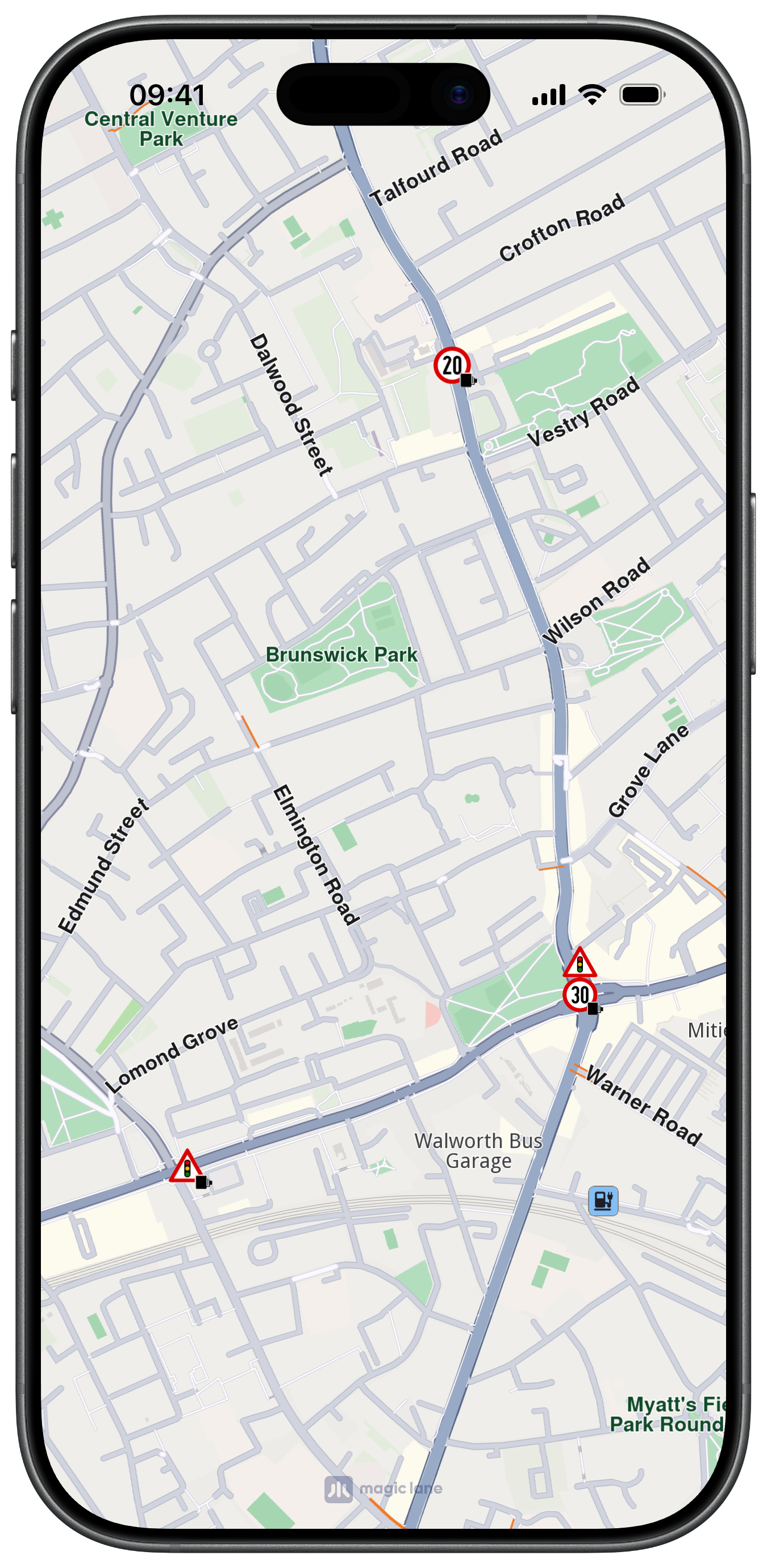
**Speed limit and red light control overlay items**
Safety overlays represent speed limit cameras, red light controls, and similar items.
Use `search(inPreviewDataSafetyCameraParameterType:)` with `SafetyCameraParameterType`:
| Parameter | Description |
| ------------------------------------ | ------------------------------------- |
| `SafetyCameraParameterTypeSpeedUnit` | Speed limit unit (e.g. `km/h`, `mph`) |
| `SafetyCameraParameterTypeSpeedVal` | Speed limit value |
| `SafetyCameraParameterTypeTowards` | Direction angle |
| `SafetyCameraParameterTypeDriveDir` | Driving direction flag |
```swift
if let speedVal = item.search(inPreviewDataSafetyCameraParameterType: .speedVal) {
print("Speed limit: \(speedVal)")
}
if let unit = item.search(inPreviewDataSafetyCameraParameterType: .speedUnit) {
print("Unit: \(unit)")
}
```
### Social reports overlay[](#social-reports-overlay "Direct link to Social reports overlay")
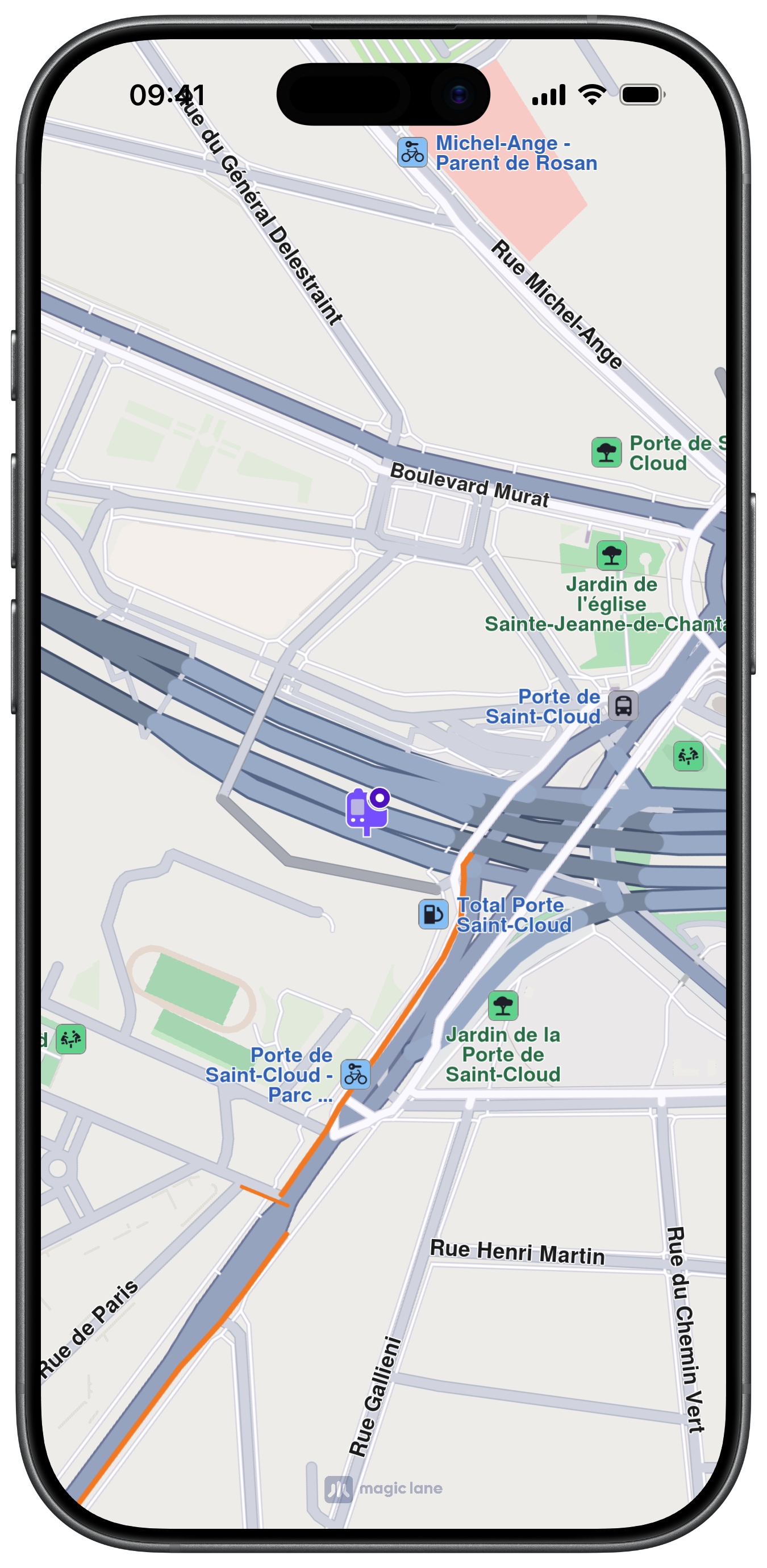
**Fixed Camera social report overlay item**
This overlay displays user-reported events such as fixed cameras and construction sites.
Use `search(inPreviewDataSocialReportParameterType:)` with `SocialReportParameterType`:
| Parameter | Description |
| ---------------------------------------- | ----------------------------------------- |
| `SocialReportParameterTypeCategNameTTS` | Category TTS name |
| `SocialReportParameterTypeCategValidity` | Validity in minutes |
| `SocialReportParameterTypeDescription` | Report description |
| `SocialReportParameterTypeOwnerId` | Report owner ID |
| `SocialReportParameterTypeOwnerName` | Report owner name |
| `SocialReportParameterTypeOwnReport` | Whether the current user owns this report |
| `SocialReportParameterTypeScore` | Report score/rating |
and other more advanced parameters.
### Public transport overlay[](#public-transport-overlay "Direct link to Public transport overlay")
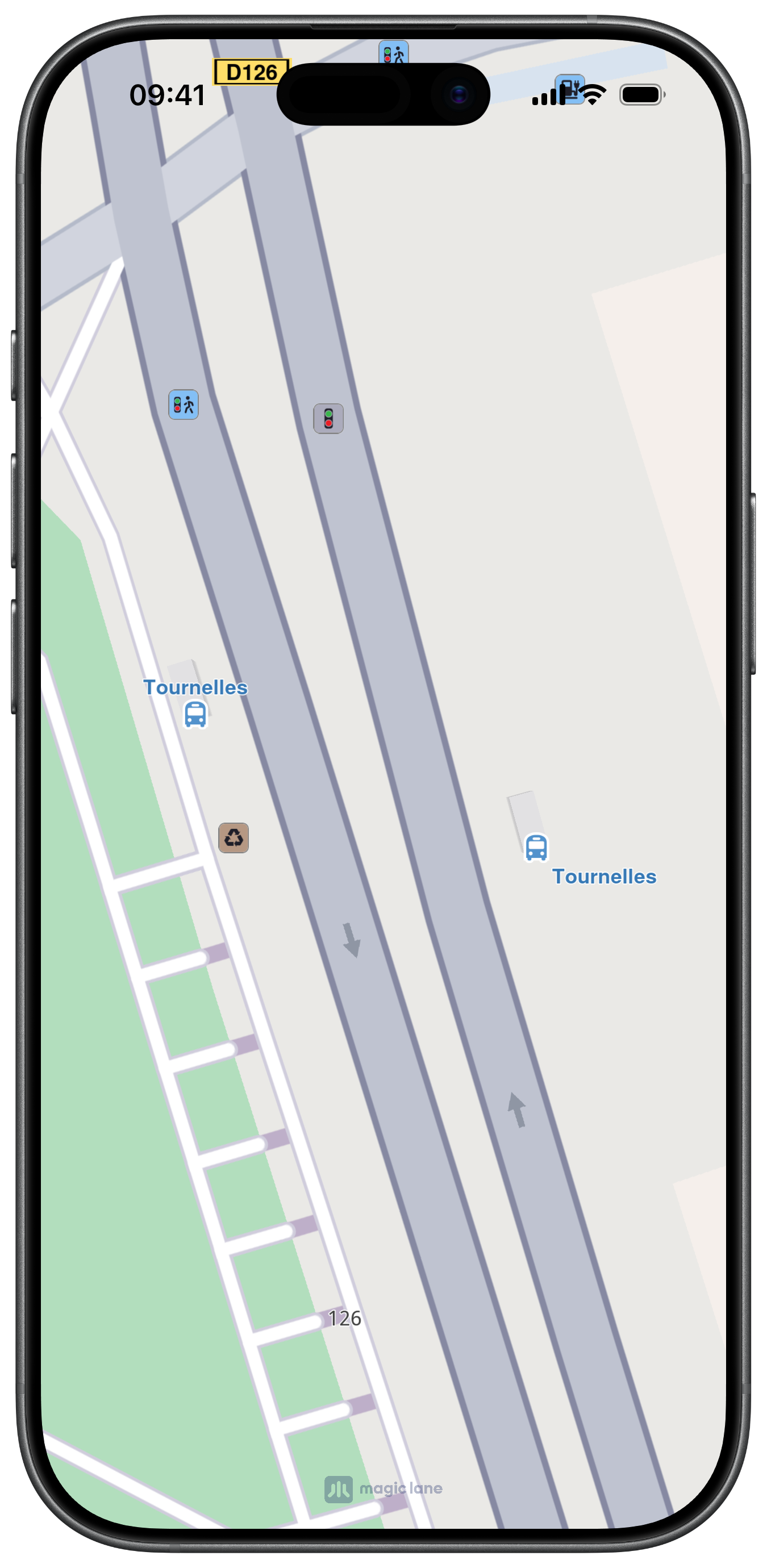
**Bus Public transport overlay item**
This overlay displays public transport stations. Two types of public transport stops exist:
danger
Two types of public transport stops exist:
* Bus stations with schedule information — `OverlayItemObject` instances
* Bus stations without schedule information — `LandmarkObject` instances
## Work with Overlays[](#work-with-overlays "Direct link to Work with Overlays")
### Select overlay items[](#select-overlay-items "Direct link to Select overlay items")
Overlay items are selectable. Identify specific items when users tap or long-press the map using `getCursorSelectionOverlayItems()` on `MapViewController` or using the dedicated overlay selection delegate methods. See the [Interact with map](/docs/ios/guides/maps/interact-with-map.md#select-map-elements) guide for details.
### Search overlay items[](#search-overlay-items "Direct link to Search overlay items")
Overlays are searchable. Set the appropriate properties in `SearchPreferencesObject` when performing a search. See the [Get started with Search](/docs/ios/guides/search/get-started-search.md) guide for details.
### Calculate routes[](#calculate-routes "Direct link to Calculate routes")
Overlay items are **not designed for route calculation** directly.
Tip
For routing, create a landmark from the overlay item's coordinates and a representative name.
```swift
if let coords = overlayItem.getCoordinates() {
let landmark = LandmarkObject.landmark(withName: overlayItem.getName(), location: coords)
// Use landmark as a route waypoint
}
```
### Display overlay item information[](#display-overlay-item-information "Direct link to Display overlay item information")
Access overlay item preview data using `search(inPreviewDataSafetyCameraParameterType:)` or `search(inPreviewDataSocialReportParameterType:)` for predefined overlays, or `getPreviewData(_:)` for the raw payload.
Use `getPreviewUrl()` to open a URL in a web browser for more details about the item.
danger
The preview data is unavailable if the parent map tile is disposed. Retrieve preview data before further map interactions.
### Proximity alarms[](#proximity-alarms "Direct link to Proximity alarms")
Configure alarms to notify users when approaching specific overlay items. See the [Landmarks and overlay alarms](/docs/ios/guides/alarms/landmark-and-overlay-alarms.md) guide for implementation details.
### Download overlay data[](#download-overlay-data "Direct link to Download overlay data")
Some overlays can be downloaded for offline use. See the [Offline](/docs/ios/guides/offline/manage-content.md#download-content) section for more details.