Markers
A marker is a visual geometry represented by MarkerObject. Markers are ideal for temporary annotations, shapes, user-defined graphics, and lightweight map overlays that are local to your app session.
Markers are geometry-first objects. They expose coordinates, parts, and a name, but they do not provide the rich searchable metadata of LandmarkObject.
Create markers
MarkerObject supports multiple creation patterns:
initWithCoordinates:for point/polyline/polygon coordinate listsinitWithCircleCenter:radius:for circular geometryinitWithRectangleShapeCenter:horizRadius:vertRadius:for axis-aligned rectangle from center/radiiinitWithRectangleFirstCorner:secondCorner:for rectangle from cornersinitWithGeographicArea:for area-driven creation
Create from coordinates
Create a marker from an array of coordinates:
let coordinates = [
	CoordinatesObject.coordinates(withLatitude: 48.858844, longitude: 2.294351),
	CoordinatesObject.coordinates(withLatitude: 48.859200, longitude: 2.295000),
]

let marker = MarkerObject(coordinates: coordinates)
marker.setName("Sample marker")
Create a circular marker
let center = CoordinatesObject.coordinates(withLatitude: 40.748817, longitude: -73.985428)
let circleMarker = MarkerObject(circleCenter: center, radius: 500)
Create a rectangle marker from center and radii
let center = CoordinatesObject.coordinates(withLatitude: 44.4378, longitude: 26.0969)
let rectMarker = MarkerObject(rectangleShapeCenter: center, horizRadius: 400, vertRadius: 250)
Create a rectangle marker from corners
let topLeft = CoordinatesObject.coordinates(withLatitude: 44.93343, longitude: 25.09946)
let bottomRight = CoordinatesObject.coordinates(withLatitude: 44.93324, longitude: 25.09987)

let marker = MarkerObject(rectangleFirstCorner: topLeft, secondCorner: bottomRight)
Create from a geographic area
let area = CircleGeographicAreaObject(center: center, radius: 500)
let marker = MarkerObject(geographicArea: area)
Markers are not displayed automatically when instantiated. Add them to a MarkerCollectionObject that is rendered by your map workflow.
Marker structure
Markers can contain one or more parts. Without an explicit part index, methods operate on the default part (0).
Each part is interpreted according to the MarkerCollectionObject type that renders it:
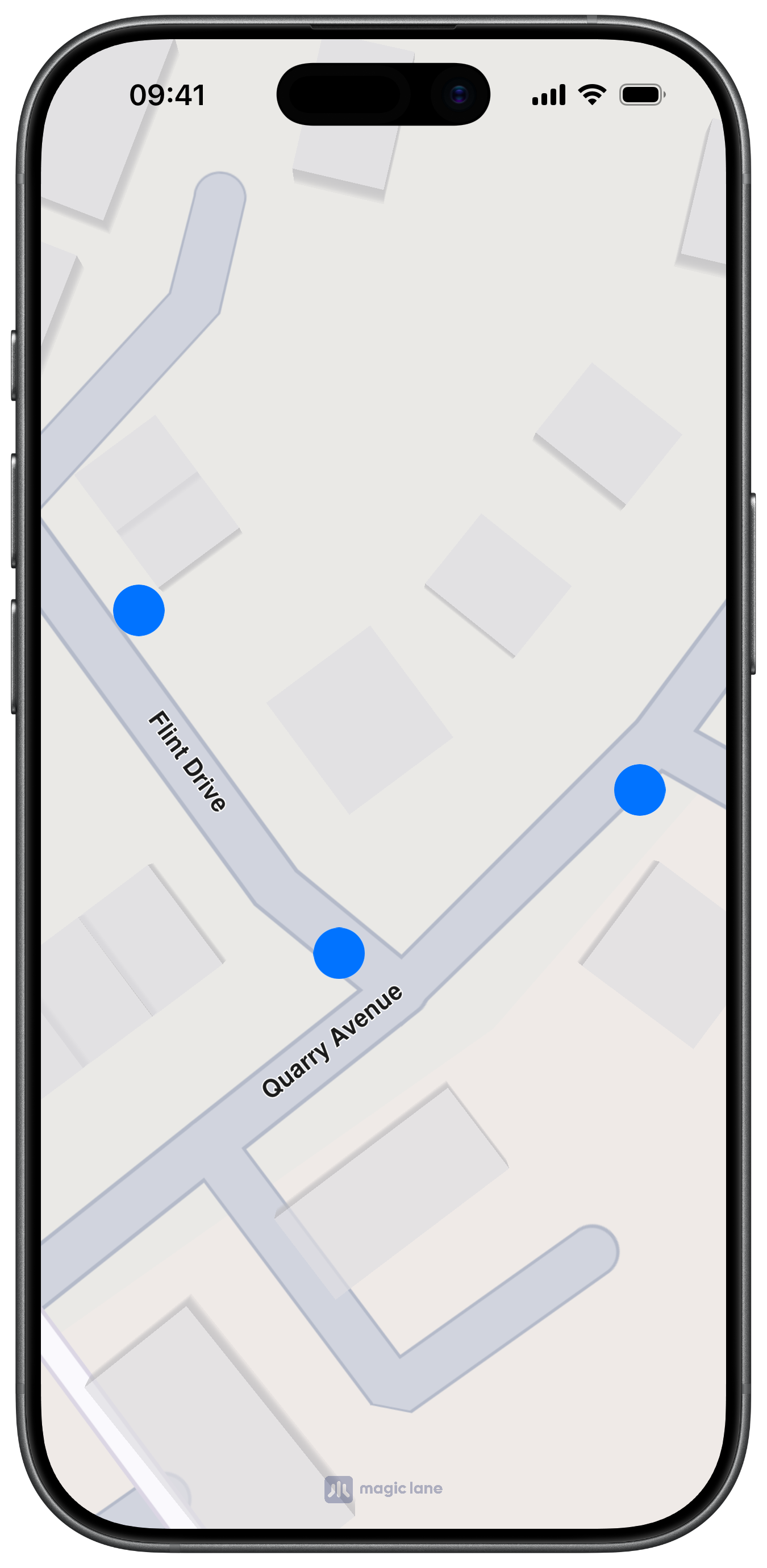
- Point collection: each part is a group of points
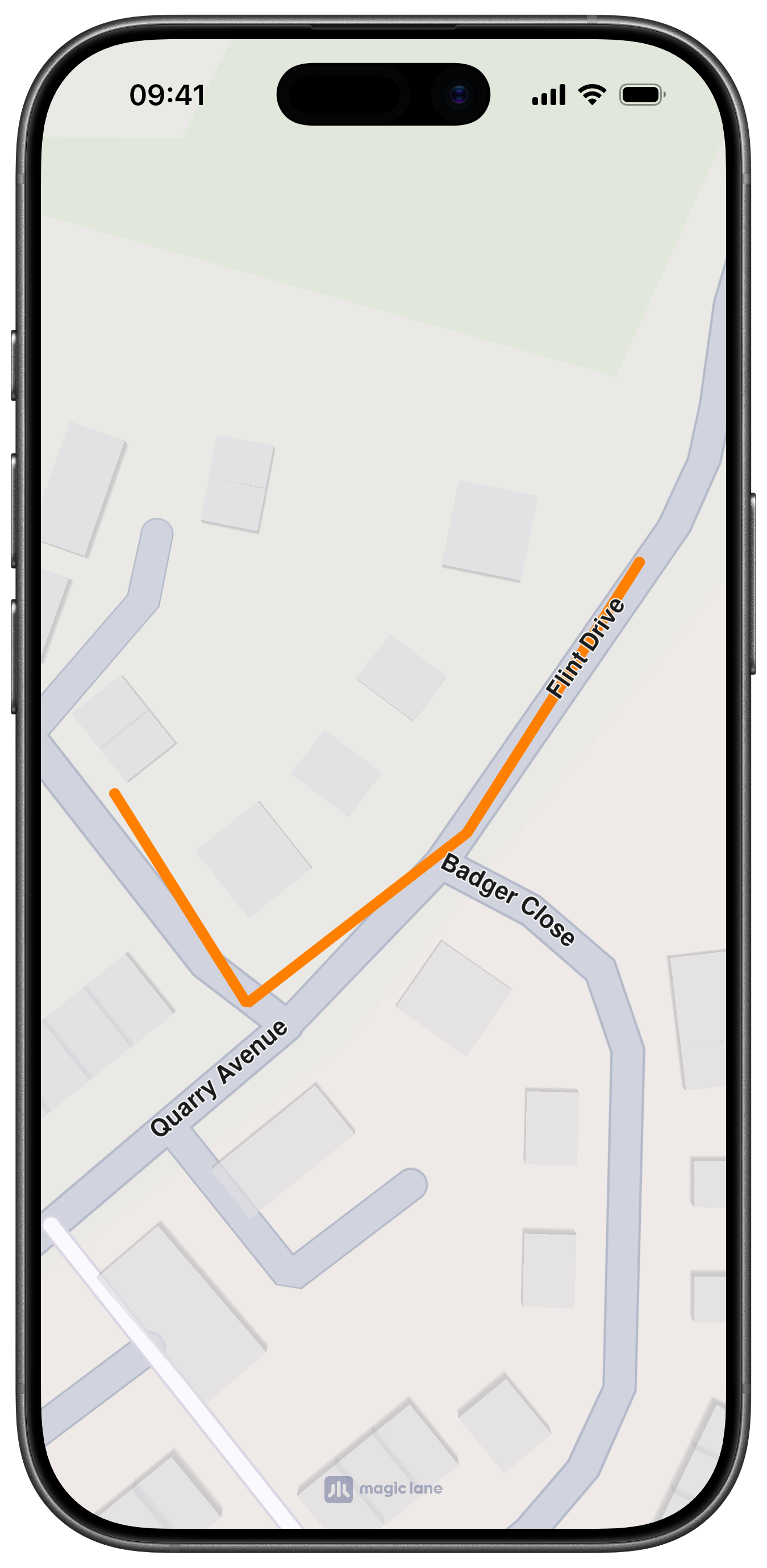
- Polyline collection: each part is a polyline
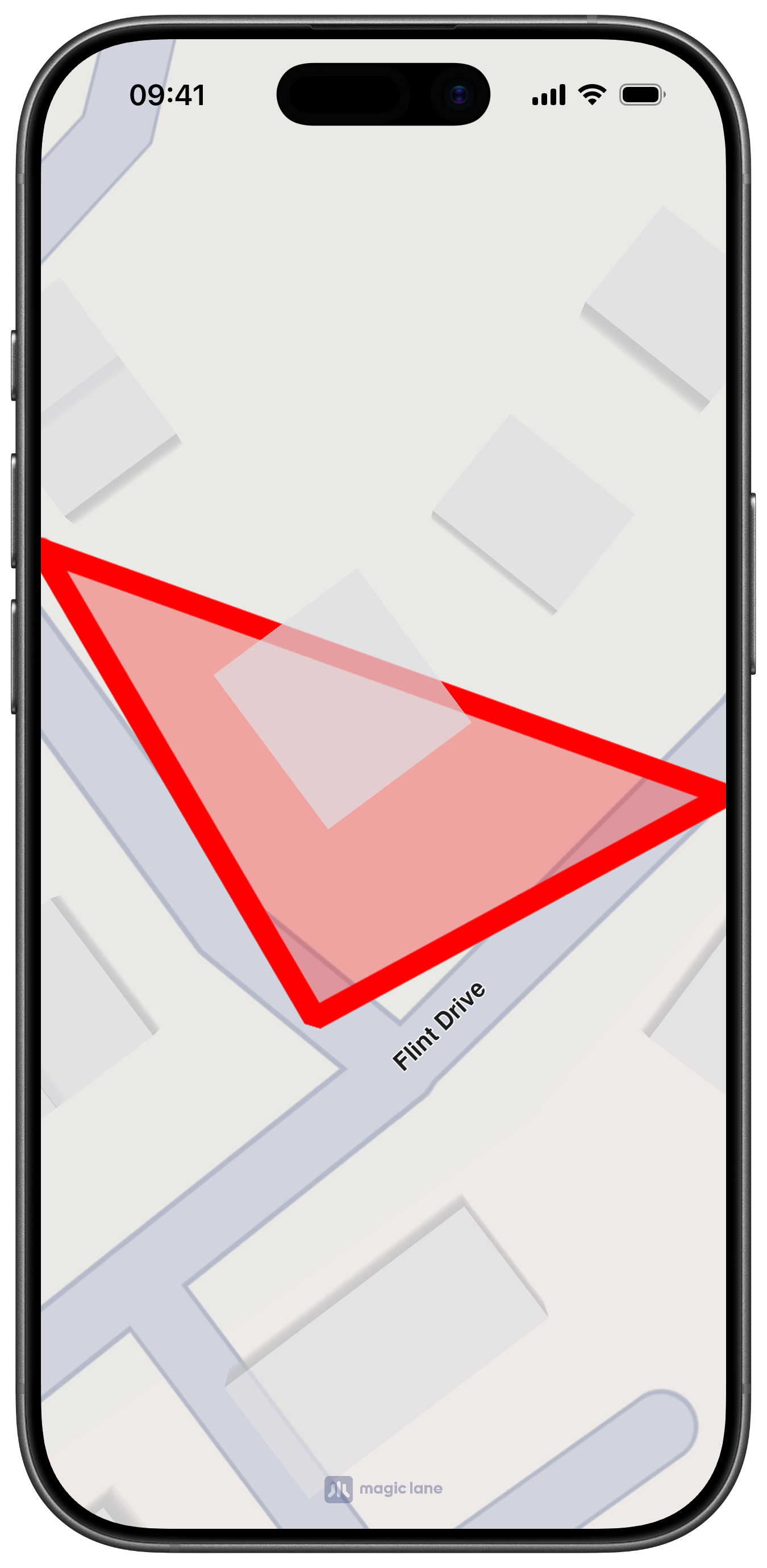
- Polygon/area collection: each part is a polygon
Work with parts
If you add a coordinate using part == getPartCount(), the SDK automatically creates a new part.
let marker = MarkerObject(coordinates: [
	CoordinatesObject.coordinates(withLatitude: 48.858844, longitude: 2.294351)
])

// Append to the first part.
marker.add(CoordinatesObject.coordinates(withLatitude: 48.859000, longitude: 2.295000))

// Create a second part automatically.
marker.add(
	CoordinatesObject.coordinates(withLatitude: 48.860000, longitude: 2.296000),
	index: -1,
	part: Int(marker.getPartCount())
)
Marker operations
| Method | Description |
|---|---|
getId() | Returns the marker unique ID |
getName() / setName(_:) | Gets or sets the marker name |
getPartCount() | Returns the number of parts |
getCoordinates() | Returns coordinates of the first/default part |
getCoordinates(_:) | Returns coordinates for the specified part |
setCoordinates(_:) | Replaces coordinates of the first part |
setCoordinates(_:part:) | Replaces coordinates of the specified part |
add(_:) | Appends a coordinate to the default part |
add(_:index:part:) | Inserts or appends a coordinate in a specific part |
deleteFromIndex(_:part:) | Removes a coordinate from a part |
update(_:index:part:) | Replaces a coordinate at a given index |
deletePart(_:) | Removes an entire part |
getArea() | Returns the bounding area of the first part |
getPartArea(_:) | Returns the bounding area of the specified part |
Marker collections
MarkerCollectionObject groups markers of the same visual type:
| Type | Description |
|---|---|
MarkerCollectionTypePoint | Multi-point markers |
MarkerCollectionTypePolyline | Polyline markers |
MarkerCollectionTypePolygon | Polygon markers |
MarkerCollectionTypeArea | Area markers rendered above the map area's stack |
Create a marker collection
Create a collection with a name and type, then add markers to it:
let collection = MarkerCollectionObject(name: "myPoints", type: .point)

let marker = MarkerObject(coordinates: [
	CoordinatesObject.coordinates(withLatitude: 48.858844, longitude: 2.294351)
])

collection.addMarker(marker)
Collection operations
| Method | Description |
|---|---|
getId() | Returns the collection unique ID |
getType() | Returns the MarkerCollectionType |
getName() | Returns the collection name |
getSize() | Returns the number of markers in the collection |
getMarkerAt(_:) | Returns the marker at an index |
getMarkerById(_:) | Returns the marker with a specific marker ID |
indexOf(_:) | Returns the index of a marker |
addMarker(_:) | Appends a marker to the collection |
addMarker(_:atIndex:) | Inserts a marker at a given index |
deleteMarkerAtIndex(_:) | Removes a marker by index |
clear() | Removes all markers |
getArea() | Returns the geographic area enclosing the whole collection |
Typical usage
Collections are the unit you style and attach to your map workflow. Every collection holds markers of the same render type, which keeps display configuration consistent.
Customize rendering
MarkerCollectionObject exposes collection-level styling controls:
Style and render settings
| Method | Description |
|---|---|
setInnerColor(_:) / getInnerColor() | Polyline inner color |
setOuterColor(_:) / getOuterColor() | Polyline outer color |
setFillColor(_:) / getFillColor() | Polygon fill color |
setInnerSize(_:) / getInnerSize() | Polyline inner width in millimeters |
setOuterSize(_:) / getOuterSize() | Polyline outer width in millimeters |
setPointImage(_:) / getPointImage() | Point marker UIImage |
setImage(_:) / getImage() | Collection ImageObject |
setImageSize(_:) / getImageSize() | Image size in millimeters |
setLabelGroupTextSize(_:) / getLabelGroupTextSize() | Group label text size |
setLabelGroupTextColor(_:) / getLabelGroupTextColor() | Group label text color |
setLabelingMode(_:) / getLabelingMode() | Labeling mode bitset |
setPointsGroupingZoomLevel(_:) / getPointsGroupingZoomLevel() | Zoom level where point grouping begins |
setMinVisibilityZoomLevel(_:) / getMinVisibilityZoomLevel() | Minimum zoom where collection is visible |
setMaxVisibilityZoomLevel(_:) / getMaxVisibilityZoomLevel() | Maximum zoom where collection is visible |
setPolylineDirArrow(_:) / getPolylineDirArrow() | Enables/disables polyline direction arrows |
setPolylineDirArrowInnerColor(_:) / getPolylineDirArrowInnerColor() | Arrow inner color |
setPolylineDirArrowOuterColor(_:) / getPolylineDirArrowOuterColor() | Arrow outer color |
Style a point collection
let collection = MarkerCollectionObject(name: "poiMarkers", type: .point)

if let icon = UIImage(systemName: "mappin.circle.fill") {
	collection.setPointImage(icon)
}

collection.setImageSize(4.0)
collection.setMinVisibilityZoomLevel(4)
collection.setMaxVisibilityZoomLevel(20)
collection.setPointsGroupingZoomLevel(10)
Style a polyline collection
let polylineCollection = MarkerCollectionObject(name: "paths", type: .polyline)
polylineCollection.setInnerColor(.systemBlue)
polylineCollection.setOuterColor(.white)
polylineCollection.setInnerSize(1.8)
polylineCollection.setOuterSize(3.0)
polylineCollection.setPolylineDirArrow(true)
polylineCollection.setPolylineDirArrowInnerColor(.systemBlue)
polylineCollection.setPolylineDirArrowOuterColor(.white)
Labeling modes
setLabelingMode(_:) accepts a bitset of MarkerLabelingMode values.
| Value | Description |
|---|---|
MarkerLabelingModeNone | No labels |
MarkerLabelingModeItem | Label each marker item |
MarkerLabelingModeGroup | Label grouped markers |
MarkerLabelingModeItemCenter | Center item label on image |
MarkerLabelingModeGroupCenter | Center group label on image |
MarkerLabelingModeFitImage | Fit label to image |
MarkerLabelingModeIconBottomCenter | Align icon bottom-center |
MarkerLabelingModeTextAbove | Place item label above icon |
MarkerLabelingModeTextBellow | Place item label below icon |
MarkerLabelingModeGroupTopRight | Place group label at top-right |
Combine modes with bitwise OR:
let mode = MarkerLabelingMode.item.rawValue | MarkerLabelingMode.textAbove.rawValue
collection.setLabelingMode(Int(mode))
Marker usage guidance
- Use markers for visual-only map annotations
- Use landmarks for searchable/routable POIs
- Use overlays for server-backed shared datasets
Markers are not searchable and are not the primary entity for route calculation. If you want to route to a marker-like place, create a LandmarkObject from representative coordinates and a display name.
if let first = marker.getCoordinates().first {
	let landmark = LandmarkObject.landmark(withName: "Marker destination", location: first)
	// Use landmark in your search/routing workflow.
}
Markers are lightweight and fully local to your app session/data model.