# Simulate Route
Last updated:
October 18, 2026
\| 5 minutes read
* UIKit
* SwiftUI
This example demonstrates how to use **GEMKit** in a UIKit application to calculate a route and simulate driving it at an accelerated speed with turn-by-turn voice guidance.
Check the full implementation on [GitHub](https://github.com/magiclane/magiclane-maps-sdk-examples-for-ios/tree/main/UIKit/RoutesAndNavigation/SimulateRoute).
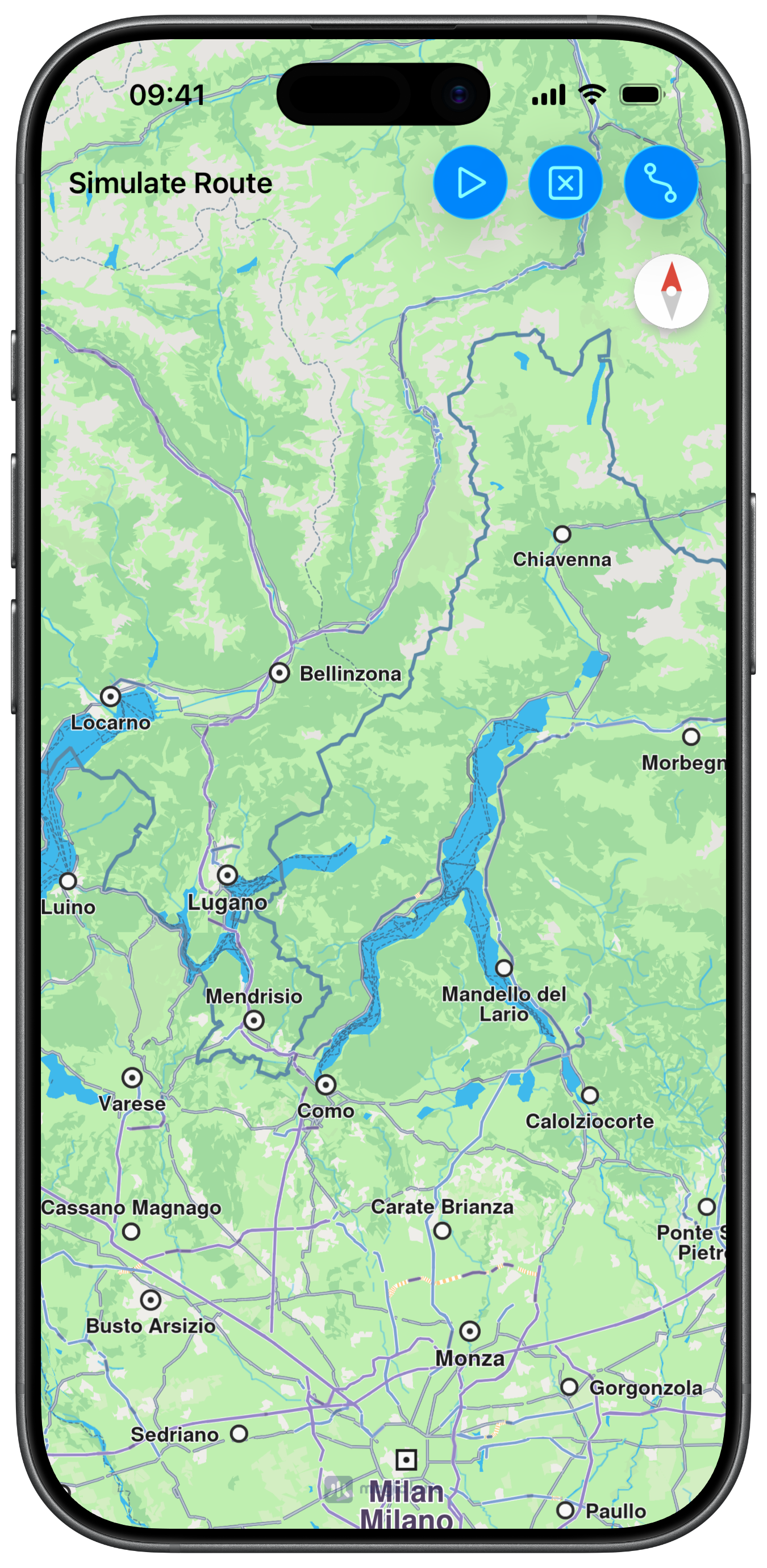
**Initial screen**
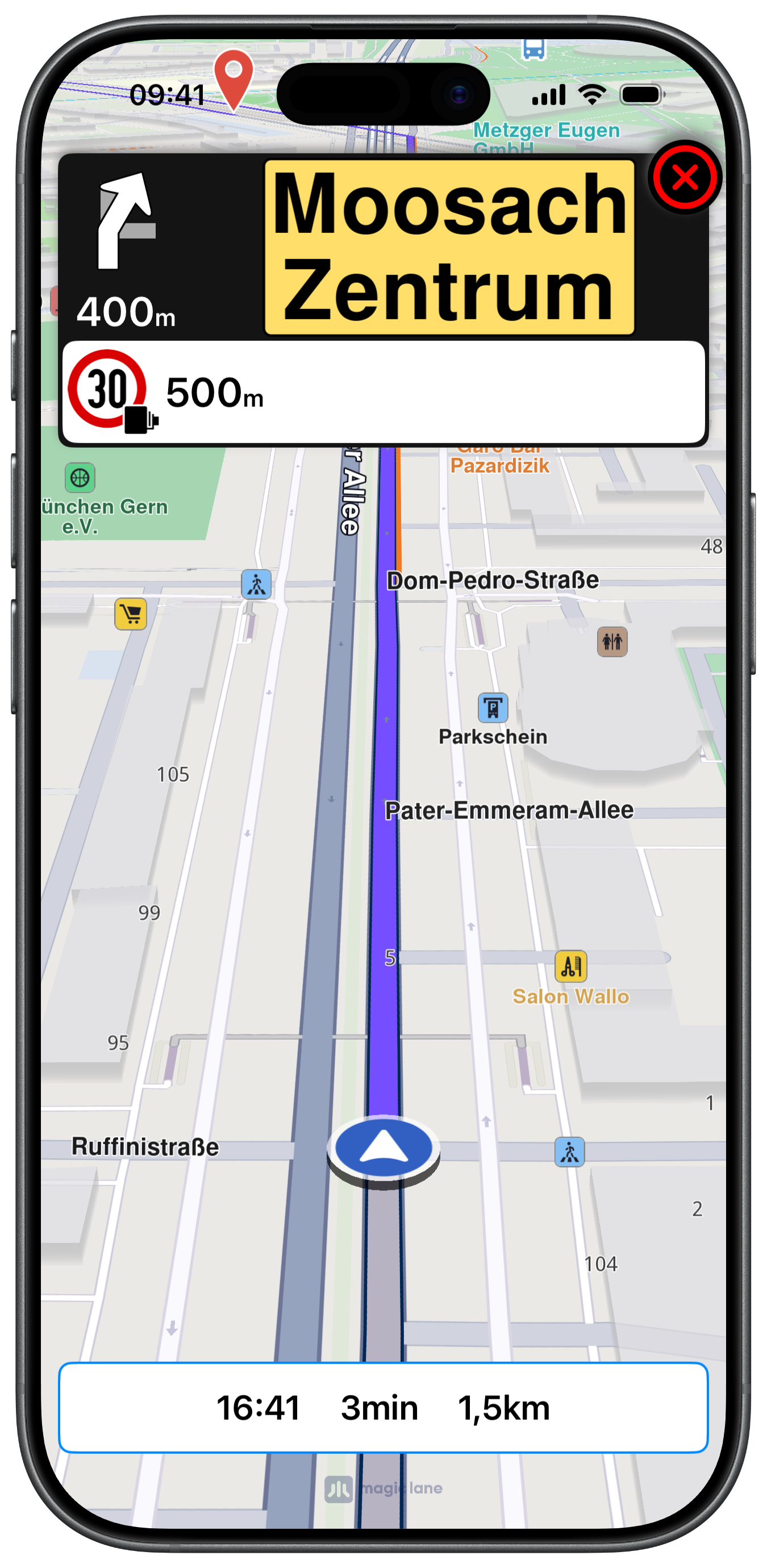
**Simulating Route**
### UI and Map Integration[](#ui-and-map-integration "Direct link to UI and Map Integration")
The view controller embeds a `MapViewController` and sets up delegates for both map interaction and navigation event callbacks:
ViewController.swift[View on GitHub](https://github.com/magiclane/magiclane-maps-sdk-examples-for-ios/tree/main/UIKit/RoutesAndNavigation/SimulateRoute/SimulateRoute/ViewController.swift)
```swift
class ViewController: UIViewController, MapViewControllerDelegate, NavigationContextDelegate {
var mapViewController: MapViewController?
var navigationContext: NavigationContext?
var soundContext: SoundContext?
var trafficContext: TrafficContext?
var alarmContext: AlarmContext?
var mainRoute: RouteObject?
var panelNavigationViewController: NavigationViewController?
override func viewDidLoad() {
super.viewDidLoad()
self.createMapView()
self.setMapFollowPositionPreferences()
self.mapViewController!.startRender()
self.addRouteButton()
self.addLabelText()
}
func setMapFollowPositionPreferences() {
guard let mapViewController = self.mapViewController else { return }
let followPositionPreferences = mapViewController.getPreferences().getFollowPositionPreferences()
// Allow user to change follow position angle and zoom by touch (pinch or 2x finger drag)
followPositionPreferences.setTouchHandlerModifyPersistent(true)
}
```
### Calculating and Simulating the Route[](#calculating-and-simulating-the-route "Direct link to Calculating and Simulating the Route")
Once waypoints are set, the route is calculated and the simulation starts, auto-following the simulated position at 2× speed:
ViewController.swift[View on GitHub](https://github.com/magiclane/magiclane-maps-sdk-examples-for-ios/tree/main/UIKit/RoutesAndNavigation/SimulateRoute/SimulateRoute/ViewController.swift)
```swift
let preferences = RoutePreferencesObject.init()
preferences.setTransportMode(.car)
preferences.setRouteType(.fastest)
preferences.setAvoidMotorways(false)
preferences.setAvoidTollRoads(false)
preferences.setAvoidFerries(false)
preferences.setAvoidUnpavedRoads(true)
self.navigationContext = NavigationContext.init(preferences: preferences)
self.navigationContext?.delegate = self
self.soundContext = SoundContext.init()
self.soundContext?.setUseTtsWithCompletionHandler({ success in })
self.alarmContext = AlarmContext.init()
self.alarmContext?.setAlarmDistance(600)
self.alarmContext?.setMonitorWithoutRoute(false)
self.alarmContext?.registerSafetyCameraNotifications(completionHandler: { success in })
self.alarmContext?.registerSocialReportNotifications(completionHandler: { success in })
self.departure = LandmarkObject.landmark(
withName: "Munich 1", location: CoordinatesObject.coordinates(withLatitude: 48.15741, longitude: 11.53739))
self.destination = LandmarkObject.landmark(
withName: "Munich 2", location: CoordinatesObject.coordinates(withLatitude: 48.166730, longitude: 11.53687))
self.navigationContext?
.calculateRoute(withWaypoints: [self.departure!, self.destination!],
completionHandler: { [weak self] (results: [RouteObject]) in
guard let strongSelf = self else { return }
if !results.isEmpty {
strongSelf.mapViewController?
.presentRoutes(results, withTraffic: strongSelf.trafficContext, showSummary: true, animationDuration: 1600)
}
})
```
### Starting Simulation[](#starting-simulation "Direct link to Starting Simulation")
After a route is presented, tapping the play button starts the simulation at 2× real speed:
ViewController.swift[View on GitHub](https://github.com/magiclane/magiclane-maps-sdk-examples-for-ios/tree/main/UIKit/RoutesAndNavigation/SimulateRoute/SimulateRoute/ViewController.swift)
```swift
@objc func startSimulation(item: UIBarButtonItem) {
self.navigationContext!
.simulate(withRoute: self.mainRoute!, speedMultiplier: 2) { [weak self] (success) in
guard let strongSelf = self else { return }
if success {
strongSelf.mapViewController!.showRoutes([strongSelf.mainRoute!], withTraffic: nil, showSummary: false)
}
}
}
```
### Navigation Panel[](#navigation-panel "Direct link to Navigation Panel")
info
The `NavigationViewController` used in this example is a full-featured turn-by-turn panel displaying turn images, distance, lane guidance, traffic events, signpost overlays, and safety alerts. Due to its size it is not reproduced here — check the [full implementation on GitHub](https://github.com/magiclane/magiclane-maps-sdk-examples-for-ios/blob/main/UIKit/RoutesAndNavigation/SimulateRoute/SimulateRoute/NavigationViewController.swift).
This example demonstrates how to use **GEMKit** in a SwiftUI application to calculate a route and simulate driving it at an accelerated speed with turn-by-turn voice guidance.
Check the full implementation on [GitHub](https://github.com/magiclane/magiclane-maps-sdk-examples-for-ios/tree/main/SwiftUI/RoutesAndNavigation/SimulateRoute).

**Initial screen**

**Simulating Route**
### Map View and Navigation Panel[](#map-view-and-navigation-panel "Direct link to Map View and Navigation Panel")
Navigation state is managed in `SimulateRouteModel`. The view switches between a route summary `MapRoute` and a live navigation `MapRoute` once simulation starts, and a `NavigationPanelView` overlay is shown during simulation:
ContentView\.swift[View on GitHub](https://github.com/magiclane/magiclane-maps-sdk-examples-for-ios/tree/main/SwiftUI/RoutesAndNavigation/SimulateRoute/SimulateRoute/ContentView.swift)
```swift
struct ContentView: View {
@StateObject private var model = SimulateRouteModel()
var body: some View {
MapReader { proxy in
ZStack(alignment: .top) {
MapBase {
if model.isSimulating, let mainRoute = model.mainRoute {
MapRoute(
routes: [mainRoute],
bubbleSummary: false,
animationDuration: -1
)
} else {
if !model.presentedRoutes.isEmpty {
MapRoute(
routes: model.presentedRoutes,
bubbleSummary: true,
animationDuration: 800
)
}
}
}
.ignoresSafeArea()
.onAppear {
model.setupFollowPositionPreferences(proxy)
}
VStack {
if model.isSimulating {
NavigationPanelView(
model: model,
onStop: { model.stopSimulation(proxy) }
)
.padding(.horizontal, 10)
.padding(.top, 5)
}
Spacer()
}
}
.toolbar(model.isSimulating ? .hidden : .visible, for: .navigationBar)
.toolbar {
ToolbarItem(placement: .topBarTrailing) {
Button("", systemImage: "play") {
model.startSimulation(proxy)
}
.disabled(model.mainRoute == nil)
.buttonStyle(.borderedProminent)
}
}
}
.navigationTitle("Simulate Route")
}
}
```
### Route Calculation and Starting Simulation[](#route-calculation-and-starting-simulation "Direct link to Route Calculation and Starting Simulation")
Route preferences and all contexts are initialised lazily in the model. Once a route is available `startSimulation(_:)` calls `simulate(withRoute:speedMultiplier:)` and a `NavigationHandler` closure receives all delegate callbacks:
SimulateRouteModel.swift[View on GitHub](https://github.com/magiclane/magiclane-maps-sdk-examples-for-ios/tree/main/SwiftUI/RoutesAndNavigation/SimulateRoute/SimulateRoute/SimulateRouteModel.swift)
```swift
func calculateRoute(_ proxy: MapProxy) {
if navigationContext == nil {
let preferences = RoutePreferencesObject()
preferences.setTransportMode(.car)
preferences.setRouteType(.fastest)
navigationContext = NavigationContext(preferences: preferences)
}
if soundContext == nil {
soundContext = SoundContext()
soundContext?.setUseTtsWithCompletionHandler({ _ in })
}
if alarmContext == nil {
alarmContext = AlarmContext()
alarmContext?.setAlarmDistance(600)
alarmContext?.setMonitorWithoutRoute(false)
alarmContext?.registerSafetyCameraNotifications(completionHandler: { _ in })
alarmContext?.registerSocialReportNotifications(completionHandler: { _ in })
}
let departure = LandmarkObject.landmark(
withName: "Munich 1",
location: CoordinatesObject.coordinates(withLatitude: 48.15741, longitude: 11.53739))
let destination = LandmarkObject.landmark(
withName: "Munich 2",
location: CoordinatesObject.coordinates(withLatitude: 48.166730, longitude: 11.53687))
navigationContext?.calculateRoute(withWaypoints: [departure, destination], completionHandler: { [weak self] results in
Task { @MainActor in
guard let self else { return }
if !results.isEmpty {
self.presentedRoutes = results
self.mainRoute = results.first
}
self.isCalculating = false
}
})
}
func startSimulation(_ proxy: MapProxy) {
guard let navigationContext, let mainRoute else { return }
let navDelegate = NavigationHandler(
onNavigationStarted: { [weak self] context, route in
self?.startFollowPosition(proxy)
},
onInstructionUpdated: { [weak self] context, route in
guard let self else { return }
let eta = context.getEstimateTimeOfArrivalFormatted() + context.getEstimateTimeOfArrivalUnitFormatted()
let rtt = context.getRemainingTravelTimeFormatted() + context.getRemainingTravelTimeUnitFormatted()
let rtd = context.getRemainingTravelDistanceFormatted() + context.getRemainingTravelDistanceUnitFormatted()
labelText = eta + " " + rtt + " " + rtd
showLabel = true
isSimulating = true
navigationInstruction = context.getNavigationInstruction()
alarmItems = alarmContext?.getOverlayItemAlarms() ?? []
},
onDestinationReached: { [weak self] in
self?.stopSimulation(proxy)
},
onSound: { [weak self] sound in
self?.soundContext?.playSound(sound)
}
)
navigationContext.delegate = navDelegate
navigationHandler = navDelegate
navigationContext.simulate(withRoute: mainRoute, speedMultiplier: 2) { [weak self] success in
Task { @MainActor in
guard let self, success, let mainRoute = self.mainRoute else { return }
proxy.removeAllRoutes()
self.presentedRoutes = [mainRoute]
}
}
}
```
info
The `NavigationPanelView` used in this example is a full-featured SwiftUI turn-by-turn panel displaying turn images, distance, lane guidance, traffic events, and safety alerts. Due to its size it is not reproduced here — check the [full implementation on GitHub](https://github.com/magiclane/magiclane-maps-sdk-examples-for-ios/blob/main/SwiftUI/RoutesAndNavigation/SimulateRoute/SimulateRoute/NavigationPanelView.swift).