# Road Block
Last updated:
October 18, 2026
\| 2 minutes read
* UIKit
This example demonstrates how to use **GEMKit** in a UIKit application to set a road block ahead of the simulated position during navigation, forcing the engine to recalculate around the blocked segment.
Check the full implementation on [GitHub](https://github.com/magiclane/magiclane-maps-sdk-examples-for-ios/tree/main/UIKit/RoutesAndNavigation/RoadBlock).
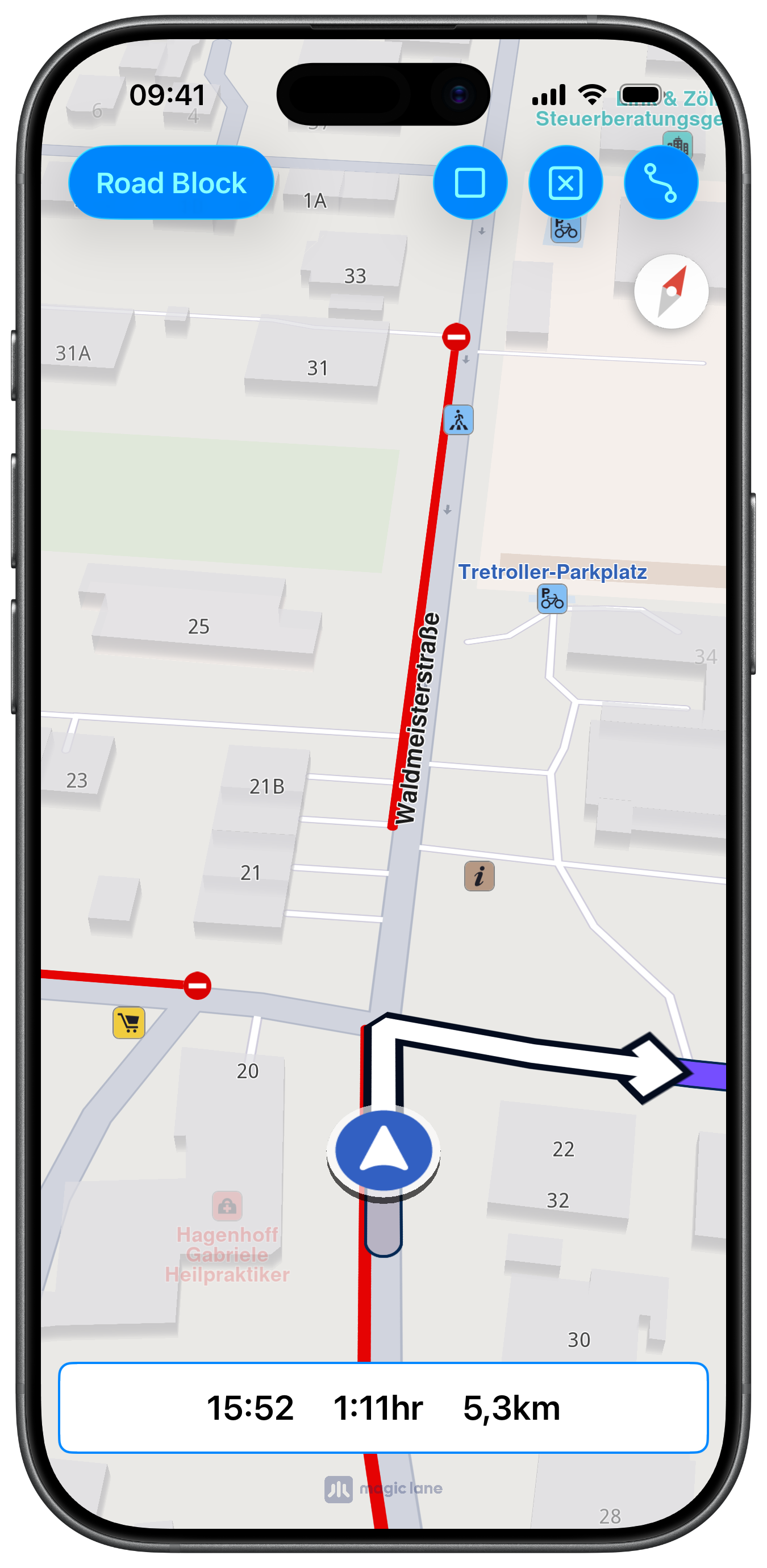
**Rerouting after adding roadblocks**
### UI and Map Integration[](#ui-and-map-integration "Direct link to UI and Map Integration")
A **Road Block** button is added to the left side of the navigation bar and is enabled only once a simulation is active:
ViewController.swift[View on GitHub](https://github.com/magiclane/magiclane-maps-sdk-examples-for-ios/tree/main/UIKit/RoutesAndNavigation/RoadBlock/RoadBlock/ViewController.swift)
```swift
class ViewController: UIViewController, MapViewControllerDelegate, NavigationContextDelegate {
var mapViewController: MapViewController?
var navigationContext: NavigationContext?
var soundContext: SoundContext?
var mainRoute: RouteObject?
var panelNavigationViewController: NavigationViewController?
override func viewDidLoad() {
super.viewDidLoad()
self.createMapView()
self.mapViewController!.startRender()
self.addRoadBlockButton()
self.addRouteButton()
}
func addRoadBlockButton() {
let barButton = UIBarButtonItem.init(title: "Road Block", style: .done, target: self, action: #selector(roadBlockAction))
barButton.isEnabled = false
self.navigationItem.leftBarButtonItem = barButton
}
```
### Adding a Road Block During Navigation[](#adding-a-road-block-during-navigation "Direct link to Adding a Road Block During Navigation")
When the button is tapped while navigation or simulation is active, a 100-metre road block is inserted starting from the current position. The engine immediately reroutes:
ViewController.swift[View on GitHub](https://github.com/magiclane/magiclane-maps-sdk-examples-for-ios/tree/main/UIKit/RoutesAndNavigation/RoadBlock/RoadBlock/ViewController.swift)
```swift
@objc func roadBlockAction() {
guard let navigationContext = self.navigationContext else { return }
if navigationContext.isSimulationActive() || navigationContext.isNavigationActive() {
let length = 100 // m
navigationContext.setRoadBlockWithLength(length, starting: -1)
}
}
```
### Navigation Panel[](#navigation-panel "Direct link to Navigation Panel")
info
The `NavigationViewController` used in this example is a full-featured turn-by-turn panel displaying turn images, distance, lane guidance, traffic events, signpost overlays, and safety alerts. Due to its size it is not reproduced here — check the [full implementation on GitHub](https://github.com/magiclane/magiclane-maps-sdk-examples-for-ios/blob/main/UIKit/RoutesAndNavigation/RoadBlock/RoadBlock/NavigationViewController.swift).