# Public Transit Calculate Route
Last updated:
October 18, 2026
\| 2 minutes read
* UIKit
This example demonstrates how to use **GEMKit** in a UIKit application to calculate a public transit route between two locations and render it on the map with a route summary.
Check the full implementation on [GitHub](https://github.com/magiclane/magiclane-maps-sdk-examples-for-ios/tree/main/UIKit/RoutesAndNavigation/PublicTransitCalculateRoute).
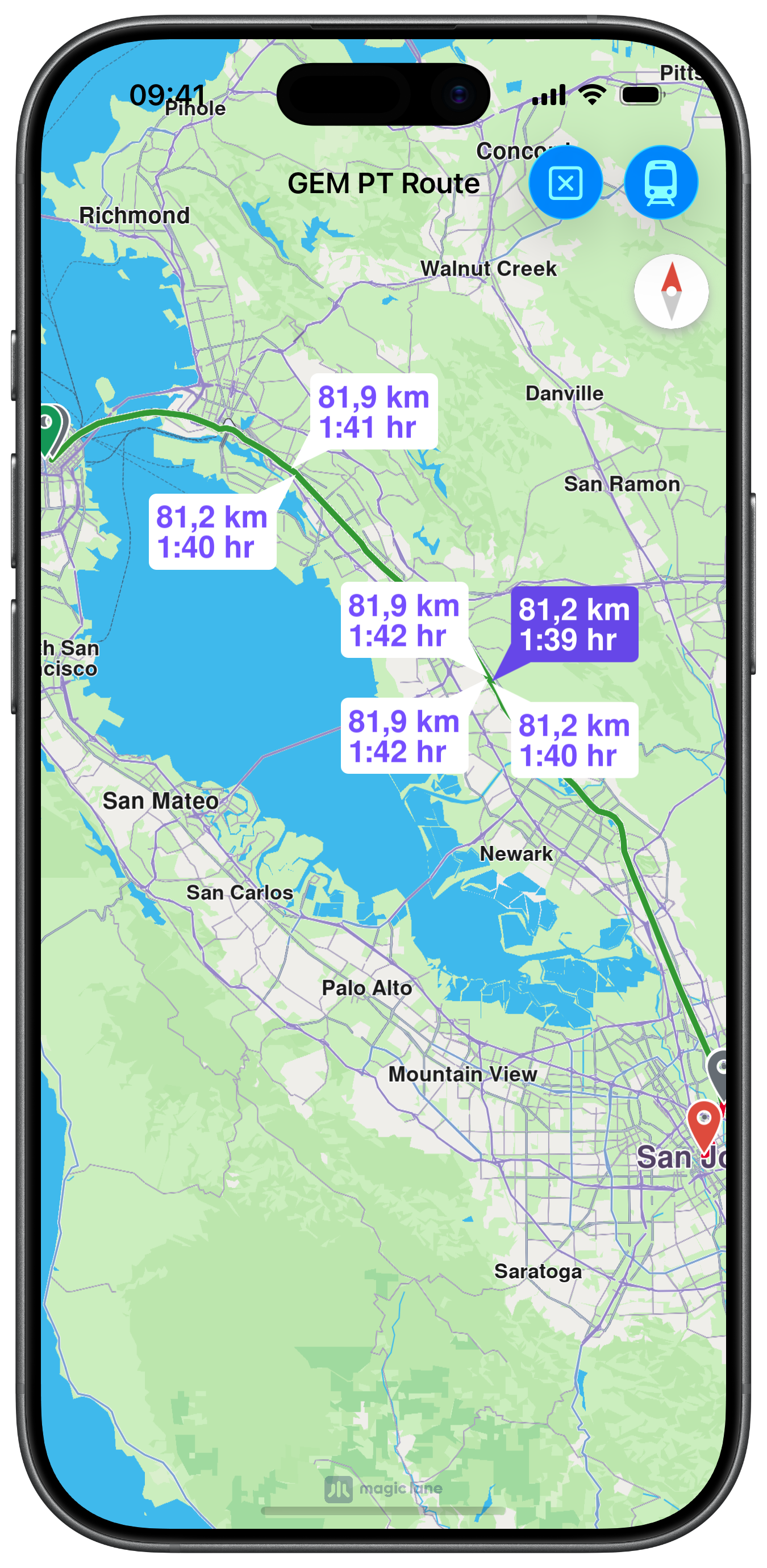
**Public Transit Calculated Routes**
### UI and Map Integration[](#ui-and-map-integration "Direct link to UI and Map Integration")
The view controller is minimal — a map view and a `NavigationContext` configured for public transit:
ViewController.swift[View on GitHub](https://github.com/magiclane/magiclane-maps-sdk-examples-for-ios/tree/main/UIKit/RoutesAndNavigation/PublicTransitCalculateRoute/PublicTransitCalculateRoute/ViewController.swift)
```swift
class ViewController: UIViewController, UISearchBarDelegate {
var mapViewController: MapViewController?
var navigationContext: NavigationContext?
var trafficContext: TrafficContext?
override func viewDidLoad() {
super.viewDidLoad()
self.title = "Public Transit"
self.navigationItem.largeTitleDisplayMode = .never
self.createMapView()
self.mapViewController!.startRender()
self.addRouteButton()
}
```
### Calculating the Public Transit Route[](#calculating-the-public-transit-route "Direct link to Calculating the Public Transit Route")
Setting `setTransportMode(.public)` on the preferences switches the engine to the public transit planner. The result is presented on the map with a route summary:
info
For a public transport route the maximum number of waypoints is 2.
ViewController.swift[View on GitHub](https://github.com/magiclane/magiclane-maps-sdk-examples-for-ios/tree/main/UIKit/RoutesAndNavigation/PublicTransitCalculateRoute/PublicTransitCalculateRoute/ViewController.swift)
```swift
@objc func routeButtonAction(item: UIBarButtonItem) {
if self.navigationContext == nil {
let preferences = RoutePreferencesObject.init()
preferences.setTransportMode(.public)
preferences.setRouteType(.fastest)
self.navigationContext = NavigationContext.init(preferences: preferences)
}
if self.trafficContext == nil {
self.trafficContext = TrafficContext.init()
self.trafficContext?.setUseTraffic(.useOnline)
}
let waypoints = [
LandmarkObject.landmark(
withName: "San Francisco", location: CoordinatesObject.coordinates(withLatitude: 37.77903, longitude: -122.41991)),
LandmarkObject.landmark(
withName: "San Jose", location: CoordinatesObject.coordinates(withLatitude: 37.33619, longitude: -121.89058))
]
item.isEnabled = false
self.navigationContext?
.calculateRoute(
withWaypoints: waypoints,
completionHandler: { [weak self] (results: [RouteObject]) in
guard let strongSelf = self else { return }
if !results.isEmpty {
strongSelf.mapViewController?
.presentRoutes(results, withTraffic: strongSelf.trafficContext, showSummary: true, animationDuration: 1000)
}
item.isEnabled = true
})
}
```