Navigate Route

Last updated: April 24, 2026 | 7 minutes read

This example demonstrates how to use GEMKit in a UIKit application to calculate a route using the device's real GPS position as the departure point and navigate it turn-by-turn with voice guidance.

Check the full implementation on GitHub.
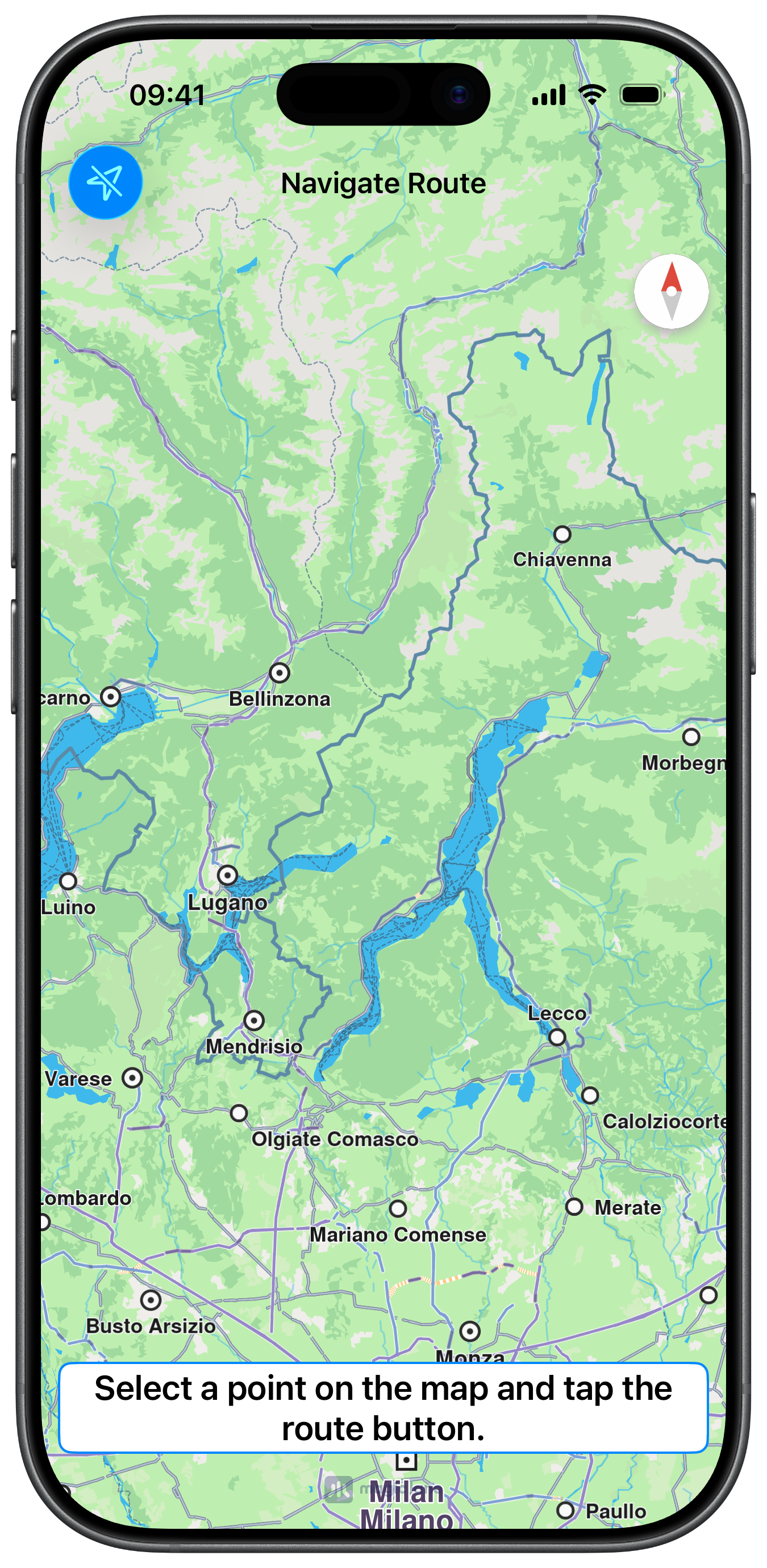
Initial screen
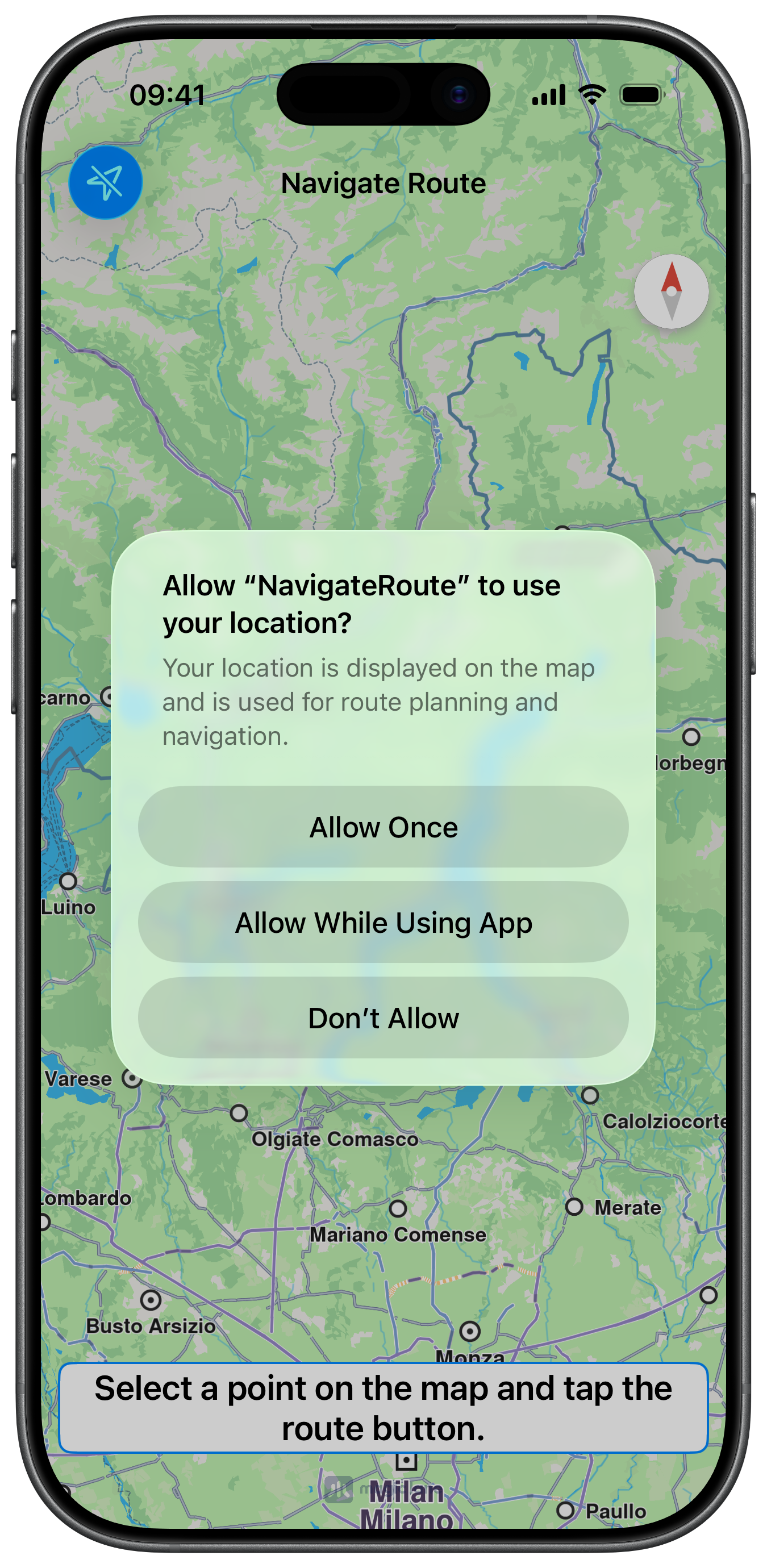
Location Permission
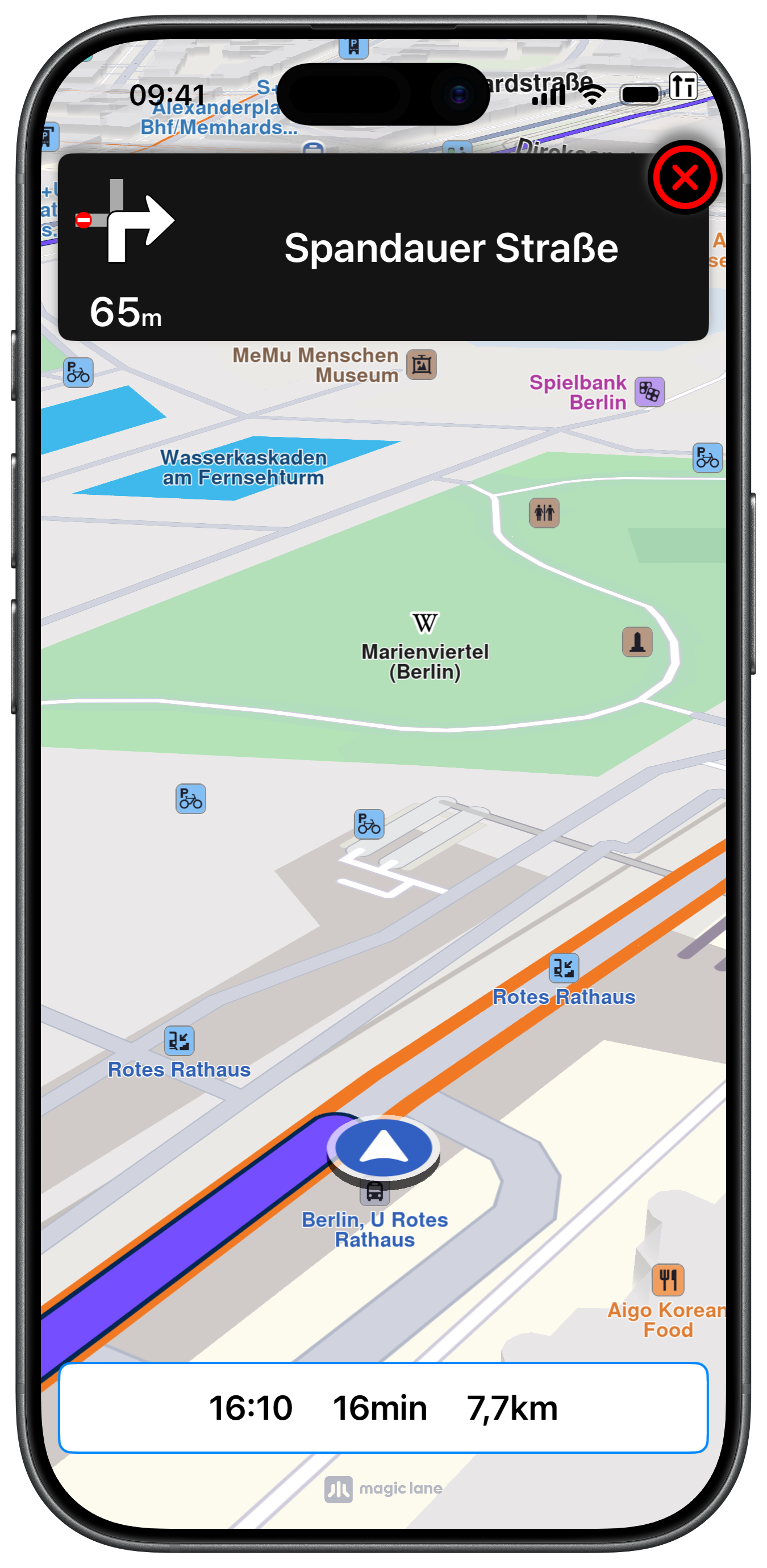
Navigating on Route

UI and Map Integration

The view controller manages a MapViewController, a PositionContext for GPS tracking, and a DataSourceContext configured for automotive navigation:

ViewController.swiftView on GitHub
class ViewController: UIViewController, CLLocationManagerDelegate, MapViewControllerDelegate,
NavigationContextDelegate, PositionContextDelegate
{

var mapViewController: MapViewController?
var locationManager: CLLocationManager?

var navigationContext: NavigationContext?
var trafficContext: TrafficContext?
var mainRoute: RouteObject?
var soundContext: SoundContext?
var alarmContext: AlarmContext?
var positionContext: PositionContext?
var dataSource: DataSourceContext?

var panelNavigationViewController: NavigationViewController?

override func viewDidLoad() {

super.viewDidLoad()

let configuration = DataSourceConfigurationObject.init()
configuration.setPositionDistanceFilter(0)
configuration.setPositionAccuracy(.whenMoving)
configuration.setPositionActivity(.automotive)
configuration.setAllowBackgroundLocationUpdates(true)

self.dataSource = DataSourceContext.init()
self.dataSource!.setConfiguration(configuration, for: .improvedPosition)

self.positionContext = PositionContext.init(context: self.dataSource!)
self.positionContext!.delegate = self
self.positionContext!.startUpdatingPositionDelegate(.improvedPosition)

self.createMapView()
self.setMapFollowPositionPreferences()
self.mapViewController!.startRender()
}

Follow Position Preferences

Persistent follow position is enabled so that the user's zoom and tilt adjustments are remembered during simulation/navigation until clearing the NavigationContext:

ViewController.swiftView on GitHub
func setMapFollowPositionPreferences() {

guard let mapViewController = self.mapViewController else { return }

let followPositionPreferences = mapViewController.getPreferences().getFollowPositionPreferences()

// Allow user to change follow position angle and zoom by touch (pinch or 2x finger drag)
followPositionPreferences.setTouchHandlerModifyPersistent(true)
}

Calculating and Starting Navigation

After the route is calculated, tapping play starts real GPS navigation. A SoundContext provides TTS turn announcements and an AlarmContext monitors safety cameras:

ViewController.swiftView on GitHub
let preferences = RoutePreferencesObject.init()
preferences.setTransportMode(.car)
preferences.setRouteType(.fastest)

self.navigationContext = NavigationContext.init(preferences: preferences)

self.soundContext = SoundContext.init()
self.soundContext?.setUseTtsWithCompletionHandler({ success in })

self.alarmContext = AlarmContext.init()
self.alarmContext?.setAlarmDistance(600)
self.alarmContext?.setMonitorWithoutRoute(false)
self.alarmContext?.registerSafetyCameraNotifications(completionHandler: { success in })
self.alarmContext?.registerSocialReportNotifications(completionHandler: { success in })

Getting GPS Position and Calculating the Route

The route button reads the current device location from PositionContext and uses it as the departure point. The destination is set by tapping a landmark or street on the map. Tapping the play button then calls navigate(withRoute:) to begin real GPS navigation:

ViewController.swiftView on GitHub
guard let position = positionContext.getPosition() else { return }

let location = position.getCoordinates()

if location.isValid() == false { return }

self.departure = LandmarkObject.landmark(withName: "My Position", location: location)

guard let start = self.departure, let stop = self.destination else { return }

self.navigationContext?
.calculateRoute(withWaypoints: [start, stop]) { [weak self] (results: [RouteObject]) in

guard let strongSelf = self else { return }

if !results.isEmpty {

strongSelf.mainRoute = results.first

strongSelf.mapViewController?
.presentRoutes(results, withTraffic: strongSelf.trafficContext, showSummary: true, animationDuration: 1000)
}
}
}

@objc func startNavigation(item: UIBarButtonItem) {

guard self.mainRoute != nil else { return }

self.mapViewController!.removeAllRoutes()

self.navigationContext!
.navigate(withRoute: self.mainRoute!) { [weak self] (success) in

guard let strongSelf = self else { return }

if success {

strongSelf.mapViewController!.hideCompass()

strongSelf.mapViewController!
.presentRoutes(
[strongSelf.mainRoute!], withTraffic: strongSelf.trafficContext!, showSummary: false, animationDuration: 1600)

strongSelf.startFollowLocation()
}
}
}

navigationInstructionUpdatedForRoute is the primary delegate callback that fires on every navigation tick. It updates ETA, remaining time and distance, lazily creates the panel on the first call, then feeds turn, lane, traffic, signpost, safety camera and social report data into the panel on each subsequent update:

ViewController.swiftView on GitHub
func navigationContext(
_ navigationContext: NavigationContext, navigationInstructionUpdatedForRoute route: RouteObject, updatedEvents: Int32
) {

let eta = navigationContext.getEstimateTimeOfArrivalFormatted() + navigationContext.getEstimateTimeOfArrivalUnitFormatted()

let rtt = navigationContext.getRemainingTravelTimeFormatted() + navigationContext.getRemainingTravelTimeUnitFormatted()

let rtd = navigationContext.getRemainingTravelDistanceFormatted() + navigationContext.getRemainingTravelDistanceUnitFormatted()

let text = eta + " " + rtt + " " + rtd

self.label.text = text
self.label.isHidden = false

if !self.navigationController!.isNavigationBarHidden {

if self.panelNavigationViewController == nil {

self.createNavigationPanel()
}

self.navigationController?.setNavigationBarHidden(true, animated: true)
}

if let turnInstruction = navigationContext.getNavigationInstruction(), turnInstruction.getNavigationStatus() == .running {

if turnInstruction.hasNextTurnInfo() {

self.panelNavigationViewController?.updateTurnInformation(navigationContext: navigationContext)

self.panelNavigationViewController?.updateLaneInformation(navigationContext: navigationContext)

self.panelNavigationViewController?.updateTrafficInformation(navigationContext: navigationContext, route: route)

self.panelNavigationViewController?.updateSignpostInformation(navigationContext: navigationContext)

self.panelNavigationViewController?.updateRoadCodeInformation(navigationContext: navigationContext)

self.panelNavigationViewController?
.updateSafetyCameraInformation(navigationContext: navigationContext, alarmContext: self.alarmContext!)

self.panelNavigationViewController?
.updateSocialReportInformation(navigationContext: navigationContext, alarmContext: self.alarmContext!)

self.panelNavigationViewController?.refreshContentLayout()
}
}
}
info

The NavigationViewController used in this example is a full-featured turn-by-turn panel displaying turn images, distance, lane guidance, traffic events, signpost overlays, and safety alerts. Due to its size it is not reproduced here — check the full implementation on GitHub.