# Navigate Route
Last updated:
October 18, 2026
\| 7 minutes read
* UIKit
* SwiftUI
This example demonstrates how to use **GEMKit** in a UIKit application to calculate a route using the device's real GPS position as the departure point and navigate it turn-by-turn with voice guidance.
Check the full implementation on [GitHub](https://github.com/magiclane/magiclane-maps-sdk-examples-for-ios/tree/main/UIKit/RoutesAndNavigation/NavigateRoute).
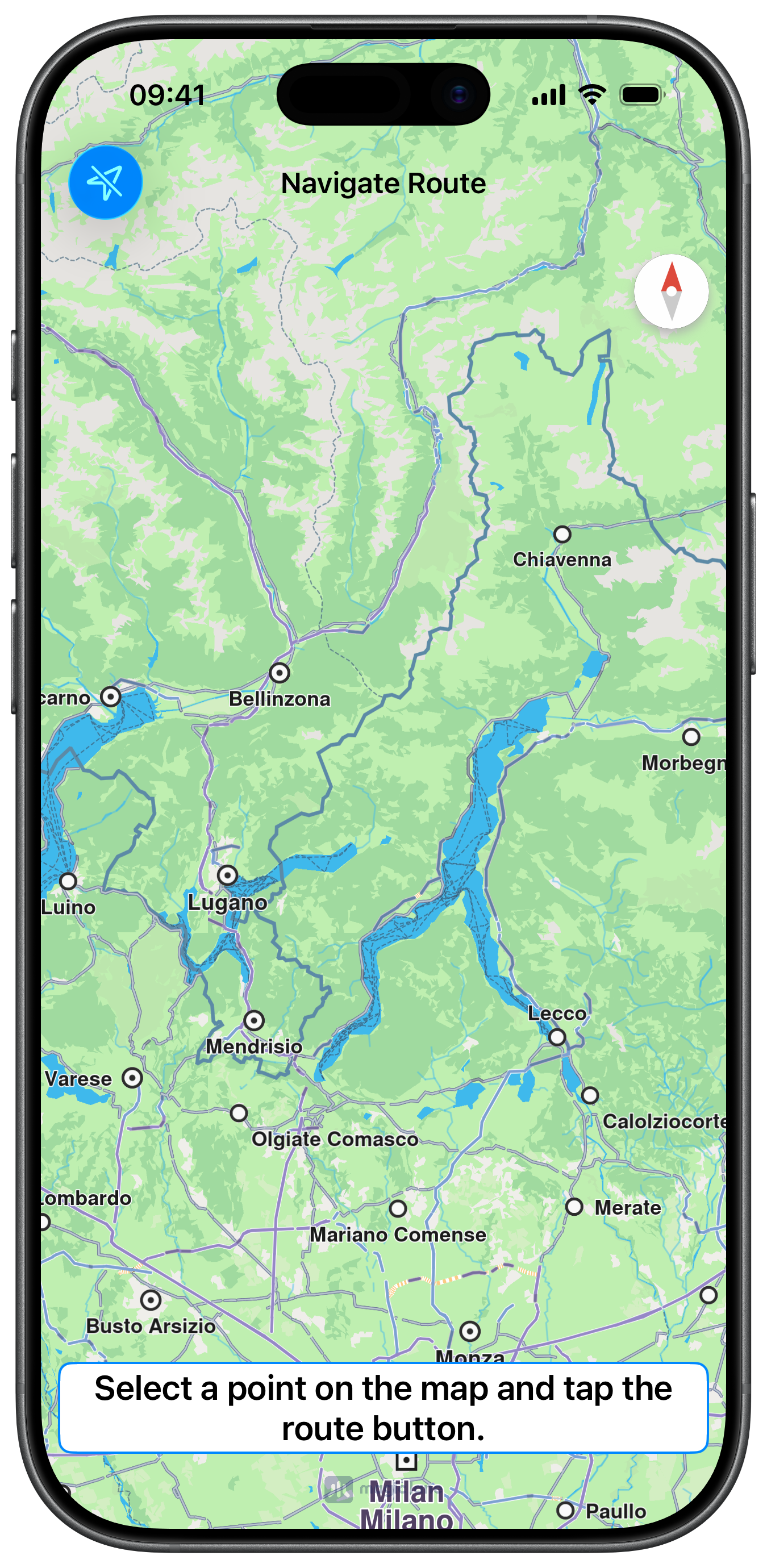
**Initial screen**
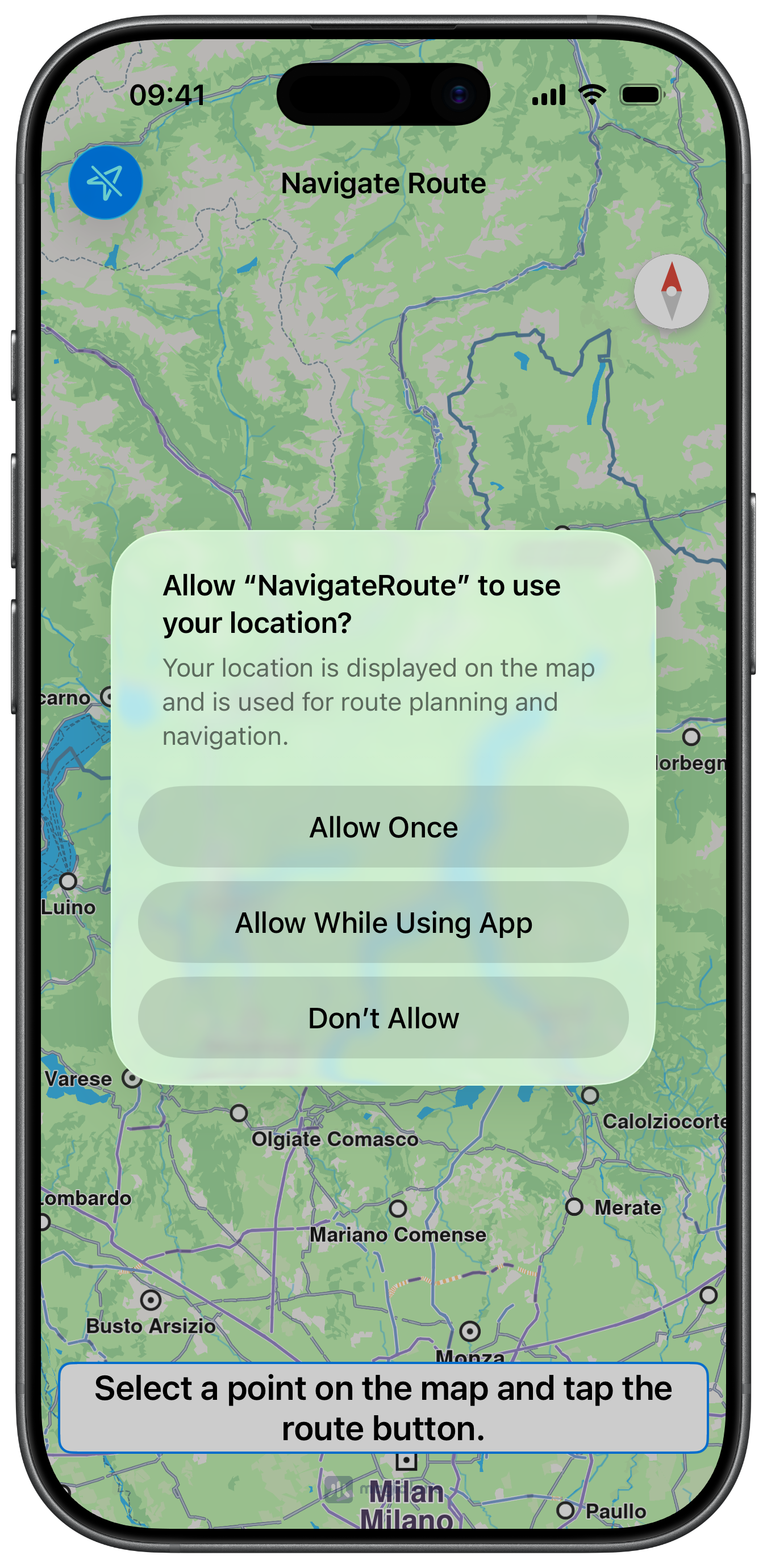
**Location Permission**
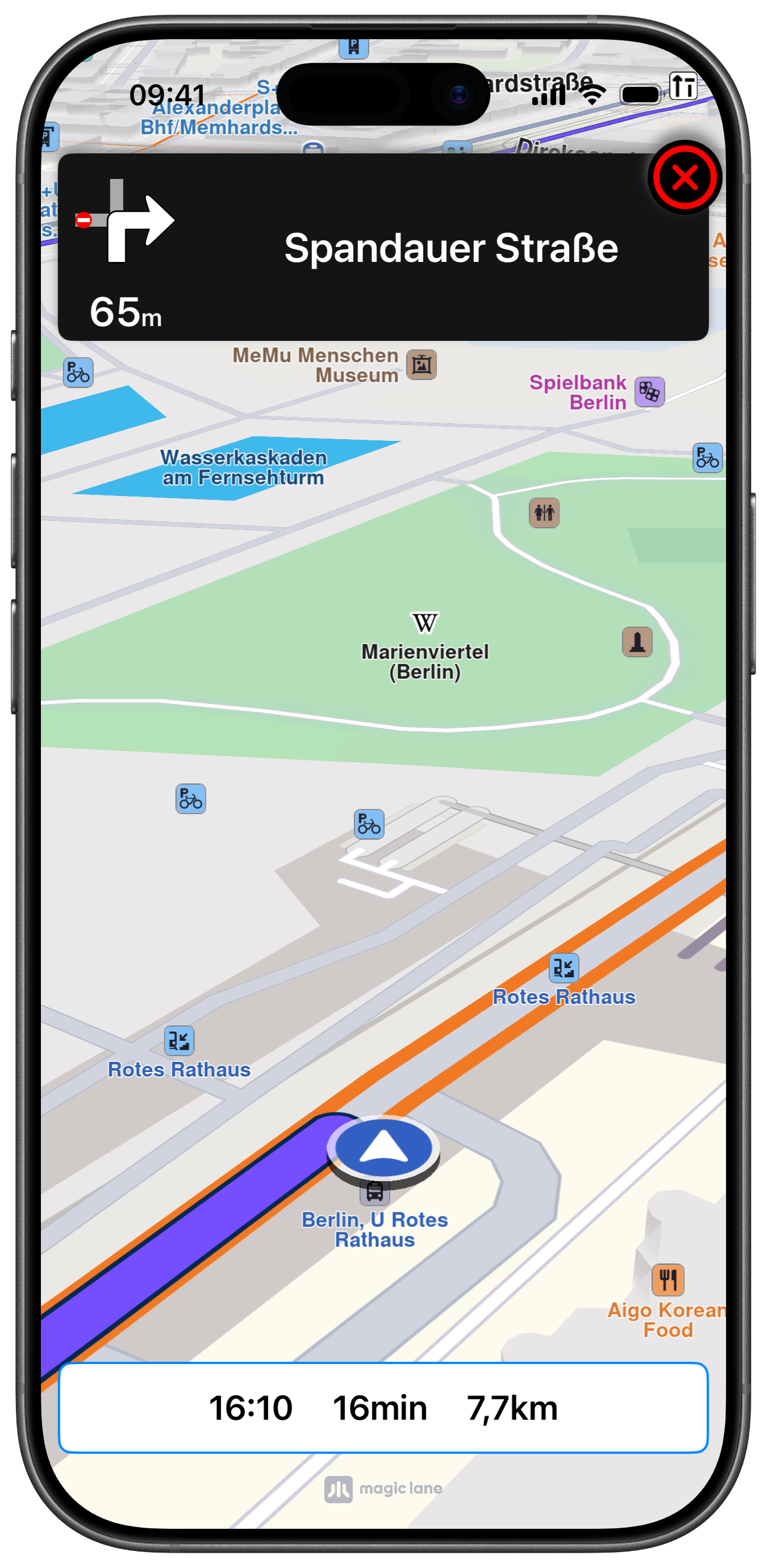
**Navigating on Route**
### UI and Map Integration[](#ui-and-map-integration "Direct link to UI and Map Integration")
The view controller manages a `MapViewController`, a `PositionContext` for GPS tracking, and a `DataSourceContext` configured for automotive navigation:
ViewController.swift[View on GitHub](https://github.com/magiclane/magiclane-maps-sdk-examples-for-ios/tree/main/UIKit/RoutesAndNavigation/NavigateRoute/NavigateRoute/ViewController.swift)
```swift
class ViewController: UIViewController, CLLocationManagerDelegate, MapViewControllerDelegate,
NavigationContextDelegate, PositionContextDelegate
{
var mapViewController: MapViewController?
var locationManager: CLLocationManager?
var navigationContext: NavigationContext?
var trafficContext: TrafficContext?
var mainRoute: RouteObject?
var soundContext: SoundContext?
var alarmContext: AlarmContext?
var positionContext: PositionContext?
var dataSource: DataSourceContext?
var panelNavigationViewController: NavigationViewController?
override func viewDidLoad() {
super.viewDidLoad()
let configuration = DataSourceConfigurationObject.init()
configuration.setPositionDistanceFilter(0)
configuration.setPositionAccuracy(.whenMoving)
configuration.setPositionActivity(.automotive)
configuration.setAllowBackgroundLocationUpdates(true)
self.dataSource = DataSourceContext.init()
self.dataSource!.setConfiguration(configuration, for: .improvedPosition)
self.positionContext = PositionContext.init(context: self.dataSource!)
self.positionContext!.delegate = self
self.positionContext!.startUpdatingPositionDelegate(.improvedPosition)
self.createMapView()
self.setMapFollowPositionPreferences()
self.mapViewController!.startRender()
}
```
### Follow Position Preferences[](#follow-position-preferences "Direct link to Follow Position Preferences")
Persistent follow position is enabled so that the user's zoom and tilt adjustments are remembered during simulation/navigation until clearing the `NavigationContext`:
ViewController.swift[View on GitHub](https://github.com/magiclane/magiclane-maps-sdk-examples-for-ios/tree/main/UIKit/RoutesAndNavigation/NavigateRoute/NavigateRoute/ViewController.swift)
```swift
func setMapFollowPositionPreferences() {
guard let mapViewController = self.mapViewController else { return }
let followPositionPreferences = mapViewController.getPreferences().getFollowPositionPreferences()
// Allow user to change follow position angle and zoom by touch (pinch or 2x finger drag)
followPositionPreferences.setTouchHandlerModifyPersistent(true)
}
```
### Calculating and Starting Navigation[](#calculating-and-starting-navigation "Direct link to Calculating and Starting Navigation")
After the route is calculated, tapping play starts real GPS navigation. A `SoundContext` provides TTS turn announcements and an `AlarmContext` monitors safety cameras:
ViewController.swift[View on GitHub](https://github.com/magiclane/magiclane-maps-sdk-examples-for-ios/tree/main/UIKit/RoutesAndNavigation/NavigateRoute/NavigateRoute/ViewController.swift)
```swift
let preferences = RoutePreferencesObject.init()
preferences.setTransportMode(.car)
preferences.setRouteType(.fastest)
self.navigationContext = NavigationContext.init(preferences: preferences)
self.soundContext = SoundContext.init()
self.soundContext?.setUseTtsWithCompletionHandler({ success in })
self.alarmContext = AlarmContext.init()
self.alarmContext?.setAlarmDistance(600)
self.alarmContext?.setMonitorWithoutRoute(false)
self.alarmContext?.registerSafetyCameraNotifications(completionHandler: { success in })
self.alarmContext?.registerSocialReportNotifications(completionHandler: { success in })
```
### Getting GPS Position and Calculating the Route[](#getting-gps-position-and-calculating-the-route "Direct link to Getting GPS Position and Calculating the Route")
The route button reads the current device location from `PositionContext` and uses it as the departure point. The destination is set by tapping a landmark or street on the map. Tapping the play button then calls `navigate(withRoute:)` to begin real GPS navigation:
ViewController.swift[View on GitHub](https://github.com/magiclane/magiclane-maps-sdk-examples-for-ios/tree/main/UIKit/RoutesAndNavigation/NavigateRoute/NavigateRoute/ViewController.swift)
```swift
guard let position = positionContext.getPosition() else { return }
let location = position.getCoordinates()
if location.isValid() == false { return }
self.departure = LandmarkObject.landmark(withName: "My Position", location: location)
guard let start = self.departure, let stop = self.destination else { return }
self.navigationContext?
.calculateRoute(withWaypoints: [start, stop]) { [weak self] (results: [RouteObject]) in
guard let strongSelf = self else { return }
if !results.isEmpty {
strongSelf.mainRoute = results.first
strongSelf.mapViewController?
.presentRoutes(results, withTraffic: strongSelf.trafficContext, showSummary: true, animationDuration: 1000)
}
}
}
@objc func startNavigation(item: UIBarButtonItem) {
guard self.mainRoute != nil else { return }
self.mapViewController!.removeAllRoutes()
self.navigationContext!
.navigate(withRoute: self.mainRoute!) { [weak self] (success) in
guard let strongSelf = self else { return }
if success {
strongSelf.mapViewController!.hideCompass()
strongSelf.mapViewController!
.presentRoutes(
[strongSelf.mainRoute!], withTraffic: strongSelf.trafficContext!, showSummary: false, animationDuration: 1600)
strongSelf.startFollowLocation()
}
}
}
```
### Navigation Instruction Updates[](#navigation-instruction-updates "Direct link to Navigation Instruction Updates")
`navigationInstructionUpdatedForRoute` is the primary delegate callback that fires on every navigation tick. It updates ETA, remaining time and distance, lazily creates the panel on the first call, then feeds turn, lane, traffic, signpost, safety camera and social report data into the panel on each subsequent update:
ViewController.swift[View on GitHub](https://github.com/magiclane/magiclane-maps-sdk-examples-for-ios/tree/main/UIKit/RoutesAndNavigation/NavigateRoute/NavigateRoute/ViewController.swift)
```swift
func navigationContext(
_ navigationContext: NavigationContext, navigationInstructionUpdatedForRoute route: RouteObject, updatedEvents: Int32
) {
let eta = navigationContext.getEstimateTimeOfArrivalFormatted() + navigationContext.getEstimateTimeOfArrivalUnitFormatted()
let rtt = navigationContext.getRemainingTravelTimeFormatted() + navigationContext.getRemainingTravelTimeUnitFormatted()
let rtd = navigationContext.getRemainingTravelDistanceFormatted() + navigationContext.getRemainingTravelDistanceUnitFormatted()
let text = eta + " " + rtt + " " + rtd
self.label.text = text
self.label.isHidden = false
if !self.navigationController!.isNavigationBarHidden {
if self.panelNavigationViewController == nil {
self.createNavigationPanel()
}
self.navigationController?.setNavigationBarHidden(true, animated: true)
}
if let turnInstruction = navigationContext.getNavigationInstruction(), turnInstruction.getNavigationStatus() == .running {
if turnInstruction.hasNextTurnInfo() {
self.panelNavigationViewController?.updateTurnInformation(navigationContext: navigationContext)
self.panelNavigationViewController?.updateLaneInformation(navigationContext: navigationContext)
self.panelNavigationViewController?.updateTrafficInformation(navigationContext: navigationContext, route: route)
self.panelNavigationViewController?.updateSignpostInformation(navigationContext: navigationContext)
self.panelNavigationViewController?.updateRoadCodeInformation(navigationContext: navigationContext)
self.panelNavigationViewController?
.updateSafetyCameraInformation(navigationContext: navigationContext, alarmContext: self.alarmContext!)
self.panelNavigationViewController?
.updateSocialReportInformation(navigationContext: navigationContext, alarmContext: self.alarmContext!)
self.panelNavigationViewController?.refreshContentLayout()
}
}
}
```
### Navigation Panel[](#navigation-panel "Direct link to Navigation Panel")
info
The `NavigationViewController` used in this example is a full-featured turn-by-turn panel displaying turn images, distance, lane guidance, traffic events, signpost overlays, and safety alerts. Due to its size it is not reproduced here — check the [full implementation on GitHub](https://github.com/magiclane/magiclane-maps-sdk-examples-for-ios/blob/main/UIKit/RoutesAndNavigation/NavigateRoute/NavigateRoute/NavigationViewController.swift).
This example demonstrates how to use **GEMKit** in a SwiftUI application to calculate a route using the device's real GPS position as the departure point and navigate it turn-by-turn with voice guidance.
Check the full implementation on [GitHub](https://github.com/magiclane/magiclane-maps-sdk-examples-for-ios/tree/main/SwiftUI/RoutesAndNavigation/NavigateRoute).

**Initial screen**

**Location Permission**

**Navigating on Route**
### Map View and Navigation Panel[](#map-view-and-navigation-panel "Direct link to Map View and Navigation Panel")
Navigation state is managed in `NavigateRouteModel`. The view switches between a route summary and live navigation `MapRoute`, and shows a `NavigationPanelView` overlay during navigation. Map delegate modifiers handle tapping landmarks and streets to set the destination:
ContentView\.swift[View on GitHub](https://github.com/magiclane/magiclane-maps-sdk-examples-for-ios/tree/main/SwiftUI/RoutesAndNavigation/NavigateRoute/NavigateRoute/ContentView.swift)
```swift
struct ContentView: View {
@StateObject private var model = NavigateRouteModel()
var body: some View {
MapReader { proxy in
ZStack(alignment: .top) {
MapBase {
if model.isNavigating, let mainRoute = model.mainRoute {
MapRoute(routes: [mainRoute], bubbleSummary: false, animationDuration: -1)
} else if !model.presentedRoutes.isEmpty {
MapRoute(routes: model.presentedRoutes, bubbleSummary: true, animationDuration: 800)
}
}
.didSelectLandmarks { landmarks, point, longTouch in
guard let landmark = landmarks.first else { return }
model.landmarkSelected(proxy, landmark: landmark)
}
.didSelectStreets { streets, point, longTouch in
guard let street = streets.first else { return }
model.landmarkSelected(proxy, landmark: street)
}
.ignoresSafeArea()
.onAppear {
model.setupDataSource()
model.setupLocation()
model.setupFollowPositionPreferences(proxy)
}
VStack {
if model.isNavigating {
NavigationPanelView(
model: model,
onStop: { model.stopNavigation(proxy) }
)
.padding(.horizontal, 10)
.padding(.top, 5)
}
Spacer()
}
}
.toolbar(model.isNavigating ? .hidden : .visible, for: .navigationBar)
.toolbar {
ToolbarItem(placement: .topBarTrailing) {
Button("", systemImage: "play") {
model.startNavigation(proxy)
}
.disabled(model.mainRoute == nil)
.buttonStyle(.borderedProminent)
}
}
}
.navigationTitle("Navigate Route")
}
}
```
### GPS Position, Route Calculation and Starting Navigation[](#gps-position-route-calculation-and-starting-navigation "Direct link to GPS Position, Route Calculation and Starting Navigation")
The model sets up a `DataSourceContext` and `PositionContext` for GPS. `calculateRoute(_:)` reads the current location from `positionContext.getPosition()` and uses it as the departure point. `startNavigation(_:)` calls `navigate(withRoute:)` and a `NavigationHandler` closure handles all delegate callbacks:
NavigateRouteModel.swift[View on GitHub](https://github.com/magiclane/magiclane-maps-sdk-examples-for-ios/tree/main/SwiftUI/RoutesAndNavigation/NavigateRoute/NavigateRoute/NavigateRouteModel.swift)
```swift
func setupDataSource() {
let configuration = DataSourceConfigurationObject()
configuration.setPositionDistanceFilter(0)
configuration.setPositionAccuracy(.whenMoving)
configuration.setPositionActivity(.automotive)
dataSource = DataSourceContext()
dataSource!.setConfiguration(configuration, for: .improvedPosition)
positionContext = PositionContext(context: dataSource!)
positionContext!.startUpdatingPositionDelegate(.improvedPosition)
}
func calculateRoute(_ proxy: MapProxy) {
guard let positionContext, let position = positionContext.getPosition() else { return }
let location = position.getCoordinates()
guard location.isValid(), let destination else { return }
let departure = LandmarkObject.landmark(withName: "My Position", location: location)
if navigationContext == nil {
let preferences = RoutePreferencesObject()
preferences.setTransportMode(.car)
preferences.setRouteType(.fastest)
navigationContext = NavigationContext(preferences: preferences)
}
if soundContext == nil {
soundContext = SoundContext()
soundContext?.setUseTtsWithCompletionHandler({ _ in })
}
if alarmContext == nil {
alarmContext = AlarmContext()
alarmContext?.setAlarmDistance(600)
alarmContext?.setMonitorWithoutRoute(false)
alarmContext?.registerSafetyCameraNotifications(completionHandler: { _ in })
alarmContext?.registerSocialReportNotifications(completionHandler: { _ in })
}
navigationContext?.calculateRoute(withWaypoints: [departure, destination], completionHandler: { [weak self] results in
Task { @MainActor in
guard let self else { return }
if !results.isEmpty {
self.presentedRoutes = results
self.mainRoute = results.first
}
self.isCalculating = false
}
})
}
func startNavigation(_ proxy: MapProxy) {
guard let mapViewController = proxy.mapViewController,
let navigationContext, let mainRoute else { return }
mapViewController.restoreFollowingPosition(withAnimationDuration: 0) { _ in }
mapViewController.removeAllRoutes()
let navDelegate = NavigationHandler(
onInstructionUpdated: { [weak self] context, route in
guard let self else { return }
let eta = context.getEstimateTimeOfArrivalFormatted() + context.getEstimateTimeOfArrivalUnitFormatted()
let rtt = context.getRemainingTravelTimeFormatted() + context.getRemainingTravelTimeUnitFormatted()
let rtd = context.getRemainingTravelDistanceFormatted() + context.getRemainingTravelDistanceUnitFormatted()
labelText = eta + " " + rtt + " " + rtd
showLabel = true
isNavigating = true
alarmItems = alarmContext?.getOverlayItemAlarms() ?? []
navigationInstruction = context.getNavigationInstruction()
},
onDestinationReached: { [weak self] in
self?.stopNavigation(proxy)
},
onSound: { [weak self] sound in
self?.soundContext?.playSound(sound)
}
)
navigationContext.delegate = navDelegate
navigationHandler = navDelegate
navigationContext.navigate(withRoute: mainRoute) { [weak self] success in
Task { @MainActor in
guard let self, success, let mainRoute = self.mainRoute else { return }
proxy.removeAllRoutes()
mapViewController.hideCompass()
self.presentedRoutes = [mainRoute]
self.startFollowLocation(proxy)
}
}
}
```
info
The `NavigationPanelView` used in this example is a full-featured SwiftUI turn-by-turn panel displaying turn images, distance, lane guidance, traffic events, and safety alerts. Due to its size it is not reproduced here — check the [full implementation on GitHub](https://github.com/magiclane/magiclane-maps-sdk-examples-for-ios/blob/main/SwiftUI/RoutesAndNavigation/NavigateRoute/NavigateRoute/NavigationPanelView.swift).