# Human Voices
Last updated:
October 18, 2026
\| 2 minutes read
* UIKit
This example demonstrates how to use **GEMKit** in a UIKit application to download and use human-recorded voice packages for turn-by-turn navigation guidance via `HumanVoiceContext`.
Check the full implementation on [GitHub](https://github.com/magiclane/magiclane-maps-sdk-examples-for-ios/tree/main/UIKit/RoutesAndNavigation/HumanVoices).
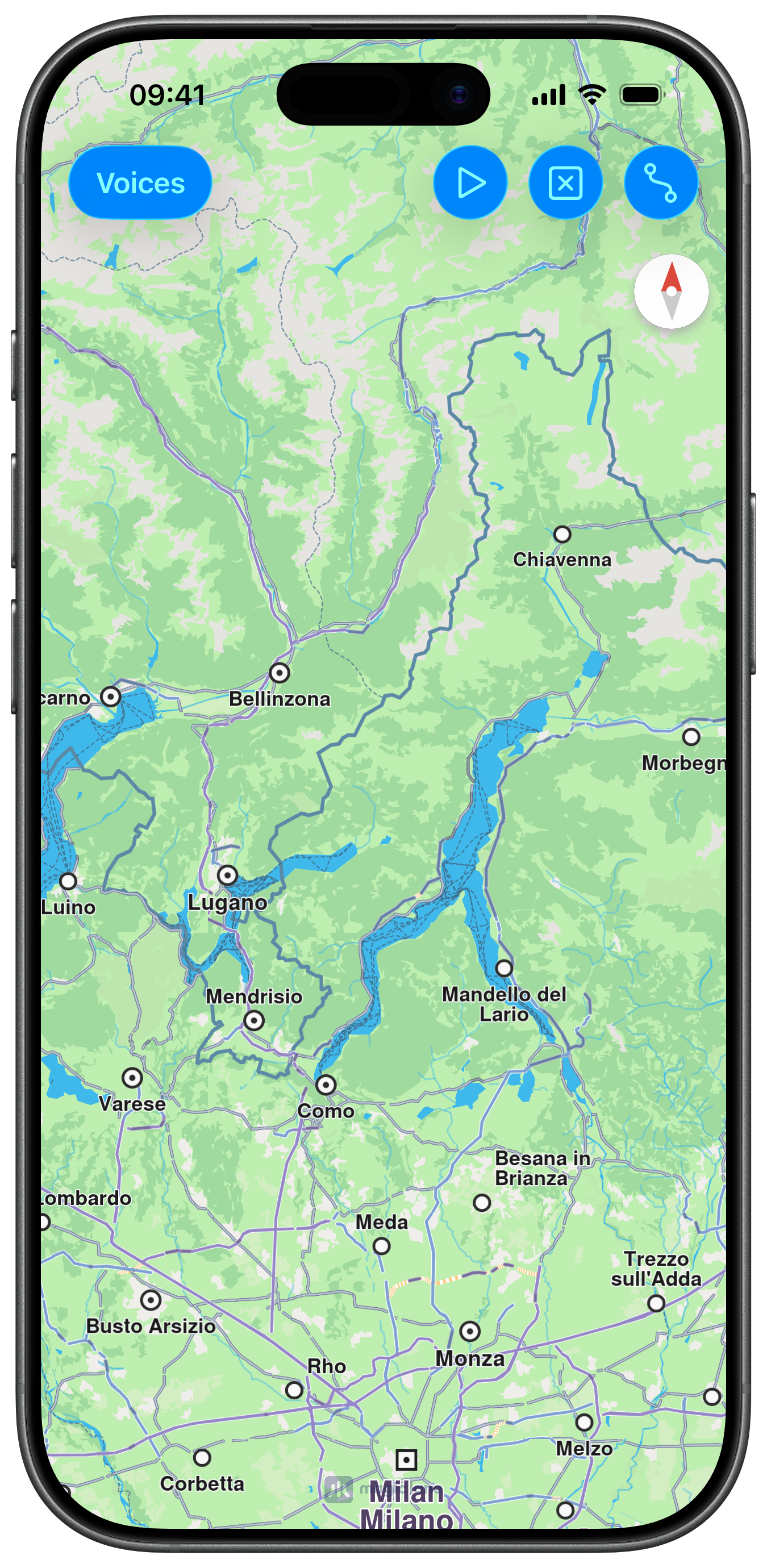
**Intial screen with Voices and Route buttons**
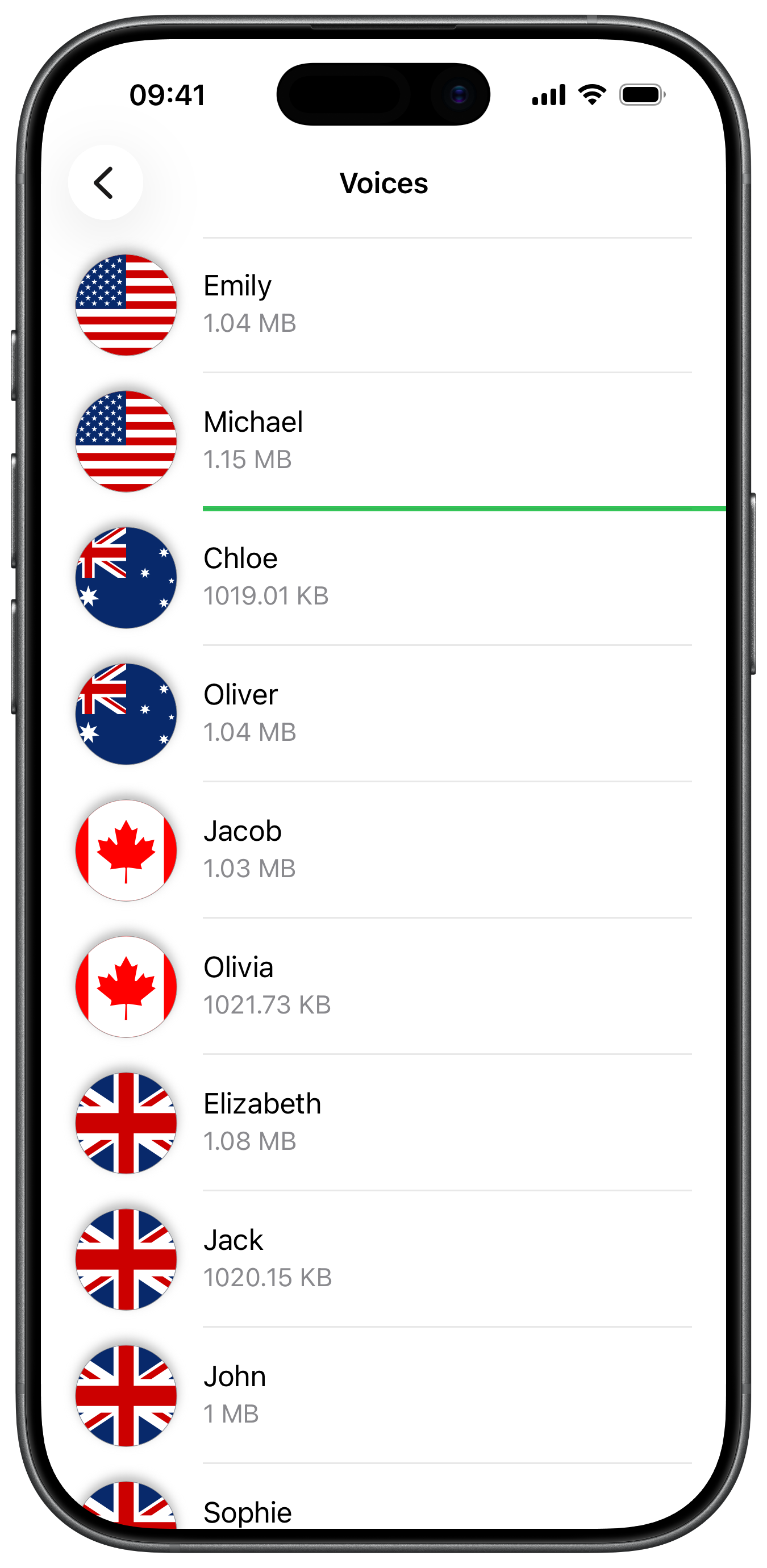
**Voices List**
### UI and Map Integration[](#ui-and-map-integration "Direct link to UI and Map Integration")
A dedicated **Voices** button navigates to a list screen for browsing and downloading voice packages. A `SoundContext` activates the selected voice before simulation:
ViewController.swift[View on GitHub](https://github.com/magiclane/magiclane-maps-sdk-examples-for-ios/tree/main/UIKit/RoutesAndNavigation/HumanVoices/HumanVoices/ViewController.swift)
```swift
class ViewController: UIViewController, MapViewControllerDelegate, NavigationContextDelegate {
var mapViewController: MapViewController?
var navigationContext: NavigationContext?
var soundContext: SoundContext?
override func viewDidLoad() {
super.viewDidLoad()
self.createMapView()
self.mapViewController!.startRender()
self.addVoicesButton()
self.addRouteButton()
}
func addVoicesButton() {
let barButton = UIBarButtonItem.init(title: "Voices", style: .done, target: self, action: #selector(voicesList))
self.navigationItem.leftBarButtonItems = [barButton]
}
@objc func voicesList() {
let viewController = VoicesViewController.init()
self.navigationController?.pushViewController(viewController, animated: true)
}
```
### Browsing and Downloading Voice Packages[](#browsing-and-downloading-voice-packages "Direct link to Browsing and Downloading Voice Packages")
`VoicesViewController` uses `HumanVoiceContext` to fetch both the locally installed list and the online catalogue. Each row shows a country flag and download progress bar. Tapping a row starts or pauses the download:
VoicesViewController.swift[View on GitHub](https://github.com/magiclane/magiclane-maps-sdk-examples-for-ios/tree/main/UIKit/RoutesAndNavigation/HumanVoices/HumanVoices/VoicesViewController.swift)
```swift
class VoicesViewController: UITableViewController, ContentStoreObjectDelegate {
var humanVoiceContext: HumanVoiceContext?
var contentStoreList: [ContentStoreObject] = []
override func viewDidLoad() {
super.viewDidLoad()
self.humanVoiceContext = HumanVoiceContext.init()
self.refreshWithLocal()
self.refreshWithOnline()
}
func refreshWithOnline() {
self.humanVoiceContext!
.getOnlineList { [weak self] array in
guard let weakSelf = self else { return }
if !array.isEmpty {
weakSelf.contentStoreList = array
weakSelf.tableView.reloadData()
}
}
}
func refreshWithLocal() {
self.contentStoreList = self.humanVoiceContext!.getLocalList()
}
```
### Activating a Human Voice for Navigation[](#activating-a-human-voice-for-navigation "Direct link to Activating a Human Voice for Navigation")
When a row with a completed download is tapped, the voice package identifier is passed to `setUseHumanVoiceWithIdentifier(_:completionHandler:)` on the root view controller's `SoundContext`, then the screen is dismissed:
VoicesViewController.swift[View on GitHub](https://github.com/magiclane/magiclane-maps-sdk-examples-for-ios/tree/main/UIKit/RoutesAndNavigation/HumanVoices/HumanVoices/VoicesViewController.swift)
```swift
} else if status == .completed {
if let rootViewController = self.navigationController?.viewControllers.first as? ViewController {
if let soundContext = rootViewController.soundContext {
soundContext.setUseHumanVoiceWithIdentifier(object.getIdentifier()) { success in }
}
self.navigationController?.popViewController(animated: true)
}
}
```