Finger Draw Route
- UIKit
- SwiftUI
This example demonstrates how to use GEMKit in a UIKit application to draw a path on the map and calculate a route from that path, with the option to share it as a .gpx file.
Check the full implementation on GitHub.
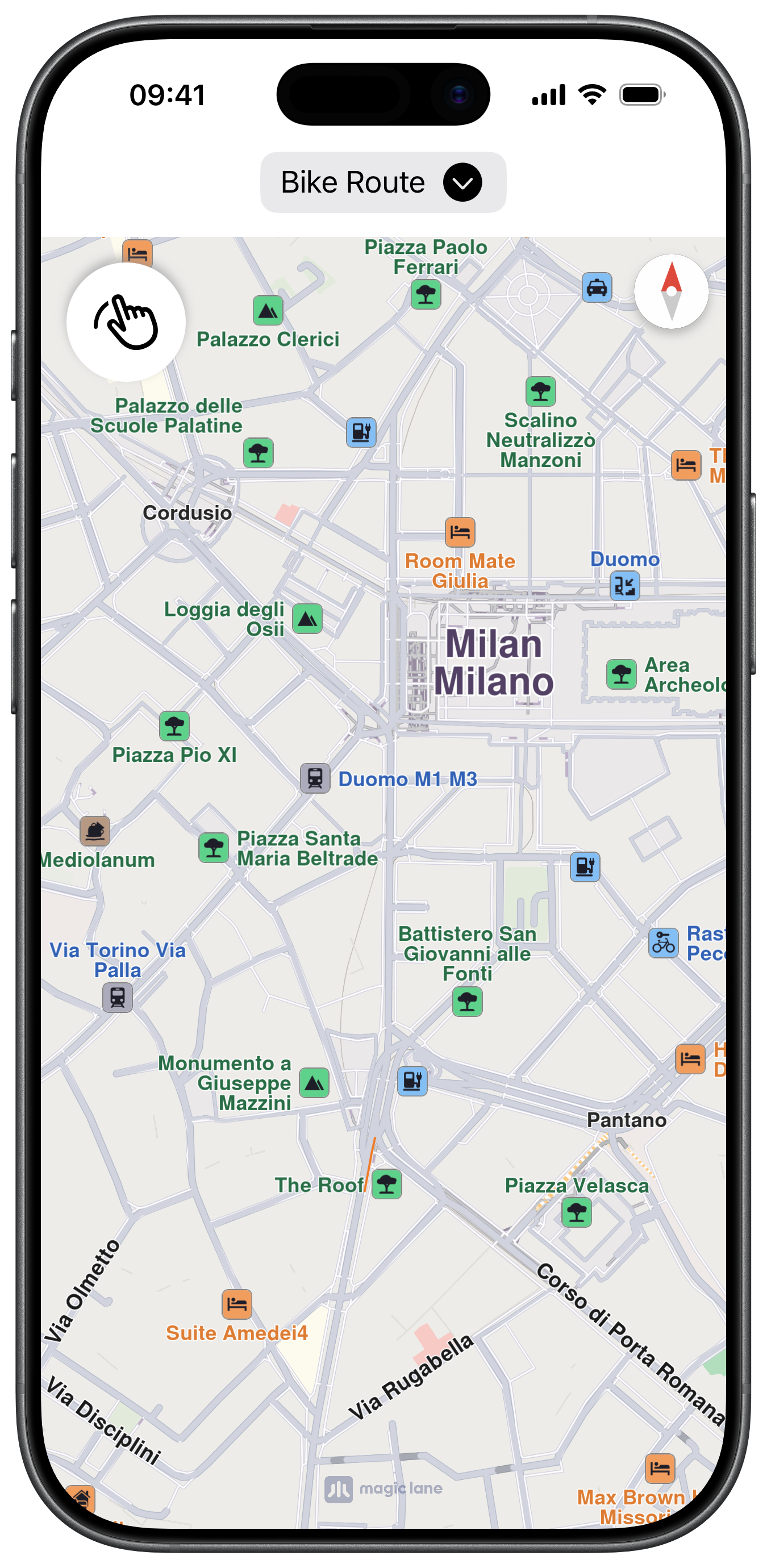
Initial screen
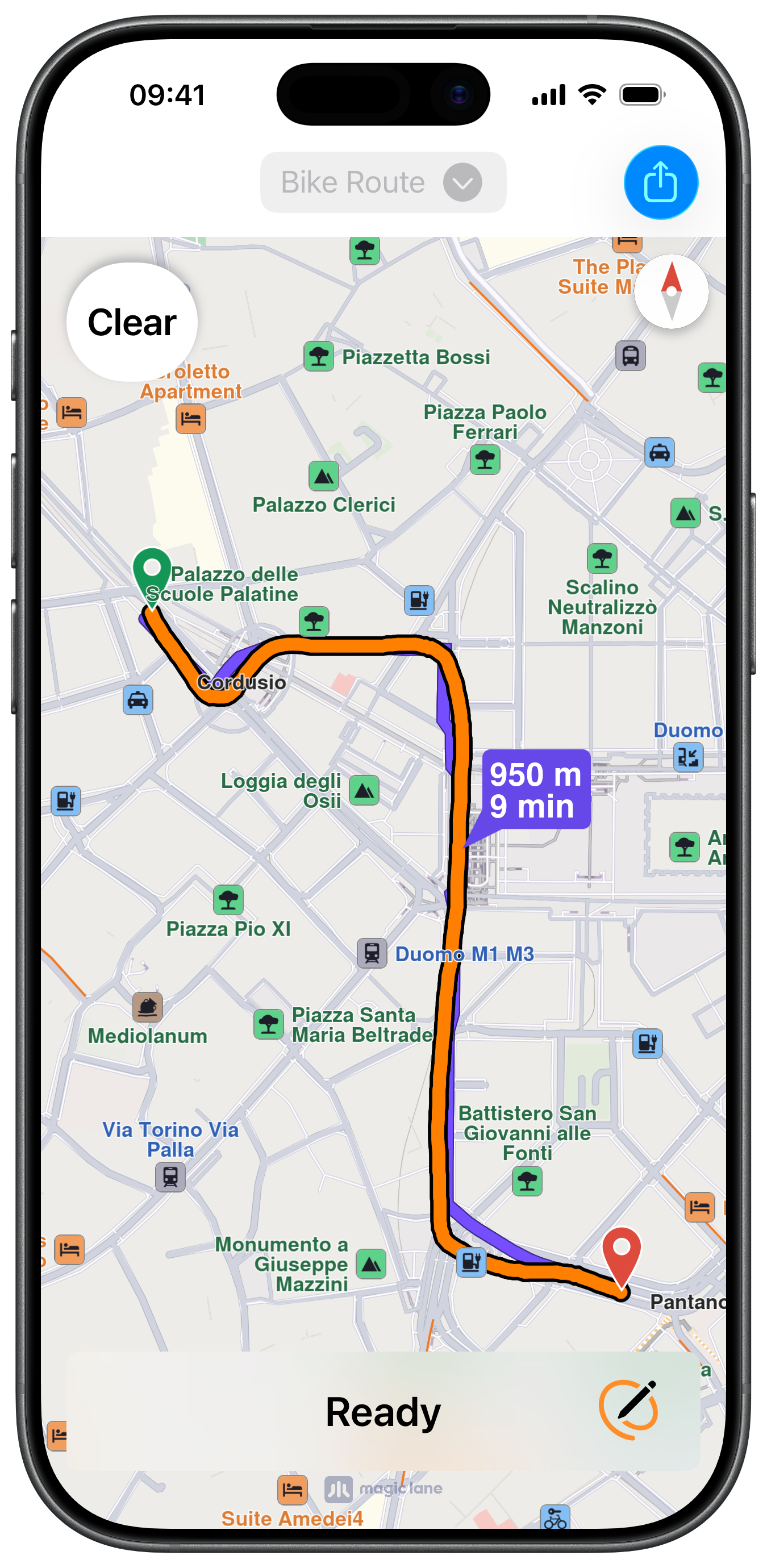
Calculated Route
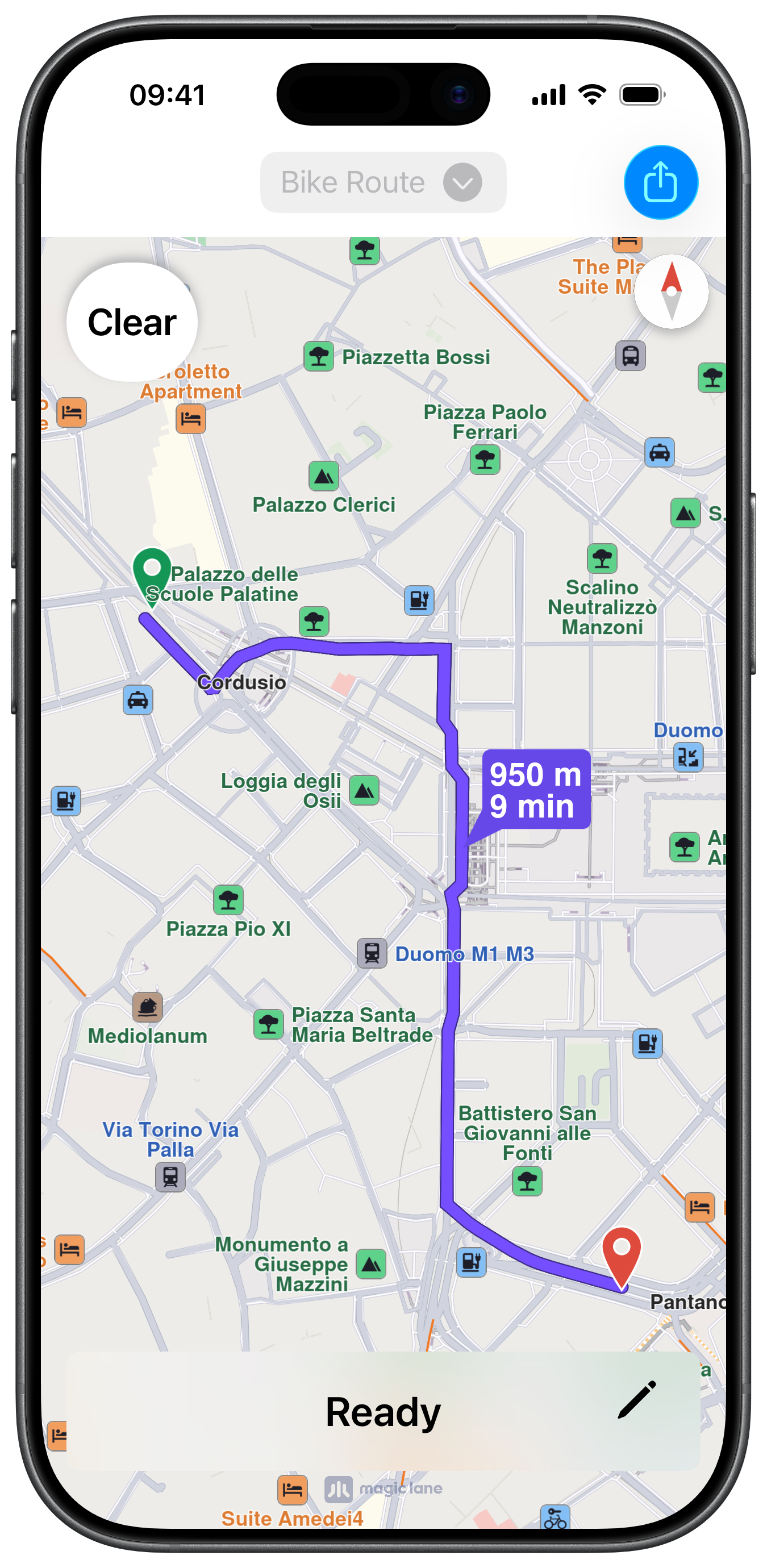
Calculated Route with hidden Markers
UI and Map Integration
The following code outlines the main view, actions and objects:
ViewController.swiftView on GitHub
class ViewController: UIViewController {

    var mapViewController: MapViewController?
    var navigationContext: NavigationContext?

    let buttonConfiguration = UIImage.SymbolConfiguration(pointSize: 26, weight: .semibold)

    var path: PathObject?

    var drawButton: UIButton?
    var visualEffectView: UIView?
    var statusLabel: UILabel?
    var showHideButton: UIButton?
    var routeType: RouteTransportMode = .bicycle

    var markerCollections: [MarkerCollectionObject] = []

    override func viewDidLoad() {

        super.viewDidLoad()

        self.mapViewController = self.createMapViewController()

        self.refreshTitleViewButton()
    }

    override func viewWillAppear(_ animated: Bool) {

        super.viewWillAppear(animated)

        guard let mapViewController = self.mapViewController else { return }

        mapViewController.startRender()
    }

    override func viewDidAppear(_ animated: Bool) {

        super.viewDidAppear(animated)

        guard let mapViewController = self.mapViewController else { return }

        if mapViewController.view.alpha == 0 {

            let coordinates = CoordinatesObject.coordinates(withLatitude: 45.462514, longitude: 9.188443)  // Milano

            mapViewController.center(onCoordinates: coordinates, zoomLevel: 70, animationDuration: 0)

            UIView.animate(withDuration: 0.25) {

                mapViewController.view.alpha = 1

            } completion: { finished in

                self.addDrawButton()
                self.addStatusButton()
            }
        }
    }

    override func viewWillDisappear(_ animated: Bool) {

        super.viewWillDisappear(animated)

        guard let mapViewController = self.mapViewController else { return }

        mapViewController.stopRender()
    }

    // MARK: - Map View

    func createMapViewController() -> MapViewController {

        let viewController = MapViewController.init()
        viewController.view.alpha = 0
        viewController.view.backgroundColor = UIColor.systemBackground

        self.addChild(viewController)
        self.view.addSubview(viewController.view)
        viewController.didMove(toParent: self)

        viewController.view.translatesAutoresizingMaskIntoConstraints = false
        NSLayoutConstraint.activate([
            viewController.view.topAnchor.constraint(equalTo: self.view.safeAreaLayoutGuide.topAnchor, constant: 0),
            viewController.view.leadingAnchor.constraint(equalTo: self.view.leadingAnchor, constant: 0),
            viewController.view.bottomAnchor.constraint(equalTo: self.view.bottomAnchor, constant: -0),
            viewController.view.trailingAnchor.constraint(equalTo: self.view.trailingAnchor, constant: -0)
        ])

        return viewController
    }
Drawing Button
The method for the main action button for drawing and clearing the path:
ViewController.swiftView on GitHub
    // MARK: - Drawing

    func addDrawButton() {

        guard let mapViewController = self.mapViewController else { return }

        let image = UIImage.init(systemName: "hand.draw", withConfiguration: self.buttonConfiguration)

        let button = UIButton.init(type: .system)
        button.configuration = .bordered()
        button.configuration?.cornerStyle = .capsule
        button.configuration?.image = image
        button.configuration?.baseBackgroundColor = UIColor.systemBackground
        button.layer.shadowOpacity = 0.6
        button.layer.shadowColor = UIColor.systemGray.cgColor

        let action = UIAction { _ in

            mapViewController.removeAllRoutes()
            mapViewController.removeAllMarkers()

            let state = mapViewController.getTouchViewBehaviour()

            if state == .default && self.path == nil {

                button.isHidden = true

                mapViewController.hideCompass()

                mapViewController.view.layer.borderWidth = 16
                mapViewController.view.layer.borderColor = UIColor.gray.withAlphaComponent(0.26).cgColor

                mapViewController.setTouchViewBehaviour(.fingerDraw) { marker in

                    self.markerCollections = mapViewController.getAvailableMarkers()

                    self.refreshPencilImage()

                    let attributes = AttributeContainer([NSAttributedString.Key.font: UIFont.systemFont(ofSize: 22, weight: .semibold)])
                    button.configuration?.attributedTitle = AttributedString("Clear", attributes: attributes)
                    button.configuration?.image = nil
                    button.isHidden = false

                    mapViewController.view.layer.borderColor = nil
                    mapViewController.view.layer.borderWidth = 0

                    mapViewController.setTouchViewBehaviour(.default)

                    self.refreshTitleViewButton(enabled: false)

                    if let coordinates = marker?.getCoordinates(), !coordinates.isEmpty {

                        let path = PathObject.init(coordinates: coordinates)

                        if let lmk = RouteBookmarksObject.setWaypointTrackData(path) {

                            self.path = path

                            self.calculateRoute(with: [lmk])
                        }
                    }
                }

            } else {

                self.markerCollections.removeAll()

                if let navigationContext = self.navigationContext {

                    navigationContext.cancelCalculateRoute()
                }

                if let view = self.visualEffectView {

                    view.isHidden = true
                }

                mapViewController.showCompass()
                mapViewController.setTouchViewBehaviour(.default)

                button.configuration?.image = image
                button.configuration?.attributedTitle = nil

                self.path = nil

                self.refreshShareTrack()

                self.refreshTitleViewButton(enabled: true)
            }
        }

        button.addAction(action, for: .touchUpInside)

        mapViewController.view.addSubview(button)

        let size: CGFloat = 70

        button.translatesAutoresizingMaskIntoConstraints = false
        NSLayoutConstraint.activate([
            button.topAnchor.constraint(equalTo: mapViewController.view.safeAreaLayoutGuide.topAnchor, constant: 15),
            button.leadingAnchor.constraint(equalTo: mapViewController.view.safeAreaLayoutGuide.leadingAnchor, constant: 15),
            button.widthAnchor.constraint(greaterThanOrEqualToConstant: size),
            button.heightAnchor.constraint(equalToConstant: size)
        ])

        self.drawButton = button
    }
Calculating the Route
ViewController.swiftView on GitHub
    func createNavigationContext() -> NavigationContext? {

        let preferences = RoutePreferencesObject.init()
        preferences.setRouteType(.fastest)
        preferences.setIgnoreRestrictionsOverTrack(true)

        preferences.setAccurateTrackMatch(false)  // only for track data

        switch self.routeType {

        case .pedestrian:
            preferences.setTransportMode(.pedestrian)

        default:
            preferences.setTransportMode(.bicycle)
        }

        let navigationContext = NavigationContext.init(preferences: preferences)

        return navigationContext
    }

    func calculateRoute(with waypoints: [LandmarkObject]) {

        guard let navigationContext = self.createNavigationContext() else { return }

        self.navigationContext = navigationContext

        navigationContext.calculateRoute(withWaypoints: waypoints) { routeStatus in

            self.refreshStatus(routeStatus: routeStatus)

        } completionHandler: { [weak self] results, code in

            guard let strongSelf = self else { return }

            guard let mapViewController = strongSelf.mapViewController else { return }

            mapViewController.showCompass()

            if !results.isEmpty, let route = results.first {

                let insets = strongSelf.areaEdge(margin: 60)

                mapViewController.setEdgeAreaInsets(insets)

                mapViewController.presentRoutes(results, withTraffic: nil, showSummary: true, animationDuration: 1600)

                let preferences = mapViewController.getPreferences()

                if let settings = preferences.getRenderSettings(route) {

                    settings.textSize = 3.2
                    settings.imageSize = 3.2

                    preferences.setRenderSettings(settings, route: route)
                }

                if let button = strongSelf.showHideButton {

                    button.isHidden = false
                }
            }

            strongSelf.refreshShareTrack()
        }
    }
Sharing the Path
ViewController.swiftView on GitHub
    @objc func sharePathButton() {

        guard let path = self.path else { return }

        guard let data = path.export(as: .gpx) else { return }

        guard let documentsURL = FileManager.default.urls(for: .documentDirectory, in: .userDomainMask).first else { return }

        let name = "Track.gpx"

        let fileURL = documentsURL.appendingPathComponent(name)

        let success = FileManager.default.createFile(atPath: fileURL.path, contents: data)

        if success {

            let activityItems: [Any] = [fileURL]
            let activityController = UIActivityViewController(activityItems: activityItems, applicationActivities: [])
            activityController.completionWithItemsHandler = { (type, completed, items, error) in }

            self.present(activityController, animated: true, completion: nil)
        }
    }
This example demonstrates how to use GEMKit in a SwiftUI application to draw a path on the map and calculate a route from that path, with the option to share it as a .gpx file.
Check the full implementation on GitHub.
Initial screen
Calculated Route
Calculated Route with hidden Markers
Map Display
The following code outlines the main view, which displays the map and the main actions:
ContentView.swiftView on GitHub
struct ContentView: View {
    @State var drawPathOn: Bool = false
    @State var routeCalculated: Bool = false
    @State private var showStatusLabel: Bool = false

    @State var navigationContext: NavigationContext?
    @State var routeTransportMode: RouteTransportMode = .bicycle
    @State private var routeStatus: RouteStatus = .uninitialized
    @State private var markerCollections: [MarkerCollectionObject] = []

    @State var gpxFileURL: URL?

    @State var refreshTitleMenuId: UUID = UUID()

    var body: some View {
        MapReader { proxy in
            ZStack(alignment: .leading) {
                MapBase()
                    .onAppear {
                        proxy.centerOn(coordinates: .milano, zoomLevel: 70)
                    }
                    .ignoresSafeArea(edges: [.bottom, .horizontal])

                if drawPathOn == false {
                    VStack {
                        Button {
                            routeCalculated ? clearRoute(proxy) : drawPath(proxy)
                        } label: {

                            VStack {

                                if routeCalculated {
                                    Text("Clear")
                                        .font(.title2)
                                        .padding(.horizontal)
                                } else {
                                    Image(systemName: "hand.draw")
                                        .font(.system(size: 32, weight: .semibold))
                                }
                            }
                            .frame(minWidth: 70, minHeight: 70)
                            .foregroundStyle(.primary)
                            .background(.background)
                            .clipShape(Capsule())
                            .shadow(color: .gray, radius: 3)
                            .padding()
                        }
                        .buttonStyle(PlainButtonStyle())

                        Spacer()
                    }
                }

                VStack {

                    Spacer()

                    // Route status Label
                    if showStatusLabel {
                        HStack {
                            Text(statusText)
                                .font(.system(size: 24, weight: .semibold))
                                .frame(maxWidth: .infinity)

                            Button(action: {
                                handlePencilButtonTap(proxy: proxy)
                            }) {
                                Image(systemName: "pencil.and.outline")
                                    .font(.system(size: 26, weight: .semibold))
                                    .symbolRenderingMode(.palette)
                                    .foregroundStyle(
                                        Color.black,
                                        Color.orange,
                                        Color.clear
                                    )
                                    .frame(width: 50, height: 50)
                            }
                            .padding(.trailing, 10)
                        }
                        .padding(.horizontal)
                        .frame(height: 60)
                        .background(RoundedRectangle(cornerRadius: 8).fill(Color(.systemBackground)))
                        .padding(.horizontal, 15)
                    }
                }
            }
            .navigationBarTitleDisplayMode(.inline)
            .toolbar {
                ToolbarItem(placement: .title, content: {

                    Menu(content: {
                        Button("Bike") {

                            refreshTitleMenuId = UUID()
                            routeTransportMode = .bicycle
                        }
                        Button("Pedestrian") {

                            refreshTitleMenuId = UUID()
                            routeTransportMode = .pedestrian
                        }
                    }, label: {

                        HStack {
                            Text(routeTransportMode == .bicycle ? "Bike Route" : "Pedestrian Route")

                            Image(systemName: "chevron.down.circle.fill")
                                .resizable()
                                .scaledToFit()
                                .frame(width: 20, height: 20)
                        }
                        .padding(8)
                        .background(RoundedRectangle(cornerRadius: 8).fill(Color(.systemGray5)))
                    })
                    .id(refreshTitleMenuId)
                })

                ToolbarItem(placement: .topBarTrailing, content: {

                    if let url = gpxFileURL {
                        ShareLink(item: url) {
                            Image(systemName: "square.and.arrow.up")
                        }
                        .buttonStyle(.borderedProminent)
                    }
                })
            }
        }
    }
Drawing and Calculating the Route
The methods for drawing, clearing the path and calculating the route:
ContentView.swiftView on GitHub
    func createNavigationContext() -> NavigationContext {

        guard navigationContext == nil else { return navigationContext! }

        let preferences = RoutePreferencesObject.init()
        preferences.setRouteType(.fastest)
        preferences.setIgnoreRestrictionsOverTrack(true)
        preferences.setAccurateTrackMatch(false)  // only for track data
        preferences.setTransportMode(routeTransportMode)

        navigationContext = NavigationContext.init(preferences: preferences)

        return navigationContext!
    }

    func drawPath(_ proxy: MapProxy) {

        guard let mapViewController = proxy.mapViewController else { return }

        mapViewController.removeAllRoutes()
        mapViewController.removeAllMarkers()

        mapViewController.hideCompass()
        mapViewController.view.layer.borderWidth = 16
        mapViewController.view.layer.borderColor = UIColor.gray.withAlphaComponent(0.26).cgColor

        mapViewController.setTouchViewBehaviour(.fingerDraw) { marker in

            mapViewController.showCompass()
            mapViewController.view.layer.borderWidth = 0
            mapViewController.view.layer.borderColor = nil

            markerCollections = mapViewController.getAvailableMarkers()

            mapViewController.setTouchViewBehaviour(.default)

            showStatusLabel = true

            if let coordinates = marker?.getCoordinates(), !coordinates.isEmpty {

                let path = PathObject.init(coordinates: coordinates)

                createShareRoute(path: path)

                if let lmk = RouteBookmarksObject.setWaypointTrackData(path) {

                    calculateRoute(proxy, waypoints: [lmk])
                }
            }
        }

        drawPathOn = true
    }

    func clearRoute(_ proxy: MapProxy) {

        guard let mapViewController = proxy.mapViewController else { return }

        markerCollections.removeAll()

        if let navigationContext = navigationContext {
            navigationContext.cancelCalculateRoute()
            self.navigationContext = nil
        }

        showStatusLabel = false
        routeCalculated = false
        routeStatus = .uninitialized
        gpxFileURL = nil

        mapViewController.showCompass()
        mapViewController.setTouchViewBehaviour(.default)

        mapViewController.removeAllMarkers()
        mapViewController.removeAllRoutes()
    }
Creating the Path Share URL
ContentView.swiftView on GitHub
    func createShareRoute(path: PathObject) {

        guard let data = path.export(as: .gpx) else { return }
        guard let documentsURL = FileManager.default.urls(for: .documentDirectory, in: .userDomainMask).first else { return }

        let name = "Track.gpx"

        let fileURL = documentsURL.appendingPathComponent(name)

        let success = FileManager.default.createFile(atPath: fileURL.path, contents: data)

        if success {

            self.gpxFileURL = fileURL
        }
    }