# Custom Turns ID
Last updated:
October 18, 2026
\| 2 minutes read
* UIKit
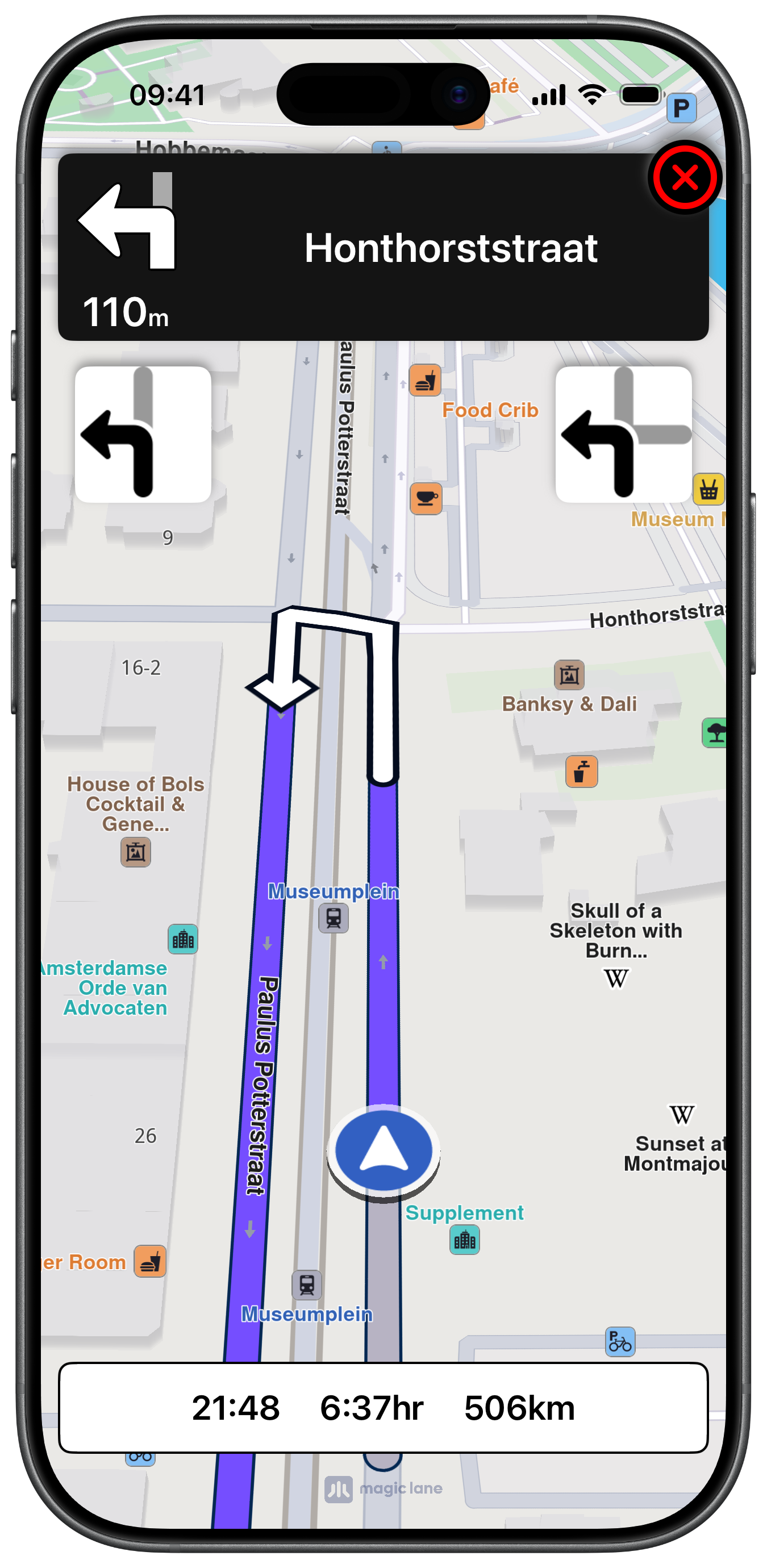
This example demonstrates how to use **GEMKit** in a UIKit application to replace the default SDK turn icons with custom images keyed by the numeric `TurnId64` value of each upcoming manoeuvre.
Check the full implementation on [GitHub](https://github.com/magiclane/magiclane-maps-sdk-examples-for-ios/tree/main/UIKit/RoutesAndNavigation/CustomTurnsId).
**Custom Turns ID**
### UI and Map Integration[](#ui-and-map-integration "Direct link to UI and Map Integration")
The view controller uses `GEMSdkDelegate` to gate the route button on connectivity and map availability. The camera focus point is moved down so the vehicle position appears centred in the lower portion of the screen during simulation:
ViewController.swift[View on GitHub](https://github.com/magiclane/magiclane-maps-sdk-examples-for-ios/tree/main/UIKit/RoutesAndNavigation/CustomTurnsId/CustomTurnsId/ViewController.swift)
```swift
class ViewController: UIViewController, GEMSdkDelegate, MapViewControllerDelegate, NavigationContextDelegate {
var mapViewController: MapViewController?
var navigationContext: NavigationContext?
var soundContext: SoundContext?
var panelNavigationViewController: NavigationViewController?
override func viewDidLoad() {
super.viewDidLoad()
GEMSdk.shared().delegate = self
self.title = "Custom Turn ID"
self.createMapView()
self.addRouteButton()
self.setFollowPositionCameraFocus()
}
func setFollowPositionCameraFocus() {
guard let mapViewController = self.mapViewController else { return }
let point = CGPoint.init(x: 0.5, y: 0.75)
mapViewController.getPreferences().getFollowPositionPreferences().setCameraFocus(point)
}
```
### Rendering Custom Turn Images by ID[](#rendering-custom-turn-images-by-id "Direct link to Rendering Custom Turn Images by ID")
During simulation, `updateCustomTurnInformation` retrieves the `TurnId64` integer for both the next and next-next manoeuvres and loads a matching image from the app bundle:
info
The set of 64 turn icons are added as image assets to the app bundle with their names set to the corresponding integer value.
NavigationViewController.swift[View on GitHub](https://github.com/magiclane/magiclane-maps-sdk-examples-for-ios/tree/main/UIKit/RoutesAndNavigation/CustomTurnsId/CustomTurnsId/NavigationViewController.swift)
```swift
func updateCustomTurnInformation(navigationContext: NavigationContext) {
if let turnInstruction = navigationContext.getNavigationInstruction() {
if let nextTurnDetails = turnInstruction.getNextTurnDetails() {
let turnId64 = nextTurnDetails.getTurnId64()
if let image = UIImage(named: String(format: "%d", turnId64.rawValue)) {
self.customTurnNextImage.image = image
self.customTurnNextImage.isHidden = false
}
}
if let nextNextTurnDetails = turnInstruction.getNextNextTurnDetails() {
let turnId64 = nextNextTurnDetails.getTurnId64()
if let image = UIImage(named: String(format: "%d", turnId64.rawValue)) {
self.customTurnNextNextImage.image = image
self.customTurnNextNextImage.isHidden = false
}
}
}
}
```
### Navigation Panel[](#navigation-panel "Direct link to Navigation Panel")
info
The `NavigationViewController` used in this example extends the standard turn-by-turn panel with two extra image views that display the custom turn ID icons. Due to its size it is not reproduced here — check the [full implementation on GitHub](https://github.com/magiclane/magiclane-maps-sdk-examples-for-ios/blob/main/UIKit/RoutesAndNavigation/CustomTurnsId/CustomTurnsId/NavigationViewController.swift).