
Calculate Route

Last updated: April 24, 2026 | 4 minutes read

This example demonstrates how to use GEMKit in a UIKit application to calculate a car route between two coordinates and display it on the map with a summary panel.

Check the full implementation on GitHub.
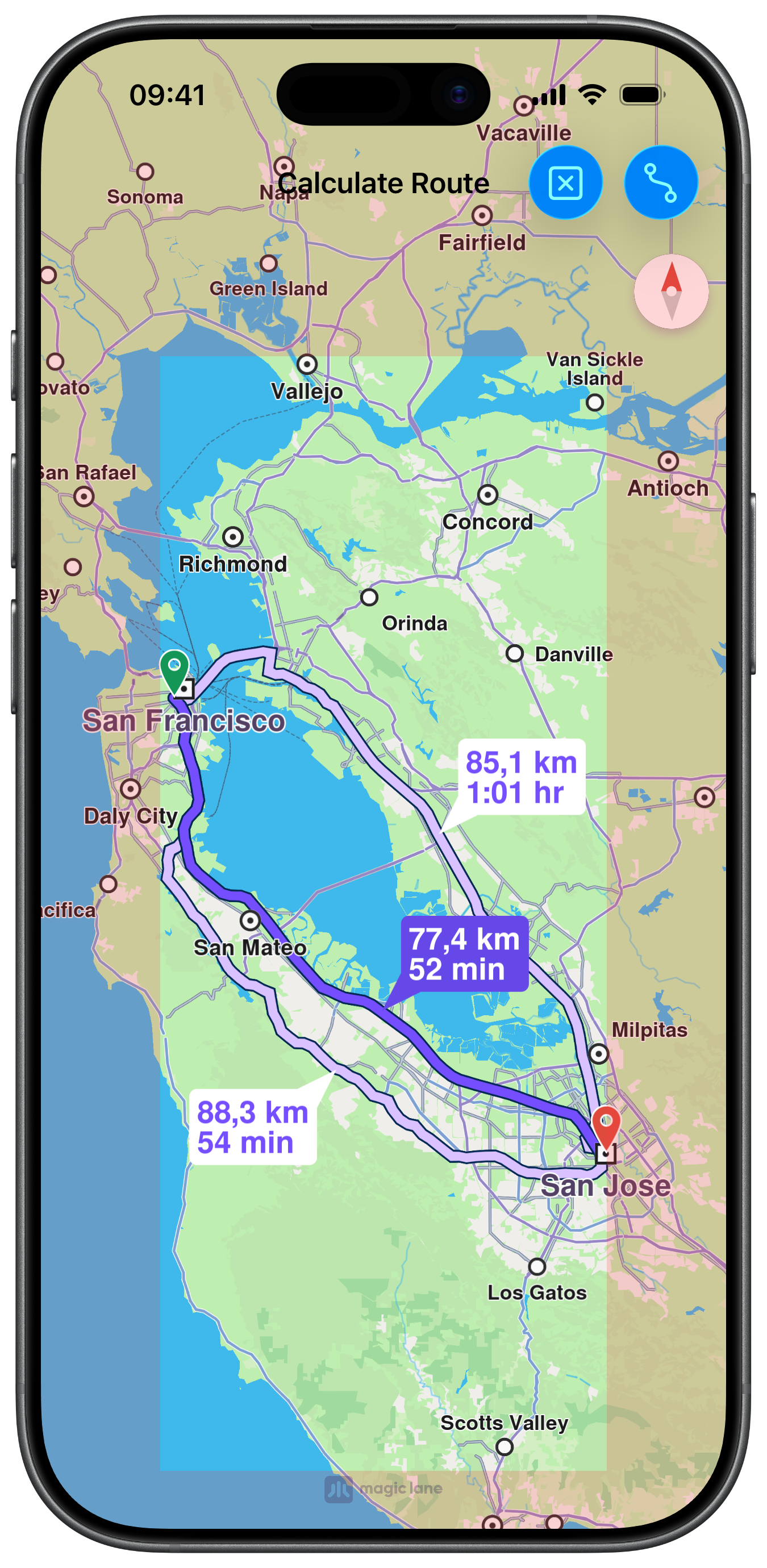
Calculated Route with Insets

UI and Map Integration

The following code outlines the main view controller and the embedded map view setup:

ViewController.swiftView on GitHub
class ViewController: UIViewController, UISearchBarDelegate {

var mapViewController: MapViewController?

var navigationContext: NavigationContext?

var trafficContext: TrafficContext?

override func viewDidLoad() {
super.viewDidLoad()

self.title = "Calculate Route"
self.navigationItem.largeTitleDisplayMode = .never

self.createMapView()

self.mapViewController!.startRender()

self.addRouteButton()
}

// MARK: - Map View

func createMapView() {

self.mapViewController = MapViewController.init()
self.mapViewController!.view.backgroundColor = UIColor.systemBackground

self.addChild(self.mapViewController!)
self.view.addSubview(self.mapViewController!.view)
self.mapViewController!.didMove(toParent: self)

self.mapViewController?.view.translatesAutoresizingMaskIntoConstraints = false
NSLayoutConstraint.activate([
self.mapViewController!.view.topAnchor.constraint(equalTo: self.view.topAnchor),
self.mapViewController!.view.leadingAnchor.constraint(equalTo: self.view.leadingAnchor),
self.mapViewController!.view.bottomAnchor.constraint(equalTo: self.view.bottomAnchor),
self.mapViewController!.view.trailingAnchor.constraint(equalTo: self.view.trailingAnchor)
])
}

Setting Route Preferences and Calculating

Route preferences are configured on a RoutePreferencesObject, then passed to a NavigationContext which performs the calculation. A TrafficContext is used to overlay live traffic data on the result:

ViewController.swiftView on GitHub
@objc func routeButtonAction(item: UIBarButtonItem) {

if self.navigationContext == nil {

let preferences = RoutePreferencesObject.init()
preferences.setTransportMode(.car)
preferences.setRouteType(.fastest)
preferences.setAvoidMotorways(false)
preferences.setAvoidTollRoads(false)
preferences.setAvoidFerries(false)
preferences.setAvoidUnpavedRoads(true)

self.navigationContext = NavigationContext.init(preferences: preferences)
}

if self.trafficContext == nil {

self.trafficContext = TrafficContext.init()
self.trafficContext?.setUseTraffic(.useOnline)
}

let waypoints = [

LandmarkObject.landmark(
withName: "San Francisco", location: CoordinatesObject.coordinates(withLatitude: 37.77903, longitude: -122.41991)),
LandmarkObject.landmark(
withName: "San Jose", location: CoordinatesObject.coordinates(withLatitude: 37.33619, longitude: -121.89058))
]

item.isEnabled = false

self.navigationContext?
.calculateRoute(
withWaypoints: waypoints,
completionHandler: { [weak self] (results: [RouteObject]) in

guard let strongSelf = self else { return }

if !results.isEmpty {

let insets = strongSelf.areaEdge(margin: 70)

strongSelf.mapViewController?.setEdgeAreaInsets(insets)

strongSelf.mapViewController?
.presentRoutes(results, withTraffic: strongSelf.trafficContext, showSummary: true, animationDuration: 1600)
}

item.isEnabled = true
})
}