Better Route Notification

Last updated: April 7, 2026 | 4 minutes read

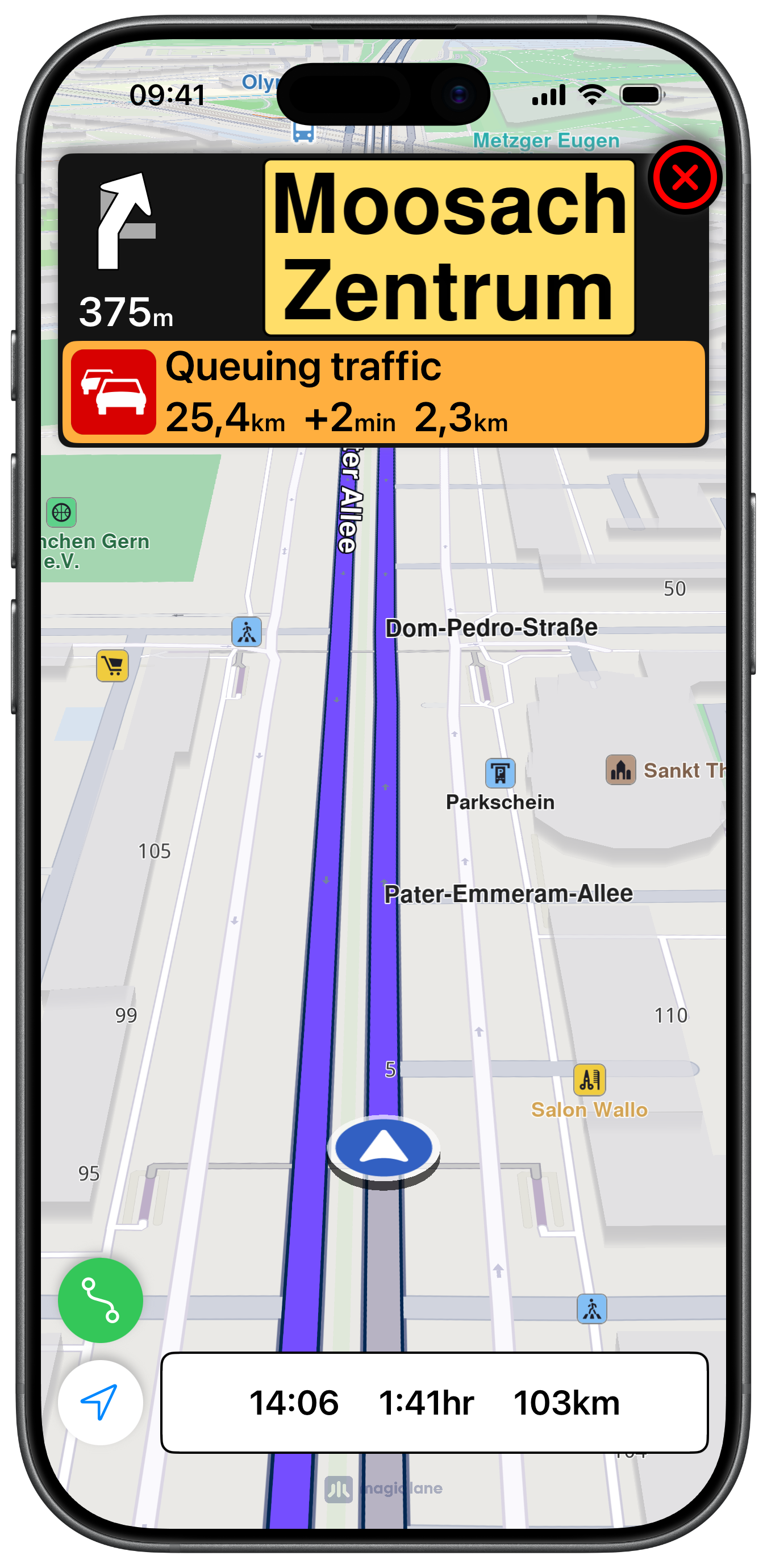
This example demonstrates how to use GEMKit in a UIKit application to detect when a faster alternate route becomes available during navigation and then offer it to the user.

Check the full implementation on GitHub.
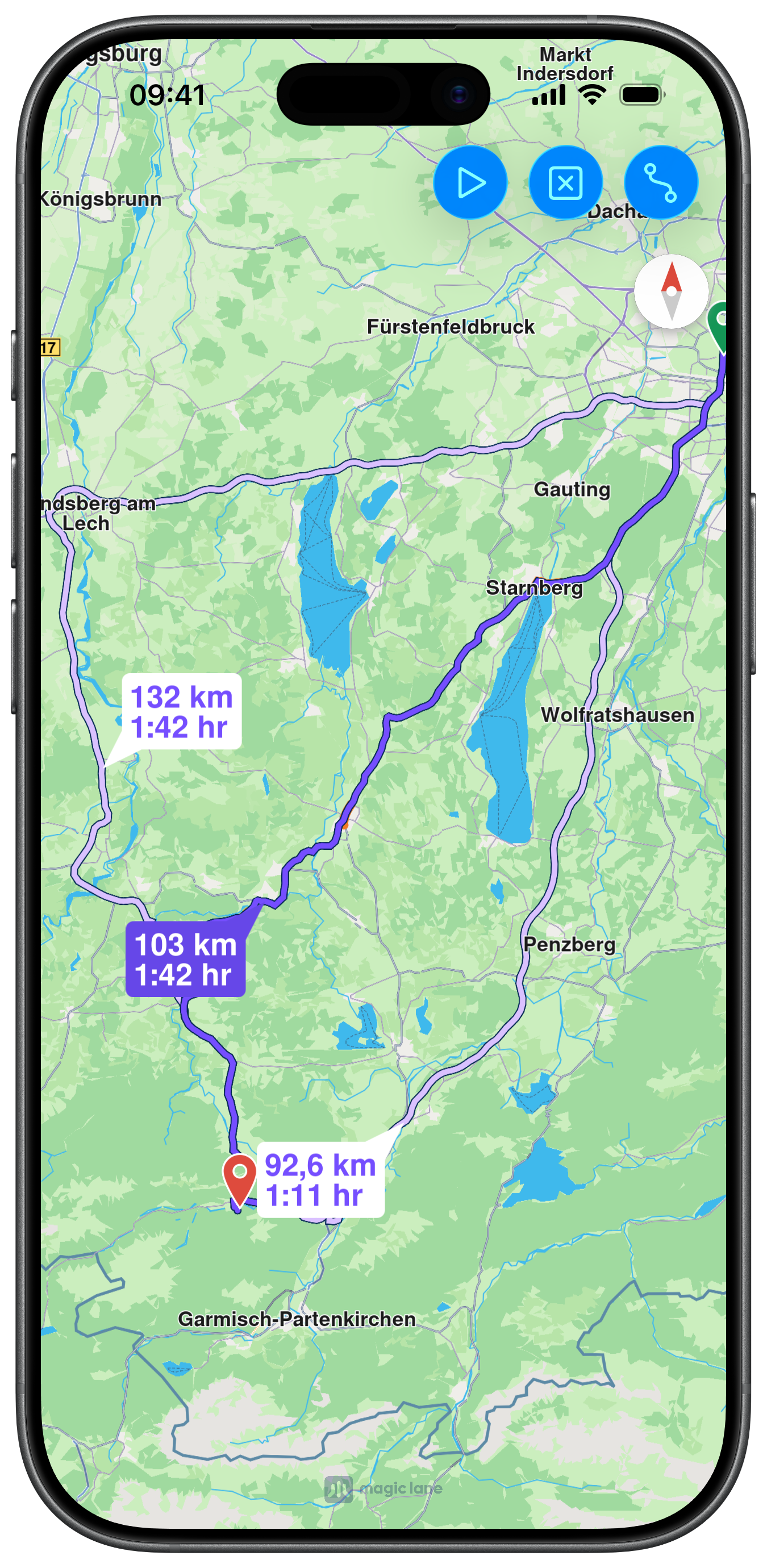
Initial Slow Route Selection
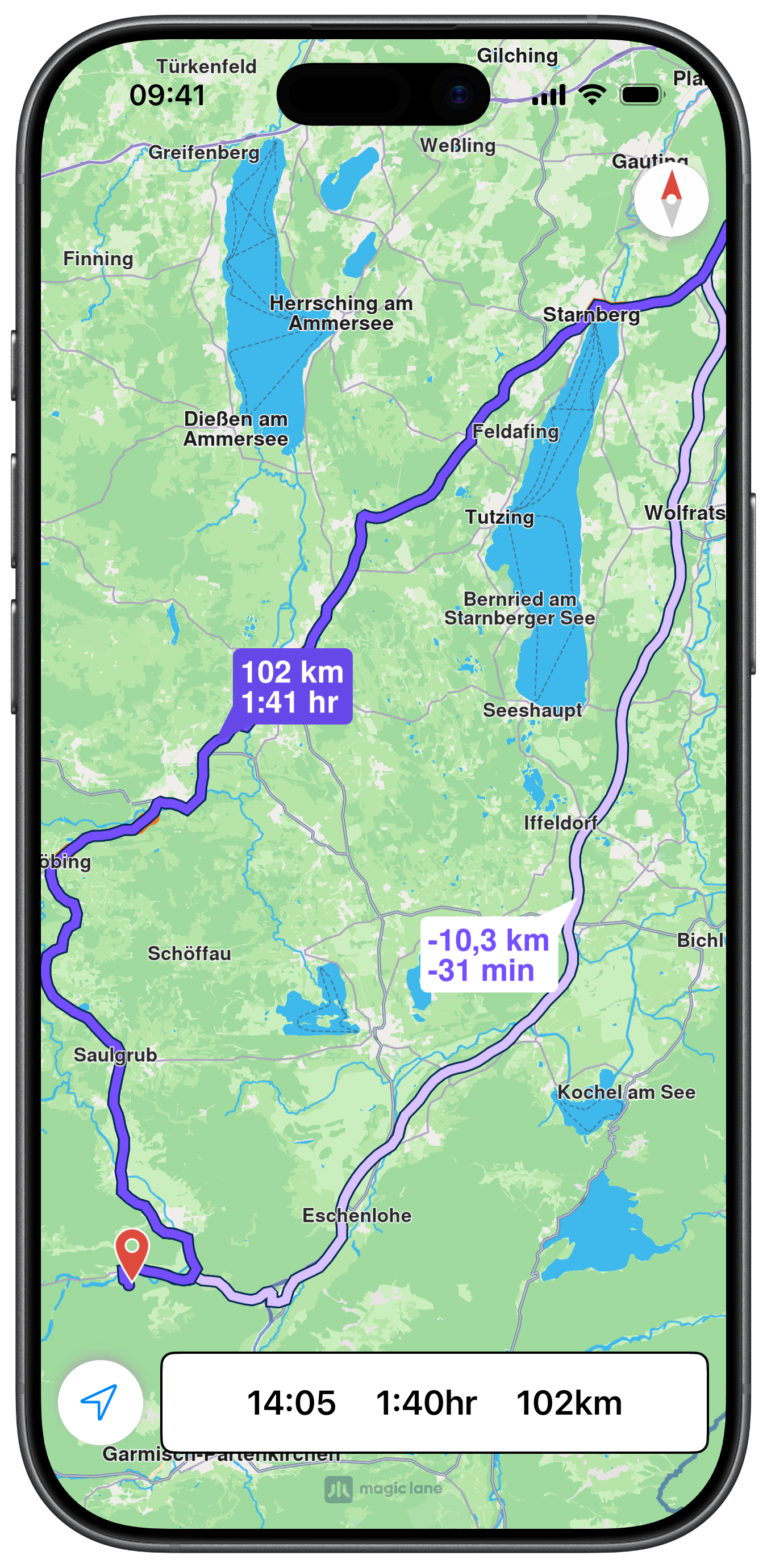
Better Route Detected
Better Route Displayed

UI and Map Integration

The view controller tracks both the active route and any detected better route, displaying a dedicated button when an improvement is found:

ViewController.swiftView on GitHub
class ViewController: UIViewController, MapViewControllerDelegate, NavigationContextDelegate {

var mapViewController: MapViewController?

var navigationContext: NavigationContext?
var soundContext: SoundContext?
var trafficContext: TrafficContext?

var mainRoute: RouteObject?
var betterRoute: RouteObject?
var timeGainMinutes: UInt = 0

var panelNavigationViewController: NavigationViewController?

var myPositionButton: UIButton?
var betterRouteButton: UIButton?

Routing Preferences for Better Route Detection

setAvoidTraffic(true) is set on the route preferences so that the engine also actively monitors for traffic-aware alternatives:

ViewController.swiftView on GitHub
let preferences = RoutePreferencesObject.init()
preferences.setTransportMode(.car)
preferences.setRouteType(.fastest)
preferences.setAvoidTraffic(true)

self.navigationContext = NavigationContext.init(preferences: preferences)
self.navigationContext?.delegate = self

self.trafficContext = TrafficContext.init()
self.trafficContext?.setUseTraffic(.useOnline)

self.soundContext = SoundContext.init()
self.soundContext?.setUseTtsWithCompletionHandler({ success in })

self.departure = LandmarkObject.landmark(
withName: "Munich 1", location: CoordinatesObject.coordinates(withLatitude: 48.15741, longitude: 11.53739))
self.destination = LandmarkObject.landmark(
withName: "Munich 2", location: CoordinatesObject.coordinates(withLatitude: 47.56730, longitude: 11.03687))
info

In order for a better route to be detected, the user must be on a route that is not the fastest option. Make sure you have selected the slower alternative in the initial route selection.

Presenting and Acting on the Better Route

When a better route is detected, a green button appears. Tapping it shows both routes side-by-side using showBetterRoute(_:withTraffic:timeGain:showSummary:):

ViewController.swiftView on GitHub
@objc func betterRouteAction() {

guard self.mainRoute != nil else { return }
guard self.betterRoute != nil else { return }

self.mapViewController!.stopFollowingPosition()
self.mapViewController!.removeAllRoutes()
self.mapViewController!.showCompass()

self.mapViewController!.showRoutes([self.mainRoute!], withTraffic: self.trafficContext!, showSummary: true)
self.mapViewController!
.showBetterRoute(self.betterRoute!, withTraffic: self.trafficContext!, timeGain: self.timeGainMinutes, showSummary: true)
self.mapViewController!
.center(onRoutes: [self.mainRoute!, self.betterRoute!], displayMode: .branches, animationDuration: 1600)

self.removeBetterRouteButton()
}

Resuming on Selected Route

When the user taps the position button, this method checks whether the better route was selected and continues simulation on it accordingly:

ViewController.swiftView on GitHub
func continueNavigationOnBetterRoute() -> Bool {

guard self.mainRoute != nil, self.betterRoute != nil else { return false }

guard let mainNavRoute = self.mapViewController!.getMainRoute() else { return false }

if mainNavRoute.isEqual(withRoute: self.betterRoute!) {

self.mainRoute = mainNavRoute
self.soundContext!.playText("You are on the fastest route.")
self.betterRoute = nil
self.startSimulation()
return true

} else {

self.betterRoute = nil
self.mapViewController!.removeAllRoutes()
self.mapViewController!.showRoutes([self.mainRoute!], withTraffic: self.trafficContext!, showSummary: false)
self.mapViewController!.hideCompass()
return false
}
}

Detecting a Better Route

The onBetterRouteDetected delegate fires when a faster alternative is found. Time gained is rounded to minutes, announced via TTS, and the better route is stored so the user can choose to switch. If the alternate is later invalidated, the original route display is restored:

ViewController.swiftView on GitHub
func navigationContext(
_ navigationContext: NavigationContext, onBetterRouteDetected route: RouteObject, travelTime: Int, delay: Int, timeGain: Int
) {

var minutes: Int = 0

if timeGain < 0 { // roadblock

minutes = 60

} else {

if timeGain < 30 { // under 30 sec.

return
}

minutes = timeGain / 60

if timeGain % 60 >= 30 {
minutes += 1
}
}

if minutes > 1 {

let ttsMessage = "An alternative route is available which can save you " + String(minutes) + " minutes."

self.soundContext!.playText(ttsMessage)

self.betterRoute = route

self.timeGainMinutes = UInt(minutes)

self.presentBetterRouteButton()
}
}

func navigationContext(_ navigationContext: NavigationContext, onBetterRouteInvalidated state: Bool) {

self.removeBetterRouteButton()

if self.betterRoute != nil {

if self.mainRoute != nil {

if self.mapViewController!.isFollowingPosition() == false {

self.mapViewController!.hideCompass()
self.mapViewController!.removeAllRoutes()
self.mapViewController!.setMainRoute(self.mainRoute!)
self.mapViewController!.showRoutes([self.mainRoute!], withTraffic: self.trafficContext!, showSummary: false)
self.mapViewController!.startFollowingPosition(withAnimationDuration: 1600, zoomLevel: -1) { success in }
}

self.panelNavigationViewController!.view.isHidden = false
}
}

self.betterRoute = nil
}