class ViewController: UIViewController, MapViewControllerDelegate {
var mapViewController: MapViewController?
var landmark: LandmarkObject?
let searchContext = SearchContext.init()
let label = UILabel.init()
let defaultHighlightId: Int32 = 10
override func viewDidLoad() {
super.viewDidLoad()
if let navigationController = self.navigationController {
let appearance = navigationController.navigationBar.standardAppearance
navigationController.navigationBar.scrollEdgeAppearance = appearance
}
self.createMapView()
self.mapViewController!.startRender()
self.mapViewController!.delegate = self
self.addLabelText()
self.addSearch()
}
override func viewDidAppear(_ animated: Bool) {
super.viewDidAppear(animated)
let location = CoordinatesObject.coordinates(withLatitude: 52.368447, longitude: 4.888229)
self.mapViewController!.center(onCoordinates: location, zoomLevel: 70, animationDuration: 0)
}
func createMapView() {
self.mapViewController = MapViewController.init()
self.mapViewController!.view.backgroundColor = UIColor.systemBackground
self.addChild(self.mapViewController!)
self.view.addSubview(self.mapViewController!.view)
self.mapViewController!.didMove(toParent: self)
self.mapViewController?.view.translatesAutoresizingMaskIntoConstraints = false
NSLayoutConstraint.activate([
self.mapViewController!.view.topAnchor.constraint(equalTo: self.view.topAnchor),
self.mapViewController!.view.leadingAnchor.constraint(equalTo: self.view.leadingAnchor),
self.mapViewController!.view.bottomAnchor.constraint(equalTo: self.view.bottomAnchor),
self.mapViewController!.view.trailingAnchor.constraint(equalTo: self.view.trailingAnchor)
])
}
func addLabelText() {
self.label.adjustsFontSizeToFitWidth = true
self.label.font = UIFont.boldSystemFont(ofSize: 20)
self.label.numberOfLines = 0
self.label.backgroundColor = UIColor.systemBackground
self.label.isHidden = false
self.label.textAlignment = .center
self.label.layer.borderColor = UIColor.systemBlue.cgColor
self.label.layer.borderWidth = 1.4
self.label.layer.cornerRadius = 8.0
self.label.layer.masksToBounds = true
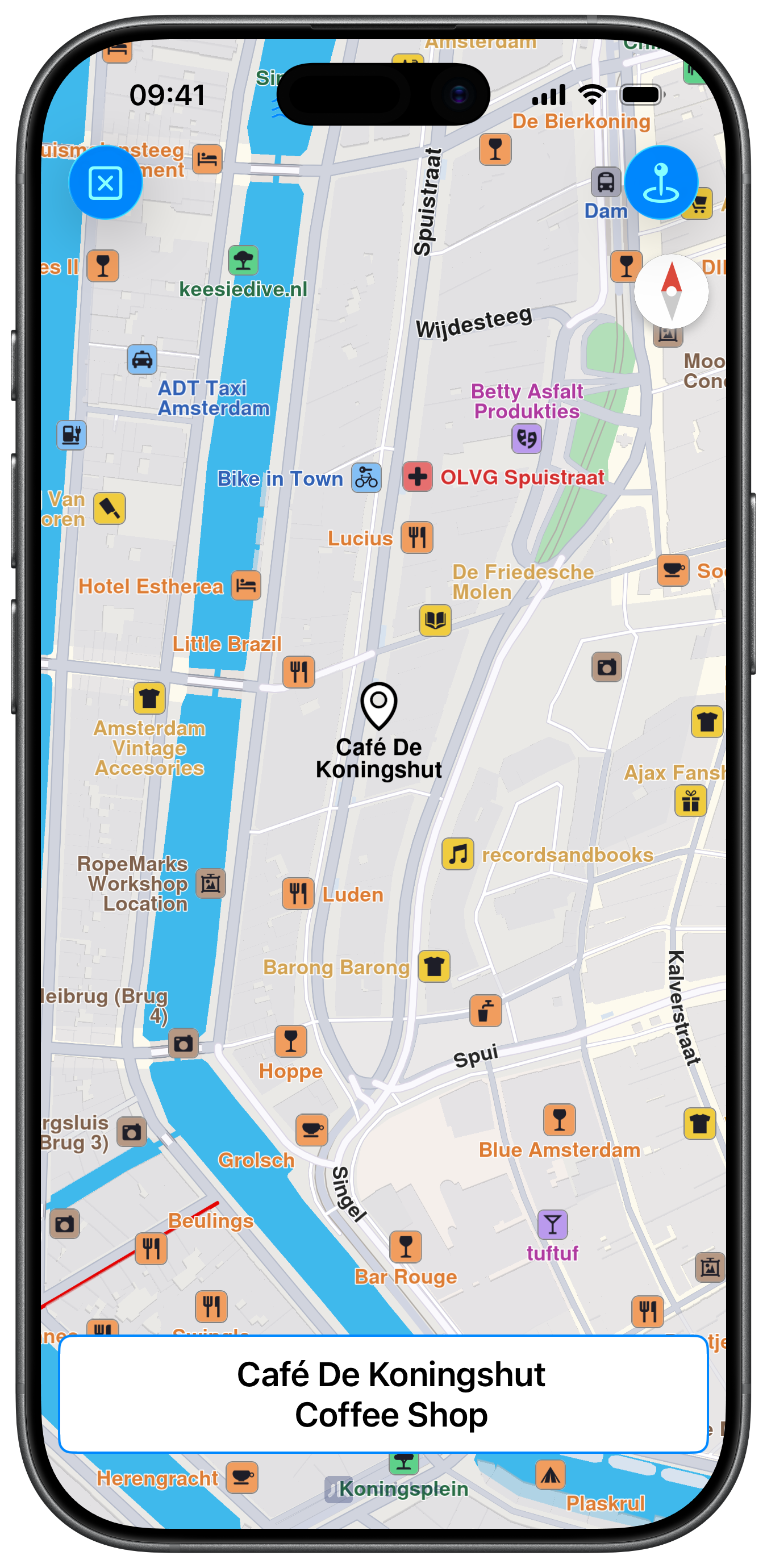
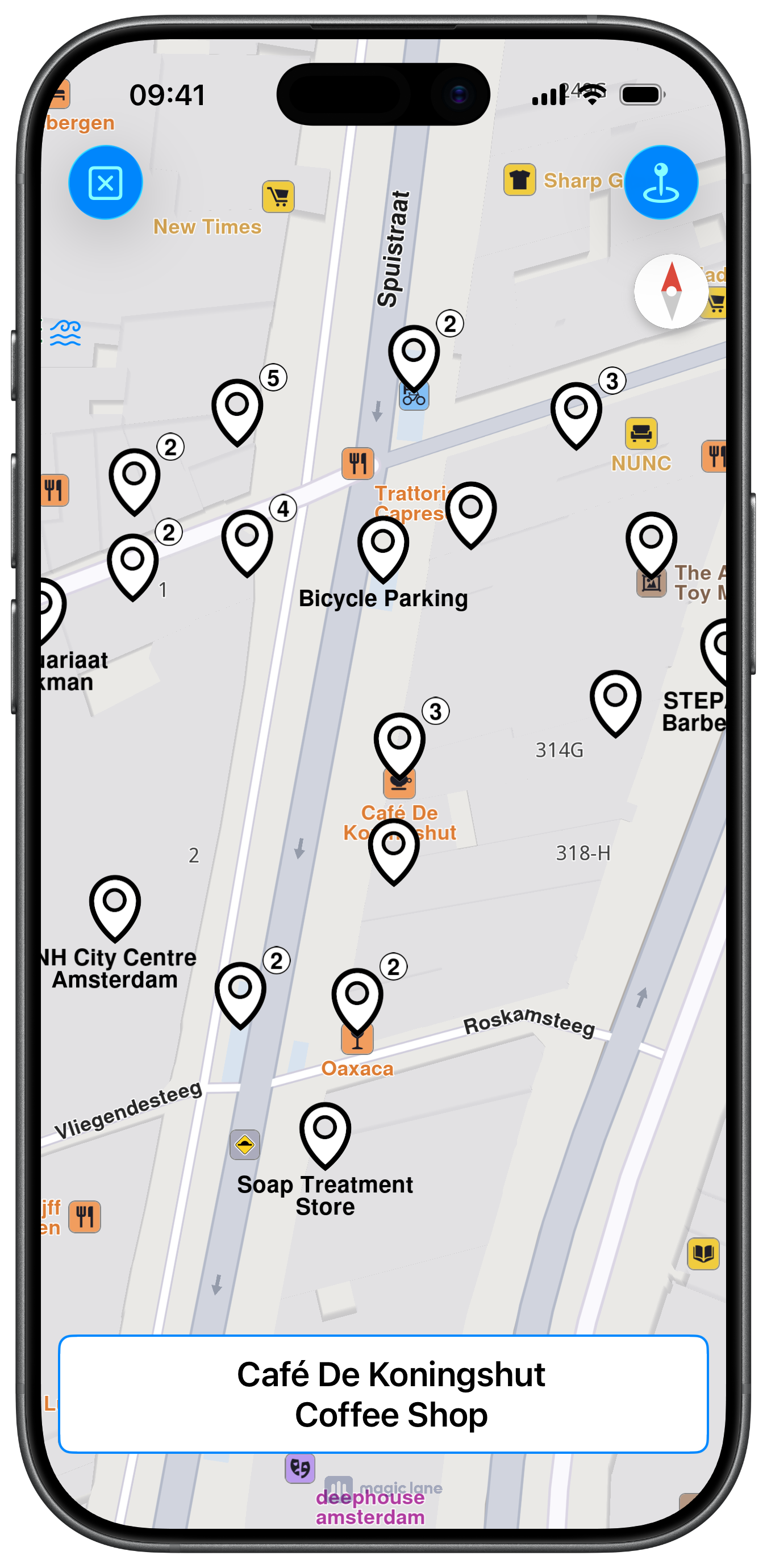
self.label.text = "Select a point on the map and tap the button in the top right to search around it"
self.view.addSubview(self.label)
self.label.translatesAutoresizingMaskIntoConstraints = false
NSLayoutConstraint.activate([
self.label.leadingAnchor.constraint(equalTo: self.view.leadingAnchor, constant: 10),
self.label.trailingAnchor.constraint(equalTo: self.view.trailingAnchor, constant: -10),
self.label.bottomAnchor.constraint(equalTo: self.view.safeAreaLayoutGuide.bottomAnchor, constant: -10),
self.label.heightAnchor.constraint(equalToConstant: 70)
])
}
func mapViewController(_ mapViewController: MapViewController, didSelectLandmarks landmarks: [LandmarkObject], onTouch point: CGPoint) {
guard let landmark = landmarks.first else { return }
self.processSelection(landmark: landmark)
}
func mapViewController(
_ mapViewController: MapViewController, didSelectLandmarks landmarks: [LandmarkObject], onLongTouch point: CGPoint
) {
guard let landmark = landmarks.first else { return }
self.processSelection(landmark: landmark)
}
func mapViewController(_ mapViewController: MapViewController, didSelectStreets streets: [LandmarkObject], onTouch point: CGPoint) {
guard let landmark = streets.first else { return }
self.processSelection(landmark: landmark)
}
func mapViewController(_ mapViewController: MapViewController, didSelectStreets streets: [LandmarkObject], onLongTouch point: CGPoint) {
guard let landmark = streets.first else { return }
self.processSelection(landmark: landmark)
}
func addSearch() {
let image1 = UIImage.init(systemName: "clear")
let image2 = UIImage.init(systemName: "mappin.and.ellipse")
let barButton1 = UIBarButtonItem.init(image: image1, style: .done, target: self, action: #selector(cleanMap))
let barButton2 = UIBarButtonItem.init(image: image2, style: .done, target: self, action: #selector(searchNearbyButton))
self.navigationItem.leftBarButtonItems = [barButton1]
self.navigationItem.rightBarButtonItems = [barButton2]
}