Address Search

Last updated: April 24, 2026 | 3 minutes read

This example demonstrates how to use GEMKit in a UIKit application to resolve a full street address step-by-step, from country detection through state, city, street, and house number, using the hierarchical addressSearch API of SearchContext.

Check the full implementation on GitHub.
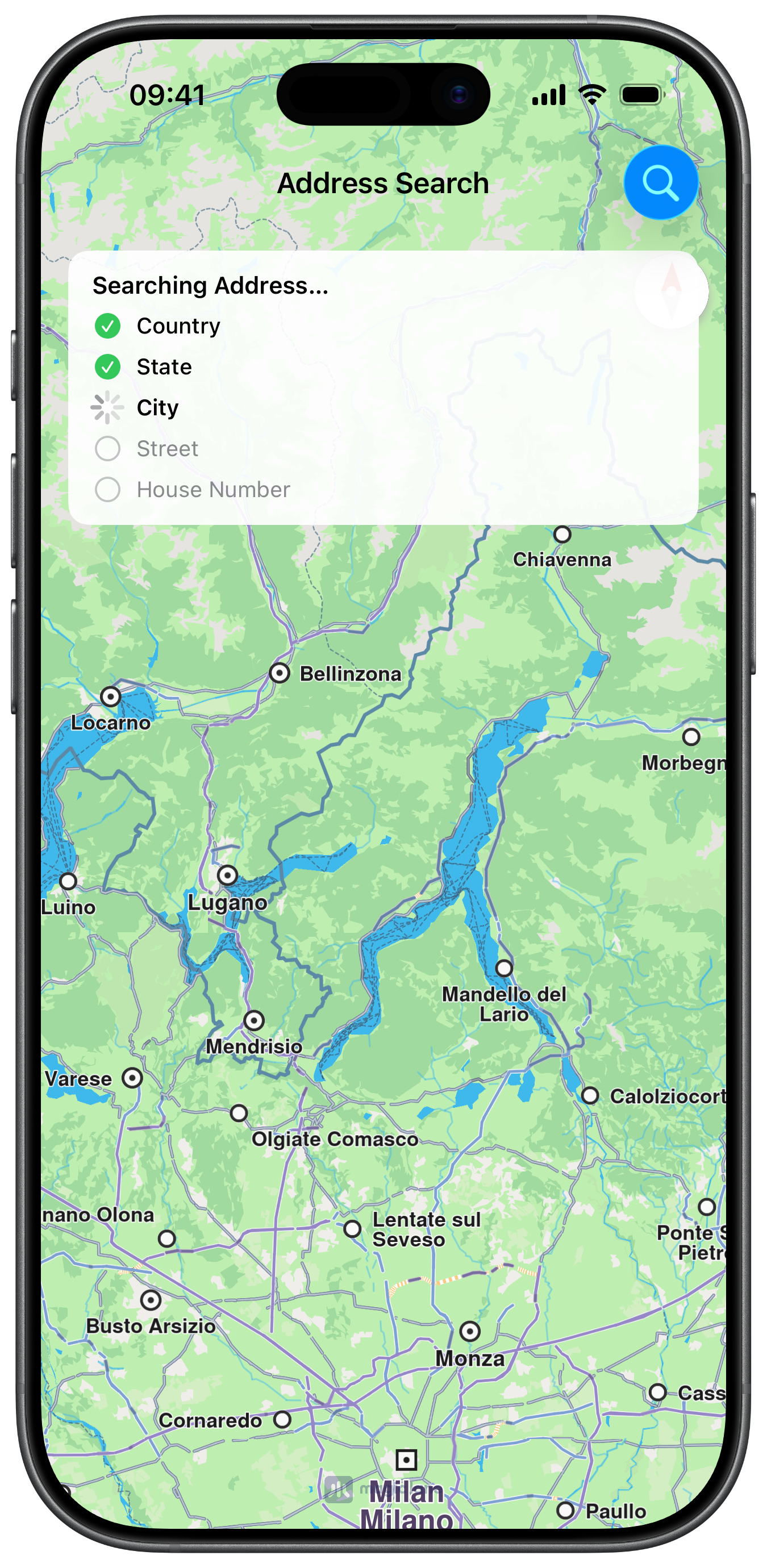
Address Search Progress
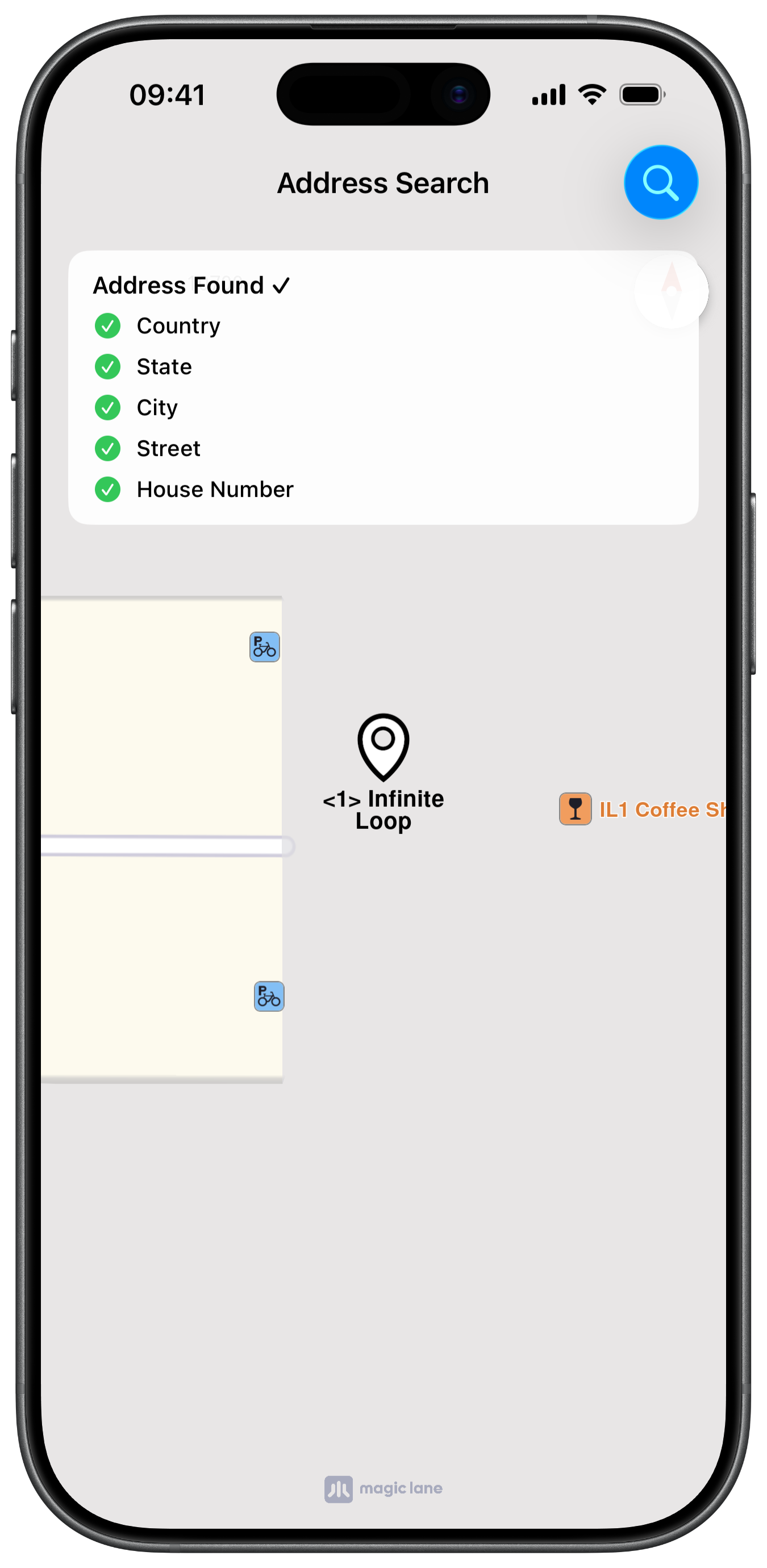
Address Search Result

UI and Map Integration

The view controller embeds a MapViewController and a SearchContext. A progress panel tracks each search stage with spinners and checkmarks as the search progresses:

ViewController.swiftView on GitHub
class ViewController: UIViewController, MapViewControllerDelegate {

var mapViewController: MapViewController?

var searchContext: SearchContext?

override func viewDidLoad() {

super.viewDidLoad()

self.title = "Address Search"
self.navigationItem.largeTitleDisplayMode = .never

self.createMapView()
self.createProgressPanel()

self.mapViewController!.startRender()

self.addSearchButton()
}

Step 1: Detecting the Country from Coordinates

The search starts by resolving a coordinate to a country using addressSearchGetCountry(withCoordinates:). If the country has a state level, the state search is started next; otherwise the search jumps directly to city:

ViewController.swiftView on GitHub
@objc func searchAddress() {

if self.searchContext == nil {

self.searchContext = SearchContext.init()
}

showProgress()
updateStage(.country, active: true)

let location = CoordinatesObject.coordinates(withLatitude: 37.33141, longitude: -122.03042)

let country = self.searchContext!.addressSearchGetCountry(withCoordinates: location)

updateStage(.country, completed: true)

self.searchContext!.setAddressSearchMaximumMatches(40)

if self.searchContext!.hasAddressSearchState(withCountry: country) {
updateStage(.state, active: true)
self.searchState(inCountry: country)
} else {
updateStage(.state, skipped: true)
updateStage(.city, active: true)
self.searchCity(inCountry: country)
}
}

Step 2: Searching State and City

Each level is resolved by passing the result of the previous level as the parent landmark to addressSearch(withLandmark:level:query:). The state search uses .state level, then hands off to the city search at .city level:

ViewController.swiftView on GitHub
func searchState(inCountry: LandmarkObject) {

self.searchContext!
.addressSearch(withLandmark: inCountry, level: .state, query: "California") { [weak self] (results: [LandmarkObject]) in

guard let strongSelf = self else { return }

if let state = results.first {

strongSelf.updateStage(.state, completed: true)
strongSelf.updateStage(.city, active: true)

DispatchQueue.main.async {
strongSelf.searchCity(inState: state)
}
}
}
}

func searchCity(inState: LandmarkObject) {

self.searchContext!
.addressSearch(withLandmark: inState, level: .city, query: "Cuppertino") { [weak self] (results: [LandmarkObject]) in

guard let strongSelf = self else { return }

if let city = results.first {

strongSelf.updateStage(.city, completed: true)
strongSelf.updateStage(.street, active: true)

DispatchQueue.main.async {
strongSelf.searchStreet(inCity: city)
}
}
}
}

Step 3: Searching Street and House Number

The chain continues down to .street and .houseNumber levels. Once the house number is resolved, the result is highlighted on the map and the camera animates to its coordinates:

ViewController.swiftView on GitHub
func searchStreet(inCity: LandmarkObject) {

self.searchContext!
.addressSearch(withLandmark: inCity, level: .street, query: "Infinite Loop") { [weak self] (results: [LandmarkObject]) in

guard let strongSelf = self else { return }

if let street = results.first {

strongSelf.updateStage(.street, completed: true)
strongSelf.updateStage(.houseNumber, active: true)

DispatchQueue.main.async {
strongSelf.searchHouseNumber(inStreet: street)
}
}
}
}

func searchHouseNumber(inStreet: LandmarkObject) {

self.searchContext!
.addressSearch(withLandmark: inStreet, level: .houseNumber, query: "1") { [weak self] (results: [LandmarkObject]) in

guard let strongSelf = self else { return }

if let houseNumber = results.first {

strongSelf.updateStage(.houseNumber, completed: true)
strongSelf.hideProgress()

strongSelf.mapViewController!.removeHighlights()

let settings = HighlightRenderSettings.init()
settings.showPin = true
settings.imageSize = 7

if houseNumber.isContourGeograficAreaEmpty() == false {

settings.options = Int32(
HighlightOption.showLandmark.rawValue | HighlightOption.overlap.rawValue | HighlightOption.showContour.rawValue)
settings.contourInnerColor = UIColor.orange
settings.contourOuterColor = UIColor.orange
}

strongSelf.mapViewController!.presentHighlights([houseNumber], settings: settings)

strongSelf.mapViewController!.center(onCoordinates: houseNumber.getCoordinates(), zoomLevel: -1, animationDuration: 800)
}
}
}