# Address Search
Last updated:
October 18, 2026
\| 3 minutes read
* UIKit
This example demonstrates how to use **GEMKit** in a UIKit application to resolve a full street address step-by-step, from country detection through state, city, street, and house number, using the hierarchical `addressSearch` API of `SearchContext`.
Check the full implementation on [GitHub](https://github.com/magiclane/magiclane-maps-sdk-examples-for-ios/tree/main/UIKit/Places/AddressSearch).
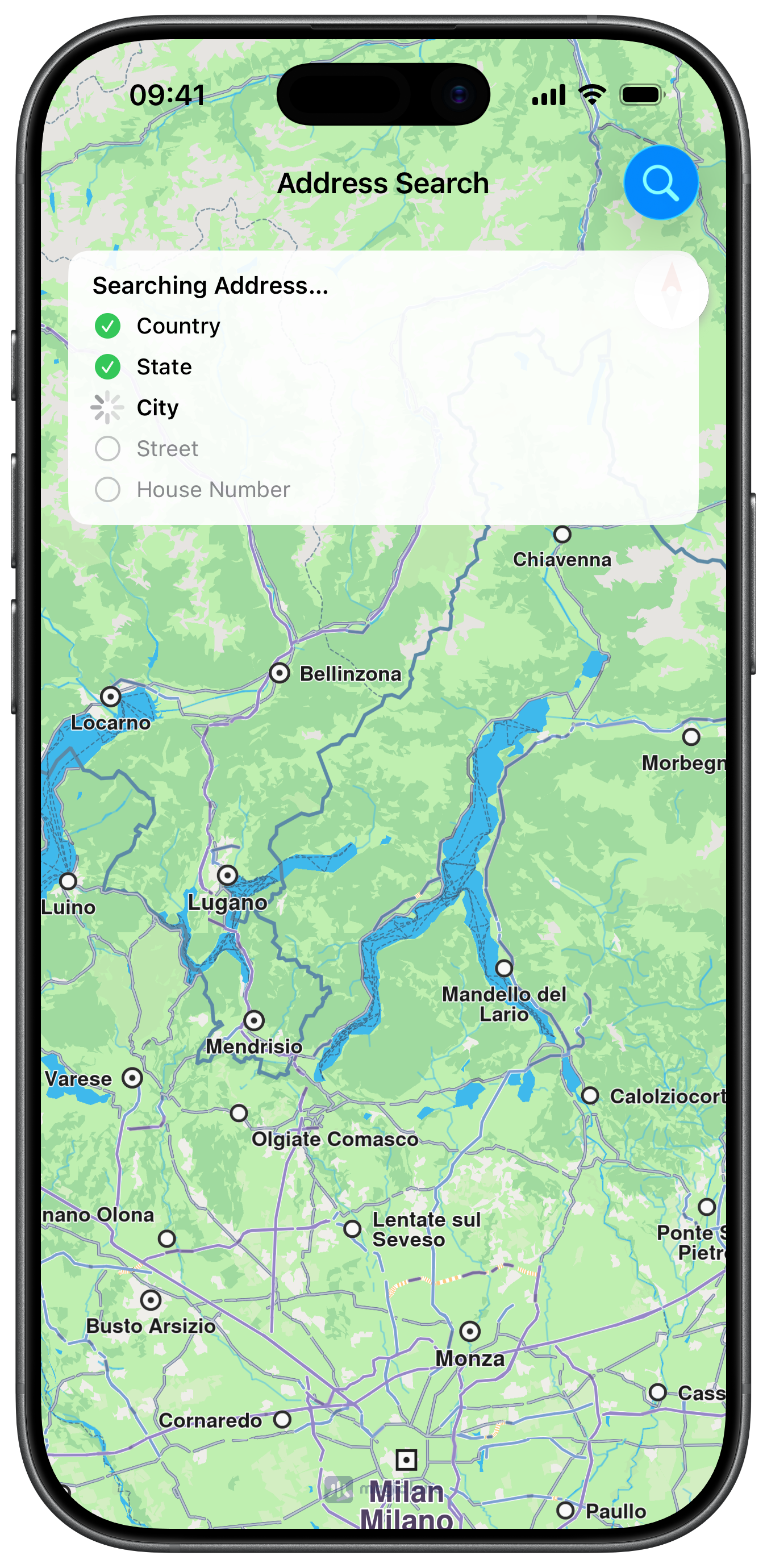
**Address Search Progress**
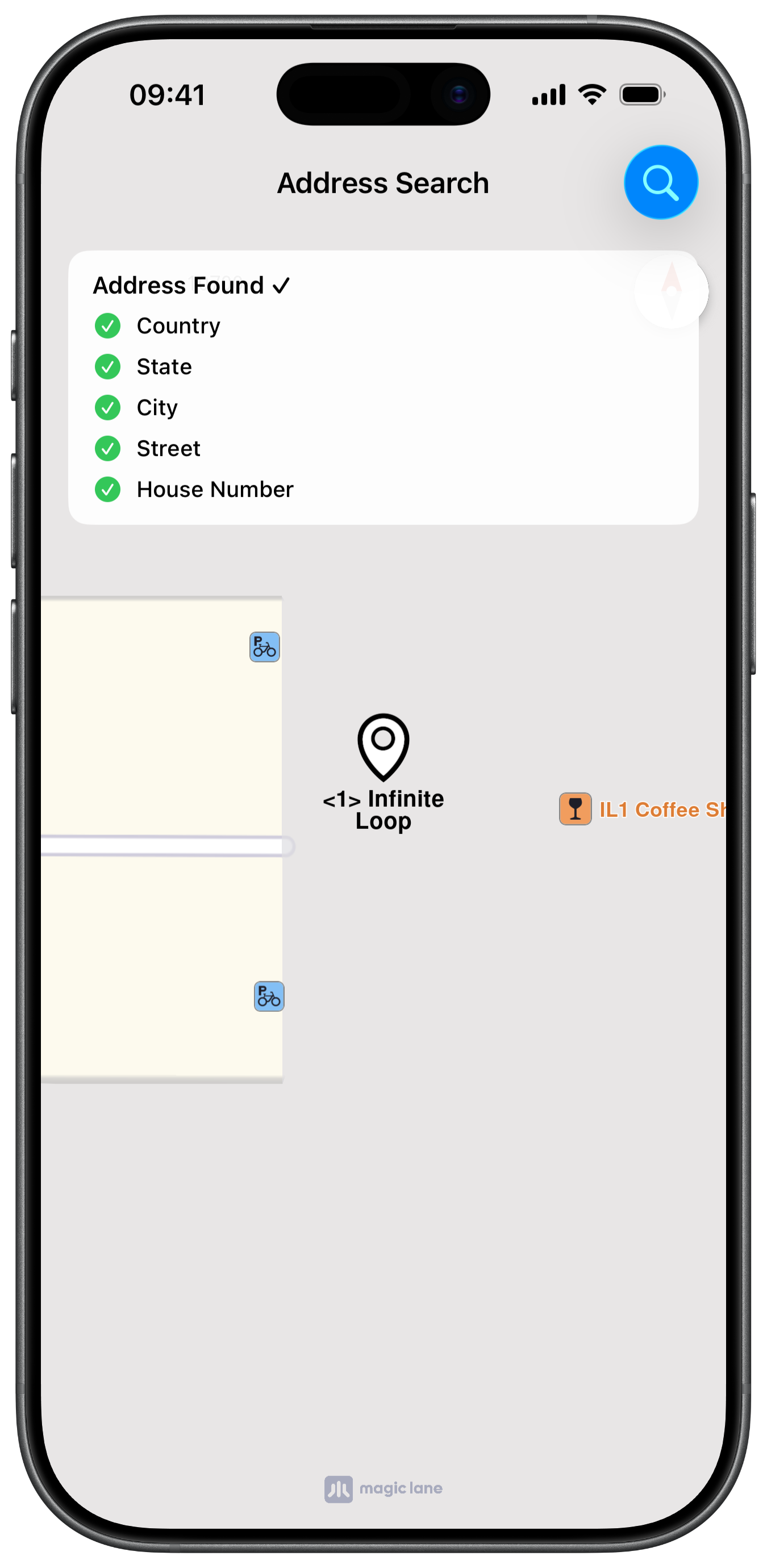
**Address Search Result**
### UI and Map Integration[](#ui-and-map-integration "Direct link to UI and Map Integration")
The view controller embeds a `MapViewController` and a `SearchContext`. A progress panel tracks each search stage with spinners and checkmarks as the search progresses:
ViewController.swift[View on GitHub](https://github.com/magiclane/magiclane-maps-sdk-examples-for-ios/tree/main/UIKit/Places/AddressSearch/AddressSearch/ViewController.swift)
```swift
class ViewController: UIViewController, MapViewControllerDelegate {
var mapViewController: MapViewController?
var searchContext: SearchContext?
override func viewDidLoad() {
super.viewDidLoad()
self.title = "Address Search"
self.navigationItem.largeTitleDisplayMode = .never
self.createMapView()
self.createProgressPanel()
self.mapViewController!.startRender()
self.addSearchButton()
}
```
### Step 1: Detecting the Country from Coordinates[](#step-1-detecting-the-country-from-coordinates "Direct link to Step 1: Detecting the Country from Coordinates")
The search starts by resolving a coordinate to a country using `addressSearchGetCountry(withCoordinates:)`. If the country has a state level, the state search is started next; otherwise the search jumps directly to city:
ViewController.swift[View on GitHub](https://github.com/magiclane/magiclane-maps-sdk-examples-for-ios/tree/main/UIKit/Places/AddressSearch/AddressSearch/ViewController.swift)
```swift
@objc func searchAddress() {
if self.searchContext == nil {
self.searchContext = SearchContext.init()
}
showProgress()
updateStage(.country, active: true)
let location = CoordinatesObject.coordinates(withLatitude: 37.33141, longitude: -122.03042)
let country = self.searchContext!.addressSearchGetCountry(withCoordinates: location)
updateStage(.country, completed: true)
self.searchContext!.setAddressSearchMaximumMatches(40)
if self.searchContext!.hasAddressSearchState(withCountry: country) {
updateStage(.state, active: true)
self.searchState(inCountry: country)
} else {
updateStage(.state, skipped: true)
updateStage(.city, active: true)
self.searchCity(inCountry: country)
}
}
```
### Step 2: Searching State and City[](#step-2-searching-state-and-city "Direct link to Step 2: Searching State and City")
Each level is resolved by passing the result of the previous level as the parent landmark to `addressSearch(withLandmark:level:query:)`. The state search uses `.state` level, then hands off to the city search at `.city` level:
ViewController.swift[View on GitHub](https://github.com/magiclane/magiclane-maps-sdk-examples-for-ios/tree/main/UIKit/Places/AddressSearch/AddressSearch/ViewController.swift)
```swift
func searchState(inCountry: LandmarkObject) {
self.searchContext!
.addressSearch(withLandmark: inCountry, level: .state, query: "California") { [weak self] (results: [LandmarkObject]) in
guard let strongSelf = self else { return }
if let state = results.first {
strongSelf.updateStage(.state, completed: true)
strongSelf.updateStage(.city, active: true)
DispatchQueue.main.async {
strongSelf.searchCity(inState: state)
}
}
}
}
func searchCity(inState: LandmarkObject) {
self.searchContext!
.addressSearch(withLandmark: inState, level: .city, query: "Cuppertino") { [weak self] (results: [LandmarkObject]) in
guard let strongSelf = self else { return }
if let city = results.first {
strongSelf.updateStage(.city, completed: true)
strongSelf.updateStage(.street, active: true)
DispatchQueue.main.async {
strongSelf.searchStreet(inCity: city)
}
}
}
}
```
### Step 3: Searching Street and House Number[](#step-3-searching-street-and-house-number "Direct link to Step 3: Searching Street and House Number")
The chain continues down to `.street` and `.houseNumber` levels. Once the house number is resolved, the result is highlighted on the map and the camera animates to its coordinates:
ViewController.swift[View on GitHub](https://github.com/magiclane/magiclane-maps-sdk-examples-for-ios/tree/main/UIKit/Places/AddressSearch/AddressSearch/ViewController.swift)
```swift
func searchStreet(inCity: LandmarkObject) {
self.searchContext!
.addressSearch(withLandmark: inCity, level: .street, query: "Infinite Loop") { [weak self] (results: [LandmarkObject]) in
guard let strongSelf = self else { return }
if let street = results.first {
strongSelf.updateStage(.street, completed: true)
strongSelf.updateStage(.houseNumber, active: true)
DispatchQueue.main.async {
strongSelf.searchHouseNumber(inStreet: street)
}
}
}
}
func searchHouseNumber(inStreet: LandmarkObject) {
self.searchContext!
.addressSearch(withLandmark: inStreet, level: .houseNumber, query: "1") { [weak self] (results: [LandmarkObject]) in
guard let strongSelf = self else { return }
if let houseNumber = results.first {
strongSelf.updateStage(.houseNumber, completed: true)
strongSelf.hideProgress()
strongSelf.mapViewController!.removeHighlights()
let settings = HighlightRenderSettings.init()
settings.showPin = true
settings.imageSize = 7
if houseNumber.isContourGeograficAreaEmpty() == false {
settings.options = Int32(
HighlightOption.showLandmark.rawValue | HighlightOption.overlap.rawValue | HighlightOption.showContour.rawValue)
settings.contourInnerColor = UIColor.orange
settings.contourOuterColor = UIColor.orange
}
strongSelf.mapViewController!.presentHighlights([houseNumber], settings: settings)
strongSelf.mapViewController!.center(onCoordinates: houseNumber.getCoordinates(), zoomLevel: -1, animationDuration: 800)
}
}
}
```