Position Tracker

Last updated: April 24, 2026 | 5 minutes read

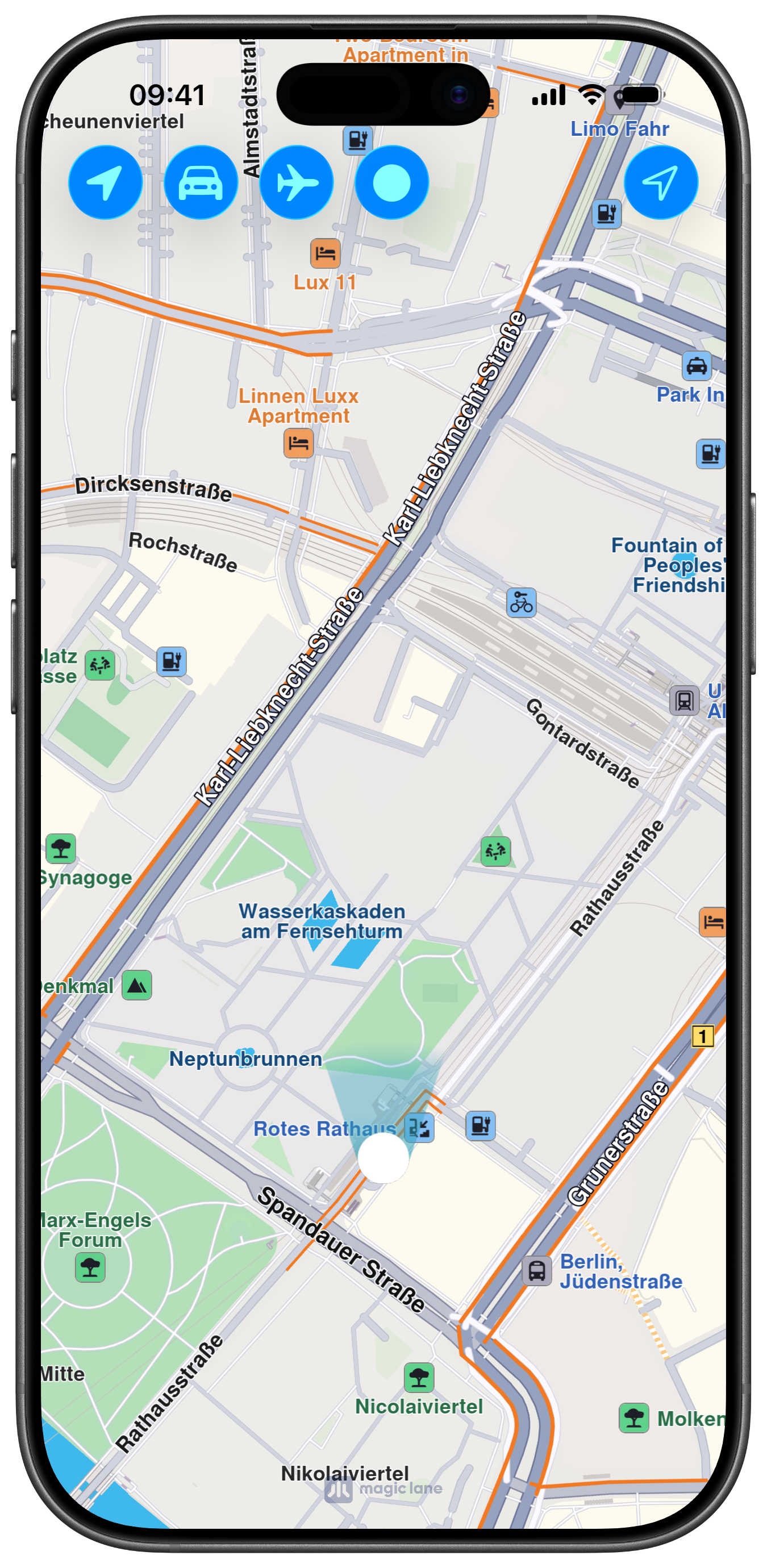
This example demonstrates how to change the map's Position Tracker in a UIKit application.

Check the full implementation on GitHub.
Initial screen
Custom Position Tracker

UI and Map Integration

The following code outlines the main view, which displays the map and the main action buttons:

ViewController.swiftView on GitHub
class ViewController: UIViewController, CLLocationManagerDelegate {

var mapViewController: MapViewController?

override func viewDidLoad() {
super.viewDidLoad()
// Do any additional setup after loading the view.

if let navigationController = self.navigationController {

let appearance = navigationController.navigationBar.standardAppearance

navigationController.navigationBar.scrollEdgeAppearance = appearance

let array = [
UIBarButtonItem.init(
image: UIImage.init(systemName: "location.fill"), style: .done, target: self, action: #selector(defaultPositionTracker)),
UIBarButtonItem.init(
image: UIImage.init(systemName: "car.fill"), style: .done, target: self, action: #selector(carPositionTracker)),
UIBarButtonItem.init(
image: UIImage.init(systemName: "airplane"), style: .done, target: self, action: #selector(planePositionTracker)),
UIBarButtonItem.init(
image: UIImage.init(systemName: "circle.fill"), style: .done, target: self, action: #selector(imagePositionTracker))
]

self.navigationItem.leftBarButtonItems = array

self.navigationItem.rightBarButtonItem = UIBarButtonItem.init(image: UIImage.init(systemName: "location"), style: .done, target: self, action: #selector(startFollowLocation))
}

AppManager.shared.startLiveSensors()

self.createMapView()

self.mapViewController!.startRender()
}

// MARK: - Map View

func createMapView() {

self.mapViewController = MapViewController.init()
self.mapViewController!.view.backgroundColor = UIColor.systemBackground

self.addChild(self.mapViewController!)
self.view.addSubview(self.mapViewController!.view)
self.mapViewController!.didMove(toParent: self)

self.mapViewController?.view.translatesAutoresizingMaskIntoConstraints = false
NSLayoutConstraint.activate([
self.mapViewController!.view.topAnchor.constraint(equalTo: self.view.topAnchor),
self.mapViewController!.view.leadingAnchor.constraint(equalTo: self.view.leadingAnchor),
self.mapViewController!.view.bottomAnchor.constraint(equalTo: self.view.bottomAnchor),
self.mapViewController!.view.trailingAnchor.constraint(equalTo: self.view.trailingAnchor)
])
}

Position Tracker customization

The following code implements the different methods for the location following and the position tracker customization actions:

ViewController.swiftView on GitHub
@objc func startFollowLocation() {

AppManager.shared.requestLocationPermission()
self.mapViewController!.startFollowingPosition(withAnimationDuration: 0, zoomLevel: 70, viewAngle: 0) { success in }
}

@objc func defaultPositionTracker() {

self.mapViewController!.setPositionTrackerScaleFactor(1)
self.mapViewController!.setDefaultPositionTracker()
}

@objc func carPositionTracker() {

let fileName = "car"

if let urlMtl = Bundle.main.url(forResource: fileName, withExtension: "mtl") {

if let material = NSData.init(contentsOf: urlMtl) as Data? {

if let urlObj = Bundle.main.url(forResource: fileName, withExtension: "obj") {

if let object = NSData.init(contentsOf: urlObj) as Data? {

self.mapViewController!.setPositionTrackerScaleFactor(1)
self.mapViewController!.customizePositionTracker(object, material: material)
}
}
}
}
}

@objc func planePositionTracker() {

let fileName = "plane"

if let urlMtl = Bundle.main.url(forResource: fileName, withExtension: "mtl") {

if let material = NSData.init(contentsOf: urlMtl) as Data? {

if let urlObj = Bundle.main.url(forResource: fileName, withExtension: "obj") {

if let object = NSData.init(contentsOf: urlObj) as Data? {

self.mapViewController!.setPositionTrackerScaleFactor(1)
self.mapViewController!.customizePositionTracker(object, material: material)
}
}
}
}
}

@objc func imagePositionTracker() {
guard let image = UIImage.init(named: "DotRay") else { return }
if let data = image.pngData() {

self.mapViewController!.setPositionTrackerScaleFactor(2)
self.mapViewController!.customizePositionTracker(data)
}
}

Location Services and Location Manager

The referenced AppManager and LiveDataSourceController classes prepare the PositionContext and DataSourceContext objects from the GEMKit package to make full use of the Location data. Check the full implementation for the corresponding files on GitHub.

info

The officially supported formats for customizing the Position Tracker are .obj, .gltf and .png.