# Position Tracker
Last updated:
October 18, 2026
\| 5 minutes read
* UIKit
* SwiftUI
This example demonstrates how to change the map's Position Tracker in a UIKit application.
Check the full implementation on [GitHub](https://github.com/magiclane/magiclane-maps-sdk-examples-for-ios/tree/main/UIKit/3DScene/PositionTracker).
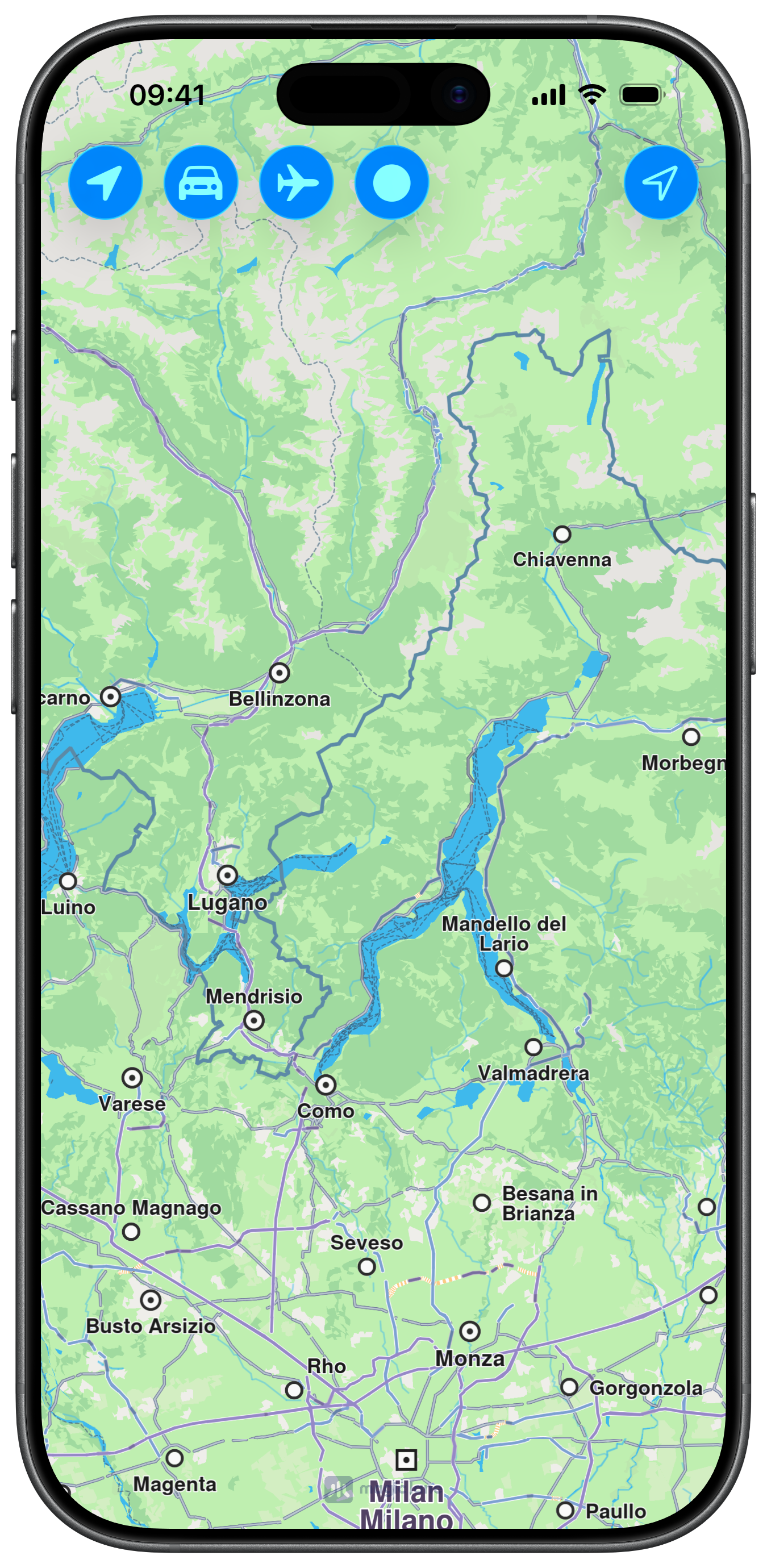
**Initial screen**
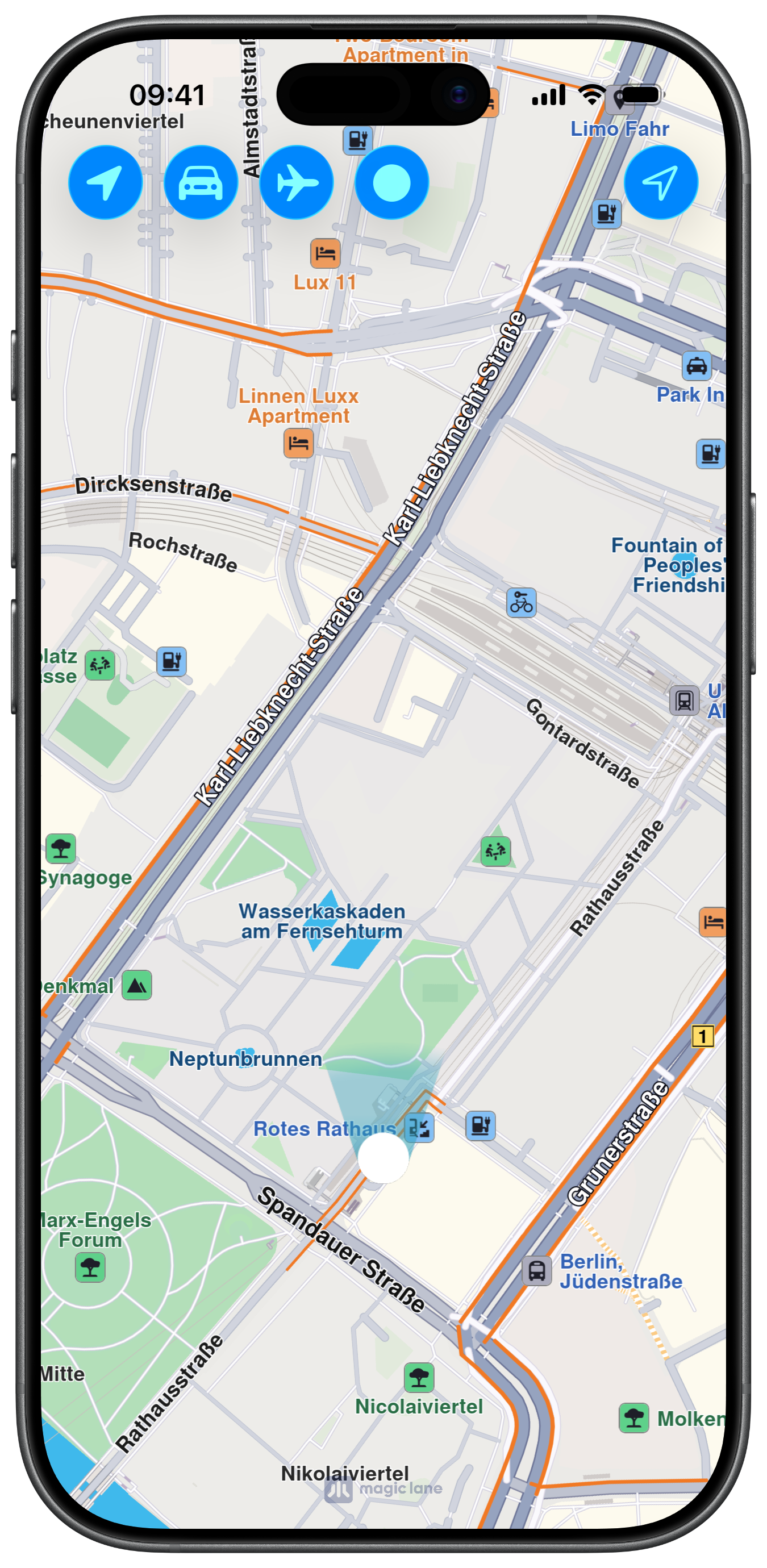
**Custom Position Tracker**
### UI and Map Integration[](#ui-and-map-integration "Direct link to UI and Map Integration")
The following code outlines the main view, which displays the map and the main action buttons:
ViewController.swift[View on GitHub](https://github.com/magiclane/magiclane-maps-sdk-examples-for-ios/tree/main/UIKit/3DScene/PositionTracker/PositionTracker/ViewController.swift)
```swift
class ViewController: UIViewController, CLLocationManagerDelegate {
var mapViewController: MapViewController?
override func viewDidLoad() {
super.viewDidLoad()
// Do any additional setup after loading the view.
if let navigationController = self.navigationController {
let appearance = navigationController.navigationBar.standardAppearance
navigationController.navigationBar.scrollEdgeAppearance = appearance
let array = [
UIBarButtonItem.init(
image: UIImage.init(systemName: "location.fill"), style: .done, target: self, action: #selector(defaultPositionTracker)),
UIBarButtonItem.init(
image: UIImage.init(systemName: "car.fill"), style: .done, target: self, action: #selector(carPositionTracker)),
UIBarButtonItem.init(
image: UIImage.init(systemName: "airplane"), style: .done, target: self, action: #selector(planePositionTracker)),
UIBarButtonItem.init(
image: UIImage.init(systemName: "circle.fill"), style: .done, target: self, action: #selector(imagePositionTracker))
]
self.navigationItem.leftBarButtonItems = array
self.navigationItem.rightBarButtonItem = UIBarButtonItem.init(image: UIImage.init(systemName: "location"), style: .done, target: self, action: #selector(startFollowLocation))
}
AppManager.shared.startLiveSensors()
self.createMapView()
self.mapViewController!.startRender()
}
// MARK: - Map View
func createMapView() {
self.mapViewController = MapViewController.init()
self.mapViewController!.view.backgroundColor = UIColor.systemBackground
self.addChild(self.mapViewController!)
self.view.addSubview(self.mapViewController!.view)
self.mapViewController!.didMove(toParent: self)
self.mapViewController?.view.translatesAutoresizingMaskIntoConstraints = false
NSLayoutConstraint.activate([
self.mapViewController!.view.topAnchor.constraint(equalTo: self.view.topAnchor),
self.mapViewController!.view.leadingAnchor.constraint(equalTo: self.view.leadingAnchor),
self.mapViewController!.view.bottomAnchor.constraint(equalTo: self.view.bottomAnchor),
self.mapViewController!.view.trailingAnchor.constraint(equalTo: self.view.trailingAnchor)
])
}
```
### Position Tracker customization[](#position-tracker-customization "Direct link to Position Tracker customization")
The following code implements the different methods for the location following and the position tracker customization actions:
ViewController.swift[View on GitHub](https://github.com/magiclane/magiclane-maps-sdk-examples-for-ios/tree/main/UIKit/3DScene/PositionTracker/PositionTracker/ViewController.swift)
```swift
@objc func startFollowLocation() {
AppManager.shared.requestLocationPermission()
self.mapViewController!.startFollowingPosition(withAnimationDuration: 0, zoomLevel: 70, viewAngle: 0) { success in }
}
@objc func defaultPositionTracker() {
self.mapViewController!.setPositionTrackerScaleFactor(1)
self.mapViewController!.setDefaultPositionTracker()
}
@objc func carPositionTracker() {
let fileName = "car"
if let urlMtl = Bundle.main.url(forResource: fileName, withExtension: "mtl") {
if let material = NSData.init(contentsOf: urlMtl) as Data? {
if let urlObj = Bundle.main.url(forResource: fileName, withExtension: "obj") {
if let object = NSData.init(contentsOf: urlObj) as Data? {
self.mapViewController!.setPositionTrackerScaleFactor(1)
self.mapViewController!.customizePositionTracker(object, material: material)
}
}
}
}
}
@objc func planePositionTracker() {
let fileName = "plane"
if let urlMtl = Bundle.main.url(forResource: fileName, withExtension: "mtl") {
if let material = NSData.init(contentsOf: urlMtl) as Data? {
if let urlObj = Bundle.main.url(forResource: fileName, withExtension: "obj") {
if let object = NSData.init(contentsOf: urlObj) as Data? {
self.mapViewController!.setPositionTrackerScaleFactor(1)
self.mapViewController!.customizePositionTracker(object, material: material)
}
}
}
}
}
@objc func imagePositionTracker() {
guard let image = UIImage.init(named: "DotRay") else { return }
if let data = image.pngData() {
self.mapViewController!.setPositionTrackerScaleFactor(2)
self.mapViewController!.customizePositionTracker(data)
}
}
```
### Location Services and Location Manager[](#location-services-and-location-manager "Direct link to Location Services and Location Manager")
The referenced `AppManager` and `LiveDataSourceController` classes prepare the `PositionContext` and `DataSourceContext` objects from the `GEMKit` package to make full use of the Location data. Check the full implementation for the corresponding files on [GitHub](https://github.com/magiclane/magiclane-maps-sdk-examples-for-ios/tree/main/UIKit/3DScene/PositionTracker/PositionTracker).
This example demonstrates how to change the map's Position Tracker in a SwiftUI application.
Check the full implementation on [GitHub](https://github.com/magiclane/magiclane-maps-sdk-examples-for-ios/tree/main/SwiftUI/3DScene/MapPositionTracker).

**Initial screen**

**Custom Position Tracker**
### UI and Map Integration[](#ui-and-map-integration-1 "Direct link to UI and Map Integration")
The following code outlines the main view, which displays the map and the main action buttons:
ContentView\.swift[View on GitHub](https://github.com/magiclane/magiclane-maps-sdk-examples-for-ios/tree/main/SwiftUI/3DScene/MapPositionTracker/MapPositionTracker/ContentView.swift)
```swift
struct ContentView: View {
var body: some View {
MapReader { proxy in
MapBase()
.mapCompass(false)
.toolbar {
ToolbarItem(placement: .topBarTrailing) {
Button("", systemImage: "location") {
goToUserPosition(proxy)
}
.buttonStyle(.borderedProminent)
}
ToolbarItem(placement: .topBarLeading) {
Button("", systemImage: "location.fill") {
defaultPositionTracker(proxy)
}
.buttonStyle(.borderedProminent)
}
ToolbarItem(placement: .topBarLeading) {
Button("", systemImage: "car.fill") {
carPositionTracker(proxy)
}
.buttonStyle(.borderedProminent)
}
ToolbarItem(placement: .topBarLeading) {
Button("", systemImage: "airplane") {
planePositionTracker(proxy)
}
.buttonStyle(.borderedProminent)
}
ToolbarItem(placement: .topBarLeading) {
Button("", systemImage: "circle.fill") {
imagePositionTracker(proxy)
}
.buttonStyle(.borderedProminent)
}
}
.ignoresSafeArea()
}
}
func goToUserPosition(_ proxy: MapProxy) {
AppManager.shared.requestLocationPermission()
proxy.startFollowingPosition(duration: 0, zoomLevel: 70, viewAngle: 0)
}
```
### Position Tracker customization[](#position-tracker-customization-1 "Direct link to Position Tracker customization")
The following code implements the different methods for the position tracker customization actions:
ContentView\.swift[View on GitHub](https://github.com/magiclane/magiclane-maps-sdk-examples-for-ios/tree/main/SwiftUI/3DScene/MapPositionTracker/MapPositionTracker/ContentView.swift)
```swift
func defaultPositionTracker(_ proxy: MapProxy) {
proxy.mapViewController?.setPositionTrackerScaleFactor(1)
proxy.mapViewController?.setDefaultPositionTracker()
}
func carPositionTracker(_ proxy: MapProxy) {
let fileName = "car"
if let urlMtl = Bundle.main.url(forResource: fileName, withExtension: "mtl") {
if let material = NSData.init(contentsOf: urlMtl) as Data? {
if let urlObj = Bundle.main.url(forResource: fileName, withExtension: "obj") {
if let object = NSData.init(contentsOf: urlObj) as Data? {
proxy.mapViewController?.setPositionTrackerScaleFactor(1)
proxy.mapViewController?.customizePositionTracker(object, material: material)
}
}
}
}
}
func planePositionTracker(_ proxy: MapProxy) {
let fileName = "plane"
if let urlMtl = Bundle.main.url(forResource: fileName, withExtension: "mtl") {
if let material = NSData.init(contentsOf: urlMtl) as Data? {
if let urlObj = Bundle.main.url(forResource: fileName, withExtension: "obj") {
if let object = NSData.init(contentsOf: urlObj) as Data? {
proxy.mapViewController?.setPositionTrackerScaleFactor(1)
proxy.mapViewController?.customizePositionTracker(object, material: material)
}
}
}
}
}
func imagePositionTracker(_ proxy: MapProxy) {
guard let image = UIImage.init(named: "DotRay") else { return }
if let data = image.pngData() {
proxy.mapViewController?.setPositionTrackerScaleFactor(2)
proxy.mapViewController?.customizePositionTracker(data)
}
}
```
### Location Services and Location Manager[](#location-services-and-location-manager-1 "Direct link to Location Services and Location Manager")
The referenced `AppManager` and `LiveDataSourceController` classes prepare the `PositionContext` and `DataSourceContext` objects from the `GEMKit` package to make full use of the Location data. Check the full implementation for the corresponding files on [GitHub](https://github.com/magiclane/magiclane-maps-sdk-examples-for-ios/tree/main/SwiftUI/3DScene/MapPositionTracker/MapPositionTracker).
info
The officially supported formats for customizing the Position Tracker are .obj, .gltf and .png.