# Multi-Map
Last updated:
October 18, 2026
\| 2 minutes read
* UIKit
This example demonstrates how to use **GEMKit** in a UIKit application to display multiple maps simultaneously.
Check the full implementation on [GitHub](https://github.com/magiclane/magiclane-maps-sdk-examples-for-ios/tree/main/UIKit/3DScene/MultiMapView).
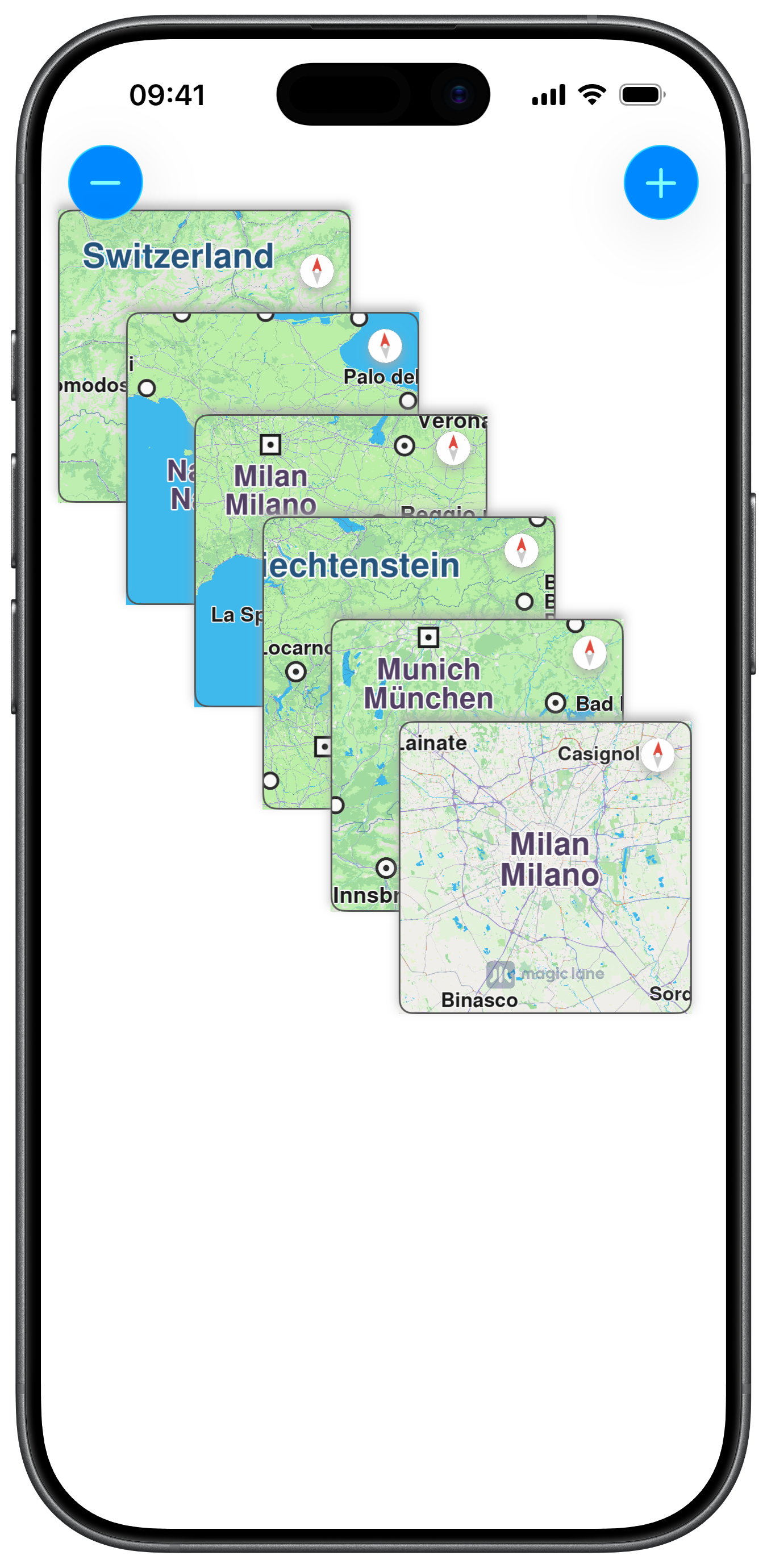
**Multiple Maps Displayed**
### Multiple Map Display[](#multiple-map-display "Direct link to Multiple Map Display")
The following code outlines the main view, which displays multiple maps and the action buttons to add a map and remove the last map:
ViewController.swift[View on GitHub](https://github.com/magiclane/magiclane-maps-sdk-examples-for-ios/tree/main/UIKit/3DScene/MultiMapView/MultiMapView/ViewController.swift)
```swift
class ViewController: UIViewController {
var index: CGFloat = 0
var offsetTop: CGFloat = 0
var offsetLeft: CGFloat = 0
var size: CGFloat = 172
override func viewDidLoad() {
super.viewDidLoad()
// Do any additional setup after loading the view.
if let navigationController = self.navigationController {
let appearance = navigationController.navigationBar.standardAppearance
navigationController.navigationBar.scrollEdgeAppearance = appearance
}
var image = UIImage.init(systemName: "plus")
let barButton1 = UIBarButtonItem.init(image: image, style: .done, target: self, action: #selector(buttonPlusPressed))
image = UIImage.init(systemName: "minus")
let barButton2 = UIBarButtonItem.init(image: image, style: .done, target: self, action: #selector(buttonMinusPressed))
self.navigationItem.rightBarButtonItems = [barButton1]
self.navigationItem.leftBarButtonItems = [barButton2]
}
// MARK: - Map View
func createMapView() {
self.offsetTop = 10 + self.index * 60.0 + 90
self.offsetLeft = 10 + self.index * 40.0
self.index += 1
let mapViewController = MapViewController.init()
mapViewController.view.backgroundColor = UIColor.systemBackground
mapViewController.setCompassSize(20)
mapViewController.view.layer.borderWidth = 1
mapViewController.view.layer.borderColor = UIColor.darkGray.cgColor
mapViewController.view.layer.cornerRadius = 8
mapViewController.view.layer.shadowColor = UIColor.lightGray.cgColor
mapViewController.view.layer.shadowOpacity = 0.8
self.addChild(mapViewController)
self.view.addSubview(mapViewController.view)
mapViewController.didMove(toParent: self)
mapViewController.view.translatesAutoresizingMaskIntoConstraints = false
NSLayoutConstraint.activate([
mapViewController.view.topAnchor.constraint(equalTo: self.view.topAnchor, constant: self.offsetTop),
mapViewController.view.leadingAnchor.constraint(equalTo: self.view.leadingAnchor, constant: self.offsetLeft),
mapViewController.view.widthAnchor.constraint(equalToConstant: self.size),
mapViewController.view.heightAnchor.constraint(equalToConstant: self.size)
])
mapViewController.startRender()
}
func deleteMapView() {
if let mapViewController = self.children.last as? MapViewController {
mapViewController.stopRender()
mapViewController.willMove(toParent: nil)
mapViewController.view.removeFromSuperview()
mapViewController.removeFromParent()
self.index -= 1
}
}
// MARK: - Button Action
@objc func buttonPlusPressed(barButton: UIBarButtonItem) {
self.createMapView()
}
@objc func buttonMinusPressed(barButton: UIBarButtonItem) {
self.deleteMapView()
}
// MARK: - Render
func startRender() {
for viewController in self.children {
if let mapView = viewController as? MapViewController {
mapView.startRender()
}
}
}
func stopRender() {
for viewController in self.children {
if let mapView = viewController as? MapViewController {
mapView.stopRender()
}
}
}
}
```