Map Update

Last updated: April 24, 2026 | 9 minutes read

This example demonstrates how to use GEMKit in a UIKit application to update the maps. There are two scenarios explained here, the manual update that is mandatory when having offline maps downloaded, and the default automatic update when no offline maps are used.

Check the full implementation on GitHub.

How it Works

  • Checks the map update status and displays the Prepare Test button only when the map is up to date to ensure correct resource handling (especially on a fresh install).
  • Integrates the Prepare Test action to simulate the scenario for an update by adding an old regional map and replacing the default world map resource with an older version.
  • Applies the necessary logic to update the maps to the latest version.
  • Manages and integrates map update testing functionality seamlessly within the app's UI.
info

The unmodified example requires the update to be applied manually after checking the status. If you want to test the automatic update process, without the use of offline maps, you will need to make a tiny adjustment in the example code. This is explained in the code snippets below.

info

In order for the example to work correctly you need to be connected to the internet so the SDK can check for updates and also retrieve initial missing map resources, as explained above. If the device is not connected to the internet the update check will fail and the button won't be displayed in order to avoid resources incompatibility issues for this test scenario.

danger

The direct resource file manipulation done in this example is a "hack" to simulate the map update process and is only for demonstration purposes, you should NOT manipulate resource files in this way.
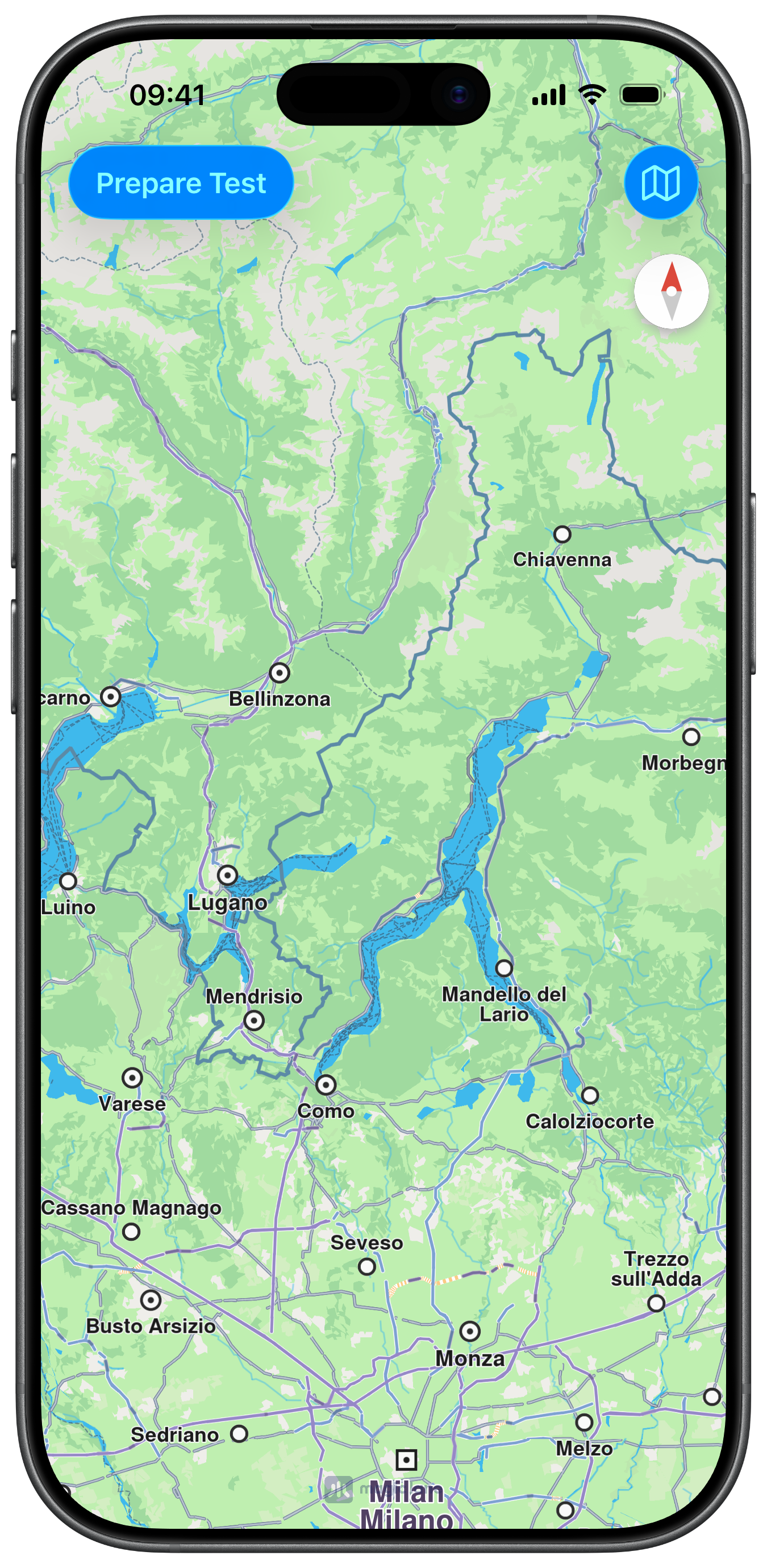
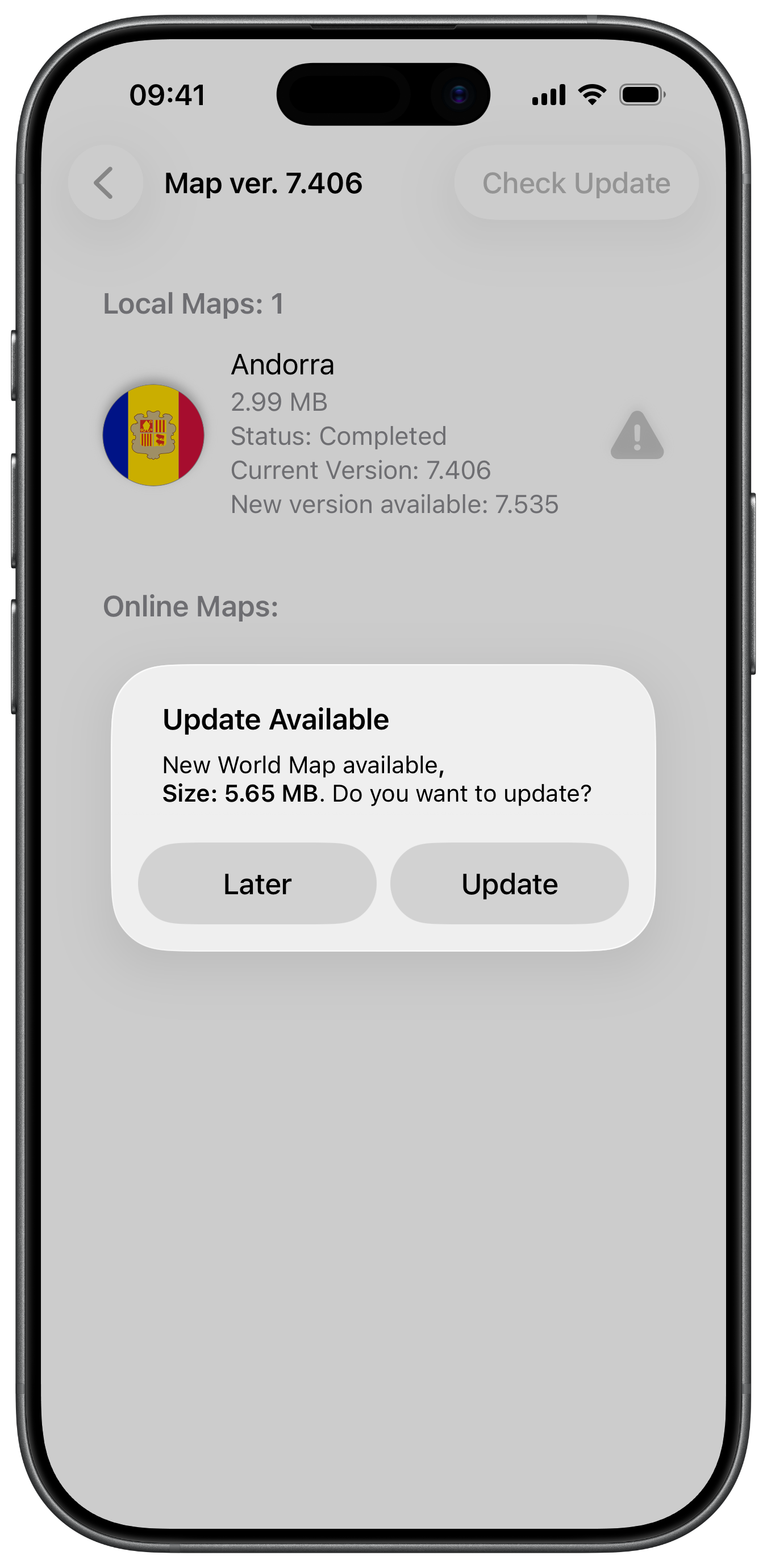
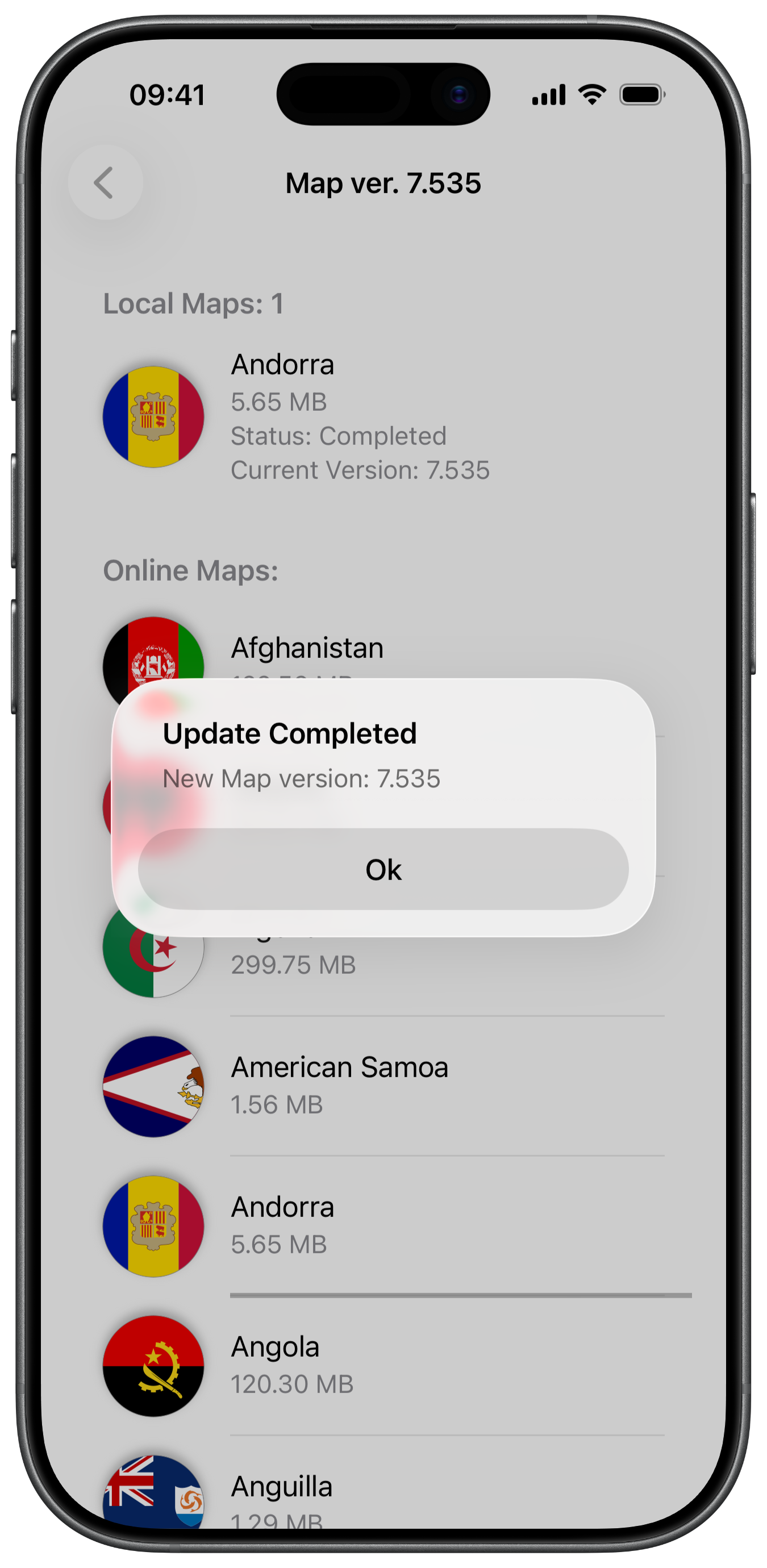
Initial Screen with Prepare Test and Maps buttons
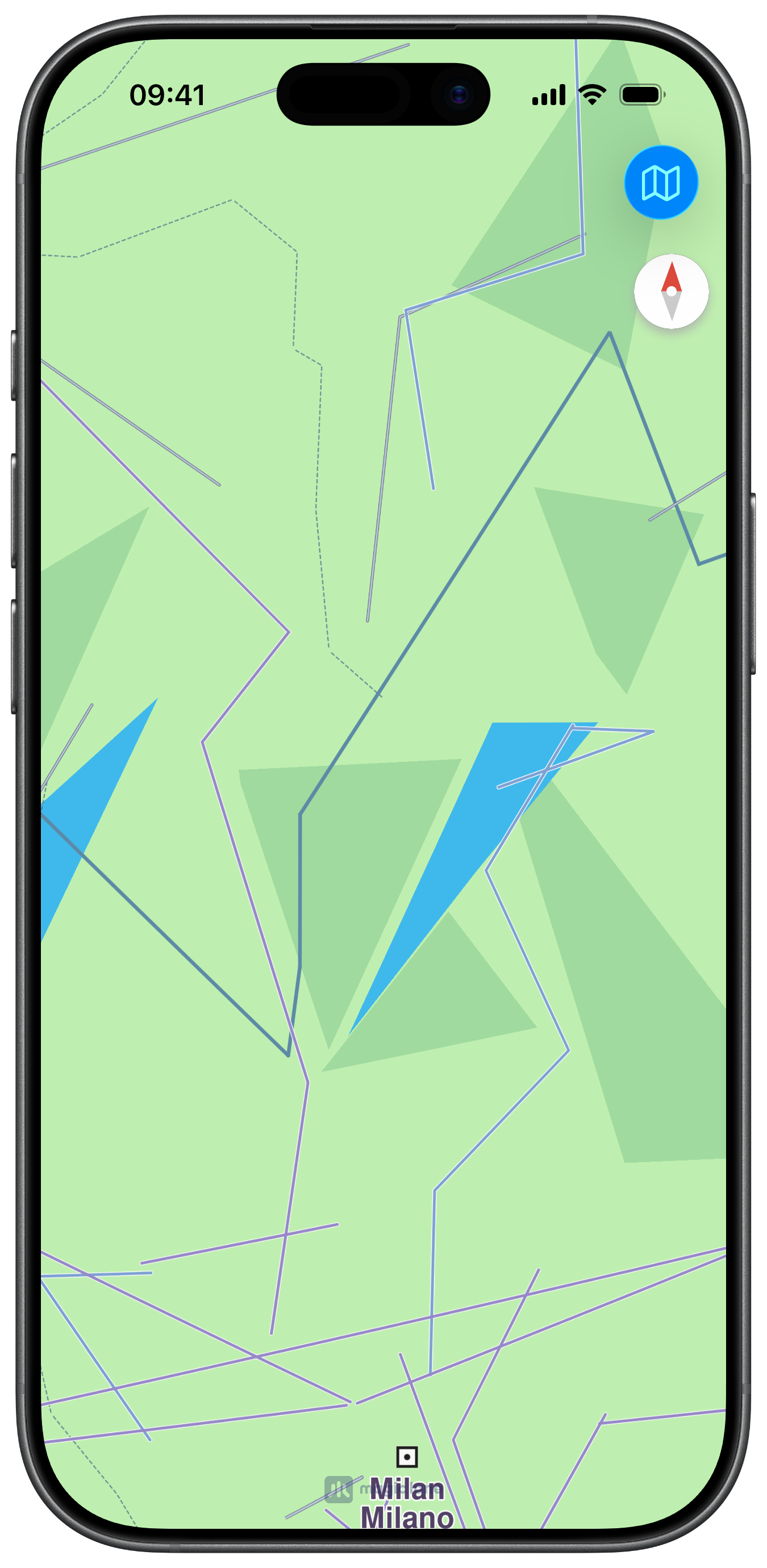
Old Map with no Data after Resource Replacement
Update Available for outdated Andorra Map
Up to date Andorra map

Map Display and Preparing Testing Scenario

The following code outlines the main view, which displays the map, adds the button that will lead to the maps view, and adds the Prepare Test button after checking the map update status:

ViewController.swiftView on GitHub
class ViewController: UIViewController, GEMSdkDelegate {

var mapViewController: MapViewController?

var mapsContext: MapsContext?

override func viewDidLoad() {
super.viewDidLoad()
// Do any additional setup after loading the view.

if let navigationController = self.navigationController {

let appearance = navigationController.navigationBar.standardAppearance

navigationController.navigationBar.scrollEdgeAppearance = appearance
}

self.mapsContext = MapsContext.init()

self.createMapView()

self.mapViewController!.startRender()

self.addMapsButton()

GEMSdk.shared().delegate = self
}

// MARK: - Map View

func createMapView() {

self.mapViewController = MapViewController.init()
self.mapViewController!.view.backgroundColor = UIColor.systemBackground

self.addChild(self.mapViewController!)
self.view.addSubview(self.mapViewController!.view)
self.mapViewController!.didMove(toParent: self)

self.mapViewController?.view.translatesAutoresizingMaskIntoConstraints = false
NSLayoutConstraint.activate([
self.mapViewController!.view.topAnchor.constraint(equalTo: self.view.topAnchor),
self.mapViewController!.view.leadingAnchor.constraint(equalTo: self.view.leadingAnchor),
self.mapViewController!.view.bottomAnchor.constraint(equalTo: self.view.bottomAnchor),
self.mapViewController!.view.trailingAnchor.constraint(equalTo: self.view.trailingAnchor)
])
}

// MARK: - Map Style

func addMapsButton() {

let image = UIImage.init(systemName: "map")
let barButton = UIBarButtonItem.init(image: image, style: .done, target: self, action: #selector(openMaps))
self.navigationItem.rightBarButtonItem = barButton
}

@objc func openMaps() {

let viewController = MapsViewController.init(context: self.mapsContext!)
self.navigationController?.pushViewController(viewController, animated: true)
}

func addPrepareTestButton() {

let barButton = UIBarButtonItem.init(title: "Prepare Test", style: .done, target: self, action: #selector(prepareTestingScenario))
self.navigationItem.leftBarButtonItem = barButton
}

// MARK: - GEMSdkDelegate

// Control whether the automatic world map update should be applied based on current application status.
func shouldUpdateWorldwideRoadMap(for status: ContentStoreOnlineSupportStatus) -> Bool {

let value = (status == .expiredData || status == .oldData)

print("shouldUpdateWorldwideRoadMap:%@", value ? "YES" : "NO")

if value == false {

self.addPrepareTestButton()
}

return value
}

func updateWorldwideRoadMapFinished(_ success: Bool) {

print("updateWorldwideRoadMapFinished, success:%@", success ? "YES" : "NO")

self.addPrepareTestButton()
}

func onWorldwideRoadMapVersionUpdated() {

print("onWorldwideRoadMapVersionUpdated")

self.addPrepareTestButton()
}

// Show the test preparation button only when map is up to date to ensure correct resource handling.
func onConnectionStatusUpdated(_ connected: Bool) {

print("onConnectionStatusUpdated:%@", connected ? "Connected" : "No connection")

if connected {

self.mapsContext!.checkForUpdate { status in

if status == .upToDate {

self.addPrepareTestButton()
}
}
}
}

Preparing Testing Scenario

The following code demonstrates the "hack" for this example, called after tapping the Prepare Test button, which involves replacing the current map resources with older versions, and then reinitializing the SDK and the map related objects in order to enable the map update flow:

info

TESTING AUTOMATIC UPDATES

If you wish to test the automatic update without the use of offline maps, you should edit the prepareTestingScenario method to remove or comment out the code under the // Offline Map section, leaving only the // World Map snippet. Make sure to delete any existing offline maps manually or by quickly deleting and reinstalling the app.

With this setup, after tapping the Prepare Test button, the update will be immediately applied after reinitializing the SDK with the old resource. To control when and if your application can apply the update you must implement and modify the shouldUpdateWorldwideRoadMap(for status: ContentStoreOnlineSupportStatus) method from the GEMSdkDelegate. This method can be seen in the code above, under the GEMSdkDelegate section.

ViewController.swiftView on GitHub
// MARK: - Utils

// Hack for this example to simulate the need of a map update. After this has been called
// the screen should flash for a moment and a map with old data will be loaded.
@objc func prepareTestingScenario() {

guard let documentsURL = FileManager.default.urls(for: .documentDirectory, in: .userDomainMask).first else { return }

let resourceURL = documentsURL.appendingPathComponent("Data/Res")
let mapsURL = documentsURL.appendingPathComponent("Data/Maps")

let oldOfflineMapURL = Bundle.main.url(forResource: "AndorraOSM_2021Q1", withExtension: "cmap")!
let oldWorldMapURL = Bundle.main.url(forResource: "WM_7_406", withExtension: "map")!

do {
// Offline Map
let mapsFiles = try FileManager.default.contentsOfDirectory(atPath: mapsURL.path())

if let offlineMapFile = mapsFiles.first(where: { $0.hasPrefix("AndorraOSM") }) {

try FileManager.default.removeItem(at: mapsURL.appendingPathComponent(offlineMapFile))
}

if let data = try? Data(contentsOf: oldOfflineMapURL) {

try data.write(to: mapsURL.appending(component: oldOfflineMapURL.lastPathComponent))
}

// Comment out the above code under // Offline Map if you want to test the automatic update process without the use of offline maps,
// but make sure to delete the existing offline maps manually or by reinstalling the app.

// World Map
let resourceFiles = try FileManager.default.contentsOfDirectory(atPath: resourceURL.path())

if let resourceFile = resourceFiles.first(where: {

let pref = $0.hasPrefix("WM_")

return pref
}) {

try FileManager.default.removeItem(at: resourceURL.appendingPathComponent(resourceFile))
}

if let data = try? Data(contentsOf: oldWorldMapURL) {

try data.write(to: resourceURL.appending(component: oldWorldMapURL.lastPathComponent))
}

self.reinitSDKAndCreateMap()

} catch {

print(error.localizedDescription)
}
}

// Clean the map and reinitialize SDK to make sure the map update process is triggered. ONLY FOR DEMONSTRATION PURPOSES.
func reinitSDKAndCreateMap() {

self.navigationItem.leftBarButtonItem = nil

self.mapViewController!.stopRender()
self.mapViewController!.view.removeFromSuperview()
self.mapViewController!.destroy()
self.mapViewController = nil

GEMSdk.shared().cleanDestroy()
GEMSdk.shared().initSdk(getProjectApiToken())
GEMSdk.shared().delegate = self

self.createMapView()
self.mapViewController!.startRender()

self.mapsContext = MapsContext.init()
}
}

Checking for Updates and Updating Maps

The following code implements the logic for checking for map updates inside the Maps view, prompting the user to update if one is available, as well as showing the update download status and progress by making use of ContentUpdateDelegate:

MapsViewController.swiftView on GitHub
func addCheckUpdate() {

var buttons: [UIBarButtonItem] = []

buttons.append(UIBarButtonItem.init(title: "Check Update", style: .plain, target: self, action: #selector(checkForUpdate(button:))))

self.navigationItem.rightBarButtonItems = buttons
}

@objc func checkForUpdate(button: UIBarButtonItem) {

guard let context = self.mapsContext else {
return
}

context.checkForUpdate { (status: ContentStoreOnlineSupportStatus) in

if status == .upToDate {

let action = UIAlertAction.init(title: "Ok", style: .default) { action in }
let alert = UIAlertController.init(title: "Info", message: "World Map is up to date.", preferredStyle: .alert)
alert.addAction(action)
self.present(alert, animated: true, completion: nil)

} else if status == .oldData || status == .expiredData {

let action1 = UIAlertAction.init(title: "Update", style: .default) { [weak self] action in

guard let strongSelf = self else { return }

let activity = UIActivityIndicatorView.init(style: .medium)
let button = UIBarButtonItem.init(customView: activity)
strongSelf.navigationItem.rightBarButtonItem = button

activity.startAnimating()

strongSelf.updateMaps()
}

let action2 = UIAlertAction.init(title: "Later", style: .default) { action in }

let alert = UIAlertController.init(title: "Update Available", message: "", preferredStyle: .alert)
alert.addAction(action2)
alert.addAction(action1)

let message1 = "New World Map available"
var message2 = ", \nSize: " + context.getUpdateSizeFormatted()

if context.getUpdateSize() == 0 {
message2 = ""
}

let message3 = ". Do you want to update?"
let attributes1 = [
NSAttributedString.Key.font: UIFont.systemFont(ofSize: 14), NSAttributedString.Key.foregroundColor: UIColor.label
]
let attributes2 = [
NSAttributedString.Key.font: UIFont.boldSystemFont(ofSize: 14), NSAttributedString.Key.foregroundColor: UIColor.label
]
let attributeString = NSMutableAttributedString.init(string: message1, attributes: attributes1)
attributeString.append(NSMutableAttributedString.init(string: message2, attributes: attributes2))
attributeString.append(NSMutableAttributedString.init(string: message3, attributes: attributes1))
alert.setValue(attributeString, forKey: "attributedMessage")

self.present(alert, animated: true, completion: nil)

self.tableView.reloadData()
}
}
}

func updateMaps() {

guard let context = self.mapsContext else {
return
}

context.delegateUpdate = self

context.update(withAllowCellularNetwork: true) { [weak self] success in

guard let strongSelf = self else { return }

strongSelf.updateFinished(success: success)
}
}

func updateFinished(success: Bool) {

guard let context = self.mapsContext else {

return
}

let title = success ? "Update Completed" : "Update Error"
let message = success ? "New Map version: " + context.getWorldMapVersion() : ""

let action = UIAlertAction.init(title: "Ok", style: .default) { action in }
let alert = UIAlertController.init(title: title, message: message, preferredStyle: .alert)
alert.addAction(action)
self.present(alert, animated: true, completion: nil)

let time: DispatchTime = .now() + 1.0

DispatchQueue.main.asyncAfter(deadline: time) {

self.refreshWithLocalMaps()
self.refreshWithOnlineMaps()

self.tableView.reloadData()

self.title = "Map ver. " + context.getWorldMapVersion()
}

self.navigationItem.titleView = nil

self.navigationItem.rightBarButtonItems = []
}

func addCancelUpdate() {

var buttons: [UIBarButtonItem] = []

buttons.append(UIBarButtonItem.init(title: "Cancel Update", style: .plain, target: self, action: #selector(cancelUpdate(button:))))

self.navigationItem.rightBarButtonItems = buttons
}

@objc func cancelUpdate(button: UIBarButtonItem) {

guard let context = self.mapsContext else {
return
}

context.cancelUpdate()

self.navigationItem.rightBarButtonItems = []
}

// MARK: - ContentUpdateDelegate

func contextUpdate(_ context: NSObject, notifyStart hasProgress: Bool) {

self.prepareUpdateBar()

self.addCancelUpdate()
}

func contextUpdate(_ context: NSObject, notifyProgress progress: Int32) {

if self.navigationItem.titleView == nil {

self.addCancelUpdate()

self.prepareUpdateBar()
}

let value: Float = Float(progress) / 100.0

if let masterView = self.navigationItem.titleView {

if let label = masterView.viewWithTag(15) as? UILabel {

label.text = String(format: "%d", progress) + "%"
}

if let progressBar = masterView.viewWithTag(16) as? UIProgressView {

progressBar.progress = value
}
}
}

func contextUpdate(_ context: NSObject, notifyComplete success: Bool) {

self.updateFinished(success: success)
}

func contextUpdate(_ context: NSObject, notifyStatusChanged status: ContentUpdateStatus) {

}

// MARK: - Utils

func prepareUpdateBar() {

self.navigationItem.titleView = nil

let masterView = UIView.init()

let label = UILabel.init()
label.tag = 15
label.textAlignment = .center
label.font = UIFont.boldSystemFont(ofSize: 14)

let progressBar = UIProgressView.init(progressViewStyle: .bar)
progressBar.tag = 16
progressBar.trackTintColor = UIColor.lightGray.withAlphaComponent(0.5)
progressBar.progress = 0
progressBar.clipsToBounds = true
progressBar.layer.cornerRadius = 4.0

masterView.addSubview(label)
masterView.addSubview(progressBar)

label.translatesAutoresizingMaskIntoConstraints = false
NSLayoutConstraint.activate([
label.bottomAnchor.constraint(equalTo: progressBar.topAnchor),
label.widthAnchor.constraint(equalTo: masterView.widthAnchor)
])

progressBar.translatesAutoresizingMaskIntoConstraints = false
NSLayoutConstraint.activate([
progressBar.widthAnchor.constraint(equalTo: masterView.widthAnchor),
progressBar.heightAnchor.constraint(equalToConstant: 8),
progressBar.bottomAnchor.constraint(equalTo: masterView.bottomAnchor)
])

masterView.translatesAutoresizingMaskIntoConstraints = false
NSLayoutConstraint.activate([
masterView.widthAnchor.constraint(equalToConstant: 120),
masterView.heightAnchor.constraint(equalToConstant: 32)
])

masterView.sizeToFit()

self.navigationItem.titleView = masterView
}

Rest of the UI code for the Maps view is not included here as it's not relevant for the map update process, check the full MapsViewController.swift file for the complete implementation.