# Map Perspective
Last updated:
October 18, 2026
\| 2 minutes read
* UIKit
This example demonstrates how to use **GEMKit** in a UIKit application to follow the position on the map after requesting location permission.
Check the full implementation on [GitHub](https://github.com/magiclane/magiclane-maps-sdk-examples-for-ios/tree/main/UIKit/3DScene/MapPerspective).
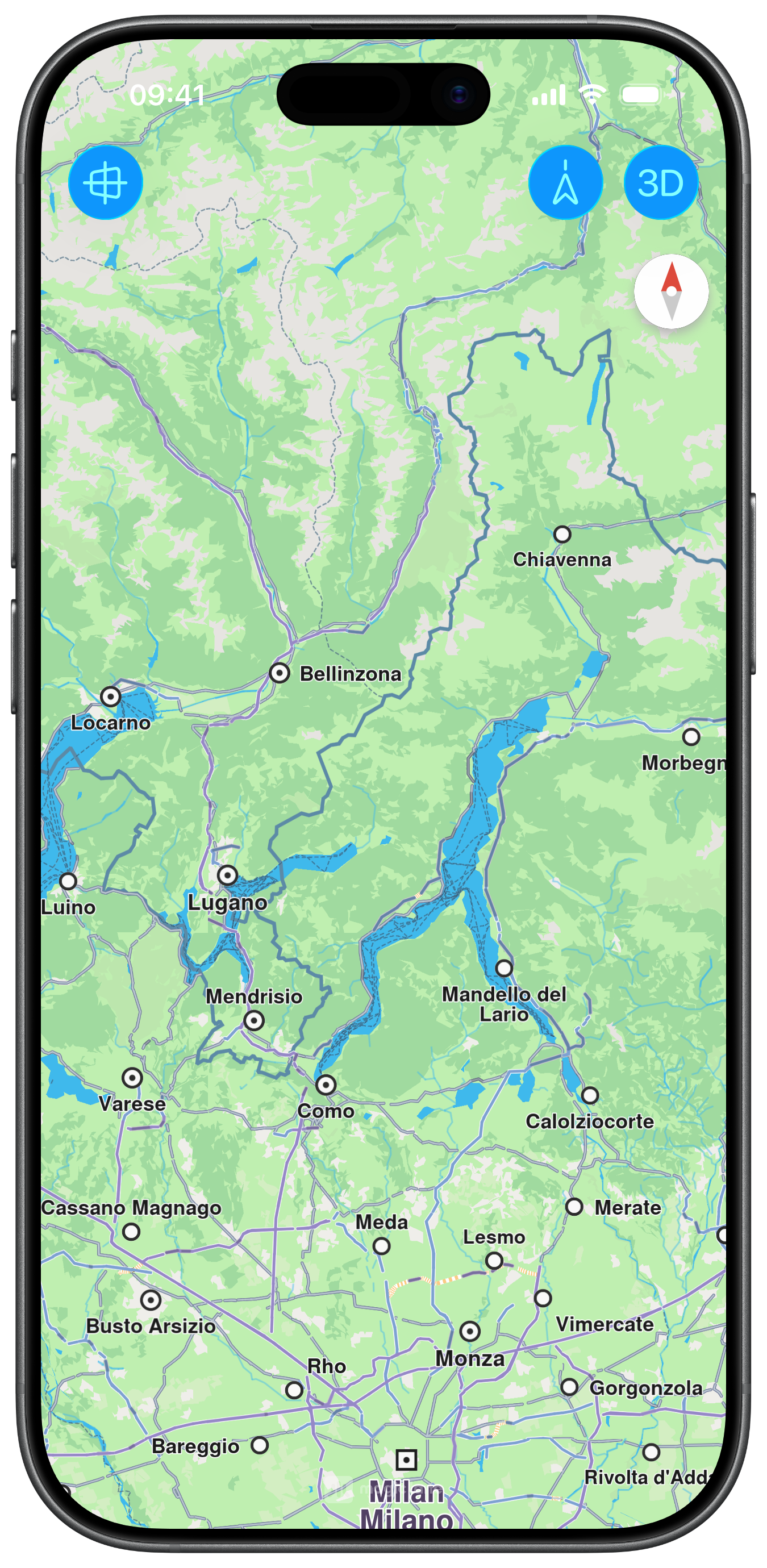
**Initial 2D Perspective**
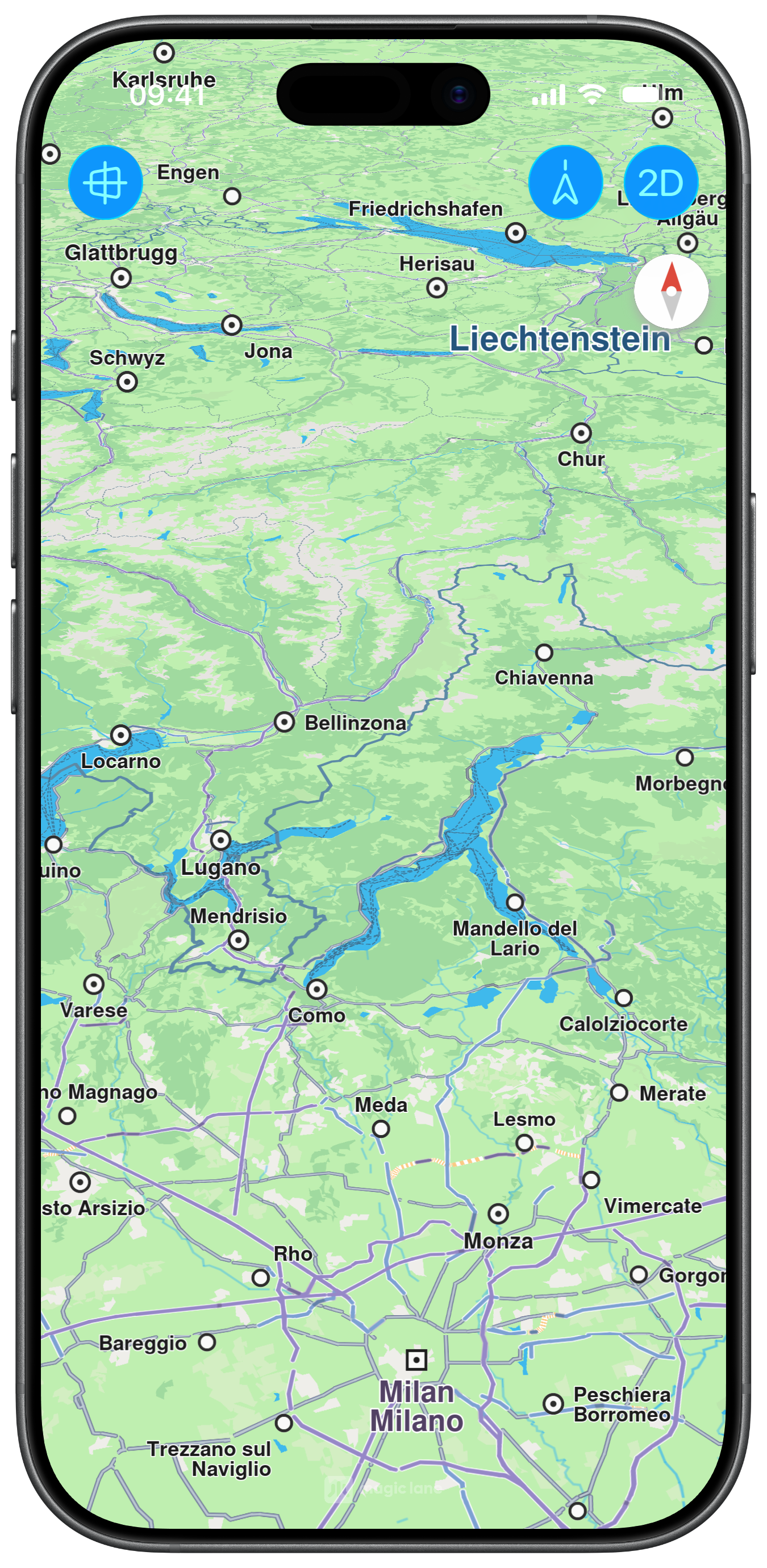
**3D Perspective**
### Map Display and Perspective Control[](#map-display-and-perspective-control "Direct link to Map Display and Perspective Control")
The following code outlines the main view, which displays the map and the action buttons to change the map perspective, align it north up, and toggle perspective gestures:
ViewController.swift[View on GitHub](https://github.com/magiclane/magiclane-maps-sdk-examples-for-ios/tree/main/UIKit/3DScene/MapPerspective/MapPerspective/ViewController.swift)
```swift
class ViewController: UIViewController {
var mapViewController: MapViewController?
override func viewDidLoad() {
super.viewDidLoad()
// Do any additional setup after loading the view.
if let navigationController = self.navigationController {
let appearance = navigationController.navigationBar.standardAppearance
navigationController.navigationBar.scrollEdgeAppearance = appearance
}
self.createMapView()
self.mapViewController!.startRender()
self.addMapPerspective()
}
// MARK: - Map View
func createMapView() {
self.mapViewController = MapViewController.init()
self.mapViewController!.view.backgroundColor = UIColor.systemBackground
self.addChild(self.mapViewController!)
self.view.addSubview(self.mapViewController!.view)
self.mapViewController!.didMove(toParent: self)
self.mapViewController?.view.translatesAutoresizingMaskIntoConstraints = false
NSLayoutConstraint.activate([
self.mapViewController!.view.topAnchor.constraint(equalTo: self.view.topAnchor),
self.mapViewController!.view.bottomAnchor.constraint(equalTo: self.view.bottomAnchor),
self.mapViewController!.view.leadingAnchor.constraint(equalTo: self.view.leadingAnchor),
self.mapViewController!.view.trailingAnchor.constraint(equalTo: self.view.trailingAnchor),
])
}
// MARK: - Perspective
func addMapPerspective() {
let barButton = UIBarButtonItem.init(
image: UIImage.init(systemName: "view.3d"), style: .done, target: self, action: #selector(changeMapPerspective))
let barButton2 = UIBarButtonItem.init(
image: UIImage.init(systemName: "location.north.line"), style: .done, target: self, action: #selector(mapAlighNorthUp))
let barButton3 = UIBarButtonItem.init(
image: UIImage.init(systemName: "perspective"), style: .done, target: self, action: #selector(togglePerspectiveGesture))
self.navigationItem.rightBarButtonItems = [barButton, barButton2]
self.navigationItem.leftBarButtonItems = [barButton3]
}
@objc func changeMapPerspective(item: UIBarButtonItem) {
guard let mapViewController = self.mapViewController else { return }
if mapViewController.getPerspective() == .view2D {
item.image = UIImage.init(systemName: "view.2d")
mapViewController.setPerspective(.view3D, animationDuration: 1000) { success in }
} else {
item.image = UIImage.init(systemName: "view.3d")
self.mapViewController!.setPerspective(.view2D, animationDuration: 1000) { success in }
}
}
@objc func mapAlighNorthUp() {
self.mapViewController!.alignNorthUp(withAnimationDuration: 1000) { success in }
}
@objc func togglePerspectiveGesture() {
guard let preferences = self.mapViewController?.getPreferences() else { return }
let state = preferences.isTouchGestureEnabled(.onShove)
// Single gesture
preferences.enableTouchGesture(.onShove, enable: !state)
// Multiple gestures
// let gestures = (MapViewTouchGestures.onShove.rawValue | MapViewTouchGestures.onRotate.rawValue | MapViewTouchGestures.onPinch.rawValue | MapViewTouchGestures.onPinchSwipe.rawValue)
// preferences.enableTouchGestures(gestures, enable: !state)
}
}
```