# Map Compass
Last updated:
October 18, 2026
\| 2 minutes read
* UIKit
* SwiftUI
This example demonstrates how to use **GEMKit** in a UIKit application to customize the compass.
Check the full implementation on [GitHub](https://github.com/magiclane/magiclane-maps-sdk-examples-for-ios/tree/main/UIKit/3DScene/MapCompass).
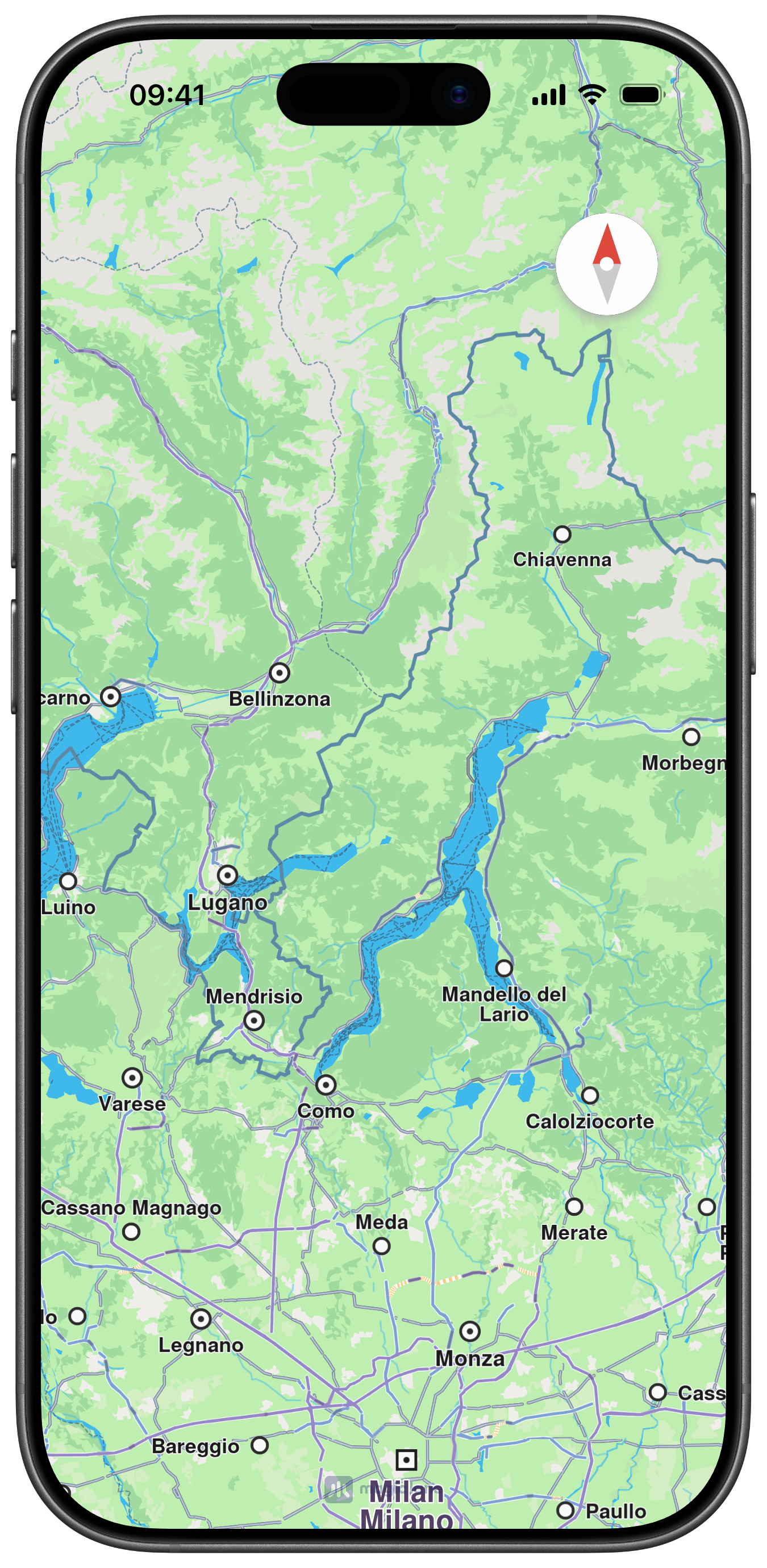
**Map with Compass**
### Map Display and Compass customization[](#map-display-and-compass-customization "Direct link to Map Display and Compass customization")
The following code outlines the main view, which displays the map, and implements the methods to customize the compass:
ViewController.swift[View on GitHub](https://github.com/magiclane/magiclane-maps-sdk-examples-for-ios/tree/main/UIKit/3DScene/MapCompass/MapCompass/ViewController.swift)
```swift
class ViewController: UIViewController {
var mapViewController: MapViewController?
override func viewDidLoad() {
super.viewDidLoad()
// Do any additional setup after loading the view.
if let navigationController = self.navigationController {
let appearance = navigationController.navigationBar.standardAppearance
navigationController.navigationBar.scrollEdgeAppearance = appearance
}
self.createMapView()
self.mapViewController!.startRender()
self.mapViewController!.showCompass()
self.mapViewController!.setCompassFollowUserInterfaceStyle(true)
self.setCompassTapHandler()
self.changeCompassSize()
self.changeCompassInsets()
// Different approach to change compass layout
//
// self.changeCompassConstraints()
}
// MARK: - Map View
func createMapView() {
self.mapViewController = MapViewController.init()
self.mapViewController!.view.backgroundColor = UIColor.systemBackground
self.addChild(self.mapViewController!)
self.view.addSubview(self.mapViewController!.view)
self.mapViewController!.didMove(toParent: self)
self.mapViewController?.view.translatesAutoresizingMaskIntoConstraints = false
NSLayoutConstraint.activate([
self.mapViewController!.view.topAnchor.constraint(equalTo: self.view.topAnchor),
self.mapViewController!.view.bottomAnchor.constraint(equalTo: self.view.bottomAnchor),
self.mapViewController!.view.leadingAnchor.constraint(equalTo: self.view.leadingAnchor),
self.mapViewController!.view.trailingAnchor.constraint(equalTo: self.view.trailingAnchor),
])
}
func setCompassTapHandler() {
self.mapViewController!.setTapCompassCompletionHandler({ mode in
print("tap compass")
})
}
func changeCompassSize() {
self.mapViewController!.setCompassSize(60.0)
}
func changeCompassInsets() {
self.mapViewController!.setCompassInsets(UIEdgeInsets(top: 40, left: 0, bottom: 0, right: 40))
}
// Change constraints directly after map loads
func changeCompassConstraints() {
let compassImageView = self.mapViewController!.getCompassImageView()
NSLayoutConstraint.deactivate(self.mapViewController!.getCompassLayoutConstraints())
NSLayoutConstraint.activate([
compassImageView.topAnchor.constraint(equalTo: self.view.safeAreaLayoutGuide.topAnchor, constant: 50),
compassImageView.leadingAnchor.constraint(equalTo: self.view.safeAreaLayoutGuide.leadingAnchor, constant: 20)
])
}
}
```
This example demonstrates how to use **GEMKit** in a SwiftUI application to customize the compass.
Check the full implementation on [GitHub](https://github.com/magiclane/magiclane-maps-sdk-examples-for-ios/tree/main/SwiftUI/3DScene/MapCompass).

**Map with Compass**
### Map Display and Compass customization[](#map-display-and-compass-customization-1 "Direct link to Map Display and Compass customization")
The following code outlines the main view, which displays the map, and implements the methods and modifiers to customize the compass:
ContentView\.swift[View on GitHub](https://github.com/magiclane/magiclane-maps-sdk-examples-for-ios/tree/main/SwiftUI/3DScene/MapCompass/MapCompass/ContentView.swift)
```swift
struct ContentView: View {
var body: some View {
MapReader { proxy in
MapBase()
.mapCompass(true)
.mapCompassSize(60)
.mapCompassInsets(getInsets())
.mapCompassFollowInterfaceStyle(true)
.didTapCompass { mode in
print("tap compass")
}
.ignoresSafeArea()
}
}
func getInsets() -> UIEdgeInsets {
return UIEdgeInsets.init(top: 40, left: 0, bottom: 0, right: 40)
}
}
```