Get Started With Sample Apps
Prerequisites
To run the iOS example applications you need a macOS system with a compatible version of Xcode installed, including the required iOS SDK. Follow the step by step guides provided by Apple to configure Xcode for development.
On the first build an internet connection is required so Swift Package Manager can resolve and download our GEMKit package. Once the packages are resolved and signing is correctly configured, the application can be built and run normally on your device or simulator.
Downloading the examples
Example applications for the Maps SDK for iOS are available on GitHub. You can clone the repository or download project ZIP file by clicking the green Code button and selecting Download ZIP.
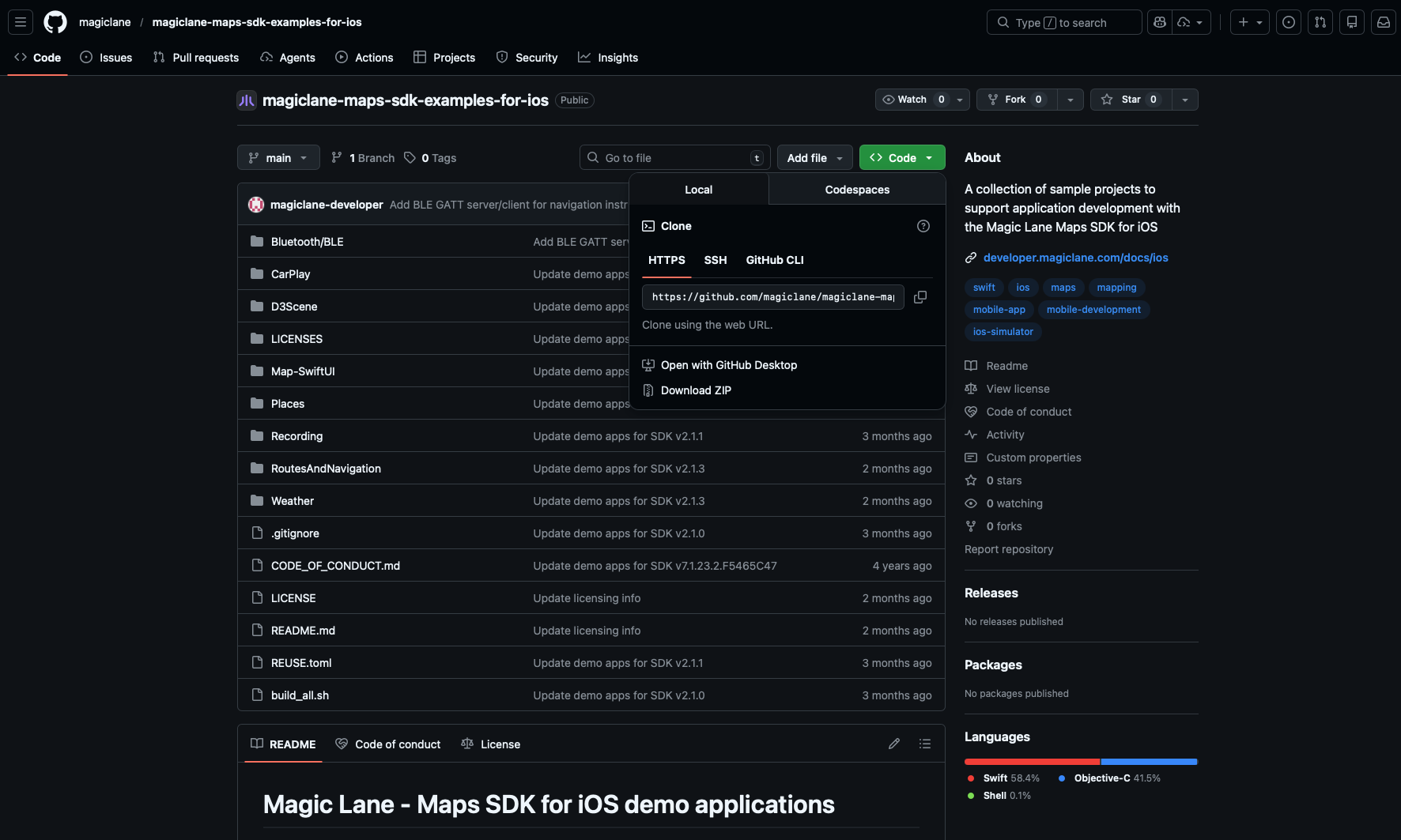
If you chose to download the ZIP file, make sure to extract it after the download is complete.
Running the examples
Create and use an API key
Authentication is recommended to use the Maps SDK for iOS without the watermark and ensure full functionality. This guide provides detailed instructions on how to obtain and set up your API key. Some features do not work unless a valid token is set and the number of allowed requests is limited.
Once you have your API key, you need to set it in the example project. Look for the AppDelegate class and locate the following line:
let token = "YOUR_TOKEN"
And replace the YOUR_TOKEN with your actual API key:
let token = "<token>"
Make sure the token is not commited or shared publicly. If the token is exposed, please deactivate it and generate a new one.
Launching the example
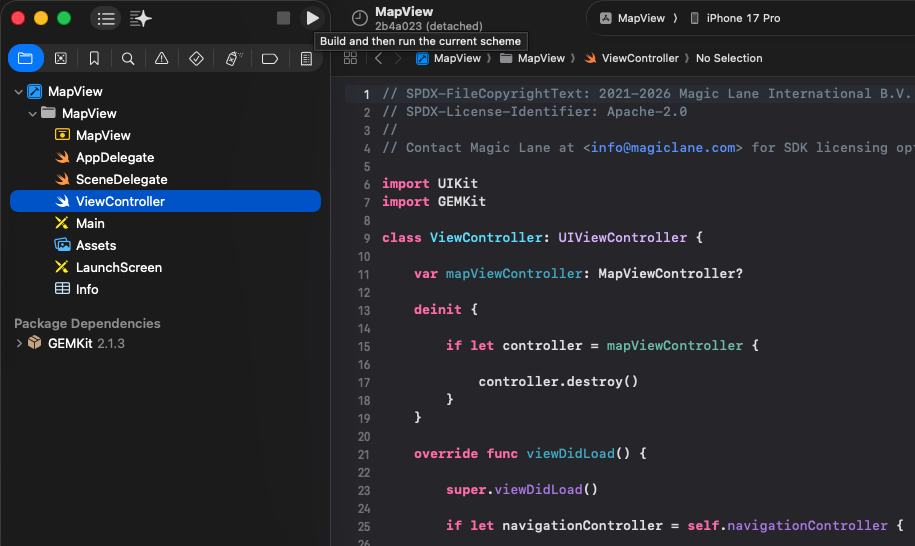
With the selected example project opened in Xcode you can just run the application on the preferred device or simulator.
Disclaimer
The example applications are primarily designed for standard mobile device screen sizes and may not be correctly aligned or responsive on all screen sizes. These examples are intentionally simplified to enhance clarity and ease of understanding. They do not necessarily reflect best practices for production environments.