Transform your AI into a geospatial copilot
The Magic Lane MCP Server enables any AI agent to become a geospatially intelligent assistant for pedestrians, cyclists, and drivers. Built on Magic Lane's advanced mapping technology, it empowers AI agents to understand geospatial data, interpret spatial context, and deliver accurate navigation guidance.
Core capabilities
The Magic Lane MCP Server delivers integrated tools for comprehensive geospatial intelligence:
- Intelligent Search - Find addresses, points of interest (POIs), or coordinates with intelligent search capabilities and POI category filtering
- Smart Routing - Generate optimized routes between multiple waypoints with support for various transport modes, route preferences, and dynamic POI integration
- Round Trip Planning - Create circular routes that start and end at the same location, perfect for jogging routes, cycling loops, or delivery runs
- Reverse Geocoding - Convert geographic coordinates into detailed address information including street name, city, state, country, and postal code
- Isochrone Analysis - Calculate reachability polygons showing areas accessible within specific time or distance constraints
- Geofence Management - Create, manage, and query geographic boundaries for asset monitoring, location-based alerts, and spatial analysis with support for polygons, circles, and rectangles
- Interactive Map - Render a live, pan-and-zoom MapLibre GL JS vector-tile map directly inside the conversation, with support for location views, route visualization, isochrone overlays, round trip routes, search-result markers, geofence areas, and custom coordinate paths — combining one or many overlays on the same map, each drawn in its own color
- Static Map Rendering - Beta feature to generate custom map views with markers, bounding boxes, or location-based areas without route calculation
Getting started
Prerequisites
- Node.js 22+ (Download here)
- A valid Magic Lane API Key (Get one here)
- An MCP-compatible client such as Claude Desktop, Cursor IDE, or VS Code with GitHub Copilot
Installation
- Quick Start (npx)
- Local Build
- Docker
Run the server directly without installation:
export MAGICLANE_API_KEY="your_api_key"
npx @magiclane/mcp-server
Clone and build the project locally:
cd path/to/magiclane-mcp
npm install
npm run build
Build and run using Docker:
docker build -t magiclane-mcp-server .
docker run --rm -i -e MAGICLANE_API_KEY=your_api_key magiclane-mcp-server
Running the server
- stdio Transport
- HTTP Transport
For MCP-native clients like Claude Desktop:
# Using .env file
cp .env.example .env
npm start

# Or with environment variable
MAGICLANE_API_KEY=your_api_key npm start
For web applications and custom integrations:
# Development mode
npm run dev:http

# Production mode
npm run start:http
See the HTTP Server Setup Guide for complete documentation.
Client configuration
Configure your MCP client using our setup guides:
Available tools
1. Location search
Find coordinates, addresses, or POIs using the Magic Lane Search API.
Example Prompts:
- "Search for Italian restaurants near Millennium Park, Chicago"
- "Find parking garages near Amsterdam Central Station"
- "Locate pharmacies near Baker Street 221B, London"
2. Route planner
Generate optimized routes using the Magic Lane Routing API.
Example Prompts:
- "Plan a scenic bike route from Vienna to Bratislava"
- "Find public transport from JFK Airport to Manhattan with minimal transfers"
- "Create a walking tour from the Colosseum to Trevi Fountain, stopping at the Pantheon"
3. Isochrone calculator
Analyze reachability using the Magic Lane Isochrones API.
Example Prompts:
- "Where can I cycle to in 45 minutes from Amsterdam Central?"
- "Display all areas within a 10-minute walk from Barclays Center Station"
- "Show the 1-hour driving catchment from our Frankfurt warehouse"
4. Round trip planner
Generate circular routes that start and end at the same location.
Example Prompts:
- "Plan a 2-hour walking loop starting from Times Square."
- "Create a 10km jogging loop starting from Central Park."
- "Design a 1-hour cycling loop from Golden Gate Park using the shortest route."
5. Reverse geocoding
Converts geographic coordinates or areas into detailed address information using the Magic Lane Reverse Geocoding REST API.
Example Prompts:
- "What's the address at coordinates 51.5074, -0.1278?"
- "Find all addresses within a 500-meter radius of the Brandenburg Gate."
6. Geofence manager
Provide comprehensive geofence operations for defining and managing geographic boundaries, enabling location-based services and asset monitoring using Magic Lane Geofences REST API.
Example Prompts:
- "Create three circular delivery zone geofences: 'berlin-warehouse-1' at coordinates 13.3777, 52.5163 with 2km radius, 'berlin-warehouse-2' at 13.4050, 52.5200 with 1.5km radius, and 'berlin-warehouse-3' at 13.3888, 52.5170 with 2.5km radius."
- "Create a circular geofence with 500m radius around our warehouse at 123 Main Street, Chicago."
- "Is the delivery vehicle at coordinates 40.7589, -73.9851 inside of Main Street zone geofence?"
- "Find all geofences near Times Square within 1000 meters and show their names and keywords."
- "List all geofences within the bounding box covering Manhattan: north 40.8820, south 40.7006, east -73.9070, west -74.0479."
7. Map visualization
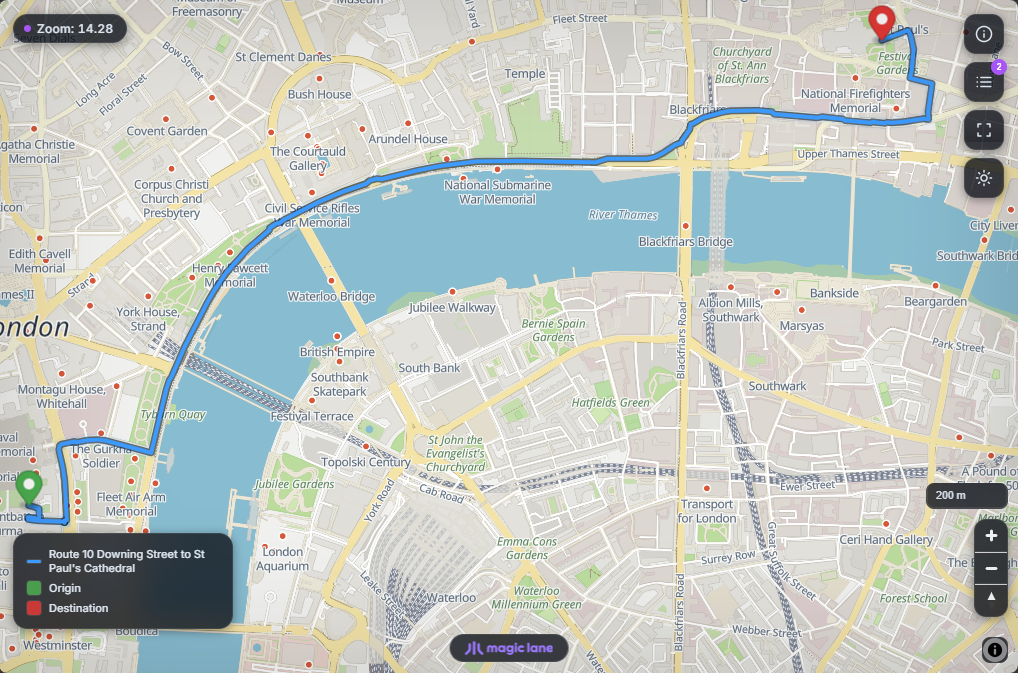
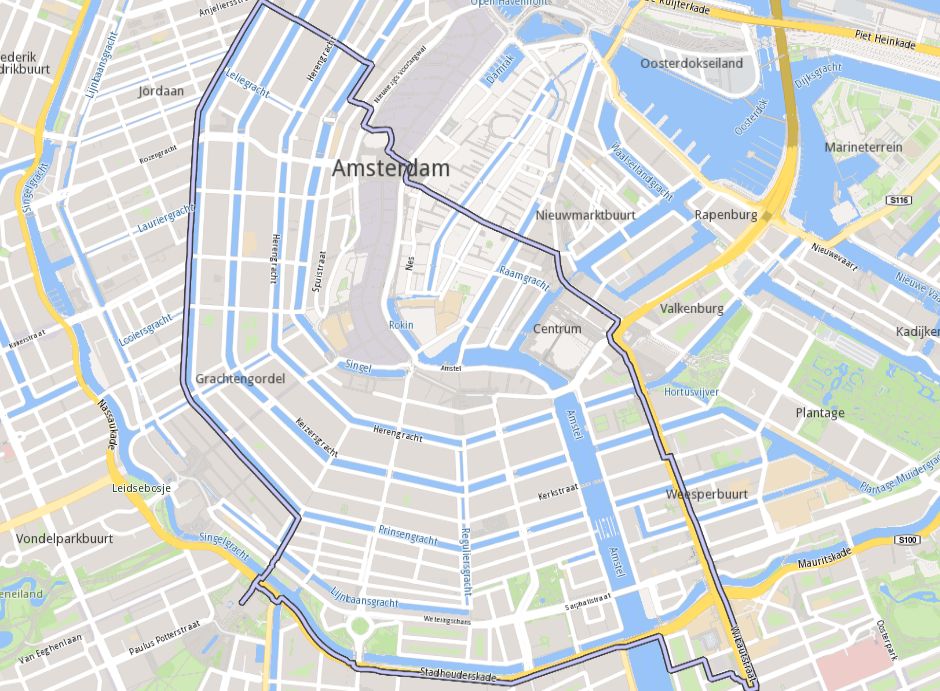
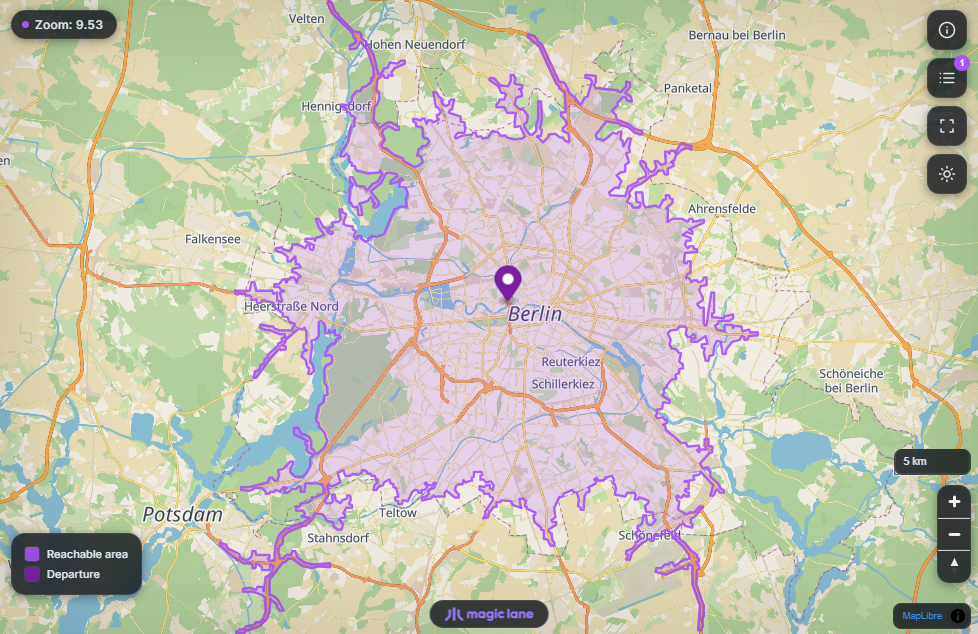
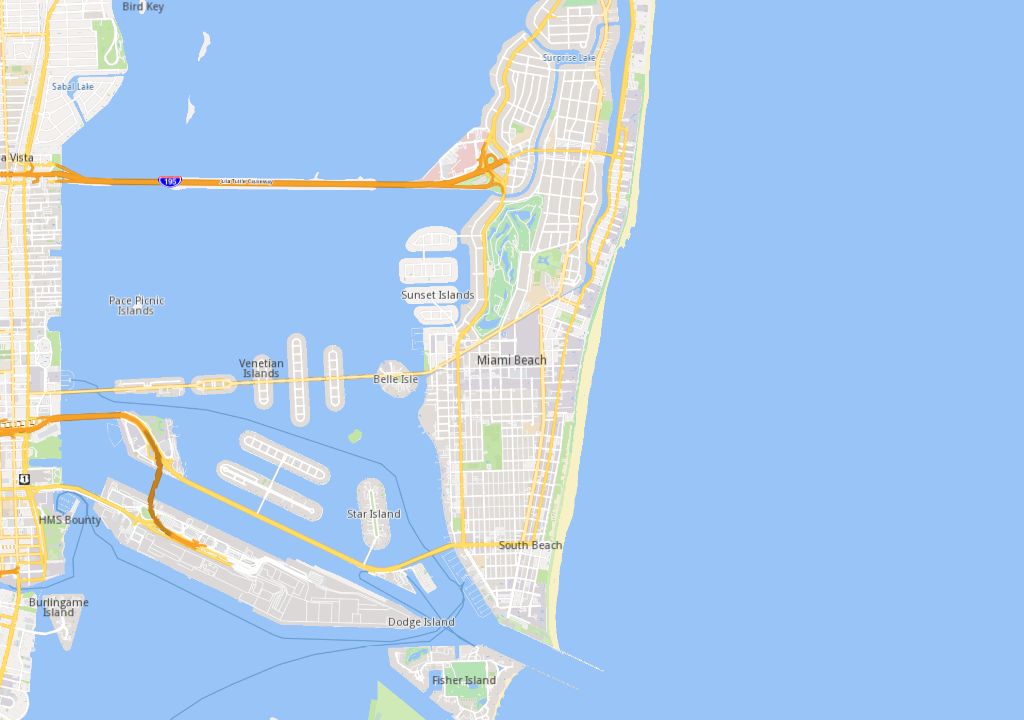
Visualize routes, isochrones, round trips, search results, and static views on the map. Two output modes are available: static images (PNG, JPEG, or WebP) for quick snapshots, and a live interactive map (MapLibre GL JS with MagicLane vector tiles) for pan-and-zoom exploration directly inside the conversation. The interactive mode requires an MCP Apps-compatible client; the viewport is auto-fitted to the displayed data.
Example Prompts:
- Route representation - "I'm at 10 Downing Street, London — please show a driving route to St Paul's Cathedral."
- Round Trip visualization - "Visualize a 5.5 km jogging route starting from the Rijksmuseum in Amsterdam."
- Isochrone representation - "Show everywhere I can reach by car in 30 minutes from Berlin Central Station."
- Static Map representation - "Display a wide view of Miami, including the beach and the Art Deco Historic District."
Troubleshooting
| Error | Solution |
|---|---|
| 401 Unauthorized | Check your API key in the Dashboard |
| 404 Not Found | Location could not be found - try a different query |
| 429 Too Many Requests | Rate limit exceeded - check your usage |
| 400 Bad Request | Invalid parameters - verify input format |
For detailed troubleshooting and complete parameter documentation, visit the GitHub repository.
Data usage & privacy
Magic Lane is committed to protecting your privacy:
- No Request Logging - Routing requests and location queries are not stored
- Transient Processing - Requests processed in real-time and immediately discarded
- No User Profiling - No usage pattern tracking or cross-session correlation
- Encrypted Transmission - All communications use TLS/SSL
For details, review our Terms of Service and Privacy Policy.
Resources
- API Dashboard: developer.magiclane.com/api/dashboard
- Source Code: github.com/magiclane/magiclane-mcp-server