# Display routes
Last updated:
October 18, 2026
\| 4 minutes read
Learn how to display routes on the map, customize their appearance, and manage route labels.
## Add routes to the map[](#add-routes-to-the-map "Direct link to Add routes to the map")
Display routes on the map using `MapViewPreferences.routes.add(route, isMainRoute)`. Multiple routes can be displayed simultaneously, but only one can be the **main route**, with others treated as secondary. Specify the main route by passing `true` to the `bMainRoute` parameter when calling `MapViewRoutesCollection.add`, or use the `MapViewRoutesCollection.mainRoute` setter.
```dart
mapController.preferences.routes.add(route, true);
mapController.centerOnRoute(route);
```
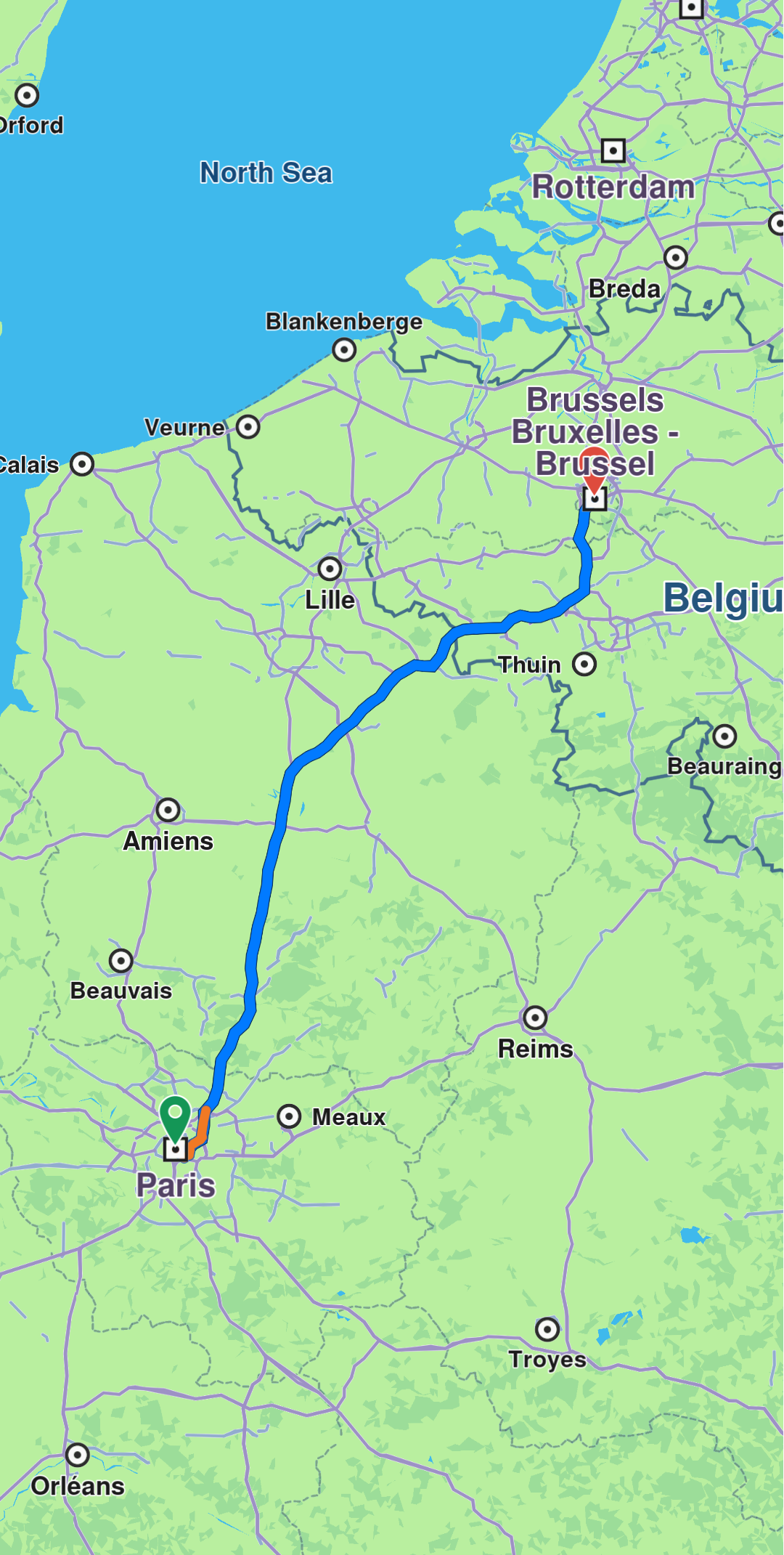
**Route displayed**
tip
To center on a route with padding, refer to the [Adjust Map View](/docs/flutter/guides/maps/adjust-map.md#center-on-an-area-with-padding) guide. Utilize the `screenRect` parameter in the `centerOnRoute` method to define the specific region of the viewport that should be centered.
```dart
mapController.preferences.routes.add(route1, true);
mapController.preferences.routes.add(route2, false);
mapController.preferences.routes.add(route3, false);
mapController.centerOnMapRoutes();
```
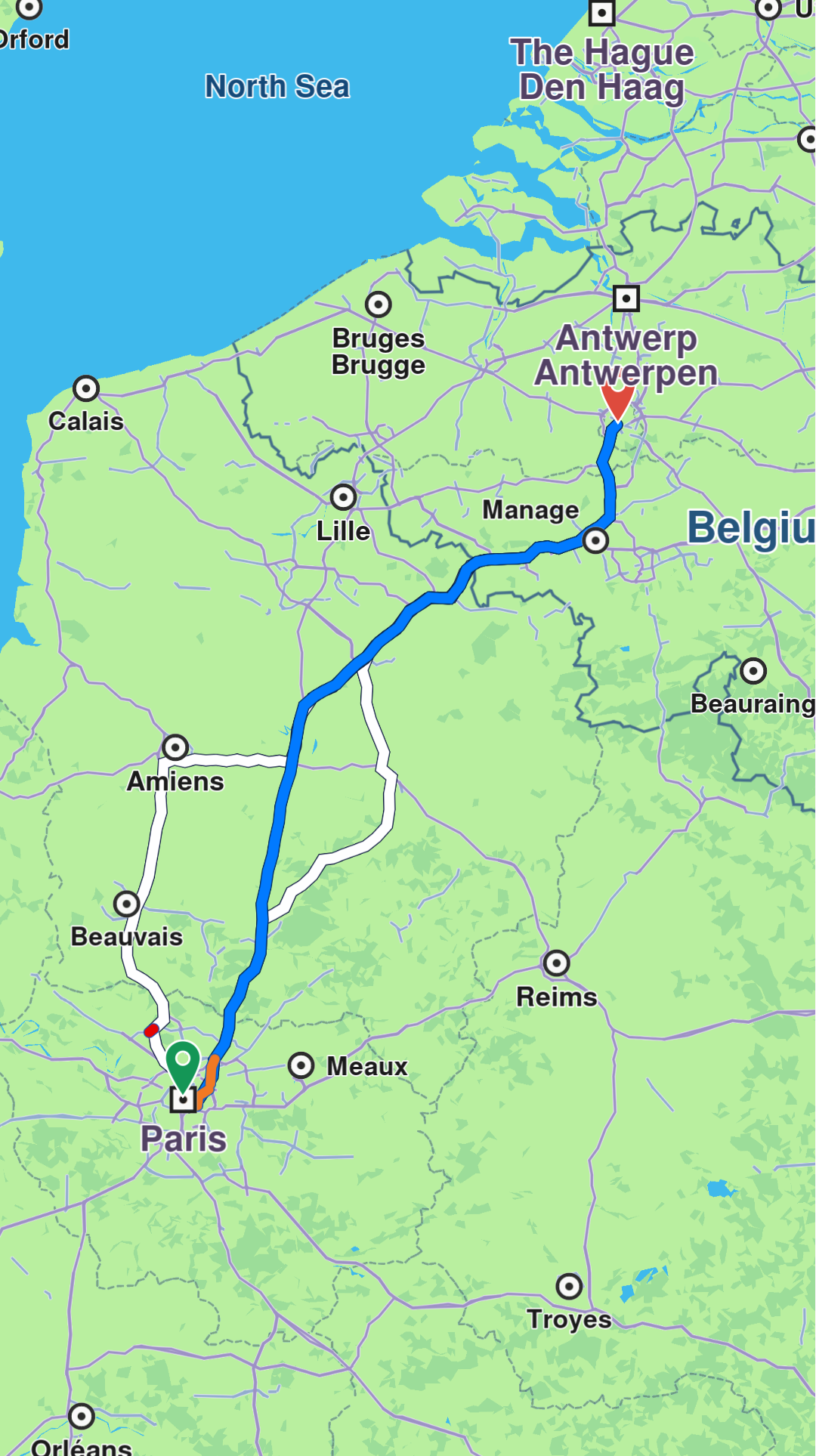
**Three routes displayed, one in the middle is main**
## Customize route appearance[](#customize-route-appearance "Direct link to Customize route appearance")
Customize route appearance using `RouteRenderSettings` when adding the route via the `routeRenderSettings` optional parameter, or later using the `MapViewRoute.renderSettings` setter.
```dart
final renderSettings = RouteRenderSettings(innerColor: Color.fromARGB(255, 255, 0, 0));
mapController.preferences.routes.add(route, true, routeRenderSettings: renderSettings)
```
```dart
final mapViewRoute = mapController.preferences.routes.getMapViewRoute(0);
mapViewRoute?.renderSettings = RouteRenderSettings(innerColor: Colors.red);
```
All dimensional sizes within the `RouteRenderSettings` are measured in millimeters.
#### Waypoint bridges[](#waypoint-bridges "Direct link to Waypoint bridges")
A waypoint bridge is an arc drawn between a waypoint's map position and its position on the route, shown when the two are far enough apart to be worth connecting. Bridges are enabled by default through the `RouteRenderOptions.showWaypointBridges` option, and are customized with these `RouteRenderSettings` properties:
| Property | Type | Description |
| -------------------------- | ---------- | ---------------------------------------------------------------------------------------------------------------------------------------------- |
| `waypointBridgeInnerColor` | `Color` | Inner color of the bridges. Left transparent (the default), the bridges take the route's own `innerColor`, or an SDK default if that is unset. |
| `waypointBridgeOuterColor` | `Color` | Outer color of the bridges. Left transparent (the default), the bridges take the route's own `outerColor`, or an SDK default if that is unset. |
| `waypointBridgeInnerSz` | `double` | Inner size in millimeters. `0` (the default), or any non-positive value, uses the SDK default. |
| `waypointBridgeOuterSz` | `double` | Outer size in millimeters. `0` (the default), or any non-positive value, uses the SDK default. |
| `waypointBridgeLineType` | `LineType` | Line style of the bridges. Defaults to `LineType.styleDefault`, which the SDK resolves to dashed for bridges. |
info
Passing a custom `options` set replaces the defaults entirely, so any option not listed is disabled.
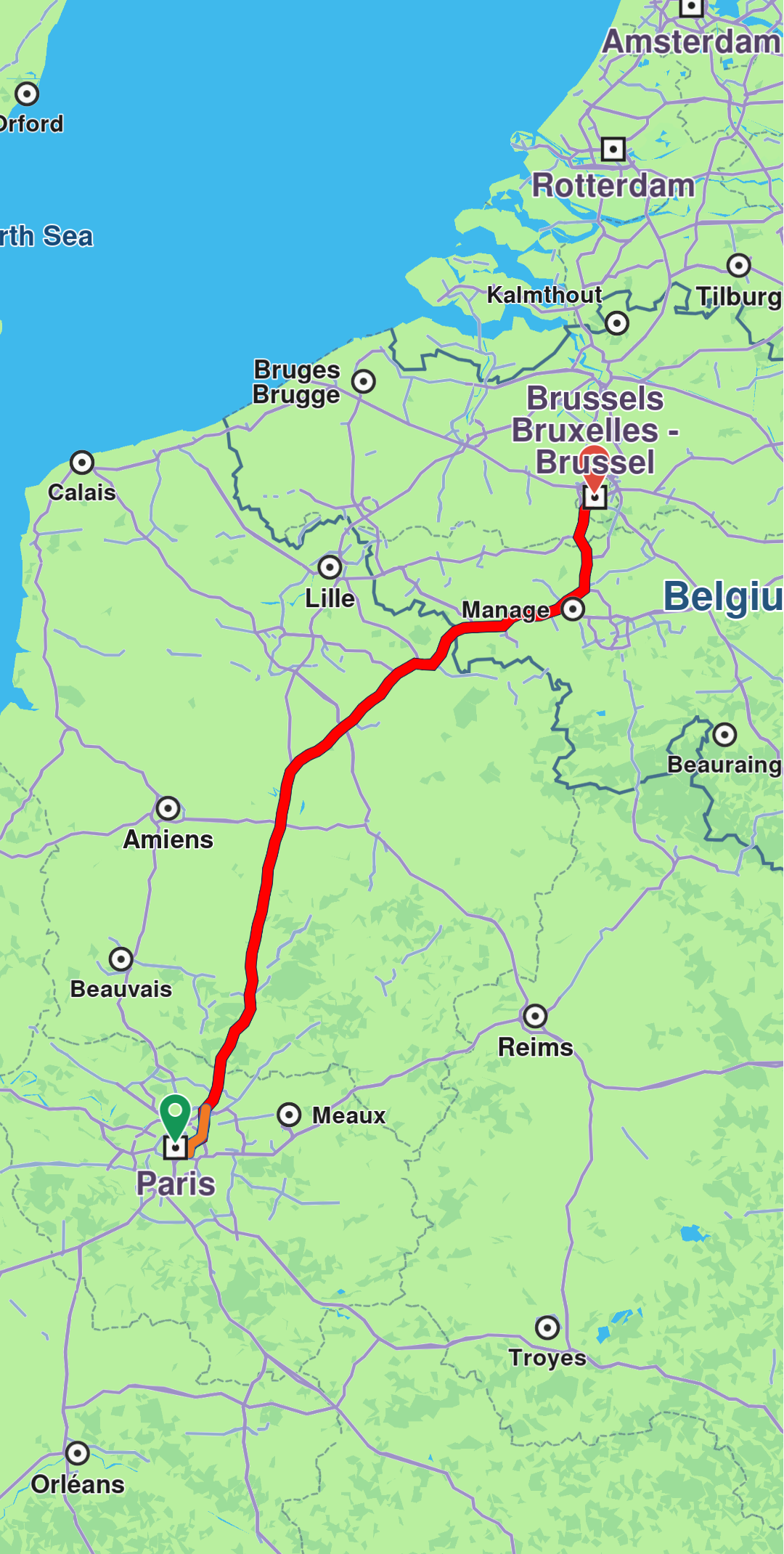
**Route displayed with custom render settings**
## Remove routes[](#remove-routes "Direct link to Remove routes")
Remove all displayed routes using `MapViewRoutesCollection.clear()`. To remove only secondary routes while keeping the main route, use `mapController.preferences.routes.clearAllButMainRoute()`.
## Add route labels[](#add-route-labels "Direct link to Add route labels")
Routes can include labels that display information such as ETA, distance, toll prices, and more. Attach a label to a route using the `label` optional parameter of the `MapViewRoutesCollection.add` method:
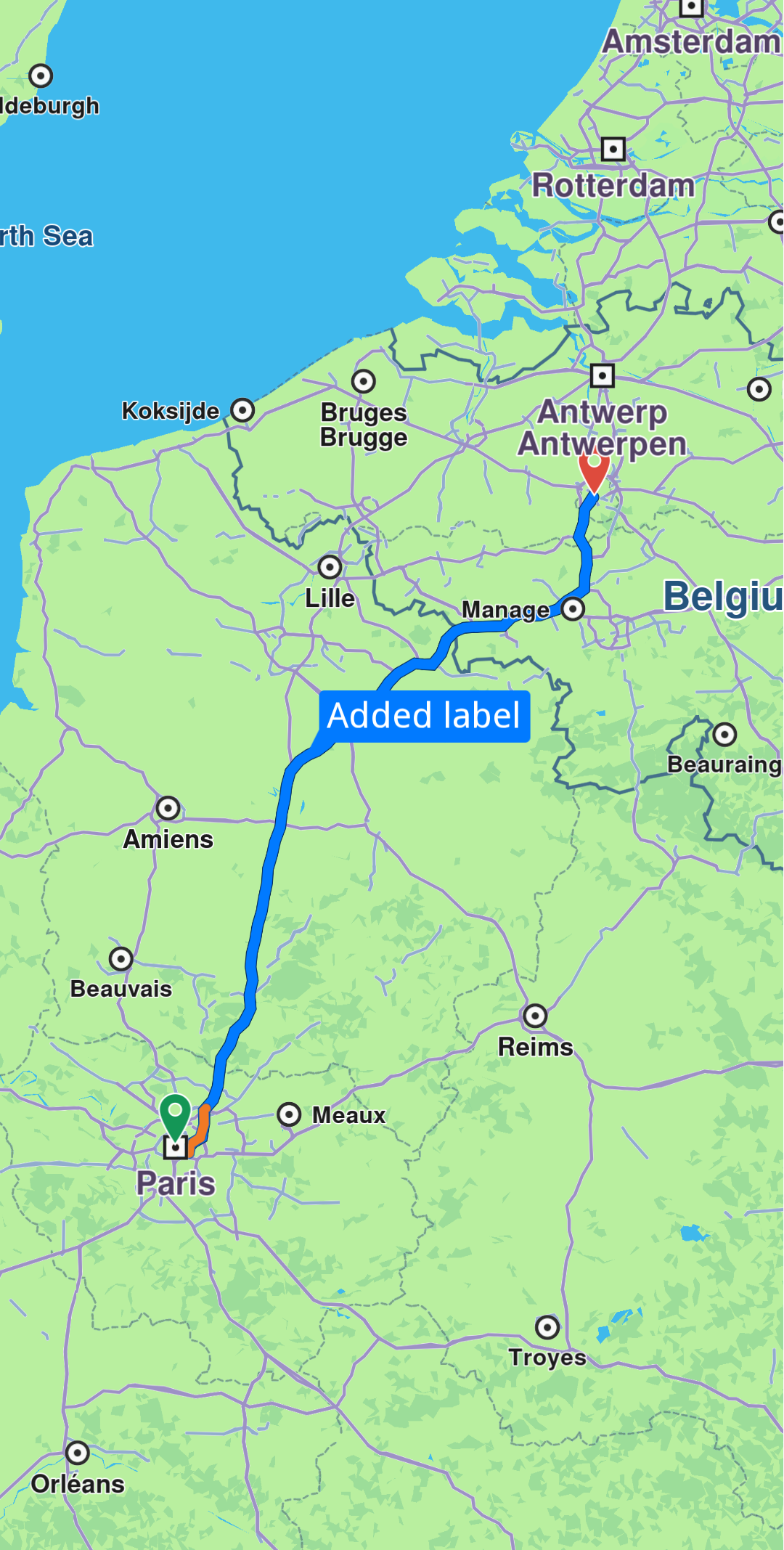
**Route with label**
### Add icons to labels[](#add-icons-to-labels "Direct link to Add icons to labels")
Enhance labels by adding up to **two icons** using the optional `labelIcons` parameter, which accepts a `List![]() `. Access available icons through the `GemIcon` enum.
```dart
controller.preferences.routes.add(routes.first, true,
label: "This is a custom label",
labelIcons: [
SdkSettings.getImgById(GemIcon.favoriteHeart.id)!,
SdkSettings.getImgById(GemIcon.waypointFinish.id)!,
]);
```
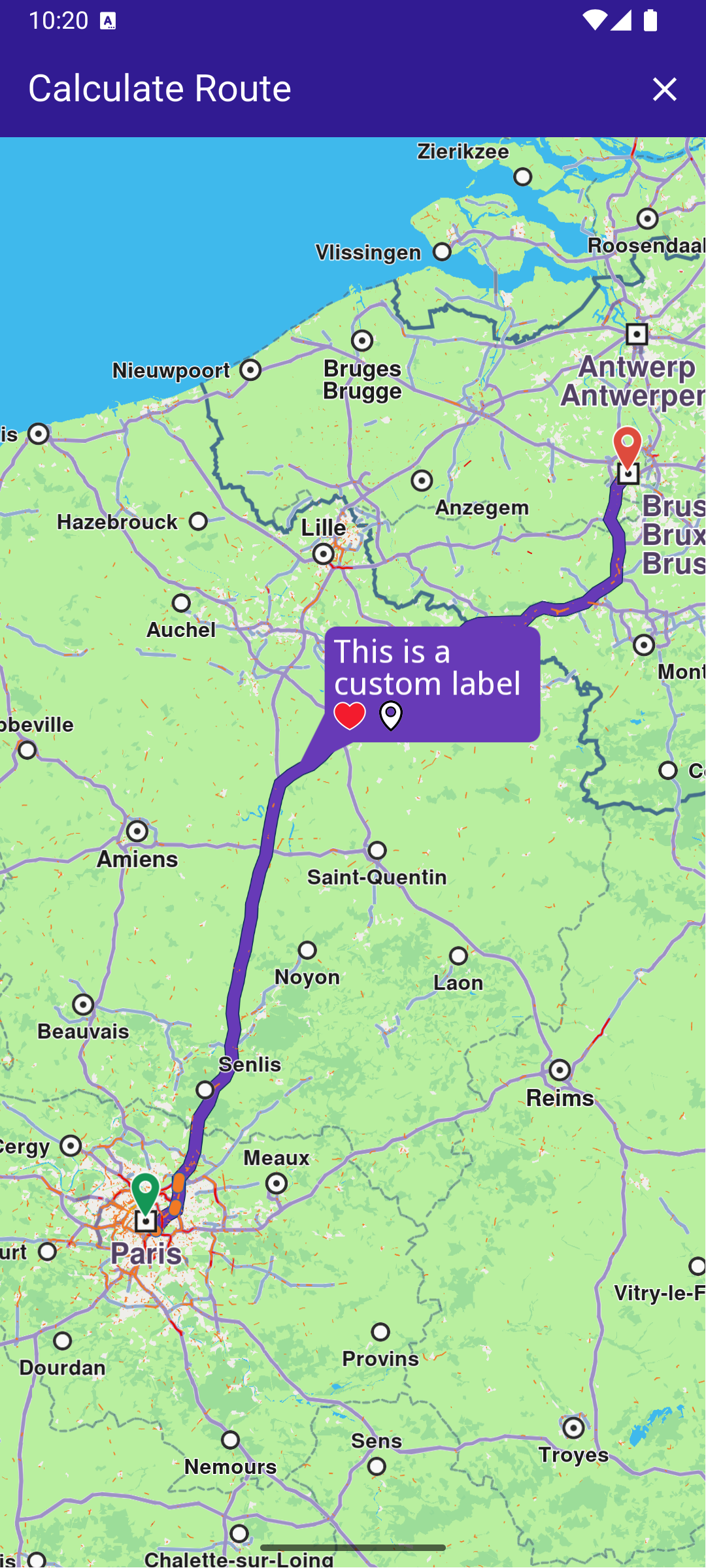
**Label with custom icons**
### Auto-generate labels[](#auto-generate-labels "Direct link to Auto-generate labels")
Auto-generate labels using the `autoGenerateLabel` parameter:
```dart
mapController.preferences.routes.add(route, true, autoGenerateLabel: true);
```
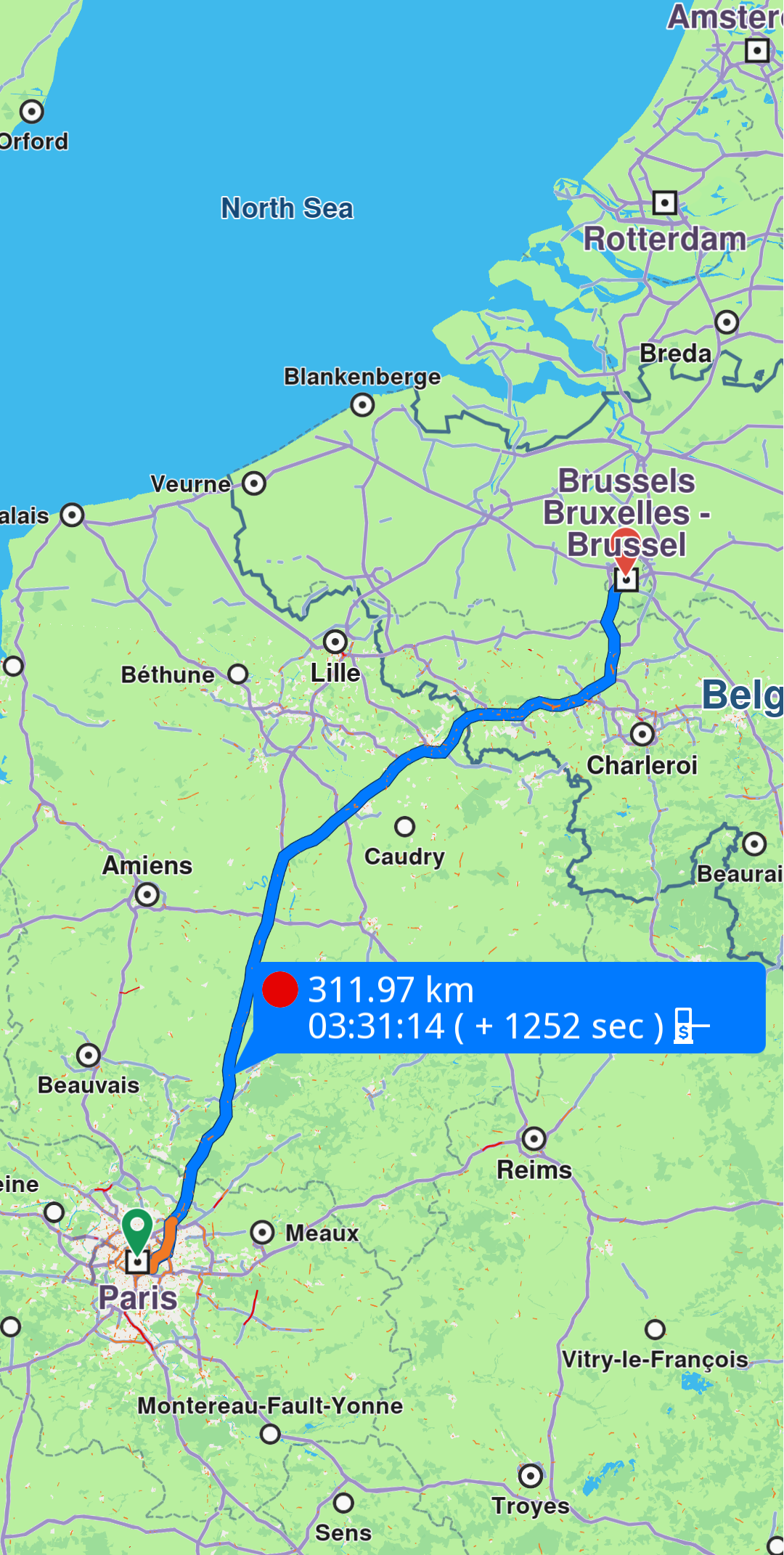
**Route with generated label**
danger
Enabling `autoGenerateLabel` will override any customizations made with the `label` and `labelIcons` parameters.
### Hide labels[](#hide-labels "Direct link to Hide labels")
Hide a route label by calling `MapViewRoutesCollection.hideLabel(route)`. You can also manage labels through a `MapViewRoute` object using the `labelText` setter to assign a label or the `hideLabel` method to hide it.
## Check visible route portion[](#check-visible-route-portion "Direct link to Check visible route portion")
Retrieve the visible portion of a route - defined by its start and end distances in meters - using the `getVisibleRouteInterval` method from the `GemMapController`:
```dart
final (startRouteVisibleIntervalMeters, endRouteVisibleIntervalMeters) = controller.getVisibleRouteInterval(route);
```
You can provide a custom screen region to the `getVisibleRouteInterval` method instead of using the entire viewport. The method returns `(0,0)` if the route is not visible on the provided viewport or region.
## Relevant examples demonstrating routing related features[](#relevant-examples-demonstrating-routing-related-features "Direct link to Relevant examples demonstrating routing related features")
* [Calculate Route](/docs/flutter/examples/routing-navigation/calculate-route.md)
* [Route Profile](/docs/flutter/examples/routing-navigation/route-profile.md)
* [Route Instructions](/docs/flutter/examples/routing-navigation/route-instructions.md)
* [Finger Route](/docs/flutter/examples/routing-navigation/finger-route.md)
* [Range Finder](/docs/flutter/examples/routing-navigation/range-finder.md)
* [GPX Route](/docs/flutter/examples/routing-navigation/gpx-route.md)
* [Truck Profile](/docs/flutter/examples/routing-navigation/truck-profile.md)
* [Public Transit](/docs/flutter/examples/routing-navigation/public-transit.md)
* [Offline Routing](/docs/flutter/examples/routing-navigation/offline-routing.md)
* [Multi Map Routing](/docs/flutter/examples/routing-navigation/multimap-routing.md)