# Integrate the SDK
Last updated:
October 18, 2026
\| 2 minutes read
## Step 1: Add the package[](#step-1-add-the-package "Direct link to Step 1: Add the package")
Add `magiclane_maps_flutter` to your `pubspec.yaml`:
```yaml
dependencies:
flutter:
sdk: flutter
magiclane_maps_flutter:
```
Then install it:
```bash
flutter pub get
```
## Step 2: Configure your platform[](#step-2-configure-your-platform "Direct link to Step 2: Configure your platform")
* Android
* IOS
* Web
### Verify Android SDK[](#verify-android-sdk "Direct link to Verify Android SDK")
Ensure `ANDROID_SDK_ROOT` environment variable is set to your Android SDK path.
### Add Maven repository[](#add-maven-repository "Direct link to Add Maven repository")
In `android/build.gradle.kts`, add this inside the `allprojects` block:
```kotlin
allprojects {
repositories {
google()
mavenCentral()
maven {
url = uri("https://developer.magiclane.com/packages/android")
}
}
}
```
### Install dependencies[](#install-dependencies "Direct link to Install dependencies")
```bash
flutter clean
flutter pub get
```
### Open your project in Xcode[](#open-your-project-in-xcode "Direct link to Open your project in Xcode")
```bash
open ios/Runner.xcodeproj
```
### Set minimum iOS version to 14.0[](#set-minimum-ios-version-to-140 "Direct link to Set minimum iOS version to 14.0")
In Xcode:
1. Select **Runner** (project navigator on the left)
2. Select **Runner** target
3. Open **Build Settings** tab
4. Search for **iOS Deployment Target**
5. Change to **14.0** or higher
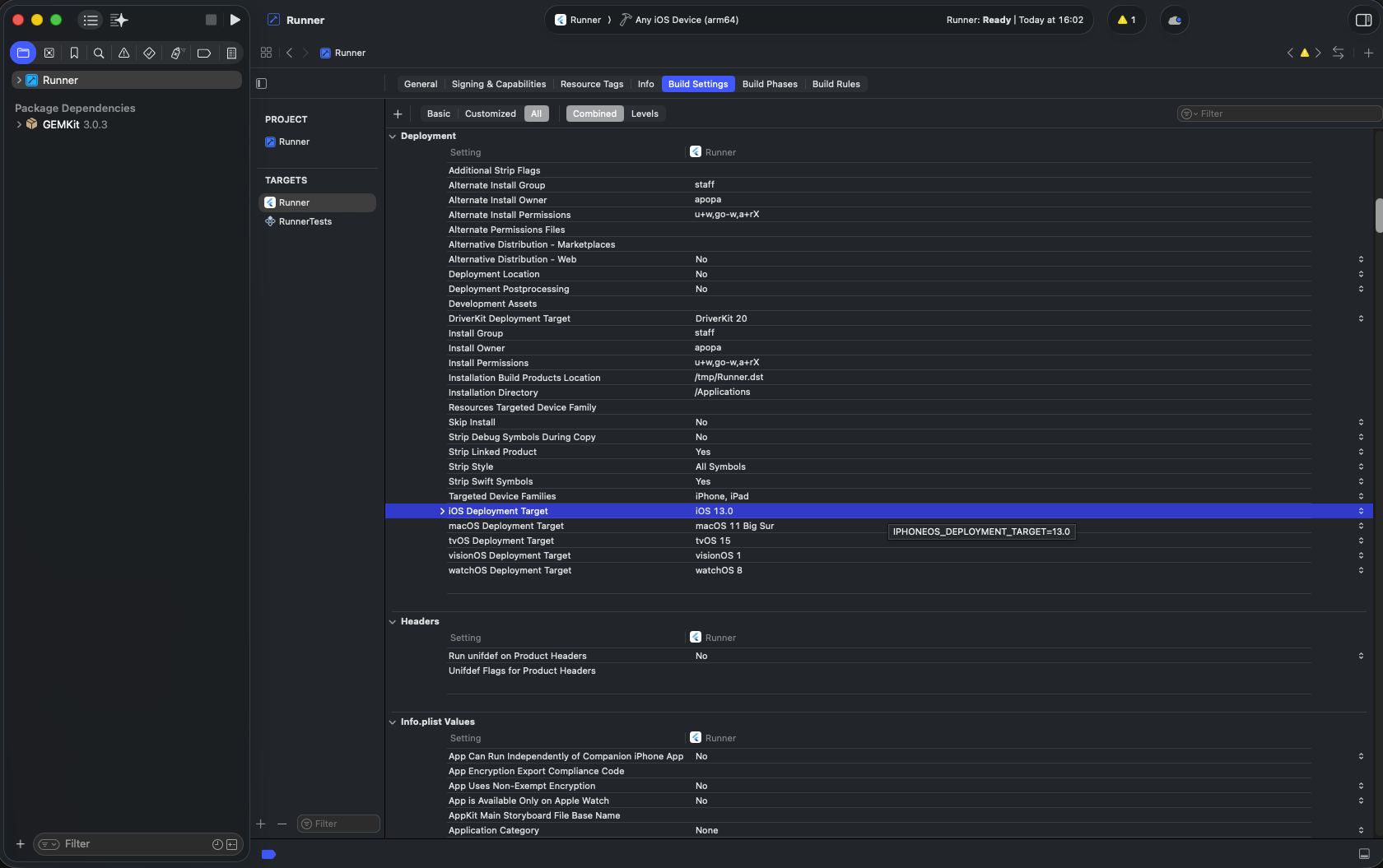
**iOS Deployment Target location**
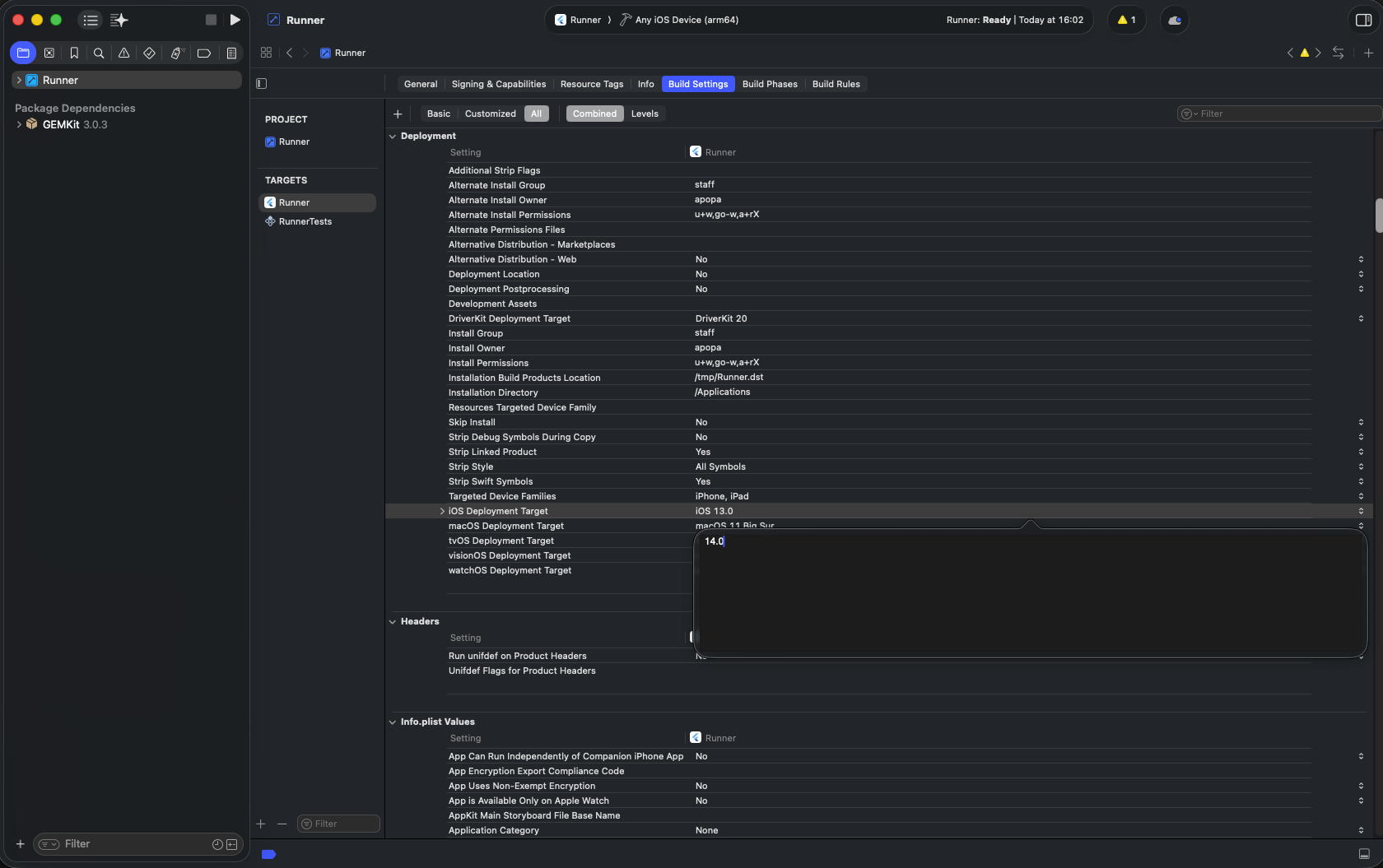
**Change to version 14.0**
info
This SDK uses Swift Package Manager - no CocoaPods setup required.
### No additional configuration[](#no-additional-configuration "Direct link to No additional configuration")
No platform-specific setup is required for web. After adding the package, run your app in a browser:
```bash
flutter run -d chrome
```
***
## Troubleshooting[](#troubleshooting "Direct link to Troubleshooting")
Dependencies not installing?
Try reinstalling:
```bash
flutter clean
flutter pub get
```
Check for issues:
```bash
flutter doctor
```
Android build failing?
1. Open the `android` folder in Android Studio
2. Let Gradle sync
3. Fix any errors shown in the **Build** panel
Still having issues?
Clear the package cache and reinstall:
```bash
flutter pub cache clean
flutter pub get
```
Issues on Android (release mode only)?
In `android/app/build.gradle.kts`, add these lines to the `release` block:
```kotlin
buildTypes {
release {
signingConfig = signingConfigs.getByName("debug")
isMinifyEnabled = false
isShrinkResources = false
}
}
```
This configuration should no longer be neccessary in recent versions of the SDK, but may be required for older versions. Please let us know if you are still experiencing this issue after updating to the latest SDK version.
iOS app crashes on startup (release mode only)?
Check that `ios/Runner/Info.plist` contains:
```xml
CFBundleDevelopmentRegion
$(DEVELOPMENT_LANGUAGE)
```
This entry is required for the SDK. Flutter projects include it by default.