Truck Profile
This example demonstrates how to create a Flutter app that displays a truck profile and calculates routes using Maps SDK for Flutter. Users can modify truck parameters and visualize routes on the map.
How it works
The example app demonstrates the following features:
- Display a map.
- Fill truck details in a truck profile panel.
- Calculate a route based on the truck’s profile and visualize them on the map.
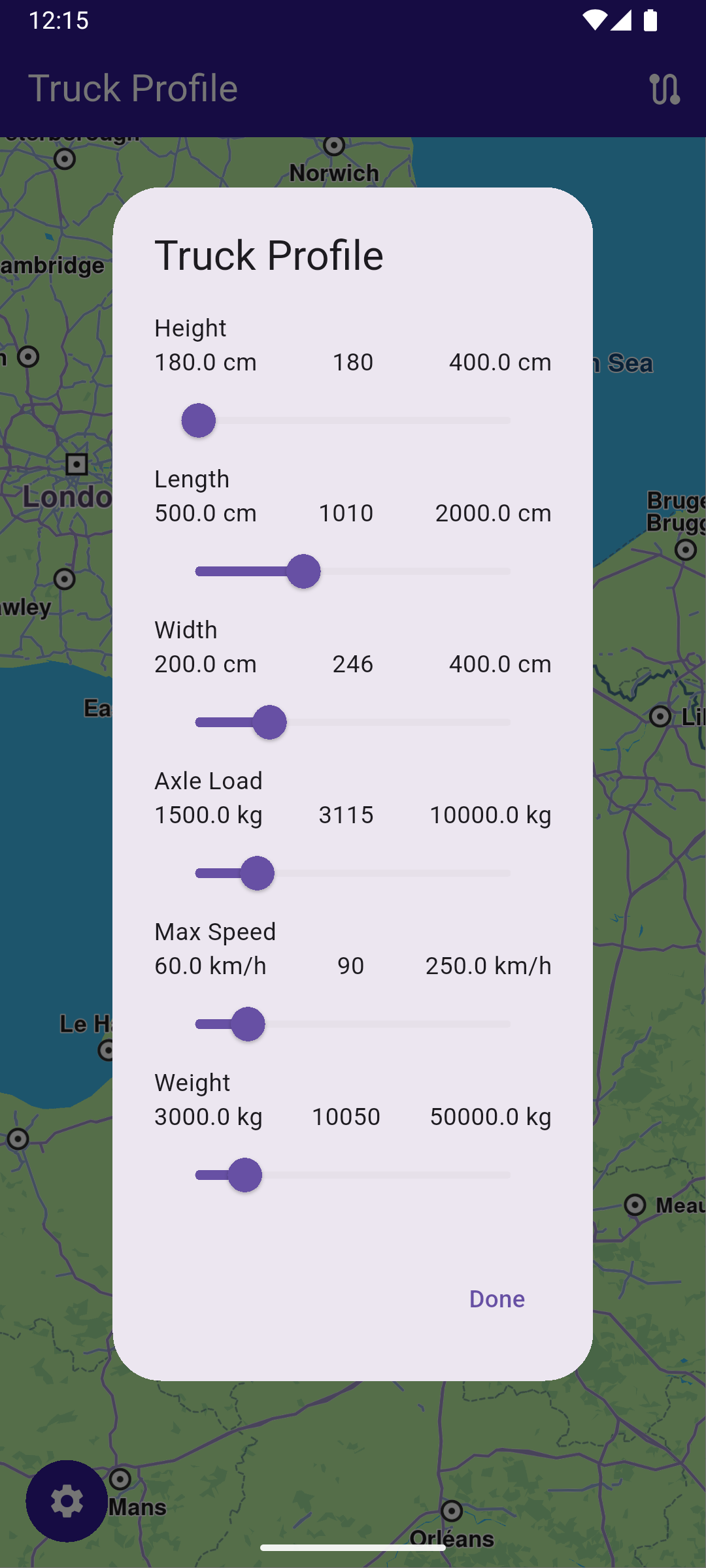
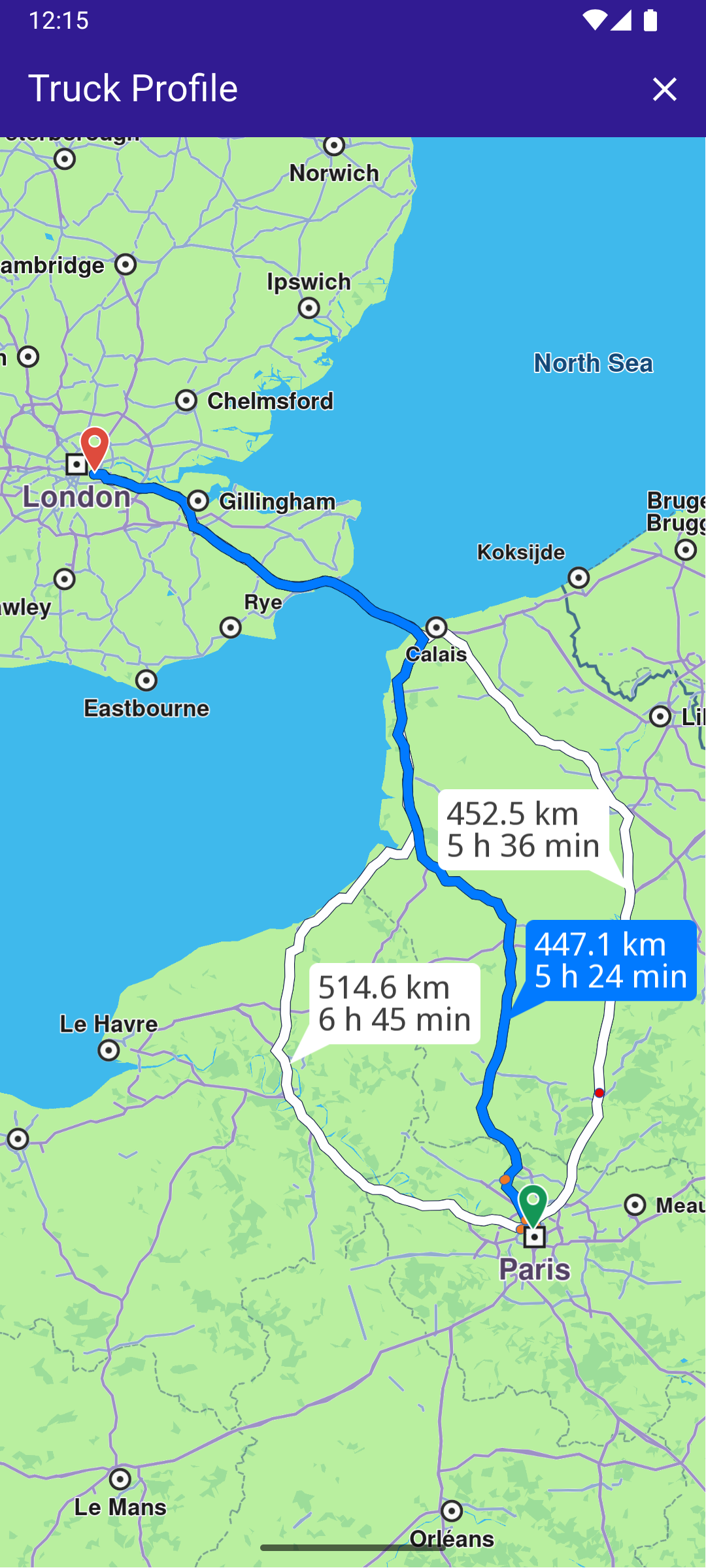
UI and Map Integration
class MyApp extends StatelessWidget {
  const MyApp({super.key});

  @override
  Widget build(BuildContext context) {
    return const MaterialApp(
      debugShowCheckedModeBanner: false,
      title: 'Truck Profile',
      home: MyHomePage(),
    );
  }
}

class MyHomePage extends StatefulWidget {
  const MyHomePage({super.key});

  @override
  State<MyHomePage> createState() => _MyHomePageState();
}
Main Screen with Truck Profile
This code sets up the main screen with a map and functionality for modifying the truck profile and calculating routes.
class _MyHomePageState extends State<MyHomePage> {
  late GemMapController _mapController;
  final TruckProfile _truckProfile = TruckProfile();

  // We use the handler to cancel the route calculation.
  TaskHandler? _routingHandler;

  List<Route>? _routes;

  @override
  void dispose() {
    GemKit.release();
    super.dispose();
  }

  @override
  Widget build(BuildContext context) {
    return Scaffold(
      appBar: AppBar(
        backgroundColor: Colors.deepPurple[900],
        title: const Text(
          'Truck Profile',
          style: TextStyle(color: Colors.white),
        ),
        actions: [
          // Routes are not built.
          if (_routingHandler == null && _routes == null)
            IconButton(
              onPressed: () => _onBuildRouteButtonPressed(context),
              icon: const Icon(Icons.route, color: Colors.white),
            ),
          // Routes calculating is in progress.
          if (_routingHandler != null)
            IconButton(
              onPressed: () => _onCancelRouteButtonPressed(),
              icon: const Icon(Icons.stop, color: Colors.white),
            ),
          // Routes calculating is finished.
          if (_routes != null)
            IconButton(
              onPressed: () => _onClearRoutesButtonPressed(),
              icon: const Icon(Icons.clear, color: Colors.white),
            ),
        ],
      ),
      body: Stack(
        alignment: AlignmentDirectional.bottomStart,
        children: [
          GemMap(
            key: ValueKey("GemMap"),
            onMapCreated: _onMapCreated,
            appAuthorization: projectApiToken,
          ),
          if (_routes == null)
            Padding(
              padding: const EdgeInsets.all(15.0),
              child: Container(
                decoration: BoxDecoration(
                  color: Colors.deepPurple[900],
                  shape: BoxShape.circle,
                ),
                child: IconButton(
                  onPressed: () =>
                      showTruckProfileDialog(context, _truckProfile),
                  icon: Icon(Icons.settings),
                  color: Colors.white,
                ),
              ),
            ),
        ],
      ),
    );
  }

  // The callback for when map is ready to use.
  Future<void> _onMapCreated(GemMapController controller) async {
    // Save controller for further usage.
    _mapController = controller;

    // Register route tap gesture callback.
    await _registerRouteTapCallback();
  }
Route Calculation
This code handles the route calculation based on the truck’s profile and updates the UI with the calculated routes.
  void _onBuildRouteButtonPressed(BuildContext context) {
    // Define the departure.
    final departureLandmark = Landmark.withLatLng(
      latitude: 48.87126,
      longitude: 2.33787,
    );

    // Define the destination.
    final destinationLandmark = Landmark.withLatLng(
      latitude: 51.4739,
      longitude: -0.0302,
    );

    // Define the route preferences with current truck profile.
    final routePreferences = RoutePreferences(
      truckProfile: _truckProfile,
      transportMode:
          RouteTransportMode.lorry, // <- This field is very important
    );

    _showSnackBar(context, message: "The route is being calculated.");

    // Calling the calculateRoute SDK method.
    // (err, results) - is a callback function that gets called when the route computing is finished.
    // err is an error enum, results is a list of routes.

    _routingHandler = RoutingService.calculateRoute(
      [departureLandmark, destinationLandmark],
      routePreferences,
      (err, routes) {
        // If the route calculation is finished, we don't have a progress listener anymore.
        _routingHandler = null;
        ScaffoldMessenger.of(context).clearSnackBars();

        // If there aren't any errors, we display the routes.
        if (err == GemError.success) {
          // Get the routes collection from map preferences.
          final routesMap = _mapController.preferences.routes;

          // Display the routes on map.
          for (final route in routes) {
            routesMap.add(
              route,
              route == routes.first,
              label: getMapLabel(route),
            );
          }

          // Center the camera on routes.
          _mapController.centerOnRoutes(routes: routes);
          setState(() {
            _routes = routes;
          });
        }
      },
    );

    setState(() {});
  }
Version 2.26.0 introduces options for caravan routes, allowing you to specify vehicle dimensions without being limited to truck routes.
The transportMode field is essential for distinguishing a caravan from a truck.
If RouteTransportMode is not set to lorry, the routing may direct you onto roads restricted for lorries.
Truck Profile Modification
This dialog allows users to modify the truck profile parameters and returns the updated profile.
class TruckProfileDialog extends StatefulWidget {
  // The truck profile data to be modified in the dialog.
  final TruckProfile truckProfile;

  const TruckProfileDialog({super.key, required this.truckProfile});

  @override
  TruckProfileDialogState createState() => TruckProfileDialogState();
}

class TruckProfileDialogState extends State<TruckProfileDialog> {
  late TruckProfile profile;

  // Initializes the state of the dialog by copying the truck profile and setting initial values.
  @override
  void initState() {
    super.initState();
    profile = widget.truckProfile;
  }

  @override
  Widget build(BuildContext context) {
    return AlertDialog(
      title: Text('Truck Profile'),
      content: SingleChildScrollView(
        child: Column(
          mainAxisSize: MainAxisSize.min,
          children: [
            // Sliders to adjust various truck parameters.
            _buildSlider(
              'Height',
              profile.height.toDouble() < 180 ? 180 : profile.height.toDouble(),
              180,
              400,
              (value) {
                setState(() {
                  profile.height = value.toInt();
                });
              },
              "cm",
            ),
            _buildSlider(
              'Length',
              profile.length.toDouble() < 500 ? 500 : profile.length.toDouble(),
              500,
              2000,
              (value) {
                setState(() {
                  profile.length = value.toInt();
                });
              },
              "cm",
            ),
            _buildSlider(
              'Width',
              profile.width.toDouble() < 200 ? 200 : profile.width.toDouble(),
              200,
              400,
              (value) {
                setState(() {
                  profile.width = value.toInt();
                });
              },
              "cm",
            ),
            _buildSlider(
              'Axle Load',
              profile.axleLoad.toDouble() < 1500
                  ? 1500
                  : profile.axleLoad.toDouble(),
              1500,
              10000,
              (value) {
                setState(() {
                  profile.axleLoad = value.toInt();
                });
              },
              "kg",
            ),
            _buildSlider(
              'Max Speed',
              profile.maxSpeed < 60 ? 60 : profile.maxSpeed,
              60,
              250,
              (value) {
                setState(() {
                  profile.maxSpeed = value;
                });
              },
              "km/h",
            ),

            _buildSlider(
              'Weight',
              profile.mass.toDouble() < 3000 ? 3000 : profile.mass.toDouble(),
              3000,
              50000,
              (value) {
                setState(() {
                  profile.mass = value.toInt();
                });
              },
              "kg",
            ),
          ],
        ),
      ),
      actions: [
        TextButton(
          onPressed: () {
            Navigator.of(context).pop(profile);
          },
          child: Text('Done'),
        ),
      ],
    );
  }