# Truck Profile
Last updated:
October 18, 2026
\| 5 minutes read
This example demonstrates how to create a Flutter app that displays a truck profile and calculates routes using Maps SDK for Flutter. Users can modify truck parameters and visualize routes on the map.
## How it works[](#how-it-works "Direct link to How it works")
The example app demonstrates the following features:
* Display a map.
* Fill truck details in a truck profile panel.
* Calculate a route based on the truck’s profile and visualize them on the map.
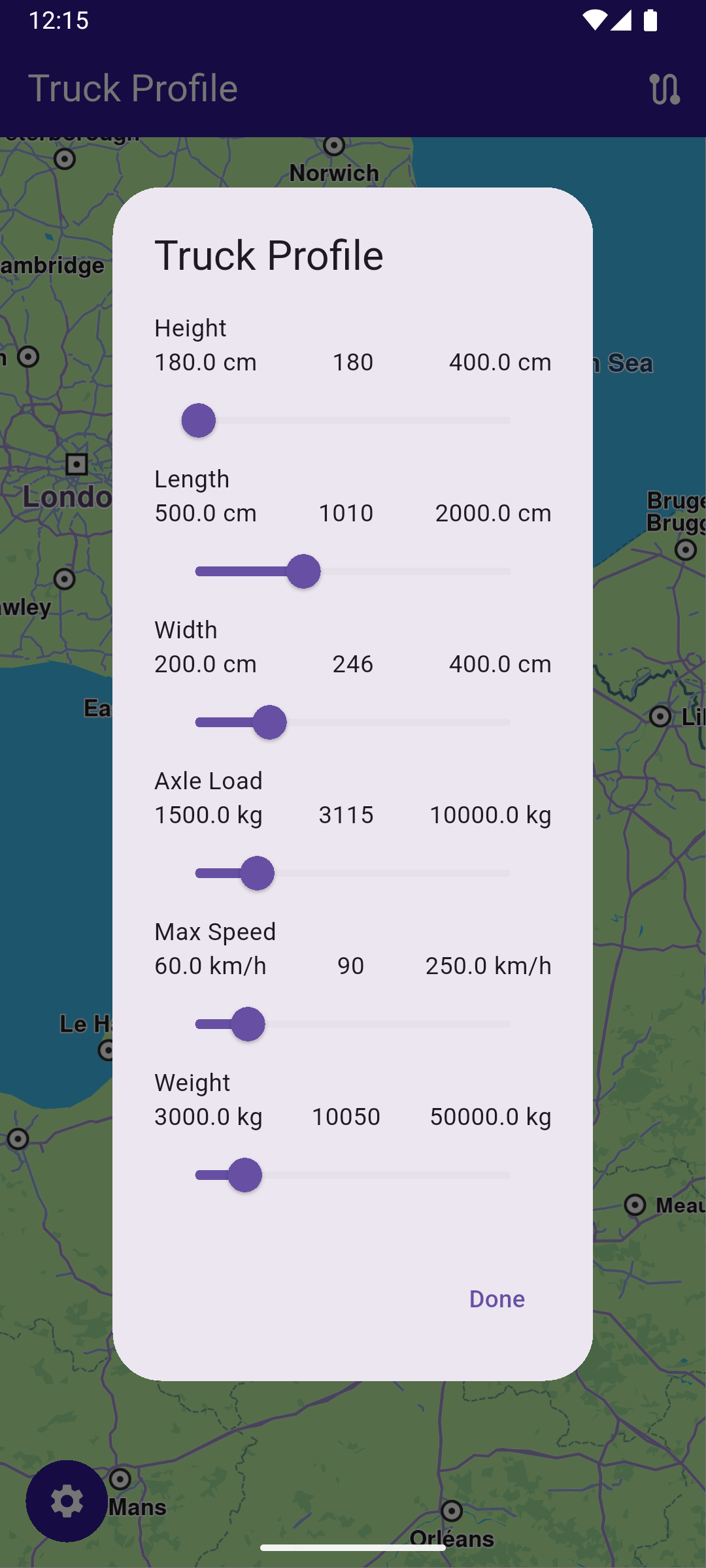
**Truck navigation settings**
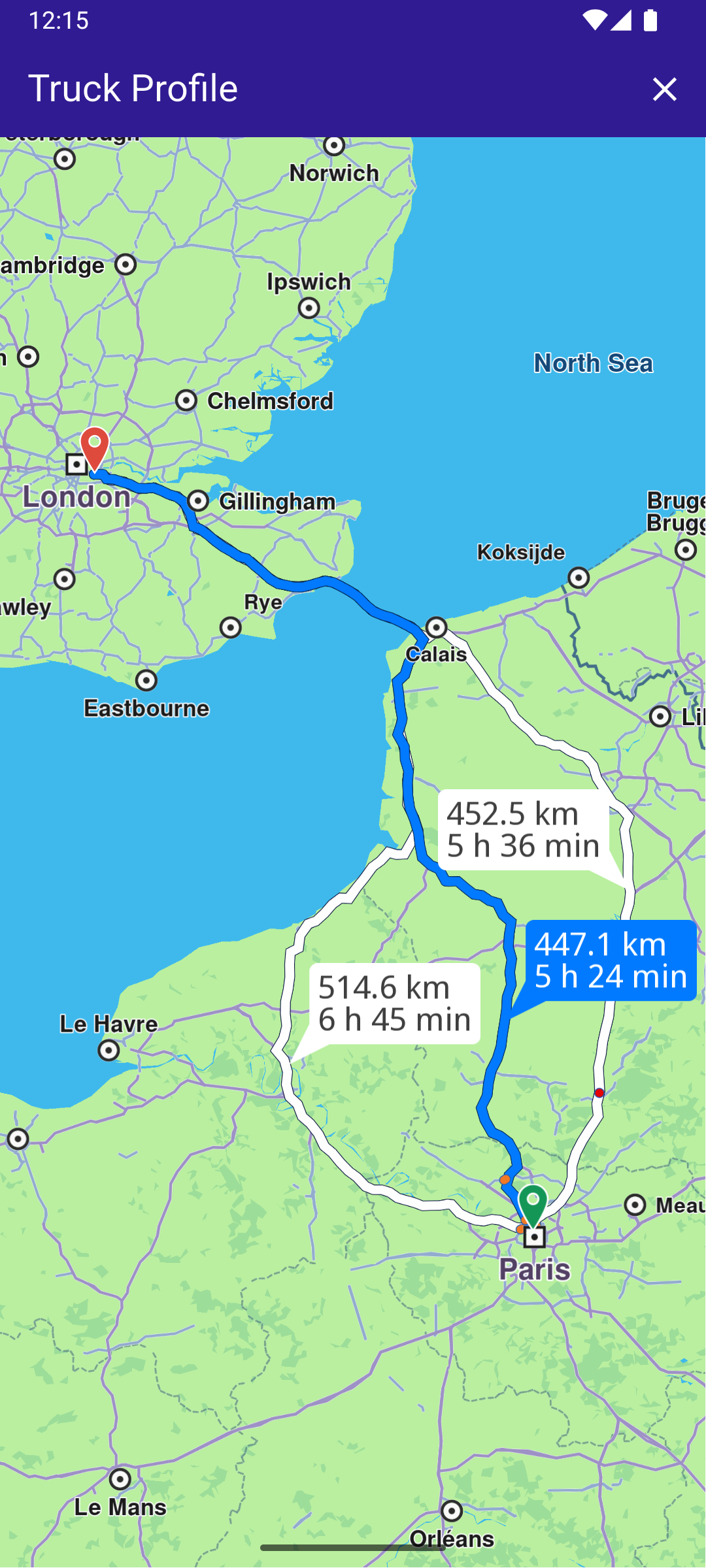
**Computed route**
### UI and Map Integration[](#ui-and-map-integration "Direct link to UI and Map Integration")
main.dart[View on Github](https://github.com/magiclane/magiclane-maps-sdk-examples-for-flutter/tree/main/truck_profile/lib/main.dart?ref_type=heads#L18)
```dart
class MyApp extends StatelessWidget {
const MyApp({super.key});
@override
Widget build(BuildContext context) {
return const MaterialApp(
debugShowCheckedModeBanner: false,
title: 'Truck Profile',
home: MyHomePage(),
);
}
}
class MyHomePage extends StatefulWidget {
const MyHomePage({super.key});
@override
State createState() => _MyHomePageState();
}
```
### Main Screen with Truck Profile[](#main-screen-with-truck-profile "Direct link to Main Screen with Truck Profile")
This code sets up the main screen with a map and functionality for modifying the truck profile and calculating routes.
main.dart[View on Github](https://github.com/magiclane/magiclane-maps-sdk-examples-for-flutter/tree/main/truck_profile/lib/main.dart?ref_type=heads#L38)
```dart
class _MyHomePageState extends State {
late GemMapController _mapController;
final TruckProfile _truckProfile = TruckProfile();
// We use the handler to cancel the route calculation.
TaskHandler? _routingHandler;
List? _routes;
@override
void dispose() {
GemKit.release();
super.dispose();
}
@override
Widget build(BuildContext context) {
return Scaffold(
appBar: AppBar(
backgroundColor: Colors.deepPurple[900],
title: const Text(
'Truck Profile',
style: TextStyle(color: Colors.white),
),
actions: [
// Routes are not built.
if (_routingHandler == null && _routes == null)
IconButton(
onPressed: () => _onBuildRouteButtonPressed(context),
icon: const Icon(Icons.route, color: Colors.white),
),
// Routes calculating is in progress.
if (_routingHandler != null)
IconButton(
onPressed: () => _onCancelRouteButtonPressed(),
icon: const Icon(Icons.stop, color: Colors.white),
),
// Routes calculating is finished.
if (_routes != null)
IconButton(
onPressed: () => _onClearRoutesButtonPressed(),
icon: const Icon(Icons.clear, color: Colors.white),
),
],
),
body: Stack(
alignment: AlignmentDirectional.bottomStart,
children: [
GemMap(
key: ValueKey("GemMap"),
onMapCreated: _onMapCreated,
appAuthorization: projectApiToken,
),
if (_routes == null)
Padding(
padding: const EdgeInsets.all(15.0),
child: Container(
decoration: BoxDecoration(
color: Colors.deepPurple[900],
shape: BoxShape.circle,
),
child: IconButton(
onPressed: () =>
showTruckProfileDialog(context, _truckProfile),
icon: Icon(Icons.settings),
color: Colors.white,
),
),
),
],
),
);
}
// The callback for when map is ready to use.
Future _onMapCreated(GemMapController controller) async {
// Save controller for further usage.
_mapController = controller;
// Register route tap gesture callback.
await _registerRouteTapCallback();
}
```
### Route Calculation[](#route-calculation "Direct link to Route Calculation")
This code handles the route calculation based on the truck’s profile and updates the UI with the calculated routes.
main.dart[View on Github](https://github.com/magiclane/magiclane-maps-sdk-examples-for-flutter/tree/main/truck_profile/lib/main.dart?ref_type=heads#L121)
```dart
void _onBuildRouteButtonPressed(BuildContext context) {
// Define the departure.
final departureLandmark = Landmark.withLatLng(
latitude: 48.87126,
longitude: 2.33787,
);
// Define the destination.
final destinationLandmark = Landmark.withLatLng(
latitude: 51.4739,
longitude: -0.0302,
);
// Define the route preferences with current truck profile.
final routePreferences = RoutePreferences(
truckProfile: _truckProfile,
transportMode:
RouteTransportMode.lorry, // <- This field is very important
);
_showSnackBar(context, message: "The route is being calculated.");
// Calling the calculateRoute SDK method.
// (err, results) - is a callback function that gets called when the route computing is finished.
// err is an error enum, results is a list of routes.
_routingHandler = RoutingService.calculateRoute(
[departureLandmark, destinationLandmark],
routePreferences,
(err, routes) {
// If the route calculation is finished, we don't have a progress listener anymore.
_routingHandler = null;
ScaffoldMessenger.of(context).clearSnackBars();
// If there aren't any errors, we display the routes.
if (err == GemError.success) {
// Get the routes collection from map preferences.
final routesMap = _mapController.preferences.routes;
// Display the routes on map.
for (final route in routes) {
routesMap.add(
route,
route == routes.first,
label: getMapLabel(route),
);
}
// Center the camera on routes.
_mapController.centerOnRoutes(routes: routes);
setState(() {
_routes = routes;
});
}
},
);
setState(() {});
}
```
warning
Version 2.26.0 introduces options for caravan routes, allowing you to specify vehicle dimensions without being limited to truck routes. The `transportMode` field is essential for distinguishing a caravan from a truck.
If `RouteTransportMode` is not set to `lorry`, the routing may direct you onto roads restricted for lorries.
### Truck Profile Modification[](#truck-profile-modification "Direct link to Truck Profile Modification")
This dialog allows users to modify the truck profile parameters and returns the updated profile.
truck\_profile\_dialog.dart[View on Github](https://github.com/magiclane/magiclane-maps-sdk-examples-for-flutter/tree/main/truck_profile/lib/truck_profile_dialog.dart?ref_type=heads#L10)
```dart
class TruckProfileDialog extends StatefulWidget {
// The truck profile data to be modified in the dialog.
final TruckProfile truckProfile;
const TruckProfileDialog({super.key, required this.truckProfile});
@override
TruckProfileDialogState createState() => TruckProfileDialogState();
}
class TruckProfileDialogState extends State {
late TruckProfile profile;
// Initializes the state of the dialog by copying the truck profile and setting initial values.
@override
void initState() {
super.initState();
profile = widget.truckProfile;
}
@override
Widget build(BuildContext context) {
return AlertDialog(
title: Text('Truck Profile'),
content: SingleChildScrollView(
child: Column(
mainAxisSize: MainAxisSize.min,
children: [
// Sliders to adjust various truck parameters.
_buildSlider(
'Height',
profile.height.toDouble() < 180 ? 180 : profile.height.toDouble(),
180,
400,
(value) {
setState(() {
profile.height = value.toInt();
});
},
"cm",
),
_buildSlider(
'Length',
profile.length.toDouble() < 500 ? 500 : profile.length.toDouble(),
500,
2000,
(value) {
setState(() {
profile.length = value.toInt();
});
},
"cm",
),
_buildSlider(
'Width',
profile.width.toDouble() < 200 ? 200 : profile.width.toDouble(),
200,
400,
(value) {
setState(() {
profile.width = value.toInt();
});
},
"cm",
),
_buildSlider(
'Axle Load',
profile.axleLoad.toDouble() < 1500
? 1500
: profile.axleLoad.toDouble(),
1500,
10000,
(value) {
setState(() {
profile.axleLoad = value.toInt();
});
},
"kg",
),
_buildSlider(
'Max Speed',
profile.maxSpeed < 60 ? 60 : profile.maxSpeed,
60,
250,
(value) {
setState(() {
profile.maxSpeed = value;
});
},
"km/h",
),
_buildSlider(
'Weight',
profile.mass.toDouble() < 3000 ? 3000 : profile.mass.toDouble(),
3000,
50000,
(value) {
setState(() {
profile.mass = value.toInt();
});
},
"kg",
),
],
),
),
actions: [
TextButton(
onPressed: () {
Navigator.of(context).pop(profile);
},
child: Text('Done'),
),
],
);
}
```