Simulate Navigation
In this guide, you will learn how to compute a route between a departure point and a destination point, render the route on an interactive map, and then simulate navigation along the route.
How it works
This example demonstrates the following features:
- Compute a route.
- Simulate navigation on route.
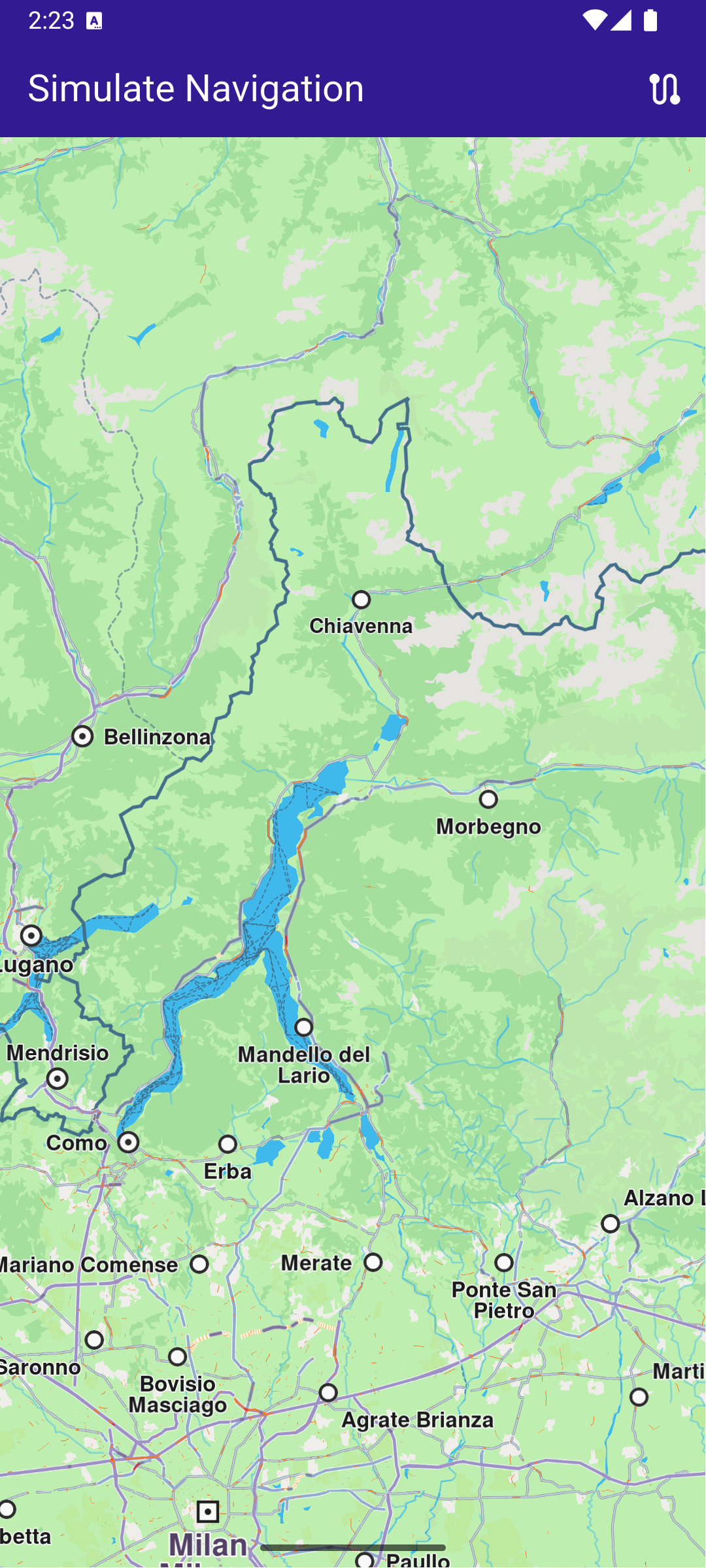
Initial map screen
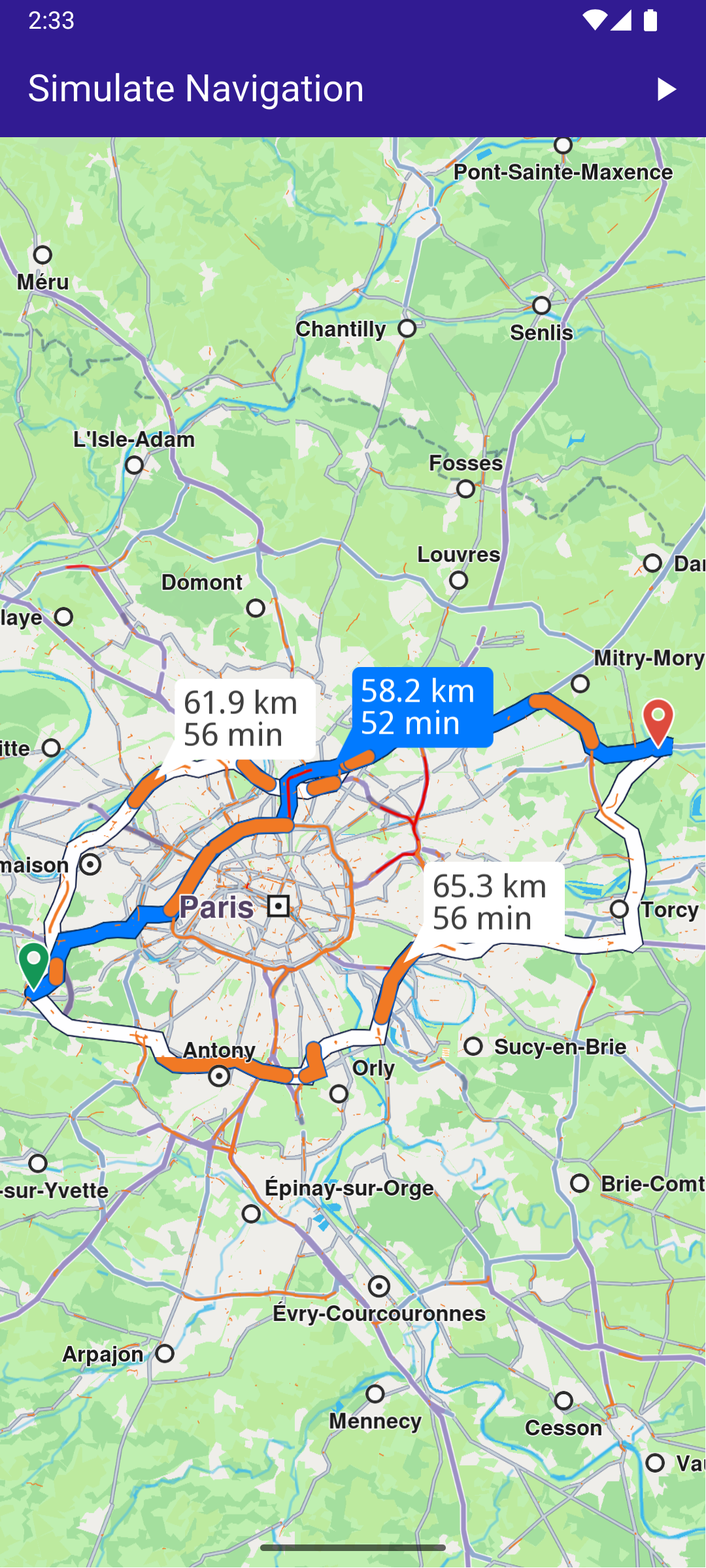
Computed route
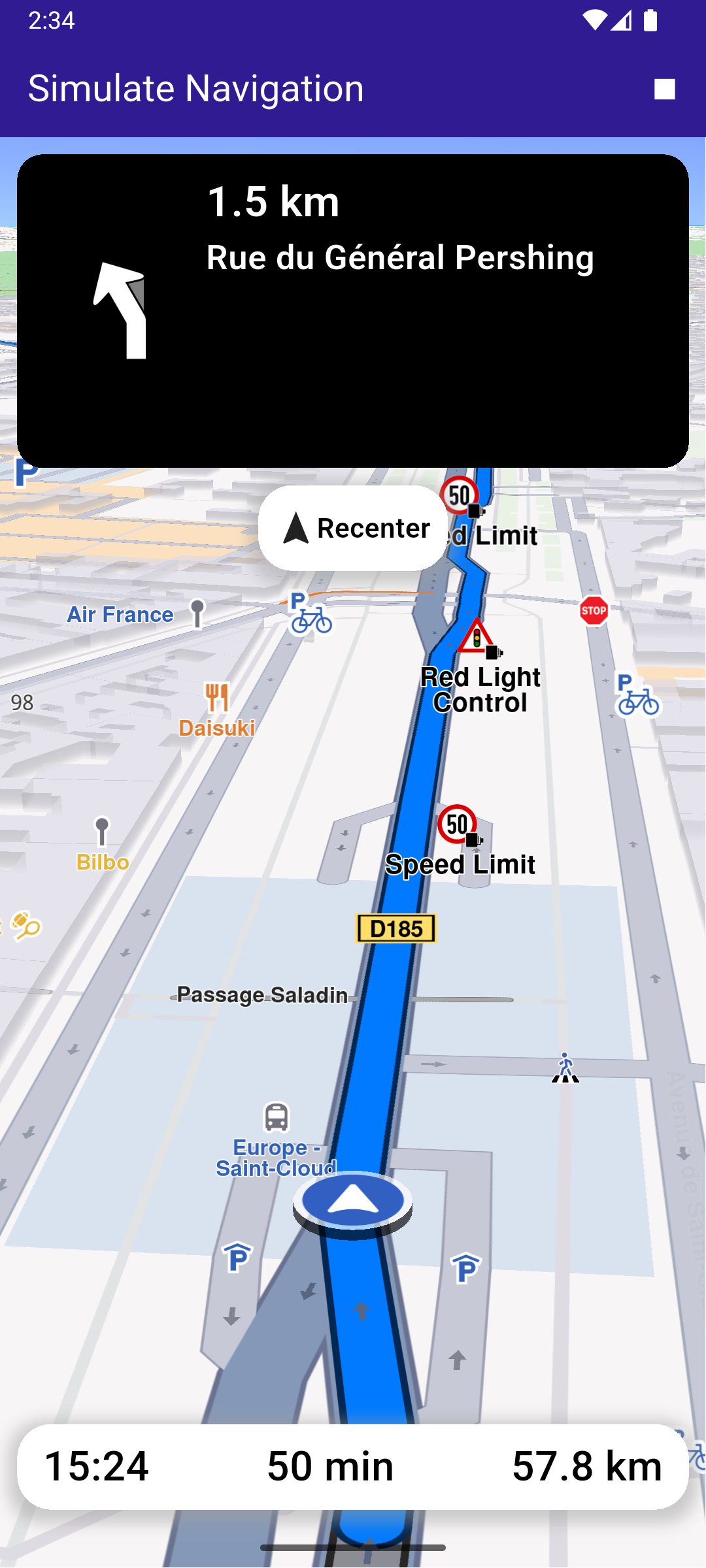
Started navigation simulation on route
Build the Main Application
Define the main application widget, MyApp.
main.dartView on Github
class MyApp extends StatelessWidget {
  const MyApp({super.key});

  @override
  Widget build(BuildContext context) {
    return const MaterialApp(
      debugShowCheckedModeBanner: false,
      title: 'Simulate Navigation',
      home: MyHomePage(),
    );
  }
}
Handle Map and Route Functionality
Create the stateful widget, MyHomePage , which will handle the map and routing functionality.
main.dartView on Github
class MyHomePage extends StatefulWidget {
  const MyHomePage({super.key});

  @override
  State<MyHomePage> createState() => _MyHomePageState();
}
Define State Variables and Methods
Within _MyHomePageState , define the necessary state variables and methods to manage the map and routing.
main.dartView on Github
class _MyHomePageState extends State<MyHomePage> {
  late GemMapController _mapController;
  late NavigationInstruction currentInstruction;

  bool _areRoutesBuilt = false;
  bool _isSimulationActive = false;

  // We use the progress listener to cancel the route calculation.
  TaskHandler? _routingHandler;

  // We use the progress listener to cancel the navigation.
  TaskHandler? _navigationHandler;

  @override
  void dispose() {
    GemKit.release();
    super.dispose();
  }

  @override
  Widget build(BuildContext context) {
    return Scaffold(
      appBar: AppBar(
        title: const Text(
          "Simulate Navigation",
          style: TextStyle(color: Colors.white),
        ),
        backgroundColor: Colors.deepPurple[900],
        actions: [
          if (!_isSimulationActive && _areRoutesBuilt)
            IconButton(
              onPressed: _startSimulation,
              icon: const Icon(Icons.play_arrow, color: Colors.white),
            ),
          if (_isSimulationActive)
            IconButton(
              onPressed: _stopSimulation,
              icon: const Icon(Icons.stop, color: Colors.white),
            ),
          if (!_areRoutesBuilt)
            IconButton(
              onPressed: () => _onBuildRouteButtonPressed(context),
              icon: const Icon(Icons.route, color: Colors.white),
            ),
        ],
      ),
      body: Stack(
        children: [
          GemMap(
            key: ValueKey("GemMap"),
            onMapCreated: _onMapCreated,
            appAuthorization: projectApiToken,
          ),
          if (_isSimulationActive)
            Positioned(
              top: 10,
              left: 10,
              child: Column(
                children: [
                  TopNavigationPanel(instruction: currentInstruction),
                  const SizedBox(height: 10),
                  FollowPositionButton(
                    onTap: () => _mapController.startFollowingPosition(),
                  ),
                ],
              ),
            ),
          if (_isSimulationActive)
            Positioned(
              bottom: MediaQuery.of(context).padding.bottom + 10,
              left: 0,
              child: BottomNavigationPanel(
                remainingDistance: getFormattedRemainingDistance(
                  currentInstruction,
                ),
                eta: getFormattedETA(currentInstruction),
                remainingDuration: getFormattedRemainingDuration(
                  currentInstruction,
                ),
              ),
            ),
        ],
      ),
      resizeToAvoidBottomInset: false,
    );
  }

  void _onMapCreated(GemMapController controller) {
    _mapController = controller;
  }

  // Custom method for calling calculate route and displaying the results.
  void _onBuildRouteButtonPressed(BuildContext context) {
    // Define the departure.
    final departureLandmark = Landmark.withLatLng(
      latitude: 48.802081763044654,
      longitude: 2.12978950646124,
    );

    // Define the destination.
    final destinationLandmark = Landmark.withLatLng(
      latitude: 48.945095985397906,
      longitude: 2.687421307353545,
    );

    // Define the route preferences.
    final routePreferences = RoutePreferences();
    _showSnackBar(context, message: 'The route is calculating.');

    // Calling the calculateRoute SDK method.
    // (err, results) - is a callback function that gets called when the route computing is finished.
    // err is an error enum, results is a list of routes.
    _routingHandler = RoutingService.calculateRoute(
      [departureLandmark, destinationLandmark],
      routePreferences,
      (err, routes) async {
        // If the route calculation is finished, we don't have a progress listener anymore.
        _routingHandler = null;

        ScaffoldMessenger.of(context).clearSnackBars();

        // If there aren't any errors, we display the routes.
        if (err == GemError.success) {
          // Get the routes collection from map preferences.
          final routesMap = _mapController.preferences.routes;

          // Display the routes on map.
          for (final route in routes) {
            routesMap.add(
              route,
              route == routes.first,
              label: getMapLabel(route),
            );
          }

          // Center the camera on routes.
          _mapController.centerOnRoutes(routes: routes);
        }
        setState(() {
          _areRoutesBuilt = true;
        });
      },
    );
  }

  // Method for starting the simulation and following the position,
  void _startSimulation() {
    final routes = _mapController.preferences.routes;

    _mapController.preferences.routes.clearAllButMainRoute();

    if (routes.mainRoute == null) {
      _showSnackBar(context, message: "No main route available");
      return;
    }

    _navigationHandler = NavigationService.startSimulation(
      routes.mainRoute!,
      onNavigationInstruction: (instruction, events) {
        setState(() {
          _isSimulationActive = true;
        });
        currentInstruction = instruction;
      },
      onError: (error) {
        // If the navigation has ended or if and error occurred while navigating, remove routes.
        setState(() {
          _isSimulationActive = false;
          _cancelRoute();
        });

        if (error != GemError.cancel) {
          _stopSimulation();
        }
        return;
      },
    );

    // Set the camera to follow position.
    _mapController.startFollowingPosition();
  }

  // Method for removing the routes from display,
  void _cancelRoute() {
    // Remove the routes from map.
    _mapController.preferences.routes.clear();

    if (_routingHandler != null) {
      // Cancel the navigation.
      RoutingService.cancelRoute(_routingHandler!);
      _routingHandler = null;
    }

    setState(() {
      _areRoutesBuilt = false;
    });
  }

  // Method to stop the simulation and remove the displayed routes,
  void _stopSimulation() {
    // Cancel the navigation.
    NavigationService.cancelNavigation(_navigationHandler);
    _navigationHandler = null;

    _cancelRoute();

    setState(() => _isSimulationActive = false);
  }

  // Method to show message in case calculate route is not finished,
  void _showSnackBar(
    BuildContext context, {
    required String message,
    Duration duration = const Duration(hours: 1),
  }) {
    final snackBar = SnackBar(content: Text(message), duration: duration);

    ScaffoldMessenger.of(context).showSnackBar(snackBar);
  }
}
Class for the Follow Position Button
Define a button that allows the user to recenter the map on their position.
main.dartView on Github
class FollowPositionButton extends StatelessWidget {
  const FollowPositionButton({super.key, required this.onTap});

  final VoidCallback onTap;

  @override
  Widget build(BuildContext context) {
    return InkWell(
      onTap: onTap,
      child: Container(
        height: 50,
        padding: const EdgeInsets.symmetric(horizontal: 10),
        decoration: BoxDecoration(
          color: Colors.white,
          borderRadius: const BorderRadius.all(Radius.circular(20)),
          boxShadow: [
            BoxShadow(
              color: Colors.grey.withValues(alpha: 0.5),
              spreadRadius: 5,
              blurRadius: 7,
              offset: const Offset(0, 3),
            ),
          ],
        ),
        child: const Row(
          mainAxisAlignment: MainAxisAlignment.spaceBetween,
          children: [
            Icon(Icons.navigation),
            Text(
              'Recenter',
              style: TextStyle(
                color: Colors.black,
                fontSize: 16,
                fontWeight: FontWeight.w600,
              ),
            ),
          ],
        ),
      ),
    );
  }
}
Top Navigation Instruction Panel
top_navigation_panel.dartView on Github
class TopNavigationPanel extends StatelessWidget {
  final NavigationInstruction instruction;

  const TopNavigationPanel({super.key, required this.instruction});

  @override
  Widget build(BuildContext context) {
    return Container(
      width: MediaQuery.of(context).size.width - 20,
      height: MediaQuery.of(context).size.height * 0.2,
      padding: const EdgeInsets.all(10),
      decoration: BoxDecoration(
        color: Colors.black,
        borderRadius: BorderRadius.circular(15),
      ),
      child: Row(
        mainAxisAlignment: MainAxisAlignment.start,
        children: [
          Container(
            padding: const EdgeInsets.all(20),
            width: 100,
            child:
                instruction.nextTurnDetails != null &&
                    instruction.nextTurnDetails!.abstractGeometryImg.isValid
                ? Image.memory(
                    instruction.nextTurnDetails!.abstractGeometryImg
                        .getRenderableImageBytes(
                          size: Size(200, 200),
                          format: ImageFileFormat.png,
                        )!,
                    gaplessPlayback: true,
                  )
                : const SizedBox(), // Empty widget
          ),
          SizedBox(
            width: MediaQuery.of(context).size.width - 150,
            child: Column(
              crossAxisAlignment: CrossAxisAlignment.start,
              mainAxisAlignment: MainAxisAlignment.start,
              children: [
                Text(
                  getFormattedDistanceToNextTurn(instruction),
                  textAlign: TextAlign.left,
                  style: const TextStyle(
                    color: Colors.white,
                    fontSize: 25,
                    fontWeight: FontWeight.w600,
                  ),
                  overflow: TextOverflow.ellipsis,
                ),
                Text(
                  instruction.nextStreetName,
                  style: const TextStyle(
                    color: Colors.white,
                    fontSize: 20,
                    fontWeight: FontWeight.w600,
                  ),
                  overflow: TextOverflow.ellipsis,
                ),
              ],
            ),
          ),
        ],
      ),
    );
  }
}