# Route Instructions
Last updated:
October 18, 2026
\| 5 minutes read
In this guide you will learn how to display a map, calculate routes between multiple points, and show detailed route instructions.
## How it Works[](#how-it-works "Direct link to How it Works")
This example demonstrates the following key features:
* Display a map.
* Compute a route and simulate navigation.
* Display real-time lane instruction images.
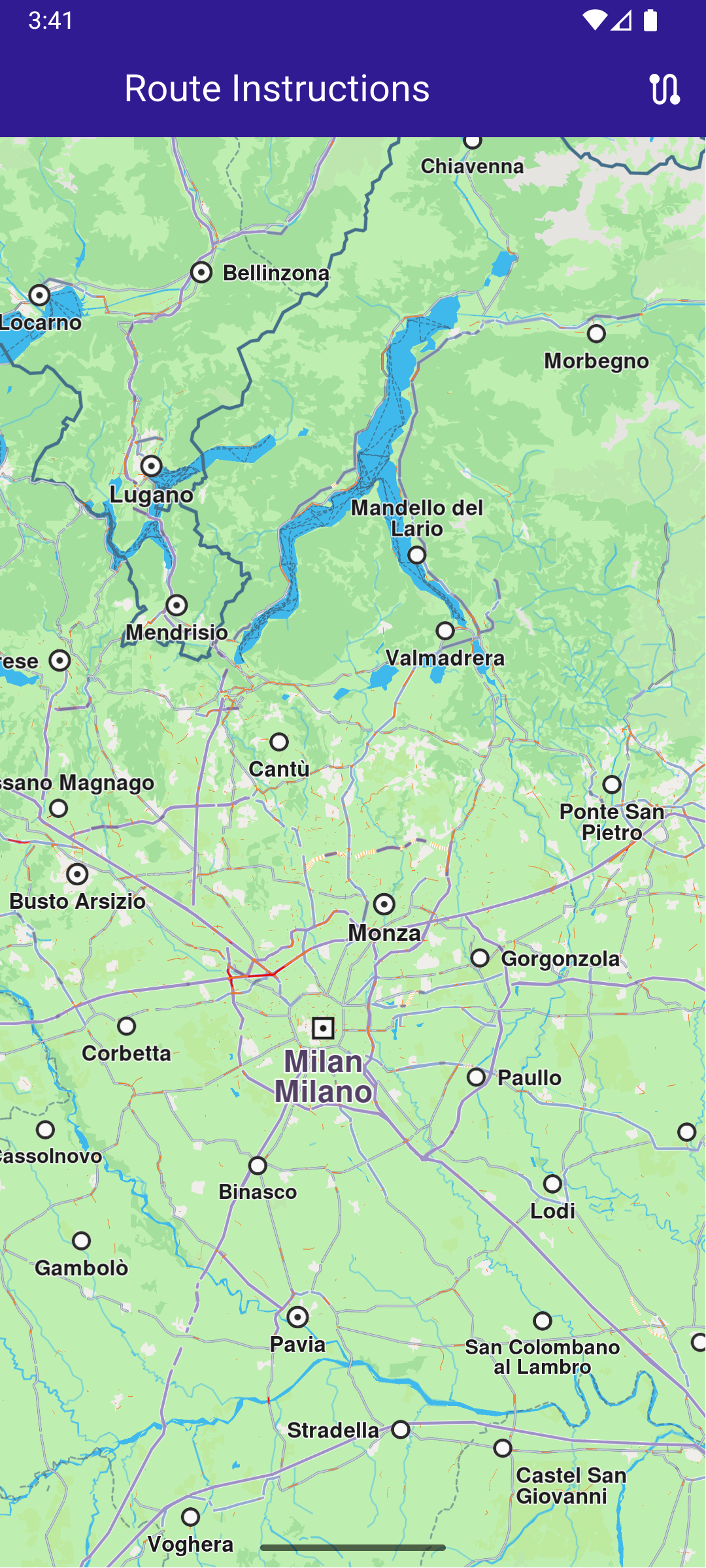
**Initial map view**
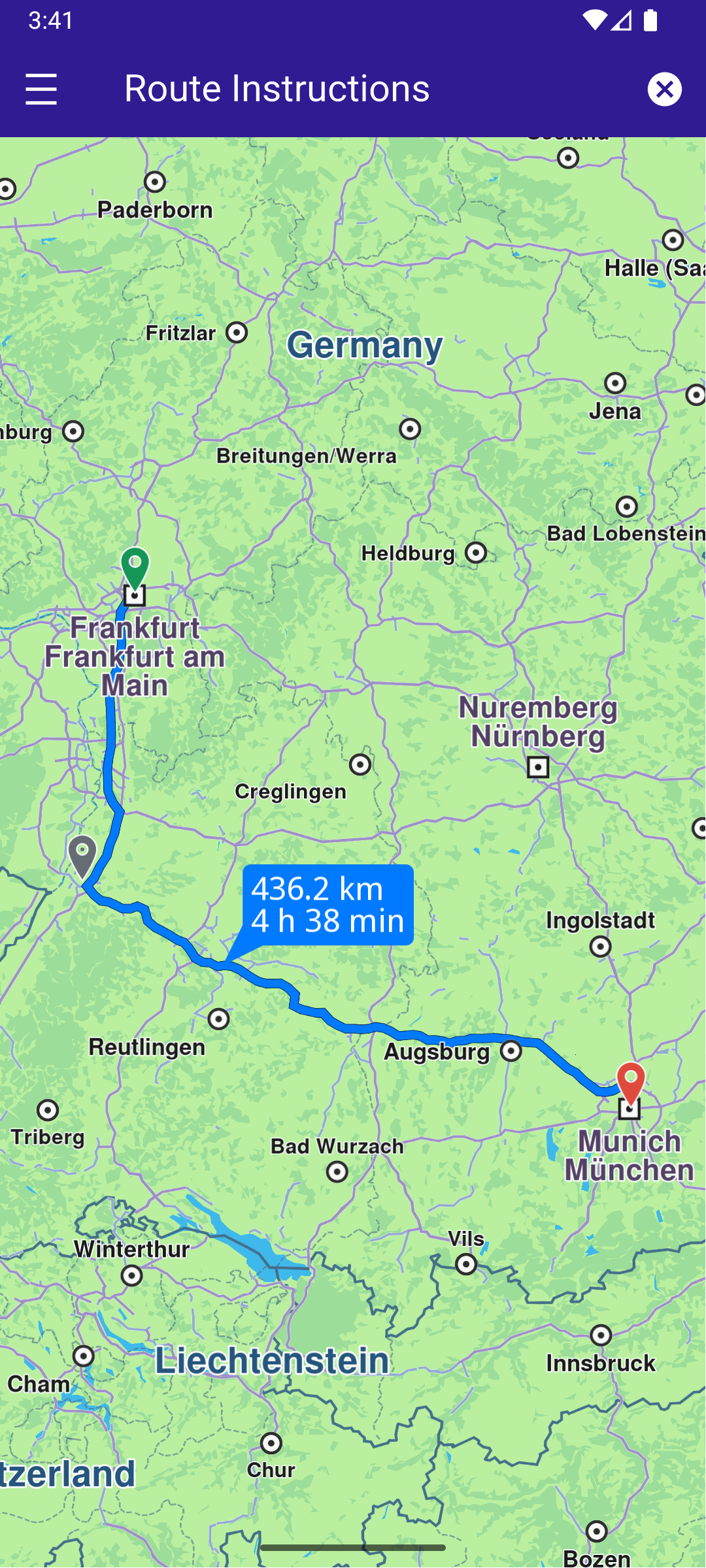
**Calculated route**
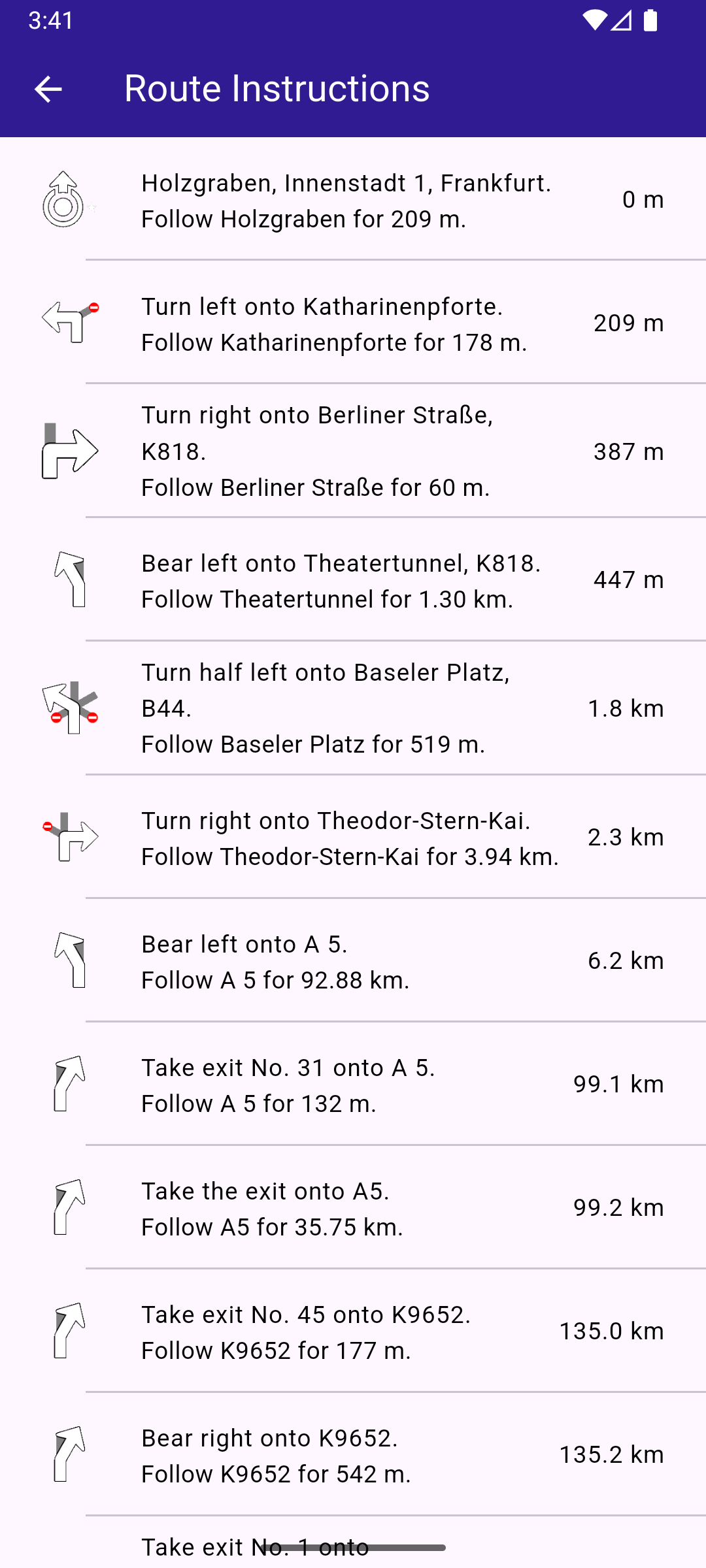
**Route instructions list**
### UI and Map Integration[](#ui-and-map-integration "Direct link to UI and Map Integration")
The following code demonstrates how to create a UI featuring a `GemMap` along with an app bar that includes a "Build Route" button and a "Route Instructions" button. Once a route is calculated, the "Route Instructions" button will appear on the left side of the app bar. Tapping this button navigates the user to a dedicated page displaying detailed route instructions.
main.dart[View on Github](https://github.com/magiclane/magiclane-maps-sdk-examples-for-flutter/tree/main/route_instructions/lib/main.dart?ref_type=heads#L15)
```dart
void main() {
runApp(const MyApp());
}
class MyApp extends StatelessWidget {
const MyApp({super.key});
@override
Widget build(BuildContext context) {
return const MaterialApp(
debugShowCheckedModeBanner: false,
title: 'Route Instructions',
home: MyHomePage(),
);
}
}
class MyHomePage extends StatefulWidget {
const MyHomePage({super.key});
@override
State createState() => _MyHomePageState();
}
class _MyHomePageState extends State {
late GemMapController _mapController;
// We use the handler to cancel the route calculation.
TaskHandler? _routingHandler;
bool _areRoutesBuilt = false;
List? instructions;
@override
void dispose() {
GemKit.release();
super.dispose();
}
@override
Widget build(BuildContext context) {
return Scaffold(
appBar: AppBar(
backgroundColor: Colors.deepPurple[900],
title: const Text(
"Route Instructions",
style: TextStyle(color: Colors.white),
),
actions: [
if (_areRoutesBuilt)
IconButton(
onPressed: _onRouteCancelButtonPressed,
icon: const Icon(Icons.cancel, color: Colors.white),
),
if (!_areRoutesBuilt)
IconButton(
onPressed: () => _onBuildRouteButtonRoute(context),
icon: const Icon(Icons.route, color: Colors.white),
),
],
leading: Row(
children: [
if (_areRoutesBuilt)
IconButton(
onPressed: _onRouteInstructionsButtonPressed,
icon: const Icon(
Icons.density_medium_sharp,
color: Colors.white,
),
),
],
),
),
body: GemMap(
key: ValueKey("GemMap"),
onMapCreated: _onMapCreated,
appAuthorization: projectApiToken,
),
);
}
// The callback for when map is ready to use.
void _onMapCreated(GemMapController controller) {
// Save controller for further usage.
_mapController = controller;
}
void _onBuildRouteButtonRoute(BuildContext context) {
// Define the departure.
final departureLandmark = Landmark.withLatLng(
latitude: 50.11428,
longitude: 8.68133,
);
// Define the intermediary point.
final intermediaryPointLandmark = Landmark.withLatLng(
latitude: 49.0069,
longitude: 8.4037,
);
// Define the destination.
final destinationLandmark = Landmark.withLatLng(
latitude: 48.1351,
longitude: 11.5820,
);
// Define the route preferences.
final routePreferences = RoutePreferences();
_showSnackBar(context, message: 'The route is calculating.');
_routingHandler = RoutingService.calculateRoute(
[departureLandmark, intermediaryPointLandmark, destinationLandmark],
routePreferences,
(err, routes) async {
// If the route calculation is finished, we don't have a progress listener anymore.
_routingHandler = null;
ScaffoldMessenger.of(context).clearSnackBars();
// If there aren't an errors, we display the routes.
if (err == GemError.success) {
// Get the routes collection from map preferences.
final routesMap = _mapController.preferences.routes;
// Display the routes on map.
for (final route in routes) {
routesMap.add(
route,
route == routes.first,
label: getMapLabel(route),
);
}
// Center the camera on routes.
_mapController.centerOnRoutes(routes: routes);
// Get the segments of the main route.
instructions = _getInstructionsFromSegments(routes.first.segments);
setState(() {
_areRoutesBuilt = true;
});
}
},
);
}
void _onRouteCancelButtonPressed() async {
// Remove the routes from map.
_mapController.preferences.routes.clear();
if (_routingHandler != null) {
// Cancel the calculation of the route.
RoutingService.cancelRoute(_routingHandler!);
_routingHandler = null;
}
// Remove the instructions.
if (instructions != null) {
instructions!.clear();
}
setState(() {
_areRoutesBuilt = false;
});
}
void _onRouteInstructionsButtonPressed() {
Navigator.of(context).push(
MaterialPageRoute(
builder: (context) =>
RouteInstructionsPage(instructionList: instructions!),
),
);
}
//Parse all segments and gather all instructions
List _getInstructionsFromSegments(
List segments,
) {
List instructionsList = [];
for (final segment in segments) {
final segmentInstructions = segment.instructions;
instructionsList.addAll(segmentInstructions);
}
return instructionsList;
}
// Method to show message in case calculate route is not finished
void _showSnackBar(
BuildContext context, {
required String message,
Duration duration = const Duration(hours: 1),
}) {
final snackBar = SnackBar(content: Text(message), duration: duration);
ScaffoldMessenger.of(context).showSnackBar(snackBar);
}
}
```
### Route Instructions Page[](#route-instructions-page "Direct link to Route Instructions Page")
The RouteInstructionsPage displays detailed route instructions. Here is the code for RouteInstructionsPage and the InstructionsItem widget.
route\_instructions\_page.dart[View on Github](https://github.com/magiclane/magiclane-maps-sdk-examples-for-flutter/tree/main/route_instructions/lib/route_instructions_page.dart?ref_type=heads#L12)
```dart
class RouteInstructionsPage extends StatefulWidget {
final List instructionList;
const RouteInstructionsPage({super.key, required this.instructionList});
@override
State createState() => _RouteInstructionsState();
}
class _RouteInstructionsState extends State {
@override
Widget build(BuildContext context) {
return Scaffold(
appBar: AppBar(
automaticallyImplyLeading: true,
title: const Text(
"Route Instructions",
style: TextStyle(color: Colors.white),
),
backgroundColor: Colors.deepPurple[900],
foregroundColor: Colors.white,
),
body: ListView.separated(
padding: EdgeInsets.zero,
itemCount: widget.instructionList.length,
separatorBuilder: (context, index) =>
const Divider(indent: 50, height: 0),
itemBuilder: (contex, index) {
final instruction = widget.instructionList.elementAt(index);
return InstructionsItem(instruction: instruction);
},
),
);
}
}
class InstructionsItem extends StatefulWidget {
final RouteInstruction instruction;
const InstructionsItem({super.key, required this.instruction});
@override
State createState() => _InstructionsItemState();
}
class _InstructionsItemState extends State {
@override
Widget build(BuildContext context) {
return ListTile(
leading: Container(
padding: const EdgeInsets.all(8),
width: 50,
child: widget.instruction.turnImg.isValid
? Image.memory(
widget.instruction.turnDetails.getAbstractGeometryImage(
renderSettings: AbstractGeometryImageRenderSettings(),
size: Size(100, 100),
)!,
)
: SizedBox(),
),
title: Text(
widget.instruction.turnInstruction,
overflow: TextOverflow.fade,
style: const TextStyle(
color: Colors.black,
fontSize: 14,
fontWeight: FontWeight.w400,
),
maxLines: 2,
),
subtitle: Text(
widget.instruction.followRoadInstruction,
overflow: TextOverflow.fade,
style: const TextStyle(
color: Colors.black,
fontSize: 14,
fontWeight: FontWeight.w400,
),
maxLines: 2,
),
trailing: Text(
getFormattedDistanceUntilInstruction(widget.instruction),
overflow: TextOverflow.fade,
style: const TextStyle(
color: Colors.black,
fontSize: 14,
fontWeight: FontWeight.w400,
),
),
);
}
}
```