# Recorder
Last updated:
October 18, 2026
\| 5 minutes read
This example demonstrates how to build a Flutter app using the Maps SDK to record and display the user's track.
## How it works[](#how-it-works "Direct link to How it works")
The example app highlights the following features:
* Initializing a map.
* Configuring the map to use live data from the device's GPS.
* Starting and stopping a recording while displaying the track on the map.
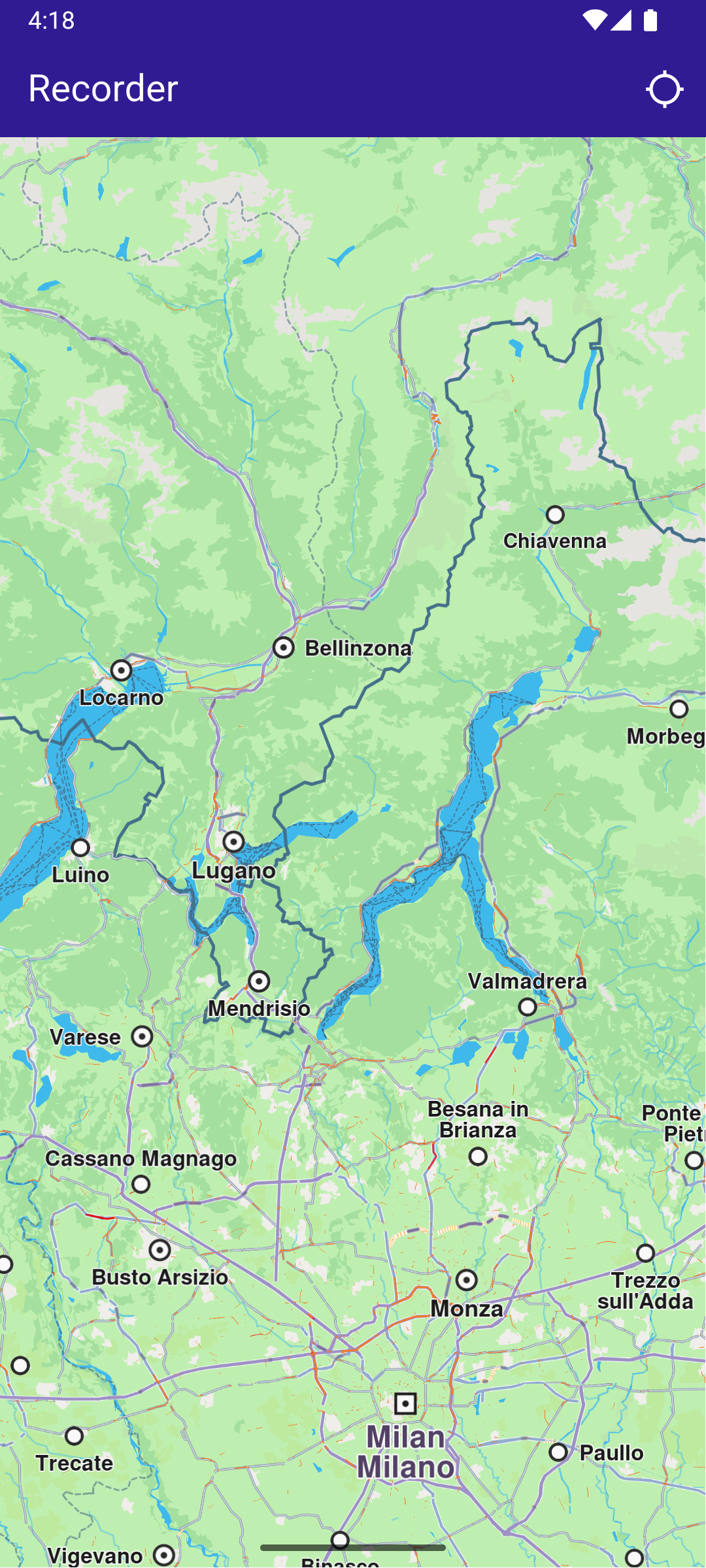
**Initial map**
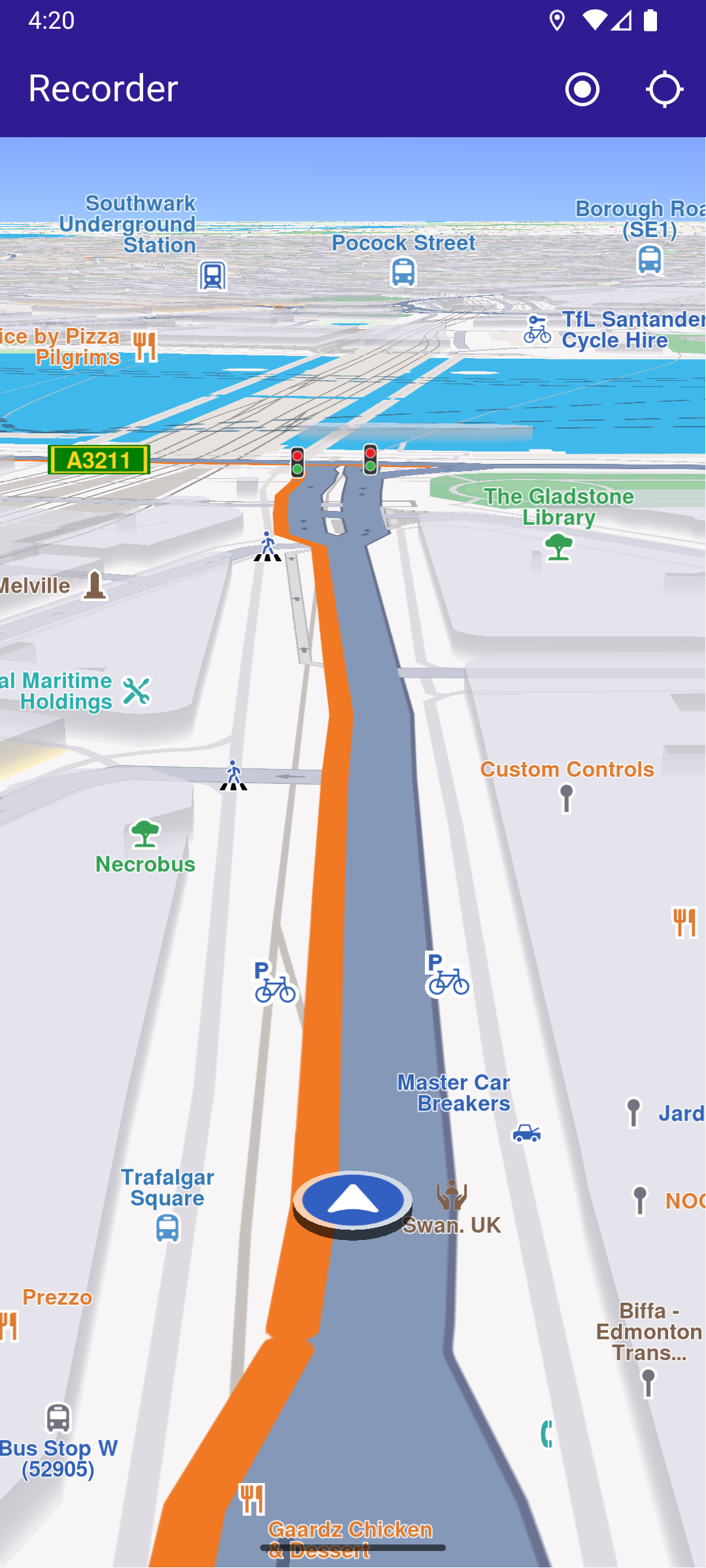
**Recording started**
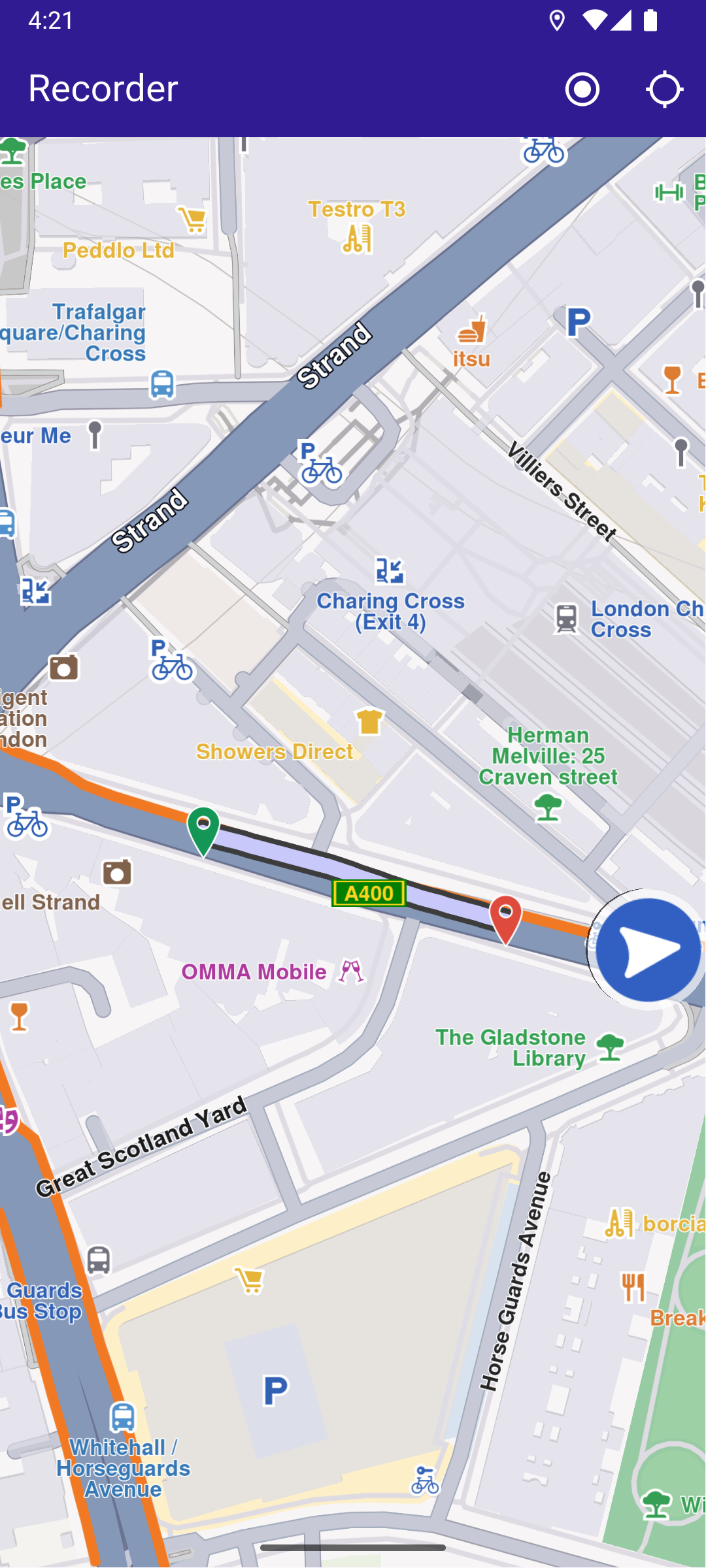
**Stopped recording**
### UI and Map Integration[](#ui-and-map-integration "Direct link to UI and Map Integration")
The following code builds the UI with a `GemMap` widget and an app bar that includes buttons for starting/stopping recording and following the user's position.
main.dart[View on Github](https://github.com/magiclane/magiclane-maps-sdk-examples-for-flutter/tree/main/recorder/lib/main.dart?ref_type=heads#L21)
```dart
class MyApp extends StatelessWidget {
const MyApp({super.key});
@override
Widget build(BuildContext context) {
return const MaterialApp(
debugShowCheckedModeBanner: false,
title: 'Recorder',
home: MyHomePage(),
);
}
}
class MyHomePage extends StatefulWidget {
const MyHomePage({super.key});
@override
State createState() => _MyHomePageState();
}
class _MyHomePageState extends State {
late GemMapController _mapController;
late Recorder _recorder;
PermissionStatus _locationPermissionStatus = PermissionStatus.denied;
bool _hasLiveDataSource = false;
bool _isRecording = false;
@override
void dispose() {
GemKit.release();
super.dispose();
}
@override
Widget build(BuildContext context) {
return Scaffold(
appBar: AppBar(
backgroundColor: Colors.deepPurple[900],
title: const Text('Recorder', style: TextStyle(color: Colors.white)),
actions: [
if (_hasLiveDataSource && _isRecording == false)
IconButton(
onPressed: _onRecordButtonPressed,
icon: Icon(Icons.radio_button_on, color: Colors.white),
),
if (_isRecording)
IconButton(
onPressed: _onStopRecordingButtonPressed,
icon: Icon(Icons.stop_circle, color: Colors.white),
),
IconButton(
onPressed: _onFollowPositionButtonPressed,
icon: const Icon(
Icons.location_searching_sharp,
color: Colors.white,
),
),
],
),
body: Stack(
children: [
GemMap(
key: ValueKey("GemMap"),
onMapCreated: (controller) => _onMapCreated(controller),
appAuthorization: projectApiToken,
),
],
),
);
}
```
### Requesting Location Permission[](#requesting-location-permission "Direct link to Requesting Location Permission")
The following code centers the camera on the user's current position if location permission is granted. Otherwise, it requests the necessary permission.
main.dart[View on Github](https://github.com/magiclane/magiclane-maps-sdk-examples-for-flutter/tree/main/recorder/lib/main.dart?ref_type=heads#L98)
```dart
Future _onFollowPositionButtonPressed() async {
if (kIsWeb) {
final locationPermssionWeb =
await PositionService.requestLocationPermission();
_locationPermissionStatus = locationPermssionWeb == true
? PermissionStatus.granted
: PermissionStatus.denied;
} else {
// Request WhenInUse permission first
final whenInUseStatus = await Permission.locationWhenInUse.request();
if (whenInUseStatus == PermissionStatus.granted) {
// Then request Always permission
_locationPermissionStatus = await Permission.locationAlways.request();
} else {
_locationPermissionStatus = whenInUseStatus; // denied or restricted
}
}
if (_locationPermissionStatus == PermissionStatus.granted) {
if (!_hasLiveDataSource) {
PositionService.setLiveDataSource();
_hasLiveDataSource = true;
}
final animation = GemAnimation(type: AnimationType.linear);
_mapController.startFollowingPosition(animation: animation);
setState(() {});
}
}
```
### Starting and Stopping Recording[](#starting-and-stopping-recording "Direct link to Starting and Stopping Recording")
main.dart[View on Github](https://github.com/magiclane/magiclane-maps-sdk-examples-for-flutter/tree/main/recorder/lib/main.dart?ref_type=heads#L130)
```dart
Future _onRecordButtonPressed() async {
// Helper function that returns path to the Tracks directory
final logsDir = await getDirectoryPath("Tracks");
final dataSource = DataSource.createLiveDataSource()!;
final config = dataSource.getConfiguration(DataType.position);
config.allowsBackgroundLocationUpdates = true;
dataSource.setConfiguration(type: DataType.position, config: config);
final recorder = Recorder.create(
RecorderConfiguration(
dataSource: dataSource,
logsDir: logsDir,
recordedTypes: [DataType.position],
minDurationSeconds: 0,
),
);
setState(() {
_isRecording = true;
_recorder = recorder;
});
await _recorder.startRecording();
// Clear displayed paths
_mapController.preferences.paths.clear();
_mapController.deactivateAllHighlights();
}
Future _onStopRecordingButtonPressed() async {
final endErr = await _recorder.stopRecording();
if (endErr == GemError.success) {
await _presentRecordedRoute();
} else {
if (mounted) {
ScaffoldMessenger.of(context).showSnackBar(
SnackBar(
content: Text('Recording failed: $endErr'),
duration: Duration(seconds: 5),
),
);
}
}
setState(() {
_isRecording = false;
});
}
```
### Presenting the Recorded Track on the Map[](#presenting-the-recorded-track-on-the-map "Direct link to Presenting the Recorded Track on the Map")
This code loads the last recorded track from device memory, retrieves the coordinates, builds a `Path` entity, and adds it to the `MapViewPathCollection`.
main.dart[View on Github](https://github.com/magiclane/magiclane-maps-sdk-examples-for-flutter/tree/main/recorder/lib/main.dart?ref_type=heads#L182)
```dart
Future _presentRecordedRoute() async {
final logsDir = await getDirectoryPath("Tracks");
// It loads all .gm and .mp4 files at logsDir
final bookmarks = RecorderBookmarks.create(logsDir);
// Get all recordings path
final logList = bookmarks?.getLogsList();
// Get the LogMetadata to obtain details about recorded session
LogMetadata? meta = bookmarks!.getLogMetadata(logList!.last);
if (meta == null) {
// Handle the case where metadata is not found
return;
}
final recorderCoordinates = meta.preciseRoute;
final duration = convertDurationMillis(meta.durationMillis);
if (recorderCoordinates.isEmpty) {
// ignore: use_build_context_synchronously
ScaffoldMessenger.of(context).showSnackBar(
SnackBar(
content: Text('No recorded coordinates.'),
duration: Duration(seconds: 5),
),
);
}
// Create a path entity from coordinates
final path = Path.fromCoordinates(recorderCoordinates);
Landmark beginLandmark = Landmark.withCoordinates(
recorderCoordinates.first,
);
Landmark endLandmark = Landmark.withCoordinates(recorderCoordinates.last);
beginLandmark.setImageFromIcon(GemIcon.waypointStart);
endLandmark.setImageFromIcon(GemIcon.waypointFinish);
HighlightRenderSettings renderSettings = HighlightRenderSettings(
options: {HighlightOptions.showLandmark},
);
_mapController.activateHighlight(
[beginLandmark, endLandmark],
renderSettings: renderSettings,
highlightId: 1,
);
// Show the path immediately after stopping recording
_mapController.preferences.paths.add(path);
// Center on recorder path
_mapController.centerOnAreaRect(
path.area,
viewRc: Rectangle(
_mapController.viewport.width ~/ 3,
_mapController.viewport.height ~/ 3,
_mapController.viewport.width ~/ 3,
_mapController.viewport.height ~/ 3,
),
);
if (mounted) {
ScaffoldMessenger.of(context).showSnackBar(
SnackBar(
content: Text('Duration: $duration'),
duration: Duration(seconds: 5),
),
);
}
}
```
### Utility Functions[](#utility-functions "Direct link to Utility Functions")
The `getDirectoryPath` function retrieves the root directory path for the app and returns the desired directory path inside the "Data" folder.
utils.dart[View on Github](https://github.com/magiclane/magiclane-maps-sdk-examples-for-flutter/tree/main/recorder/lib/utils.dart?ref_type=heads#L6)
```dart
import 'package:path_provider/path_provider.dart' as path_provider;
import 'package:path/path.dart' as path;
import 'dart:io';
Future getDirectoryPath(String dirName) async {
final docDirectory = Platform.isAndroid
? await path_provider.getExternalStorageDirectory()
: await path_provider.getApplicationDocumentsDirectory();
String absPath = docDirectory!.path;
final expectedPath = path.joinAll([absPath, "Data", dirName]);
return expectedPath;
}
// Utility function to convert the milliseconds duration into a suitable format
String convertDurationMillis(int milliseconds) {
if (milliseconds < 1000) return '$milliseconds ms';
int totalSeconds = milliseconds ~/ 1000;
int hours = totalSeconds ~/ 3600;
int minutes = (totalSeconds % 3600) ~/ 60;
int remainingSeconds = totalSeconds % 60;
String hoursText = (hours > 0) ? '$hours h ' : '';
String minutesText = (minutes > 0) ? '$minutes min ' : '';
String secondsText = '$remainingSeconds sec';
return (hoursText + minutesText + secondsText).trim();
}
```
Required Permissions
To ensure this example functions correctly, the necessary permissions must be added to the project's Android and iOS configuration files:
* Android
* iOS
Add the following code to the `android/app/src/main/AndroidManifest.xml` file, within the `` block:
```
```
This example uses the [Permission Handler](https://pub.dev/packages/permission_handler) package. Be sure to follow the [setup guide](https://pub.dev/packages/permission_handler#setup).
Add the following to `ios/Runner/Info.plist` inside the ``:
```
NSLocationWhenInUseUsageDescription
Location is needed for map localization and navigation
NSLocationAlwaysAndWhenInUseUsageDescription
Location is needed for map localization and navigation
UIBackgroundModes
location
```
This example uses the [Permission Handler](https://pub.dev/packages/permission_handler) package. Follow the [official setup instructions](https://pub.dev/packages/permission_handler#setup). Add this to your `ios/Podfile`:
```
post_install do |installer|
installer.pods_project.targets.each do |target|
flutter_additional_ios_build_settings(target)
target.build_configurations.each do |config|
config.build_settings['GCC_PREPROCESSOR_DEFINITIONS'] ||= [
'$(inherited)',
'PERMISSION_LOCATION=1',
]
end
end
end
```