# Record NMEA
Last updated:
October 18, 2026
\| 6 minutes read
This example demonstrates how to build a Flutter app using the Maps SDK to record data including NMEA Chunks and export the log as a CSV file.
warning
This example is supported only on Android, as the NMEA Chunk data type is exclusive to this platform. On iOS, a warning will be displayed, and this data type will not be available.
## How it works[](#how-it-works "Direct link to How it works")
The example app highlights the following features:
* Initializing a map.
* Configuring the map to use live data from the device's GPS.
* Specifying custom device information
* Starting and stopping a recording and exporting the log as a CSV file.
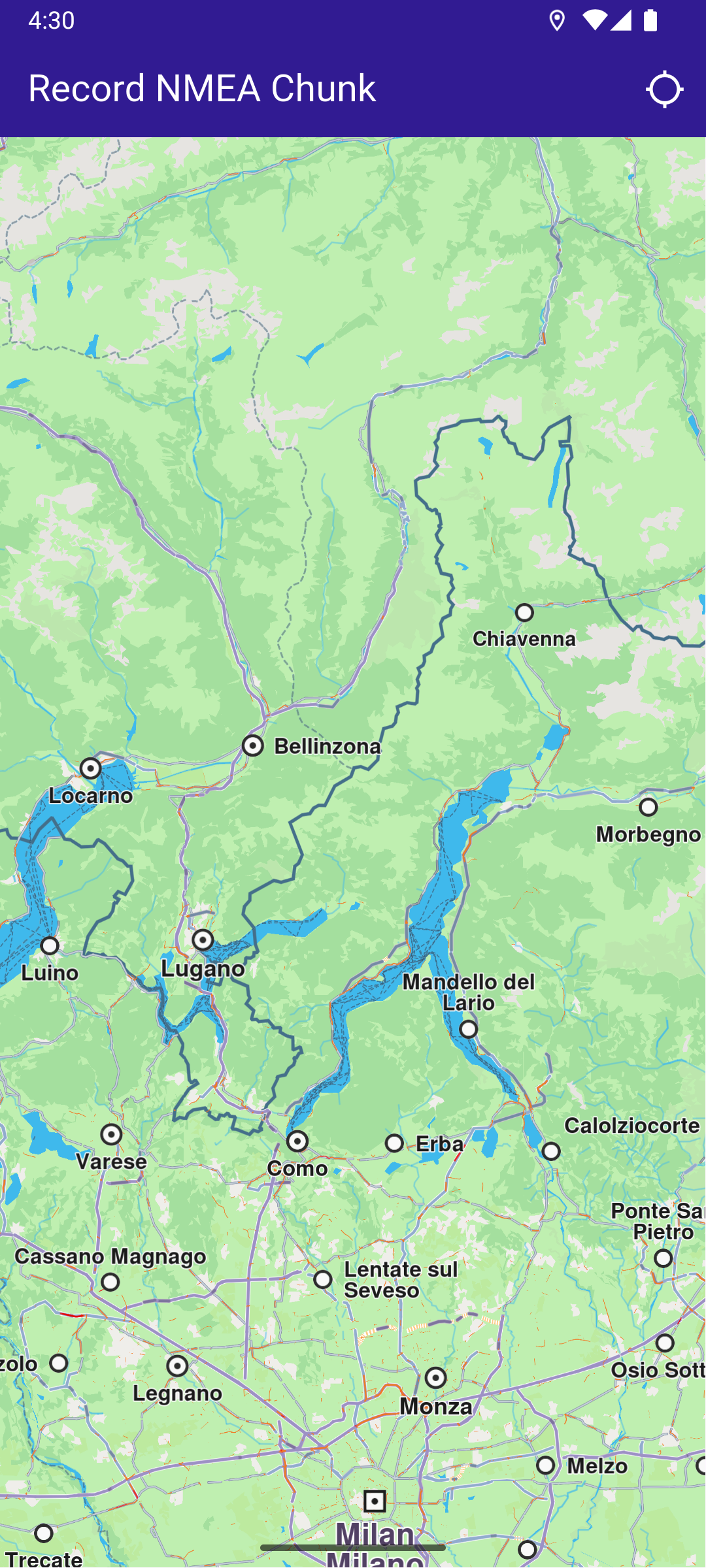
**Initial map**
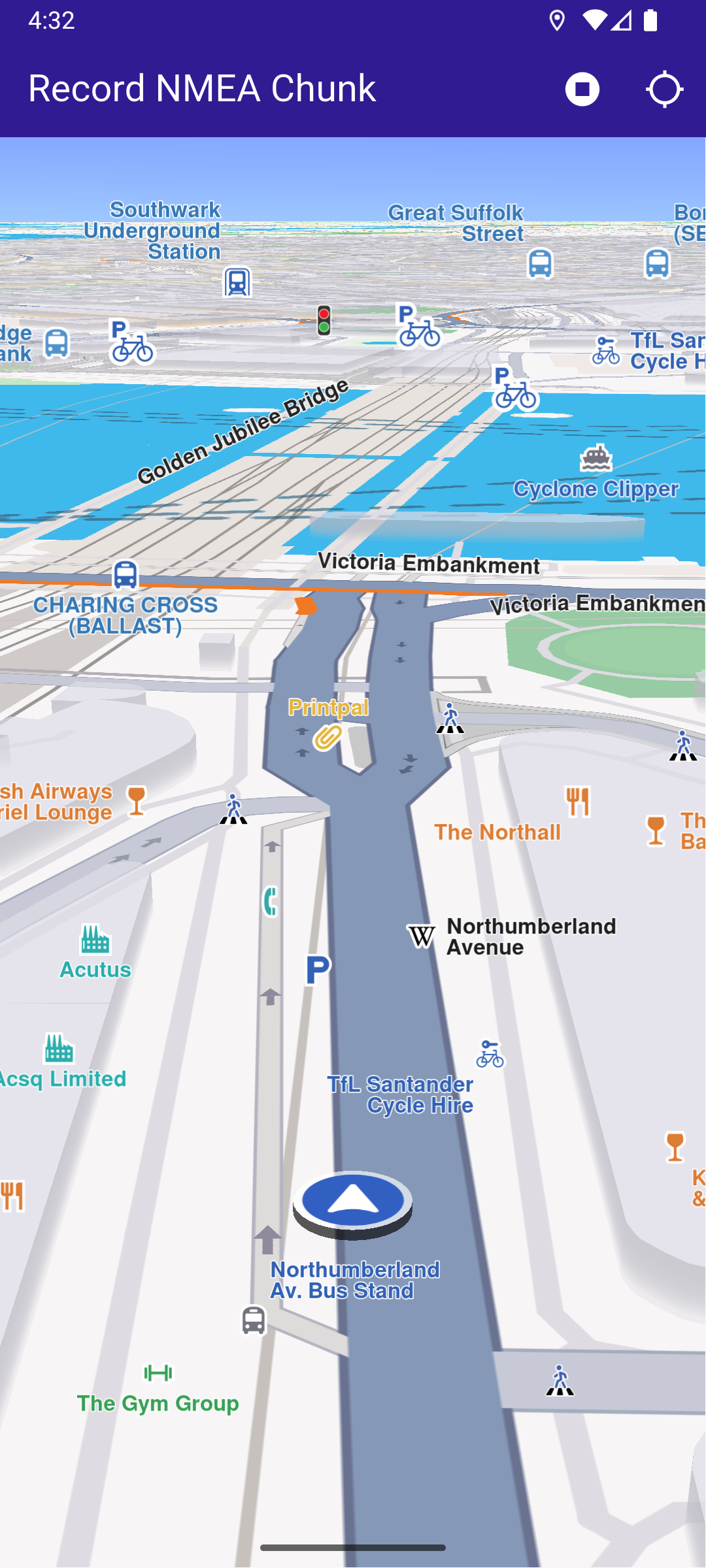
**Recording started**
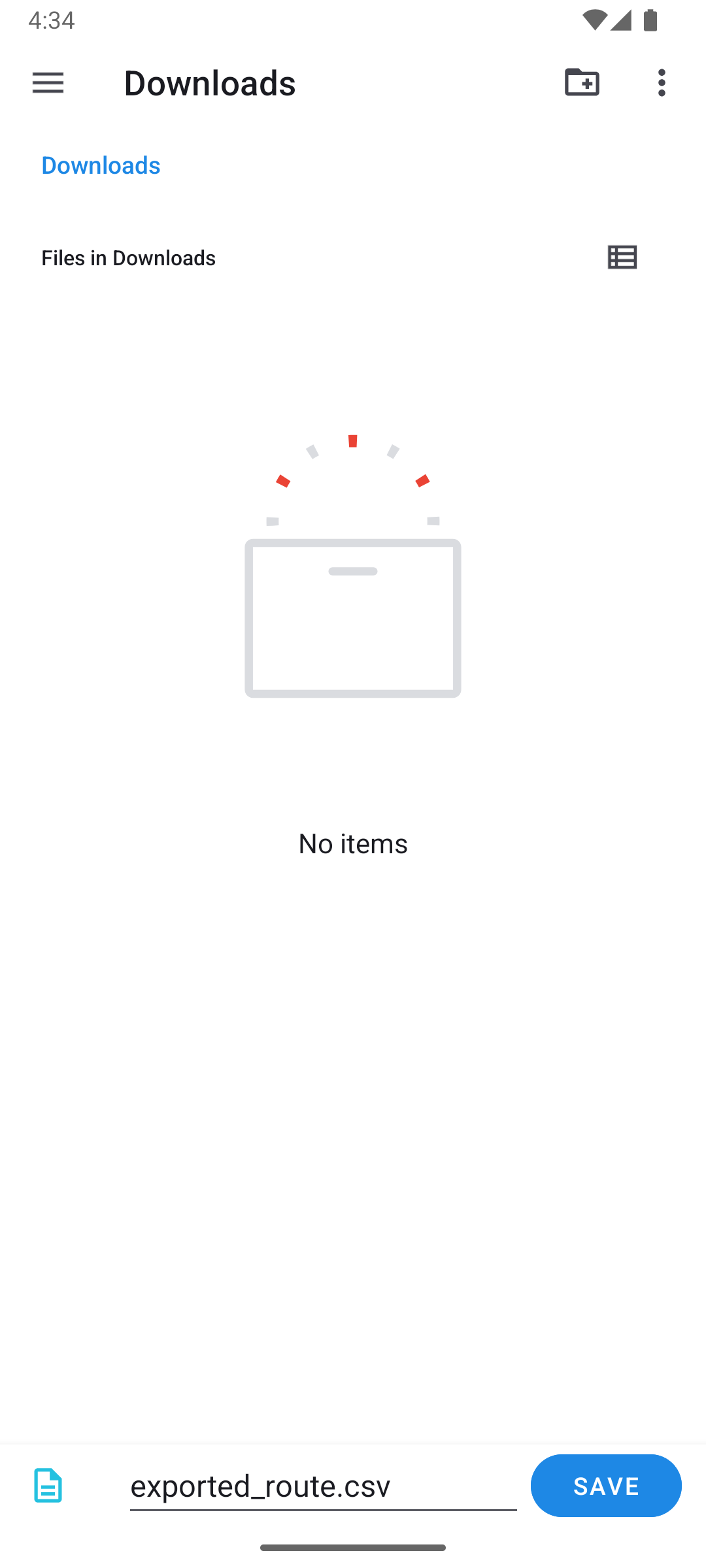
**Saving recording**
### UI and Map Integration[](#ui-and-map-integration "Direct link to UI and Map Integration")
The following code builds the UI with a `GemMap` widget and an app bar that includes buttons for starting/stopping recording and following the user's position.
main.dart[View on Github](https://github.com/magiclane/magiclane-maps-sdk-examples-for-flutter/tree/main/record_nmea/lib/main.dart?ref_type=heads#L23)
```dart
class MyApp extends StatelessWidget {
const MyApp({super.key});
@override
Widget build(BuildContext context) {
return const MaterialApp(
debugShowCheckedModeBanner: false,
title: 'Record NMEA Chunk',
home: MyHomePage(),
);
}
}
class MyHomePage extends StatefulWidget {
const MyHomePage({super.key});
@override
State createState() => _MyHomePageState();
}
class _MyHomePageState extends State {
late GemMapController _mapController;
late Recorder _recorder;
PermissionStatus _locationPermissionStatus = PermissionStatus.denied;
bool _hasLiveDataSource = false;
bool _isRecording = false;
@override
void initState() {
super.initState();
if (!Platform.isAndroid) {
WidgetsBinding.instance.addPostFrameCallback((_) {
ScaffoldMessenger.of(context).showSnackBar(
SnackBar(
content: Text(
'NMEA Chunk recording is only available on Android devices.',
),
duration: Duration(seconds: 20),
),
);
});
}
}
@override
void dispose() {
GemKit.release();
super.dispose();
}
@override
Widget build(BuildContext context) {
return Scaffold(
appBar: AppBar(
backgroundColor: Colors.deepPurple[900],
title: const Text(
'Record NMEA Chunk',
style: TextStyle(color: Colors.white),
),
actions: [
if (_hasLiveDataSource && _isRecording == false)
IconButton(
onPressed: _onRecordButtonPressed,
icon: Icon(Icons.radio_button_on, color: Colors.white),
),
if (_isRecording)
IconButton(
onPressed: _onStopRecordingButtonPressed,
icon: Icon(Icons.stop_circle, color: Colors.white),
),
IconButton(
onPressed: _onFollowPositionButtonPressed,
icon: const Icon(
Icons.location_searching_sharp,
color: Colors.white,
),
),
],
),
body: Stack(
children: [
GemMap(
key: ValueKey("GemMap"),
onMapCreated: (controller) => _onMapCreated(controller),
appAuthorization: projectApiToken,
),
],
),
);
}
```
### Requesting Location Permission[](#requesting-location-permission "Direct link to Requesting Location Permission")
The following code centers the camera on the user's current position if location permission is granted. Otherwise, it requests the necessary permission. The `Permission.manageExternalStorage` is also required for saving the exported file to a custom user location.
main.dart[View on Github](https://github.com/magiclane/magiclane-maps-sdk-examples-for-flutter/tree/main/record_nmea/lib/main.dart?ref_type=heads#L122)
```dart
Future _onFollowPositionButtonPressed() async {
if (kIsWeb) {
// On web platform permission are handled differently than other platforms.
// The SDK handles the request of permission for location.
final locationPermssionWeb =
await PositionService.requestLocationPermission();
if (locationPermssionWeb == true) {
_locationPermissionStatus = PermissionStatus.granted;
} else {
_locationPermissionStatus = PermissionStatus.denied;
}
} else {
// For Android & iOS platforms, permission_handler package is used to ask for permissions.
_locationPermissionStatus = await Permission.locationWhenInUse.request();
await Permission.manageExternalStorage.request();
}
if (_locationPermissionStatus == PermissionStatus.granted) {
// After the permission was granted, we can set the live data source (in most cases the GPS).
// The data source should be set only once, otherwise we'll get -5 error.
if (!_hasLiveDataSource) {
PositionService.setLiveDataSource();
_hasLiveDataSource = true;
}
// Optionally, we can set an animation
final animation = GemAnimation(type: AnimationType.linear);
// Calling the start following position SDK method.
_mapController.startFollowingPosition(animation: animation);
setState(() {});
}
```
### Starting and Stopping Recording[](#starting-and-stopping-recording "Direct link to Starting and Stopping Recording")
main.dart[View on Github](https://github.com/magiclane/magiclane-maps-sdk-examples-for-flutter/tree/main/record_nmea/lib/main.dart?ref_type=heads#L157)
```dart
Future _onRecordButtonPressed() async {
// Helper function that returns path to the Tracks directory
final logsDir = await getDirectoryPath("Tracks");
final dataSource = DataSource.createLiveDataSource()!;
// Add listener for NMEA Chunk
dataSource.addListener(
listener: DataSourceListener(
onNewData: (data) {
final nmeaChunk = data as NmeaChunk;
// ignore: avoid_print
print("NMEA Chunk: $nmeaChunk");
},
),
dataType: DataType.nmeaChunk,
);
final recorder = Recorder.create(
RecorderConfiguration(
hardwareSpecifications: await getDeviceInfo(),
dataSource: dataSource,
logsDir: logsDir,
recordedTypes: [DataType.position, DataType.nmeaChunk],
minDurationSeconds: 0,
),
);
setState(() {
_isRecording = true;
_recorder = recorder;
});
await _recorder.startRecording();
// Clear displayed paths
_mapController.preferences.paths.clear();
_mapController.deactivateAllHighlights();
}
Future _onStopRecordingButtonPressed() async {
final endErr = await _recorder.stopRecording();
if (endErr == GemError.success) {
await _presentRecordedNmeaData();
} else {
if (mounted) {
ScaffoldMessenger.of(context).showSnackBar(
SnackBar(
content: Text('Recording failed: $endErr'),
duration: Duration(seconds: 5),
),
);
}
}
setState(() {
_isRecording = false;
});
}
```
### Exporting the log as a CSV file[](#exporting-the-log-as-a-csv-file "Direct link to Exporting the log as a CSV file")
This code loads the last recorded track from device memory, exports the log as a CSV file and lets the user decide where to save the file. The CSV file can later be opened by the user with a specialized application.
main.dart[View on Github](https://github.com/magiclane/magiclane-maps-sdk-examples-for-flutter/tree/main/record_nmea/lib/main.dart?ref_type=heads#L218)
```dart
Future _presentRecordedNmeaData() async {
final logsDir = await getDirectoryPath("Tracks");
// It loads all .gm and .mp4 files at logsDir
final bookmarks = RecorderBookmarks.create(logsDir);
// Get all recordings path
final logList = bookmarks?.getLogsList();
// Save the log as a CSV
await _deletePreviousCsv();
final exportError = bookmarks!.exportLog(
logList!.last,
FileType.csv,
exportedFileName: "exported_route",
);
if (exportError != GemError.success) {
if (mounted) {
ScaffoldMessenger.of(context).showSnackBar(
SnackBar(
content: Text('Export failed: $exportError'),
duration: Duration(seconds: 5),
),
);
}
return;
}
final path = getCSVFilePath(logsDir, "exported_route");
// Save the file to a user accessible location
final fileData = await File(path).readAsBytes();
await fp.FilePicker.platform.saveFile(
dialogTitle: 'Save exported log as CSV',
fileName: 'exported_route.csv',
initialDirectory: "/",
allowedExtensions: ["csv"],
bytes: fileData,
);
}
Future _deletePreviousCsv() async {
final logsDir = await getDirectoryPath("Tracks");
final path = getCSVFilePath(logsDir, "exported_route");
final file = File(path);
if (file.existsSync()) {
file.delete();
}
}
```
### Provide Device Information[](#provide-device-information "Direct link to Provide Device Information")
The `device_info_plus` package can be used to get hardware details about the device. Other packages (such as `battery_plus`) can be used to get more hardware details. Populate the map as needed. This map can be used within the `RecorderConfiguration` class passed to the `Recorder`.
utils.dart[View on Github](https://github.com/magiclane/magiclane-maps-sdk-examples-for-flutter/tree/main/record_nmea/lib/utils.dart?ref_type=heads#L43)
```dart
Future> getDeviceInfo() async {
DeviceInfoPlugin deviceInfo = DeviceInfoPlugin();
if (Platform.isAndroid) {
AndroidDeviceInfo androidInfo = await deviceInfo.androidInfo;
return {
HardwareSpecification.manufacturer: androidInfo.manufacturer,
HardwareSpecification.osVersion: androidInfo.version.release,
HardwareSpecification.totalRAM: androidInfo.physicalRamSize.toString(),
HardwareSpecification.freeRAM: androidInfo.availableRamSize.toString(),
HardwareSpecification.supportedABIs: androidInfo.supportedAbis.toString(),
};
}
if (Platform.isIOS) {
IosDeviceInfo iosInfo = await deviceInfo.iosInfo;
return {
HardwareSpecification.manufacturer: "Apple",
HardwareSpecification.osVersion: iosInfo.systemVersion,
HardwareSpecification.deviceModel: iosInfo.utsname.machine,
};
}
return {};
}
```
### Utility Functions[](#utility-functions "Direct link to Utility Functions")
The `getDirectoryPath` function retrieves the root directory path for the app and returns the desired directory path inside the "Data" folder.
utils.dart[View on Github](https://github.com/magiclane/magiclane-maps-sdk-examples-for-flutter/tree/main/record_nmea/lib/utils.dart?ref_type=heads#L8)
```dart
import 'package:path_provider/path_provider.dart' as path_provider;
import 'package:path/path.dart' as path;
import 'dart:io';
Future getDirectoryPath(String dirName) async {
final docDirectory = Platform.isAndroid
? await path_provider.getExternalStorageDirectory()
: await path_provider.getApplicationDocumentsDirectory();
String absPath = docDirectory!.path;
final expectedPath = path.joinAll([absPath, "Data", dirName]);
return expectedPath;
}
// Utility function to convert the seconds duration into a suitable format
String convertDuration(int seconds) {
int hours = seconds ~/ 3600;
int minutes = (seconds % 3600) ~/ 60;
int remainingSeconds = seconds % 60;
String hoursText = (hours > 0) ? '$hours h ' : '';
String minutesText = (minutes > 0) ? '$minutes min ' : '';
String secondsText = (hours == 0 && minutes == 0)
? '$remainingSeconds sec'
: '';
return (hoursText + minutesText + secondsText).trim();
}
```
Required Permissions
To ensure this example functions correctly, the necessary permissions must be added to the project's Android and iOS configuration files:
* Android
Add the following code to the `android/app/src/main/AndroidManifest.xml` file, within the `` block:
```
```
This example uses the [Permission Handler](https://pub.dev/packages/permission_handler) package. Be sure to follow the [setup guide](https://pub.dev/packages/permission_handler#setup).