# Navigate Route
Last updated:
October 18, 2026
\| 7 minutes read
In this guide, you will learn how to compute a route between a departure point and a destination point, render the route on an interactive map, and then navigate along the route.
## How it works[](#how-it-works "Direct link to How it works")
This example demonstrates the following features:
* Compute routes between a departure and destination.
* Display routes on a map and allow for multiple route alternatives.
* Begin turn-by-turn navigation along the selected route with real-time positioning.
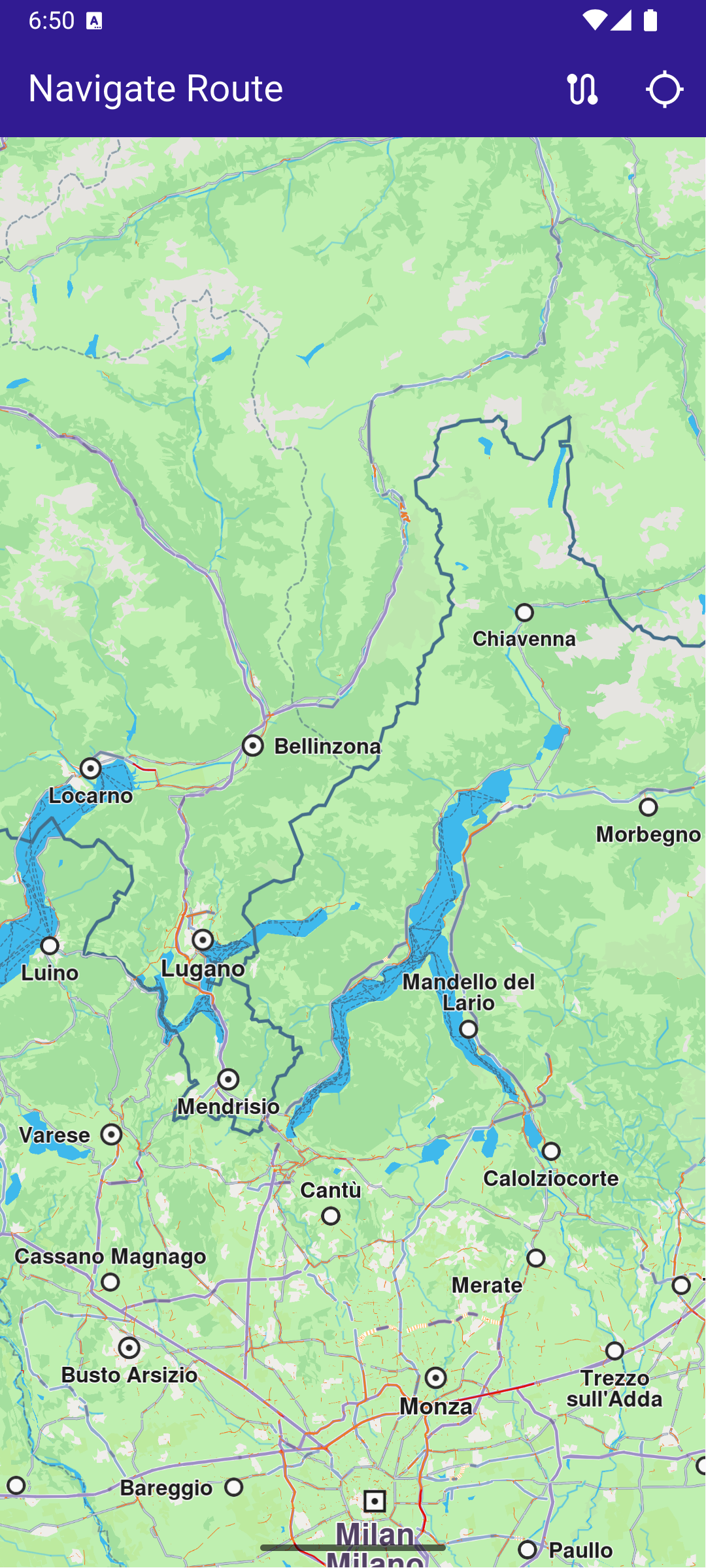
**Initial map view**
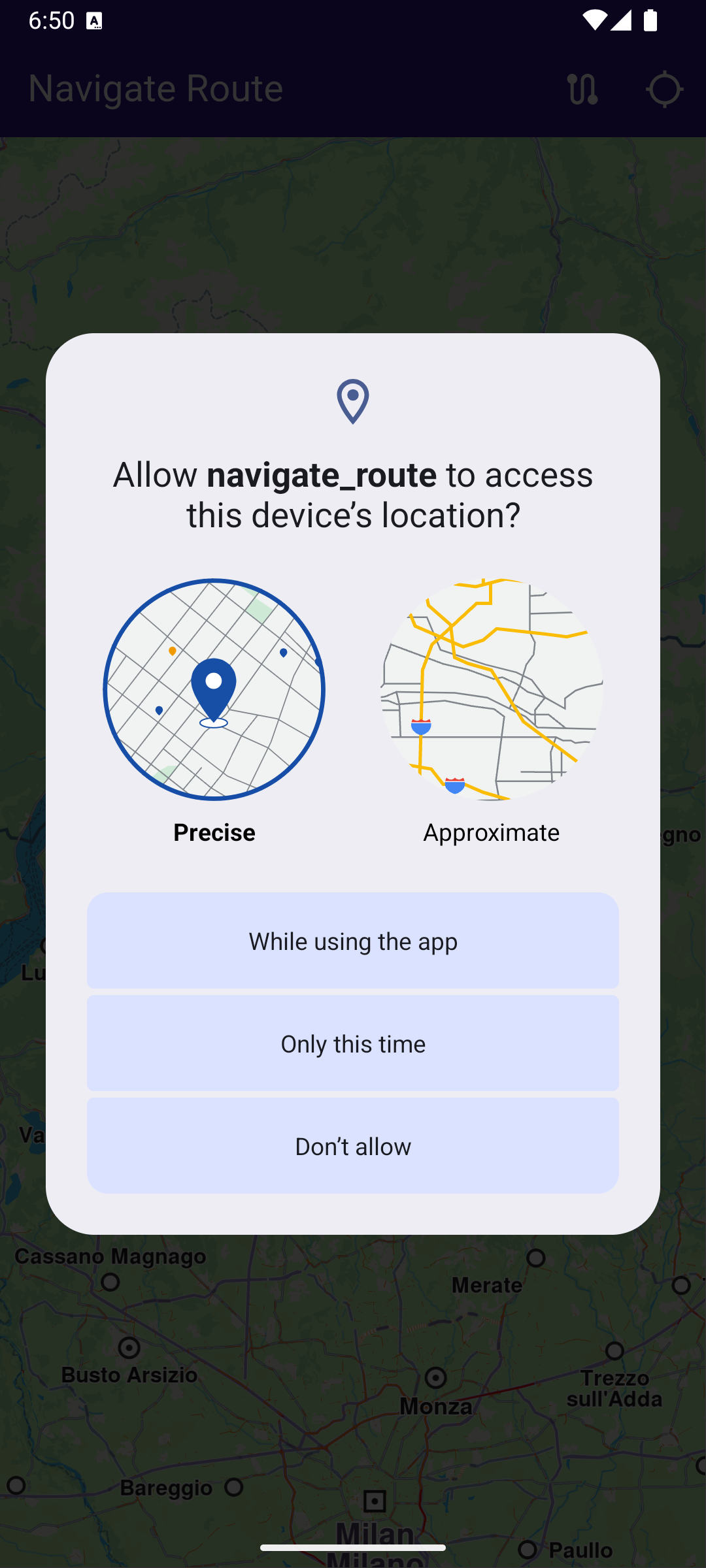
**Location permission dialog**
### Map Initialization[](#map-initialization "Direct link to Map Initialization")
This callback function is called when the interactive map is initialized and ready to use.
main.dart[View on Github](https://github.com/magiclane/magiclane-maps-sdk-examples-for-flutter/tree/main/navigate_route/lib/main.dart?ref_type=heads#L145)
```dart
void _onMapCreated(GemMapController controller) {
// Save controller for further usage.
_mapController = controller;
}
```
### Building the Route[](#building-the-route "Direct link to Building the Route")
main.dart[View on Github](https://github.com/magiclane/magiclane-maps-sdk-examples-for-flutter/tree/main/navigate_route/lib/main.dart?ref_type=heads#L150)
```dart
void _onBuildRouteButtonPressed(BuildContext context) {
if (_currentLocation == null) {
_showSnackBar(
context,
message: 'Current location is needed to compute the route.',
duration: const Duration(seconds: 3),
);
return;
}
// Define the departure
final departureLandmark = Landmark.withCoordinates(_currentLocation!);
// Define the destination.
final destinationLandmark = Landmark.withLatLng(
latitude: 52.51614,
longitude: 13.37748,
);
// Define the route preferences.
final routePreferences = RoutePreferences();
_showSnackBar(context, message: 'The route is calculating.');
// Calling the calculateRoute SDK method.
// (err, results) - is a callback function that gets called when the route computing is finished.
// err is an error enum, results is a list of routes.
_routingHandler = RoutingService.calculateRoute(
[departureLandmark, destinationLandmark],
routePreferences,
(err, routes) {
// If the route calculation is finished, we don't have a progress listener anymore.
_routingHandler = null;
ScaffoldMessenger.of(context).clearSnackBars();
if (err == GemError.routeTooLong) {
print(
'The destination is too far from your current location. Change the coordinates of the destination.',
);
return;
}
// If there aren't any errors, we display the routes.
if (err == GemError.success) {
// Get the routes collection from map preferences.
final routesMap = _mapController.preferences.routes;
// Display the routes on map.
for (final route in routes) {
routesMap.add(
route,
route == routes.first,
label: getMapLabel(route),
);
}
// Center the camera on routes.
_mapController.centerOnRoutes(routes: routes);
setState(() {
_areRoutesBuilt = true;
});
}
},
);
}
void _startNavigation() {
final routes = _mapController.preferences.routes;
if (routes.mainRoute == null) {
_showSnackBar(context, message: "No main route available");
return;
}
_navigationHandler = NavigationService.startSimulation(
routes.mainRoute!,
onNavigationInstruction: (instruction, events) {
setState(() {
_isNavigationActive = true;
});
currentInstruction = instruction;
},
onError: (error) {
// If the navigation has ended or if and error occurred while navigating, remove routes.
setState(() {
_isNavigationActive = false;
_cancelRoute();
});
if (error != GemError.cancel) {
_stopNavigation();
}
return;
},
);
// Set the camera to follow position.
_mapController.startFollowingPosition();
}
void _cancelRoute() {
// Remove the routes from map.
_mapController.preferences.routes.clear();
if (_routingHandler != null) {
// Cancel the calculation of the route.
RoutingService.cancelRoute(_routingHandler!);
_routingHandler = null;
}
setState(() {
_areRoutesBuilt = false;
});
}
```
When the route button in the upper right corner is pressed, a route is computed from the current position to a preset location in Europe.
A route must have at least two waypoints, one for the departure, and one for the destination. Optionally, zero or more intermediate waypoints may be specified through which the route will pass, in order from departure to destination.
Each waypoint is a Landmark and has latitude and longitude coordinates. In this case, the current location is obtained and set in the departure landmark waypoint:
```text
final departureLandmark = Landmark.withCoordinates(_currentLocation!);
```
and the destination is set to preset coordinates:
```text
final destinationLandmark = Landmark.withLatLng(latitude: 52.51614, longitude: 13.37748);
```
then the route is calculated:
```text
RoutingService.calculateRoute()
```
If there are no errors, the list of resulting routes (as there may be a few alternatives) is added to the map:
```text
routesMap.add()
```
The first resulting route is auto-selected as the main route, and then the map is centered on the resulting routes, such that they fit in the viewport:
```text
_mapController.centerOnRoutes(routes);
```
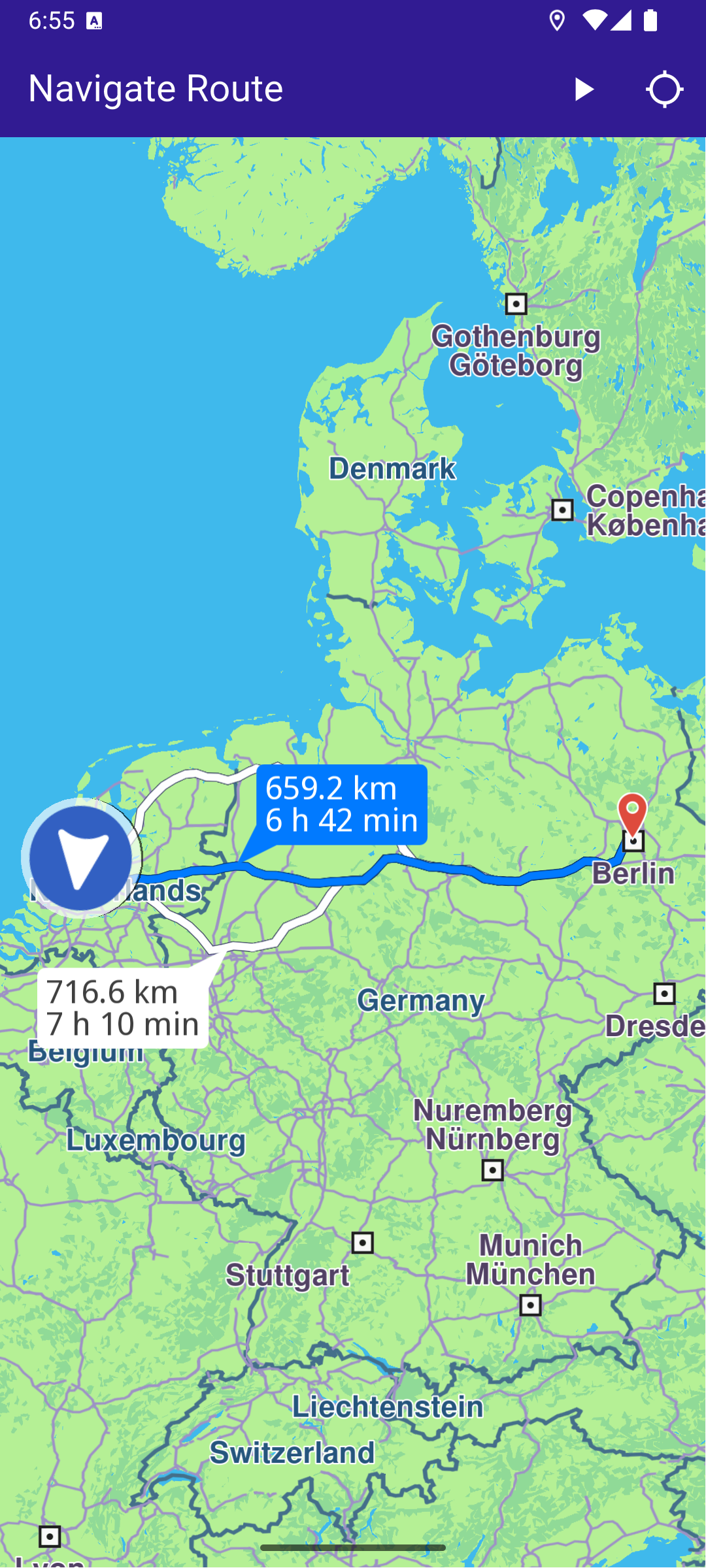
**Computed route displayed**
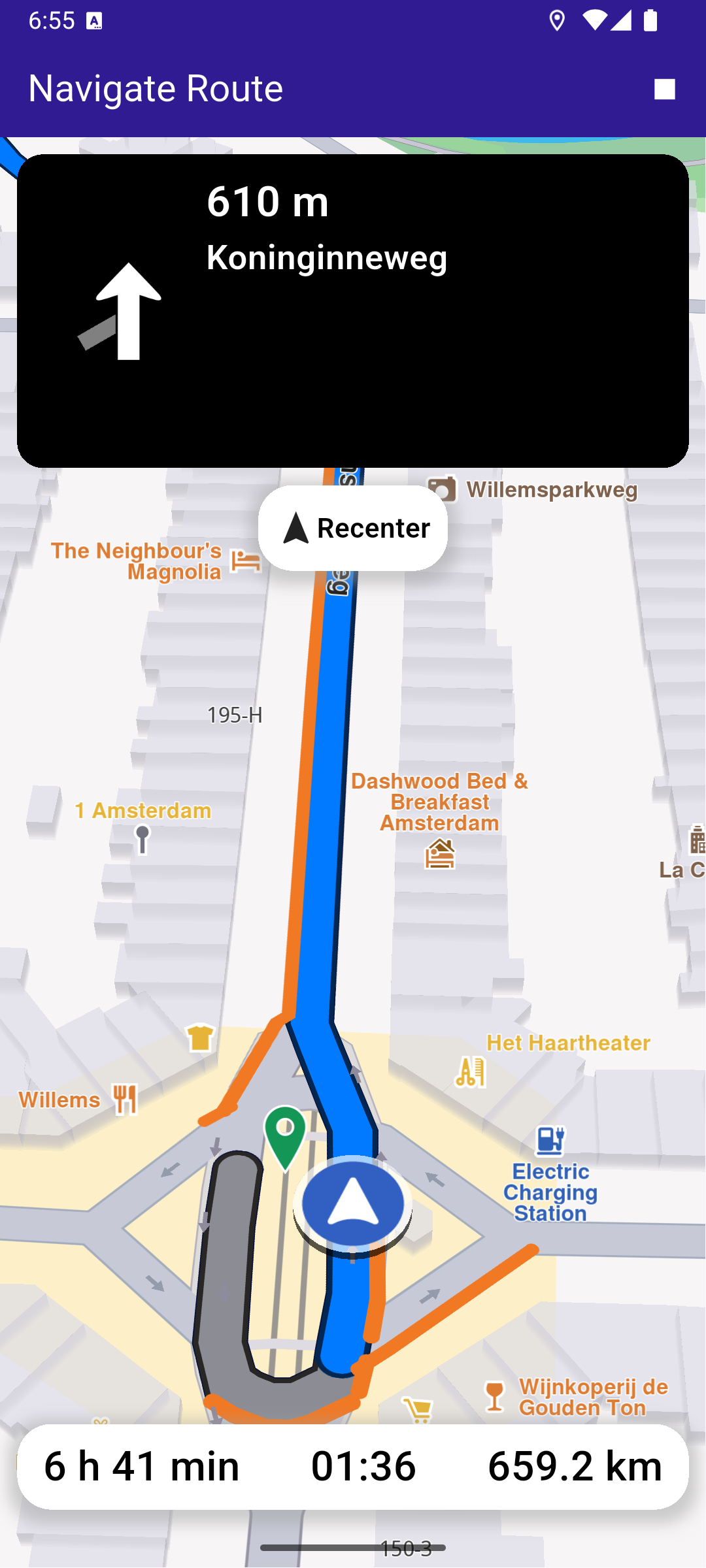
**Route navigation started**
### Starting Navigation[](#starting-navigation "Direct link to Starting Navigation")
Once a route is computed, tapping the play button in the upper right starts navigation on the selected route.
main.dart[View on Github](https://github.com/magiclane/magiclane-maps-sdk-examples-for-flutter/tree/main/navigate_route/lib/main.dart?ref_type=heads#L216)
```dart
void _startNavigation() {
final routes = _mapController.preferences.routes;
if (routes.mainRoute == null) {
_showSnackBar(context, message: "No main route available");
return;
}
_navigationHandler = NavigationService.startSimulation(
routes.mainRoute!,
onNavigationInstruction: (instruction, events) {
setState(() {
_isNavigationActive = true;
});
currentInstruction = instruction;
},
onError: (error) {
// If the navigation has ended or if and error occurred while navigating, remove routes.
setState(() {
_isNavigationActive = false;
_cancelRoute();
});
if (error != GemError.cancel) {
_stopNavigation();
}
return;
},
);
// Set the camera to follow position.
_mapController.startFollowingPosition();
}
```
### Following the Position[](#following-the-position "Direct link to Following the Position")
main.dart[View on Github](https://github.com/magiclane/magiclane-maps-sdk-examples-for-flutter/tree/main/navigate_route/lib/main.dart?ref_type=heads#L275)
```dart
void _onFollowPositionButtonPressed() async {
if (kIsWeb) {
// On web platform permission are handled differently than other platforms.
// The SDK handles the request of permission for location.
final locationPermssionWeb =
await PositionService.requestLocationPermission();
if (locationPermssionWeb == true) {
_locationPermissionStatus = PermissionStatus.granted;
} else {
_locationPermissionStatus = PermissionStatus.denied;
}
} else {
// For Android & iOS platforms, permission_handler package is used to ask for permissions.
_locationPermissionStatus = await Permission.locationWhenInUse.request();
}
if (_locationPermissionStatus == PermissionStatus.granted) {
// After the permission was granted, we can set the live data source (in most cases the GPS).
// The data source should be set only once, otherwise we'll get -5 error.
if (!_hasLiveDataSource) {
PositionService.setLiveDataSource();
_getCurrentLocation();
_hasLiveDataSource = true;
}
// After data source is set, startFollowingPosition can be safely called.
// Optionally, we can set an animation
final animation = GemAnimation(type: AnimationType.linear);
// Calling the start following position SDK method.
_mapController.startFollowingPosition(animation: animation);
}
setState(() {});
```
Follow position means the camera tracks the position of the phone/device, indicated by an arrow moving along the route on the map.
```dart
_mapController.startFollowingPosition();
```
Note that if location (GPS sensor) permission was not previously granted, the app will ask for location permission from the user, as this is required for navigation.
```dart
_locationPermissionStatus = await Permission.locationWhenInUse.request();
```
Once permission is granted by the user, it is possible to set the location (GPS sensor) as the data source for the phone/device position on the map:
```dart
PositionService.setLiveDataSource();
```
If the user pans the map away from the route, clicking the Re-center button starts following position again.
### Top Navigation Instruction Panel[](#top-navigation-instruction-panel "Direct link to Top Navigation Instruction Panel")
top\_navigation\_panel.dart[View on Github](https://github.com/magiclane/magiclane-maps-sdk-examples-for-flutter/tree/main/navigate_route/lib/top_navigation_panel.dart?ref_type=heads#L13)
```dart
class TopNavigationPanel extends StatelessWidget {
final NavigationInstruction instruction;
const TopNavigationPanel({super.key, required this.instruction});
@override
Widget build(BuildContext context) {
return Container(
width: MediaQuery.of(context).size.width - 20,
height: MediaQuery.of(context).size.height * 0.2,
padding: const EdgeInsets.all(10),
decoration: BoxDecoration(
color: Colors.black,
borderRadius: BorderRadius.circular(15),
),
child: Row(
mainAxisAlignment: MainAxisAlignment.start,
children: [
Container(
padding: const EdgeInsets.all(20),
width: 100,
child:
instruction.nextTurnDetails != null &&
instruction.nextTurnDetails!.abstractGeometryImg.isValid
? Image.memory(
instruction.nextTurnDetails!.abstractGeometryImg
.getRenderableImageBytes(
size: Size(200, 200),
format: ImageFileFormat.png,
)!,
gaplessPlayback: true,
)
: const SizedBox(), // Empty widget
),
SizedBox(
width: MediaQuery.of(context).size.width - 150,
child: Column(
crossAxisAlignment: CrossAxisAlignment.start,
mainAxisAlignment: MainAxisAlignment.start,
children: [
Text(
getFormattedDistanceToNextTurn(instruction),
textAlign: TextAlign.left,
style: const TextStyle(
color: Colors.white,
fontSize: 25,
fontWeight: FontWeight.w600,
),
overflow: TextOverflow.ellipsis,
),
Text(
instruction.nextStreetName,
style: const TextStyle(
color: Colors.white,
fontSize: 20,
fontWeight: FontWeight.w600,
),
overflow: TextOverflow.ellipsis,
),
],
),
),
],
),
);
}
}
```
### Bottom Navigation Panel[](#bottom-navigation-panel "Direct link to Bottom Navigation Panel")
bottom\_navigation\_panel.dart[View on Github](https://github.com/magiclane/magiclane-maps-sdk-examples-for-flutter/tree/main/navigate_route/lib/bottom_navigation_panel.dart?ref_type=heads#L8)
```dart
class BottomNavigationPanel extends StatelessWidget {
final String remainingDuration;
final String remainingDistance;
final String eta;
const BottomNavigationPanel({
super.key,
required this.remainingDuration,
required this.remainingDistance,
required this.eta,
});
@override
Widget build(BuildContext context) {
return Container(
decoration: BoxDecoration(
color: Colors.white,
borderRadius: const BorderRadius.all(Radius.circular(20)),
boxShadow: [
BoxShadow(
color: Colors.grey.withValues(alpha: 0.5),
spreadRadius: 5,
blurRadius: 7,
offset: const Offset(0, 3),
),
],
),
width: MediaQuery.of(context).size.width - 20,
height: 50,
margin: const EdgeInsets.symmetric(horizontal: 10),
padding: const EdgeInsets.symmetric(horizontal: 15),
child: Row(
mainAxisAlignment: MainAxisAlignment.spaceBetween,
children: [
Text(
remainingDuration,
style: const TextStyle(
color: Colors.black,
fontSize: 24,
fontWeight: FontWeight.w500,
),
),
Text(
eta,
style: const TextStyle(
color: Colors.black,
fontSize: 24,
fontWeight: FontWeight.w500,
),
),
Text(
remainingDistance,
style: const TextStyle(
color: Colors.black,
fontSize: 24,
fontWeight: FontWeight.w500,
),
),
],
),
);
}
}
```
Required Permissions
To ensure this example functions correctly, the necessary permissions must be added to the project's Android and iOS configuration files:
* Android
* iOS
Add the following code to the `android/app/src/main/AndroidManifest.xml` file, within the `` block:
```
```
This example uses the [Permission Handler](https://pub.dev/packages/permission_handler) package. Be sure to follow the [setup guide](https://pub.dev/packages/permission_handler#setup).
Add the following to `ios/Runner/Info.plist` inside the ``:
```
NSLocationWhenInUseUsageDescription
Location is needed for map localization and navigation
```
This example uses the [Permission Handler](https://pub.dev/packages/permission_handler) package. Follow the [official setup instructions](https://pub.dev/packages/permission_handler#setup). Add this to your `ios/Podfile`:
```
post_install do |installer|
installer.pods_project.targets.each do |target|
flutter_additional_ios_build_settings(target)
target.build_configurations.each do |config|
config.build_settings['GCC_PREPROCESSOR_DEFINITIONS'] ||= [
'$(inherited)',
'PERMISSION_LOCATION=1',
]
end
end
end
```