# Driver Behaviour
Last updated:
October 18, 2026
\| 5 minutes read
This guide will teach you how to start analyzing driver behaviour using Maps SDK for Flutter.
## How it works[](#how-it-works "Direct link to How it works")
The example app demonstrates the following key features:
* Initializing a map.
* Configuring the map to use live data from the device's GPS.
* Starting and stopping a driver behaviour analysis.
* Viewing recorded driver behaviour sessions.
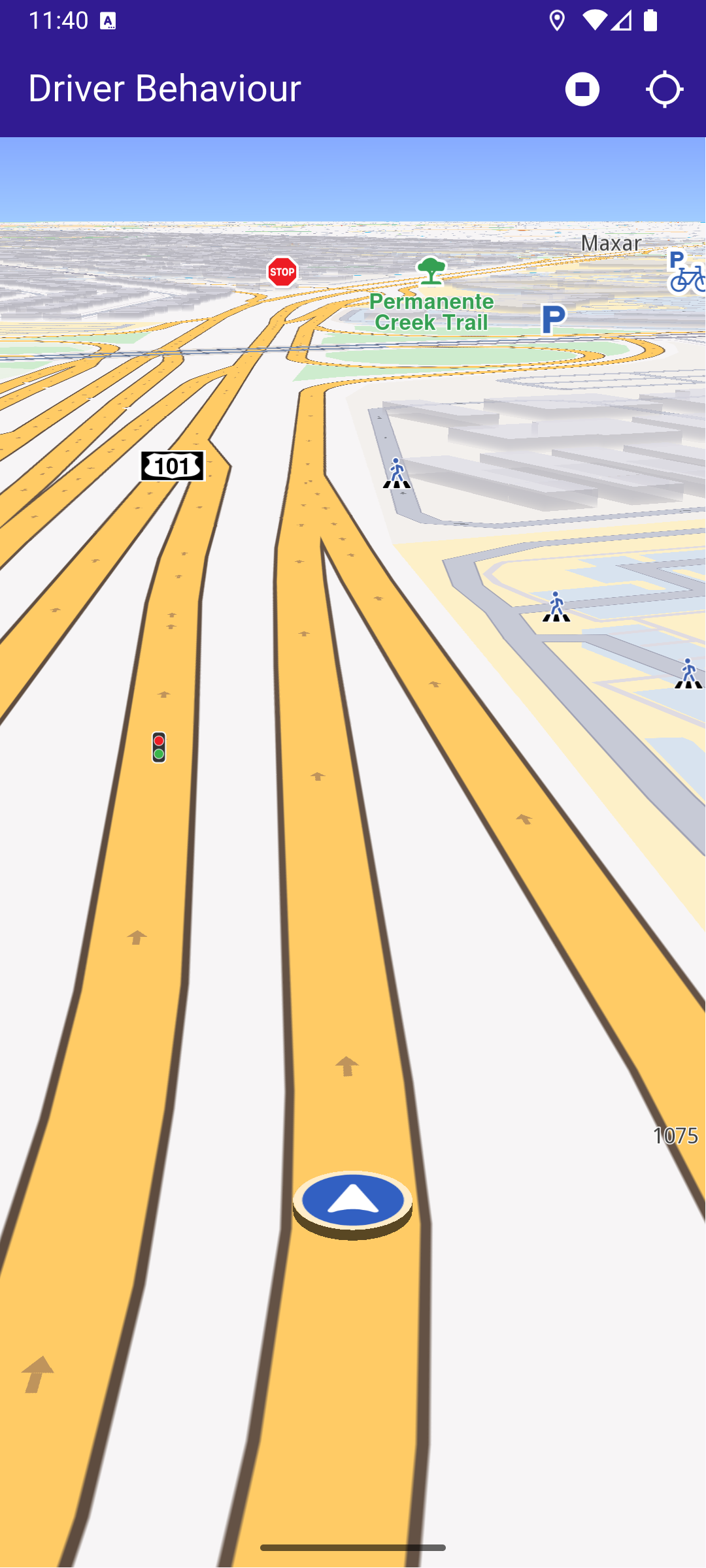
**Started recording**
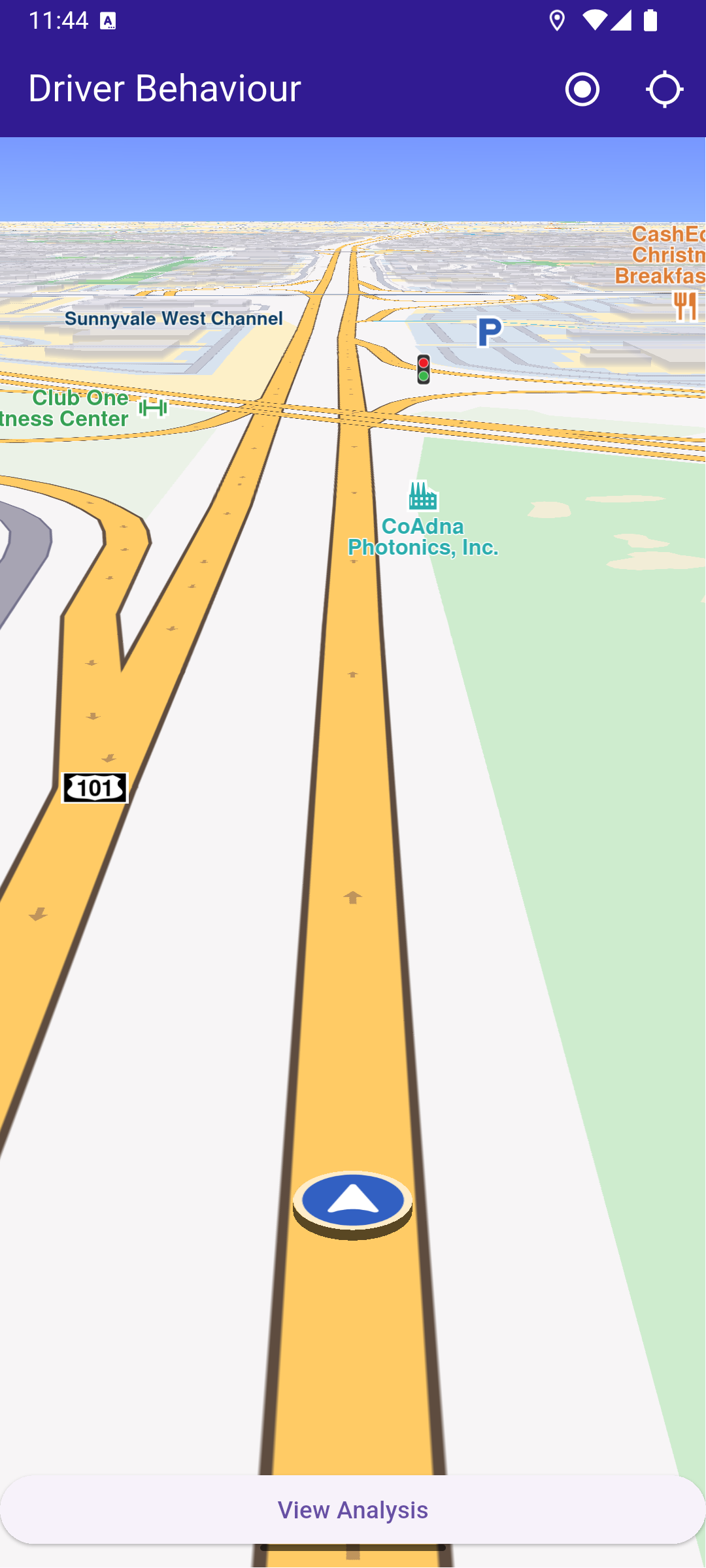
**Finished recording**
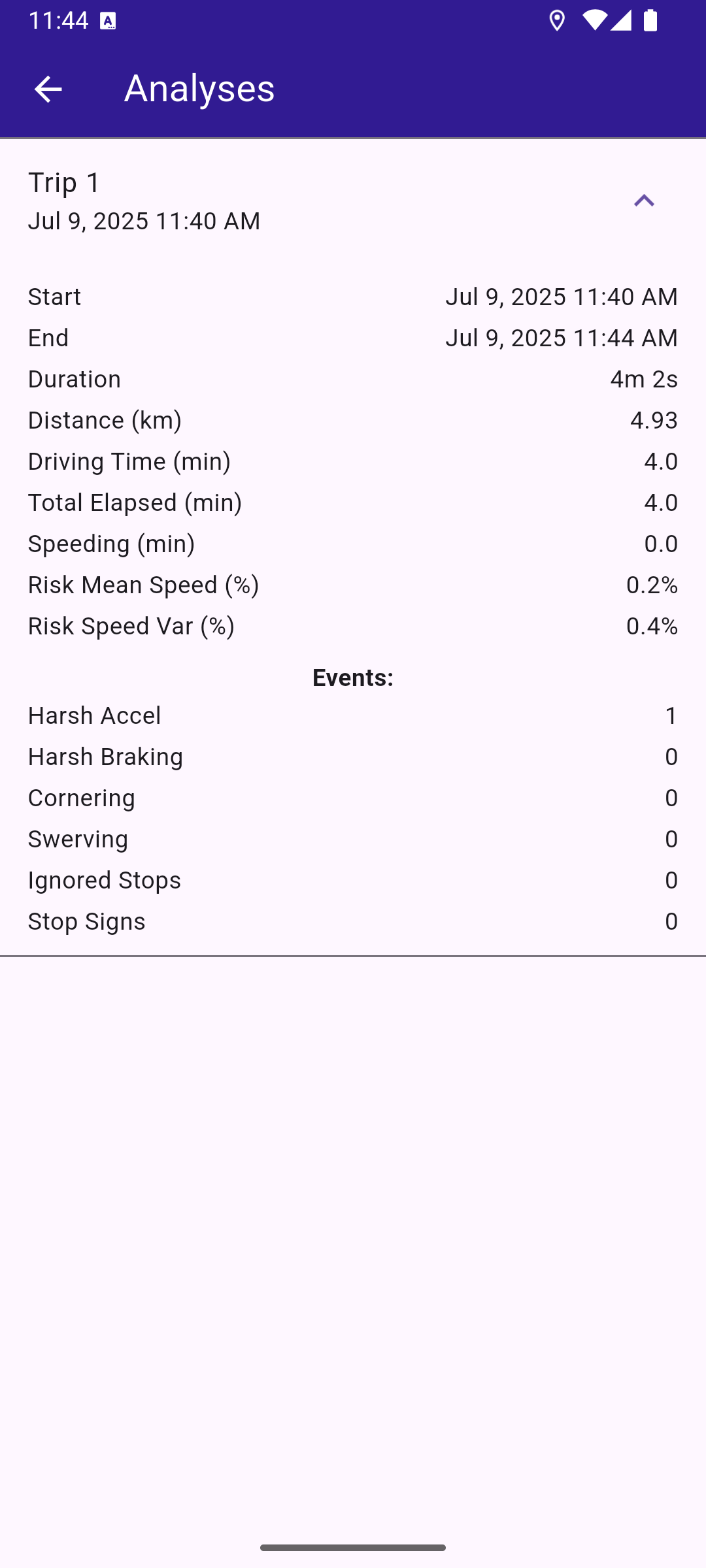
**Behaviour analysis page**
### UI and Map Integration[](#ui-and-map-integration "Direct link to UI and Map Integration")
The following code demonstrates how to build a user interface featuring a `GemMap` widget and an app bar. The app bar includes buttons for starting and stopping recordings, as well as following the user's position. After successfully completing a recording, a `View Analysis` button appears at the bottom of the screen. Clicking this button navigates the user to the `AnalysesPage`.
main.dart[View on Github](https://github.com/magiclane/magiclane-maps-sdk-examples-for-flutter/tree/main/driver_behaviour/lib/main.dart?ref_type=heads#L13)
```dart
const projectApiToken = String.fromEnvironment('YOUR_API_TOKEN_HERE');
void main() {
runApp(const MyApp());
}
class MyApp extends StatelessWidget {
const MyApp({super.key});
@override
Widget build(BuildContext context) {
return const MaterialApp(
debugShowCheckedModeBanner: false,
title: 'Driver Behaviour',
home: MyHomePage(),
);
}
}
class MyHomePage extends StatefulWidget {
const MyHomePage({super.key});
@override
State createState() => _MyHomePageState();
}
class _MyHomePageState extends State {
late GemMapController _mapController;
late DriverBehaviour _driverBehaviour;
DriverBehaviourAnalysis? _recordedAnalysis;
PermissionStatus _locationPermissionStatus = PermissionStatus.denied;
bool _hasLiveDataSource = false;
bool _isAnalizing = false;
@override
void dispose() {
GemKit.release();
super.dispose();
}
@override
Widget build(BuildContext context) {
return Scaffold(
appBar: AppBar(
backgroundColor: Colors.deepPurple[900],
title: const Text(
'Driver Behaviour',
style: TextStyle(color: Colors.white),
),
actions: [
if (_hasLiveDataSource && _isAnalizing == false)
IconButton(
onPressed: _onRecordButtonPressed,
icon: Icon(Icons.radio_button_on, color: Colors.white),
),
if (_isAnalizing)
IconButton(
onPressed: _onStopRecordingButtonPressed,
icon: Icon(Icons.stop_circle, color: Colors.white),
),
IconButton(
onPressed: _onFollowPositionButtonPressed,
icon: const Icon(
Icons.location_searching_sharp,
color: Colors.white,
),
),
],
),
body: Stack(
children: [
GemMap(
key: ValueKey("GemMap"),
onMapCreated: (controller) => _onMapCreated(controller),
appAuthorization: projectApiToken,
),
if (_recordedAnalysis != null)
Positioned(
bottom: 10.0,
left: 0.0,
right: 0.0,
child: ElevatedButton(
onPressed: () {
final analyses = _driverBehaviour.allDriverBehaviourAnalyses;
Navigator.of(context).push(
MaterialPageRoute(
builder: (context) {
return AnalysesPage(behaviourAnalyses: analyses);
},
),
);
},
child: Text("View Analysis"),
),
),
],
),
);
}
// The callback for when map is ready to use.
void _onMapCreated(GemMapController controller) async {
// Save controller for further usage.
_mapController = controller;
}
Future _onFollowPositionButtonPressed() async {
if (kIsWeb) {
// On web platform permission are handled differently than other platforms.
// The SDK handles the request of permission for location.
final locationPermssionWeb =
await PositionService.requestLocationPermission();
if (locationPermssionWeb == true) {
_locationPermissionStatus = PermissionStatus.granted;
} else {
_locationPermissionStatus = PermissionStatus.denied;
}
} else {
// For Android & iOS platforms, permission_handler package is used to ask for permissions.
_locationPermissionStatus = await Permission.locationWhenInUse.request();
}
if (_locationPermissionStatus == PermissionStatus.granted) {
// After the permission was granted, we can set the live data source (in most cases the GPS).
// The data source should be set only once, otherwise we'll get -5 error.
if (!_hasLiveDataSource) {
PositionService.setLiveDataSource();
_hasLiveDataSource = true;
}
// Optionally, we can set an animation
final animation = GemAnimation(type: AnimationType.linear);
// Calling the start following position SDK method.
_mapController.startFollowingPosition(animation: animation);
setState(() {});
}
}
void _onRecordButtonPressed() {
// Create a live data source
final liveDataSource = DataSource.createLiveDataSource();
if (liveDataSource == null) {
ScaffoldMessenger.of(context).showSnackBar(
SnackBar(
content: Text('Creating a data source failed.'),
duration: Duration(seconds: 5),
),
);
return;
}
// Create a DriverBehaviour instance with live data soruce specifications
final driverBehaviour = DriverBehaviour(
dataSource: liveDataSource,
useMapMatch: true,
);
setState(() {
_isAnalizing = true;
_driverBehaviour = driverBehaviour;
});
// Start recording analysis of driver behaviour
final err = _driverBehaviour.startAnalysis();
if (!err) {
ScaffoldMessenger.of(context).showSnackBar(
SnackBar(
content: Text('Starting analysis failed.'),
duration: Duration(seconds: 5),
),
);
}
}
void _onStopRecordingButtonPressed() {
// Stop recording analysis of driver behaviour
final analysis = _driverBehaviour.stopAnalysis();
setState(() {
_isAnalizing = false;
_recordedAnalysis = analysis;
});
}
}
```
### Analyses Page[](#analyses-page "Direct link to Analyses Page")
analyses\_page.dart[View on Github](https://github.com/magiclane/magiclane-maps-sdk-examples-for-flutter/tree/main/driver_behaviour/lib/analyses_page.dart?ref_type=heads#L6)
```dart
import 'package:flutter/material.dart';
import 'package:magiclane_maps_flutter/driver_behaviour.dart';
import 'package:intl/intl.dart';
import 'package:driver_behaviour/utils.dart';
class AnalysesPage extends StatelessWidget {
final List behaviourAnalyses;
const AnalysesPage({super.key, required this.behaviourAnalyses});
@override
Widget build(BuildContext context) {
final fmt = DateFormat.yMMMd().add_jm();
return Scaffold(
appBar: AppBar(
title: const Text('Analyses', style: TextStyle(color: Colors.white)),
backgroundColor: Colors.deepPurple[900],
foregroundColor: Colors.white,
),
body: behaviourAnalyses.isEmpty
? const Center(child: Text('No analyses recorded'))
: ListView.builder(
itemCount: behaviourAnalyses.length,
itemBuilder: (_, i) {
final a = behaviourAnalyses[i];
if (!a.isValid) {
return const ListTile(title: Text('Invalid analysis'));
}
final start = DateTime.fromMillisecondsSinceEpoch(
a.startTime,
).toLocal();
final end = DateTime.fromMillisecondsSinceEpoch(
a.finishTime,
).toLocal();
final dur = end.difference(start);
// Build a list of simple Text rows
final rows = [
_buildRow('Start', fmt.format(start)),
_buildRow('End', fmt.format(end)),
_buildRow('Duration', formatDuration(dur)),
_buildRow(
'Distance (km)',
a.kilometersDriven.toStringAsFixed(2),
),
_buildRow(
'Driving Time (min)',
a.minutesDriven.toStringAsFixed(1),
),
_buildRow(
'Total Elapsed (min)',
a.minutesTotalElapsed.toStringAsFixed(1),
),
_buildRow(
'Speeding (min)',
a.minutesSpeeding.toStringAsFixed(1),
),
_buildRow(
'Risk Mean Speed (%)',
formatPercent(a.riskRelatedToMeanSpeed),
),
_buildRow(
'Risk Speed Var (%)',
formatPercent(a.riskRelatedToSpeedVariation),
),
const SizedBox(height: 8),
const Text(
'Events:',
style: TextStyle(fontWeight: FontWeight.bold),
),
_buildRow(
'Harsh Accel',
a.numberOfHarshAccelerationEvents.toString(),
),
_buildRow(
'Harsh Braking',
a.numberOfHarshBrakingEvents.toString(),
),
_buildRow('Cornering', a.numberOfCorneringEvents.toString()),
_buildRow('Swerving', a.numberOfSwervingEvents.toString()),
_buildRow(
'Ignored Stops',
a.numberOfIgnoredStopSigns.toString(),
),
_buildRow(
'Stop Signs',
a.numberOfEncounteredStopSigns.toString(),
),
];
return ExpansionTile(
title: Text('Trip ${i + 1}'),
subtitle: Text(fmt.format(start)),
childrenPadding: const EdgeInsets.symmetric(
horizontal: 16,
vertical: 8,
),
children: rows,
);
},
),
);
}
Widget _buildRow(String label, String value) {
return Padding(
padding: const EdgeInsets.symmetric(vertical: 2),
child: Row(
mainAxisAlignment: MainAxisAlignment.spaceBetween,
children: [Text(label), Text(value)],
),
);
}
}
```
### Utility Functions[](#utility-functions "Direct link to Utility Functions")
utils.dart[View on Github](https://github.com/magiclane/magiclane-maps-sdk-examples-for-flutter/tree/main/driver_behaviour/lib/utils.dart?ref_type=heads#L6)
```dart
String formatDuration(Duration d) {
final hours = d.inHours;
final minutes = d.inMinutes % 60;
final seconds = d.inSeconds % 60;
return [
if (hours > 0) '${hours}h',
if (minutes > 0) '${minutes}m',
'${seconds}s',
].join(' ');
}
String formatPercent(double value) => '${value.toStringAsFixed(1)}%';
```
Required Permissions
To ensure this example functions correctly, the necessary permissions must be added to the project's Android and iOS configuration files:
* Android
* iOS
Add the following code to the `android/app/src/main/AndroidManifest.xml` file, within the `` block:
```
```
This example uses the [Permission Handler](https://pub.dev/packages/permission_handler) package. Be sure to follow the [setup guide](https://pub.dev/packages/permission_handler#setup).
Add the following to `ios/Runner/Info.plist` inside the ``:
```
NSLocationWhenInUseUsageDescription
Location is needed for map localization and navigation
```
This example uses the [Permission Handler](https://pub.dev/packages/permission_handler) package. Follow the [official setup instructions](https://pub.dev/packages/permission_handler#setup). Add this to your `ios/Podfile`:
```
post_install do |installer|
installer.pods_project.targets.each do |target|
flutter_additional_ios_build_settings(target)
target.build_configurations.each do |config|
config.build_settings['GCC_PREPROCESSOR_DEFINITIONS'] ||= [
'$(inherited)',
'PERMISSION_LOCATION=1',
]
end
end
end
```