# Camera Feed
Last updated:
October 18, 2026
\| 4 minutes read
This example demonstrates how to build a Flutter app using the Maps SDK to display a live camera feed (while recording) and overlay it on the map.
## How it works[](#how-it-works "Direct link to How it works")
The example app highlights the following features:
* Initializing the GemKit SDK.
* Requesting and handling camera, microphone, and location permissions.
* Starting and stopping video recording with the device’s camera.
* Streaming the live camera frames to a `GemCameraPlayer` widget.
* Overlaying the camera preview on top of the map.
* Properly disposing of resources when recording stops or the app is closed.
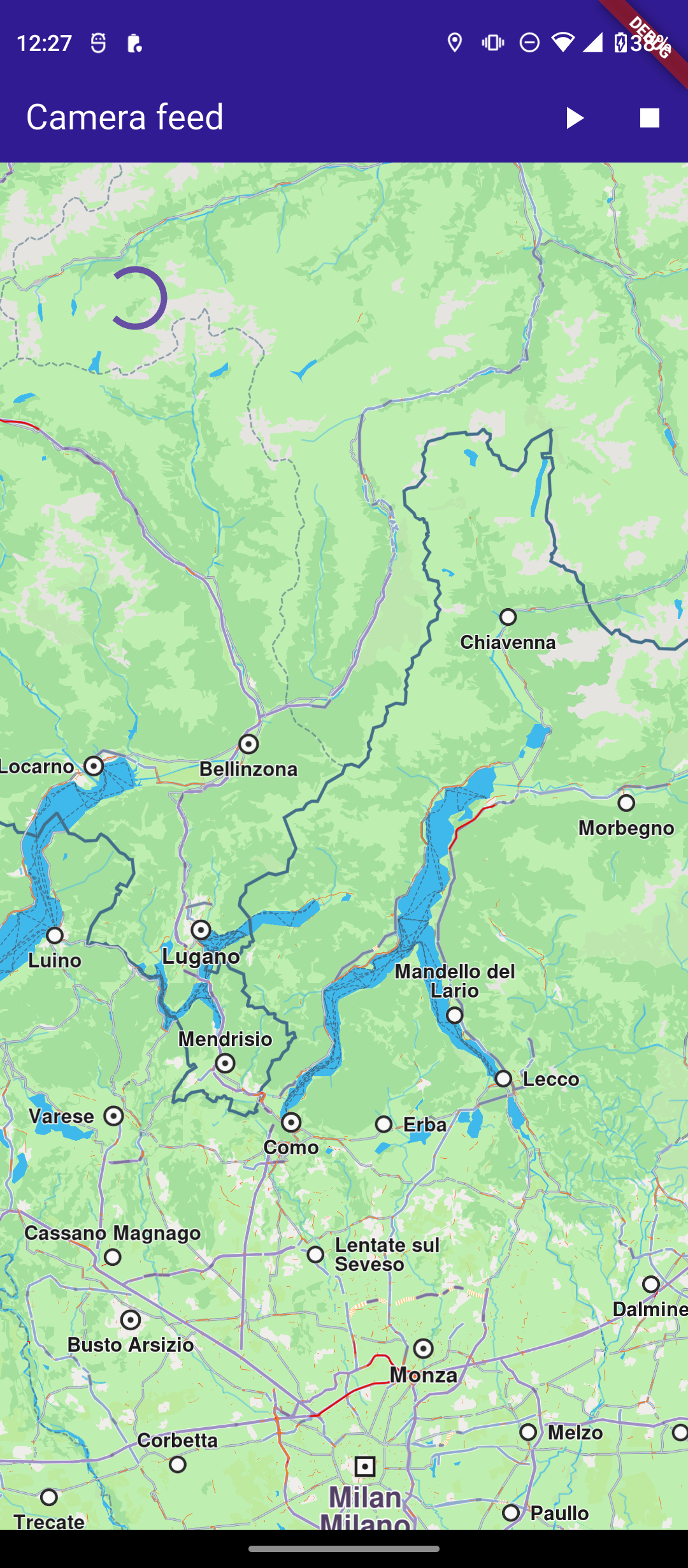
**Initial map view**
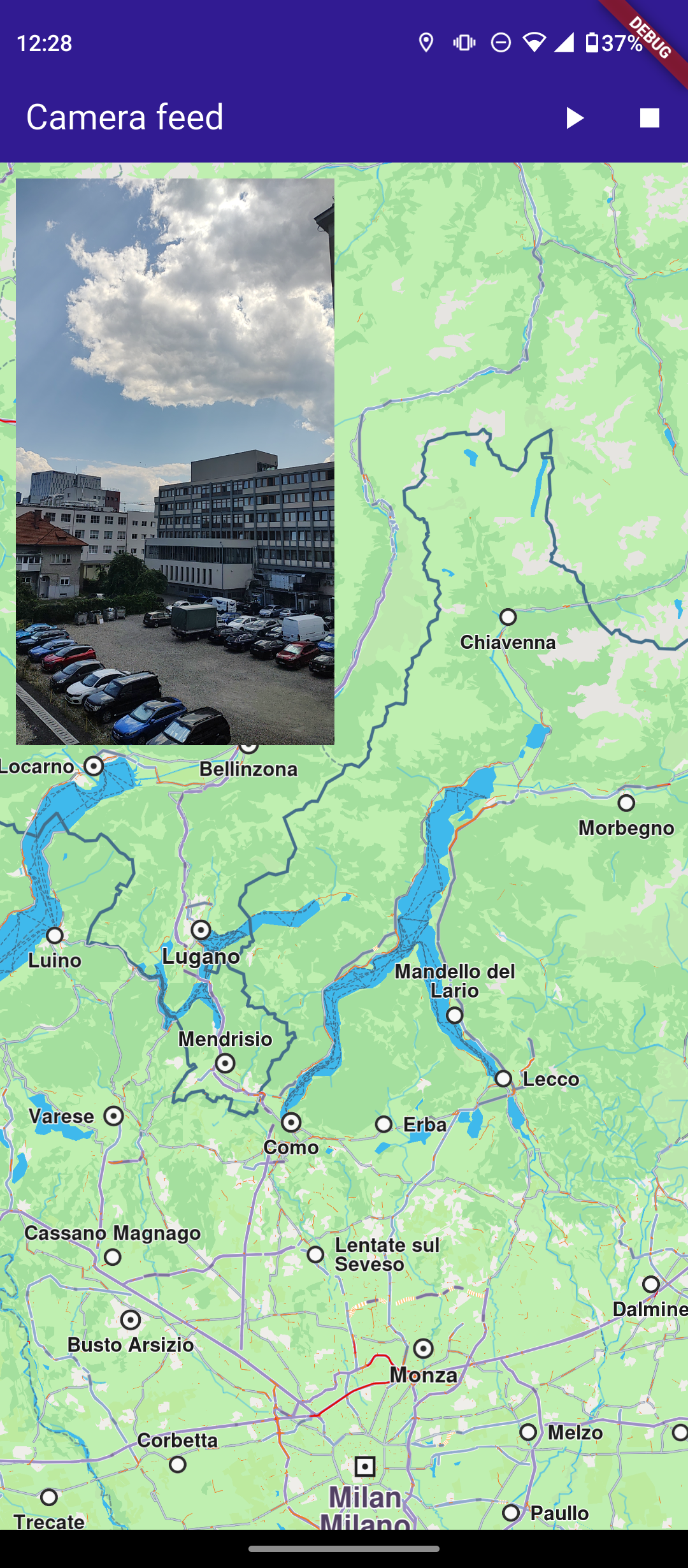
**Recording in progress + camera feed**
### UI and Map Integration[](#ui-and-map-integration "Direct link to UI and Map Integration")
The following code builds the UI with a `GemMap` widget and an app bar that includes buttons for starting/stopping recording and streaming the camera feed.
main.dart[View on Github](https://github.com/magiclane/magiclane-maps-sdk-examples-for-flutter/tree/main/camera_feed/lib/main.dart?ref_type=heads#L20)
```dart
class MyApp extends StatelessWidget {
const MyApp({super.key});
@override
Widget build(BuildContext context) {
return const MaterialApp(
debugShowCheckedModeBanner: false,
title: 'Camera feed',
home: MyHomePage(),
);
}
}
class MyHomePage extends StatefulWidget {
const MyHomePage({super.key});
@override
State createState() => _MyHomePageState();
}
class _MyHomePageState extends State {
Recorder? _recorder;
DataSource? _ds;
GemCameraPlayerController? _cameraPlayerController;
@override
void initState() {
super.initState();
}
@override
void dispose() {
GemKit.release();
super.dispose();
}
void _watchPlayerStatus() {
_cameraPlayerController?.addListener(() {
if (_cameraPlayerController!.status == GemCameraPlayerStatus.playing) {
setState(() {}); // Size likely available now
}
});
}
@override
Widget build(BuildContext context) {
return MaterialApp(
home: Scaffold(
appBar: AppBar(
backgroundColor: Colors.deepPurple[900],
title: const Text(
'Camera feed',
style: TextStyle(color: Colors.white),
),
actions: [
IconButton(
icon: Icon(Icons.play_arrow, color: Colors.white),
onPressed: () async {
if (_cameraPlayerController == null) {
_ds = DataSource.createLiveDataSource()!;
_ds!.start();
_recorder = Recorder.create(
RecorderConfiguration(
logsDir: await getDirectoryPath('Tracks'),
dataSource: _ds!,
videoQuality: Resolution.hd720p,
recordedTypes: [DataType.position, DataType.camera],
transportMode: RecordingTransportMode.car,
),
);
await _recorder!.startRecording();
_cameraPlayerController = GemCameraPlayerController(
dataSource: _ds!,
);
_watchPlayerStatus();
setState(() {});
}
},
),
IconButton(
icon: Icon(Icons.stop, color: Colors.white),
onPressed: () async {
await _recorder!.stopRecording();
_cameraPlayerController?.dispose();
_ds?.stop();
_cameraPlayerController = null;
_ds = null;
setState(() {});
},
),
],
),
body: Stack(
children: [
GemMap(
key: ValueKey("GemMap"),
onMapCreated: (controller) => _onMapCreated(controller),
appAuthorization: projectApiToken,
),
Positioned(
top: 10,
left: 10,
child: SafeArea(
top: true,
left: true,
child: Builder(
builder: (context) {
final controller = _cameraPlayerController;
if (controller == null ||
controller.isDisposed ||
controller.status != GemCameraPlayerStatus.playing ||
controller.size == null) {
return const SizedBox(
width: 150,
height: 150,
child: Center(child: CircularProgressIndicator()),
);
}
return SizedBox(
width: 200,
child: AspectRatio(
aspectRatio: controller.size!.$1.toDouble() / controller.size!.$2.toDouble(),
child: GemCameraPlayer(
controller: controller,
fit: BoxFit.cover,
),
),
);
},
),
),
),
],
),
),
);
}
```
### Requesting Location Permission[](#requesting-location-permission "Direct link to Requesting Location Permission")
Before streaming or recording, the app requests camera, microphone, and location permissions:
main.dart[View on Github](https://github.com/magiclane/magiclane-maps-sdk-examples-for-flutter/tree/main/camera_feed/lib/main.dart?ref_type=heads#L168)
```dart
void _onMapCreated(GemMapController controller) async {
await [
Permission.camera,
Permission.locationWhenInUse,
].request();
}
```
### Starting Recording and Camera Feed[](#starting-recording-and-camera-feed "Direct link to Starting Recording and Camera Feed")
Tapping the Play button initializes the live data source, starts recording, and sets up the `GemCameraPlayerController` to stream frames:
main.dart[View on Github](https://github.com/magiclane/magiclane-maps-sdk-examples-for-flutter/tree/main/camera_feed/lib/main.dart?ref_type=heads#L77)
```dart
onPressed: () async {
if (_cameraPlayerController == null) {
_ds = DataSource.createLiveDataSource()!;
_ds!.start();
_recorder = Recorder.create(
RecorderConfiguration(
logsDir: await getDirectoryPath('Tracks'),
dataSource: _ds!,
videoQuality: Resolution.hd720p,
recordedTypes: [DataType.position, DataType.camera],
transportMode: RecordingTransportMode.car,
),
);
await _recorder!.startRecording();
_cameraPlayerController = GemCameraPlayerController(
dataSource: _ds!,
);
_watchPlayerStatus();
setState(() {});
}
},
```
### Stopping Recording and Disposing Resources[](#stopping-recording-and-disposing-resources "Direct link to Stopping Recording and Disposing Resources")
Tapping the Stop button stops the recorder, disposes the player, and stops the data source:
main.dart[View on Github](https://github.com/magiclane/magiclane-maps-sdk-examples-for-flutter/tree/main/camera_feed/lib/main.dart?ref_type=heads#L107)
```dart
onPressed: () async {
await _recorder!.stopRecording();
_cameraPlayerController?.dispose();
_ds?.stop();
_cameraPlayerController = null;
_ds = null;
setState(() {});
},
```
### Stopping Recording and Disposing Resources[](#stopping-recording-and-disposing-resources-1 "Direct link to Stopping Recording and Disposing Resources")
A small, resizable preview of the camera feed is overlaid in the top-left corner using `GemCameraPlayer`:
main.dart[View on Github](https://github.com/magiclane/magiclane-maps-sdk-examples-for-flutter/tree/main/camera_feed/lib/main.dart?ref_type=heads#L126)
```dart
Positioned(
top: 10,
left: 10,
child: SafeArea(
top: true,
left: true,
child: Builder(
builder: (context) {
final controller = _cameraPlayerController;
if (controller == null ||
controller.isDisposed ||
controller.status != GemCameraPlayerStatus.playing ||
controller.size == null) {
return const SizedBox(
width: 150,
height: 150,
child: Center(child: CircularProgressIndicator()),
);
}
return SizedBox(
width: 200,
child: AspectRatio(
aspectRatio: controller.size!.$1.toDouble() / controller.size!.$2.toDouble(),
child: GemCameraPlayer(
controller: controller,
fit: BoxFit.cover,
),
),
);
},
),
),
),
```
### Utility Functions[](#utility-functions "Direct link to Utility Functions")
The `getDirectoryPath` function retrieves the root directory path for the app and returns the desired directory path inside the "Data" folder.
utils.dart[View on Github](https://github.com/magiclane/magiclane-maps-sdk-examples-for-flutter/tree/main/record_nmea/lib/utils.dart?ref_type=heads#L8)
```dart
import 'package:path_provider/path_provider.dart' as path_provider;
import 'package:path/path.dart' as path;
import 'dart:io';
Future getDirectoryPath(String dirName) async {
final docDirectory = Platform.isAndroid
? await path_provider.getExternalStorageDirectory()
: await path_provider.getApplicationDocumentsDirectory();
String absPath = docDirectory!.path;
final expectedPath = path.joinAll([absPath, "Data", dirName]);
return expectedPath;
}
```
Required Permissions
To ensure this example functions correctly, the necessary permissions must be added to the project's Android and iOS configuration files:
* Android
* iOS
Add the following code to the `android/app/src/main/AndroidManifest.xml` file, within the `` block:
```
```
This example uses the [Permission Handler](https://pub.dev/packages/permission_handler) package. Be sure to follow the [setup guide](https://pub.dev/packages/permission_handler#setup).
Add the following to `ios/Runner/Info.plist` inside the ``:
```
NSLocationWhenInUseUsageDescription
Location is needed for map localization and navigation
NSCameraUsageDescription
Camera access is needed for video recording
NSMicrophoneUsageDescription
We need microphone access to record audio.
```
This example uses the [Permission Handler](https://pub.dev/packages/permission_handler) package. Follow the [official setup instructions](https://pub.dev/packages/permission_handler#setup). Add this to your `ios/Podfile`:
```
post_install do |installer|
installer.pods_project.targets.each do |target|
flutter_additional_ios_build_settings(target)
target.build_configurations.each do |config|
config.build_settings['GCC_PREPROCESSOR_DEFINITIONS'] ||= [
'$(inherited)',
'PERMISSION_LOCATION=1',
'PERMISSION_CAMERA=1',
'PERMISSION_MICROPHONE=1'
]
end
end
end
```