# Search Location
Last updated:
October 18, 2026
\| 5 minutes read
In this guide, you will learn how to integrate map functionality and perform searches for landmarks using the Maps SDK for Flutter.
## How it works[](#how-it-works "Direct link to How it works")
This example demonstrates the following features:
* Search for landmarks around a specific location using latitude and longitude coordinates.
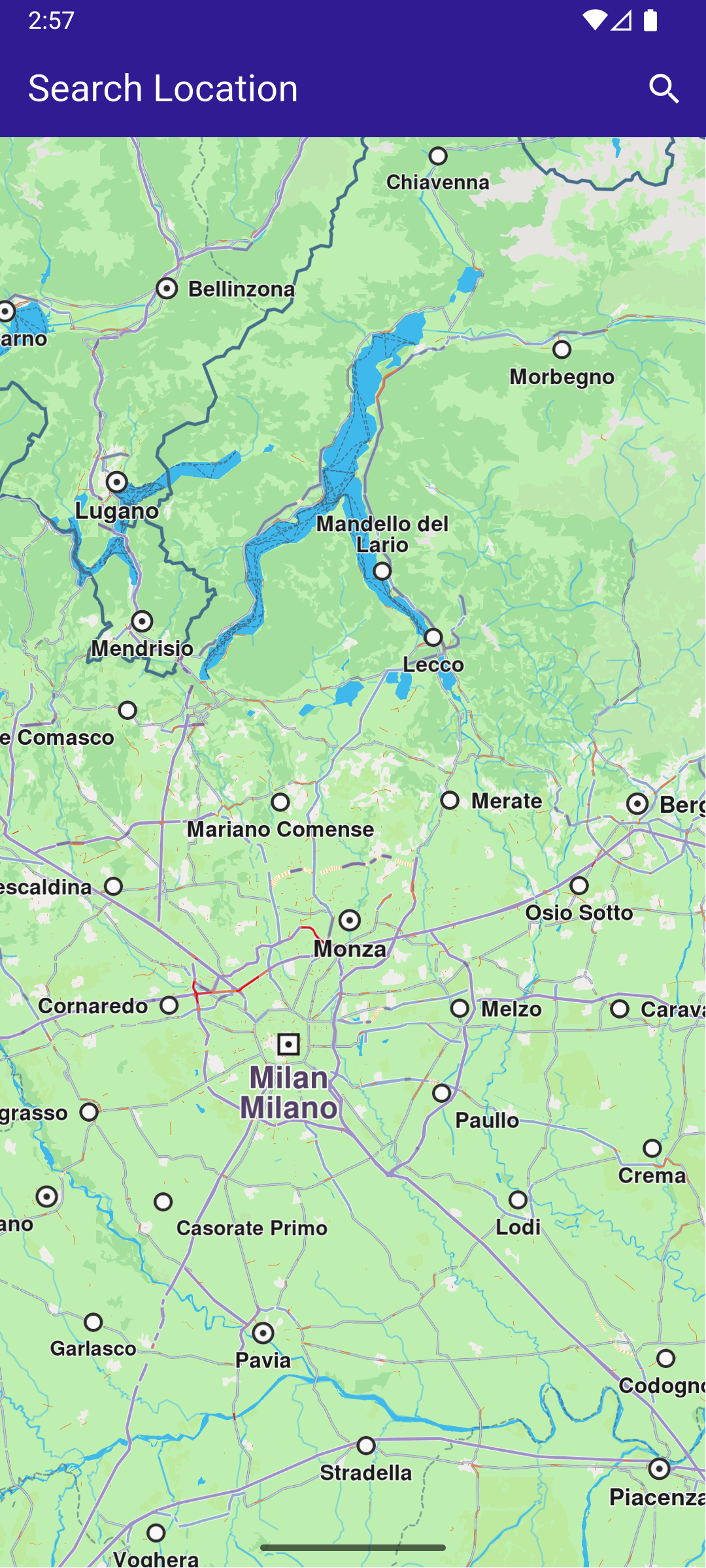
**Initial map view**
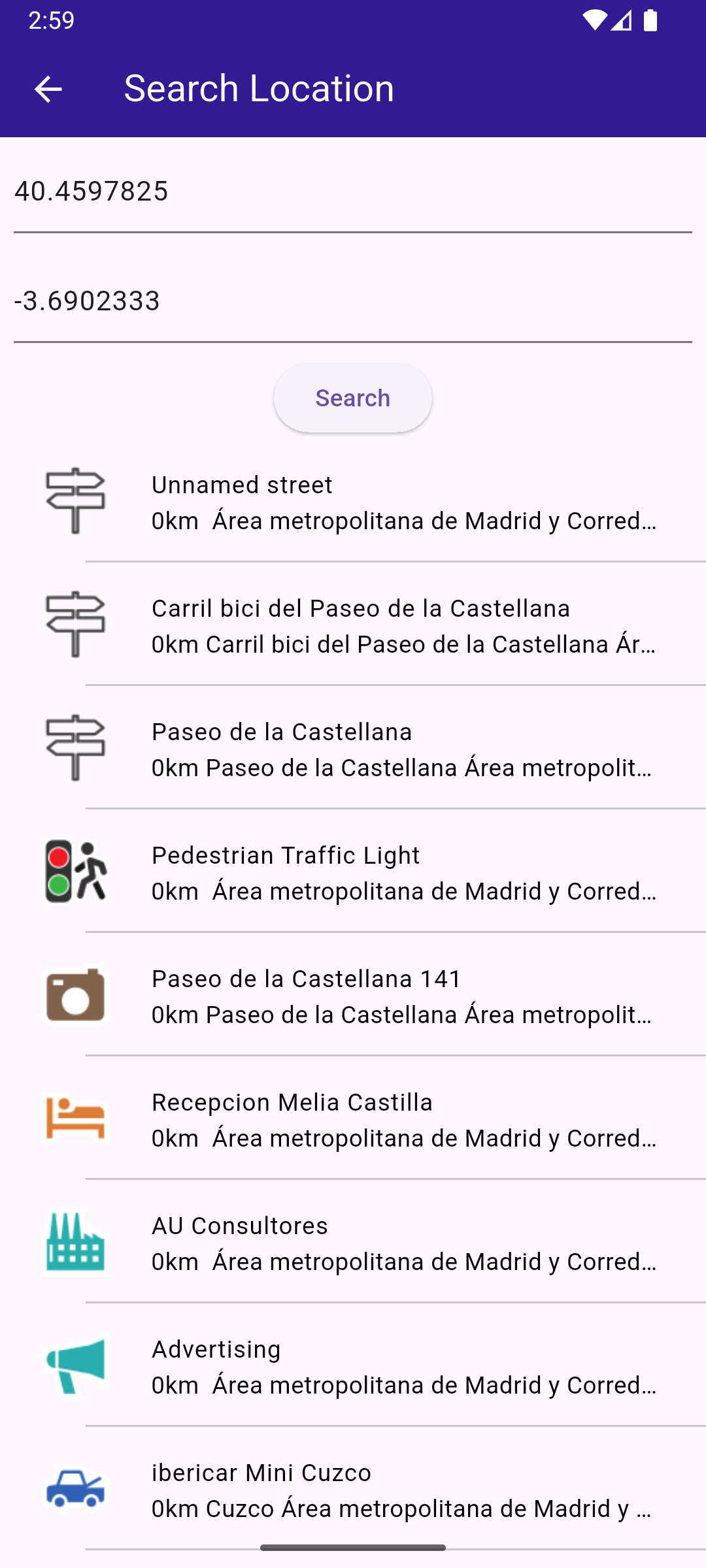
**Text search page**
### Define state variables and methods[](#define-state-variables-and-methods "Direct link to Define state variables and methods")
Within \_MyHomePageState , define the necessary state variables and methods to manage the map and perform searches.
main.dart[View on Github](https://github.com/magiclane/magiclane-maps-sdk-examples-for-flutter/tree/main/search_location/lib/main.dart?ref_type=heads#L16)
```dart
void main() {
runApp(const MyApp());
}
class MyApp extends StatelessWidget {
const MyApp({super.key});
@override
Widget build(BuildContext context) {
return const MaterialApp(
debugShowCheckedModeBanner: false,
title: 'Search Location',
home: MyHomePage(),
);
}
}
class MyHomePage extends StatefulWidget {
const MyHomePage({super.key});
@override
State createState() => _MyHomePageState();
}
class _MyHomePageState extends State {
late GemMapController _mapController;
void _onMapCreated(GemMapController controller) {
_mapController = controller;
}
@override
void dispose() {
GemKit.release();
super.dispose();
}
@override
Widget build(BuildContext context) {
return Scaffold(
appBar: AppBar(
backgroundColor: Colors.deepPurple[900],
title: const Text(
"Search Location",
style: TextStyle(color: Colors.white),
),
actions: [
IconButton(
onPressed: () => _onSearchButtonPressed(context),
icon: const Icon(Icons.search, color: Colors.white),
),
],
),
body: GemMap(
key: ValueKey("GemMap"),
onMapCreated: _onMapCreated,
appAuthorization: projectApiToken,
),
);
}
// Custom method for navigating to search screen
void _onSearchButtonPressed(BuildContext context) async {
// Taking the coordinates at the center of the screen as reference coordinates for search.
final x = MediaQuery.of(context).size.width / 2;
final y = MediaQuery.of(context).size.height / 2;
final mapCoords = _mapController.transformScreenToWgs(
Point(x.toInt(), y.toInt()),
);
// Navigating to search screen. The result will be the selected search result(Landmark)
final result = await Navigator.of(context).push(
MaterialPageRoute(
builder: (context) => SearchPage(coordinates: mapCoords),
),
);
if (result is Landmark) {
// Activating the highlight
_mapController.activateHighlight([
result,
], renderSettings: HighlightRenderSettings());
// Centering the map on the desired coordinates
_mapController.centerOnCoordinates(result.coordinates, zoomLevel: 70);
}
}
}
```
### Define Search Functionality[](#define-search-functionality "Direct link to Define Search Functionality")
Implement the SearchPage widget that allows users to search for landmarks.
search\_page.dart[View on Github](https://github.com/magiclane/magiclane-maps-sdk-examples-for-flutter/tree/main/search_location/lib/search_page.dart?ref_type=heads#L15)
```dart
class SearchPage extends StatefulWidget {
final Coordinates coordinates;
const SearchPage({super.key, required this.coordinates});
@override
State createState() => _SearchPageState();
}
class _SearchPageState extends State {
List landmarks = [];
final TextEditingController _tecLatitude = TextEditingController();
final TextEditingController _tecLongitude = TextEditingController();
@override
void initState() {
super.initState();
//Set initial coordinates the center of the map
_tecLatitude.text = widget.coordinates.latitude.toString();
_tecLongitude.text = widget.coordinates.longitude.toString();
}
@override
Widget build(BuildContext context) {
return Scaffold(
appBar: AppBar(
automaticallyImplyLeading: true,
title: const Text("Search Location"),
backgroundColor: Colors.deepPurple[900],
foregroundColor: Colors.white,
),
body: Column(
children: [
Padding(
padding: const EdgeInsets.all(8.0),
child: TextField(
controller: _tecLatitude,
cursorColor: Colors.deepPurple[900],
decoration: const InputDecoration(
hintText: 'Latitude',
hintStyle: TextStyle(color: Colors.black),
focusedBorder: UnderlineInputBorder(
borderSide: BorderSide(color: Colors.deepPurple, width: 2.0),
),
),
),
),
Padding(
padding: const EdgeInsets.all(8.0),
child: TextField(
controller: _tecLongitude,
cursorColor: Colors.deepPurple[900],
decoration: const InputDecoration(
hintText: 'Longitude',
hintStyle: TextStyle(color: Colors.black),
focusedBorder: UnderlineInputBorder(
borderSide: BorderSide(color: Colors.deepPurple, width: 2.0),
),
),
),
),
ElevatedButton(
onPressed: _onSearchSubmitted,
child: const Text("Search"),
),
Expanded(
child: ListView.separated(
padding: EdgeInsets.zero,
itemCount: landmarks.length,
controller: ScrollController(),
separatorBuilder: (context, index) =>
const Divider(indent: 50, height: 0),
itemBuilder: (context, index) {
final lmk = landmarks.elementAt(index);
return SearchResultItem(landmark: lmk);
},
),
),
],
),
);
}
void _onSearchSubmitted() {
final latitude = double.tryParse(_tecLatitude.text);
final longitude = double.tryParse(_tecLongitude.text);
if (latitude == null || longitude == null) {
print("Invalid values for the reference coordinate.");
return;
}
Coordinates coords = Coordinates(latitude: latitude, longitude: longitude);
SearchPreferences preferences = SearchPreferences(
maxMatches: 40,
allowFuzzyResults: true,
);
search(coords, preferences: preferences);
}
late Completer> completer;
// Search method. Coordinates are mandatory, preferences are optional.
Future search(
Coordinates coordinates, {
SearchPreferences? preferences,
}) async {
completer = Completer>();
// Calling the search around position SDK method.
// (err, results) - is a callback function that calls when the computing is done.
// err is an error code, results is a list of landmarks
SearchService.searchAroundPosition(coordinates, preferences: preferences, (
err,
results,
) async {
// If there is an error or there aren't any results, the method will return an empty list.
if (err != GemError.success) {
completer.complete([]);
return;
}
if (!completer.isCompleted) completer.complete(results);
});
final result = await completer.future;
setState(() {
landmarks = result;
});
}
}
// Class for the search results.
class SearchResultItem extends StatefulWidget {
final Landmark landmark;
const SearchResultItem({super.key, required this.landmark});
@override
State createState() => _SearchResultItemState();
}
class _SearchResultItemState extends State {
@override
Widget build(BuildContext context) {
return ListTile(
onTap: () => Navigator.of(context).pop(widget.landmark),
leading: Container(
padding: const EdgeInsets.all(8),
child: widget.landmark.img.isValid
? Image.memory(
widget.landmark.img.getRenderableImageBytes(
size: Size(50, 50),
)!,
)
: SizedBox(),
),
title: Text(
widget.landmark.name,
overflow: TextOverflow.fade,
style: const TextStyle(
color: Colors.black,
fontSize: 14,
fontWeight: FontWeight.w400,
),
maxLines: 2,
),
subtitle: Text(
getFormattedDistance(widget.landmark) + getAddress(widget.landmark),
overflow: TextOverflow.ellipsis,
style: const TextStyle(
color: Colors.black,
fontSize: 14,
fontWeight: FontWeight.w400,
),
),
);
}
}
String getAddress(Landmark landmark) {
final addressInfo = landmark.address;
final street = addressInfo.getField(AddressField.streetName);
final city = addressInfo.getField(AddressField.city);
final country = addressInfo.getField(AddressField.country);
if (street == null && city == null && country == null) {
return 'Address not available';
}
return " ${street ?? ""} ${city ?? ""} ${country ?? ""}";
}
String getFormattedDistance(Landmark landmark) {
String formattedDistance = '';
double distance =
(landmark.extraInfo.getByKey(
PredefinedExtraInfoKey.gmSearchResultDistance,
) /
1000)
as double;
formattedDistance = "${distance.toStringAsFixed(0)}km";
return formattedDistance;
}
```