# Social Report
Last updated:
October 18, 2026
\| 5 minutes read
This example demonstrates how to create a Flutter app with an interactive map that allows users to upload and view social events, using the Maps SDK for Flutter.
## How it works[](#how-it-works "Direct link to How it works")
The example app includes the following features:
* Display an interactive map.
* Upload a social report.
* Select and view existing social reports directly from the map.
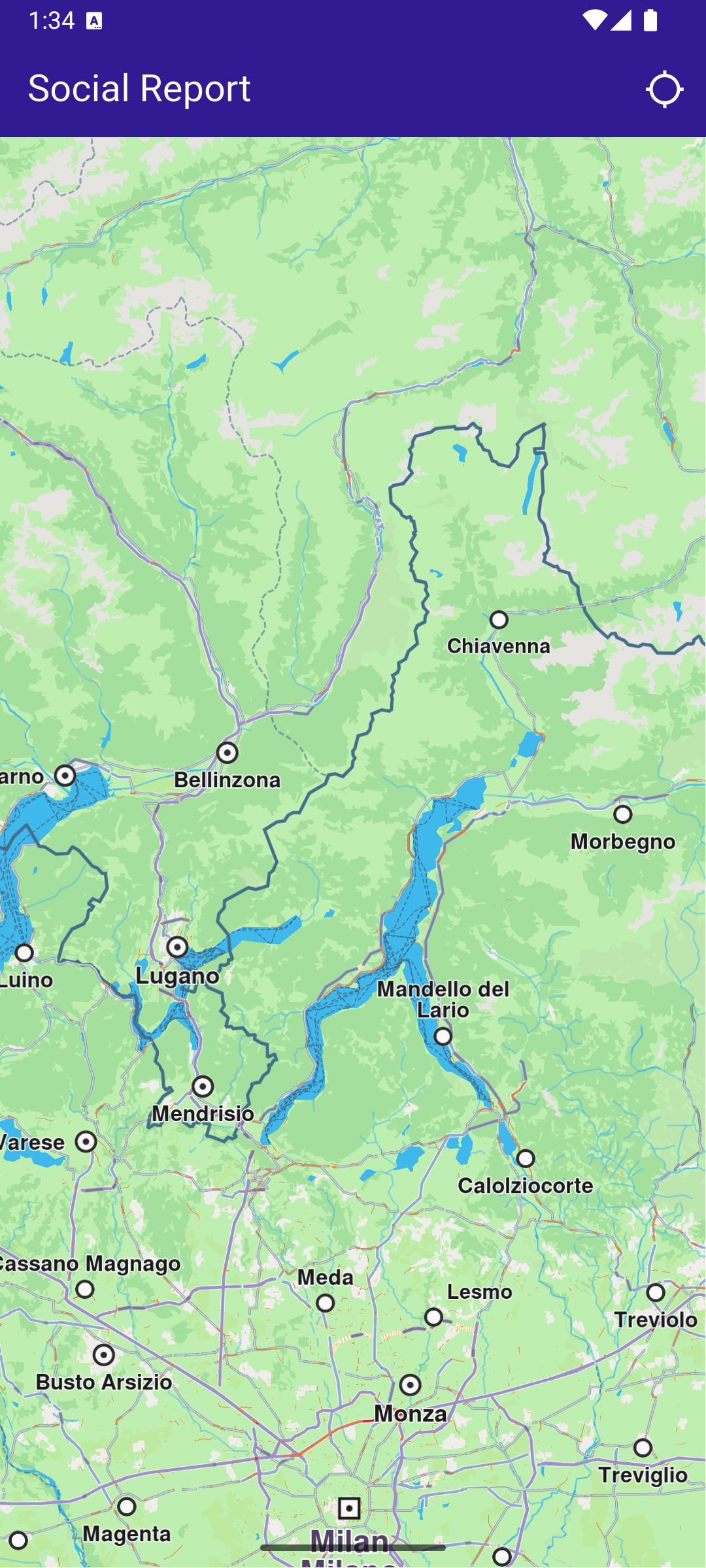
**Initial map view**
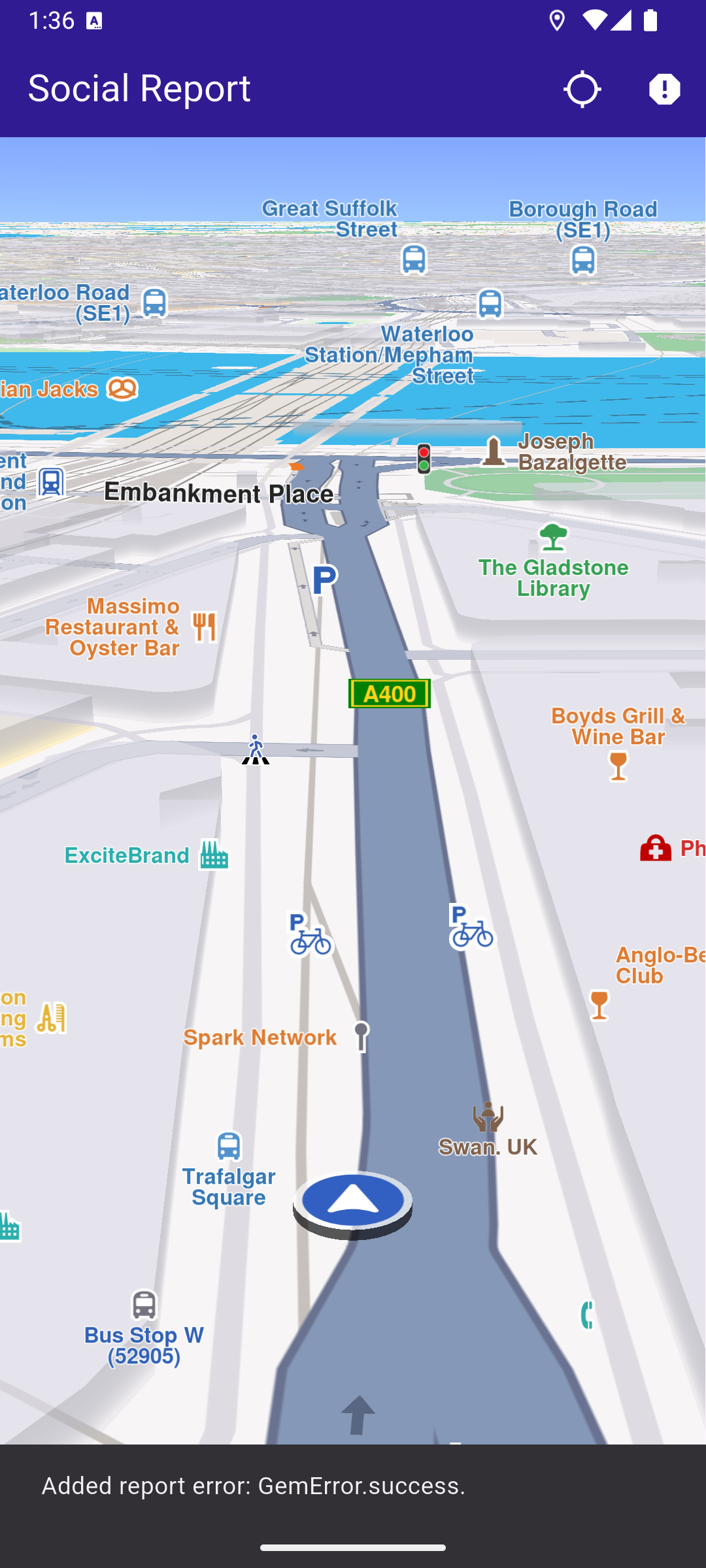
**Uploaded report**
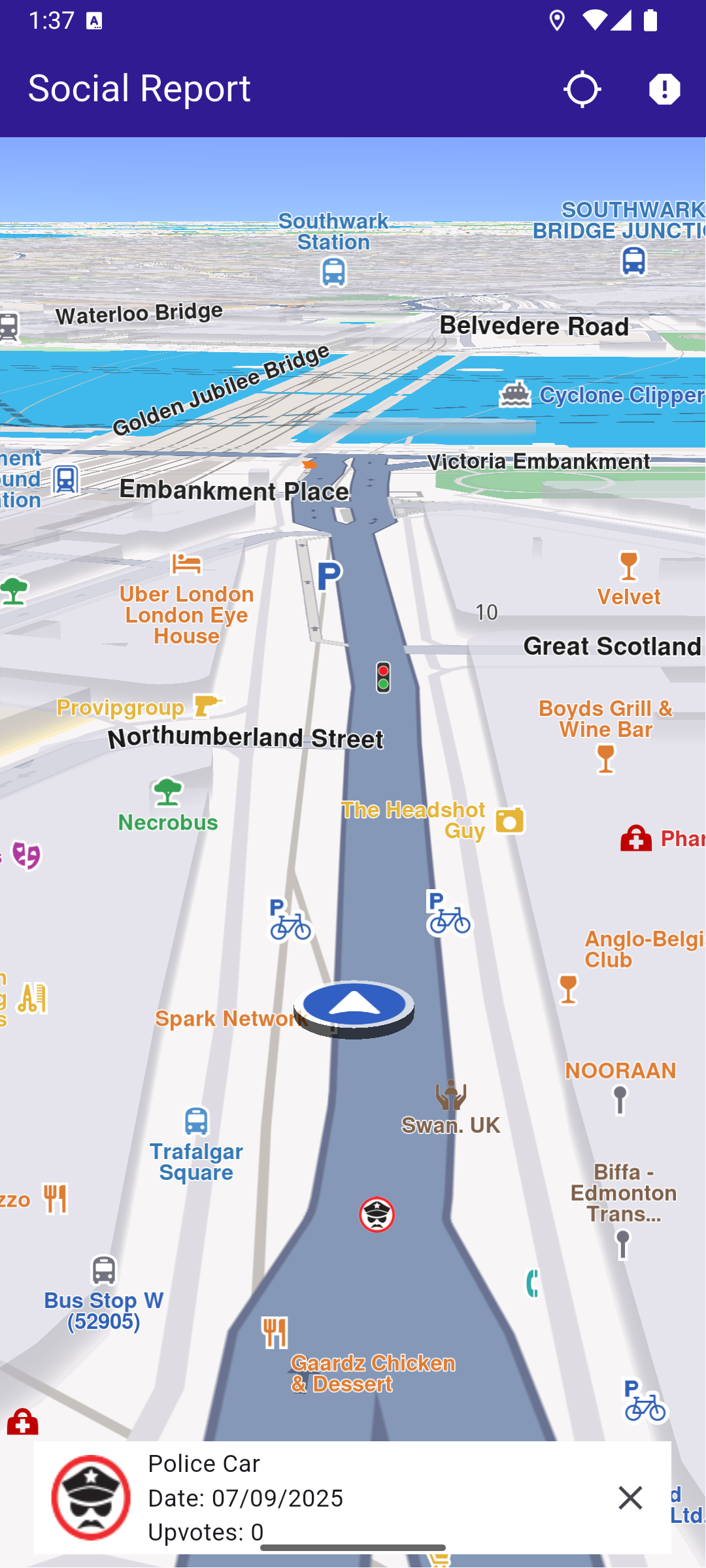
**Selected social report**
### UI and Map Integration[](#ui-and-map-integration "Direct link to UI and Map Integration")
The following code creates a user interface with an interactive `GemMap` and an app bar. The app bar includes two buttons: one for acquiring the user's current position and another for uploading a police report at the current location.
main.dart[View on Github](https://github.com/magiclane/magiclane-maps-sdk-examples-for-flutter/tree/main/social_report/lib/main.dart?ref_type=heads#L13)
```dart
const projectApiToken = String.fromEnvironment('YOUR_API_TOKEN_HERE');
void main() {
runApp(const MyApp());
}
class MyApp extends StatelessWidget {
const MyApp({super.key});
@override
Widget build(BuildContext context) {
return const MaterialApp(
title: 'Social Report',
debugShowCheckedModeBanner: false,
home: MyHomePage(),
);
}
}
class MyHomePage extends StatefulWidget {
const MyHomePage({super.key});
@override
State createState() => _MyHomePageState();
}
class _MyHomePageState extends State {
late GemMapController _mapController;
PermissionStatus _locationPermissionStatus = PermissionStatus.denied;
bool _hasLiveDataSource = false;
// Current selected overlay item
OverlayItem? _selectedItem;
@override
void dispose() {
GemKit.release();
super.dispose();
}
@override
Widget build(BuildContext context) {
return Scaffold(
appBar: AppBar(
backgroundColor: Colors.deepPurple[900],
title: const Text(
'Social Report',
style: TextStyle(color: Colors.white),
),
actions: [
IconButton(
onPressed: _onFollowPositionButtonPressed,
icon: const Icon(
Icons.location_searching_sharp,
color: Colors.white,
),
),
if (_hasLiveDataSource)
IconButton(
onPressed: _onPrepareReportingButtonPressed,
icon: Icon(Icons.report, color: Colors.white),
),
],
),
body: Stack(
children: [
GemMap(
key: ValueKey("GemMap"),
onMapCreated: _onMapCreated,
appAuthorization: projectApiToken,
),
if (_selectedItem != null)
Padding(
padding: const EdgeInsets.all(8.0),
child: Align(
alignment: Alignment.bottomCenter,
child: SocialEventPanel(
overlayItem: _selectedItem!,
onClose: () {
setState(() {
_selectedItem = null;
});
},
),
),
),
],
),
);
}
// The callback for when map is ready to use.
void _onMapCreated(GemMapController controller) async {
// Save controller for further usage.
_mapController = controller;
// Register callback for touch events and updated cursor position
_mapController.registerOnTouch((point) {
_mapController.setCursorScreenPosition(point);
});
// Get selected overlay items under cursor
_mapController.registerOnCursorSelectionUpdatedOverlayItems((items) {
if (items.isEmpty) return;
final selectedItem = items.first;
// Update selected item
setState(() {
_selectedItem = selectedItem;
});
});
}
void _onFollowPositionButtonPressed() async {
if (kIsWeb) {
// On web platform permission are handled differently than other platforms.
// The SDK handles the request of permission for location.
final locationPermssionWeb =
await PositionService.requestLocationPermission();
if (locationPermssionWeb == true) {
_locationPermissionStatus = PermissionStatus.granted;
} else {
_locationPermissionStatus = PermissionStatus.denied;
}
} else {
// For Android & iOS platforms, permission_handler package is used to ask for permissions.
_locationPermissionStatus = await Permission.locationWhenInUse.request();
}
if (_locationPermissionStatus == PermissionStatus.granted) {
// After the permission was granted, we can set the live data source (in most cases the GPS).
// The data source should be set only once, otherwise we'll get -5 error.
if (!_hasLiveDataSource) {
PositionService.setLiveDataSource();
_hasLiveDataSource = true;
}
// Optionally, we can set an animation
final animation = GemAnimation(type: AnimationType.linear);
// Calling the start following position SDK method.
_mapController.startFollowingPosition(animation: animation);
setState(() {});
}
}
void _onPrepareReportingButtonPressed() async {
// Get current position quality
final improvedPos = PositionService.improvedPosition;
final posQuality = improvedPos!.fixQuality;
if (posQuality == PositionQuality.invalid ||
posQuality == PositionQuality.inertial) {
_showSnackBar(
context,
message: "There is no accurate position at the moment.",
duration: Duration(seconds: 3),
);
return;
}
// Get the reporting id (uses current position). Requires accurate position, may return GemError.notFound when in buildings/tunnels etc.
int idReport = SocialOverlay.prepareReporting();
// Get the subcategory id
SocialReportsOverlayInfo info = SocialOverlay.reportsOverlayInfo;
List categs = info
.getSocialReportsCategories();
SocialReportsOverlayCategory cat = categs.first;
List subcats = cat.overlaySubcategories;
SocialReportsOverlayCategory subCategory = subcats.first;
// Report
SocialOverlay.report(
prepareId: idReport,
categId: subCategory.uid,
onComplete: (error) {
_showSnackBar(
context,
message: "Added report error: $error.",
duration: Duration(seconds: 3),
);
},
);
}
// Show a snackbar indicating that the route calculation is in progress.
void _showSnackBar(
BuildContext context, {
required String message,
Duration duration = const Duration(hours: 1),
}) {
final snackBar = SnackBar(content: Text(message), duration: duration);
ScaffoldMessenger.of(context).showSnackBar(snackBar);
}
}
```
### Social Event Panel[](#social-event-panel "Direct link to Social Event Panel")
The following code demonstrates how to retrieve details from an `OverlayItem` that represents a social event.
social\_event\_panel.dart[View on Github](https://github.com/magiclane/magiclane-maps-sdk-examples-for-flutter/tree/main/social_report/lib/social_event_panel.dart?ref_type=heads#L9)
```dart
import 'package:intl/intl.dart';
class SocialEventPanel extends StatelessWidget {
final OverlayItem overlayItem;
final VoidCallback onClose;
const SocialEventPanel({
super.key,
required this.overlayItem,
required this.onClose,
});
@override
Widget build(BuildContext context) {
final overlayImg = overlayItem.img;
return Container(
width: MediaQuery.of(context).size.width - 40,
color: Colors.white,
child: Column(
mainAxisSize: MainAxisSize.min,
children: [
Row(
mainAxisAlignment: MainAxisAlignment.spaceBetween,
children: [
Row(
children: [
Padding(
padding: const EdgeInsets.all(8.0),
child: overlayImg.isValid
? Image.memory(
overlayImg.getRenderableImageBytes(
size: Size(50, 50),
format: ImageFileFormat.png,
)!,
)
: const SizedBox(),
),
Column(
crossAxisAlignment: CrossAxisAlignment.start,
children: [
Text(overlayItem.name),
Text(
"Date: ${formatTimestamp(overlayItem.previewDataJson["parameters"]["create_stamp_utc"] as String)}",
),
Text(
"Upvotes: ${overlayItem.previewDataJson["parameters"]["score"]}",
),
],
),
],
),
IconButton(onPressed: onClose, icon: Icon(Icons.close)),
],
),
],
),
);
}
String formatTimestamp(String timestampStr) {
final timestamp = int.tryParse(timestampStr);
if (timestamp == null) return "Invalid date";
final date = DateTime.fromMillisecondsSinceEpoch(timestamp * 1000);
return DateFormat('MM/dd/yyyy').format(date);
}
}
```
Required Permissions
To ensure this example functions correctly, the necessary permissions must be added to the project's Android and iOS configuration files:
* Android
* iOS
Add the following code to the `android/app/src/main/AndroidManifest.xml` file, within the `` block:
```
```
This example uses the [Permission Handler](https://pub.dev/packages/permission_handler) package. Be sure to follow the [setup guide](https://pub.dev/packages/permission_handler#setup).
Add the following to `ios/Runner/Info.plist` inside the ``:
```
NSLocationWhenInUseUsageDescription
Location is needed for map localization and navigation
```
This example uses the [Permission Handler](https://pub.dev/packages/permission_handler) package. Follow the [official setup instructions](https://pub.dev/packages/permission_handler#setup). Add this to your `ios/Podfile`:
```
post_install do |installer|
installer.pods_project.targets.each do |target|
flutter_additional_ios_build_settings(target)
target.build_configurations.each do |config|
config.build_settings['GCC_PREPROCESSOR_DEFINITIONS'] ||= [
'$(inherited)',
'PERMISSION_LOCATION=1',
]
end
end
end
```