# SDK Automatic Activation
Last updated:
October 18, 2026
\| 4 minutes read
This example shows how to perform automatic activation of the SDK based on the provided token. Activations are used to authorize the use of the SDK on a device. Each device will have its own activation record based on the same application token. The role of activations are to track the number of devices for special licensing scenarios.
## How it works[](#how-it-works "Direct link to How it works")
The example app includes the following features:
* Display a page for entering a custom token.
* Automatic activation of the SDK using the provided token.
* Display the map upon successful activation and see the activation status.
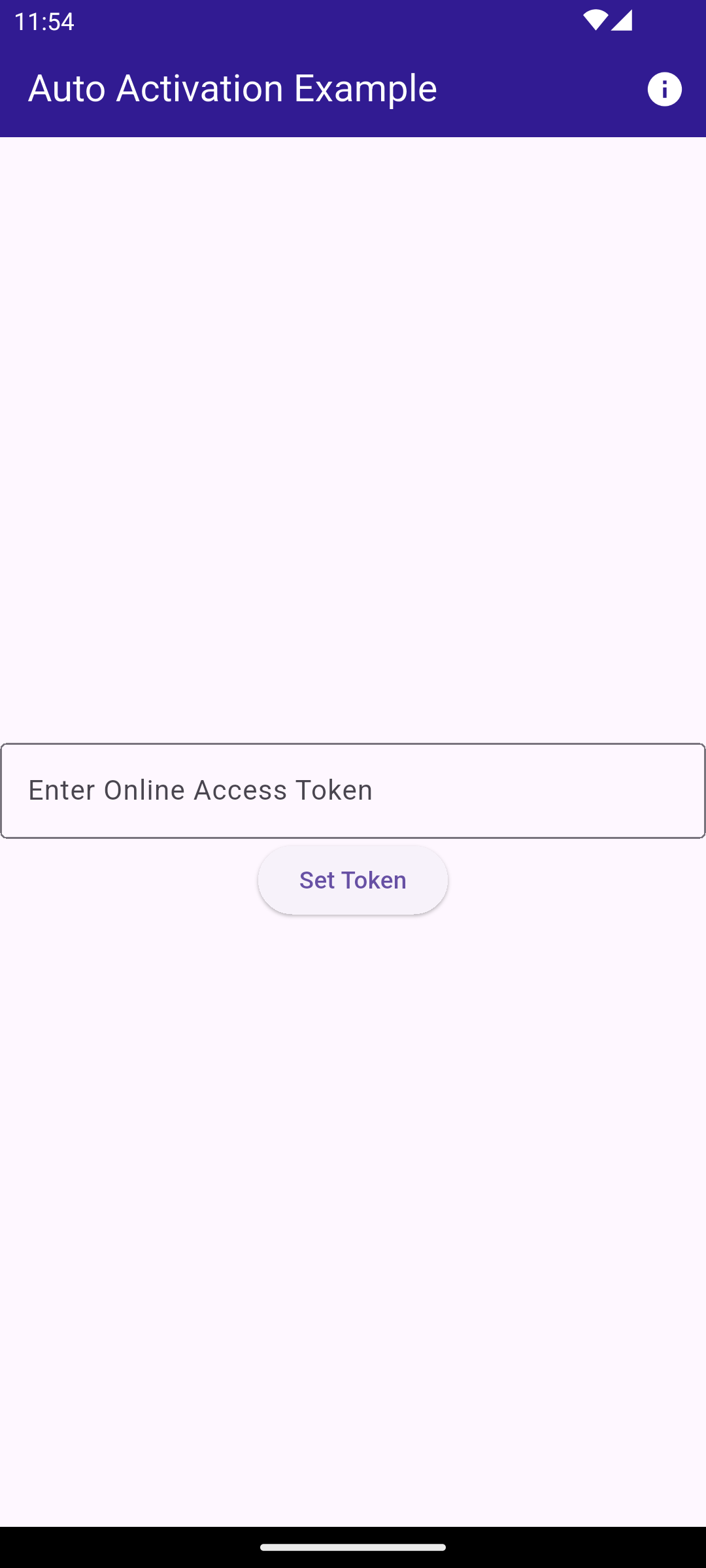
**Initial screen for activation**
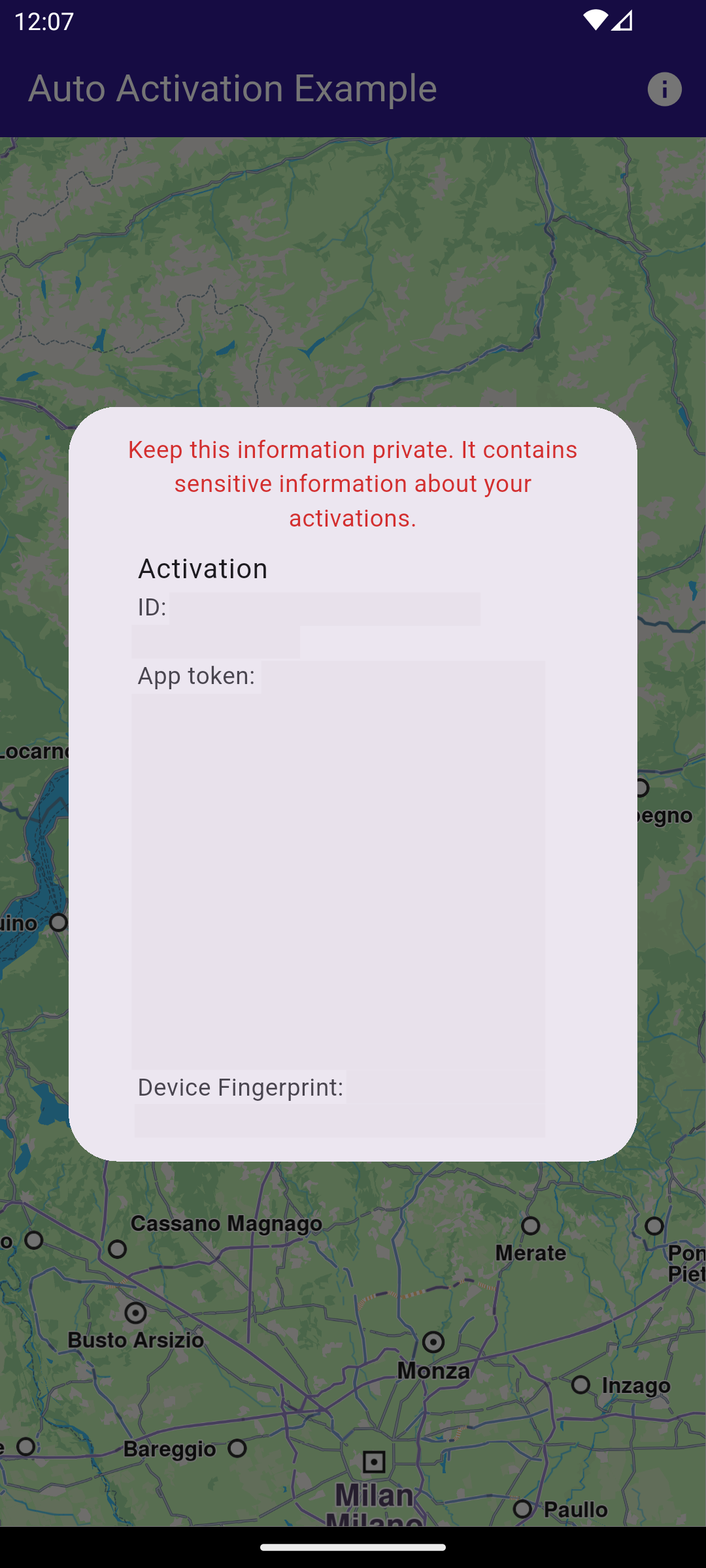
**Popup with activation status**
### UI and Map Integration[](#ui-and-map-integration "Direct link to UI and Map Integration")
main.dart[View on Github](https://github.com/magiclane/magiclane-maps-sdk-examples-for-flutter/tree/main/sdk_auto_activation/lib/main.dart?ref_type=heads#L31)
```dart
class MyHomePage extends StatefulWidget {
const MyHomePage({super.key});
@override
State createState() => _MyHomePageState();
}
class _MyHomePageState extends State {
@override
void initState() {
super.initState();
_loadStoredToken();
}
Future _loadStoredToken() async {
final prefs = await SharedPreferences.getInstance();
final token = prefs.getString('activation_token');
if (token != null) {
await GemKit.initialize(appAuthorization: token);
setState(() {
_isActivated = true;
_isLoadingPreferences = false;
});
} else {
setState(() {
_isLoadingPreferences = false;
});
}
}
@override
void dispose() {
GemKit.release();
super.dispose();
}
bool _isLoadingPreferences = true;
bool _isActivated = false;
@override
Widget build(BuildContext context) {
return Scaffold(
appBar: AppBar(
backgroundColor: Colors.deepPurple[900],
title: const Text(
'Auto Activation Example',
style: TextStyle(color: Colors.white),
),
actions: [
IconButton(
icon: const Icon(Icons.info, color: Colors.white),
onPressed: () async {
if (!_isActivated) {
showDialog(
context: context,
builder: (context) =>
const AlertDialog(content: Text('No activations found.')),
);
} else {
// ignore: experimental_member_use
final activations = ActivationService.getActivationsForProduct(
ProductID.core,
);
showDialog(
context: context,
builder: (context) => AlertDialog(
content: SizedBox(
width: 600,
height: 400,
child: Builder(
builder: (context) {
if (activations.isEmpty) {
return const Text('No activations found.');
}
return ListView(
shrinkWrap: true,
children: [
Text(
"Keep this information private. It contains sensitive information about your activations.",
style: TextStyle(color: Colors.red[700]),
textAlign: TextAlign.center,
),
...activations.map((activation) {
return ListTile(
title: const Text('Activation'),
subtitle: Column(
mainAxisSize: MainAxisSize.min,
crossAxisAlignment:
CrossAxisAlignment.start,
children: [
SelectableText('ID: ${activation.id}'),
SelectableText(
'App token: ${activation.appToken}',
),
SelectableText(
'Device Fingerprint: ${activation.deviceFingerprint}',
),
SelectableText(
'Status: ${activation.status.name}',
),
SelectableText(
'Expires: ${activation.expiry}',
),
SelectableText(
'License Key: ${activation.licenseKey}',
),
],
),
);
}),
const Divider(),
Padding(
padding: const EdgeInsets.all(16.0),
child: SelectableText(
"Token set in SdkSettings: ${SdkSettings.appAuthorization}",
),
),
],
);
},
),
),
),
);
}
},
),
],
),
body: Builder(
key: const Key('main_builder'),
builder: (context) {
if (_isActivated) return const GemMap();
if (_isLoadingPreferences) return const LoadingPreferencesWidget();
return ActivationRequiredScreen(
onSilentActivation: (token) async {
final prefs = await SharedPreferences.getInstance();
await prefs.setString('activation_token', token);
await GemKit.initialize(appAuthorization: token);
if (!mounted) return;
setState(() {
_isActivated = true;
});
},
);
},
),
);
}
}
```
The working of the `MyHomePage` widget is as follows:
* When the app launches it checks for a saved activation token on your device.
* If a token exists, the app initializes the SDK automatically and opens the map for you.
* If no token is found, you see a simple token entry screen where you paste or type your token and tap Set Token.
* Tapping Set Token saves the token, initializes the SDK, and then shows the map.
* Use the top-right info button to view your current activations and the stored token (keep this information private).
### Token Entry Screen[](#token-entry-screen "Direct link to Token Entry Screen")
main.dart[View on Github](https://github.com/magiclane/magiclane-maps-sdk-examples-for-flutter/tree/main/sdk_auto_activation/lib/main.dart?ref_type=heads#L193)
```dart
class ActivationRequiredScreen extends StatefulWidget {
const ActivationRequiredScreen({super.key, required this.onSilentActivation});
final void Function(String token) onSilentActivation;
@override
State createState() =>
_ActivationRequiredScreenState();
}
class _ActivationRequiredScreenState extends State {
final TextEditingController _controller = TextEditingController();
@override
void initState() {
super.initState();
_controller.text = projectApiToken;
}
@override
Widget build(BuildContext context) {
return Center(
child: Column(
mainAxisAlignment: MainAxisAlignment.center,
crossAxisAlignment: CrossAxisAlignment.center,
children: [
TextField(
controller: _controller,
decoration: InputDecoration(
border: OutlineInputBorder(),
labelText: 'Enter Online Access Token',
),
),
ElevatedButton(
onPressed: () async {
final token = _controller.text.trim();
widget.onSilentActivation(token);
},
child: const Text('Set Token'),
),
],
),
);
}
}
```
The `ActivationRequiredScreen` widget provides a simple UI for entering the token. When the user presses the "Set Token" button, the `onSilentActivation` callback is invoked with the entered token.