# Map Compass
Last updated:
October 18, 2026
\| 3 minutes read
This example demonstrates how to render a compass icon that displays the heading rotation of an interactive map. The compass indicates the direction where 0 degrees is north, 90 degrees is east, 180 degrees is south, and 270 degrees is west. You will also learn how to rotate the map back to its default north-up orientation.
## How it works[](#how-it-works "Direct link to How it works")
The example app demonstrates the following features:
* Display a map and sync a compass to its rotation.
* Align north up the map.
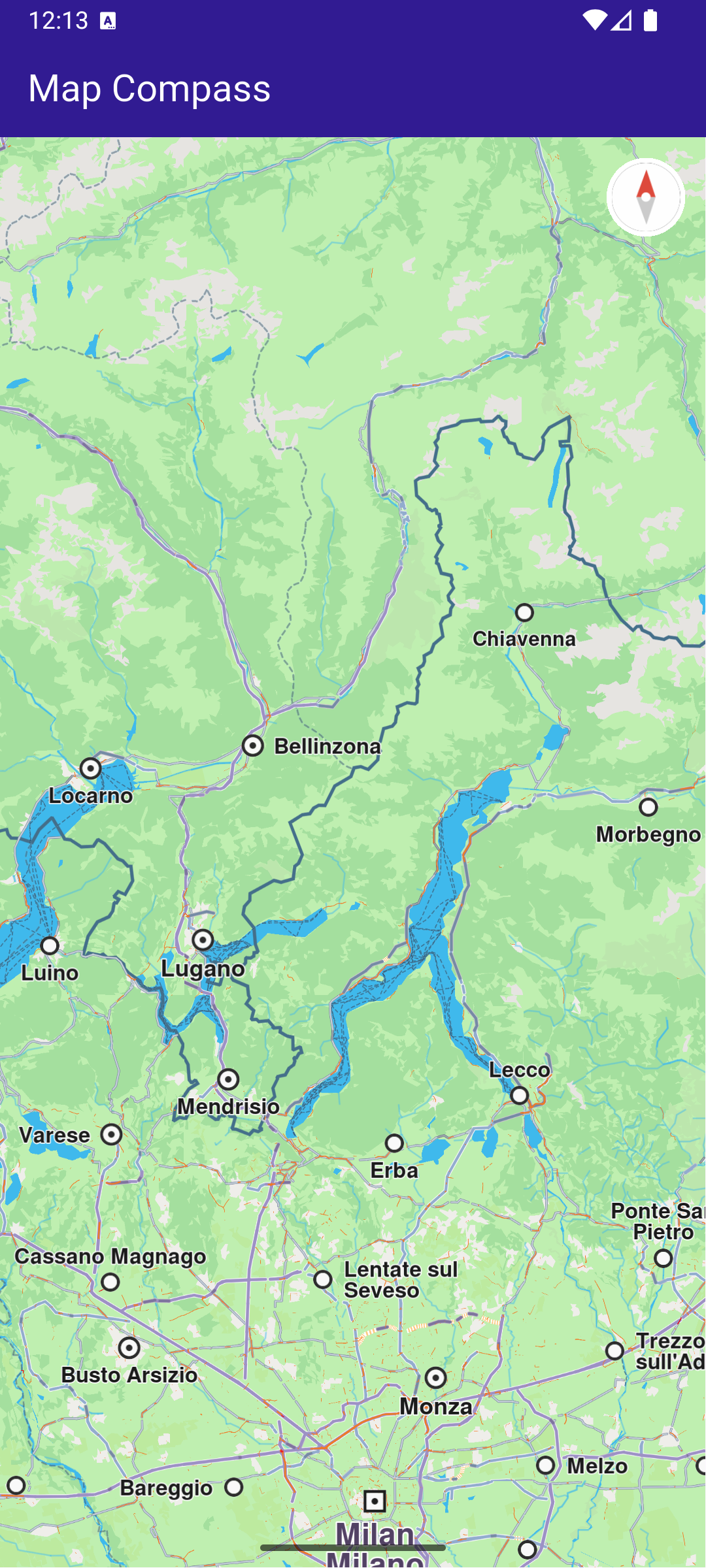
**Initial map rotation angle, north pointing up**
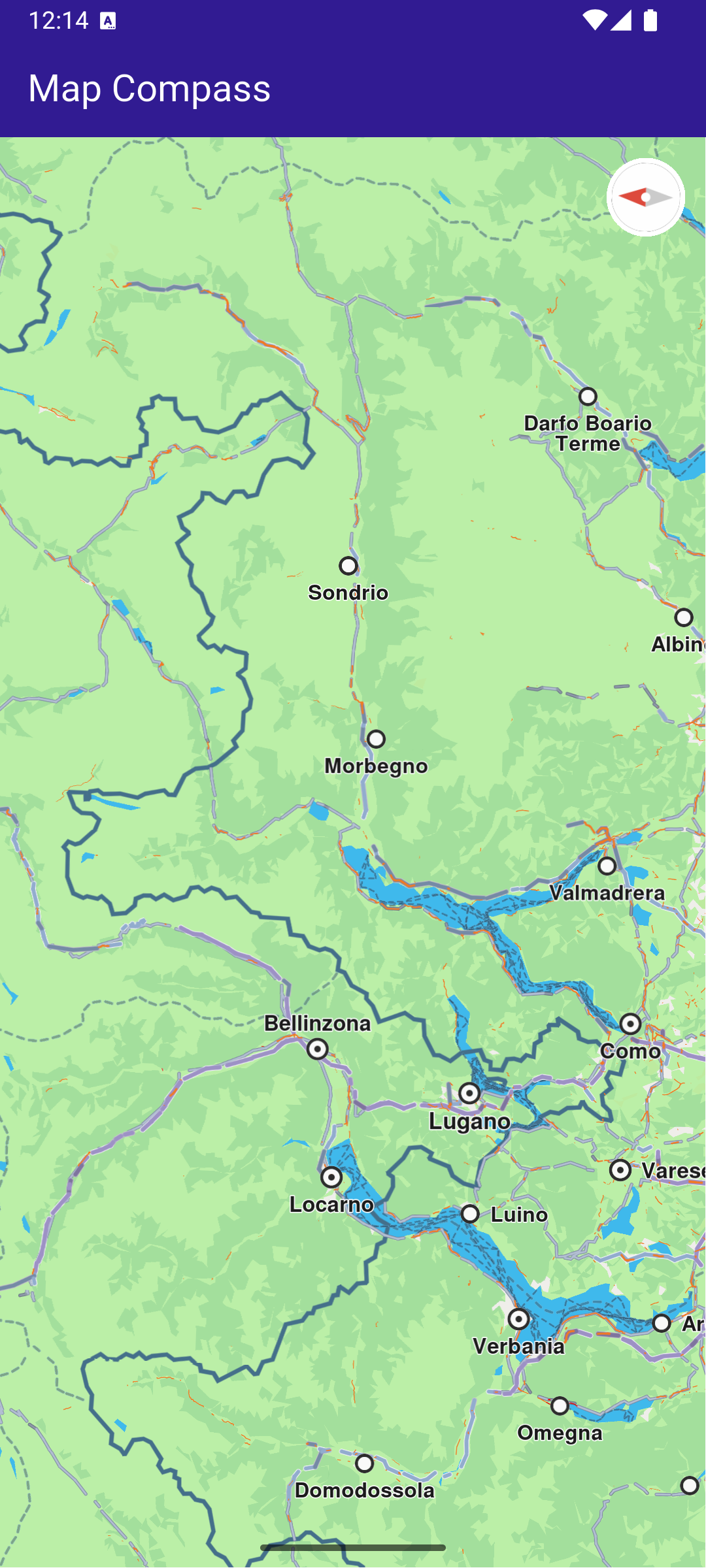
**Map rotation angle changed, north pointing differently**
### Map and UI components display[](#map-and-ui-components-display "Direct link to Map and UI components display")
main.dart[View on Github](https://github.com/magiclane/magiclane-maps-sdk-examples-for-flutter/tree/main/map_compass/lib/main.dart?ref_type=heads#L38)
```dart
class _MyHomePageState extends State {
late GemMapController mapController;
double compassAngle = 0;
Uint8List? compassImage;
@override
void dispose() {
GemKit.release();
super.dispose();
}
@override
Widget build(BuildContext context) {
return Scaffold(
appBar: AppBar(
backgroundColor: Colors.deepPurple[900],
title: const Text("Map Compass", style: TextStyle(color: Colors.white)),
),
body: Stack(
children: [
GemMap(
key: ValueKey("GemMap"),
onMapCreated: _onMapCreated,
appAuthorization: projectApiToken,
),
if (compassImage != null)
Positioned(
right: 12,
top: 12,
child: InkWell(
// Align the map north to up.
onTap: () => mapController.alignNorthUp(),
child: Transform.rotate(
angle: -compassAngle * (3.141592653589793 / 180),
child: Container(
padding: const EdgeInsets.all(3),
decoration: const BoxDecoration(
shape: BoxShape.circle,
color: Colors.white,
),
child: SizedBox(
width: 40,
height: 40,
child: Image.memory(compassImage!, gaplessPlayback: true),
),
),
),
),
),
],
),
);
}
// The callback for when map is ready to use.
void _onMapCreated(GemMapController controller) {
mapController = controller;
// Register the map angle update callback.
mapController.registerOnMapAngleUpdate(
(angle) => setState(() => compassAngle = angle),
);
setState(() {
compassImage = _compassImage();
});
}
Uint8List? _compassImage() {
// We will use the SDK image for compass but any widget can be used to represent the compass.
final image = SdkSettings.getImageById(
id: EngineMisc.compassEnableSensorOFF.id,
size: const Size(100, 100),
);
return image;
}
}
```
This callback function is triggered when the interactive map is initialized and ready for use. The map angle update callback is registered to ensure that the compass icon reflects the map’s current heading.
When the map’s heading angle changes (e.g., due to rotation), the compassAngle variable is updated, causing the compass widget to rotate accordingly. Tapping on the compass icon calls mapController.alignNorthUp() , which reorients the map so that 0 degrees (north) is at the top of the screen.