
Draw Shapes on Map

Last updated: July 15, 2026 | 3 minutes read

This example presents how to create a Flutter app that draws and displays shapes like polylines, polygons, and points on a map using Maps SDK for Flutter.

How it works​

The example app demonstrates the following features:

  • Draw and display polylines, polygons, and points on the map.
  • Handle user interaction through app bar buttons.
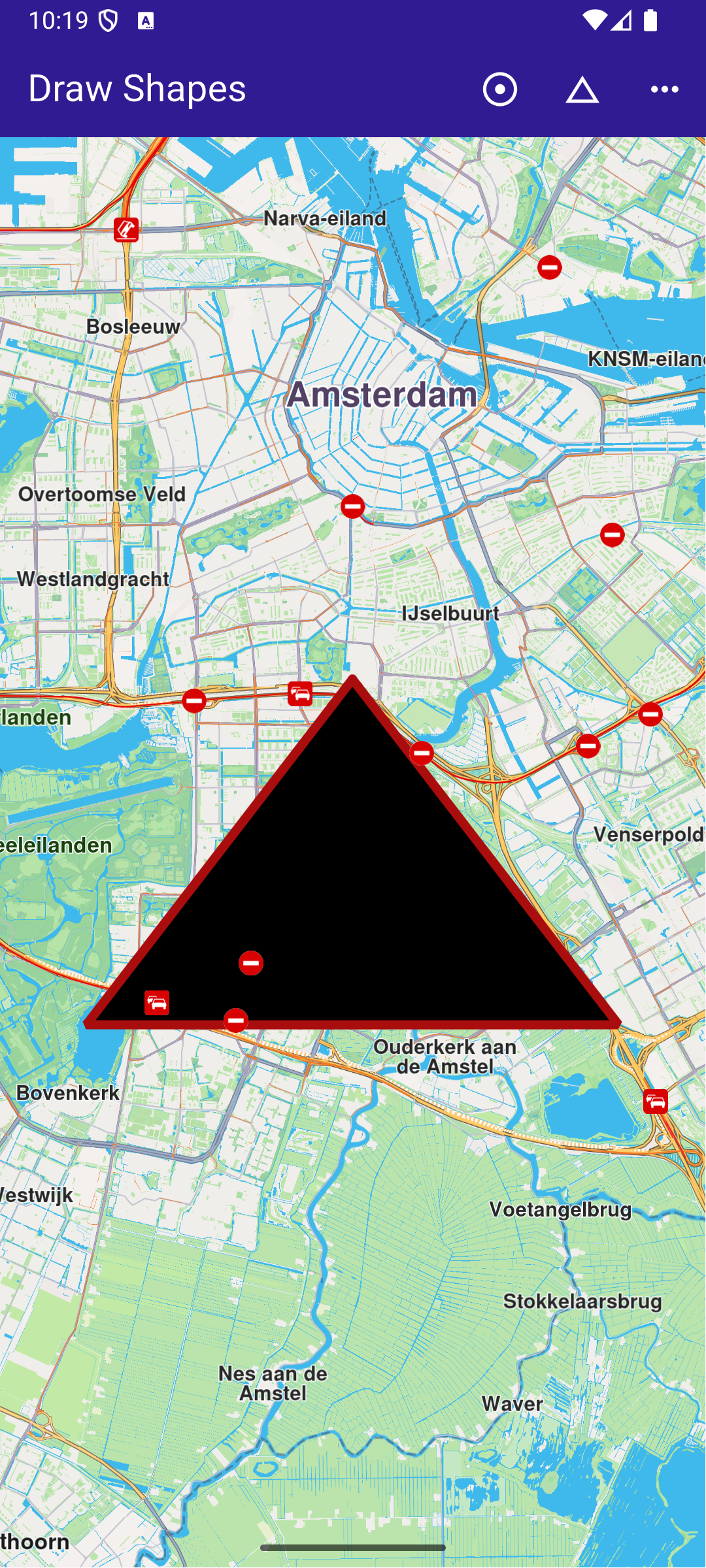
Polygon drawing
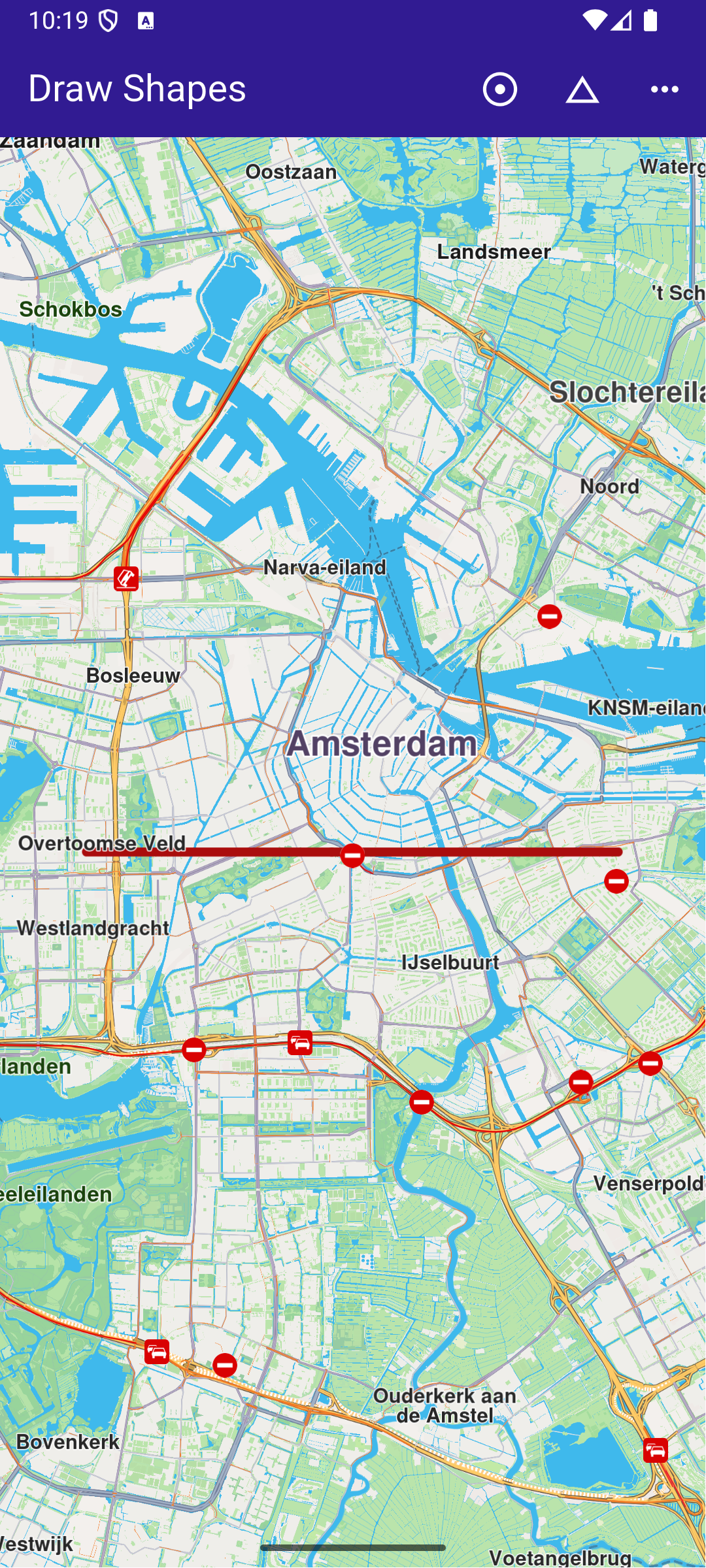
Polyline drawing
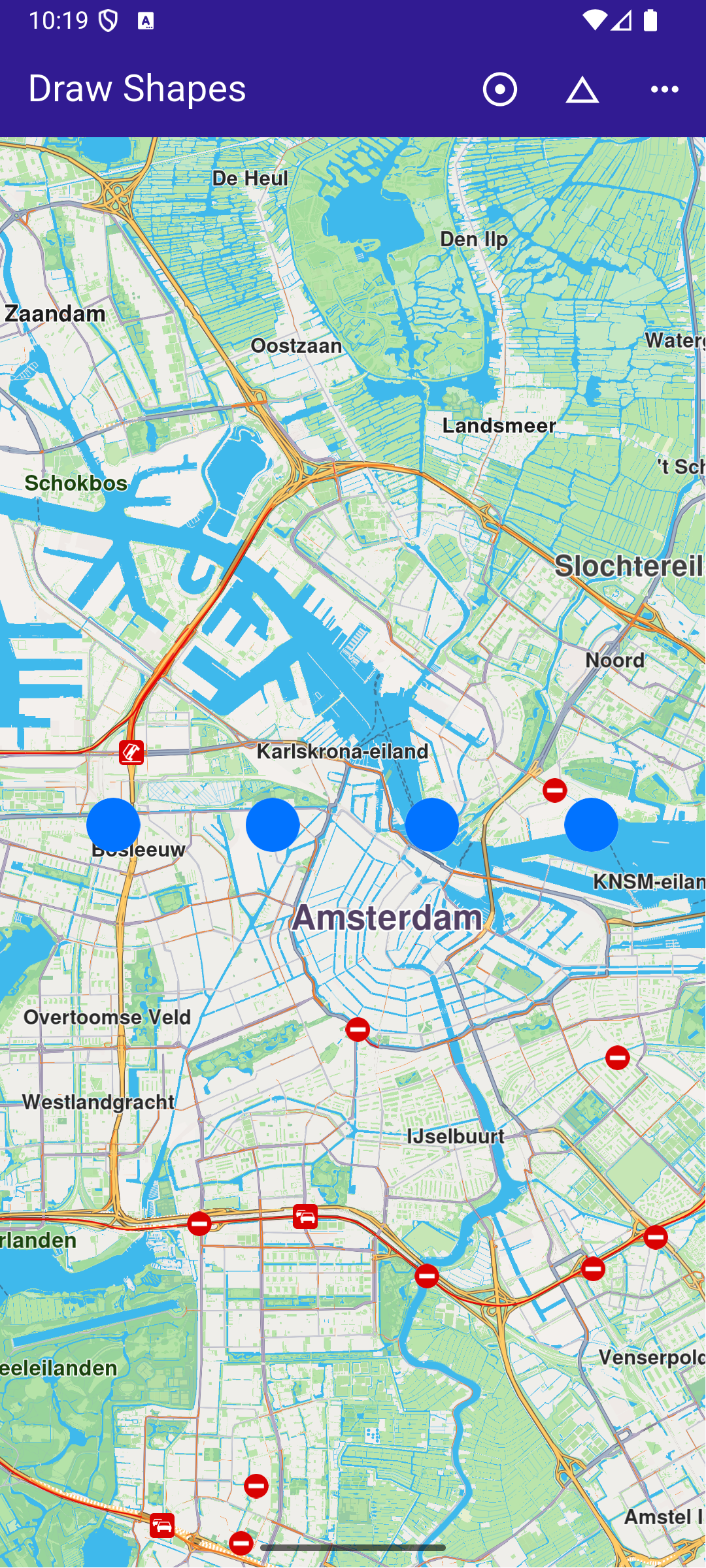
Points drawing

UI and Map Integration​

This code defines the main UI elements, including the map and an app bar with buttons to draw polylines, polygons, and points on the map.

class MyApp extends StatelessWidget {
const MyApp({super.key});


Widget build(BuildContext context) {
return const MaterialApp(
debugShowCheckedModeBanner: false,
title: 'Draw Shapes',
home: MyHomePage(),
);
}
}

class MyHomePage extends StatefulWidget {
const MyHomePage({super.key});


State<MyHomePage> createState() => _MyHomePageState();
}

class _MyHomePageState extends State<MyHomePage> {
late GemMapController _mapController;


void dispose() {
GemKit.release();
super.dispose();
}


Widget build(BuildContext context) {
return Scaffold(
appBar: AppBar(
backgroundColor: Colors.deepPurple[900],
title: const Text('Draw Shapes', style: TextStyle(color: Colors.white)),
actions: [
IconButton(
onPressed: _onPolylineButtonPressed,
icon: const Icon(Icons.adjust, color: Colors.white),
),
IconButton(
onPressed: _onPolygonButtonPressed,
icon: const Icon(Icons.change_history, color: Colors.white),
),
IconButton(
onPressed: _onPointsButtonPressed,
icon: const Icon(Icons.more_horiz, color: Colors.white),
),
],
),
body: GemMap(
key: ValueKey("GemMap"),
onMapCreated: _onMapCreated,
appAuthorization: projectApiToken,
),
);
}

Drawing and Displaying Shapes​

This code snippet defines the methods to draw and display different shapes (polyline, polygon, points) on the map. Each method creates a MarkerCollection , adds markers with specific coordinates, and displays them on the map.

void _onMapCreated(GemMapController controller) async {
// Save controller for further usage.
_mapController = controller;
}

// Method to draw and center on a polyline
void _onPolylineButtonPressed() {
// Create a marker collection
final markerCollection = MarkerCollection(
markerType: MarkerType.polyline,
name: 'Polyline marker collection',
);

// Set coordinates of marker
final marker = Marker();
marker.setCoordinates([
Coordinates(latitude: 52.360495, longitude: 4.936882),
Coordinates(latitude: 52.360495, longitude: 4.836882),
]);
markerCollection.add(marker);

_showMarkerCollectionOnMap(markerCollection);
}

// Method to draw and center on a polygon
void _onPolygonButtonPressed() {
// Create a marker collection
final markerCollection = MarkerCollection(
markerType: MarkerType.polygon,
name: 'Polygon marker collection',
);

// Set coordinates of marker
final marker = Marker();
marker.setCoordinates([
Coordinates(latitude: 52.340234, longitude: 4.886882),
Coordinates(latitude: 52.300495, longitude: 4.936882),
Coordinates(latitude: 52.300495, longitude: 4.836882),
]);
markerCollection.add(marker);

_showMarkerCollectionOnMap(markerCollection);
}

// Method to draw and center on points
void _onPointsButtonPressed() {
// Create a marker collection
final markerCollection = MarkerCollection(
markerType: MarkerType.point,
name: 'Points marker collection',
);

// Set coordinates of marker
final marker = Marker();
marker.setCoordinates([
Coordinates(latitude: 52.380495, longitude: 4.930882),
Coordinates(latitude: 52.380495, longitude: 4.900882),
Coordinates(latitude: 52.380495, longitude: 4.870882),
Coordinates(latitude: 52.380495, longitude: 4.840882),
]);
markerCollection.add(marker);

_showMarkerCollectionOnMap(markerCollection);
}

Utility Functions​

This utility method clears any previous markers on the map, then displays the new MarkerCollection and centers the map on the area containing the markers.

Future<void> _showMarkerCollectionOnMap(
MarkerCollection markerCollection,
) async {
final settings = MarkerCollectionRenderSettings();

// Clear previous markers from the map
await _mapController.preferences.markers.clear();

// Show the current marker on map and center on it
_mapController.preferences.markers.add(
markerCollection,
settings: settings,
);
_mapController.centerOnArea(markerCollection.area, zoomLevel: 50);
}