# Draw Shapes on Map
Last updated:
October 18, 2026
\| 3 minutes read
This example presents how to create a Flutter app that draws and displays shapes like polylines, polygons, and points on a map using Maps SDK for Flutter.
## How it works[](#how-it-works "Direct link to How it works")
The example app demonstrates the following features:
* Draw and display polylines, polygons, and points on the map.
* Handle user interaction through app bar buttons.
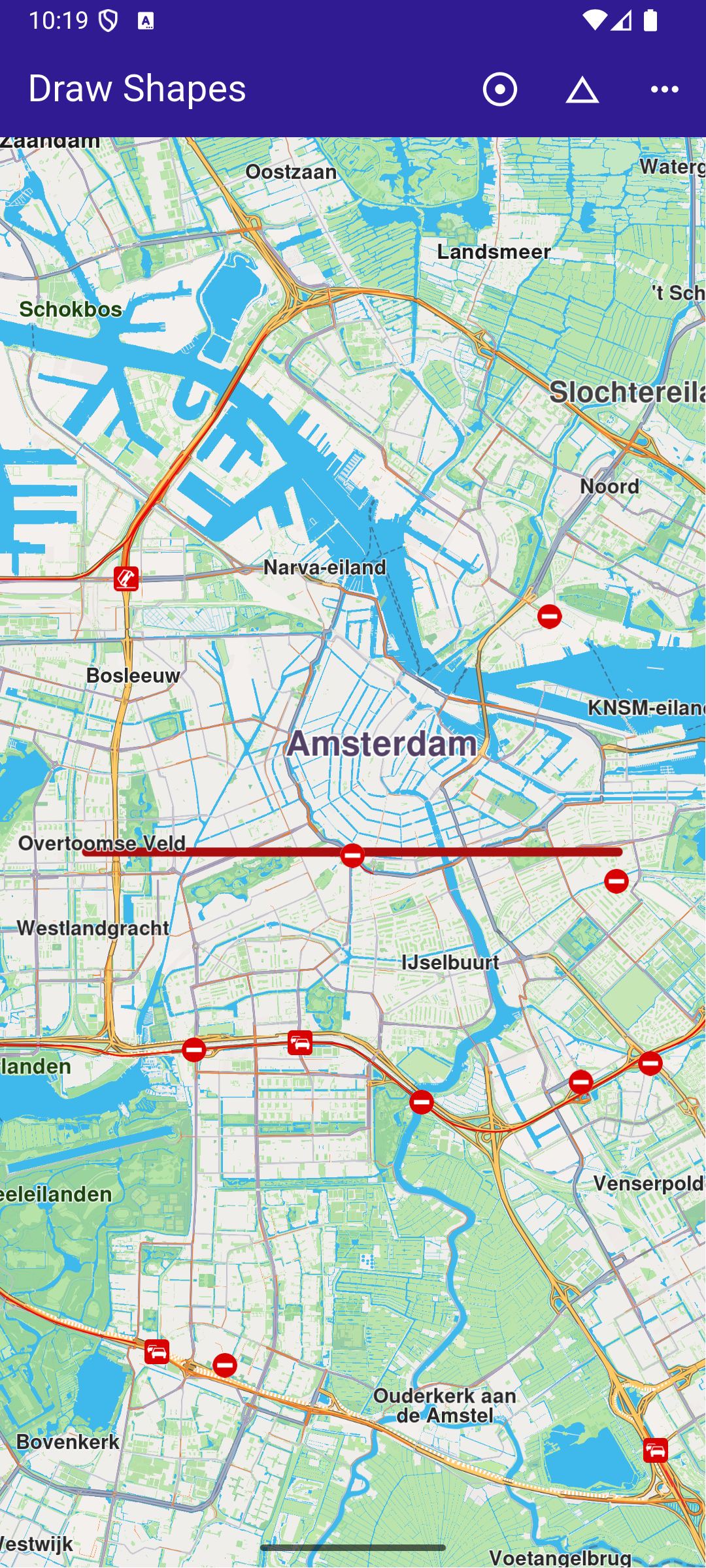
**Polygon drawing**
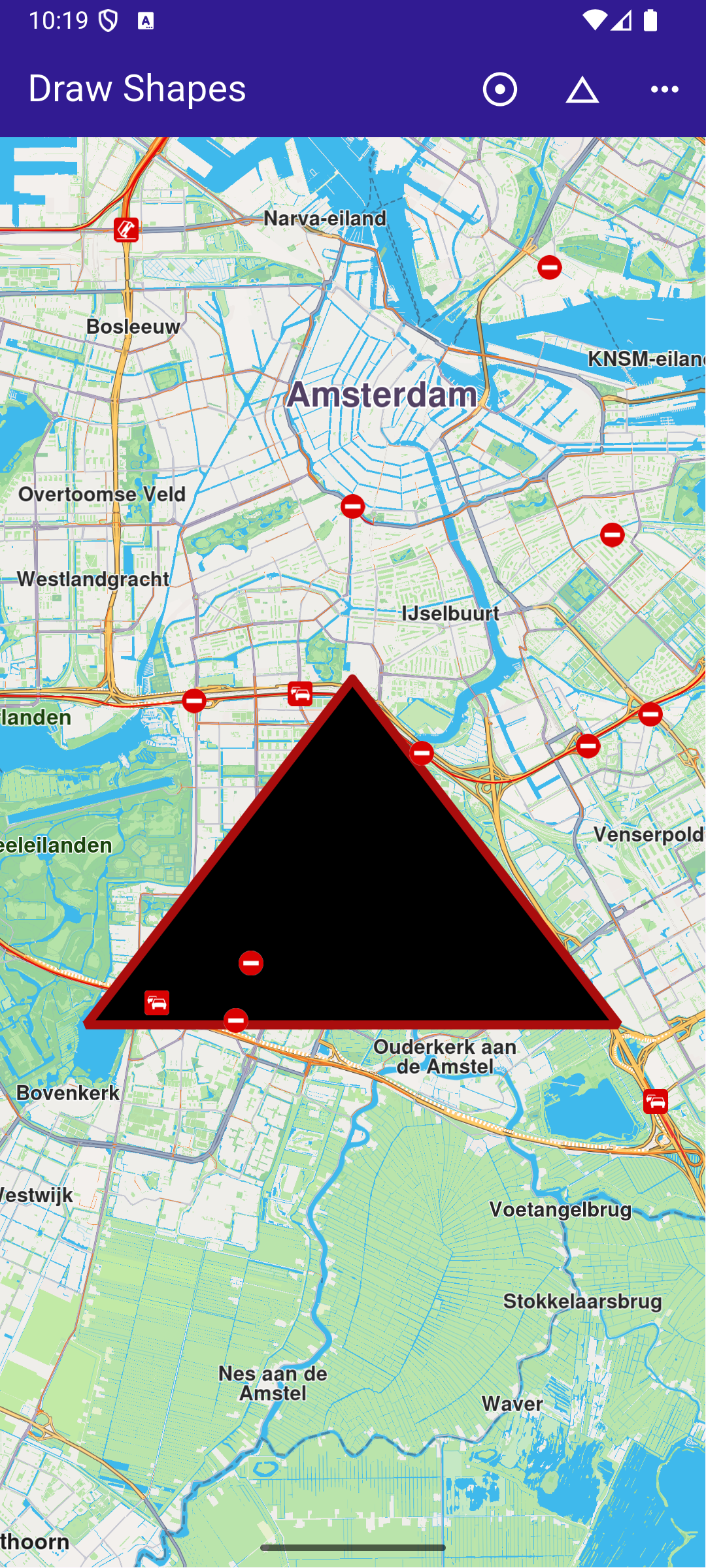
**Polyline drawing**
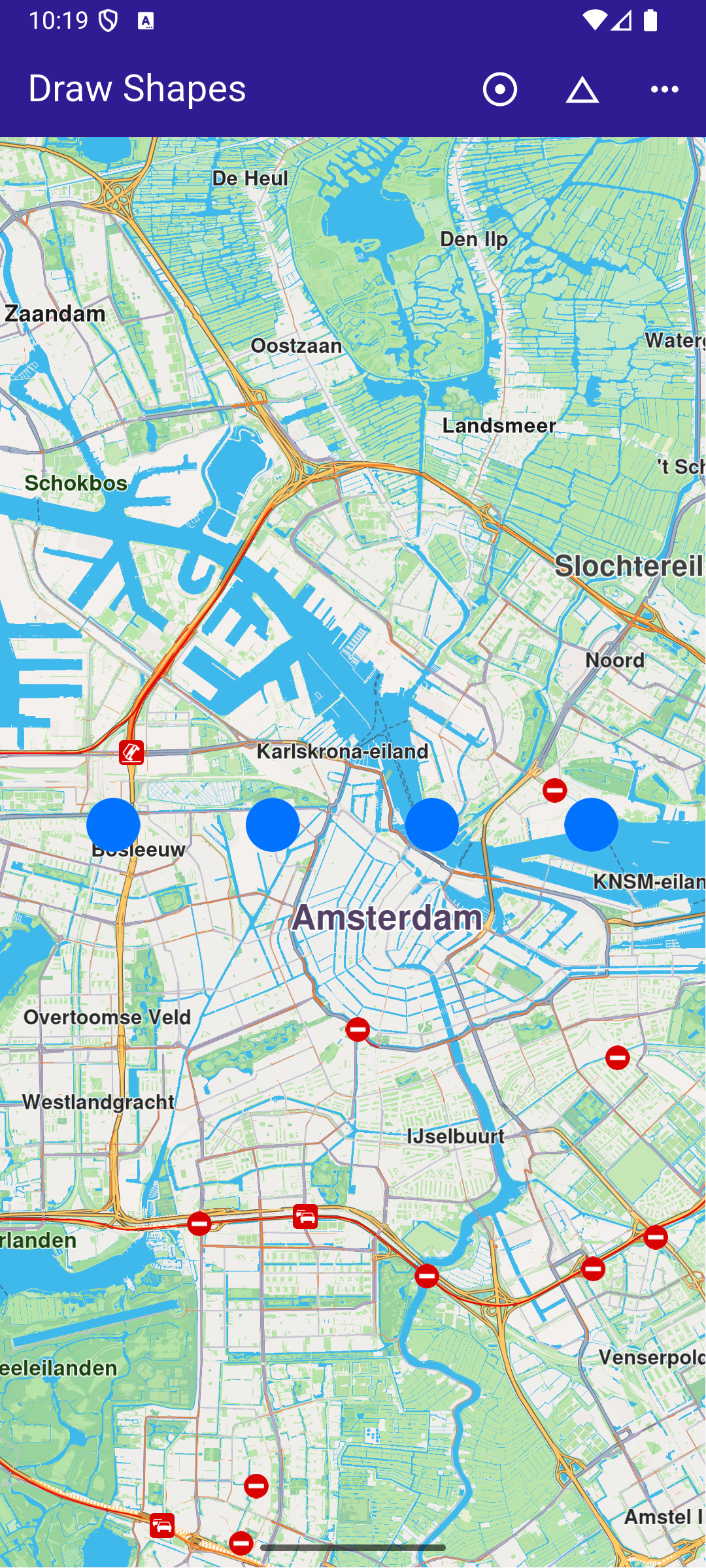
**Points drawing**
### UI and Map Integration[](#ui-and-map-integration "Direct link to UI and Map Integration")
This code defines the main UI elements, including the map and an app bar with buttons to draw polylines, polygons, and points on the map.
main.dart[View on Github](https://github.com/magiclane/magiclane-maps-sdk-examples-for-flutter/tree/main/draw_shapes/lib/main.dart?ref_type=heads#L16)
```dart
class MyApp extends StatelessWidget {
const MyApp({super.key});
@override
Widget build(BuildContext context) {
return const MaterialApp(
debugShowCheckedModeBanner: false,
title: 'Draw Shapes',
home: MyHomePage(),
);
}
}
class MyHomePage extends StatefulWidget {
const MyHomePage({super.key});
@override
State createState() => _MyHomePageState();
}
class _MyHomePageState extends State {
late GemMapController _mapController;
@override
void dispose() {
GemKit.release();
super.dispose();
}
@override
Widget build(BuildContext context) {
return Scaffold(
appBar: AppBar(
backgroundColor: Colors.deepPurple[900],
title: const Text('Draw Shapes', style: TextStyle(color: Colors.white)),
actions: [
IconButton(
onPressed: _onPolylineButtonPressed,
icon: const Icon(Icons.adjust, color: Colors.white),
),
IconButton(
onPressed: _onPolygonButtonPressed,
icon: const Icon(Icons.change_history, color: Colors.white),
),
IconButton(
onPressed: _onPointsButtonPressed,
icon: const Icon(Icons.more_horiz, color: Colors.white),
),
],
),
body: GemMap(
key: ValueKey("GemMap"),
onMapCreated: _onMapCreated,
appAuthorization: projectApiToken,
),
);
}
```
### Drawing and Displaying Shapes[](#drawing-and-displaying-shapes "Direct link to Drawing and Displaying Shapes")
This code snippet defines the methods to draw and display different shapes (polyline, polygon, points) on the map. Each method creates a MarkerCollection , adds markers with specific coordinates, and displays them on the map.
main.dart[View on Github](https://github.com/magiclane/magiclane-maps-sdk-examples-for-flutter/tree/main/draw_shapes/lib/main.dart?ref_type=heads#L75)
```dart
void _onMapCreated(GemMapController controller) async {
// Save controller for further usage.
_mapController = controller;
}
// Method to draw and center on a polyline
void _onPolylineButtonPressed() {
// Create a marker collection
final markerCollection = MarkerCollection(
markerType: MarkerType.polyline,
name: 'Polyline marker collection',
);
// Set coordinates of marker
final marker = Marker();
marker.setCoordinates([
Coordinates(latitude: 52.360495, longitude: 4.936882),
Coordinates(latitude: 52.360495, longitude: 4.836882),
]);
markerCollection.add(marker);
_showMarkerCollectionOnMap(markerCollection);
}
// Method to draw and center on a polygon
void _onPolygonButtonPressed() {
// Create a marker collection
final markerCollection = MarkerCollection(
markerType: MarkerType.polygon,
name: 'Polygon marker collection',
);
// Set coordinates of marker
final marker = Marker();
marker.setCoordinates([
Coordinates(latitude: 52.340234, longitude: 4.886882),
Coordinates(latitude: 52.300495, longitude: 4.936882),
Coordinates(latitude: 52.300495, longitude: 4.836882),
]);
markerCollection.add(marker);
_showMarkerCollectionOnMap(markerCollection);
}
// Method to draw and center on points
void _onPointsButtonPressed() {
// Create a marker collection
final markerCollection = MarkerCollection(
markerType: MarkerType.point,
name: 'Points marker collection',
);
// Set coordinates of marker
final marker = Marker();
marker.setCoordinates([
Coordinates(latitude: 52.380495, longitude: 4.930882),
Coordinates(latitude: 52.380495, longitude: 4.900882),
Coordinates(latitude: 52.380495, longitude: 4.870882),
Coordinates(latitude: 52.380495, longitude: 4.840882),
]);
markerCollection.add(marker);
_showMarkerCollectionOnMap(markerCollection);
}
```
### Utility Functions[](#utility-functions "Direct link to Utility Functions")
This utility method clears any previous markers on the map, then displays the new MarkerCollection and centers the map on the area containing the markers.
main.dart[View on Github](https://github.com/magiclane/magiclane-maps-sdk-examples-for-flutter/tree/main/draw_shapes/lib/main.dart?ref_type=heads#L140)
```dart
Future _showMarkerCollectionOnMap(
MarkerCollection markerCollection,
) async {
final settings = MarkerCollectionRenderSettings();
// Clear previous markers from the map
await _mapController.preferences.markers.clear();
// Show the current marker on map and center on it
_mapController.preferences.markers.add(
markerCollection,
settings: settings,
);
_mapController.centerOnArea(markerCollection.area, zoomLevel: 50);
}
```