# Custom Position Icon
Last updated:
October 18, 2026
\| 4 minutes read
This example presents how to create an app that displays a custom icon for the position tracker on a map using Maps SDK for Flutter.
## How it works[](#how-it-works "Direct link to How it works")
The example app demonstrates the following features:
* Display a custom icon for the position tracker on the map.
* Handle user interaction to start following the current position.
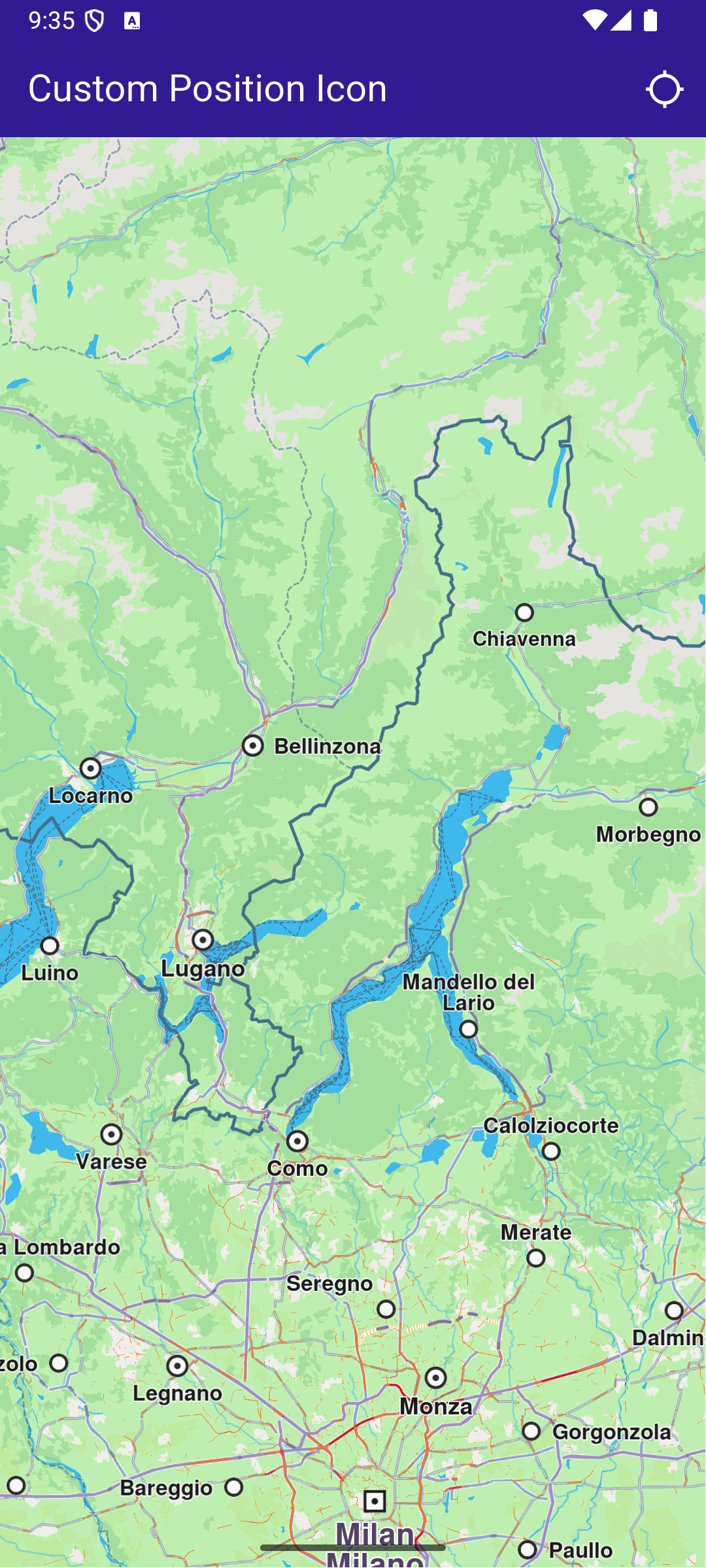
**Initial screen**
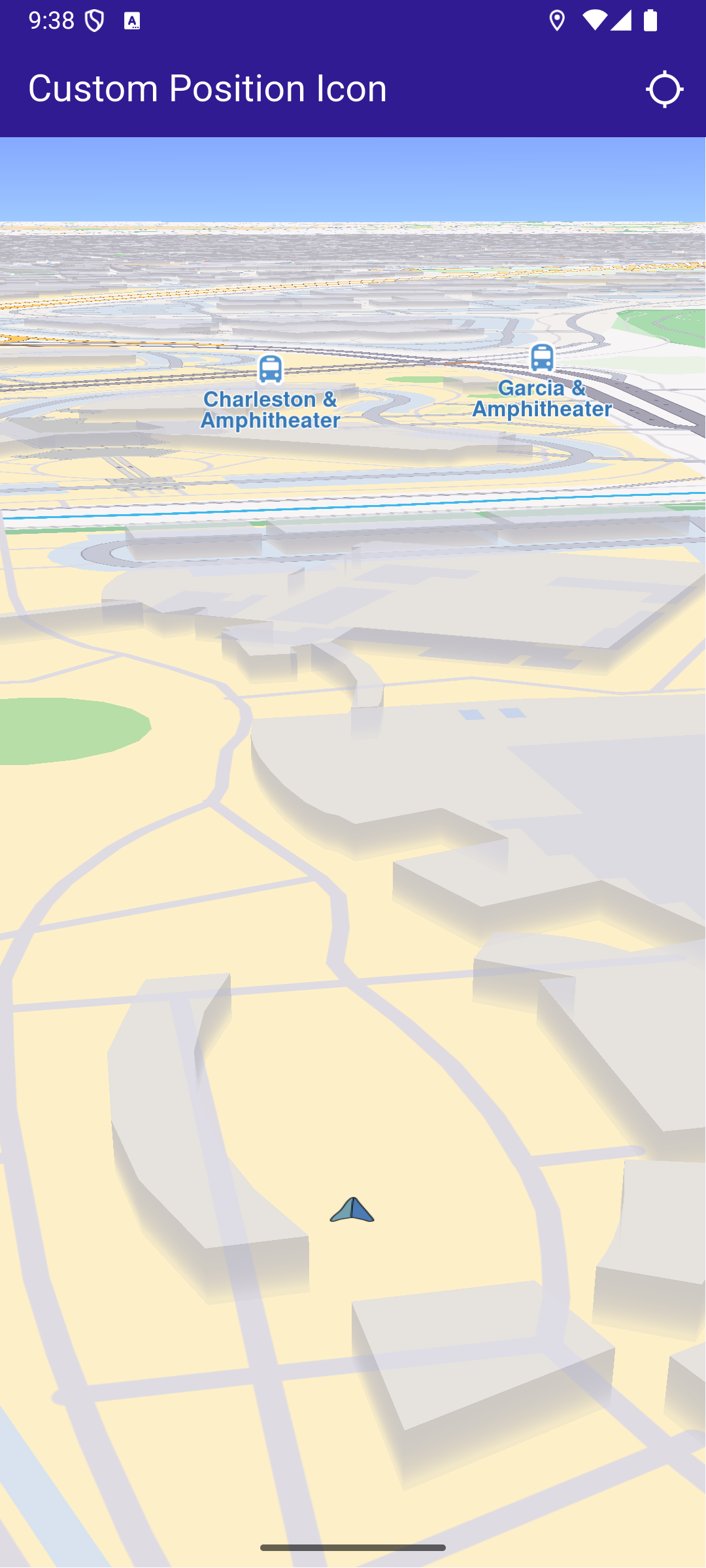
**Custom position tracker icon**
### Importing Assets[](#importing-assets "Direct link to Importing Assets")
Before running the app, ensure that you save the necessary files (such as the custom icon or 3D object) into the assets directory. For example:
* Save your custom icon image (e.g., navArrow\.png ) in the assets folder.
Update your pubspec.yaml file to include these assets:
```yaml
flutter:
assets:
- assets/
```
### UI and Map Integration[](#ui-and-map-integration "Direct link to UI and Map Integration")
main.dart[View on Github](https://github.com/magiclane/magiclane-maps-sdk-examples-for-flutter/tree/main/custom_position_icon/lib/main.dart?ref_type=heads#L19)
```dart
class MyApp extends StatelessWidget {
const MyApp({super.key});
@override
Widget build(BuildContext context) {
return const MaterialApp(
title: 'Custom Position Icon',
debugShowCheckedModeBanner: false,
home: MyHomePage(),
);
}
}
class MyHomePage extends StatefulWidget {
const MyHomePage({super.key});
@override
State createState() => _MyHomePageState();
}
class _MyHomePageState extends State {
late GemMapController _mapController;
PermissionStatus _locationPermissionStatus = PermissionStatus.denied;
bool _hasLiveDataSource = false;
@override
void dispose() {
GemKit.release();
super.dispose();
}
@override
Widget build(BuildContext context) {
return Scaffold(
appBar: AppBar(
backgroundColor: Colors.deepPurple[900],
title: const Text(
'Custom Position Icon',
style: TextStyle(color: Colors.white),
),
actions: [
IconButton(
onPressed: _onFollowPositionButtonPressed,
icon: const Icon(
Icons.location_searching_sharp,
color: Colors.white,
),
),
],
),
body: GemMap(
key: ValueKey("GemMap"),
onMapCreated: _onMapCreated,
appAuthorization: projectApiToken,
),
);
}
```
This code defines the main UI elements, including the map and an app bar with a button to follow the current position.
### Map Creation and Custom Position Tracker Icon[](#map-creation-and-custom-position-tracker-icon "Direct link to Map Creation and Custom Position Tracker Icon")
This method initializes the map controller, loads a custom icon for the position tracker from the assets, and applies it with a specified scale.
main.dart[View on Github](https://github.com/magiclane/magiclane-maps-sdk-examples-for-flutter/tree/main/custom_position_icon/lib/main.dart?ref_type=heads#L78)
```dart
// The callback for when map is ready to use.
void _onMapCreated(GemMapController controller) async {
// Save controller for further usage.
_mapController = controller;
// You can upload a custom icon for the position tracker, it can also be a 3D object as "quad.glb" file in the assets, or use a texture.
//final bytes = await loadAsUint8List('assets/quad.glb');
final bytes = await loadAsUint8List('assets/navArrow.png');
setPositionTrackerImage(bytes, scale: 0.5);
}
```
### Handling Position Tracking[](#handling-position-tracking "Direct link to Handling Position Tracking")
This method handles user interaction to request location permissions, sets the live data source, and starts following the current position on the map.
main.dart[View on Github](https://github.com/magiclane/magiclane-maps-sdk-examples-for-flutter/tree/main/custom_position_icon/lib/main.dart?ref_type=heads#L89)
```dart
void _onFollowPositionButtonPressed() async {
if (kIsWeb) {
// On web platform permission are handled differently than other platforms.
// The SDK handles the request of permission for location.
final locationPermssionWeb =
await PositionService.requestLocationPermission();
if (locationPermssionWeb == true) {
_locationPermissionStatus = PermissionStatus.granted;
} else {
_locationPermissionStatus = PermissionStatus.denied;
}
} else {
// For Android & iOS platforms, permission_handler package is used to ask for permissions.
_locationPermissionStatus = await Permission.locationWhenInUse.request();
}
if (_locationPermissionStatus == PermissionStatus.granted) {
// After the permission was granted, we can set the live data source (in most cases the GPS).
// The data source should be set only once, otherwise we'll get -5 error.
if (!_hasLiveDataSource) {
PositionService.setLiveDataSource();
_hasLiveDataSource = true;
}
// Optionally, we can set an animation
final animation = GemAnimation(type: AnimationType.linear);
// Calling the start following position SDK method.
_mapController.startFollowingPosition(animation: animation);
setState(() {});
}
}
```
### Utility Functions[](#utility-functions "Direct link to Utility Functions")
The setPositionTrackerImage method is crucial as it allows you to customize the position tracker icon with any image or 3D object. Ensure the image is correctly loaded from assets and properly scaled to fit your application’s design.
main.dart[View on Github](https://github.com/magiclane/magiclane-maps-sdk-examples-for-flutter/tree/main/custom_position_icon/lib/main.dart?ref_type=heads#L124)
```dart
Future loadAsUint8List(String filename) async {
final fileData = await rootBundle.load(filename);
return fileData.buffer.asUint8List();
}
// Method that sets the custom icon for the position tracker.
void setPositionTrackerImage(Uint8List imageData, {double scale = 1.0}) {
try {
MapSceneObject.customizeDefPositionTracker(
imageData,
SceneObjectFileFormat.tex,
);
final positionTracker = MapSceneObject.getDefPositionTracker();
positionTracker.scale = scale;
} catch (e) {
throw (e.toString());
}
}
```
Required Permissions
To ensure this example functions correctly, the necessary permissions must be added to the project's Android and iOS configuration files:
* Android
* iOS
Add the following code to the `android/app/src/main/AndroidManifest.xml` file, within the `` block:
```
```
This example uses the [Permission Handler](https://pub.dev/packages/permission_handler) package. Be sure to follow the [setup guide](https://pub.dev/packages/permission_handler#setup).
Add the following to `ios/Runner/Info.plist` inside the ``:
```
NSLocationWhenInUseUsageDescription
Location is needed for map localization and navigation
```
This example uses the [Permission Handler](https://pub.dev/packages/permission_handler) package. Follow the [official setup instructions](https://pub.dev/packages/permission_handler#setup). Add this to your `ios/Podfile`:
```
post_install do |installer|
installer.pods_project.targets.each do |target|
flutter_additional_ios_build_settings(target)
target.build_configurations.each do |config|
config.build_settings['GCC_PREPROCESSOR_DEFINITIONS'] ||= [
'$(inherited)',
'PERMISSION_LOCATION=1',
]
end
end
end
```