# Assets Map Styles
Last updated:
October 18, 2026
\| 3 minutes read
This example showcases how to build a Flutter app featuring an interactive map with a custom style, seamlessly imported from the assets folder, using the Maps SDK for Flutter.
## How it works[](#how-it-works "Direct link to How it works")
The example app demonstrates the following features:
* Display a map.
* Loading and applying map styles from the app assets folder.
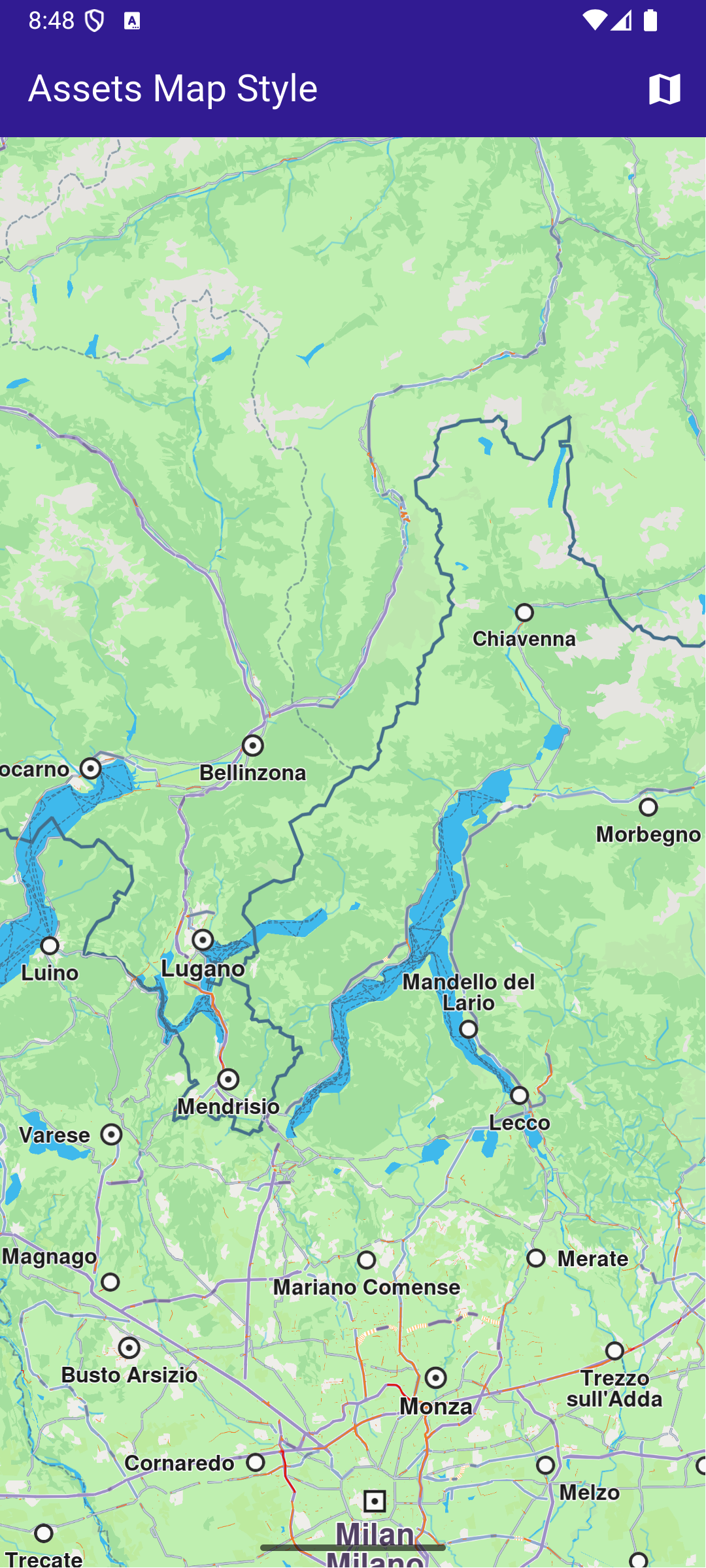
**Initial map style**
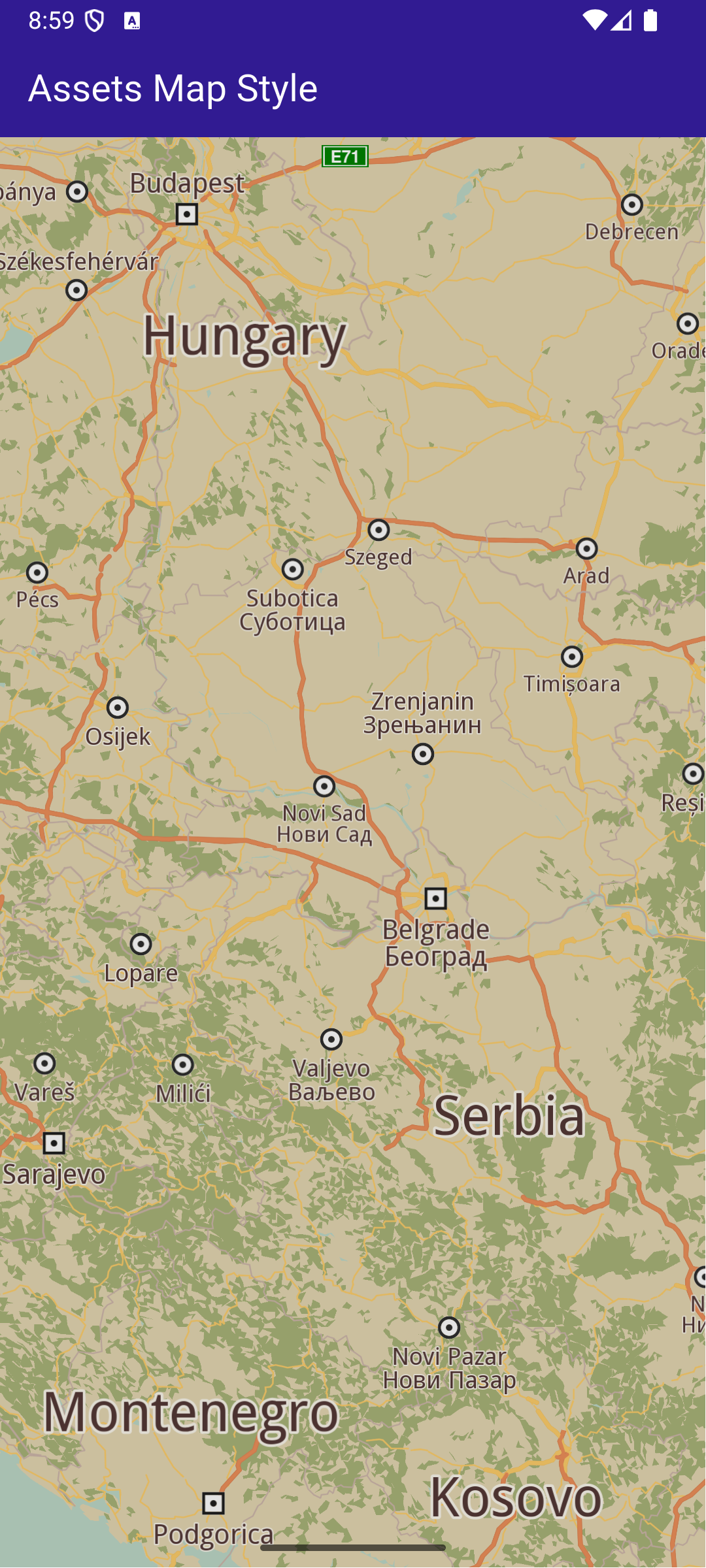
**Applied map style**
### Add style to project[](#add-style-to-project "Direct link to Add style to project")
In the root directory of your project, create a new folder named assets. Specify the path to the assets folder in the pubspec.yaml file. Modify the file as follows:
```yaml
flutter:
uses-material-design: true
assets:
- assets/
```
Place a `.style` file inside the assets directory.
### UI and Map Integration[](#ui-and-map-integration "Direct link to UI and Map Integration")
The following code builds an UI with a `GemMap` widget and an app bar with a set map style button.
main.dart[View on Github](https://github.com/magiclane/magiclane-maps-sdk-examples-for-flutter/tree/main/assets_map_style/lib/main.dart?ref_type=heads#L32)
```dart
class MyHomePage extends StatefulWidget {
const MyHomePage({super.key});
@override
State createState() => _MyHomePageState();
}
class _MyHomePageState extends State {
// GemMapController object used to interact with the map
late GemMapController _mapController;
bool _isStyleLoaded = false;
@override
void dispose() {
GemKit.release();
super.dispose();
}
@override
Widget build(BuildContext context) {
return Scaffold(
appBar: AppBar(
backgroundColor: Colors.deepPurple[900],
title: const Text(
'Assets Map Style',
style: TextStyle(color: Colors.white),
),
actions: [
if (!_isStyleLoaded)
IconButton(
onPressed: () => _applyStyle(),
icon: Icon(Icons.map, color: Colors.white),
),
],
),
body: GemMap(
key: ValueKey("GemMap"),
onMapCreated: _onMapCreated,
appAuthorization: projectApiToken,
),
);
}
void _onMapCreated(GemMapController controller) async {
```
This code sets up the main screen with a map and a button that triggers the \_applyStyle method to load a custom style file.
### Loading and Applying Map Styles[](#loading-and-applying-map-styles "Direct link to Loading and Applying Map Styles")
This code loads the .style file as bytes, applies it to the map with a smooth transition, and centers the map on specified coordinates.
main.dart[View on Github](https://github.com/magiclane/magiclane-maps-sdk-examples-for-flutter/tree/main/assets_map_style/lib/main.dart?ref_type=heads#L81)
```dart
Future _applyStyle() async {
_showSnackBar(context, message: "The map style is loading.");
await Future.delayed(Duration(milliseconds: 250));
final styleData = await _loadStyle();
_mapController.preferences.setMapStyleByBuffer(
styleData,
smoothTransition: true,
);
setState(() {
_isStyleLoaded = true;
});
if (mounted) {
ScaffoldMessenger.of(context).hideCurrentSnackBar();
}
_mapController.centerOnCoordinates(
Coordinates(latitude: 45, longitude: 20),
zoomLevel: 25,
);
}
```
### Loading the Style File[](#loading-the-style-file "Direct link to Loading the Style File")
This method reads the .style file from assets and returns the data as Uint8List bytes.
main.dart[View on Github](https://github.com/magiclane/magiclane-maps-sdk-examples-for-flutter/tree/main/assets_map_style/lib/main.dart?ref_type=heads#L108)
```dart
Future _loadStyle() async {
// Load style into memory
final data = await rootBundle.load('assets/Basic_1_Oldtime-1_21_656.style');
```