# Magic Lane - Maps SDK for C++ documentation
## Docs
### Fleet Management
info
Example applications for the Fleet Management C++ API are available on [IssueTracker](https://issuetracker.magiclane.com/magiclane/maps-sdk-examples-for-cpp/-/tree/master/Examples/VRP). You can clone the repository and launch the applications by following the setup instructions provided in the [README](https://issuetracker.magiclane.com/magiclane/maps-sdk-examples-for-cpp/-/blob/master/README.md?ref_type=heads) file.
Magic Lane's Route Optimization empowers logistics teams to optimize fleet routing with 30+ constraints, traffic-based ETAs, and real-time adaptability, for faster, cost-effective deliveries, no matter the fleet size or vehicle type.
[](/docs/cpp/examples/fleet-management/add-full-optimization.md)
##### [Add Optimization with Full Details](/docs/cpp/examples/fleet-management/add-full-optimization.md)
[This example shows how to create and optimize a fleet management solution using the Fleet Management SDK, including custom optimizations, order details, vehicle constraints, and map visualization.](/docs/cpp/examples/fleet-management/add-full-optimization.md)
[](/docs/cpp/examples/fleet-management/add-optim-with-single-vehicle.md)
##### [Add Optimization with Single Vehicle](/docs/cpp/examples/fleet-management/add-optim-with-single-vehicle.md)
[This example shows how to create and optimize a fleet management solution with a single vehicle using the Fleet Management SDK, covering order details, vehicle constraints, and map visualization.](/docs/cpp/examples/fleet-management/add-optim-with-single-vehicle.md)
[](/docs/cpp/examples/fleet-management/add-optim-with-set-matrices.md)
##### [Add Optimization with Set Matrices](/docs/cpp/examples/fleet-management/add-optim-with-set-matrices.md)
[This example shows how to create and optimize a fleet management solution using the Fleet Management SDK with custom time and distance matrices, covering order details, vehicle constraints, and map visualization.](/docs/cpp/examples/fleet-management/add-optim-with-set-matrices.md)
[](/docs/cpp/examples/fleet-management/add-optim-with-multiple-departures.md)
##### [Add Optimization with Multiple Departures](/docs/cpp/examples/fleet-management/add-optim-with-multiple-departures.md)
[This example shows how to optimize a fleet management solution using the Fleet Management SDK with multiple vehicles departing from different locations, covering order details, vehicle constraints, and map visualization.](/docs/cpp/examples/fleet-management/add-optim-with-multiple-departures.md)
[](/docs/cpp/examples/fleet-management/add-optim-with-multiple-destinations.md)
##### [Add Optimization with Multiple Destinations](/docs/cpp/examples/fleet-management/add-optim-with-multiple-destinations.md)
[This example shows how to optimize a fleet management solution using the Fleet Management SDK, where multiple vehicles start from one location but end at different destinations. It covers order details, vehicle constraints, and route visualization for efficient planning.](/docs/cpp/examples/fleet-management/add-optim-with-multiple-destinations.md)
[](/docs/cpp/examples/fleet-management/add-optim-with-orders-sequence.md)
##### [Add Optimization with Orders Sequences](/docs/cpp/examples/fleet-management/add-optim-with-orders-sequence.md)
[This example shows how to optimize a fleet management solution using the Fleet Management SDK with order sequences. It covers order constraints, vehicle setup, and route visualization while allowing certain orders to follow a preferred but non-fixed sequence.](/docs/cpp/examples/fleet-management/add-optim-with-orders-sequence.md)
[](/docs/cpp/examples/fleet-management/add-optim-with-sequence-pairs/)
##### [Add Optimization with Orders Sequence Pairs](/docs/cpp/examples/fleet-management/add-optim-with-sequence-pairs/)
[This example shows how to optimize a fleet management solution using the Fleet Management SDK with order sequence pairs, ensuring pickups occur before deliveries. It covers order constraints, vehicle setup, and route visualization.](/docs/cpp/examples/fleet-management/add-optim-with-sequence-pairs/)
[](/docs/cpp/examples/fleet-management/add-optim-with-orders-in-the-same-route.md)
##### [Add Optimization with Orders in the Same Route](/docs/cpp/examples/fleet-management/add-optim-with-orders-in-the-same-route.md)
[This example shows how to optimize a fleet management solution where specific orders must be handled by the same vehicle, ensuring they remain on the same route. It covers order constraints, optimization settings, and route visualization.](/docs/cpp/examples/fleet-management/add-optim-with-orders-in-the-same-route.md)
[](/docs/cpp/examples/fleet-management/add-optim-with-fixed-sequence.md)
##### [Add Optimization with Fixed Orders Sequence](/docs/cpp/examples/fleet-management/add-optim-with-fixed-sequence.md)
[This example shows how to optimize a fleet management solution where specific orders must be visited in a fixed sequence by the same vehicle. It covers fixed order sequences and route visualization.](/docs/cpp/examples/fleet-management/add-optim-with-fixed-sequence.md)
[](/docs/cpp/examples/fleet-management/reoptimize-optim.md)
##### [Reoptimize Optimization](/docs/cpp/examples/fleet-management/reoptimize-optim.md)
[This example shows how to reoptimize an existing optimization to generate a new and potentially better solution.](/docs/cpp/examples/fleet-management/reoptimize-optim.md)
[](/docs/cpp/examples/fleet-management/update-optim.md)
##### [Update Optimization](/docs/cpp/examples/fleet-management/update-optim.md)
[This example shows how to update an existing optimization by modifying its configuration, vehicles, constraints, and other fields. The updated optimization can be reoptimized to generate a new solution; otherwise, the changes will not be applied to the optimization's routes.](/docs/cpp/examples/fleet-management/update-optim.md)
[](/docs/cpp/examples/fleet-management/reoptimize-route.md)
##### [Reoptimize Route](/docs/cpp/examples/fleet-management/reoptimize-route.md)
[This example shows how to reoptimize an existing route to rearrange the orders into a better sequence of visits, if a more efficient sequence is available.](/docs/cpp/examples/fleet-management/reoptimize-route.md)
[](/docs/cpp/examples/fleet-management/update-route.md)
##### [Update Route](/docs/cpp/examples/fleet-management/update-route.md)
[This example shows how to update an existing route by modifying its configuration, vehicle constraints, and other fields. The updated route can be reoptimized to generate a new visit order. If not reoptimized, the changes won’t affect the route’s optimization. However, some configuration changes (e.g., ignoring time windows or adjusting optimization criteria) will automatically trigger reoptimization.](/docs/cpp/examples/fleet-management/update-route.md)
[](/docs/cpp/examples/fleet-management/unlink-route.md)
##### [Unlink Route](/docs/cpp/examples/fleet-management/unlink-route.md)
[This example shows how to unlink a route from its optimization. The route will be removed from the optimization, and a new optimization will be created for the unlinked route, retaining its configuration and vehicle constraints.](/docs/cpp/examples/fleet-management/unlink-route.md)
[](/docs/cpp/examples/fleet-management/merge-routes.md)
##### [Merge Routes](/docs/cpp/examples/fleet-management/merge-routes.md)
[This example shows how to merge multiple routes into one. A new optimization will be created for the merged route, inheriting configuration and vehicle constraints from the first route, but it will \*\*not\*\* be automatically optimized.](/docs/cpp/examples/fleet-management/merge-routes.md)
[](/docs/cpp/examples/fleet-management/generate-territories.md)
##### [Generate Territories](/docs/cpp/examples/fleet-management/generate-territories.md)
[This example demonstrates how to generate polygon territories from a list of coordinates and visualize them on a map.](/docs/cpp/examples/fleet-management/generate-territories.md)
[](/docs/cpp/examples/fleet-management/add-orders-to-an-optim.md)
##### [Add Orders To Optimization](/docs/cpp/examples/fleet-management/add-orders-to-an-optim.md)
[This example shows how to add a list of orders to an existing optimization, where the orders will be assigned to routes if reoptimization is enabled, or stored without assignment if reoptimization is not enabled.](/docs/cpp/examples/fleet-management/add-orders-to-an-optim.md)
[](/docs/cpp/examples/fleet-management/add-orders-to-a-route.md)
##### [Add Orders To Route](/docs/cpp/examples/fleet-management/add-orders-to-a-route.md)
[This example shows how to add a list of orders into an existing route's order list at optimal positions determined by the algorithm.](/docs/cpp/examples/fleet-management/add-orders-to-a-route.md)
---
### Add Optimization with Full Details
|
The example covers the following features:
* Adding an optimization with custom configuration parameters.
* Defining orders with various fields (e.g., time windows, packages, weights).
* Setting up multiple vehicles with specific constraints.
* Displaying the optimized solution on a map.
When you run the example application:
* An optimization is created and saved.
* The optimized solution is returned and displayed on the map.
##### Create Customers and Orders[](#create-customers-and-orders "Direct link to Create Customers and Orders")
note
Each order must have a customer associated with it. You can either:
* Create a new customer and assign it to the order.
* Use an existing customer (refer to the [Get Customer](/docs/cpp/guides/fleet-management/customer.md#a-get-a-customer-by-id) example).
###### Initializing and Adding Customers[](#initializing-and-adding-customers "Direct link to Initializing and Adding Customers")
1. Initialize a `ProgressListener` and `vrp::Service`.
2. Create twelve `vrp::Customer` objects and set the desired fields, and add them to database.
3. Call the `addCustomer()` method from the `vrp::Service` using the `vrp::Customer` and `ProgressListener` and wait for the operation to be done.
[]()
```cpp
// Initialize Service and Listener
ProgressListener listener;
gem::vrp::Service serv;
//Initialize customers and set the desired fields.
gem::vrp::Customer c0;
c0.setCoordinates(gem::Coordinates(48.234270, -2.133208));
c0.setAlias("c0");
c0.setPhoneNumber("+12312312");
c0.setEmail("c0@yahoo.com");
int ret = serv.addCustomer(&listener, c0);
WAIT_UNTIL(std::bind(&ProgressListener::IsFinished, &listener), 5000);
gem::vrp::Customer c1;
c1.setCoordinates(gem::Coordinates(45.854137, 2.853998));
c1.setAlias("c1");
c1.setEmail("c1@yahoo.com");
c1.setPhoneNumber("+12312312");
ret = serv.addCustomer(&listener, c1);
WAIT_UNTIL(std::bind(&ProgressListener::IsFinished, &listener), 5000);
gem::vrp::Customer c2(gem::Coordinates(46.199373, 0.069986));
c2.setAlias("c2");
c2.setPhoneNumber("+12312312");
c2.setEmail("c2@yahoo.com");
ret = serv.addCustomer(&listener, c2);
WAIT_UNTIL(std::bind(&ProgressListener::IsFinished, &listener), 5000);
gem::vrp::Customer c3(gem::Coordinates(48.052503, 0.119726));
c3.setAlias("c3");
c3.setPhoneNumber("+12312312");
c3.setEmail("c3@yahoo.com");
ret = serv.addCustomer(&listener, c3);
WAIT_UNTIL(std::bind(&ProgressListener::IsFinished, &listener), 5000);
gem::vrp::Customer c4(gem::Coordinates(44.346051, 4.694878));
c4.setAlias("c4");
c4.setPhoneNumber("+12312312");
c4.setEmail("c4@yahoo.com");
ret = serv.addCustomer(&listener, c4);
WAIT_UNTIL(std::bind(&ProgressListener::IsFinished, &listener), 5000);
gem::vrp::Customer c5(gem::Coordinates(44.464582, 2.455020));
c5.setAlias("c5");
c5.setPhoneNumber("+12312312");
c5.setEmail("c5@yahoo.com");
ret = serv.addCustomer(&listener, c5);
WAIT_UNTIL(std::bind(&ProgressListener::IsFinished, &listener), 5000);
gem::vrp::Customer c6(gem::Coordinates(48.656644, 5.907131));
c6.setAlias("c6");
c6.setPhoneNumber("+12312312");
c6.setEmail("c6@yahoo.com");
ret = serv.addCustomer(&listener, c6);
WAIT_UNTIL(std::bind(&ProgressListener::IsFinished, &listener), 5000);
gem::vrp::Customer c7(gem::Coordinates(49.161539, 0.500580));
c7.setAlias("c7");
c7.setPhoneNumber("+12312312");
c7.setEmail("c7@yahoo.com");
ret = serv.addCustomer(&listener, c7);
WAIT_UNTIL(std::bind(&ProgressListener::IsFinished, &listener), 5000);
gem::vrp::Customer c8(gem::Coordinates(47.702421, 3.384226));
c8.setAlias("c8");
c8.setPhoneNumber("+12312312");
c8.setEmail("c8@yahoo.com");
ret = serv.addCustomer(&listener, c8);
WAIT_UNTIL(std::bind(&ProgressListener::IsFinished, &listener), 5000);
gem::vrp::Customer c9(gem::Coordinates(47.198274, 4.630011));
c9.setAlias("c9");
c9.setPhoneNumber("+12312312");
c9.setEmail("c9@yahoo.com");
ret = serv.addCustomer(&listener, c9);
WAIT_UNTIL(std::bind(&ProgressListener::IsFinished, &listener), 5000);
gem::vrp::Customer c10(gem::Coordinates(49.655296, 2.243181));
c10.setAlias("c10");
c10.setPhoneNumber("+12312312");
c10.setEmail("c10@yahoo.com");
ret = serv.addCustomer(&listener, c10);
WAIT_UNTIL(std::bind(&ProgressListener::IsFinished, &listener), 5000);
gem::vrp::Customer c11(gem::Coordinates(50.719729, 2.160877));
c11.setAlias("c11");
c11.setPhoneNumber("+12312312");
c11.setEmail("c11@yahoo.com");
ret = serv.addCustomer(&listener, c11);
WAIT_UNTIL(std::bind(&ProgressListener::IsFinished, &listener), 5000);
```
###### Initializing and adding Orders[](#initializing-and-adding-orders "Direct link to Initializing and adding Orders")
1. Create a `vrp::OrderList` and add orders to it. Each order must have a customer associated with it
2. Create twelve `vrp::Orders` objects and associate one customer for each, set the desired fields, and add them to database.
3. Call the `addOrder()` method from the `vrp::Service` using the `vrp::Order` and `ProgressListener` and wait for the operation to be done.
[]()
```cpp
//Initialize orders
gem::vrp::OrderList orders;
gem::vrp::Order order0(c0);
order0.setNumberOfPackages(5);
order0.setWeight(15.7);
order0.setCube(0.2);
order0.setServiceTime(600);
order0.setTimeWindow(std::make_pair(gem::Time(1596783600000), gem::Time(1596870000000))); // August 7, 2020 7:00:00 AM - August 8, 2020 7:00:00 AM
order0.setType(gem::vrp::EOrderType::OT_PickUp);
ret = serv.addOrder(&listener, order0, false);
WAIT_UNTIL(std::bind(&ProgressListener::IsFinished, &listener), 5000);
orders.push_back(order0);
gem::vrp::Order order1(c1);
order1.setNumberOfPackages(4);
order1.setWeight(15.5);
order1.setCube(0.9);
order1.setTimeWindow(std::make_pair(gem::Time(1596783600000), gem::Time(1596870000000))); // August 7, 2020 7:00:00 AM - August 8, 2020 7:00:00 AM
order1.setType(gem::vrp::EOrderType::OT_PickUp);
ret = serv.addOrder(&listener, order1, false);
WAIT_UNTIL(std::bind(&ProgressListener::IsFinished, &listener), 5000);
orders.push_back(order1);
gem::vrp::Order order2(c2);
order2.setNumberOfPackages(8);
order2.setWeight(5.5);
order2.setCube(0.3);
order2.setServiceTime(600);
order2.setTimeWindow(std::make_pair(gem::Time(1596798000000), gem::Time(1596839600000))); // August 7, 2020 11:00:00 AM - 10:33:20 PM
order2.setType(gem::vrp::EOrderType::OT_Delivery);
ret = serv.addOrder(&listener, order2, false);
WAIT_UNTIL(std::bind(&ProgressListener::IsFinished, &listener), 5000);
orders.push_back(order2);
gem::vrp::Order order3(c3);
order3.setTimeWindow(std::make_pair(gem::Time(1596803600000), gem::Time(1596870000000))); // August 7, 2020 12:33:20 PM - August 8, 2020 7:00:00 AM
order3.setType(gem::vrp::EOrderType::OT_Delivery);
ret = serv.addOrder(&listener, order3, false);
WAIT_UNTIL(std::bind(&ProgressListener::IsFinished, &listener), 5000);
orders.push_back(order3);
gem::vrp::Order order4(c4);
order4.setNumberOfPackages(8);
order4.setWeight(5.1);
order4.setCube(0.2);
order4.setServiceTime(600);
order4.setTimeWindow(std::make_pair(gem::Time(1596823600000), gem::Time(1596865900000))); // August 7, 6:06:40 PM - August 8, 2020 5:51:40 AM
order4.setType(gem::vrp::EOrderType::OT_PickUp);
ret = serv.addOrder(&listener, order4, false);
WAIT_UNTIL(std::bind(&ProgressListener::IsFinished, &listener), 5000);
orders.push_back(order4);
gem::vrp::Order order5(c5);
order5.setNumberOfPackages(11);
order5.setWeight(6.5);
order5.setCube(0.1);
order5.setServiceTime(900);
order5.setTimeWindow(std::make_pair(gem::Time(1596821600000), gem::Time(1596870000000))); // August 7, 2020 5:33:20 PM - August 8, 2020 7:00:00 AM
order5.setRevenue(25);
order5.setType(gem::vrp::EOrderType::OT_Delivery);
ret = serv.addOrder(&listener, order5, false);
WAIT_UNTIL(std::bind(&ProgressListener::IsFinished, &listener), 5000);
orders.push_back(order5);
gem::vrp::Order order6(c6);
order6.setNumberOfPackages(4);
order6.setWeight(1.5);
order6.setCube(0.5);
order6.setServiceTime(500);
order6.setTimeWindow(std::make_pair(gem::Time(1596808900000), gem::Time(1596859600000))); // August 7, 2020 2:01:40 PM - August 8, 2020 4:06:40 AM
order6.setType(gem::vrp::EOrderType::OT_PickUp);
ret = serv.addOrder(&listener, order6, false);
WAIT_UNTIL(std::bind(&ProgressListener::IsFinished, &listener), 5000);
orders.push_back(order6);
gem::vrp::Order order7(c7);
order7.setNumberOfPackages(12);
order7.setWeight(6.1);
order7.setCube(0.4);
order7.setServiceTime(750);
order7.setTimeWindow(std::make_pair(gem::Time(1596823600000), gem::Time(1596861500000))); // August 7, 2020 6:06:40 PM - August 8, 2020 4:38:20 AM
order7.setRevenue(75);
order7.setType(gem::vrp::EOrderType::OT_Delivery);
ret = serv.addOrder(&listener, order7, false);
WAIT_UNTIL(std::bind(&ProgressListener::IsFinished, &listener), 5000);
orders.push_back(order7);
gem::vrp::Order order8(c8);
order8.setNumberOfPackages(7);
order8.setWeight(2.5);
order8.setCube(0.3);
order8.setServiceTime(800);
order8.setTimeWindow(std::make_pair(gem::Time(1596804600000), gem::Time(1596826800000))); // August 7, 2020 12:50:00 PM - 7:00:00 PM
order8.setType(gem::vrp::EOrderType::OT_Delivery);
order8.setRevenue(110);
ret = serv.addOrder(&listener, order8, false);
WAIT_UNTIL(std::bind(&ProgressListener::IsFinished, &listener), 5000);
orders.push_back(order8);
gem::vrp::Order order9(c9);
order9.setNumberOfPackages(12);
order9.setWeight(0.7);
order9.setCube(0.5);
order9.setServiceTime(1000);
order9.setTimeWindow(std::make_pair(gem::Time(1596808600000), gem::Time(1596842900000))); // August 7, 2020 1:56:40 PM - 11:28:20 PM
order9.setType(gem::vrp::EOrderType::OT_PickUp);
ret = serv.addOrder(&listener, order9, false);
WAIT_UNTIL(std::bind(&ProgressListener::IsFinished, &listener), 5000);
orders.push_back(order9);
gem::vrp::Order order10(c10);
order10.setNumberOfPackages(9);
order10.setWeight(4.3);
order10.setCube(0.6);
order10.setServiceTime(850);
order10.setTimeWindow(std::make_pair(gem::Time(1596812600000), gem::Time(1596849600000))); // August 7, 2020 3:03:20 PM - August 8, 2020 1:20:00 AM
order10.setType(gem::vrp::EOrderType::OT_PickUp);
ret = serv.addOrder(&listener, order10, false);
WAIT_UNTIL(std::bind(&ProgressListener::IsFinished, &listener), 5000);
orders.push_back(order10);
gem::vrp::Order order11(c11);
order11.setNumberOfPackages(5);
order11.setWeight(4.1);
order11.setCube(0.4);
order11.setServiceTime(600);
order11.setTimeWindow(std::make_pair(gem::Time(1596800600000), gem::Time(1596830600000))); // August 7, 2020 11:43:20 AM - 8:03:20 PM
order11.setType(gem::vrp::EOrderType::OT_PickUp);
ret = serv.addOrder(&listener, order11, false);
WAIT_UNTIL(std::bind(&ProgressListener::IsFinished, &listener), 5000);
orders.push_back(order11);
```
##### Configure Optimization Parameters[](#configure-optimization-parameters "Direct link to Configure Optimization Parameters")
note
Configuration Parameters define key settings that influence the behavior of the route optimization process. These settings determine aspects such as optimization goals, search time limits, and flexibility in handling orders.
1. Create a `vrp::ConfigurationParameters` object and set the desired parameters.
2. Create a `gem::vrp::OrdersSequenceMap` this is not a mandatory field, specifies the association between different orders that should be visited in a certain order. In our example will be a fixed sequence of orders between orders from position 2,8,6.
[]()
```cpp
gem::vrp::OrdersSequenceMap ordersSequence;
gem::LargeIntListList fixedSequence = gem::LargeIntListList{ gem::LargeIntList{orders[2].getId(), orders[8].getId(), orders[6].getId()} };
ordersSequence.insert(std::make_pair(gem::vrp::EOrdersSequenceOption::OSO_InFixedSequence, fixedSequence));
gem::vrp::ConfigurationParameters configParams;
configParams.setName("France optimization");
configParams.setIgnoreTimeWindow(false);
configParams.setOptimizationCriterion(gem::vrp::EOptimizationCriterion::OC_Distance);
configParams.setOptimizationQuality(gem::vrp::EOptimizationQuality::OQ_Optimized);
configParams.setMaxWaitTime(18000); // A vehicle can wait maximum 5 hours between a order and the next one, in order to visit the next one within its time window
configParams.setRouteType(gem::vrp::ERouteType::RT_CustomEnd);
configParams.setRestrictions(gem::vrp::ERoadRestrictions::RR_None);
configParams.setDistanceUnit(gem::vrp::EDistanceUnit::DU_Kilometers);
configParams.setOrderSequenceOptions(ordersSequence);
```
##### Create Vehicles and difine Vehicle Constraints[](#create-vehicles-and-difine-vehicle-constraints "Direct link to Create Vehicles and difine Vehicle Constraints")
note
Vehicle constraints define the limitations and requirements applied to a vehicle during the route optimization process. Ensure that the vehicle operates within its capabilities, such as time windows, capacity, distance, revenue. There are two ways of defining the constraints. Each vehicle will have a different contraints or we set only one vehicle constraints that will apply to all vehicles.
###### Initializing and adding vehicles[](#initializing-and-adding-vehicles "Direct link to Initializing and adding vehicles")
1. Create a `gem::vrp::VehicleList` and add vehicles to it.
2. Create two `vrp::Vehicle` objects and set the desired fields, and add them to database.
3. Call the `addVehicle()` method from the `vrp::Service` using the `vrp::Vehicle` and `ProgressListener` and wait for the operation to be done.
```cpp
gem::vrp::VehicleList vehicles;
gem::vrp::Vehicle vehicle1;
vehicle1.setName("Vehicle 1");
vehicle1.setType(gem::vrp::EVehicleType::VT_Car);
vehicle1.setStatus(gem::vrp::EVehicleStatus::VS_Available);
vehicle1.setManufacturer("Kia");
vehicle1.setModel("Ceed");
vehicle1.setFuelType(gem::vrp::EFuelType::FT_GasolinePremium);
vehicle1.setConsumption(6.5);
vehicle1.setLicensePlate("BV01ASD");
vehicle1.setMaxWeight(300);
vehicle1.setMaxCube(15);
vehicle1.setStartTime(420); // 7:00:00 AM
vehicle1.setEndTime(1860); // 7:00:00 AM next day
int res = serv.addVehicle(&listener, vehicle1);
WAIT_UNTIL(std::bind(&ProgressListener::IsFinished, &listener), 5000);
vehicles.push_back(vehicle1);
gem::vrp::Vehicle vehicle2;
vehicle2.setName("Vehicle 2");
vehicle2.setType(gem::vrp::EVehicleType::VT_Car);
vehicle2.setStatus(gem::vrp::EVehicleStatus::VS_Available);
vehicle2.setManufacturer("Kia");
vehicle2.setModel("Ceed");
vehicle2.setFuelType(gem::vrp::EFuelType::FT_GasolinePremium);
vehicle2.setConsumption(6.5);
vehicle2.setLicensePlate("BV02ASD");
vehicle2.setMaxWeight(300);
vehicle2.setMaxCube(15);
vehicle2.setStartTime(480); // 8:00:00 AM
vehicle2.setEndTime(2520); // 6:00:00 PM next day
res = serv.addVehicle(&listener, vehicle2);
WAIT_UNTIL(std::bind(&ProgressListener::IsFinished, &listener), 5000);
vehicles.push_back(vehicle2);
```
###### Define Vehicle Constraints[](#define-vehicle-constraints "Direct link to Define Vehicle Constraints")
1. Create a `vrp::VehicleConstraints` object for each vehicle.
2. Add these constraints to a `vrp::VehicleConstraintsList`.
[]()
```cpp
gem::vrp::VehicleConstraintsList vehConstraintsList;
gem::vrp::VehicleConstraints vehConstr1;
vehConstr1.setMaxNumberOfPackages(100);
vehConstr1.setMaxRevenue(2000);
vehConstr1.setStartDate(gem::Time(2020, 8, 7)); // August 7, 2020
vehConstr1.setMinNumberOfOrders(1);
vehConstr1.setMaxNumberOfOrders(50);
vehConstr1.setMinDistance(1);
vehConstr1.setMaxDistance(19000);
vehConstraintsList.push_back(vehConstr1);
gem::vrp::VehicleConstraints vehConstr2;
vehConstr2.setMaxNumberOfPackages(100);
vehConstr2.setMaxRevenue(2000);
vehConstr2.setStartDate(gem::Time(2020, 8, 7)); // August 7, 2020
vehConstr2.setMinNumberOfOrders(2);
vehConstr2.setMaxNumberOfOrders(60);
vehConstr2.setMinDistance(2);
vehConstr2.setMaxDistance(20000);
vehConstraintsList.push_back(vehConstr2);
```
##### Create the Departures and Destinations[](#create-the-departures-and-destinations "Direct link to Create the Departures and Destinations")
note
Departures in define the starting points for vehicle routes. These locations serve as the origin of a route and can impact optimization by influencing travel distance and time. Destinations define the final stop for a vehicle route. These locations mark the endpoint of a route and play a key role in optimizing route efficiency.
###### Initializing deparures and destinations[](#initializing-deparures-and-destinations "Direct link to Initializing deparures and destinations")
1. Create two `vrp::Departure` objects one for each vehicle.
2. Create a `vrp::Destination` object, both vehicles will end their routes at the same destination.
[]()
```cpp
gem::vrp::Departure departure1;
departure1.setAlias("Depot 1");
departure1.setCoordinates(gem::Coordinates(48.618893, -1.353635));
gem::vrp::Departure departure2;
departure2.setAlias("Depot 2");
departure2.setCoordinates(gem::Coordinates(46.213984, 1.693113));
gem::vrp::Destination destination;
destination.setAlias("Destination");
destination.setCoordinates(gem::Coordinates(47.617484, 1.152466));
```
##### Create the Optimization[](#create-the-optimization "Direct link to Create the Optimization")
Note
An optimization represents a set of orders, vehicles, constraints, and other parameters that define a routing problem.
1. Create a `vrp::Optimization` object.
2. Assign the `OrderList`, `ConfigurationParameters`, `VehicleList`, `VehicleConstraintsList`, `Departures`, `Destinations` to the optimization.
[]()
```cpp
gem::vrp::Optimization optimization;
optimization.setConfigurationParameters(configParams);
optimization.setVehicles(vehicles);
optimization.setDepartures({departure1,departure2});
optimization.setDestinations({destination}); // both vehicles will end their routes at the same destination
optimization.setOrders(orders);
optimization.setVehiclesConstraints(vehConstraintsList);
optimization.setMatrixBuildType(gem::vrp::EMatrixBuildType::MBT_Real);
```
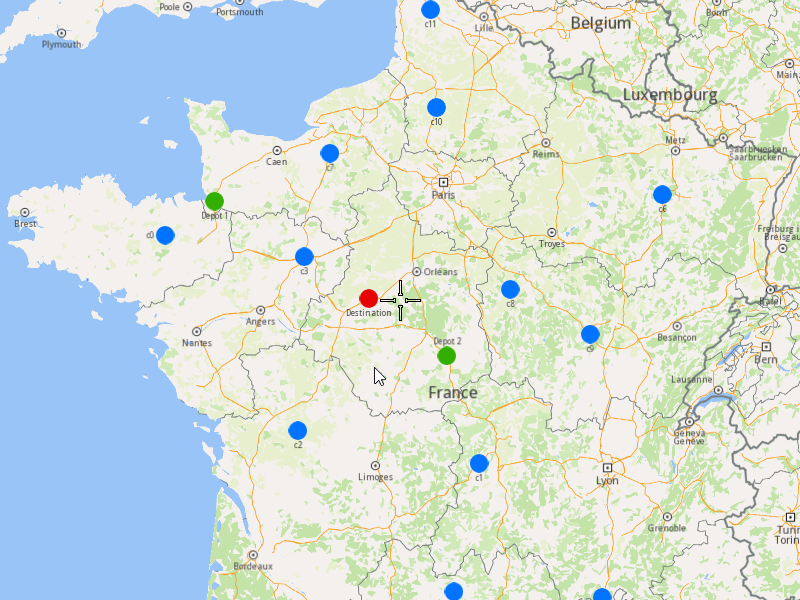
##### Displaying Orders on the Map[](#displaying-orders-on-the-map "Direct link to Displaying Orders on the Map")
Once the orders have been added, we can display them on the map.
###### Initialize Map Components[](#initialize-map-components "Direct link to Initialize Map Components")
Create a `MapServiceListener`, `OpenGLContext`, and `MapView`:
[]()
```cpp
MapViewListenerImpl mapListener;
auto oglContext = session.produceOpenGLContext(Environment::WindowFrameworks::Available, "AddFullOptimization");
gem::StrongPointer mapView = gem::MapView::produce(oglContext, &mapListener);
```
###### Highlight Orders and Departures[](#highlight-orders-and-departures "Direct link to Highlight Orders and Departures")
1. Create a `LandmarkList` and `CoordinatesList` using the `OrderList`, `Departures` and `Destinations`.
2. Instruct the `MapView` to highlight the landmarks (orders, departures, and destinations)
3. For a better visibility create a `PolygonGeographicArea` from the `CoordinatesList`, center the `MapView` on this area.
[]()
```cpp
gem::LandmarkList lmks;
gem::CoordinatesList coords;
for (int i = 0; i < optimization.getDepartures().size(); i++)
{
gem::Landmark landmark;
landmark.setName(optimization.getDepartures()[i].getAlias());
landmark.setCoordinates(optimization.getDepartures()[i].getCoordinates());
landmark.setImage(gem::Icon::Core::GreenBall);
lmks.push_back(landmark);
coords.push_back(optimization.getDepartures()[i].getCoordinates());
}
for (int i = 0; i < orders.size(); i++)
{
gem::Landmark landmark;
landmark.setName(orders[i].getAlias());
landmark.setCoordinates(orders[i].getCoordinates());
landmark.setImage(gem::Icon::Core::BlueBall);
lmks.push_back(landmark);
coords.push_back(orders[i].getCoordinates());
}
for (int i = 0; i < optimization.getDestinations().size(); i++)
{
gem::Landmark landmark;
landmark.setName(optimization.getDestinations()[i].getAlias());
landmark.setCoordinates(optimization.getDestinations()[i].getCoordinates());
landmark.setImage(gem::Icon::Core::RedBall);
lmks.push_back(landmark);
coords.push_back(optimization.getDestinations()[i].getCoordinates());
}
mapView->activateHighlight(lmks);
gem::PolygonGeographicArea polyArea(coords);
mapView->centerOnArea(polyArea);
ret = WAIT_UNTIL(std::bind(&MapViewListenerImpl::IsFinished, &mapListener), 15000);
```
##### Run the Optimization[](#run-the-optimization "Direct link to Run the Optimization")
1. Call the `addOptimization()` method from `vrp::Service`, passing the `Optimization` object and the `ProgressListener`.
2. After the operation is finished, a solution for optimization will be generated. To view the solution, you need to call the `getSolution` method from the optimization, which will return a `vrp::RouteList` containing the optimization results.
[]()
```cpp
std::shared_ptr request = std::make_shared();
ret = serv.addOptimization(&listener, optimization, request);
WAIT_UNTIL(std::bind(&ProgressListener::IsFinished, &listener), 60000);
WAIT_UNTIL([&]() {
serv.getRequest(&listener, request, request->id);
WAIT_UNTIL(std::bind(&ProgressListener::IsFinished, &listener), 7000);
return request->status == gem::vrp::ERequestStatus::eFinished;
}, 550000);
gem::vrp::RouteList routes;
ret = optimization.getSolution(&listener, routes);
WAIT_UNTIL(std::bind(&ProgressListener::IsFinished, &listener), 60000);
```
##### Display Routes on map[](#display-routes-on-map "Direct link to Display Routes on map")
Once the optimization is complete and a solution has been found, we can display the solution on the map
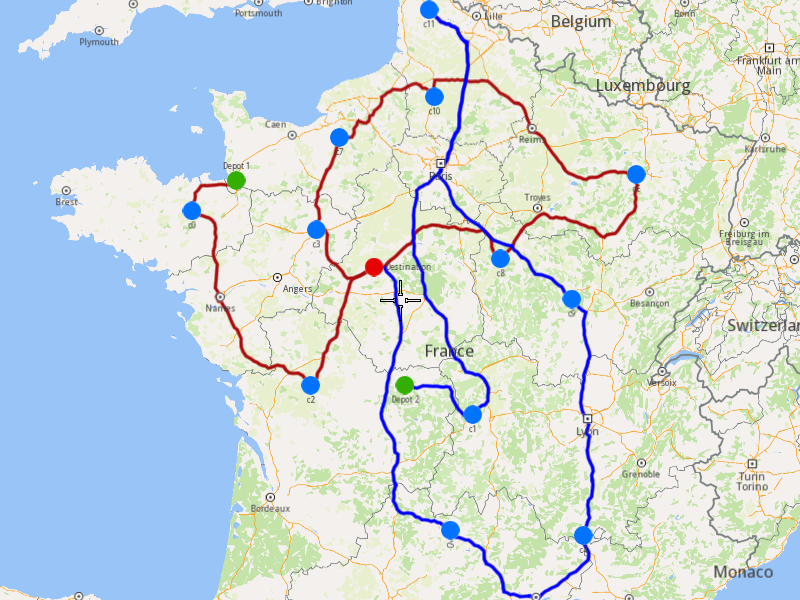
1. Ensure that operation was done, and a solution was found.
2. Create a `MarkerCollection` of type `Polyline` for each route.
3. Add the route shapes to the `MarkerCollection`.
4. Set the `MarkerCollection` in the map view preferences.
5. After hiliting on the map, center the screen over the routes.
[]()
```cpp
if (listener.IsFinished() && listener.GetError() == gem::KNoError && ret == gem::KNoError)
{
std::cout << "Problem optimized successfully" << std::endl;
gem::CoordinatesList shape0 = routes[0].getShape();
gem::CoordinatesList shape1 = routes[1].getShape();
// display routes shapes on map
auto col1 = gem::MarkerCollection(gem::EMarkerType::MT_Polyline, "shape0");
col1.add(gem::Marker(shape0));
mapView->preferences().markers().add(col1);
auto col2 = gem::MarkerCollection(gem::EMarkerType::MT_Polyline, "shape1");
col2.add(gem::Marker(shape1));
gem::MarkerCollectionRenderSettings markerCollDisplaySettings;
markerCollDisplaySettings.polylineInnerColor = gem::Rgba(0, 0, 255, 0);
mapView->preferences().markers().add(col2, markerCollDisplaySettings);
ret = WAIT_UNTIL(std::bind(&MapViewListenerImpl::IsFinished, &mapListener), 15000);
gem::CoordinatesList shapesCoordinates;
shapesCoordinates.insert(shapesCoordinates.end(), shape0.begin(), shape0.end());
shapesCoordinates.insert(shapesCoordinates.end(), shape1.begin(), shape1.end());
gem::PolygonGeographicArea polyArea(shapesCoordinates);
mapView->centerOnArea(polyArea);
ret = WAIT_UNTIL(std::bind(&MapViewListenerImpl::IsFinished, &mapListener), 15000);
WAIT_UNTIL_WINDOW_CLOSE();
}
else
std::cout << "Problem couldn't be optimized" << std::endl;
```
---
### Add Optimization with Fixed Orders Sequence
|
This example demonstrates how to create an optimization where specific orders must be visited in a fixed sequence by the same vehicle. The example covers the following features:
* Adding an optimization with fixed orders sequences (orders in a sequence will be visited in the specified order).
* Displaying the optimized solution on a map.
When you run the example application:
* An optimization is created and saved.
* The optimized solution is returned and displayed on the map.
##### Create Customers and Orders[](#create-customers-and-orders "Direct link to Create Customers and Orders")
note
Each order must have a customer associated with it. You can either:
* Create a new customer and assign it to the order.
* Use an existing customer (refer to the [Get Customer](/docs/cpp/guides/fleet-management/customer.md#a-get-a-customer-by-id) example).
###### Initializing and Adding Customers[](#initializing-and-adding-customers "Direct link to Initializing and Adding Customers")
1. Initialize a `ProgressListener` and `vrp::Service`.
2. Create twelve `vrp::Customer` objects and set the desired fields, and add them to the database.
3. Call the `addCustomer()` method from the `vrp::Service` using the `vrp::Customer` and `ProgressListener` and wait for the operation to be done.
[]()
```cpp
ProgressListener listener;
gem::vrp::Service serv;
gem::vrp::Customer c0;
c0.setCoordinates(gem::Coordinates(48.234270, -2.133208));
c0.setAlias("c0");
c0.setPhoneNumber("+12312312");
c0.setEmail("c0@yahoo.com");
int ret = serv.addCustomer(&listener, c0);
WAIT_UNTIL(std::bind(&ProgressListener::IsFinished, &listener), 5000);
gem::vrp::Customer c1;
c1.setCoordinates(gem::Coordinates(45.854137, 2.853998));
c1.setAlias("c1");
c1.setEmail("c1@yahoo.com");
c1.setPhoneNumber("+12312312");
ret = serv.addCustomer(&listener, c1);
WAIT_UNTIL(std::bind(&ProgressListener::IsFinished, &listener), 5000);
gem::vrp::Customer c2(gem::Coordinates(46.199373, 0.069986));
c2.setAlias("c2");
c2.setPhoneNumber("+12312312");
c2.setEmail("c2@yahoo.com");
ret = serv.addCustomer(&listener, c2);
WAIT_UNTIL(std::bind(&ProgressListener::IsFinished, &listener), 5000);
gem::vrp::Customer c3(gem::Coordinates(48.052503, 0.119726));
c3.setAlias("c3");
c3.setPhoneNumber("+12312312");
c3.setEmail("c3@yahoo.com");
ret = serv.addCustomer(&listener, c3);
WAIT_UNTIL(std::bind(&ProgressListener::IsFinished, &listener), 5000);
gem::vrp::Customer c4(gem::Coordinates(44.346051, 4.694878));
c4.setAlias("c4");
c4.setPhoneNumber("+12312312");
c4.setEmail("c4@yahoo.com");
ret = serv.addCustomer(&listener, c4);
WAIT_UNTIL(std::bind(&ProgressListener::IsFinished, &listener), 5000);
gem::vrp::Customer c5(gem::Coordinates(44.464582, 2.455020));
c5.setAlias("c5");
c5.setPhoneNumber("+12312312");
c5.setEmail("c5@yahoo.com");
ret = serv.addCustomer(&listener, c5);
WAIT_UNTIL(std::bind(&ProgressListener::IsFinished, &listener), 5000);
gem::vrp::Customer c6(gem::Coordinates(48.656644, 5.907131));
c6.setAlias("c6");
c6.setPhoneNumber("+12312312");
c6.setEmail("c6@yahoo.com");
ret = serv.addCustomer(&listener, c6);
WAIT_UNTIL(std::bind(&ProgressListener::IsFinished, &listener), 5000);
gem::vrp::Customer c7(gem::Coordinates(49.161539, 0.500580));
c7.setAlias("c7");
c7.setPhoneNumber("+12312312");
c7.setEmail("c7@yahoo.com");
ret = serv.addCustomer(&listener, c7);
WAIT_UNTIL(std::bind(&ProgressListener::IsFinished, &listener), 5000);
gem::vrp::Customer c8(gem::Coordinates(47.702421, 3.384226));
c8.setAlias("c8");
c8.setPhoneNumber("+12312312");
c8.setEmail("c8@yahoo.com");
ret = serv.addCustomer(&listener, c8);
WAIT_UNTIL(std::bind(&ProgressListener::IsFinished, &listener), 5000);
gem::vrp::Customer c9(gem::Coordinates(47.198274, 4.630011));
c9.setAlias("c9");
c9.setPhoneNumber("+12312312");
c9.setEmail("c9@yahoo.com");
ret = serv.addCustomer(&listener, c9);
WAIT_UNTIL(std::bind(&ProgressListener::IsFinished, &listener), 5000);
gem::vrp::Customer c10(gem::Coordinates(49.655296, 2.243181));
c10.setAlias("c10");
c10.setPhoneNumber("+12312312");
c10.setEmail("c10@yahoo.com");
ret = serv.addCustomer(&listener, c10);
WAIT_UNTIL(std::bind(&ProgressListener::IsFinished, &listener), 5000);
gem::vrp::Customer c11(gem::Coordinates(50.719729, 2.160877));
c11.setAlias("c11");
c11.setPhoneNumber("+12312312");
c11.setEmail("c11@yahoo.com");
ret = serv.addCustomer(&listener, c11);
WAIT_UNTIL(std::bind(&ProgressListener::IsFinished, &listener), 5000);
```
###### Initializing and Adding Orders[](#initializing-and-adding-orders "Direct link to Initializing and Adding Orders")
1. Create a `vrp::OrderList` and add orders to it. Each order must have a customer associated with it.
2. Create twelve `vrp::Order` objects and associate one customer for each, set the desired fields, and add them to the database.
3. Call the `addOrder()` method from the `vrp::Service` using the `vrp::Order` and `ProgressListener` and wait for the operation to be done.
[]()
```cpp
gem::vrp::OrderList orders;
gem::vrp::Order order0(c0);
ret = serv.addOrder(&listener, order0, false);
WAIT_UNTIL(std::bind(&ProgressListener::IsFinished, &listener), 5000);
orders.push_back(order0);
gem::vrp::Order order1(c1);
ret = serv.addOrder(&listener, order1, false);
WAIT_UNTIL(std::bind(&ProgressListener::IsFinished, &listener), 5000);
orders.push_back(order1);
gem::vrp::Order order2(c2);
ret = serv.addOrder(&listener, order2, false);
WAIT_UNTIL(std::bind(&ProgressListener::IsFinished, &listener), 5000);
orders.push_back(order2);
gem::vrp::Order order3(c3);
ret = serv.addOrder(&listener, order3, false);
WAIT_UNTIL(std::bind(&ProgressListener::IsFinished, &listener), 5000);
orders.push_back(order3);
gem::vrp::Order order4(c4);
ret = serv.addOrder(&listener, order4, false);
WAIT_UNTIL(std::bind(&ProgressListener::IsFinished, &listener), 5000);
orders.push_back(order4);
gem::vrp::Order order5(c5);
ret = serv.addOrder(&listener, order5, false);
WAIT_UNTIL(std::bind(&ProgressListener::IsFinished, &listener), 5000);
orders.push_back(order5);
gem::vrp::Order order6(c6);
ret = serv.addOrder(&listener, order6, false);
WAIT_UNTIL(std::bind(&ProgressListener::IsFinished, &listener), 5000);
orders.push_back(order6);
gem::vrp::Order order7(c7);
ret = serv.addOrder(&listener, order7, false);
WAIT_UNTIL(std::bind(&ProgressListener::IsFinished, &listener), 5000);
orders.push_back(order7);
gem::vrp::Order order8(c8);
ret = serv.addOrder(&listener, order8, false);
WAIT_UNTIL(std::bind(&ProgressListener::IsFinished, &listener), 5000);
orders.push_back(order8);
gem::vrp::Order order9(c9);
ret = serv.addOrder(&listener, order9, false);
WAIT_UNTIL(std::bind(&ProgressListener::IsFinished, &listener), 5000);
orders.push_back(order9);
gem::vrp::Order order10(c10);
ret = serv.addOrder(&listener, order10, false);
WAIT_UNTIL(std::bind(&ProgressListener::IsFinished, &listener), 5000);
orders.push_back(order10);
gem::vrp::Order order11(c11);
ret = serv.addOrder(&listener, order11, false);
WAIT_UNTIL(std::bind(&ProgressListener::IsFinished, &listener), 5000);
orders.push_back(order11);
```
##### Configure Optimization Parameters[](#configure-optimization-parameters "Direct link to Configure Optimization Parameters")
note
Configuration Parameters define key settings that influence the behavior of the route optimization process. These settings determine aspects such as optimization goals, search time limits, and flexibility in handling orders.
1. Create a `vrp::ConfigurationParameters` object and set the desired parameters.
2. Create a `gem::vrp::OrdersSequenceMap` to specify the fixed sequence of orders that must be visited in a specific order.
[]()
```cpp
gem::vrp::OrdersSequenceMap ordersSequence;
gem::LargeIntListList fixedSequence = { { orders[2].getId(), orders[8].getId(), orders[6].getId(), orders[1].getId(), orders[3].getId() } };
ordersSequence.insert(std::make_pair(gem::vrp::EOrdersSequenceOption::OSO_InFixedSequence, fixedSequence));
gem::vrp::ConfigurationParameters params;
params.setOrderSequenceOptions(ordersSequence);
```
##### Create Vehicles and Define Vehicle Constraints[](#create-vehicles-and-define-vehicle-constraints "Direct link to Create Vehicles and Define Vehicle Constraints")
note
Vehicle constraints define the limitations and requirements applied to a vehicle during the route optimization process. Ensure that the vehicle operates within its capabilities, such as time windows, capacity, distance, and revenue.
###### Initializing and Adding Vehicles[](#initializing-and-adding-vehicles "Direct link to Initializing and Adding Vehicles")
1. Create a `gem::vrp::VehicleList` and add vehicles to it.
2. Create a `vrp::Vehicle` object and set the desired fields, and add it to the database.
3. Call the `addVehicle()` method from the `vrp::Service` using the `vrp::Vehicle` and `ProgressListener` and wait for the operation to be done.
[]()
```cpp
gem::vrp::VehicleList vehicles;
gem::vrp::Vehicle vehicle1;
vehicle1.setName("Vehicle 1");
vehicle1.setType(gem::vrp::EVehicleType::VT_Car);
vehicle1.setStatus(gem::vrp::EVehicleStatus::VS_Available);
vehicle1.setManufacturer("Kia");
vehicle1.setModel("Ceed");
vehicle1.setFuelType(gem::vrp::EFuelType::FT_GasolinePremium);
vehicle1.setConsumption(6.5);
vehicle1.setLicensePlate("BV01ASD");
vehicle1.setMaxWeight(35);
vehicle1.setMaxCube(17);
vehicle1.setStartTime(420); //7:00 AM
vehicle1.setEndTime(3120); //4:00 AM after 2 days
ret = serv.addVehicle(&listener, vehicle1);
WAIT_UNTIL(std::bind(&ProgressListener::IsFinished, &listener), 5000);
vehicles.push_back(vehicle1);
```
###### Define Vehicle Constraints[](#define-vehicle-constraints "Direct link to Define Vehicle Constraints")
1. Create a `vrp::VehicleConstraints` object for the vehicle.
2. Add these constraints to a `vrp::VehicleConstraintsList`.
[]()
```cpp
gem::vrp::VehicleConstraintsList vehConstraintsList;
gem::vrp::VehicleConstraints vehConstr1;
vehConstraintsList.push_back(vehConstr1);
```
##### Create the Departure[](#create-the-departure "Direct link to Create the Departure")
note
Departures define the starting points for vehicle routes. These locations serve as the origin of a route and can impact optimization by influencing travel distance and time.
###### Initializing Departure[](#initializing-departure "Direct link to Initializing Departure")
1. Create a `vrp::Departure` object.
[]()
```cpp
gem::vrp::Departure departure;
departure.setAlias("departure");
departure.setCoordinates(gem::Coordinates(48.618893, -1.353635));
```
##### Create the Optimization[](#create-the-optimization "Direct link to Create the Optimization")
Note
An optimization represents a set of orders, vehicles, constraints, and other parameters that define a routing problem.
1. Create a `vrp::Optimization` object.
2. Assign the `OrderList`, `ConfigurationParameters`, `VehicleList`, `VehicleConstraintsList`, and `Departures` to the optimization.
[]()
```cpp
gem::vrp::Optimization optimization;
optimization.setOrders(orders);
optimization.setDepartures({ departure });
optimization.setVehicles(vehicles);
optimization.setVehiclesConstraints(vehConstraintsList);
optimization.setConfigurationParameters(params);
```
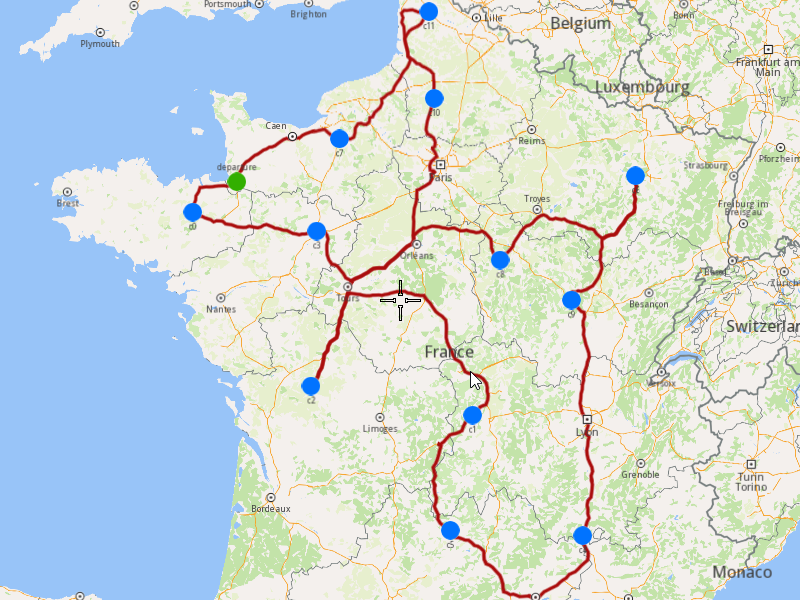
##### Displaying Orders on the Map[](#displaying-orders-on-the-map "Direct link to Displaying Orders on the Map")
Once the orders have been added, we can display them on the map.
###### Initialize Map Components[](#initialize-map-components "Direct link to Initialize Map Components")
1. Create a `MapServiceListener`, `OpenGLContext`, and `MapView`.
[]()
```cpp
MapViewListenerImpl mapListener;
auto oglContext = session.produceOpenGLContext(Environment::WindowFrameworks::Available, "AddOptimizationWithFixedOrdersSequences");
gem::StrongPointer mapView = gem::MapView::produce(oglContext, &mapListener);
```
###### Highlight Orders and Departures[](#highlight-orders-and-departures "Direct link to Highlight Orders and Departures")
1. Create a `LandmarkList` and `CoordinatesList` using the `OrderList` and `Departures`.
2. Instruct the `MapView` to highlight the landmarks (orders and departures).
3. For better visibility, create a `PolygonGeographicArea` from the `CoordinatesList` and center the `MapView` on this area.
[]()
```cpp
gem::LandmarkList lmks;
gem::CoordinatesList coords;
for (int i = 0; i < optimization.getDepartures().size(); i++)
{
gem::Landmark landmark;
landmark.setName(optimization.getDepartures()[i].getAlias());
landmark.setCoordinates(optimization.getDepartures()[i].getCoordinates());
landmark.setImage(gem::Icon::Core::GreenBall);
lmks.push_back(landmark);
coords.push_back(optimization.getDepartures()[i].getCoordinates());
}
for (int i = 0; i < orders.size(); i++)
{
gem::Landmark landmark;
landmark.setName(orders[i].getAlias());
landmark.setCoordinates(orders[i].getCoordinates());
landmark.setImage(gem::Icon::Core::BlueBall);
lmks.push_back(landmark);
coords.push_back(orders[i].getCoordinates());
}
mapView->activateHighlight(lmks);
gem::PolygonGeographicArea polyArea(coords);
mapView->centerOnArea(polyArea);
ret = WAIT_UNTIL(std::bind(&MapViewListenerImpl::IsFinished, &mapListener), 15000);
```
##### Run the Optimization[](#run-the-optimization "Direct link to Run the Optimization")
1. Call the `addOptimization()` method from `vrp::Service`, passing the `Optimization` object and the `ProgressListener`.
2. After the operation is finished, a solution for optimization will be generated. To view the solution, you need to call the `getSolution` method from the optimization, which will return a `vrp::RouteList` containing the optimization results.
[]()
```cpp
std::shared_ptr request = std::make_shared();
ret = serv.addOptimization(&listener, optimization, request);
WAIT_UNTIL(std::bind(&ProgressListener::IsFinished, &listener), 10000);
WAIT_UNTIL([&]() {
serv.getRequest(&listener, request, request->id);
WAIT_UNTIL(std::bind(&ProgressListener::IsFinished, &listener), 7000);
return request->status == gem::vrp::ERequestStatus::eFinished;
}, 45000);
gem::vrp::RouteList routes;
ret = optimization.getSolution(&listener, routes);
WAIT_UNTIL(std::bind(&ProgressListener::IsFinished, &listener), 10000);
```
##### Display Routes on the Map[](#display-routes-on-the-map "Direct link to Display Routes on the Map")
Once the optimization is complete and a solution has been found, we can display the solution on the map.
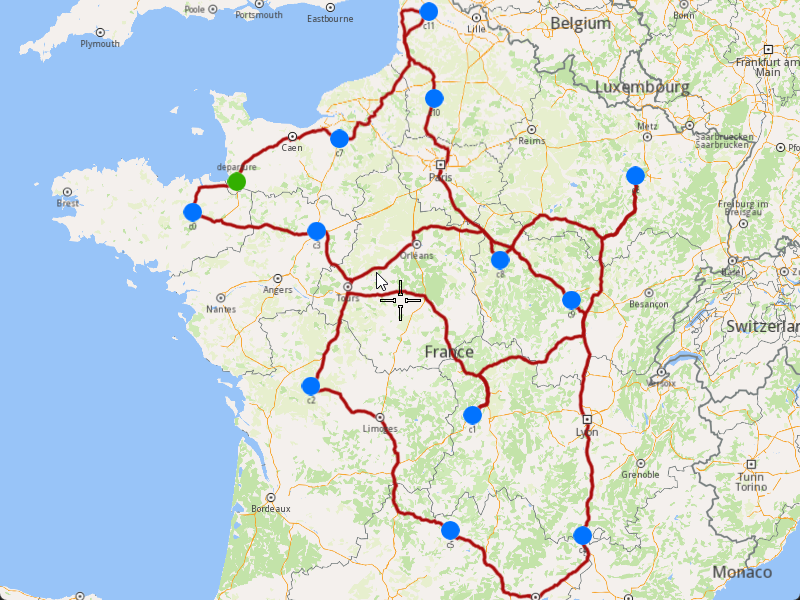
1. Ensure that the operation was done, and a solution was found.
2. Create a `MarkerCollection` of type `Polyline` for the route.
3. Add the route shape to the `MarkerCollection`.
4. Set the `MarkerCollection` in the map view preferences.
5. After highlighting on the map, center the screen over the route.
[]()
```cpp
if (listener.IsFinished() && listener.GetError() == gem::KNoError && ret == gem::KNoError)
{
std::cout << "Problem optimized successfully" << std::endl;
PrintRoutesOnConsole(routes);
// Display route shape on map
auto col = gem::MarkerCollection(gem::EMarkerType::MT_Polyline, "shape");
gem::CoordinatesList shape = routes[0].getShape();
col.add(gem::Marker(shape));
mapView->preferences().markers().add(col);
ret = WAIT_UNTIL(std::bind(&MapViewListenerImpl::IsFinished, &mapListener), 15000);
gem::PolygonGeographicArea polyArea(shape);
mapView->centerOnArea(polyArea);
ret = WAIT_UNTIL(std::bind(&MapViewListenerImpl::IsFinished, &mapListener), 15000);
WAIT_UNTIL_WINDOW_CLOSE();
}
else
std::cout << "Problem couldn't be optimized" << std::endl;
```
---
### Add Optimization with Multiple Departures
|
The example covers the following features:
* Adding an optimization with multiple vehicles and different departure locations.
* Defining orders with various fields (e.g., time windows, packages, weights).
* Setting up multiple vehicles with specific constraints.
* Displaying the optimized solution on a map.
In this optimization, multiple vehicles start their routes from different departure points, allowing for more flexible and efficient route planning.
When you run the example application:
* An optimization is created and saved.
* The optimized solution is returned and displayed on the map.
##### Create Customers and Orders[](#create-customers-and-orders "Direct link to Create Customers and Orders")
Note
Each order must have a customer associated with it. You can either:
* Create a new customer and assign it to the order.
* Use an existing customer (refer to the [Get Customer](/docs/cpp/guides/fleet-management/customer.md#a-get-a-customer-by-id) example).
###### Initializing and Adding Customers[](#initializing-and-adding-customers "Direct link to Initializing and Adding Customers")
1. Initialize a `ProgressListener` and `vrp::Service`.
2. Create twelve `vrp::Customer` objects and set the desired fields, and add them to the database.
3. Call the `addCustomer()` method from the `vrp::Service` using the `vrp::Customer` and `ProgressListener` and wait for the operation to be done.
[]()
```cpp
ProgressListener listener;
gem::vrp::Service serv;
gem::vrp::Customer c0;
c0.setCoordinates(gem::Coordinates(48.234270, -2.133208));
c0.setAlias("c0");
c0.setPhoneNumber("+12312312");
c0.setEmail("c0@yahoo.com");
int ret = serv.addCustomer(&listener, c0);
WAIT_UNTIL(std::bind(&ProgressListener::IsFinished, &listener), 5000);
gem::vrp::Customer c1;
c1.setCoordinates(gem::Coordinates(45.854137, 2.853998));
c1.setAlias("c1");
c1.setEmail("c1@yahoo.com");
c1.setPhoneNumber("+12312312");
ret = serv.addCustomer(&listener, c1);
WAIT_UNTIL(std::bind(&ProgressListener::IsFinished, &listener), 5000);
gem::vrp::Customer c2(gem::Coordinates(46.199373, 0.069986));
c2.setAlias("c2");
c2.setPhoneNumber("+12312312");
c2.setEmail("c2@yahoo.com");
ret = serv.addCustomer(&listener, c2);
WAIT_UNTIL(std::bind(&ProgressListener::IsFinished, &listener), 5000);
gem::vrp::Customer c3(gem::Coordinates(48.052503, 0.119726));
c3.setAlias("c3");
c3.setPhoneNumber("+12312312");
c3.setEmail("c3@yahoo.com");
ret = serv.addCustomer(&listener, c3);
WAIT_UNTIL(std::bind(&ProgressListener::IsFinished, &listener), 5000);
gem::vrp::Customer c4(gem::Coordinates(44.346051, 4.694878));
c4.setAlias("c4");
c4.setPhoneNumber("+12312312");
c4.setEmail("c4@yahoo.com");
ret = serv.addCustomer(&listener, c4);
WAIT_UNTIL(std::bind(&ProgressListener::IsFinished, &listener), 5000);
gem::vrp::Customer c5(gem::Coordinates(44.464582, 2.455020));
c5.setAlias("c5");
c5.setPhoneNumber("+12312312");
c5.setEmail("c5@yahoo.com");
ret = serv.addCustomer(&listener, c5);
WAIT_UNTIL(std::bind(&ProgressListener::IsFinished, &listener), 5000);
gem::vrp::Customer c6(gem::Coordinates(48.656644, 5.907131));
c6.setAlias("c6");
c6.setPhoneNumber("+12312312");
c6.setEmail("c6@yahoo.com");
ret = serv.addCustomer(&listener, c6);
WAIT_UNTIL(std::bind(&ProgressListener::IsFinished, &listener), 5000);
gem::vrp::Customer c7(gem::Coordinates(49.161539, 0.500580));
c7.setAlias("c7");
c7.setPhoneNumber("+12312312");
c7.setEmail("c7@yahoo.com");
ret = serv.addCustomer(&listener, c7);
WAIT_UNTIL(std::bind(&ProgressListener::IsFinished, &listener), 5000);
gem::vrp::Customer c8(gem::Coordinates(47.702421, 3.384226));
c8.setAlias("c8");
c8.setPhoneNumber("+12312312");
c8.setEmail("c8@yahoo.com");
ret = serv.addCustomer(&listener, c8);
WAIT_UNTIL(std::bind(&ProgressListener::IsFinished, &listener), 5000);
gem::vrp::Customer c9(gem::Coordinates(47.198274, 4.630011));
c9.setAlias("c9");
c9.setPhoneNumber("+12312312");
c9.setEmail("c9@yahoo.com");
ret = serv.addCustomer(&listener, c9);
WAIT_UNTIL(std::bind(&ProgressListener::IsFinished, &listener), 5000);
gem::vrp::Customer c10(gem::Coordinates(49.655296, 2.243181));
c10.setAlias("c10");
c10.setPhoneNumber("+12312312");
c10.setEmail("c10@yahoo.com");
ret = serv.addCustomer(&listener, c10);
WAIT_UNTIL(std::bind(&ProgressListener::IsFinished, &listener), 5000);
gem::vrp::Customer c11(gem::Coordinates(50.719729, 2.160877));
c11.setAlias("c11");
c11.setPhoneNumber("+12312312");
c11.setEmail("c11@yahoo.com");
ret = serv.addCustomer(&listener, c11);
WAIT_UNTIL(std::bind(&ProgressListener::IsFinished, &listener), 5000);
```
###### Initializing and Adding Orders[](#initializing-and-adding-orders "Direct link to Initializing and Adding Orders")
1. Create a `vrp::OrderList` and add orders to it. Each order must have a customer associated with it.
2. Create twelve `vrp::Order` objects and associate one customer for each, set the desired fields, and add them to the database.
3. Call the `addOrder()` method from the `vrp::Service` using the `vrp::Order` and `ProgressListener` and wait for the operation to be done.
[]()
```cpp
gem::vrp::OrderList orders;
gem::vrp::Order order0(c0);
ret = serv.addOrder(&listener, order0, false);
WAIT_UNTIL(std::bind(&ProgressListener::IsFinished, &listener), 5000);
orders.push_back(order0);
gem::vrp::Order order1(c1);
ret = serv.addOrder(&listener, order1, false);
WAIT_UNTIL(std::bind(&ProgressListener::IsFinished, &listener), 5000);
orders.push_back(order1);
gem::vrp::Order order2(c2);
ret = serv.addOrder(&listener, order2, false);
WAIT_UNTIL(std::bind(&ProgressListener::IsFinished, &listener), 5000);
orders.push_back(order2);
gem::vrp::Order order3(c3);
ret = serv.addOrder(&listener, order3, false);
WAIT_UNTIL(std::bind(&ProgressListener::IsFinished, &listener), 5000);
orders.push_back(order3);
gem::vrp::Order order4(c4);
ret = serv.addOrder(&listener, order4, false);
WAIT_UNTIL(std::bind(&ProgressListener::IsFinished, &listener), 5000);
orders.push_back(order4);
gem::vrp::Order order5(c5);
ret = serv.addOrder(&listener, order5, false);
WAIT_UNTIL(std::bind(&ProgressListener::IsFinished, &listener), 5000);
orders.push_back(order5);
gem::vrp::Order order6(c6);
ret = serv.addOrder(&listener, order6, false);
WAIT_UNTIL(std::bind(&ProgressListener::IsFinished, &listener), 5000);
orders.push_back(order6);
gem::vrp::Order order7(c7);
ret = serv.addOrder(&listener, order7, false);
WAIT_UNTIL(std::bind(&ProgressListener::IsFinished, &listener), 5000);
orders.push_back(order7);
gem::vrp::Order order8(c8);
ret = serv.addOrder(&listener, order8, false);
WAIT_UNTIL(std::bind(&ProgressListener::IsFinished, &listener), 5000);
orders.push_back(order8);
gem::vrp::Order order9(c9);
ret = serv.addOrder(&listener, order9, false);
WAIT_UNTIL(std::bind(&ProgressListener::IsFinished, &listener), 5000);
orders.push_back(order9);
gem::vrp::Order order10(c10);
ret = serv.addOrder(&listener, order10, false);
WAIT_UNTIL(std::bind(&ProgressListener::IsFinished, &listener), 5000);
orders.push_back(order10);
gem::vrp::Order order11(c11);
ret = serv.addOrder(&listener, order11, false);
WAIT_UNTIL(std::bind(&ProgressListener::IsFinished, &listener), 5000);
orders.push_back(order11);
```
##### Create the Vehicle and Define Vehicle Constraints[](#create-the-vehicle-and-define-vehicle-constraints "Direct link to Create the Vehicle and Define Vehicle Constraints")
###### Initializing and Adding the Vehicle[](#initializing-and-adding-the-vehicle "Direct link to Initializing and Adding the Vehicle")
Note
Vehicles are the resources that will be used to fulfill the orders. Each vehicle can have specific constraints and capabilities.
1. Create a `vrp::VehicleList` and add vehicles to it.
2. Create two `vrp::Vehicle` objects and set the desired fields, such as name, type, status, and capacity.
3. Call the `addVehicle()` method from the `vrp::Service` using the `vrp::Vehicle` and `ProgressListener` and wait for the operation to be done.
[]()
```cpp
gem::vrp::VehicleList vehicles;
gem::vrp::Vehicle vehicle1;
vehicle1.setName("Vehicle 1");
vehicle1.setType(gem::vrp::EVehicleType::VT_Car);
vehicle1.setStatus(gem::vrp::EVehicleStatus::VS_Available);
vehicle1.setManufacturer("Kia");
vehicle1.setModel("Ceed");
vehicle1.setFuelType(gem::vrp::EFuelType::FT_GasolinePremium);
vehicle1.setConsumption(6.5);
vehicle1.setLicensePlate("BV01ASD");
vehicle1.setMaxWeight(350);
vehicle1.setMaxCube(15);
vehicle1.setStartTime(540); //9:00 AM
vehicle1.setEndTime(1800); //6:00 AM next day
ret = serv.addVehicle(&listener, vehicle1);
WAIT_UNTIL(std::bind(&ProgressListener::IsFinished, &listener), 5000);
vehicles.push_back(vehicle1);
gem::vrp::Vehicle vehicle2;
vehicle2.setName("Vehicle 2");
vehicle2.setType(gem::vrp::EVehicleType::VT_Car);
vehicle2.setStatus(gem::vrp::EVehicleStatus::VS_Available);
vehicle2.setManufacturer("Kia");
vehicle2.setModel("Ceed");
vehicle2.setFuelType(gem::vrp::EFuelType::FT_GasolinePremium);
vehicle2.setConsumption(6.5);
vehicle2.setLicensePlate("BV02ASD");
vehicle2.setMaxWeight(350);
vehicle2.setMaxCube(15);
vehicle2.setStartTime(540); //9:00 AM
vehicle2.setEndTime(1800); //6:00 AM next day
ret = serv.addVehicle(&listener, vehicle2);
WAIT_UNTIL(std::bind(&ProgressListener::IsFinished, &listener), 5000);
vehicles.push_back(vehicle2);
```
###### Define Vehicle Constraints[](#define-vehicle-constraints "Direct link to Define Vehicle Constraints")
Note
Vehicle constraints define the limitations and requirements applied to a vehicle during the route optimization process. Ensure that the vehicle operates within its capabilities, such as time windows, capacity, distance, and revenue.
1. Create a `vrp::VehicleConstraints` object and set the desired constraints.
2. Add these constraints to a `vrp::VehicleConstraintsList`.
[]()
```cpp
gem::vrp::VehicleConstraintsList vehConstraintsList;
gem::vrp::VehicleConstraints vehConstr1;
vehConstr1.setStartDate(gem::Time(2020, 8, 7)); // August 7, 2020
vehConstr1.setMaxDistance(2000);
vehConstraintsList.push_back(vehConstr1);
```
##### Create Departures[](#create-departures "Direct link to Create Departures")
Note
Departures define the starting points for vehicle routes. These locations serve as the origin of a route and can impact optimization by influencing travel distance and time.
1. Create two `vrp::Departure` objects for the vehicles' starting points.
[]()
```cpp
gem::vrp::Departure departure1;
departure1.setAlias("departure 1");
departure1.setCoordinates(gem::Coordinates(48.618893, -1.353635));
gem::vrp::Departure departure2;
departure2.setAlias("departure 2");
departure2.setCoordinates(gem::Coordinates(46.213984, 1.693113));
```
##### Create the Optimization[](#create-the-optimization "Direct link to Create the Optimization")
Note
An optimization represents a set of orders, vehicles, constraints, and other parameters that define a routing problem.
1. Create a `vrp::Optimization` object.
2. Assign the `OrderList`, `VehicleList`, `VehicleConstraintsList`, and `Departures` to the optimization.
[]()
```cpp
gem::vrp::Optimization optimization;
optimization.setOrders(orders);
optimization.setVehicles(vehicles);
optimization.setDepartures({ departure1, departure2 });
optimization.setVehiclesConstraints(vehConstraintsList);
```
##### Displaying Orders on the Map[](#displaying-orders-on-the-map "Direct link to Displaying Orders on the Map")
Once the orders have been added, we can display them on the map.
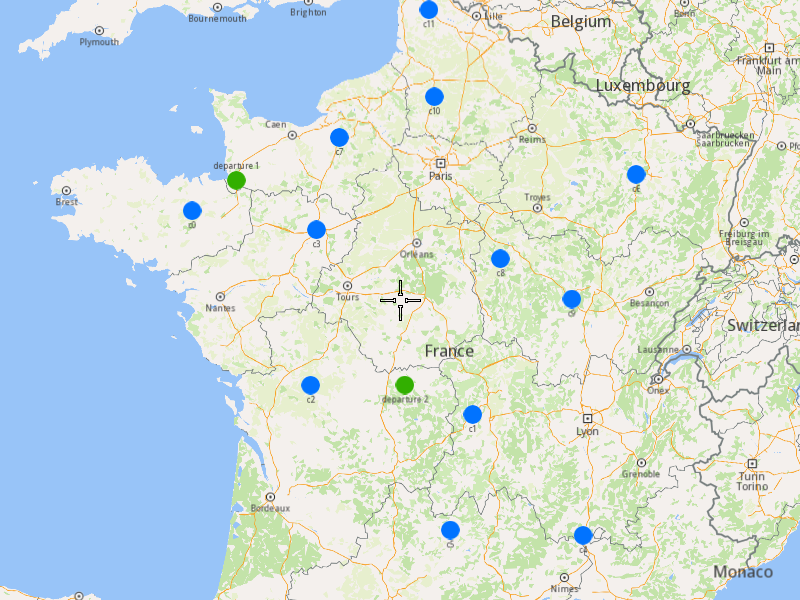
###### Initialize Map Components[](#initialize-map-components "Direct link to Initialize Map Components")
1. Create a `MapServiceListener`, `OpenGLContext`, and `MapView`.
[]()
```cpp
MapViewListenerImpl mapListener;
auto oglContext = session.produceOpenGLContext(Environment::WindowFrameworks::Available, "AddOptimizationWithMultipleDepartures");
gem::StrongPointer mapView = gem::MapView::produce(oglContext, &mapListener);
```
###### Highlight Orders and Departures[](#highlight-orders-and-departures "Direct link to Highlight Orders and Departures")
1. Create a `LandmarkList` and `CoordinatesList` using the `OrderList` and `Departures`.
2. Instruct the `MapView` to highlight the landmarks (orders and departures).
3. For better visibility, create a `PolygonGeographicArea` from the `CoordinatesList`, and center the `MapView` on this area.
[]()
```cpp
gem::LandmarkList lmks;
gem::CoordinatesList coords;
for (int i = 0; i < optimization.getDepartures().size(); i++)
{
gem::Landmark landmark;
landmark.setName(optimization.getDepartures()[i].getAlias());
landmark.setCoordinates(optimization.getDepartures()[i].getCoordinates());
landmark.setImage(gem::Icon::Core::GreenBall);
lmks.push_back(landmark);
coords.push_back(optimization.getDepartures()[i].getCoordinates());
}
for (int i = 0; i < orders.size(); i++)
{
gem::Landmark landmark;
landmark.setName(orders[i].getAlias());
landmark.setCoordinates(orders[i].getCoordinates());
landmark.setImage(gem::Icon::Core::BlueBall);
lmks.push_back(landmark);
coords.push_back(orders[i].getCoordinates());
}
mapView->activateHighlight(lmks);
gem::PolygonGeographicArea polyArea(coords);
mapView->centerOnArea(polyArea);
ret = WAIT_UNTIL(std::bind(&MapViewListenerImpl::IsFinished, &mapListener), 15000);
```
##### Run the Optimization[](#run-the-optimization "Direct link to Run the Optimization")
1. Call the `addOptimization()` method from `vrp::Service`, passing the `Optimization` object and the `ProgressListener`.
2. After the operation is finished, a solution for optimization will be generated. To view the solution, you need to call the `getSolution` method from the optimization, which will return a `vrp::RouteList` containing the optimization results.
[]()
```cpp
std::shared_ptr request = std::make_shared();
ret = serv.addOptimization(&listener, optimization, request);
WAIT_UNTIL(std::bind(&ProgressListener::IsFinished, &listener), 10000);
WAIT_UNTIL([&]() {
serv.getRequest(&listener, request, request->id);
WAIT_UNTIL(std::bind(&ProgressListener::IsFinished, &listener), 7000);
return request->status == gem::vrp::ERequestStatus::eFinished;
}, 40000);
gem::vrp::RouteList routes;
ret = optimization.getSolution(&listener, routes);
WAIT_UNTIL(std::bind(&ProgressListener::IsFinished, &listener), 10000);
```
##### Display Routes on the Map[](#display-routes-on-the-map "Direct link to Display Routes on the Map")
Once the optimization is complete and a solution has been found, we can display the solution on the map.
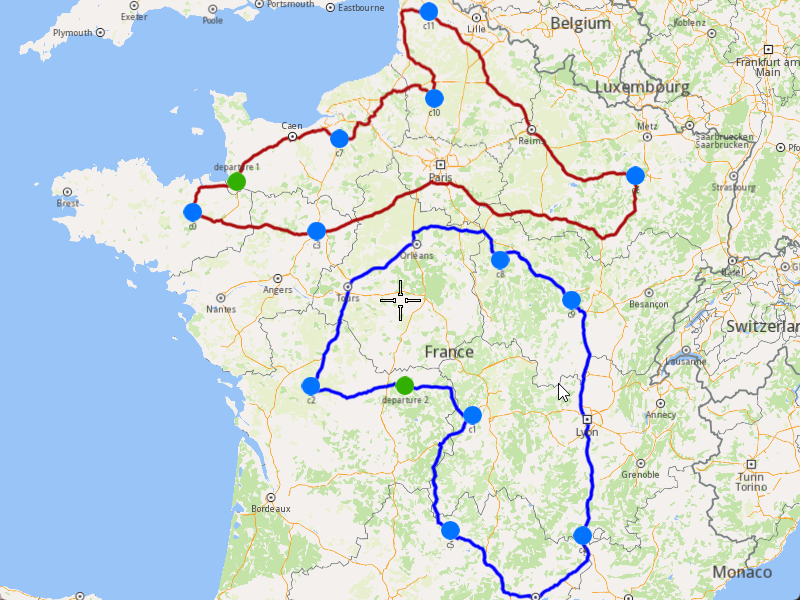
1. Ensure that the operation was done, and a solution was found.
2. Create a `MarkerCollection` of type `Polyline` for each route.
3. Add the route shapes to the `MarkerCollection`.
4. Set the `MarkerCollection` in the map view preferences.
5. After highlighting on the map, center the screen over the routes.
[]()
```cpp
if (listener.IsFinished() && listener.GetError() == gem::KNoError && ret == gem::KNoError)
{
std::cout << "Problem optimized successfully" << std::endl;
PrintRoutesOnConsole(routes);
gem::CoordinatesList shape0 = routes[0].getShape();
gem::CoordinatesList shape1 = routes[1].getShape();
// Display route shapes on map
auto col1 = gem::MarkerCollection(gem::EMarkerType::MT_Polyline, "shape0");
col1.add(gem::Marker(shape0));
mapView->preferences().markers().add(col1);
auto col2 = gem::MarkerCollection(gem::EMarkerType::MT_Polyline, "shape1");
col2.add(gem::Marker(shape1));
gem::MarkerCollectionRenderSettings markerCollDisplaySettings;
markerCollDisplaySettings.polylineInnerColor = gem::Rgba(0, 0, 255, 0);
mapView->preferences().markers().add(col2, markerCollDisplaySettings);
ret = WAIT_UNTIL(std::bind(&MapViewListenerImpl::IsFinished, &mapListener), 15000);
gem::CoordinatesList shapesCoordinates;
shapesCoordinates.insert(shapesCoordinates.end(), shape0.begin(), shape0.end());
shapesCoordinates.insert(shapesCoordinates.end(), shape1.begin(), shape1.end());
gem::PolygonGeographicArea polyArea(shapesCoordinates);
mapView->centerOnArea(polyArea);
ret = WAIT_UNTIL(std::bind(&MapViewListenerImpl::IsFinished, &mapListener), 15000);
WAIT_UNTIL_WINDOW_CLOSE();
}
else
std::cout << "Problem couldn't be optimized" << std::endl;
```
---
### Add Optimization with Multiple Destinations
|
#### Overview[](#overview "Direct link to Overview")
The example covers the following features:
* Adding an optimization with multiple vehicles and different destination locations.
* Defining orders with various fields (e.g., time windows, packages, weights).
* Setting up multiple vehicles with specific constraints.
* Displaying the optimized solution on a map.
In this optimization, multiple vehicles start their routes from a single departure point but end at different destinations, allowing for more flexible and efficient route planning.
When you run the example application:
* An optimization is created and saved.
* The optimized solution is returned and displayed on the map.
##### Create Customers and Orders[](#create-customers-and-orders "Direct link to Create Customers and Orders")
Note
Each order must have a customer associated with it. You can either:
* Create a new customer and assign it to the order.
* Use an existing customer (refer to the [Get Customer](/docs/cpp/guides/fleet-management/customer.md#a-get-a-customer-by-id) example).
###### Initializing and Adding Customers[](#initializing-and-adding-customers "Direct link to Initializing and Adding Customers")
1. Initialize a `ProgressListener` and `vrp::Service`.
2. Create twelve `vrp::Customer` objects and set the desired fields, and add them to the database.
3. Call the `addCustomer()` method from the `vrp::Service` using the `vrp::Customer` and `ProgressListener` and wait for the operation to be done.
[]()
```cpp
ProgressListener listener;
gem::vrp::Service serv;
gem::vrp::Customer c0;
c0.setCoordinates(gem::Coordinates(48.234270, -2.133208));
c0.setAlias("c0");
c0.setPhoneNumber("+12312312");
c0.setEmail("c0@yahoo.com");
int ret = serv.addCustomer(&listener, c0);
WAIT_UNTIL(std::bind(&ProgressListener::IsFinished, &listener), 5000);
gem::vrp::Customer c1;
c1.setCoordinates(gem::Coordinates(45.854137, 2.853998));
c1.setAlias("c1");
c1.setEmail("c1@yahoo.com");
c1.setPhoneNumber("+12312312");
ret = serv.addCustomer(&listener, c1);
WAIT_UNTIL(std::bind(&ProgressListener::IsFinished, &listener), 5000);
gem::vrp::Customer c2(gem::Coordinates(46.199373, 0.069986));
c2.setAlias("c2");
c2.setPhoneNumber("+12312312");
c2.setEmail("c2@yahoo.com");
ret = serv.addCustomer(&listener, c2);
WAIT_UNTIL(std::bind(&ProgressListener::IsFinished, &listener), 5000);
gem::vrp::Customer c3(gem::Coordinates(48.052503, 0.119726));
c3.setAlias("c3");
c3.setPhoneNumber("+12312312");
c3.setEmail("c3@yahoo.com");
ret = serv.addCustomer(&listener, c3);
WAIT_UNTIL(std::bind(&ProgressListener::IsFinished, &listener), 5000);
gem::vrp::Customer c4(gem::Coordinates(44.346051, 4.694878));
c4.setAlias("c4");
c4.setPhoneNumber("+12312312");
c4.setEmail("c4@yahoo.com");
ret = serv.addCustomer(&listener, c4);
WAIT_UNTIL(std::bind(&ProgressListener::IsFinished, &listener), 5000);
gem::vrp::Customer c5(gem::Coordinates(44.464582, 2.455020));
c5.setAlias("c5");
c5.setPhoneNumber("+12312312");
c5.setEmail("c5@yahoo.com");
ret = serv.addCustomer(&listener, c5);
WAIT_UNTIL(std::bind(&ProgressListener::IsFinished, &listener), 5000);
gem::vrp::Customer c6(gem::Coordinates(48.656644, 5.907131));
c6.setAlias("c6");
c6.setPhoneNumber("+12312312");
c6.setEmail("c6@yahoo.com");
ret = serv.addCustomer(&listener, c6);
WAIT_UNTIL(std::bind(&ProgressListener::IsFinished, &listener), 5000);
gem::vrp::Customer c7(gem::Coordinates(49.161539, 0.500580));
c7.setAlias("c7");
c7.setPhoneNumber("+12312312");
c7.setEmail("c7@yahoo.com");
ret = serv.addCustomer(&listener, c7);
WAIT_UNTIL(std::bind(&ProgressListener::IsFinished, &listener), 5000);
gem::vrp::Customer c8(gem::Coordinates(47.702421, 3.384226));
c8.setAlias("c8");
c8.setPhoneNumber("+12312312");
c8.setEmail("c8@yahoo.com");
ret = serv.addCustomer(&listener, c8);
WAIT_UNTIL(std::bind(&ProgressListener::IsFinished, &listener), 5000);
gem::vrp::Customer c9(gem::Coordinates(47.198274, 4.630011));
c9.setAlias("c9");
c9.setPhoneNumber("+12312312");
c9.setEmail("c9@yahoo.com");
ret = serv.addCustomer(&listener, c9);
WAIT_UNTIL(std::bind(&ProgressListener::IsFinished, &listener), 5000);
gem::vrp::Customer c10(gem::Coordinates(49.655296, 2.243181));
c10.setAlias("c10");
c10.setPhoneNumber("+12312312");
c10.setEmail("c10@yahoo.com");
ret = serv.addCustomer(&listener, c10);
WAIT_UNTIL(std::bind(&ProgressListener::IsFinished, &listener), 5000);
gem::vrp::Customer c11(gem::Coordinates(50.719729, 2.160877));
c11.setAlias("c11");
c11.setPhoneNumber("+12312312");
c11.setEmail("c11@yahoo.com");
ret = serv.addCustomer(&listener, c11);
WAIT_UNTIL(std::bind(&ProgressListener::IsFinished, &listener), 5000);
```
###### Initializing and Adding Orders[](#initializing-and-adding-orders "Direct link to Initializing and Adding Orders")
1. Create a `vrp::OrderList` and add orders to it. Each order must have a customer associated with it.
2. Create twelve `vrp::Order` objects and associate one customer for each, set the desired fields, and add them to the database.
3. Call the `addOrder()` method from the `vrp::Service` using the `vrp::Order` and `ProgressListener` and wait for the operation to be done.
[]()
```cpp
gem::vrp::OrderList orders;
gem::vrp::Order order0(c0);
ret = serv.addOrder(&listener, order0, false);
WAIT_UNTIL(std::bind(&ProgressListener::IsFinished, &listener), 5000);
orders.push_back(order0);
gem::vrp::Order order1(c1);
ret = serv.addOrder(&listener, order1, false);
WAIT_UNTIL(std::bind(&ProgressListener::IsFinished, &listener), 5000);
orders.push_back(order1);
gem::vrp::Order order2(c2);
ret = serv.addOrder(&listener, order2, false);
WAIT_UNTIL(std::bind(&ProgressListener::IsFinished, &listener), 5000);
orders.push_back(order2);
gem::vrp::Order order3(c3);
ret = serv.addOrder(&listener, order3, false);
WAIT_UNTIL(std::bind(&ProgressListener::IsFinished, &listener), 5000);
orders.push_back(order3);
gem::vrp::Order order4(c4);
ret = serv.addOrder(&listener, order4, false);
WAIT_UNTIL(std::bind(&ProgressListener::IsFinished, &listener), 5000);
orders.push_back(order4);
gem::vrp::Order order5(c5);
ret = serv.addOrder(&listener, order5, false);
WAIT_UNTIL(std::bind(&ProgressListener::IsFinished, &listener), 5000);
orders.push_back(order5);
gem::vrp::Order order6(c6);
ret = serv.addOrder(&listener, order6, false);
WAIT_UNTIL(std::bind(&ProgressListener::IsFinished, &listener), 5000);
orders.push_back(order6);
gem::vrp::Order order7(c7);
ret = serv.addOrder(&listener, order7, false);
WAIT_UNTIL(std::bind(&ProgressListener::IsFinished, &listener), 5000);
orders.push_back(order7);
gem::vrp::Order order8(c8);
ret = serv.addOrder(&listener, order8, false);
WAIT_UNTIL(std::bind(&ProgressListener::IsFinished, &listener), 5000);
orders.push_back(order8);
gem::vrp::Order order9(c9);
ret = serv.addOrder(&listener, order9, false);
WAIT_UNTIL(std::bind(&ProgressListener::IsFinished, &listener), 5000);
orders.push_back(order9);
gem::vrp::Order order10(c10);
ret = serv.addOrder(&listener, order10, false);
WAIT_UNTIL(std::bind(&ProgressListener::IsFinished, &listener), 5000);
orders.push_back(order10);
gem::vrp::Order order11(c11);
ret = serv.addOrder(&listener, order11, false);
WAIT_UNTIL(std::bind(&ProgressListener::IsFinished, &listener), 5000);
orders.push_back(order11);
```
##### Configure Optimization Parameters[](#configure-optimization-parameters "Direct link to Configure Optimization Parameters")
Note
Configuration Parameters define key settings that influence the behavior of the route optimization process. These settings determine aspects such as optimization goals, search time limits, and flexibility in handling orders.
1. Create a `vrp::ConfigurationParameters` object and set the desired parameters.
2. Set the route type to `RT_CustomEnd` to allow vehicles to end their routes at different destinations.
[]()
```cpp
gem::vrp::ConfigurationParameters configParams;
configParams.setRouteType(gem::vrp::ERouteType::RT_CustomEnd);
```
##### Create the Vehicle and Define Vehicle Constraints[](#create-the-vehicle-and-define-vehicle-constraints "Direct link to Create the Vehicle and Define Vehicle Constraints")
###### Initializing and Adding the Vehicle[](#initializing-and-adding-the-vehicle "Direct link to Initializing and Adding the Vehicle")
Note
Vehicles are the resources that will be used to fulfill the orders. Each vehicle can have specific constraints and capabilities.
1. Create a `vrp::VehicleList` and add vehicles to it.
2. Create two `vrp::Vehicle` objects and set the desired fields, such as name, type, status, and capacity.
3. Call the `addVehicle()` method from the `vrp::Service` using the `vrp::Vehicle` and `ProgressListener` and wait for the operation to be done.
[]()
```cpp
gem::vrp::VehicleList vehicles;
gem::vrp::Vehicle vehicle1;
vehicle1.setName("Vehicle 1");
vehicle1.setType(gem::vrp::EVehicleType::VT_Car);
vehicle1.setStatus(gem::vrp::EVehicleStatus::VS_Available);
vehicle1.setManufacturer("Kia");
vehicle1.setModel("Ceed");
vehicle1.setFuelType(gem::vrp::EFuelType::FT_GasolinePremium);
vehicle1.setConsumption(6.5);
vehicle1.setLicensePlate("BV01MGL");
vehicle1.setMaxWeight(350);
vehicle1.setMaxCube(10);
vehicle1.setStartTime(540); //9:00 AM in minutes
vehicle1.setEndTime(1800); //3:00 AM (next day) in minutes
ret = serv.addVehicle(&listener, vehicle1);
WAIT_UNTIL(std::bind(&ProgressListener::IsFinished, &listener), 5000);
vehicles.push_back(vehicle1);
gem::vrp::Vehicle vehicle2;
vehicle2.setName("Vehicle 2");
vehicle2.setType(gem::vrp::EVehicleType::VT_Car);
vehicle2.setStatus(gem::vrp::EVehicleStatus::VS_Available);
vehicle2.setManufacturer("Kia");
vehicle2.setModel("Ceed");
vehicle2.setFuelType(gem::vrp::EFuelType::FT_GasolinePremium);
vehicle2.setConsumption(6.5);
vehicle2.setLicensePlate("BV02MGL");
vehicle2.setMaxWeight(350);
vehicle2.setMaxCube(10);
vehicle2.setStartTime(540); //9:00 AM in minutes
vehicle2.setEndTime(1800); //3:00 AM (next day) in minutes
ret = serv.addVehicle(&listener, vehicle2);
WAIT_UNTIL(std::bind(&ProgressListener::IsFinished, &listener), 5000);
vehicles.push_back(vehicle2);
```
###### Define Vehicle Constraints[](#define-vehicle-constraints "Direct link to Define Vehicle Constraints")
Note
Vehicle constraints define the limitations and requirements applied to a vehicle during the route optimization process. Ensure that the vehicle operates within its capabilities, such as time windows, capacity, distance, and revenue.
1. Create a `vrp::VehicleConstraints` object and set the desired constraints.
2. Add these constraints to a `vrp::VehicleConstraintsList`.
[]()
```cpp
gem::vrp::VehicleConstraintsList vehConstraintsList;
gem::vrp::VehicleConstraints vehConstr1;
vehConstr1.setStartDate(gem::Time(2020, 8, 7)); // August 7, 2020
vehConstr1.setMaxDistance(2000);
vehConstraintsList.push_back(vehConstr1);
```
##### Create Departure and Destinations[](#create-departure-and-destinations "Direct link to Create Departure and Destinations")
Note
Departures define the starting points for vehicle routes, while destinations define the final stops. These locations play a key role in optimizing route efficiency.
1. Create a `vrp::Departure` object for the vehicles' starting point.
2. Create two `vrp::Destination` objects for the vehicles' ending points.
[]()
```cpp
gem::vrp::Departure departure;
departure.setAlias("departure");
departure.setCoordinates(gem::Coordinates(48.618893, -1.353635));
gem::vrp::Destination destination1;
destination1.setAlias("destination 1");
destination1.setCoordinates(gem::Coordinates(47.617484, 1.152466));
gem::vrp::Destination destination2;
destination2.setAlias("destination 2");
destination2.setCoordinates(gem::Coordinates(48.286149, 1.248859));
```
##### Create the Optimization[](#create-the-optimization "Direct link to Create the Optimization")
Note
An optimization represents a set of orders, vehicles, constraints, and other parameters that define a routing problem.
1. Create a `vrp::Optimization` object.
2. Assign the `OrderList`, `ConfigurationParameters`, `VehicleList`, `VehicleConstraintsList`, `Departure`, and `Destinations` to the optimization.
[]()
```cpp
gem::vrp::Optimization optimization;
optimization.setOrders(orders);
optimization.setConfigurationParameters(configParams);
optimization.setVehicles(vehicles);
optimization.setDepartures({ departure });
optimization.setDestinations({ destination1, destination2 });
optimization.setVehiclesConstraints(vehConstraintsList); // the set of vehicle constraints from vehConstr1 will be applied on both vehicles
```
##### Displaying Orders on the Map[](#displaying-orders-on-the-map "Direct link to Displaying Orders on the Map")
Once the orders have been added, we can display them on the map.
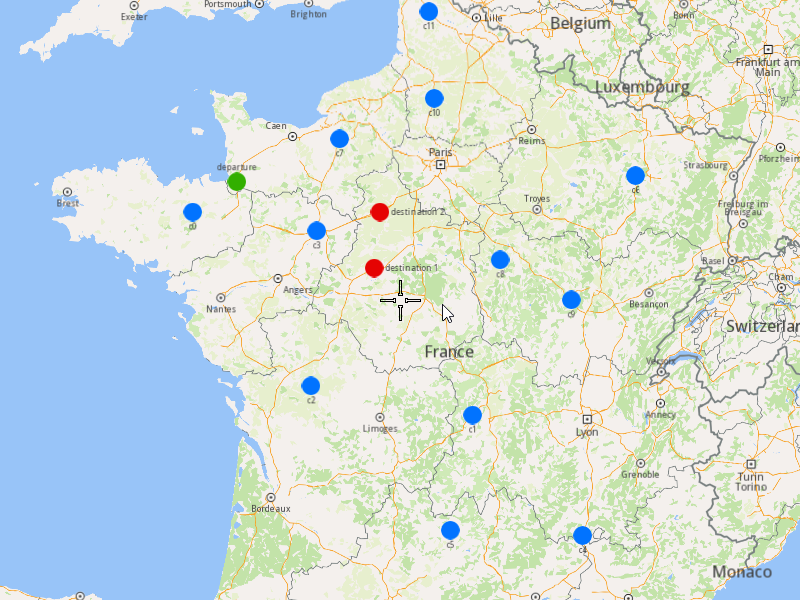
###### Initialize Map Components[](#initialize-map-components "Direct link to Initialize Map Components")
1. Create a `MapServiceListener`, `OpenGLContext`, and `MapView`.
[]()
```cpp
MapViewListenerImpl mapListener;
auto oglContext = session.produceOpenGLContext(Environment::WindowFrameworks::Available, "AddOptimizationWithMultipleDestinations");
gem::StrongPointer mapView = gem::MapView::produce(oglContext, &mapListener);
```
###### Highlight Orders and Departures[](#highlight-orders-and-departures "Direct link to Highlight Orders and Departures")
1. Create a `LandmarkList` and `CoordinatesList` using the `OrderList`, `Departure`, and `Destinations`.
2. Instruct the `MapView` to highlight the landmarks (orders, departure, and destinations).
3. For better visibility, create a `PolygonGeographicArea` from the `CoordinatesList`, and center the `MapView` on this area.
[]()
```cpp
gem::LandmarkList lmks;
gem::CoordinatesList coords;
for (int i = 0; i < optimization.getDepartures().size(); i++)
{
gem::Landmark landmark;
landmark.setName(optimization.getDepartures()[i].getAlias());
landmark.setCoordinates(optimization.getDepartures()[i].getCoordinates());
landmark.setImage(gem::Icon::Core::GreenBall);
lmks.push_back(landmark);
coords.push_back(optimization.getDepartures()[i].getCoordinates());
}
for (int i = 0; i < orders.size(); i++)
{
gem::Landmark landmark;
landmark.setName(orders[i].getAlias());
landmark.setCoordinates(orders[i].getCoordinates());
landmark.setImage(gem::Icon::Core::BlueBall);
lmks.push_back(landmark);
coords.push_back(orders[i].getCoordinates());
}
for (int i = 0; i < optimization.getDestinations().size(); i++)
{
gem::Landmark landmark;
landmark.setName(optimization.getDestinations()[i].getAlias());
landmark.setCoordinates(optimization.getDestinations()[i].getCoordinates());
landmark.setImage(gem::Icon::Core::RedBall);
lmks.push_back(landmark);
coords.push_back(optimization.getDestinations()[i].getCoordinates());
}
mapView->activateHighlight(lmks);
gem::PolygonGeographicArea polyArea(coords);
mapView->centerOnArea(polyArea);
ret = WAIT_UNTIL(std::bind(&MapViewListenerImpl::IsFinished, &mapListener), 15000);
```
##### Run the Optimization[](#run-the-optimization "Direct link to Run the Optimization")
1. Call the `addOptimization()` method from `vrp::Service`, passing the `Optimization` object and the `ProgressListener`.
2. After the operation is finished, a solution for optimization will be generated. To view the solution, you need to call the `getSolution` method from the optimization, which will return a `vrp::RouteList` containing the optimization results.
[]()
```cpp
std::shared_ptr request = std::make_shared();
ret = serv.addOptimization(&listener, optimization, request);
WAIT_UNTIL(std::bind(&ProgressListener::IsFinished, &listener), 10000);
WAIT_UNTIL([&]() {
serv.getRequest(&listener, request, request->id);
WAIT_UNTIL(std::bind(&ProgressListener::IsFinished, &listener), 7000);
return request->status == gem::vrp::ERequestStatus::eFinished;
}, 40000);
gem::vrp::RouteList routes;
ret = optimization.getSolution(&listener, routes);
WAIT_UNTIL(std::bind(&ProgressListener::IsFinished, &listener), 10000);
```
##### Display Routes on the Map[](#display-routes-on-the-map "Direct link to Display Routes on the Map")
Once the optimization is complete and a solution has been found, we can display the solution on the map.
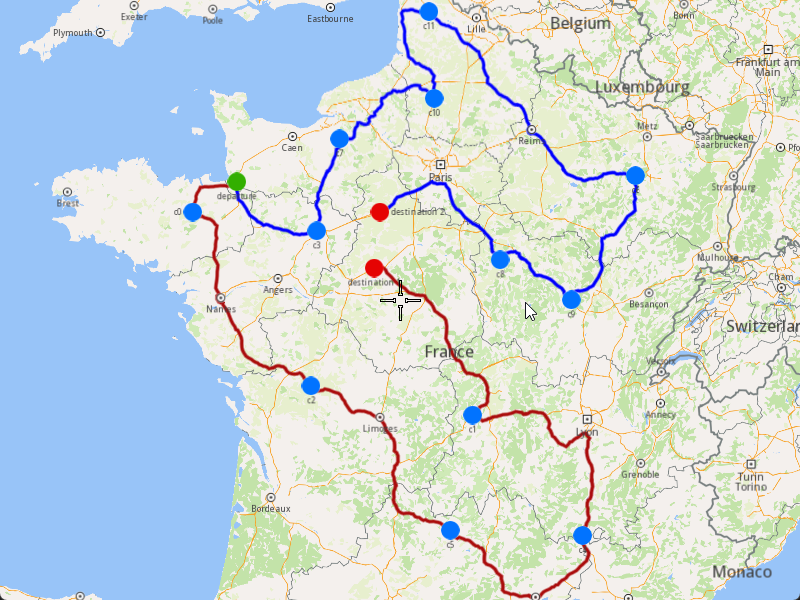
1. Ensure that the operation was done, and a solution was found.
2. Create a `MarkerCollection` of type `Polyline` for each route.
3. Add the route shapes to the `MarkerCollection`.
4. Set the `MarkerCollection` in the map view preferences.
5. After highlighting on the map, center the screen over the routes.
[]()
```cpp
if (listener.IsFinished() && listener.GetError() == gem::KNoError && ret == gem::KNoError)
{
std::cout << "Problem optimized successfully" << std::endl;
PrintRoutesOnConsole(routes);
gem::CoordinatesList shape0 = routes[0].getShape();
gem::CoordinatesList shape1 = routes[1].getShape();
// Display route shapes on map
auto col1 = gem::MarkerCollection(gem::EMarkerType::MT_Polyline, "shape0");
col1.add(gem::Marker(shape0));
mapView->preferences().markers().add(col1);
auto col2 = gem::MarkerCollection(gem::EMarkerType::MT_Polyline, "shape1");
col2.add(gem::Marker(shape1));
gem::MarkerCollectionRenderSettings markerCollDisplaySettings;
markerCollDisplaySettings.polylineInnerColor = gem::Rgba(0, 0, 255, 0);
mapView->preferences().markers().add(col2, markerCollDisplaySettings);
ret = WAIT_UNTIL(std::bind(&MapViewListenerImpl::IsFinished, &mapListener), 15000);
gem::CoordinatesList shapesCoordinates;
shapesCoordinates.insert(shapesCoordinates.end(), shape0.begin(), shape0.end());
shapesCoordinates.insert(shapesCoordinates.end(), shape1.begin(), shape1.end());
gem::PolygonGeographicArea polyArea(shapesCoordinates);
mapView->centerOnArea(polyArea);
ret = WAIT_UNTIL(std::bind(&MapViewListenerImpl::IsFinished, &mapListener), 15000);
WAIT_UNTIL_WINDOW_CLOSE();
}
else
std::cout << "Problem couldn't be optimized" << std::endl;
```
---
### Add Optimization with Orders in the Same Route
|
This example demonstrates how to create an optimization where specific orders must be visited by the same vehicle, ensuring they are part of the same route. The example covers the following features:
* Adding an optimization with custom configuration parameters.
* Defining orders with specific sequences that must be visited by the same vehicle.
* Displaying the optimized solution on a map.
When you run the example application:
* An optimization is created and saved.
* The optimized solution is returned and displayed on the map.
#### Step-by-Step Guide[](#step-by-step-guide "Direct link to Step-by-Step Guide")
##### Step 1: Initialize the API Key and the Environment[](#step-1-initialize-the-api-key-and-the-environment "Direct link to Step 1: Initialize the API Key and the Environment")
To use the Magic Lane SDK, we first need to initialize the API key (project API token) and set up the environment. This ensures that the SDK is properly authenticated and configured for further usage.
###### Initializing the API Key[](#initializing-the-api-key "Direct link to Initializing the API Key")
There are **three ways** to set the API key in the code:
1. **Manual Assignment**
* If neither the macro nor the environment variable is set, the API key must be manually assigned by modifying the source code.
* This is the least secure method and is only recommended for development purposes.
2. **Predefined Macro (`API_TOKEN`)**
* If the API key is defined at compile time as `API_TOKEN`, it is automatically assigned to `projectApiToken`.
* This approach is useful when the API key is included in the build configuration.
3. **Environment Variable (`GEM_TOKEN`)**
* If `API_TOKEN` is not defined, the program attempts to retrieve the API key from the system environment variable `GEM_TOKEN`.
* This method allows for better security as the API key does not need to be hardcoded.
[]()
```cpp
std::string projectApiToken = "YOUR_API_KEY_HERE"; // Manual Assignment
#if defined(API_TOKEN)
projectApiToken = std::string(API_TOKEN); // Predefined Macro
#else
auto value = std::getenv("GEM_TOKEN"); // Environment Variable
if (value != nullptr)
projectApiToken = value;
#endif
```
You must choose one method to initialize the API\_KEY. If you are unsure what an API\_KEY is, you can visit the [Get Started ](/docs/cpp/guides/get-started.md)page for more information
###### Preparing the Environment[](#preparing-the-environment "Direct link to Preparing the Environment")
Once the API key is set, we need to initialize the environment using the `SdkSession` class. The `Environment` class manages the SDK setup and provides functionalities for initializing and releasing the SDK, handling OpenGL rendering, managing event listeners and UI callbacks, and waiting for events like timeouts or window closures.
[]()
```cpp
Environment::SdkSession session(projectApiToken, { argc > 1 ? argv[1] : "" }); // Initialize log file path with the first command-line argument if it exists; otherwise, it initializes it to an empty string
```
##### Step 2: Create Customers and Orders[](#step-2-create-customers-and-orders "Direct link to Step 2: Create Customers and Orders")
note
Each order must have a customer associated with it. You can either:
* Create a new customer and assign it to the order.
* Use an existing customer (refer to the [Get Customer](/docs/cpp/guides/fleet-management/customer.md#a-get-a-customer-by-id) example).
###### Initializing and Adding Customers[](#initializing-and-adding-customers "Direct link to Initializing and Adding Customers")
1. Initialize a `ProgressListener` and `vrp::Service`.
2. Create twelve `vrp::Customer` objects and set the desired fields, and add them to the database.
3. Call the `addCustomer()` method from the `vrp::Service` using the `vrp::Customer` and `ProgressListener` and wait for the operation to be done.
[]()
```cpp
ProgressListener listener;
gem::vrp::Service serv;
gem::vrp::Customer c0;
c0.setCoordinates(gem::Coordinates(48.234270, -2.133208));
c0.setAlias("c0");
c0.setPhoneNumber("+12312312");
c0.setEmail("c0@yahoo.com");
int ret = serv.addCustomer(&listener, c0);
WAIT_UNTIL(std::bind(&ProgressListener::IsFinished, &listener), 5000);
gem::vrp::Customer c1;
c1.setCoordinates(gem::Coordinates(45.854137, 2.853998));
c1.setAlias("c1");
c1.setEmail("c1@yahoo.com");
c1.setPhoneNumber("+12312312");
ret = serv.addCustomer(&listener, c1);
WAIT_UNTIL(std::bind(&ProgressListener::IsFinished, &listener), 5000);
gem::vrp::Customer c2(gem::Coordinates(46.199373, 0.069986));
c2.setAlias("c2");
c2.setPhoneNumber("+12312312");
c2.setEmail("c2@yahoo.com");
ret = serv.addCustomer(&listener, c2);
WAIT_UNTIL(std::bind(&ProgressListener::IsFinished, &listener), 5000);
gem::vrp::Customer c3(gem::Coordinates(48.052503, 0.119726));
c3.setAlias("c3");
c3.setPhoneNumber("+12312312");
c3.setEmail("c3@yahoo.com");
ret = serv.addCustomer(&listener, c3);
WAIT_UNTIL(std::bind(&ProgressListener::IsFinished, &listener), 5000);
gem::vrp::Customer c4(gem::Coordinates(44.346051, 4.694878));
c4.setAlias("c4");
c4.setPhoneNumber("+12312312");
c4.setEmail("c4@yahoo.com");
ret = serv.addCustomer(&listener, c4);
WAIT_UNTIL(std::bind(&ProgressListener::IsFinished, &listener), 5000);
gem::vrp::Customer c5(gem::Coordinates(44.464582, 2.455020));
c5.setAlias("c5");
c5.setPhoneNumber("+12312312");
c5.setEmail("c5@yahoo.com");
ret = serv.addCustomer(&listener, c5);
WAIT_UNTIL(std::bind(&ProgressListener::IsFinished, &listener), 5000);
gem::vrp::Customer c6(gem::Coordinates(48.656644, 5.907131));
c6.setAlias("c6");
c6.setPhoneNumber("+12312312");
c6.setEmail("c6@yahoo.com");
ret = serv.addCustomer(&listener, c6);
WAIT_UNTIL(std::bind(&ProgressListener::IsFinished, &listener), 5000);
gem::vrp::Customer c7(gem::Coordinates(49.161539, 0.500580));
c7.setAlias("c7");
c7.setPhoneNumber("+12312312");
c7.setEmail("c7@yahoo.com");
ret = serv.addCustomer(&listener, c7);
WAIT_UNTIL(std::bind(&ProgressListener::IsFinished, &listener), 5000);
gem::vrp::Customer c8(gem::Coordinates(47.702421, 3.384226));
c8.setAlias("c8");
c8.setPhoneNumber("+12312312");
c8.setEmail("c8@yahoo.com");
ret = serv.addCustomer(&listener, c8);
WAIT_UNTIL(std::bind(&ProgressListener::IsFinished, &listener), 5000);
gem::vrp::Customer c9(gem::Coordinates(47.198274, 4.630011));
c9.setAlias("c9");
c9.setPhoneNumber("+12312312");
c9.setEmail("c9@yahoo.com");
ret = serv.addCustomer(&listener, c9);
WAIT_UNTIL(std::bind(&ProgressListener::IsFinished, &listener), 5000);
gem::vrp::Customer c10(gem::Coordinates(49.655296, 2.243181));
c10.setAlias("c10");
c10.setPhoneNumber("+12312312");
c10.setEmail("c10@yahoo.com");
ret = serv.addCustomer(&listener, c10);
WAIT_UNTIL(std::bind(&ProgressListener::IsFinished, &listener), 5000);
gem::vrp::Customer c11(gem::Coordinates(50.719729, 2.160877));
c11.setAlias("c11");
c11.setPhoneNumber("+12312312");
c11.setEmail("c11@yahoo.com");
ret = serv.addCustomer(&listener, c11);
WAIT_UNTIL(std::bind(&ProgressListener::IsFinished, &listener), 5000);
```
###### Initializing and Adding Orders[](#initializing-and-adding-orders "Direct link to Initializing and Adding Orders")
1. Create a `vrp::OrderList` and add orders to it. Each order must have a customer associated with it.
2. Create twelve `vrp::Order` objects and associate one customer for each, set the desired fields, and add them to the database.
3. Call the `addOrder()` method from the `vrp::Service` using the `vrp::Order` and `ProgressListener` and wait for the operation to be done.
[]()
```cpp
gem::vrp::OrderList orders;
gem::vrp::Order order0(c0);
ret = serv.addOrder(&listener, order0, false);
WAIT_UNTIL(std::bind(&ProgressListener::IsFinished, &listener), 5000);
orders.push_back(order0);
gem::vrp::Order order1(c1);
ret = serv.addOrder(&listener, order1, false);
WAIT_UNTIL(std::bind(&ProgressListener::IsFinished, &listener), 5000);
orders.push_back(order1);
gem::vrp::Order order2(c2);
ret = serv.addOrder(&listener, order2, false);
WAIT_UNTIL(std::bind(&ProgressListener::IsFinished, &listener), 5000);
orders.push_back(order2);
gem::vrp::Order order3(c3);
ret = serv.addOrder(&listener, order3, false);
WAIT_UNTIL(std::bind(&ProgressListener::IsFinished, &listener), 5000);
orders.push_back(order3);
gem::vrp::Order order4(c4);
ret = serv.addOrder(&listener, order4, false);
WAIT_UNTIL(std::bind(&ProgressListener::IsFinished, &listener), 5000);
orders.push_back(order4);
gem::vrp::Order order5(c5);
ret = serv.addOrder(&listener, order5, false);
WAIT_UNTIL(std::bind(&ProgressListener::IsFinished, &listener), 5000);
orders.push_back(order5);
gem::vrp::Order order6(c6);
ret = serv.addOrder(&listener, order6, false);
WAIT_UNTIL(std::bind(&ProgressListener::IsFinished, &listener), 5000);
orders.push_back(order6);
gem::vrp::Order order7(c7);
ret = serv.addOrder(&listener, order7, false);
WAIT_UNTIL(std::bind(&ProgressListener::IsFinished, &listener), 5000);
orders.push_back(order7);
gem::vrp::Order order8(c8);
ret = serv.addOrder(&listener, order8, false);
WAIT_UNTIL(std::bind(&ProgressListener::IsFinished, &listener), 5000);
orders.push_back(order8);
gem::vrp::Order order9(c9);
ret = serv.addOrder(&listener, order9, false);
WAIT_UNTIL(std::bind(&ProgressListener::IsFinished, &listener), 5000);
orders.push_back(order9);
gem::vrp::Order order10(c10);
ret = serv.addOrder(&listener, order10, false);
WAIT_UNTIL(std::bind(&ProgressListener::IsFinished, &listener), 5000);
orders.push_back(order10);
gem::vrp::Order order11(c11);
ret = serv.addOrder(&listener, order11, false);
WAIT_UNTIL(std::bind(&ProgressListener::IsFinished, &listener), 5000);
orders.push_back(order11);
```
##### Configure Optimization Parameters[](#configure-optimization-parameters "Direct link to Configure Optimization Parameters")
note
Configuration Parameters define key settings that influence the behavior of the route optimization process. These settings determine aspects such as optimization goals, search time limits, and flexibility in handling orders.
1. Create a `vrp::ConfigurationParameters` object and set the desired parameters.
2. Create a `gem::vrp::OrdersSequenceMap` to specify the association between different orders that should be visited in a certain order. In this example, we define two sequences of orders that must be visited by the same vehicle.
[]()
```cpp
gem::vrp::OrdersSequenceMap ordersSequence;
gem::LargeIntListList sequence = { { orders[2].getId(), orders[6].getId(), orders[1].getId() }, { orders[8].getId(), orders[3].getId()} };
ordersSequence.insert(std::make_pair(gem::vrp::EOrdersSequenceOption::OSO_InSameRoute, sequence));
gem::vrp::ConfigurationParameters params;
params.setOrderSequenceOptions(ordersSequence);
```
##### Create Vehicles and Define Vehicle Constraints[](#create-vehicles-and-define-vehicle-constraints "Direct link to Create Vehicles and Define Vehicle Constraints")
note
Vehicle constraints define the limitations and requirements applied to a vehicle during the route optimization process. Ensure that the vehicle operates within its capabilities, such as time windows, capacity, distance, and revenue.
###### Initializing and Adding Vehicles[](#initializing-and-adding-vehicles "Direct link to Initializing and Adding Vehicles")
1. Create a `gem::vrp::VehicleList` and add vehicles to it.
2. Create two `vrp::Vehicle` objects and set the desired fields, and add them to the database.
3. Call the `addVehicle()` method from the `vrp::Service` using the `vrp::Vehicle` and `ProgressListener` and wait for the operation to be done.
[]()
```cpp
gem::vrp::VehicleList vehicles;
gem::vrp::Vehicle vehicle1;
vehicle1.setName("Vehicle 1");
vehicle1.setType(gem::vrp::EVehicleType::VT_Car);
vehicle1.setStatus(gem::vrp::EVehicleStatus::VS_Available);
vehicle1.setManufacturer("Kia");
vehicle1.setModel("Ceed");
vehicle1.setFuelType(gem::vrp::EFuelType::FT_GasolinePremium);
vehicle1.setConsumption(6.5);
vehicle1.setLicensePlate("BV01ASD");
vehicle1.setMaxWeight(15);
vehicle1.setMaxCube(2);
vehicle1.setStartTime(420); //7:00 AM
vehicle1.setEndTime(1920); //8:00 AM next day
ret = serv.addVehicle(&listener, vehicle1);
WAIT_UNTIL(std::bind(&ProgressListener::IsFinished, &listener), 5000);
vehicles.push_back(vehicle1);
gem::vrp::Vehicle vehicle2;
vehicle2.setName("Vehicle 1");
vehicle2.setType(gem::vrp::EVehicleType::VT_Car);
vehicle2.setStatus(gem::vrp::EVehicleStatus::VS_Available);
vehicle2.setManufacturer("Kia");
vehicle2.setModel("Sportage");
vehicle2.setFuelType(gem::vrp::EFuelType::FT_GasolinePremium);
vehicle2.setConsumption(6.6);
vehicle2.setLicensePlate("B123ABC");
vehicle2.setMaxWeight(20);
vehicle2.setMaxCube(3);
vehicle2.setStartTime(420); //7:00 AM
vehicle2.setEndTime(2160); //12:00 PM next day
ret = serv.addVehicle(&listener, vehicle2);
WAIT_UNTIL(std::bind(&ProgressListener::IsFinished, &listener), 5000);
vehicles.push_back(vehicle2);
```
###### Define Vehicle Constraints[](#define-vehicle-constraints "Direct link to Define Vehicle Constraints")
1. Create a `vrp::VehicleConstraints` object for each vehicle.
2. Add these constraints to a `vrp::VehicleConstraintsList`.
[]()
```cpp
gem::vrp::VehicleConstraintsList vehConstraintsList;
gem::vrp::VehicleConstraints vehConstr1;
vehConstr1.setStartDate(gem::Time(2024, 11, 1));
vehConstraintsList.push_back(vehConstr1);
```
##### Create the Departure and Destinations[](#create-the-departure-and-destinations "Direct link to Create the Departure and Destinations")
note
Departures define the starting points for vehicle routes. These locations serve as the origin of a route and can impact optimization by influencing travel distance and time. Destinations define the final stop for a vehicle route. These locations mark the endpoint of a route and play a key role in optimizing route efficiency.
###### Initializing Departures and Destinations[](#initializing-departures-and-destinations "Direct link to Initializing Departures and Destinations")
1. Create a `vrp::Departure` object.
2. Create a `vrp::Destination` object.
[]()
```cpp
gem::vrp::Departure departure;
departure.setAlias("departure");
departure.setCoordinates(gem::Coordinates(48.618893, -1.353635));
gem::vrp::Destination destination;
destination.setAlias("destination");
destination.setCoordinates(gem::Coordinates(47.617484, 1.152466));
```
##### Create the Optimization[](#create-the-optimization "Direct link to Create the Optimization")
Note
An optimization represents a set of orders, vehicles, constraints, and other parameters that define a routing problem.
1. Create a `vrp::Optimization` object.
2. Assign the `OrderList`, `ConfigurationParameters`, `VehicleList`, `VehicleConstraintsList`, `Departures`, and `Destinations` to the optimization.
[]()
```cpp
gem::vrp::Optimization optimization;
optimization.setOrders(orders);
optimization.setDepartures({ departure });
optimization.setVehicles(vehicles);
optimization.setVehiclesConstraints(vehConstraintsList);
optimization.setConfigurationParameters(params);
```
##### Displaying Orders on the Map[](#displaying-orders-on-the-map "Direct link to Displaying Orders on the Map")
Once the orders have been added, we can display them on the map.
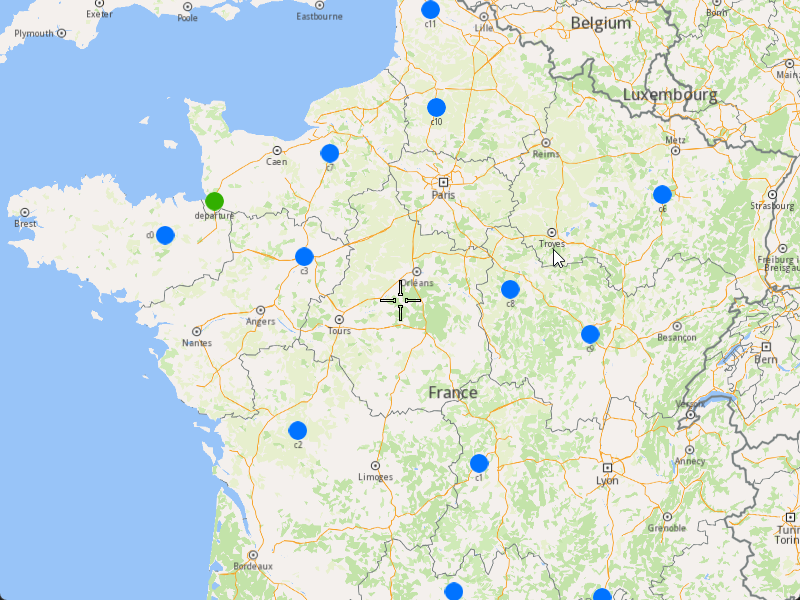
###### Initialize Map Components[](#initialize-map-components "Direct link to Initialize Map Components")
1. Create a `MapServiceListener`, `OpenGLContext`, and `MapView`.
[]()
```cpp
MapViewListenerImpl mapListener;
auto oglContext = session.produceOpenGLContext(Environment::WindowFrameworks::Available, "AddOptimizationWithOrdersInSameRoute");
gem::StrongPointer mapView = gem::MapView::produce(oglContext, &mapListener);
```
###### Highlight Orders and Departures[](#highlight-orders-and-departures "Direct link to Highlight Orders and Departures")
1. Create a `LandmarkList` and `CoordinatesList` using the `OrderList`, `Departures`, and `Destinations`.
2. Instruct the `MapView` to highlight the landmarks (orders, departures, and destinations).
3. For better visibility, create a `PolygonGeographicArea` from the `CoordinatesList` and center the `MapView` on this area.
[]()
```cpp
gem::LandmarkList lmks;
gem::CoordinatesList coords;
for (int i = 0; i < optimization.getDepartures().size(); i++)
{
gem::Landmark landmark;
landmark.setName(optimization.getDepartures()[i].getAlias());
landmark.setCoordinates(optimization.getDepartures()[i].getCoordinates());
landmark.setImage(gem::Icon::Core::GreenBall);
lmks.push_back(landmark);
coords.push_back(optimization.getDepartures()[i].getCoordinates());
}
for (int i = 0; i < orders.size(); i++)
{
gem::Landmark landmark;
landmark.setName(orders[i].getAlias());
landmark.setCoordinates(orders[i].getCoordinates());
landmark.setImage(gem::Icon::Core::BlueBall);
lmks.push_back(landmark);
coords.push_back(orders[i].getCoordinates());
}
for (int i = 0; i < optimization.getDestinations().size(); i++)
{
gem::Landmark landmark;
landmark.setName(optimization.getDestinations()[i].getAlias());
landmark.setCoordinates(optimization.getDestinations()[i].getCoordinates());
landmark.setImage(gem::Icon::Core::RedBall);
lmks.push_back(landmark);
coords.push_back(optimization.getDestinations()[i].getCoordinates());
}
mapView->activateHighlight(lmks);
gem::PolygonGeographicArea polyArea(coords);
mapView->centerOnArea(polyArea);
ret = WAIT_UNTIL(std::bind(&MapViewListenerImpl::IsFinished, &mapListener), 15000);
```
##### Run the Optimization[](#run-the-optimization "Direct link to Run the Optimization")
1. Call the `addOptimization()` method from `vrp::Service`, passing the `Optimization` object and the `ProgressListener`.
2. After the operation is finished, a solution for optimization will be generated. To view the solution, you need to call the `getSolution` method from the optimization, which will return a `vrp::RouteList` containing the optimization results.
[]()
```cpp
std::shared_ptr request = std::make_shared();
ret = serv.addOptimization(&listener, optimization, request);
WAIT_UNTIL(std::bind(&ProgressListener::IsFinished, &listener), 10000);
WAIT_UNTIL([&]() {
serv.getRequest(&listener, request, request->id);
WAIT_UNTIL(std::bind(&ProgressListener::IsFinished, &listener), 7000);
return request->status == gem::vrp::ERequestStatus::eFinished;
}, 40000);
gem::vrp::RouteList routes;
ret = optimization.getSolution(&listener, routes);
WAIT_UNTIL(std::bind(&ProgressListener::IsFinished, &listener), 10000);
```
##### Display Routes on the Map[](#display-routes-on-the-map "Direct link to Display Routes on the Map")
Once the optimization is complete and a solution has been found, we can display the solution on the map.
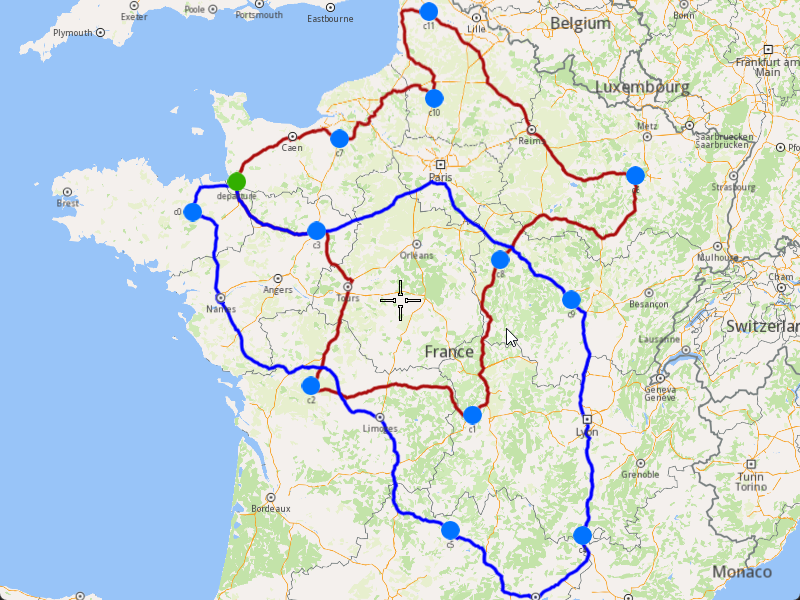
1. Ensure that the operation was done, and a solution was found.
2. Create a `MarkerCollection` of type `Polyline` for each route.
3. Add the route shapes to the `MarkerCollection`.
4. Set the `MarkerCollection` in the map view preferences.
5. After highlighting on the map, center the screen over the routes.
[]()
```cpp
if (listener.IsFinished() && listener.GetError() == gem::KNoError && ret == gem::KNoError)
{
std::cout << "Problem optimized successfully" << std::endl;
gem::CoordinatesList shape0 = routes[0].getShape();
gem::CoordinatesList shape1 = routes[1].getShape();
// Display routes shapes on map
auto col1 = gem::MarkerCollection(gem::EMarkerType::MT_Polyline, "shape0");
col1.add(gem::Marker(shape0));
mapView->preferences().markers().add(col1);
auto col2 = gem::MarkerCollection(gem::EMarkerType::MT_Polyline, "shape1");
col2.add(gem::Marker(shape1));
gem::MarkerCollectionRenderSettings markerCollDisplaySettings;
markerCollDisplaySettings.polylineInnerColor = gem::Rgba(0, 0, 255, 0);
mapView->preferences().markers().add(col2, markerCollDisplaySettings);
ret = WAIT_UNTIL(std::bind(&MapViewListenerImpl::IsFinished, &mapListener), 15000);
gem::CoordinatesList shapesCoordinates;
shapesCoordinates.insert(shapesCoordinates.end(), shape0.begin(), shape0.end());
shapesCoordinates.insert(shapesCoordinates.end(), shape1.begin(), shape1.end());
gem::PolygonGeographicArea polyArea(shapesCoordinates);
mapView->centerOnArea(polyArea);
ret = WAIT_UNTIL(std::bind(&MapViewListenerImpl::IsFinished, &mapListener), 15000);
WAIT_UNTIL_WINDOW_CLOSE();
}
else
std::cout << "Problem couldn't be optimized" << std::endl;
```
---
### Add Optimization with Orders Sequences
|
The example covers the following features:
* Adding an optimization where certain orders must be visited in a specific sequence (not fixed).
* Defining orders with various fields (e.g., time windows, packages, weights).
* Setting up vehicles with specific constraints.
* Displaying the optimized solution on a map.
In this optimization, some orders must be visited in a specific sequence, but the sequence is not fixed, allowing for flexibility in route planning.
When you run the example application:
* An optimization is created and saved.
* The optimized solution is returned and displayed on the map.
##### Create Customers and Orders[](#create-customers-and-orders "Direct link to Create Customers and Orders")
Note
Each order must have a customer associated with it. You can either:
* Create a new customer and assign it to the order.
* Use an existing customer (refer to the [Get Customer](/docs/cpp/guides/fleet-management/customer.md#a-get-a-customer-by-id) example).
###### Initializing and Adding Customers[](#initializing-and-adding-customers "Direct link to Initializing and Adding Customers")
1. Initialize a `ProgressListener` and `vrp::Service`.
2. Create twelve `vrp::Customer` objects and set the desired fields, and add them to the database.
3. Call the `addCustomer()` method from the `vrp::Service` using the `vrp::Customer` and `ProgressListener` and wait for the operation to be done.
[]()
```cpp
ProgressListener listener;
gem::vrp::Service serv;
gem::vrp::Customer c0;
c0.setCoordinates(gem::Coordinates(48.234270, -2.133208));
c0.setAlias("c0");
c0.setPhoneNumber("+12312312");
c0.setEmail("c0@yahoo.com");
int ret = serv.addCustomer(&listener, c0);
WAIT_UNTIL(std::bind(&ProgressListener::IsFinished, &listener), 5000);
gem::vrp::Customer c1;
c1.setCoordinates(gem::Coordinates(45.854137, 2.853998));
c1.setAlias("c1");
c1.setEmail("c1@yahoo.com");
c1.setPhoneNumber("+12312312");
ret = serv.addCustomer(&listener, c1);
WAIT_UNTIL(std::bind(&ProgressListener::IsFinished, &listener), 5000);
gem::vrp::Customer c2(gem::Coordinates(46.199373, 0.069986));
c2.setAlias("c2");
c2.setPhoneNumber("+12312312");
c2.setEmail("c2@yahoo.com");
ret = serv.addCustomer(&listener, c2);
WAIT_UNTIL(std::bind(&ProgressListener::IsFinished, &listener), 5000);
gem::vrp::Customer c3(gem::Coordinates(48.052503, 0.119726));
c3.setAlias("c3");
c3.setPhoneNumber("+12312312");
c3.setEmail("c3@yahoo.com");
ret = serv.addCustomer(&listener, c3);
WAIT_UNTIL(std::bind(&ProgressListener::IsFinished, &listener), 5000);
gem::vrp::Customer c4(gem::Coordinates(44.346051, 4.694878));
c4.setAlias("c4");
c4.setPhoneNumber("+12312312");
c4.setEmail("c4@yahoo.com");
ret = serv.addCustomer(&listener, c4);
WAIT_UNTIL(std::bind(&ProgressListener::IsFinished, &listener), 5000);
gem::vrp::Customer c5(gem::Coordinates(44.464582, 2.455020));
c5.setAlias("c5");
c5.setPhoneNumber("+12312312");
c5.setEmail("c5@yahoo.com");
ret = serv.addCustomer(&listener, c5);
WAIT_UNTIL(std::bind(&ProgressListener::IsFinished, &listener), 5000);
gem::vrp::Customer c6(gem::Coordinates(48.656644, 5.907131));
c6.setAlias("c6");
c6.setPhoneNumber("+12312312");
c6.setEmail("c6@yahoo.com");
ret = serv.addCustomer(&listener, c6);
WAIT_UNTIL(std::bind(&ProgressListener::IsFinished, &listener), 5000);
gem::vrp::Customer c7(gem::Coordinates(49.161539, 0.500580));
c7.setAlias("c7");
c7.setPhoneNumber("+12312312");
c7.setEmail("c7@yahoo.com");
ret = serv.addCustomer(&listener, c7);
WAIT_UNTIL(std::bind(&ProgressListener::IsFinished, &listener), 5000);
gem::vrp::Customer c8(gem::Coordinates(47.702421, 3.384226));
c8.setAlias("c8");
c8.setPhoneNumber("+12312312");
c8.setEmail("c8@yahoo.com");
ret = serv.addCustomer(&listener, c8);
WAIT_UNTIL(std::bind(&ProgressListener::IsFinished, &listener), 5000);
gem::vrp::Customer c9(gem::Coordinates(47.198274, 4.630011));
c9.setAlias("c9");
c9.setPhoneNumber("+12312312");
c9.setEmail("c9@yahoo.com");
ret = serv.addCustomer(&listener, c9);
WAIT_UNTIL(std::bind(&ProgressListener::IsFinished, &listener), 5000);
gem::vrp::Customer c10(gem::Coordinates(49.655296, 2.243181));
c10.setAlias("c10");
c10.setPhoneNumber("+12312312");
c10.setEmail("c10@yahoo.com");
ret = serv.addCustomer(&listener, c10);
WAIT_UNTIL(std::bind(&ProgressListener::IsFinished, &listener), 5000);
gem::vrp::Customer c11(gem::Coordinates(50.719729, 2.160877));
c11.setAlias("c11");
c11.setPhoneNumber("+12312312");
c11.setEmail("c11@yahoo.com");
ret = serv.addCustomer(&listener, c11);
WAIT_UNTIL(std::bind(&ProgressListener::IsFinished, &listener), 5000);
```
###### Initializing and Adding Orders[](#initializing-and-adding-orders "Direct link to Initializing and Adding Orders")
1. Create a `vrp::OrderList` and add orders to it. Each order must have a customer associated with it.
2. Create twelve `vrp::Order` objects and associate one customer for each, set the desired fields, and add them to the database.
3. Call the `addOrder()` method from the `vrp::Service` using the `vrp::Order` and `ProgressListener` and wait for the operation to be done.
[]()
```cpp
gem::vrp::OrderList orders;
gem::vrp::Order order0(c0);
ret = serv.addOrder(&listener, order0, false);
WAIT_UNTIL(std::bind(&ProgressListener::IsFinished, &listener), 5000);
orders.push_back(order0);
gem::vrp::Order order1(c1);
ret = serv.addOrder(&listener, order1, false);
WAIT_UNTIL(std::bind(&ProgressListener::IsFinished, &listener), 5000);
orders.push_back(order1);
gem::vrp::Order order2(c2);
ret = serv.addOrder(&listener, order2, false);
WAIT_UNTIL(std::bind(&ProgressListener::IsFinished, &listener), 5000);
orders.push_back(order2);
gem::vrp::Order order3(c3);
ret = serv.addOrder(&listener, order3, false);
WAIT_UNTIL(std::bind(&ProgressListener::IsFinished, &listener), 5000);
orders.push_back(order3);
gem::vrp::Order order4(c4);
ret = serv.addOrder(&listener, order4, false);
WAIT_UNTIL(std::bind(&ProgressListener::IsFinished, &listener), 5000);
orders.push_back(order4);
gem::vrp::Order order5(c5);
ret = serv.addOrder(&listener, order5, false);
WAIT_UNTIL(std::bind(&ProgressListener::IsFinished, &listener), 5000);
orders.push_back(order5);
gem::vrp::Order order6(c6);
ret = serv.addOrder(&listener, order6, false);
WAIT_UNTIL(std::bind(&ProgressListener::IsFinished, &listener), 5000);
orders.push_back(order6);
gem::vrp::Order order7(c7);
ret = serv.addOrder(&listener, order7, false);
WAIT_UNTIL(std::bind(&ProgressListener::IsFinished, &listener), 5000);
orders.push_back(order7);
gem::vrp::Order order8(c8);
ret = serv.addOrder(&listener, order8, false);
WAIT_UNTIL(std::bind(&ProgressListener::IsFinished, &listener), 5000);
orders.push_back(order8);
gem::vrp::Order order9(c9);
ret = serv.addOrder(&listener, order9, false);
WAIT_UNTIL(std::bind(&ProgressListener::IsFinished, &listener), 5000);
orders.push_back(order9);
gem::vrp::Order order10(c10);
ret = serv.addOrder(&listener, order10, false);
WAIT_UNTIL(std::bind(&ProgressListener::IsFinished, &listener), 5000);
orders.push_back(order10);
gem::vrp::Order order11(c11);
ret = serv.addOrder(&listener, order11, false);
WAIT_UNTIL(std::bind(&ProgressListener::IsFinished, &listener), 5000);
orders.push_back(order11);
```
##### Create Departure[](#create-departure "Direct link to Create Departure")
Note
Departures define the starting points for vehicle routes. These locations serve as the origin of a route and can impact optimization by influencing travel distance and time.
1. Create a `vrp::Departure` object for the vehicle's starting point.
[]()
```cpp
gem::vrp::Departure departure;
departure.setAlias("departure");
departure.setCoordinates(gem::Coordinates(48.618893, -1.353635));
```
##### Create Vehicles and Define Vehicle Constraints[](#create-vehicles-and-define-vehicle-constraints "Direct link to Create Vehicles and Define Vehicle Constraints")
###### Initializing and adding vehicles[](#initializing-and-adding-vehicles "Direct link to Initializing and adding vehicles")
Note
Vehicles are the resources that will be used to fulfill the orders. Each vehicle can have specific constraints and capabilities.
1. Create a `vrp::VehicleList` and add vehicles to it.
2. Create a `vrp::Vehicle` object and set the desired fields, such as name, type, status, and capacity.
3. Call the `addVehicle()` method from the `vrp::Service` using the `vrp::Vehicle` and `ProgressListener` and wait for the operation to be done.
[]()
```cpp
gem::vrp::VehicleList vehicles;
gem::vrp::Vehicle vehicle1;
vehicle1.setName("Vehicle 1");
vehicle1.setType(gem::vrp::EVehicleType::VT_Car);
vehicle1.setStatus(gem::vrp::EVehicleStatus::VS_Available);
vehicle1.setManufacturer("Kia");
vehicle1.setModel("Ceed");
vehicle1.setFuelType(gem::vrp::EFuelType::FT_GasolinePremium);
vehicle1.setConsumption(6.5);
vehicle1.setLicensePlate("BV01ASD");
vehicle1.setMaxWeight(35);
vehicle1.setMaxCube(17);
vehicle1.setStartTime(420); //7:00 AM
vehicle1.setEndTime(2880); //0:00 AM next day
ret = serv.addVehicle(&listener, vehicle1);
WAIT_UNTIL(std::bind(&ProgressListener::IsFinished, &listener), 5000);
vehicles.push_back(vehicle1);
```
###### Define Vehicle Constraints[](#define-vehicle-constraints "Direct link to Define Vehicle Constraints")
Note
Vehicle constraints define the limitations and requirements applied to a vehicle during the route optimization process. Ensure that the vehicle operates within its capabilities, such as time windows, capacity, distance, and revenue. There are two ways of defining the constraints. Each vehicle will have a different contraints or we set only one vehicle constraints that will apply to all vehicles.
1. Create a `vrp::VehicleConstraints` object and set the desired constraints.
2. Add these constraints to a `vrp::VehicleConstraintsList`.
[]()
```cpp
gem::vrp::VehicleConstraintsList vehConstraintsList;
gem::vrp::VehicleConstraints vehConstr1;
vehConstraintsList.push_back(vehConstr1);
```
##### Define Order Sequences[](#define-order-sequences "Direct link to Define Order Sequences")
Note
Order sequences define the specific order in which certain orders must be visited. This allows for custom routing logic where some orders must be visited in a particular sequence.
1. Create a `vrp::OrdersSequenceMap` and define the sequence of orders.
2. Add the sequence to the `vrp::ConfigurationParameters`.
[]()
```cpp
gem::vrp::OrdersSequenceMap ordersSequence;
gem::LargeIntListList sequence = { { orders[2].getId(), orders[6].getId(), orders[1].getId(), orders[8].getId(), orders[3].getId() } };
ordersSequence.insert(std::make_pair(gem::vrp::EOrdersSequenceOption::OSO_InSequence, sequence));
gem::vrp::ConfigurationParameters params;
params.setOrderSequenceOptions(ordersSequence);
```
##### Create the Optimization[](#create-the-optimization "Direct link to Create the Optimization")
Note
An optimization represents a set of orders, vehicles, constraints, and other parameters that define a routing problem.
1. Create a `vrp::Optimization` object.
2. Assign the `OrderList`, `ConfigurationParameters`, `VehicleList`, `VehicleConstraintsList`, and `Departure` to the optimization.
[]()
```cpp
gem::vrp::Optimization optimization;
optimization.setOrders(orders);
optimization.setDepartures({ departure });
optimization.setVehicles(vehicles);
optimization.setVehiclesConstraints(vehConstraintsList);
optimization.setConfigurationParameters(params);
```
##### Displaying Orders on the Map[](#displaying-orders-on-the-map "Direct link to Displaying Orders on the Map")
Once the orders have been added, we can display them on the map.
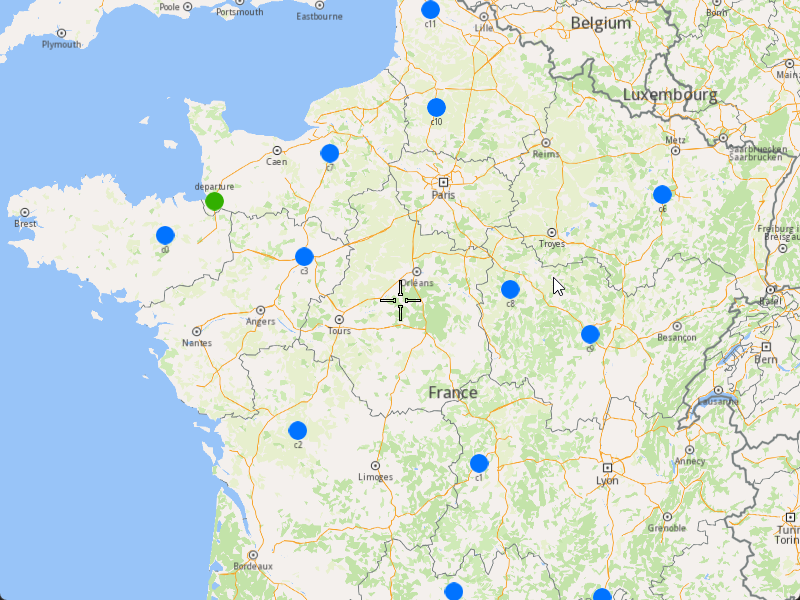
###### Initialize Map Components[](#initialize-map-components "Direct link to Initialize Map Components")
1. Create a `MapServiceListener`, `OpenGLContext`, and `MapView`.
[]()
```cpp
MapViewListenerImpl mapListener;
auto oglContext = session.produceOpenGLContext(Environment::WindowFrameworks::Available, "AddOptimizationWithOrdersSequences");
gem::StrongPointer mapView = gem::MapView::produce(oglContext, &mapListener);
```
###### Highlight Orders and Departures[](#highlight-orders-and-departures "Direct link to Highlight Orders and Departures")
1. Create a `LandmarkList` and `CoordinatesList` using the `OrderList` and `Departure`.
2. Instruct the `MapView` to highlight the landmarks (orders and departure).
3. For better visibility, create a `PolygonGeographicArea` from the `CoordinatesList`, and center the `MapView` on this area.
[]()
```cpp
gem::LandmarkList lmks;
gem::CoordinatesList coords;
for (int i = 0; i < optimization.getDepartures().size(); i++)
{
gem::Landmark landmark;
landmark.setName(optimization.getDepartures()[i].getAlias());
landmark.setCoordinates(optimization.getDepartures()[i].getCoordinates());
landmark.setImage(gem::Icon::Core::GreenBall);
lmks.push_back(landmark);
coords.push_back(optimization.getDepartures()[i].getCoordinates());
}
for (int i = 0; i < orders.size(); i++)
{
gem::Landmark landmark;
landmark.setName(orders[i].getAlias());
landmark.setCoordinates(orders[i].getCoordinates());
landmark.setImage(gem::Icon::Core::BlueBall);
lmks.push_back(landmark);
coords.push_back(orders[i].getCoordinates());
}
mapView->activateHighlight(lmks);
gem::PolygonGeographicArea polyArea(coords);
mapView->centerOnArea(polyArea);
ret = WAIT_UNTIL(std::bind(&MapViewListenerImpl::IsFinished, &mapListener), 15000);
```
##### Run the Optimization[](#run-the-optimization "Direct link to Run the Optimization")
1. Call the `addOptimization()` method from `vrp::Service`, passing the `Optimization` object and the `ProgressListener`.
2. After the operation is finished, a solution for optimization will be generated. To view the solution, you need to call the `getSolution` method from the optimization, which will return a `vrp::RouteList` containing the optimization results.
[]()
```cpp
std::shared_ptr request = std::make_shared();
ret = serv.addOptimization(&listener, optimization, request);
WAIT_UNTIL(std::bind(&ProgressListener::IsFinished, &listener), 10000);
WAIT_UNTIL([&]() {
serv.getRequest(&listener, request, request->id);
WAIT_UNTIL(std::bind(&ProgressListener::IsFinished, &listener), 7000);
return request->status == gem::vrp::ERequestStatus::eFinished;
}, 40000);
gem::vrp::RouteList routes;
ret = optimization.getSolution(&listener, routes);
WAIT_UNTIL(std::bind(&ProgressListener::IsFinished, &listener), 10000);
```
##### Display Routes on the Map[](#display-routes-on-the-map "Direct link to Display Routes on the Map")
Once the optimization is complete and a solution has been found, we can display the solution on the map.
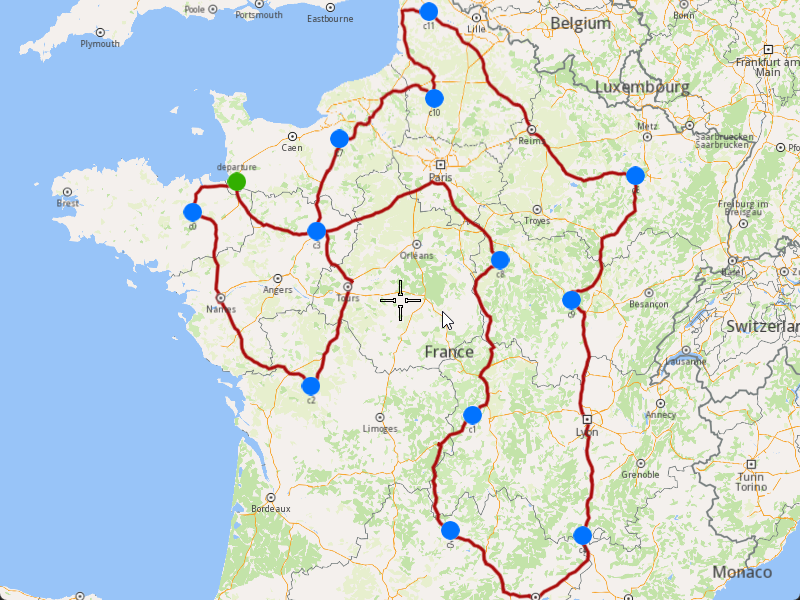
1. Ensure that the operation was done, and a solution was found.
2. Create a `MarkerCollection` of type `Polyline` for the route.
3. Add the route shape to the `MarkerCollection`.
4. Set the `MarkerCollection` in the map view preferences.
5. After highlighting on the map, center the screen over the route.
[]()
```cpp
if (listener.IsFinished() && listener.GetError() == gem::KNoError && ret == gem::KNoError)
{
std::cout << "Problem optimized successfully" << std::endl;
PrintRoutesOnConsole(routes);
// Display route shape on map
auto col = gem::MarkerCollection(gem::EMarkerType::MT_Polyline, "shape");
gem::CoordinatesList shape = routes[0].getShape();
col.add(gem::Marker(shape));
mapView->preferences().markers().add(col);
ret = WAIT_UNTIL(std::bind(&MapViewListenerImpl::IsFinished, &mapListener), 15000);
gem::PolygonGeographicArea polyArea(shape);
mapView->centerOnArea(polyArea);
ret = WAIT_UNTIL(std::bind(&MapViewListenerImpl::IsFinished, &mapListener), 15000);
WAIT_UNTIL_WINDOW_CLOSE();
}
else
std::cout << "Problem couldn't be optimized" << std::endl;
```
---
### Add Optimization with Orders Sequence Pairs
|
The example covers the following features:
* Adding an optimization with sequence pairs (pick-up and delivery order pairs).
* Defining orders with various fields (e.g., packages, weights, cubes).
* Setting up vehicles with specific constraints.
* Displaying the optimized solution on a map.
When you run the example application:
* An optimization is created and saved.
* The optimized solution is returned and displayed on the map.
##### Create Customers and Orders[](#create-customers-and-orders "Direct link to Create Customers and Orders")
note
Each order must have a customer associated with it. You can either:
* Create a new customer and assign it to the order.
* Use an existing customer (refer to the [Get Customer](/docs/cpp/guides/fleet-management/customer.md#a-get-a-customer-by-id) example).
###### Initializing and Adding Customers[](#initializing-and-adding-customers "Direct link to Initializing and Adding Customers")
1. Initialize a `ProgressListener` and `vrp::Service`.
2. Create twelve `vrp::Customer` objects and set the desired fields, and add them to the database.
3. Call the `addCustomer()` method from the `vrp::Service` using the `vrp::Customer` and `ProgressListener` and wait for the operation to be done.
[]()
```cpp
// Initialize Service and Listener
ProgressListener listener;
gem::vrp::Service serv;
//Initialize customers and set the desired fields.
gem::vrp::Customer c0;
c0.setCoordinates(gem::Coordinates(48.234270, -2.133208));
c0.setAlias("c0");
c0.setPhoneNumber("+12312312");
c0.setEmail("c0@yahoo.com");
int ret = serv.addCustomer(&listener, c0);
WAIT_UNTIL(std::bind(&ProgressListener::IsFinished, &listener), 5000);
gem::vrp::Customer c1;
c1.setCoordinates(gem::Coordinates(45.854137, 2.853998));
c1.setAlias("c1");
c1.setEmail("c1@yahoo.com");
c1.setPhoneNumber("+12312312");
ret = serv.addCustomer(&listener, c1);
WAIT_UNTIL(std::bind(&ProgressListener::IsFinished, &listener), 5000);
gem::vrp::Customer c2(gem::Coordinates(46.199373, 0.069986));
c2.setAlias("c2");
c2.setPhoneNumber("+12312312");
c2.setEmail("c2@yahoo.com");
ret = serv.addCustomer(&listener, c2);
WAIT_UNTIL(std::bind(&ProgressListener::IsFinished, &listener), 5000);
gem::vrp::Customer c3(gem::Coordinates(48.052503, 0.119726));
c3.setAlias("c3");
c3.setPhoneNumber("+12312312");
c3.setEmail("c3@yahoo.com");
ret = serv.addCustomer(&listener, c3);
WAIT_UNTIL(std::bind(&ProgressListener::IsFinished, &listener), 5000);
gem::vrp::Customer c4(gem::Coordinates(44.346051, 4.694878));
c4.setAlias("c4");
c4.setPhoneNumber("+12312312");
c4.setEmail("c4@yahoo.com");
ret = serv.addCustomer(&listener, c4);
WAIT_UNTIL(std::bind(&ProgressListener::IsFinished, &listener), 5000);
gem::vrp::Customer c5(gem::Coordinates(44.464582, 2.455020));
c5.setAlias("c5");
c5.setPhoneNumber("+12312312");
c5.setEmail("c5@yahoo.com");
ret = serv.addCustomer(&listener, c5);
WAIT_UNTIL(std::bind(&ProgressListener::IsFinished, &listener), 5000);
gem::vrp::Customer c6(gem::Coordinates(48.656644, 5.907131));
c6.setAlias("c6");
c6.setPhoneNumber("+12312312");
c6.setEmail("c6@yahoo.com");
ret = serv.addCustomer(&listener, c6);
WAIT_UNTIL(std::bind(&ProgressListener::IsFinished, &listener), 5000);
gem::vrp::Customer c7(gem::Coordinates(49.161539, 0.500580));
c7.setAlias("c7");
c7.setPhoneNumber("+12312312");
c7.setEmail("c7@yahoo.com");
ret = serv.addCustomer(&listener, c7);
WAIT_UNTIL(std::bind(&ProgressListener::IsFinished, &listener), 5000);
gem::vrp::Customer c8(gem::Coordinates(47.702421, 3.384226));
c8.setAlias("c8");
c8.setPhoneNumber("+12312312");
c8.setEmail("c8@yahoo.com");
ret = serv.addCustomer(&listener, c8);
WAIT_UNTIL(std::bind(&ProgressListener::IsFinished, &listener), 5000);
gem::vrp::Customer c9(gem::Coordinates(47.198274, 4.630011));
c9.setAlias("c9");
c9.setPhoneNumber("+12312312");
c9.setEmail("c9@yahoo.com");
ret = serv.addCustomer(&listener, c9);
WAIT_UNTIL(std::bind(&ProgressListener::IsFinished, &listener), 5000);
gem::vrp::Customer c10(gem::Coordinates(49.655296, 2.243181));
c10.setAlias("c10");
c10.setPhoneNumber("+12312312");
c10.setEmail("c10@yahoo.com");
ret = serv.addCustomer(&listener, c10);
WAIT_UNTIL(std::bind(&ProgressListener::IsFinished, &listener), 5000);
gem::vrp::Customer c11(gem::Coordinates(50.719729, 2.160877));
c11.setAlias("c11");
c11.setPhoneNumber("+12312312");
c11.setEmail("c11@yahoo.com");
ret = serv.addCustomer(&listener, c11);
WAIT_UNTIL(std::bind(&ProgressListener::IsFinished, &listener), 5000);
```
###### Initializing and Adding Orders[](#initializing-and-adding-orders "Direct link to Initializing and Adding Orders")
1. Create a `vrp::OrderList` and add orders to it. Each order must have a customer associated with it.
2. Create twelve `vrp::Order` objects and associate one customer for each, set the desired fields, and add them to the database.
3. Call the `addOrder()` method from the `vrp::Service` using the `vrp::Order` and `ProgressListener` and wait for the operation to be done.
[]()
```cpp
//Initialize orders
gem::vrp::OrderList orders;
gem::vrp::Order order0(c0);
order0.setNumberOfPackages(5);
order0.setWeight(15.7);
order0.setCube(0.9);
order0.setServiceTime(600);
order0.setType(gem::vrp::EOrderType::OT_PickUp);
ret = serv.addOrder(&listener, order0, false);
WAIT_UNTIL(std::bind(&ProgressListener::IsFinished, &listener), 5000);
orders.push_back(order0);
gem::vrp::Order order1(c1);
order1.setNumberOfPackages(4);
order1.setWeight(15.5);
order1.setCube(0.8);
order1.setType(gem::vrp::EOrderType::OT_PickUp);
ret = serv.addOrder(&listener, order1, false);
WAIT_UNTIL(std::bind(&ProgressListener::IsFinished, &listener), 5000);
orders.push_back(order1);
gem::vrp::Order order2(c2);
order2.setNumberOfPackages(8);
order2.setWeight(5.5);
order2.setCube(0.9);
order2.setServiceTime(600);
order2.setType(gem::vrp::EOrderType::OT_Delivery);
ret = serv.addOrder(&listener, order2, false);
WAIT_UNTIL(std::bind(&ProgressListener::IsFinished, &listener), 5000);
orders.push_back(order2);
gem::vrp::Order order3(c3);
order3.setType(gem::vrp::EOrderType::OT_Delivery);
ret = serv.addOrder(&listener, order3, false);
WAIT_UNTIL(std::bind(&ProgressListener::IsFinished, &listener), 5000);
orders.push_back(order3);
gem::vrp::Order order4(c4);
order4.setNumberOfPackages(8);
order4.setWeight(5.1);
order4.setCube(0.2);
order4.setServiceTime(600);
order4.setType(gem::vrp::EOrderType::OT_PickUp);
ret = serv.addOrder(&listener, order4, false);
WAIT_UNTIL(std::bind(&ProgressListener::IsFinished, &listener), 5000);
orders.push_back(order4);
gem::vrp::Order order5(c5);
order5.setNumberOfPackages(3);
order5.setWeight(6.5);
order5.setCube(0.6);
order5.setServiceTime(900);
order5.setRevenue(25);
order5.setType(gem::vrp::EOrderType::OT_Delivery);
ret = serv.addOrder(&listener, order5, false);
WAIT_UNTIL(std::bind(&ProgressListener::IsFinished, &listener), 5000);
orders.push_back(order5);
gem::vrp::Order order6(c6);
order6.setNumberOfPackages(4);
order6.setWeight(1.5);
order6.setCube(0.5);
order6.setServiceTime(500);
order6.setType(gem::vrp::EOrderType::OT_PickUp);
ret = serv.addOrder(&listener, order6, false);
WAIT_UNTIL(std::bind(&ProgressListener::IsFinished, &listener), 5000);
orders.push_back(order6);
gem::vrp::Order order7(c7);
order7.setNumberOfPackages(5);
order7.setWeight(6.1);
order7.setCube(0.8);
order7.setServiceTime(750);
order7.setRevenue(75);
order7.setType(gem::vrp::EOrderType::OT_Delivery);
ret = serv.addOrder(&listener, order7, false);
WAIT_UNTIL(std::bind(&ProgressListener::IsFinished, &listener), 5000);
orders.push_back(order7);
gem::vrp::Order order8(c8);
order8.setNumberOfPackages(4);
order8.setWeight(2.5);
order8.setCube(0.5);
order8.setServiceTime(800);
order8.setType(gem::vrp::EOrderType::OT_Delivery);
order8.setRevenue(110);
ret = serv.addOrder(&listener, order8, false);
WAIT_UNTIL(std::bind(&ProgressListener::IsFinished, &listener), 5000);
orders.push_back(order8);
gem::vrp::Order order9(c9);
order9.setNumberOfPackages(2);
order9.setWeight(3.7);
order9.setCube(0.4);
order9.setServiceTime(1000);
order9.setType(gem::vrp::EOrderType::OT_PickUp);
ret = serv.addOrder(&listener, order9, false);
WAIT_UNTIL(std::bind(&ProgressListener::IsFinished, &listener), 5000);
orders.push_back(order9);
gem::vrp::Order order10(c10);
order10.setNumberOfPackages(9);
order10.setWeight(4.3);
order10.setCube(0.3);
order10.setServiceTime(850);
order10.setType(gem::vrp::EOrderType::OT_PickUp);
ret = serv.addOrder(&listener, order10, false);
WAIT_UNTIL(std::bind(&ProgressListener::IsFinished, &listener), 5000);
orders.push_back(order10);
gem::vrp::Order order11(c11);
order11.setNumberOfPackages(5);
order11.setWeight(4.1);
order11.setCube(0.8);
order11.setServiceTime(600);
order11.setType(gem::vrp::EOrderType::OT_PickUp);
ret = serv.addOrder(&listener, order11, false);
WAIT_UNTIL(std::bind(&ProgressListener::IsFinished, &listener), 5000);
orders.push_back(order11);
```
##### Configure Optimization Parameters[](#configure-optimization-parameters "Direct link to Configure Optimization Parameters")
note
Configuration Parameters define key settings that influence the behavior of the route optimization process. These settings determine aspects such as optimization goals, search time limits, and flexibility in handling orders.
1. Create a `vrp::ConfigurationParameters` object and set the desired parameters.
2. Create a `gem::vrp::OrdersSequenceMap` to specify the association between different orders that should be visited in a certain order. In this example, we define sequence pairs where the first order is a pick-up and the second is a delivery.
[]()
```cpp
gem::vrp::OrdersSequenceMap ordersSequence;
gem::LargeIntListList pairsSequence = { { orders[6].getId(), orders[8].getId() }, { orders[11].getId(), orders[7].getId() } };
ordersSequence.insert(std::make_pair(gem::vrp::EOrdersSequenceOption::OSO_InPairs, pairsSequence)); // The orders from the same OrderPair will be visited by the same vehicle;
// the first order will be visited before the second one (e.g., order 6 and order 8 will be visited by the same vehicle, and order 6 will be visited before order 8).
// The number of pieces, weight, and cube picked up from the first order will be delivered at the second order,
// so the second order should have the number of pieces, weight, and cube >= than the ones from the first order
// (e.g., order 8 number of pieces > order 6 number of pieces, order 8 weight > order 6 weight, order 8 cube > order 6 cube).
gem::vrp::ConfigurationParameters params;
params.setOrderSequenceOptions(ordersSequence);
```
##### Create Vehicles and Define Vehicle Constraints[](#create-vehicles-and-define-vehicle-constraints "Direct link to Create Vehicles and Define Vehicle Constraints")
###### Initializing and adding vehicles[](#initializing-and-adding-vehicles "Direct link to Initializing and adding vehicles")
Note
Vehicles are the resources that will be used to fulfill the orders. Each vehicle can have specific constraints and capabilities.
1. Create a `gem::vrp::VehicleList` and add vehicles to it.
2. Create two `vrp::Vehicle` objects and set the desired fields, and add them to database.
3. Call the `addVehicle()` method from the `vrp::Service` using the `vrp::Vehicle` and `ProgressListener` and wait for the operation to be done.
```cpp
gem::vrp::VehicleList vehicles;
gem::vrp::Vehicle vehicle1;
vehicle1.setName("Vehicle 1");
vehicle1.setType(gem::vrp::EVehicleType::VT_Car);
vehicle1.setStatus(gem::vrp::EVehicleStatus::VS_Available);
vehicle1.setManufacturer("Kia");
vehicle1.setModel("Ceed");
vehicle1.setFuelType(gem::vrp::EFuelType::FT_GasolinePremium);
vehicle1.setConsumption(6.5);
vehicle1.setLicensePlate("BV01ASD");
vehicle1.setMaxWeight(350);
vehicle1.setMaxCube(15);
vehicle1.setStartTime(420); //7:00 AM
vehicle1.setEndTime(1860); //7:00 AM next day
ret = serv.addVehicle(&listener, vehicle1);
WAIT_UNTIL(std::bind(&ProgressListener::IsFinished, &listener), 5000);
vehicles.push_back(vehicle1);
gem::vrp::Vehicle vehicle2;
vehicle2.setName("Vehicle 2");
vehicle2.setType(gem::vrp::EVehicleType::VT_Car);
vehicle2.setStatus(gem::vrp::EVehicleStatus::VS_Available);
vehicle2.setManufacturer("Kia");
vehicle2.setModel("Ceed");
vehicle2.setFuelType(gem::vrp::EFuelType::FT_GasolinePremium);
vehicle2.setConsumption(6.5);
vehicle2.setLicensePlate("BV02ASD");
vehicle2.setMaxWeight(350);
vehicle2.setMaxCube(15);
vehicle2.setStartTime(420); //7:00 AM
vehicle2.setEndTime(1860); //7:00 AM next day
ret = serv.addVehicle(&listener, vehicle2);
WAIT_UNTIL(std::bind(&ProgressListener::IsFinished, &listener), 5000);
vehicles.push_back(vehicle2);
```
##### Create the Departures and Destinations[](#create-the-departures-and-destinations "Direct link to Create the Departures and Destinations")
note
Departures in define the starting points for vehicle routes. These locations serve as the origin of a route and can impact optimization by influencing travel distance and time. Destinations define the final stop for a vehicle route. These locations mark the endpoint of a route and play a key role in optimizing route efficiency.
###### Initializing deparures and destinations[](#initializing-deparures-and-destinations "Direct link to Initializing deparures and destinations")
1. Create a `vrp::Departure` object for the vehicle's starting point. Since the route is round by default, there is no need to specify a destination.
[]()
```cpp
gem::AddressInfo address;
address.setField("France", gem::EAddressField::Country);
address.setField("Brittany", gem::EAddressField::County);
address.setField("Quédillac", gem::EAddressField::City);
address.setField("35290", gem::EAddressField::PostalCode);
address.setField("34", gem::EAddressField::StreetNumber);
gem::vrp::Departure departure;
departure.setAlias("Depot");
departure.setAddress(address);
departure.setCoordinates(gem::Coordinates(48.618893, -1.353635));
```
##### Create the Optimization[](#create-the-optimization "Direct link to Create the Optimization")
Note
An optimization represents a set of orders, vehicles, constraints, and other parameters that define a routing problem.
1. Create a `vrp::Optimization` object.
2. Assign the `OrderList`, `ConfigurationParameters`, `VehicleList`, `VehicleConstraintsList`, `Departures`, `Destinations` to the optimization.
[]()
```cpp
gem::vrp::Optimization optimization;
optimization.setOrders(orders);
optimization.setVehicles(vehicles);
optimization.setDepartures({ departure });
optimization.setConfigurationParameters(params);
```
##### Displaying Orders on the Map[](#displaying-orders-on-the-map "Direct link to Displaying Orders on the Map")
Once the orders have been added, we can display them on the map.
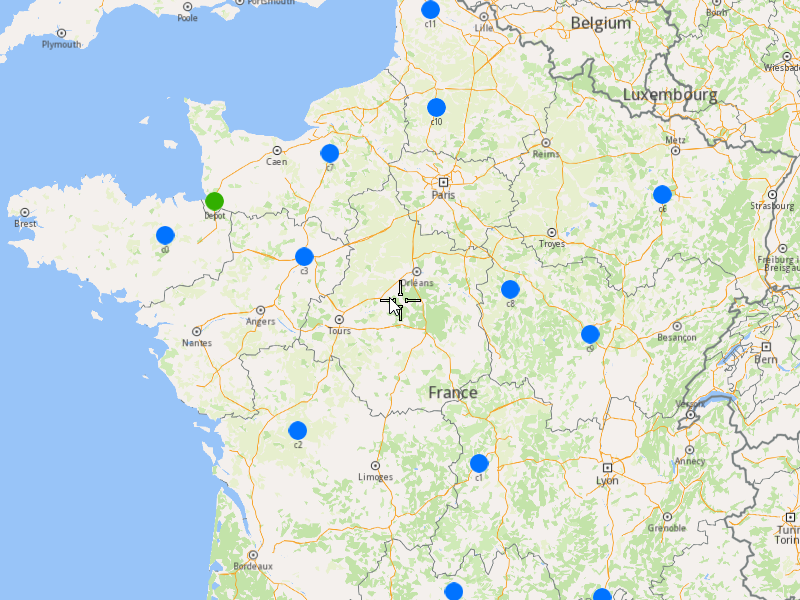
###### Initialize Map Components[](#initialize-map-components "Direct link to Initialize Map Components")
1. Create a `MapServiceListener`, `OpenGLContext`, and `MapView`:
[]()
```cpp
MapViewListenerImpl mapListener;
auto oglContext = session.produceOpenGLContext(Environment::WindowFrameworks::Available, "AddFullOptimization");
gem::StrongPointer mapView = gem::MapView::produce(oglContext, &mapListener);
```
###### Highlight Orders and Departures[](#highlight-orders-and-departures "Direct link to Highlight Orders and Departures")
1. Create a `LandmarkList` and `CoordinatesList` using the `OrderList`, `Departures` and `Destinations`.
2. Instruct the `MapView` to highlight the landmarks (orders, departures, and destinations)
3. For a better visibility create a `PolygonGeographicArea` from the `CoordinatesList`, center the `MapView` on this area.
[]()
```cpp
gem::LandmarkList lmks;
gem::CoordinatesList coords;
for (int i = 0; i < optimization.getDepartures().size(); i++)
{
gem::Landmark landmark;
landmark.setName(optimization.getDepartures()[i].getAlias());
landmark.setCoordinates(optimization.getDepartures()[i].getCoordinates());
landmark.setImage(gem::Icon::Core::GreenBall);
lmks.push_back(landmark);
coords.push_back(optimization.getDepartures()[i].getCoordinates());
}
for (int i = 0; i < orders.size(); i++)
{
gem::Landmark landmark;
landmark.setName(orders[i].getAlias());
landmark.setCoordinates(orders[i].getCoordinates());
landmark.setImage(gem::Icon::Core::BlueBall);
lmks.push_back(landmark);
coords.push_back(orders[i].getCoordinates());
}
for (int i = 0; i < optimization.getDestinations().size(); i++)
{
gem::Landmark landmark;
landmark.setName(optimization.getDestinations()[i].getAlias());
landmark.setCoordinates(optimization.getDestinations()[i].getCoordinates());
landmark.setImage(gem::Icon::Core::RedBall);
lmks.push_back(landmark);
coords.push_back(optimization.getDestinations()[i].getCoordinates());
}
mapView->activateHighlight(lmks);
gem::PolygonGeographicArea polyArea(coords);
mapView->centerOnArea(polyArea);
ret = WAIT_UNTIL(std::bind(&MapViewListenerImpl::IsFinished, &mapListener), 15000);
```
##### Run the Optimization[](#run-the-optimization "Direct link to Run the Optimization")
1. Call the `addOptimization()` method from `vrp::Service`, passing the `Optimization` object and the `ProgressListener`.
2. After the operation is finished, a solution for optimization will be generated. To view the solution, you need to call the `getSolution` method from the optimization, which will return a `vrp::RouteList` containing the optimization results.
[]()
```cpp
std::shared_ptr request = std::make_shared();
ret = serv.addOptimization(&listener, optimization, request);
WAIT_UNTIL(std::bind(&ProgressListener::IsFinished, &listener), 1000000);
WAIT_UNTIL([&]() {
serv.getRequest(&listener, request, request->id);
WAIT_UNTIL(std::bind(&ProgressListener::IsFinished, &listener), 7000);
return request->status == gem::vrp::ERequestStatus::eFinished;
}, 40000);
gem::vrp::RouteList routes;
ret = optimization.getSolution(&listener, routes);
WAIT_UNTIL(std::bind(&ProgressListener::IsFinished, &listener), 1000000);
```
##### Display Routes on map[](#display-routes-on-map "Direct link to Display Routes on map")
Once the optimization is complete and a solution has been found, we can display the solution on the map:
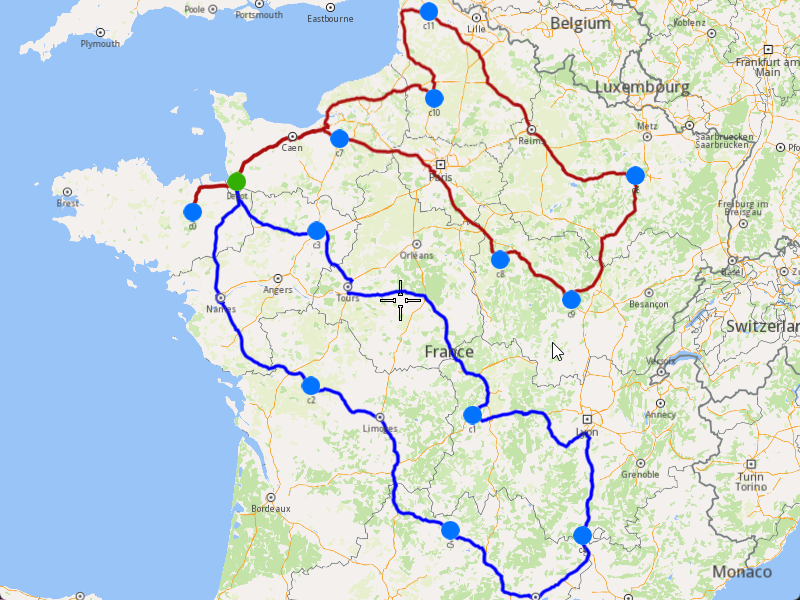
1. Ensure that operation was done, and a solution was found.
2. Create a `MarkerCollection` of type `Polyline` for each route.
3. Add the route shapes to the `MarkerCollection`.
4. Set the `MarkerCollection` in the map view preferences.
5. After hiliting on the map, center the screen over the routes.
[]()
```cpp
if (listener.IsFinished() && listener.GetError() == gem::KNoError && ret == gem::KNoError)
{
std::cout << "Problem optimized successfully" << std::endl;
gem::CoordinatesList shape0 = routes[0].getShape();
gem::CoordinatesList shape1 = routes[1].getShape();
// display routes shapes on map
auto col1 = gem::MarkerCollection(gem::EMarkerType::MT_Polyline, "shape0");
col1.add(gem::Marker(shape0));
mapView->preferences().markers().add(col1);
auto col2 = gem::MarkerCollection(gem::EMarkerType::MT_Polyline, "shape1");
col2.add(gem::Marker(shape1));
gem::MarkerCollectionRenderSettings markerCollDisplaySettings;
markerCollDisplaySettings.polylineInnerColor = gem::Rgba(0, 0, 255, 0);
mapView->preferences().markers().add(col2, markerCollDisplaySettings);
ret = WAIT_UNTIL(std::bind(&MapViewListenerImpl::IsFinished, &mapListener), 15000);
gem::CoordinatesList shapesCoordinates;
shapesCoordinates.insert(shapesCoordinates.end(), shape0.begin(), shape0.end());
shapesCoordinates.insert(shapesCoordinates.end(), shape1.begin(), shape1.end());
gem::PolygonGeographicArea polyArea(shapesCoordinates);
mapView->centerOnArea(polyArea);
ret = WAIT_UNTIL(std::bind(&MapViewListenerImpl::IsFinished, &mapListener), 15000);
WAIT_UNTIL_WINDOW_CLOSE();
}
else
std::cout << "Problem couldn't be optimized" << std::endl;
```
---
### Add Optimization with Set Matrices
|
The example covers the following features:
* Adding an optimization with custom matrices.
* Defining orders with various fields (e.g., time windows, packages, weights).
* Setting up a single vehicle with specific constraints.
* Displaying the optimized solution on a map.
In this optimization, the time and distance matrices are explicitly set by the user, allowing for custom routing calculations.
When you run the example application:
* An optimization is created and saved.
* The optimized solution is returned and displayed on the map.
##### Create Customers and Orders[](#create-customers-and-orders "Direct link to Create Customers and Orders")
Note
Each order must have a customer associated with it. You can either:
* Create a new customer and assign it to the order.
* Use an existing customer (refer to the [Get Customer](/docs/cpp/guides/fleet-management/customer.md#a-get-a-customer-by-id)).
###### Initializing and Adding Customers[](#initializing-and-adding-customers "Direct link to Initializing and Adding Customers")
1. Initialize a `ProgressListener` and `vrp::Service`.
2. Create twelve `vrp::Customer` objects and set the desired fields, and add them to the database.
3. Call the `addCustomer()` method from the `vrp::Service` using the `vrp::Customer` and `ProgressListener` and wait for the operation to be done.
[]()
```cpp
ProgressListener listener;
gem::vrp::Service serv;
gem::vrp::Customer c0;
c0.setCoordinates(gem::Coordinates(48.234270, -2.133208));
c0.setAlias("c0");
c0.setPhoneNumber("+12312312");
c0.setEmail("c0@yahoo.com");
int ret = serv.addCustomer(&listener, c0);
WAIT_UNTIL(std::bind(&ProgressListener::IsFinished, &listener), 5000);
gem::vrp::Customer c1;
c1.setCoordinates(gem::Coordinates(45.854137, 2.853998));
c1.setAlias("c1");
c1.setEmail("c1@yahoo.com");
c1.setPhoneNumber("+12312312");
ret = serv.addCustomer(&listener, c1);
WAIT_UNTIL(std::bind(&ProgressListener::IsFinished, &listener), 5000);
gem::vrp::Customer c2(gem::Coordinates(46.199373, 0.069986));
c2.setAlias("c2");
c2.setPhoneNumber("+12312312");
c2.setEmail("c2@yahoo.com");
ret = serv.addCustomer(&listener, c2);
WAIT_UNTIL(std::bind(&ProgressListener::IsFinished, &listener), 5000);
gem::vrp::Customer c3(gem::Coordinates(48.052503, 0.119726));
c3.setAlias("c3");
c3.setPhoneNumber("+12312312");
c3.setEmail("c3@yahoo.com");
ret = serv.addCustomer(&listener, c3);
WAIT_UNTIL(std::bind(&ProgressListener::IsFinished, &listener), 5000);
gem::vrp::Customer c4(gem::Coordinates(44.346051, 4.694878));
c4.setAlias("c4");
c4.setPhoneNumber("+12312312");
c4.setEmail("c4@yahoo.com");
ret = serv.addCustomer(&listener, c4);
WAIT_UNTIL(std::bind(&ProgressListener::IsFinished, &listener), 5000);
gem::vrp::Customer c5(gem::Coordinates(44.464582, 2.455020));
c5.setAlias("c5");
c5.setPhoneNumber("+12312312");
c5.setEmail("c5@yahoo.com");
ret = serv.addCustomer(&listener, c5);
WAIT_UNTIL(std::bind(&ProgressListener::IsFinished, &listener), 5000);
gem::vrp::Customer c6(gem::Coordinates(48.656644, 5.907131));
c6.setAlias("c6");
c6.setPhoneNumber("+12312312");
c6.setEmail("c6@yahoo.com");
ret = serv.addCustomer(&listener, c6);
WAIT_UNTIL(std::bind(&ProgressListener::IsFinished, &listener), 5000);
gem::vrp::Customer c7(gem::Coordinates(49.161539, 0.500580));
c7.setAlias("c7");
c7.setPhoneNumber("+12312312");
c7.setEmail("c7@yahoo.com");
ret = serv.addCustomer(&listener, c7);
WAIT_UNTIL(std::bind(&ProgressListener::IsFinished, &listener), 5000);
gem::vrp::Customer c8(gem::Coordinates(47.702421, 3.384226));
c8.setAlias("c8");
c8.setPhoneNumber("+12312312");
c8.setEmail("c8@yahoo.com");
ret = serv.addCustomer(&listener, c8);
WAIT_UNTIL(std::bind(&ProgressListener::IsFinished, &listener), 5000);
gem::vrp::Customer c9(gem::Coordinates(47.198274, 4.630011));
c9.setAlias("c9");
c9.setPhoneNumber("+12312312");
c9.setEmail("c9@yahoo.com");
ret = serv.addCustomer(&listener, c9);
WAIT_UNTIL(std::bind(&ProgressListener::IsFinished, &listener), 5000);
gem::vrp::Customer c10(gem::Coordinates(49.655296, 2.243181));
c10.setAlias("c10");
c10.setPhoneNumber("+12312312");
c10.setEmail("c10@yahoo.com");
ret = serv.addCustomer(&listener, c10);
WAIT_UNTIL(std::bind(&ProgressListener::IsFinished, &listener), 5000);
gem::vrp::Customer c11(gem::Coordinates(50.719729, 2.160877));
c11.setAlias("c11");
c11.setPhoneNumber("+12312312");
c11.setEmail("c11@yahoo.com");
ret = serv.addCustomer(&listener, c11);
WAIT_UNTIL(std::bind(&ProgressListener::IsFinished, &listener), 5000);
```
###### Initializing and Adding Orders[](#initializing-and-adding-orders "Direct link to Initializing and Adding Orders")
1. Create a `vrp::OrderList` and add orders to it. Each order must have a customer associated with it.
2. Create twelve `vrp::Order` objects and associate one customer for each, set the desired fields, and add them to the database.
3. Call the `addOrder()` method from the `vrp::Service` using the `vrp::Order` and `ProgressListener` and wait for the operation to be done.
[]()
```cpp
gem::vrp::OrderList orders;
gem::vrp::Order order0(c0);
ret = serv.addOrder(&listener, order0, false);
WAIT_UNTIL(std::bind(&ProgressListener::IsFinished, &listener), 5000);
orders.push_back(order0);
gem::vrp::Order order1(c1);
ret = serv.addOrder(&listener, order1, false);
WAIT_UNTIL(std::bind(&ProgressListener::IsFinished, &listener), 5000);
orders.push_back(order1);
gem::vrp::Order order2(c2);
ret = serv.addOrder(&listener, order2, false);
WAIT_UNTIL(std::bind(&ProgressListener::IsFinished, &listener), 5000);
orders.push_back(order2);
gem::vrp::Order order3(c3);
ret = serv.addOrder(&listener, order3, false);
WAIT_UNTIL(std::bind(&ProgressListener::IsFinished, &listener), 5000);
orders.push_back(order3);
gem::vrp::Order order4(c4);
ret = serv.addOrder(&listener, order4, false);
WAIT_UNTIL(std::bind(&ProgressListener::IsFinished, &listener), 5000);
orders.push_back(order4);
gem::vrp::Order order5(c5);
ret = serv.addOrder(&listener, order5, false);
WAIT_UNTIL(std::bind(&ProgressListener::IsFinished, &listener), 5000);
orders.push_back(order5);
gem::vrp::Order order6(c6);
ret = serv.addOrder(&listener, order6, false);
WAIT_UNTIL(std::bind(&ProgressListener::IsFinished, &listener), 5000);
orders.push_back(order6);
gem::vrp::Order order7(c7);
ret = serv.addOrder(&listener, order7, false);
WAIT_UNTIL(std::bind(&ProgressListener::IsFinished, &listener), 5000);
orders.push_back(order7);
gem::vrp::Order order8(c8);
ret = serv.addOrder(&listener, order8, false);
WAIT_UNTIL(std::bind(&ProgressListener::IsFinished, &listener), 5000);
orders.push_back(order8);
gem::vrp::Order order9(c9);
ret = serv.addOrder(&listener, order9, false);
WAIT_UNTIL(std::bind(&ProgressListener::IsFinished, &listener), 5000);
orders.push_back(order9);
gem::vrp::Order order10(c10);
ret = serv.addOrder(&listener, order10, false);
WAIT_UNTIL(std::bind(&ProgressListener::IsFinished, &listener), 5000);
orders.push_back(order10);
gem::vrp::Order order11(c11);
ret = serv.addOrder(&listener, order11, false);
WAIT_UNTIL(std::bind(&ProgressListener::IsFinished, &listener), 5000);
orders.push_back(order11);
```
##### Configure Optimization Parameters[](#configure-optimization-parameters "Direct link to Configure Optimization Parameters")
Note
Configuration Parameters define key settings that influence the behavior of the route optimization process. These settings determine aspects such as optimization goals, search time limits, and flexibility in handling orders.
1. Create a `vrp::ConfigurationParameters` object and set the desired parameters.
2. Set the distance unit and the matrices build type to `MBT_Set` to indicate that custom matrices will be used.
[]()
```cpp
gem::vrp::ConfigurationParameters setMatricesconfigParams;
setMatricesconfigParams.setName("Optimization with set matrices");
setMatricesconfigParams.setDistanceUnit(gem::vrp::EDistanceUnit::DU_Kilometers);
setMatricesconfigParams.setMatrixBuildType(gem::vrp::EMatrixBuildType::MBT_Set);
```
##### Create the Vehicle and Define Vehicle Constraints[](#create-the-vehicle-and-define-vehicle-constraints "Direct link to Create the Vehicle and Define Vehicle Constraints")
Note
Vehicle constraints define the limitations and requirements applied to a vehicle during the route optimization process. Ensure that the vehicle operates within its capabilities, such as time windows, capacity, distance, and revenue.
###### Initializing and Adding the Vehicle[](#initializing-and-adding-the-vehicle "Direct link to Initializing and Adding the Vehicle")
1. Create a `vrp::Vehicle` object and set the desired fields.
2. Call the `addVehicle()` method from the `vrp::Service` using the `vrp::Vehicle` and `ProgressListener` and wait for the operation to be done.
[]()
```cpp
gem::vrp::VehicleList vehicles;
gem::vrp::Vehicle vehicle1;
vehicle1.setName("Vehicle 1");
vehicle1.setType(gem::vrp::EVehicleType::VT_Car);
vehicle1.setStatus(gem::vrp::EVehicleStatus::VS_Available);
vehicle1.setManufacturer("Kia");
vehicle1.setModel("Ceed");
vehicle1.setFuelType(gem::vrp::EFuelType::FT_GasolinePremium);
vehicle1.setConsumption(6.5);
vehicle1.setLicensePlate("BV01ASD");
vehicle1.setMaxWeight(35);
vehicle1.setMaxCube(17);
ret = serv.addVehicle(&listener, vehicle1);
WAIT_UNTIL(std::bind(&ProgressListener::IsFinished, &listener), 5000);
vehicles.push_back(vehicle1);
```
###### Define Vehicle Constraints[](#define-vehicle-constraints "Direct link to Define Vehicle Constraints")
1. Create a `vrp::VehicleConstraints` object for the vehicle.
2. Add these constraints to a `vrp::VehicleConstraintsList`.
[]()
```cpp
gem::vrp::VehicleConstraintsList vehConstraintsList;
gem::vrp::VehicleConstraints vehConstr1;
vehConstraintsList.push_back(vehConstr1);
```
##### Create the Departure[](#create-the-departure "Direct link to Create the Departure")
Note
Departures define the starting points for vehicle routes. These locations serve as the origin of a route and can impact optimization by influencing travel distance and time.
###### Initializing Departure[](#initializing-departure "Direct link to Initializing Departure")
1. Create a `vrp::Departure` object for the vehicle's starting point.
[]()
```cpp
gem::AddressInfo address;
address.setField("France", gem::EAddressField::Country);
address.setField("Brittany", gem::EAddressField::County);
address.setField("Quédillac", gem::EAddressField::City);
address.setField("35290", gem::EAddressField::PostalCode);
address.setField("34", gem::EAddressField::StreetNumber);
gem::vrp::Departure departure;
departure.setAlias("Depot");
departure.setAddress(address);
departure.setCoordinates(gem::Coordinates(48.234370, -2.133108));
```
##### Create the Optimization[](#create-the-optimization "Direct link to Create the Optimization")
Note
An optimization represents a set of orders, vehicles, constraints, and other parameters that define a routing problem.
1. Create a `vrp::Optimization` object.
2. Assign the `OrderList`, `ConfigurationParameters`, `VehicleList`, `VehicleConstraintsList`, and `Departure` to the optimization.
3. Set the custom distance and time matrices.
[]()
```cpp
gem::vrp::Optimization optimization;
optimization.setConfigurationParameters(setMatricesconfigParams);
optimization.setOrders(orders);
optimization.setDepartures({ departure });
optimization.setVehicles(vehicles);
optimization.setVehiclesConstraints(vehConstraintsList);
// Set custom distance and time matrices
optimization.setDistanceMatrices({ std::make_pair(gem::vrp::EVehicleType::VT_Car, gem::FloatListList{
gem::FloatList{0,634.235,318.656,319.651,823.757,627.028,522.547,106.736,421.984,628.886,135.706,326.935,0},
gem::FloatList{634.134,0,299.347,386.994,285.027,96.153,630.996,710.125,310.680,502.910,506.150,486.792,634.134},
gem::FloatList{319.372,300.753,0,300.342,655.031,362.724,590.943,395.363,372.643,684.322,363.187,416.969,319.372},
gem::FloatList{320.489,387.311,300.083,0,576.833,468.863,327.913,263.726,114.088,384.249,145.352,133.151,320.489},
gem::FloatList{824.225,285.128,653.950,577.085,0,317.686,516.319,811.555,422.937,368.664,686.270,558.408,824.225},
gem::FloatList{626.777,96.192,362.235,476.168,317.730,0,695.144,702.768,392.937,567.057,583.754,569.049,626.777},
gem::FloatList{520.626,627.820,587.293,323.888,513.007,691.336,0,473.096,255.427,250.207,350.315,204.017,520.626},
gem::FloatList{107.436,630.674,395.807,269.942,813.151,704.180,472.185,0,421.212,605.721,125.103,285.562,107.436},
gem::FloatList{421.709,308.713,373.153,114.373,422.398,390.265,256.757,418.882,0,298.949,269.198,191.736,421.709},
gem::FloatList{649.152,502.833,685.279,384.427,369.072,566.349,252.240,604.125,300.146,0,478.840,350.978,649.152},
gem::FloatList{135.384,506.064,363.728,145.332,685.173,582.869,353.136,123.908,269.691,477.743,0,157.524,135.384},
gem::FloatList{328.453,484.583,417.938,133.002,559.142,566.135,208.007,283.426,192.058,351.712,158.141,0,328.453},
gem::FloatList{0,634.235,318.656,319.651,823.757,627.028,522.547,106.736,421.984,628.886,135.706,326.935,0} }) });
optimization.setTimeMatrices({ std::make_pair(gem::vrp::EVehicleType::VT_Car, gem::IntListList{
gem::IntList{0,22449,11482,11980,27077,24843,18044,4154,15221,21387,6265,11558,0},
gem::IntList{22483,0,13738,15955,15819,5678,23333,25053,13868,19527,19018,20298,22483},
gem::IntList{11590,13817,0,11975,24610,15920,20788,14159,14747,23170,12669,14790,11590},
gem::IntList{12088,15916,11907,0,20544,19446,13021,13153,6378,15191,7104,6954,12088},
gem::IntList{27121,15808,24582,20594,0,12955,17860,26904,16924,13381,22591,18822,27121},
gem::IntList{24730,5693,15852,19256,12854,0,26059,27300,17450,22252,22274,23880,24730},
gem::IntList{18153,23389,20841,13009,17996,26059,0,17057,13308,9758,12885,8490,18153},
gem::IntList{4160,25033,14094,13146,27028,27455,16942,0,15112,20561,6393,10746,4160},
gem::IntList{15350,13809,14704,6409,16903,17338,13315,15100,0,12512,10333,8338,15350},
gem::IntList{21511,19528,23263,15236,13426,22198,9652,20556,12548,0,16243,12474,21511},
gem::IntList{6244,18958,12659,7071,22611,22423,12792,6352,10264,16145,0,6306,6244},
gem::IntList{11675,20157,14897,6912,18984,23686,8504,10719,8306,12518,6407,0,11675},
gem::IntList{0,22449,11482,11980,27077,24843,18044,4154,15221,21387,6265,11558,0} }) });
```
##### Displaying Orders on the Map[](#displaying-orders-on-the-map "Direct link to Displaying Orders on the Map")
Once the orders have been added, we can display them on the map.
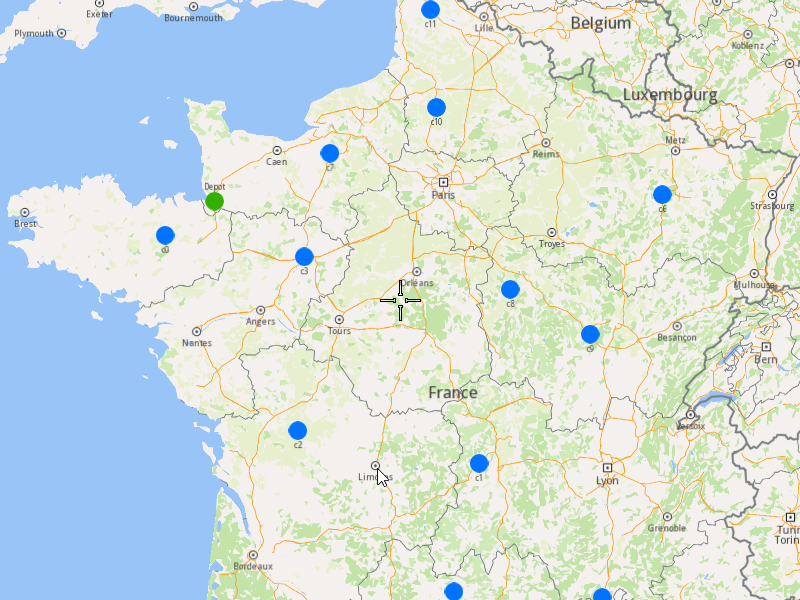
###### Initialize Map Components[](#initialize-map-components "Direct link to Initialize Map Components")
1. Create a `MapServiceListener`, `OpenGLContext`, and `MapView`.
[]()
```cpp
MapViewListenerImpl mapListener;
auto oglContext = session.produceOpenGLContext(Environment::WindowFrameworks::Available, "AddOptimizationWithSetMatrices");
gem::StrongPointer mapView = gem::MapView::produce(oglContext, &mapListener);
```
###### Highlight Orders and Departures[](#highlight-orders-and-departures "Direct link to Highlight Orders and Departures")
1. Create a `LandmarkList` and `CoordinatesList` using the `OrderList` and `Departure`.
2. Instruct the `MapView` to highlight the landmarks (orders and departure).
3. For better visibility, create a `PolygonGeographicArea` from the `CoordinatesList`, and center the `MapView` on this area.
[]()
```cpp
gem::LandmarkList lmks;
gem::CoordinatesList coords;
for (int i = 0; i < orders.size(); i++)
{
gem::Landmark landmark;
landmark.setName(orders[i].getAlias());
landmark.setCoordinates(orders[i].getCoordinates());
landmark.setImage(gem::Icon::Core::BlueBall);
if (i == 0)
landmark.setImage(gem::Icon::Core::GreenBall);
lmks.push_back(landmark);
coords.push_back(orders[i].getCoordinates());
}
mapView->activateHighlight(lmks);
gem::PolygonGeographicArea polyArea(coords);
mapView->centerOnArea(polyArea);
ret = WAIT_UNTIL(std::bind(&MapViewListenerImpl::IsFinished, &mapListener), 15000);
```
##### Run the Optimization[](#run-the-optimization "Direct link to Run the Optimization")
1. Call the `addOptimization()` method from `vrp::Service`, passing the `Optimization` object and the `ProgressListener`.
2. After the operation is finished, a solution for optimization will be generated. To view the solution, you need to call the `getSolution` method from the optimization, which will return a `vrp::RouteList` containing the optimization results.
[]()
```cpp
std::shared_ptr request = std::make_shared();
ret = serv.addOptimization(&listener, optimization, request);
WAIT_UNTIL(std::bind(&ProgressListener::IsFinished, &listener), 10000);
WAIT_UNTIL([&]() {
serv.getRequest(&listener, request, request->id);
WAIT_UNTIL(std::bind(&ProgressListener::IsFinished, &listener), 7000);
return request->status == gem::vrp::ERequestStatus::eFinished;
}, 40000);
gem::vrp::RouteList routes;
ret = optimization.getSolution(&listener, routes);
WAIT_UNTIL(std::bind(&ProgressListener::IsFinished, &listener), 10000);
```
##### Display Routes on the Map[](#display-routes-on-the-map "Direct link to Display Routes on the Map")
Once the optimization is complete and a solution has been found, we can display the solution on the map.
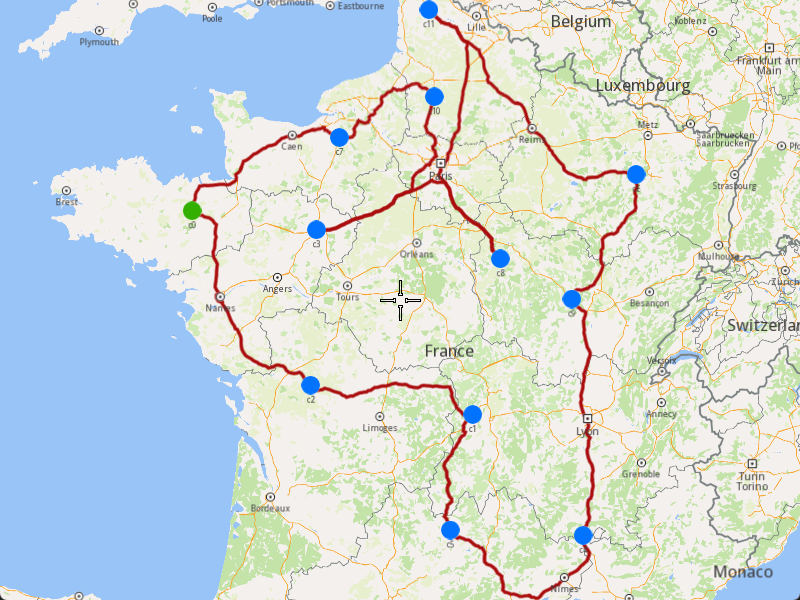
1. Ensure that the operation was done, and a solution was found.
2. Create a `MarkerCollection` of type `Polyline` for the route.
3. Add the route shape to the `MarkerCollection`.
4. Set the `MarkerCollection` in the map view preferences.
5. After highlighting on the map, center the screen over the route.
[]()
```cpp
if (listener.IsFinished() && listener.GetError() == gem::KNoError && ret == gem::KNoError)
{
std::cout << "Problem optimized successfully" << std::endl;
PrintRoutesOnConsole(routes);
gem::CoordinatesList shape = routes[0].getShape();
// Display route shape on map
auto col = gem::MarkerCollection(gem::EMarkerType::MT_Polyline, "shape");
col.add(gem::Marker(shape));
mapView->preferences().markers().add(col);
ret = WAIT_UNTIL(std::bind(&MapViewListenerImpl::IsFinished, &mapListener), 15000);
gem::PolygonGeographicArea polyArea(shape);
mapView->centerOnArea(polyArea);
ret = WAIT_UNTIL(std::bind(&MapViewListenerImpl::IsFinished, &mapListener), 15000);
WAIT_UNTIL_WINDOW_CLOSE();
}
else
std::cout << "Problem couldn't be optimized" << std::endl;
```
---
### Add Optimization with Single Vehicle
|
The example covers the following features:
* Adding an optimization with a single vehicle.
* Defining orders with various fields (e.g., time windows, packages, weights).
* Setting up a single vehicle with specific constraints.
* Displaying the optimized solution on a map.
When you run the example application:
* An optimization is created and saved.
* The optimized solution is returned and displayed on the map.
##### Create Customers and Orders[](#create-customers-and-orders "Direct link to Create Customers and Orders")
Note
Each order must have a customer associated with it. You can either:
* Create a new customer and assign it to the order.
* Use an existing customer (refer to the [Get Customer](/docs/cpp/guides/fleet-management/customer.md#a-get-a-customer-by-id))).
###### Initializing and Adding Customers[](#initializing-and-adding-customers "Direct link to Initializing and Adding Customers")
1. Initialize a `ProgressListener` and `vrp::Service`.
2. Create twelve `vrp::Customer` objects and set the desired fields, and add them to the database.
3. Call the `addCustomer()` method from the `vrp::Service` using the `vrp::Customer` and `ProgressListener` and wait for the operation to be done.
[]()
```cpp
ProgressListener listener;
gem::vrp::Service serv;
gem::vrp::Customer c0;
c0.setCoordinates(gem::Coordinates(48.234270, -2.133208));
c0.setAlias("c0");
c0.setPhoneNumber("+12312312");
c0.setEmail("c0@yahoo.com");
int ret = serv.addCustomer(&listener, c0);
WAIT_UNTIL(std::bind(&ProgressListener::IsFinished, &listener), 5000);
gem::vrp::Customer c1;
c1.setCoordinates(gem::Coordinates(45.854137, 2.853998));
c1.setAlias("c1");
c1.setEmail("c1@yahoo.com");
c1.setPhoneNumber("+12312312");
ret = serv.addCustomer(&listener, c1);
WAIT_UNTIL(std::bind(&ProgressListener::IsFinished, &listener), 5000);
gem::vrp::Customer c2(gem::Coordinates(46.199373, 0.069986));
c2.setAlias("c2");
c2.setPhoneNumber("+12312312");
c2.setEmail("c2@yahoo.com");
ret = serv.addCustomer(&listener, c2);
WAIT_UNTIL(std::bind(&ProgressListener::IsFinished, &listener), 5000);
gem::vrp::Customer c3(gem::Coordinates(48.052503, 0.119726));
c3.setAlias("c3");
c3.setPhoneNumber("+12312312");
c3.setEmail("c3@yahoo.com");
ret = serv.addCustomer(&listener, c3);
WAIT_UNTIL(std::bind(&ProgressListener::IsFinished, &listener), 5000);
gem::vrp::Customer c4(gem::Coordinates(44.346051, 4.694878));
c4.setAlias("c4");
c4.setPhoneNumber("+12312312");
c4.setEmail("c4@yahoo.com");
ret = serv.addCustomer(&listener, c4);
WAIT_UNTIL(std::bind(&ProgressListener::IsFinished, &listener), 5000);
gem::vrp::Customer c5(gem::Coordinates(44.464582, 2.455020));
c5.setAlias("c5");
c5.setPhoneNumber("+12312312");
c5.setEmail("c5@yahoo.com");
ret = serv.addCustomer(&listener, c5);
WAIT_UNTIL(std::bind(&ProgressListener::IsFinished, &listener), 5000);
gem::vrp::Customer c6(gem::Coordinates(48.656644, 5.907131));
c6.setAlias("c6");
c6.setPhoneNumber("+12312312");
c6.setEmail("c6@yahoo.com");
ret = serv.addCustomer(&listener, c6);
WAIT_UNTIL(std::bind(&ProgressListener::IsFinished, &listener), 5000);
gem::vrp::Customer c7(gem::Coordinates(49.161539, 0.500580));
c7.setAlias("c7");
c7.setPhoneNumber("+12312312");
c7.setEmail("c7@yahoo.com");
ret = serv.addCustomer(&listener, c7);
WAIT_UNTIL(std::bind(&ProgressListener::IsFinished, &listener), 5000);
gem::vrp::Customer c8(gem::Coordinates(47.702421, 3.384226));
c8.setAlias("c8");
c8.setPhoneNumber("+12312312");
c8.setEmail("c8@yahoo.com");
ret = serv.addCustomer(&listener, c8);
WAIT_UNTIL(std::bind(&ProgressListener::IsFinished, &listener), 5000);
gem::vrp::Customer c9(gem::Coordinates(47.198274, 4.630011));
c9.setAlias("c9");
c9.setPhoneNumber("+12312312");
c9.setEmail("c9@yahoo.com");
ret = serv.addCustomer(&listener, c9);
WAIT_UNTIL(std::bind(&ProgressListener::IsFinished, &listener), 5000);
gem::vrp::Customer c10(gem::Coordinates(49.655296, 2.243181));
c10.setAlias("c10");
c10.setPhoneNumber("+12312312");
c10.setEmail("c10@yahoo.com");
ret = serv.addCustomer(&listener, c10);
WAIT_UNTIL(std::bind(&ProgressListener::IsFinished, &listener), 5000);
gem::vrp::Customer c11(gem::Coordinates(50.719729, 2.160877));
c11.setAlias("c11");
c11.setPhoneNumber("+12312312");
c11.setEmail("c11@yahoo.com");
ret = serv.addCustomer(&listener, c11);
WAIT_UNTIL(std::bind(&ProgressListener::IsFinished, &listener), 5000);
```
###### Initializing and Adding Orders[](#initializing-and-adding-orders "Direct link to Initializing and Adding Orders")
1. Create a `vrp::OrderList` and add orders to it. Each order must have a customer associated with it.
2. Create twelve `vrp::Order` objects and associate one customer for each, set the desired fields, and add them to the database.
3. Call the `addOrder()` method from the `vrp::Service` using the `vrp::Order` and `ProgressListener` and wait for the operation to be done.
[]()
```cpp
gem::vrp::OrderList orders;
gem::vrp::Order order0(c0);
ret = serv.addOrder(&listener, order0, false);
WAIT_UNTIL(std::bind(&ProgressListener::IsFinished, &listener), 5000);
orders.push_back(order0);
gem::vrp::Order order1(c1);
ret = serv.addOrder(&listener, order1, false);
WAIT_UNTIL(std::bind(&ProgressListener::IsFinished, &listener), 5000);
orders.push_back(order1);
gem::vrp::Order order2(c2);
ret = serv.addOrder(&listener, order2, false);
WAIT_UNTIL(std::bind(&ProgressListener::IsFinished, &listener), 5000);
orders.push_back(order2);
gem::vrp::Order order3(c3);
ret = serv.addOrder(&listener, order3, false);
WAIT_UNTIL(std::bind(&ProgressListener::IsFinished, &listener), 5000);
orders.push_back(order3);
gem::vrp::Order order4(c4);
ret = serv.addOrder(&listener, order4, false);
WAIT_UNTIL(std::bind(&ProgressListener::IsFinished, &listener), 5000);
orders.push_back(order4);
gem::vrp::Order order5(c5);
ret = serv.addOrder(&listener, order5, false);
WAIT_UNTIL(std::bind(&ProgressListener::IsFinished, &listener), 5000);
orders.push_back(order5);
gem::vrp::Order order6(c6);
ret = serv.addOrder(&listener, order6, false);
WAIT_UNTIL(std::bind(&ProgressListener::IsFinished, &listener), 5000);
orders.push_back(order6);
gem::vrp::Order order7(c7);
ret = serv.addOrder(&listener, order7, false);
WAIT_UNTIL(std::bind(&ProgressListener::IsFinished, &listener), 5000);
orders.push_back(order7);
gem::vrp::Order order8(c8);
ret = serv.addOrder(&listener, order8, false);
WAIT_UNTIL(std::bind(&ProgressListener::IsFinished, &listener), 5000);
orders.push_back(order8);
gem::vrp::Order order9(c9);
ret = serv.addOrder(&listener, order9, false);
WAIT_UNTIL(std::bind(&ProgressListener::IsFinished, &listener), 5000);
orders.push_back(order9);
gem::vrp::Order order10(c10);
ret = serv.addOrder(&listener, order10, false);
WAIT_UNTIL(std::bind(&ProgressListener::IsFinished, &listener), 5000);
orders.push_back(order10);
gem::vrp::Order order11(c11);
ret = serv.addOrder(&listener, order11, false);
WAIT_UNTIL(std::bind(&ProgressListener::IsFinished, &listener), 5000);
orders.push_back(order11);
```
##### Configure Optimization Parameters[](#configure-optimization-parameters "Direct link to Configure Optimization Parameters")
Note
Configuration Parameters define key settings that influence the behavior of the route optimization process. These settings determine aspects such as optimization goals, search time limits, and flexibility in handling orders.
1. Create a `vrp::ConfigurationParameters` object and set the desired parameters.
2. Set the route type to `RT_CustomEnd` to allow the vehicle to start and end at different locations.
[]()
```cpp
gem::vrp::ConfigurationParameters configParams;
configParams.setRouteType(gem::vrp::ERouteType::RT_CustomEnd);
```
##### Create the Vehicle and Define Vehicle Constraints[](#create-the-vehicle-and-define-vehicle-constraints "Direct link to Create the Vehicle and Define Vehicle Constraints")
Note
Vehicle constraints define the limitations and requirements applied to a vehicle during the route optimization process. Ensure that the vehicle operates within its capabilities, such as time windows, capacity, distance, and revenue.
###### Initializing and Adding the Vehicle[](#initializing-and-adding-the-vehicle "Direct link to Initializing and Adding the Vehicle")
1. Create a `vrp::Vehicle` object and set the desired fields.
2. Call the `addVehicle()` method from the `vrp::Service` using the `vrp::Vehicle` and `ProgressListener` and wait for the operation to be done.
[]()
```cpp
gem::vrp::VehicleList vehicles;
gem::vrp::Vehicle vehicle1;
vehicle1.setName("Vehicle 1");
vehicle1.setType(gem::vrp::EVehicleType::VT_Car);
vehicle1.setStatus(gem::vrp::EVehicleStatus::VS_Available);
vehicle1.setManufacturer("Kia");
vehicle1.setModel("Ceed");
vehicle1.setFuelType(gem::vrp::EFuelType::FT_GasolinePremium);
vehicle1.setConsumption(6.5);
vehicle1.setLicensePlate("BV01ASD");
vehicle1.setMaxWeight(350);
vehicle1.setMaxCube(15);
vehicle1.setStartTime(420); //7:00 AM
vehicle1.setEndTime(2700); //9:00 PM next day
ret = serv.addVehicle(&listener, vehicle1);
WAIT_UNTIL(std::bind(&ProgressListener::IsFinished, &listener), 5000);
vehicles.push_back(vehicle1);
```
###### Define Vehicle Constraints[](#define-vehicle-constraints "Direct link to Define Vehicle Constraints")
1. Create a `vrp::VehicleConstraints` object for the vehicle.
2. Add these constraints to a `vrp::VehicleConstraintsList`.
[]()
```cpp
gem::vrp::VehicleConstraintsList vehConstraintsList;
gem::vrp::VehicleConstraints vehConstr1;
vehConstraintsList.push_back(vehConstr1);
```
##### Create the Departure and Destination[](#create-the-departure-and-destination "Direct link to Create the Departure and Destination")
Note
Departures define the starting points for vehicle routes. These locations serve as the origin of a route and can impact optimization by influencing travel distance and time. Destinations define the final stop for a vehicle route. These locations mark the endpoint of a route and play a key role in optimizing route efficiency.
###### Initializing Departure and Destination[](#initializing-departure-and-destination "Direct link to Initializing Departure and Destination")
1. Create a `vrp::Departure` object for the vehicle's starting point.
2. Create a `vrp::Destination` object for the vehicle's ending point.
[]()
```cpp
gem::AddressInfo address;
address.setField("France", gem::EAddressField::Country);
address.setField("Puy-de-Dôme", gem::EAddressField::County);
address.setField("Bromont-Lamothe", gem::EAddressField::City);
address.setField("63230", gem::EAddressField::PostalCode);
address.setField("34", gem::EAddressField::StreetNumber);
gem::vrp::Departure departure;
departure.setAlias("Depot");
departure.setAddress(address);
departure.setCoordinates(gem::Coordinates(46.213984, 1.693113));
gem::AddressInfo address2;
address2.setField("France", gem::EAddressField::Country);
address2.setField("Deux-Sèvres", gem::EAddressField::County);
address2.setField("Caunay", gem::EAddressField::City);
address2.setField("79190", gem::EAddressField::PostalCode);
address2.setField("12", gem::EAddressField::StreetNumber);
gem::vrp::Destination destination;
destination.setAlias("Destination");
destination.setAddress(address);
destination.setCoordinates(gem::Coordinates(46.898275, 0.525131));
```
##### Create the Optimization[](#create-the-optimization "Direct link to Create the Optimization")
Note
An optimization represents a set of orders, vehicles, constraints, and other parameters that define a routing problem.
1. Create a `vrp::Optimization` object.
2. Assign the `OrderList`, `ConfigurationParameters`, `VehicleList`, `VehicleConstraintsList`, `Departure`, and `Destination` to the optimization.
[]()
```cpp
gem::vrp::Optimization optimization;
optimization.setConfigurationParameters(configParams);
optimization.setOrders(orders);
optimization.setDepartures({ departure });
optimization.setDestinations({ destination });
optimization.setVehicles(vehicles);
optimization.setVehiclesConstraints(vehConstraintsList);
```
##### Displaying Orders on the Map[](#displaying-orders-on-the-map "Direct link to Displaying Orders on the Map")
Once the orders have been added, we can display them on the map.
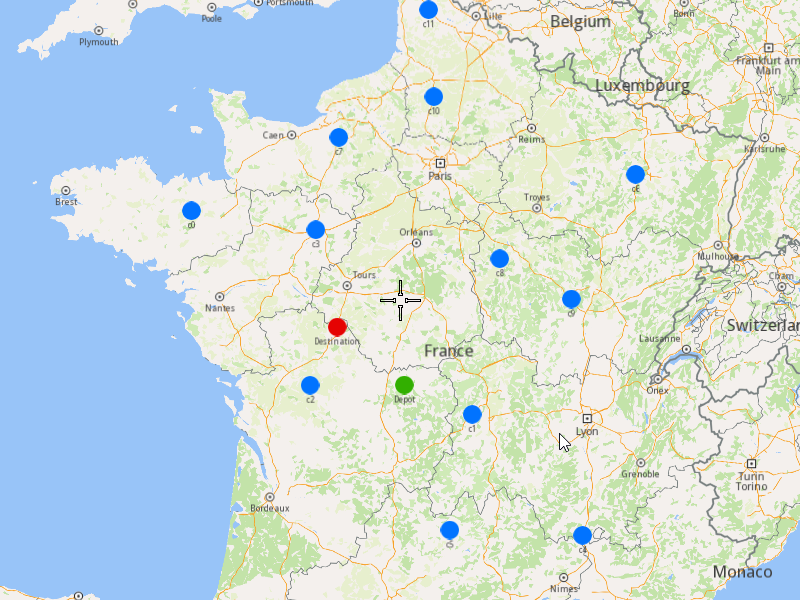
###### Initialize Map Components[](#initialize-map-components "Direct link to Initialize Map Components")
1. Create a `MapServiceListener`, `OpenGLContext`, and `MapView`.
[]()
```cpp
MapViewListenerImpl mapListener;
auto oglContext = session.produceOpenGLContext(Environment::WindowFrameworks::Available, "AddOptimizationWithSingleVehicleDifferentDepartureDestination");
gem::StrongPointer mapView = gem::MapView::produce(oglContext, &mapListener);
```
###### Highlight Orders and Departures[](#highlight-orders-and-departures "Direct link to Highlight Orders and Departures")
1. Create a `LandmarkList` and `CoordinatesList` using the `OrderList`, `Departure`, and `Destination`.
2. Instruct the `MapView` to highlight the landmarks (orders, departure, and destination).
3. For better visibility, create a `PolygonGeographicArea` from the `CoordinatesList`, and center the `MapView` on this area.
[]()
```cpp
gem::LandmarkList lmks;
gem::CoordinatesList coords;
for (int i = 0; i < optimization.getDepartures().size(); i++)
{
gem::Landmark landmark;
landmark.setName(optimization.getDepartures()[i].getAlias());
landmark.setCoordinates(optimization.getDepartures()[i].getCoordinates());
landmark.setImage(gem::Icon::Core::GreenBall);
lmks.push_back(landmark);
coords.push_back(optimization.getDepartures()[i].getCoordinates());
}
for (int i = 0; i < orders.size(); i++)
{
gem::Landmark landmark;
landmark.setName(orders[i].getAlias());
landmark.setCoordinates(orders[i].getCoordinates());
landmark.setImage(gem::Icon::Core::BlueBall);
lmks.push_back(landmark);
coords.push_back(orders[i].getCoordinates());
}
for (int i = 0; i < optimization.getDestinations().size(); i++)
{
gem::Landmark landmark;
landmark.setName(optimization.getDestinations()[i].getAlias());
landmark.setCoordinates(optimization.getDestinations()[i].getCoordinates());
landmark.setImage(gem::Icon::Core::RedBall);
lmks.push_back(landmark);
coords.push_back(optimization.getDestinations()[i].getCoordinates());
}
mapView->activateHighlight(lmks);
gem::PolygonGeographicArea polyArea(coords);
mapView->centerOnArea(polyArea);
ret = WAIT_UNTIL(std::bind(&MapViewListenerImpl::IsFinished, &mapListener), 15000);
```
##### Run the Optimization[](#run-the-optimization "Direct link to Run the Optimization")
1. Call the `addOptimization()` method from `vrp::Service`, passing the `Optimization` object and the `ProgressListener`.
2. After the operation is finished, a solution for optimization will be generated. To view the solution, you need to call the `getSolution` method from the optimization, which will return a `vrp::RouteList` containing the optimization results.
[]()
```cpp
std::shared_ptr request = std::make_shared();
ret = serv.addOptimization(&listener, optimization, request);
WAIT_UNTIL(std::bind(&ProgressListener::IsFinished, &listener), 10000);
WAIT_UNTIL([&]() {
serv.getRequest(&listener, request, request->id);
WAIT_UNTIL(std::bind(&ProgressListener::IsFinished, &listener), 7000);
return request->status == gem::vrp::ERequestStatus::eFinished;
}, 40000);
gem::vrp::RouteList routes;
ret = optimization.getSolution(&listener, routes);
WAIT_UNTIL(std::bind(&ProgressListener::IsFinished, &listener), 10000);
```
##### Display Routes on the Map[](#display-routes-on-the-map "Direct link to Display Routes on the Map")
Once the optimization is complete and a solution has been found, we can display the solution on the map.
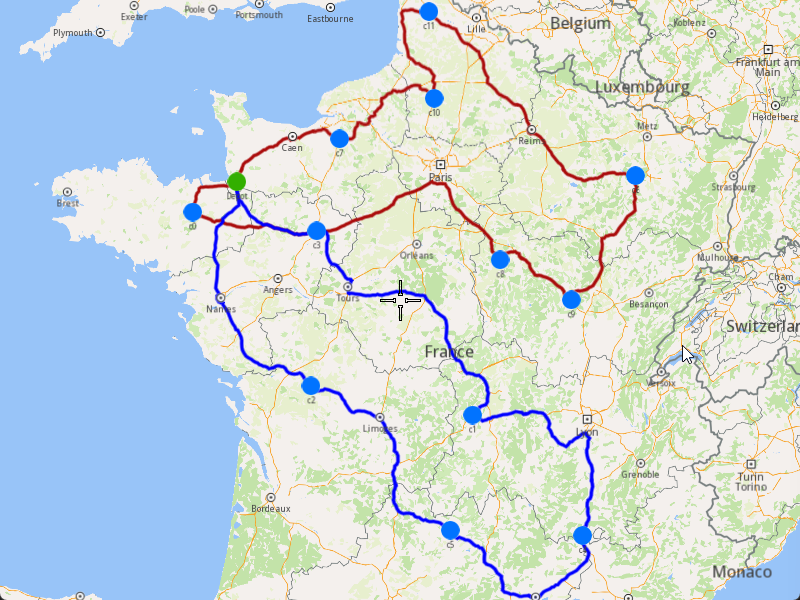
1. Ensure that the operation was done, and a solution was found.
2. Create a `MarkerCollection` of type `Polyline` for the route.
3. Add the route shape to the `MarkerCollection`.
4. Set the `MarkerCollection` in the map view preferences.
5. After highlighting on the map, center the screen over the route.
[]()
```cpp
if (listener.IsFinished() && listener.GetError() == gem::KNoError && ret == gem::KNoError)
{
std::cout << "Problem optimized successfully" << std::endl;
PrintRoutesOnConsole(routes);
gem::CoordinatesList shape = routes[0].getShape();
// Display route shape on map
auto col = gem::MarkerCollection(gem::EMarkerType::MT_Polyline, "shape");
col.add(gem::Marker(shape));
mapView->preferences().markers().add(col);
ret = WAIT_UNTIL(std::bind(&MapViewListenerImpl::IsFinished, &mapListener), 15000);
gem::PolygonGeographicArea polyArea(shape);
mapView->centerOnArea(polyArea);
ret = WAIT_UNTIL(std::bind(&MapViewListenerImpl::IsFinished, &mapListener), 15000);
WAIT_UNTIL_WINDOW_CLOSE();
}
else
std::cout << "Problem couldn't be optimized" << std::endl;
```
---
### Add Orders to a Route
|
This example demonstrates how to add a list of orders into an existing route's order list at optimal positions determined by the algorithm. The orders will be inserted between existing route orders without rearranging them. If the route is reoptimized, the orders will be rearranged in the best order of visit, and you may not see them inserted at the original optimal positions.
The added orders will also be included in the optimization's order list.
When you run the example application:
* The existing route will be updated with new orders.
* The orders will be inserted at the best possible positions without altering the current order sequence.
* If reoptimization is enabled, the entire route will be rearranged for optimal efficiency.
##### Retrieve Customers[](#retrieve-customers "Direct link to Retrieve Customers")
To create an order we can use an existing customer to assign the order to, or we can create a new one. In this example we will use two customers already existing in the database.
1. Create a `ProgressListener` and `vrp::Service`.
2. Retrieve the customers using the `getCustomer()` method from the `vrp::Service`.
[]()
```cpp
ProgressListener listener;
gem::vrp::Service serv;
// Retrieve customer 1
gem::vrp::Customer customer1;
gem::LargeInteger customerId1 = 0; // Set your customer ID
int res = serv.getCustomer(&listener, customer1, customerId1);
WAIT_UNTIL(std::bind(&ProgressListener::IsFinished, &listener), 5000);
// Retrieve customer 2
gem::vrp::Customer customer2;
gem::LargeInteger customerId2 = 0; // Set your customer ID
res = serv.getCustomer(&listener, customer2, customerId2);
WAIT_UNTIL(std::bind(&ProgressListener::IsFinished, &listener), 5000);
```
##### Create Orders[](#create-orders "Direct link to Create Orders")
1. Create two `vrp::Order` objects associated with the customers retrieved earlier.
2. Set necessary attributes such as the number of packages, service time, and order type.
3. Use the `addOrder()` method from `vrp::Service` to add the orders.
Create orders for the retrieved customers.
[]()
```cpp
gem::vrp::RouteOrderList ordersToAdd;
gem::vrp::RouteOrder orderToAdd1(customer1);
orderToAdd1.setCoordinates(gem::Coordinates(45.770944, 2.067794));
orderToAdd1.setNumberOfPackages(6);
orderToAdd1.setWeight(0.5);
orderToAdd1.setServiceTime(360);
orderToAdd1.setTimeWindow(std::make_pair(gem::Time(2021, 5, 18, 11), gem::Time(2021, 5, 18, 15)));
orderToAdd1.setType(gem::vrp::EOrderType::OT_PickUp);
res = serv.addOrder(&listener, orderToAdd1, false);
WAIT_UNTIL(std::bind(&ProgressListener::IsFinished, &listener), 5000);
ordersToAdd.push_back(orderToAdd1);
gem::vrp::RouteOrder orderToAdd2(customer2);
orderToAdd2.setCoordinates(gem::Coordinates(47.681092, 3.547602));
orderToAdd2.setNumberOfPackages(3);
orderToAdd2.setWeight(0.3);
orderToAdd2.setTimeWindow(std::make_pair(gem::Time(2021, 5, 18, 9, 45), gem::Time(2021, 5, 18, 14, 30)));
orderToAdd2.setServiceTime(180);
orderToAdd2.setType(gem::vrp::EOrderType::OT_Delivery);
res = serv.addOrder(&listener, orderToAdd2, false);
WAIT_UNTIL(std::bind(&ProgressListener::IsFinished, &listener), 5000);
ordersToAdd.push_back(orderToAdd2);
```
##### Retrieve the existing Route[](#retrieve-the-existing-route "Direct link to Retrieve the existing Route")
To add orders to an route, you have to retrieve that route by id.
1. Retrieve the route using the `getRoute()` method from the `vrp::Service`.
[]()
```cpp
gem::vrp::Route route;
gem::LargeInteger routeId = 0; // Set your route ID
res = serv.getRoute(&listener, route, routeId);
WAIT_UNTIL(std::bind(&ProgressListener::IsFinished, &listener), 10000);
```
##### Add Orders to the Route[](#add-orders-to-the-route "Direct link to Add Orders to the Route")
Once the orders are created, they need to be added to the route.
1. Create a `std::shared_ptr` to hold the request.
2. Call the `addOrders()` method from `vrp::Route`.
3. Wait for the operation to complete.
[]()
```cpp
bool reoptimize = true;
bool addAtOptimalPosition = true;
std::shared_ptr request = std::make_shared();
res = route.addOrders(&listener, ordersToAdd, addAtOptimalPosition, request, reoptimize);
WAIT_UNTIL(std::bind(&ProgressListener::IsFinished, &listener), 10000);
WAIT_UNTIL([&]() {
serv.getRequest(&listener, request, request->id);
WAIT_UNTIL(std::bind(&ProgressListener::IsFinished, &listener), 7000);
return request->status == gem::vrp::ERequestStatus::eFinished;
}, 40000);
// Once the operation is complete, check if the update was successful.
if (listener.IsFinished() && listener.GetError() == gem::KNoError && res == gem::KNoError)
std::cout << "Orders added successfully" << std::endl;
else
std::cout << "Failed to add orders" << std::endl;
```
---
### Add Orders to an Optimization
|
This example demonstrates how to add a list of orders to an existing optimization. The newly added orders will be assigned to the optimization’s routes if the optimization is reoptimized. If reoptimization is not enabled, the added orders will be stored but not assigned to routes.
When you run the example application:
* The specified orders are added to the existing optimization.
* If reoptimization is enabled, the optimization will be updated, and a new solution will be generated.
##### Retrieve the existing Optimization[](#retrieve-the-existing-optimization "Direct link to Retrieve the existing Optimization")
To add orders to an optimization, you have to retrieve that optimization by id.
1. Create a `ProgressListener` and `vrp::Service`.
2. Retrieve the optimization using the `getOptimization()` method from the `vrp::Service`.
[]()
```cpp
ProgressListener listener;
gem::vrp::Service serv;
gem::vrp::Optimization optimization;
gem::LargeInteger optimizationId = 0; // Set your optimization ID here
int ret = serv.getOptimization(&listener, optimization, optimizationId);
WAIT_UNTIL(std::bind(&ProgressListener::IsFinished, &listener), 20000);
```
##### Create Customers and Orders[](#create-customers-and-orders "Direct link to Create Customers and Orders")
Prepare customers and their associated orders, which will then be added in optimization.
###### Creating Customers[](#creating-customers "Direct link to Creating Customers")
1. Create `vrp::Customer` objects and set the necessary fields such as coordinates, alias, phone number, and email.
2. Use the `addCustomer()` method from `vrp::Service` to add customers.
[]()
```cpp
gem::vrp::Customer c1;
c1.setCoordinates(gem::Coordinates(47.016075, -0.849623));
c1.setAlias("c1");
c1.setPhoneNumber("+12312312");
c1.setEmail("c1@yahoo.com");
ret = serv.addCustomer(&listener, c1);
WAIT_UNTIL(std::bind(&ProgressListener::IsFinished, &listener), 5000);
// Create another customer
gem::vrp::Customer c2(gem::Coordinates(45.212821, 3.166858));
c2.setAlias("c2");
c2.setPhoneNumber("+12312312");
c2.setEmail("c2@yahoo.com");
ret = serv.addCustomer(&listener, c2);
WAIT_UNTIL(std::bind(&ProgressListener::IsFinished, &listener), 5000);
```
###### Creating and Adding Orders[](#creating-and-adding-orders "Direct link to Creating and Adding Orders")
1. Create `vrp::Order` objects associated with the customers.
2. Set necessary attributes such as the number of packages, service time, and order type.
3. Use the `addOrder()` method from `vrp::Service` to add the orders.
[]()
```cpp
gem::vrp::OrderList ordersToAdd;
gem::vrp::Order orderToAdd1(c1);
orderToAdd1.setNumberOfPackages(5);
orderToAdd1.setServiceTime(600);
orderToAdd1.setType(gem::vrp::EOrderType::OT_PickUp);
ret = serv.addOrder(&listener, orderToAdd1, false);
WAIT_UNTIL(std::bind(&ProgressListener::IsFinished, &listener), 5000);
ordersToAdd.push_back(orderToAdd1);
// Create another order
gem::vrp::Order orderToAdd2(c2);
orderToAdd2.setNumberOfPackages(4);
orderToAdd2.setType(gem::vrp::EOrderType::OT_Delivery);
ret = serv.addOrder(&listener, orderToAdd2, false);
WAIT_UNTIL(std::bind(&ProgressListener::IsFinished, &listener), 5000);
ordersToAdd.push_back(orderToAdd2);
```
##### Add Orders to Optimization and Reoptimize[](#add-orders-to-optimization-and-reoptimize "Direct link to Add Orders to Optimization and Reoptimize")
Once the orders are created, they need to be added to the optimization.
1. Create a `std::shared_ptr` to hold the request.
2. Call the `addOrders()` method from `vrp::Optimization`.
3. Wait for the operation to complete.
[]()
```cpp
bool reoptimize = true;
std::shared_ptr request = std::make_shared();
ret = optimization.addOrders(&listener, ordersToAdd, request, reoptimize);
WAIT_UNTIL(std::bind(&ProgressListener::IsFinished, &listener), 10000);
WAIT_UNTIL([&]() {
serv.getRequest(&listener, request, request->id);
WAIT_UNTIL(std::bind(&ProgressListener::IsFinished, &listener), 7000);
return request->status == gem::vrp::ERequestStatus::eFinished;
}, 40000);
//After adding the orders and reoptimizing, check if the operation was successful.
if (listener.IsFinished() && listener.GetError() == gem::KNoError && ret == gem::KNoError)
std::cout << "Orders added successfully" << std::endl;
else
std::cout << "Failed to add orders" << std::endl;
```
---
### Generate Territories
|
This example demonstrates how to generate polygon territories from a list of coordinates and display them on a map. The example covers the following features:
* Creating territories from a set of geographic coordinates
* Specifying the number of territories to generate
* Visualizing both the original coordinates and generated territories on a map
* Handling territory generation results
When dealing with many locations to visit, it's often beneficial to first divide them into territories before creating optimizations for customers within each territory.
When you run the example application:
* A list of coordinates is displayed as points on the map
* Territories are generated from these coordinates
* The generated territories are displayed as colored polygons on the map
##### Create a List of Coordinates[](#create-a-list-of-coordinates "Direct link to Create a List of Coordinates")
Create a `CoordinatesList` containing all the geographic points you want to divide into territories:
[]()
```cpp
gem::CoordinatesList coords = { gem::Coordinates(47.592266,8.089206),
gem::Coordinates(48.568867,9.122461),
gem::Coordinates(50.487137,14.161686),
gem::Coordinates(49.851322,20.489012),
gem::Coordinates(49.471581,7.480935),
gem::Coordinates(46.858112,21.328030),
gem::Coordinates(51.427933,9.794261),
gem::Coordinates(46.602039,10.907111),
gem::Coordinates(48.667385,17.154114),
gem::Coordinates(46.674530,25.333998),
gem::Coordinates(48.248165,18.071995),
gem::Coordinates(48.694458,19.731777),
gem::Coordinates(51.356140,15.819277),
gem::Coordinates(51.602428,27.123756),
gem::Coordinates(51.611862,4.796660),
gem::Coordinates(49.301449,23.506264),
gem::Coordinates(49.621101,6.395834),
gem::Coordinates(48.567471,17.284821),
gem::Coordinates(49.604858,18.538603),
gem::Coordinates(51.599285,7.911033),
gem::Coordinates(46.873657,8.260807),
gem::Coordinates(47.746155,20.826370),
gem::Coordinates(52.115623,16.879551),
gem::Coordinates(50.366787,7.117288),
gem::Coordinates(46.785622,4.617757),
gem::Coordinates(51.643478,6.422852),
gem::Coordinates(47.214272,6.709096),
gem::Coordinates(51.503738,26.488468),
gem::Coordinates(51.522953,12.511396),
gem::Coordinates(50.644344,13.998848),
gem::Coordinates(46.965187,20.015100),
gem::Coordinates(49.337257,16.126698),
gem::Coordinates(52.110031,12.255091),
gem::Coordinates(50.760151,22.095486),
gem::Coordinates(50.960152,20.884787),
gem::Coordinates(47.572002,14.907236) };
```
##### Initialize Map Components[](#initialize-map-components "Direct link to Initialize Map Components")
Set up the map view to display the coordinates:
[]()
```cpp
MapViewListenerImpl mapListener;
auto oglContext = session.produceOpenGLContext(Environment::WindowFrameworks::Available, "Territories");
gem::StrongPointer mapView = gem::MapView::produce(oglContext, &mapListener);
```
##### Display Coordinates on the Map[](#display-coordinates-on-the-map "Direct link to Display Coordinates on the Map")
Create a marker collection to visualize the input coordinates, and display them on the map.
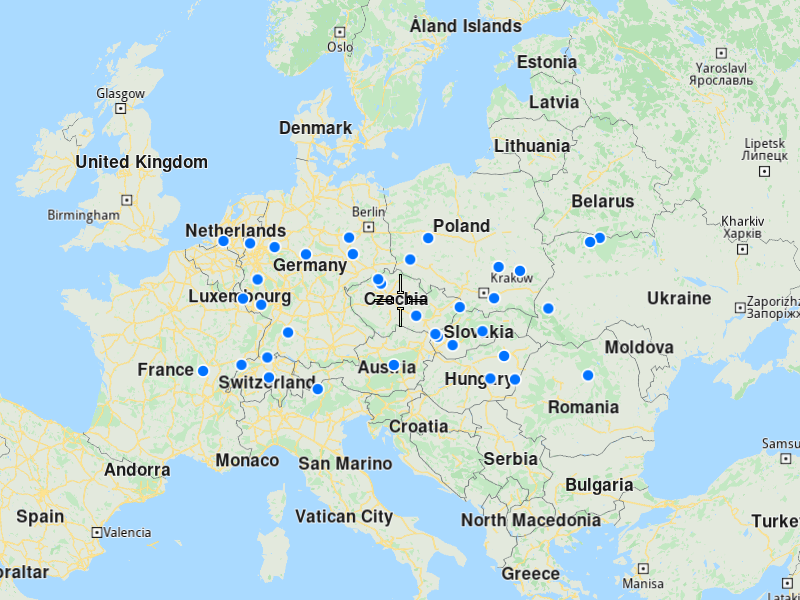
[]()
```cpp
auto col = gem::MarkerCollection(gem::EMarkerType::MT_Point, "Coordinates marker");
col.add(coords);
gem::MarkerCollectionRenderSettings markerCollDisplaySettings;
markerCollDisplaySettings.pointsGroupingZoomLevel = 0; // Don't group points
mapView->preferences().markers().add(col, markerCollDisplaySettings);
mapView->centerOnArea(col.getArea());
auto ret = WAIT_UNTIL(std::bind(&MapViewListenerImpl::IsFinished, &mapListener), 15000);
```
##### Generate Territories[](#generate-territories-1 "Direct link to Generate Territories")
Use the `vrp::Service` to generate territories from the coordinates:
[]()
```cpp
ProgressListener listener;
gem::vrp::Service serv;
gem::vrp::TerritoryList territories;
int territoriesNumber = 3; // Specify number of territories you want to generate
int res = serv.generateTerritories(&listener, territories, coords, territoriesNumber);
WAIT_UNTIL(std::bind(&ProgressListener::IsFinished, &listener), 10000);
```
Note
To generate one territory, you need at least 3 coordinates. For N territories, you need at least 3×N coordinates.
##### Display Territories on the Map[](#display-territories-on-the-map "Direct link to Display Territories on the Map")
Once generated you can diplay them on the map as colored polygons.
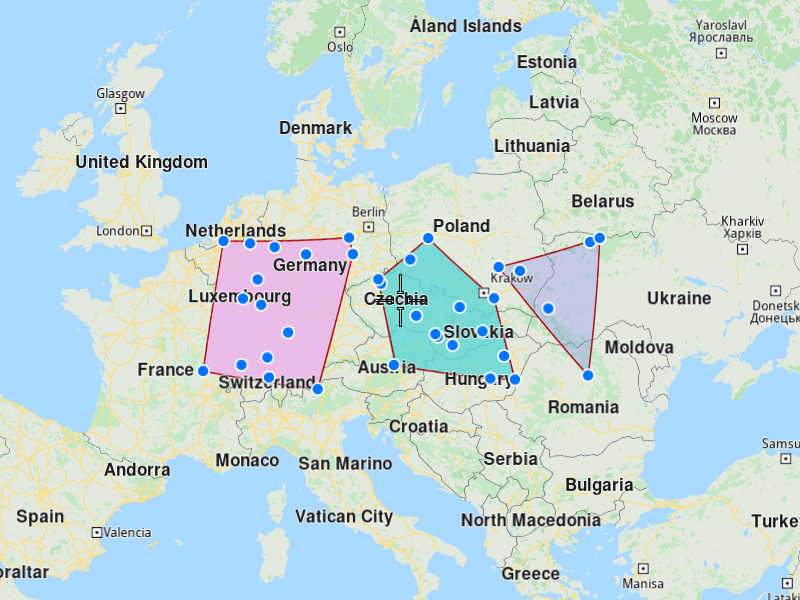
[]()
```cpp
if(listener.IsFinished() && listener.GetError() == gem::KNoError && res == gem::KNoError) {
std::cout << "Territories generated successfully" << std::endl;
for(gem::vrp::Territory territory : territories) {
std::cout << "Territory " << territory.getId() << " has the points:" << std::endl;
gem::CoordinatesList territoryCoords;
for(int i = 0; i < territory.getData().size(); i++) {
territoryCoords.push_back(gem::Coordinates(territory.getData()[i][0], territory.getData()[i][1]));
}
auto territoryCol = gem::MarkerCollection(gem::EMarkerType::MT_Polygon, territory.getName());
territoryCol.add(territoryCoords);
gem::MarkerCollectionRenderSettings markerCollDisplaySettingsTerritory;
markerCollDisplaySettingsTerritory.polygonFillColor = territory.getColor();
mapView->preferences().markers().add(territoryCol, markerCollDisplaySettingsTerritory);
}
ret = WAIT_UNTIL(std::bind(&MapViewListenerImpl::IsFinished, &mapListener), 15000);
WAIT_UNTIL_WINDOW_CLOSE();
} else {
std::cout << "Territories couldn't be generated" << std::endl;
}
```
---
### Merge Routes
|
This example demonstrates how to merge multiple routes into a single route. A new optimization will be created for the merged route, inheriting the configuration parameters, vehicle constraints, and other settings from the first route in the list. The merged route will **not** be optimized automatically.
Info
After merging routes, reoptimize the new route using [Reoptimize Optimization](/docs/cpp/guides/fleet-management/optimization.md) to improve efficiency. Verify that vehicle constraints (capacity, distance limits) remain suitable for the combined load, and check that order time windows are preserved in the merged schedule.
When you run the example application:
* The selected routes are merged into a single route.
* A new optimization is created for the merged route.
* The merged route is returned without reoptimization.
* The route and its orders are displayed on an interactive map
##### Retrieve the Routes to Be Merged[](#retrieve-the-routes-to-be-merged "Direct link to Retrieve the Routes to Be Merged")
1. Create a `ProgressListener`, a `vrp::Service`, a `LargeIntList` with the route ids to be merged and a `vrp::Route` in which the merged route will be returned.
2. Call the `mergeRoutes()` method from the `vrp::Service` using the `vrp::Route` and list from 1.) and the `ProgressListener`.
3. Once the operation completes, the merged route will be returned in the `vrp::Route` from 1.)
[]()
```cpp
ProgressListener listener;
gem::vrp::Service serv;
gem::LargeIntList routeIds;
routeIds.push_back(0); // Set the ID of the first route
routeIds.push_back(0); // Set the ID of the second route
routeIds.push_back(0); // Set the ID of the third route
gem::vrp::Route mergedRoute;
int res = serv.mergeRoutes(&listener, mergedRoute, routeIds);
WAIT_UNTIL(std::bind(&ProgressListener::IsFinished, &listener), 20000);
```
##### Display the Merged Route on the Map[](#display-the-merged-route-on-the-map "Direct link to Display the Merged Route on the Map")
After the routes are merged successfully, we can display them on a map by following these steps:
1. Create a `MapServiceListener`, `OpenGLContext`, and `MapView`.
2. Extract landmarks and coordinates from the merged route.
3. Highlight orders using `LandmarkList`.
4. Center the map on the route.
5. Draw the merged route using a `MarkerCollection`.
[]()
```cpp
MapServiceListener mapListener;
OpenGLContext glContext;
MapView mapView;
LandmarkList landmarks;
CoordinatesList routeCoordinates;
for (const auto& order : mergedRoute.getOrders()) {
landmarks.push_back(Landmark(order.getCoordinates()));
routeCoordinates.push_back(order.getCoordinates());
}
PolygonGeographicArea routeArea(routeCoordinates);
mapView.highlight(landmarks);
mapView.centerOn(routeArea);
MarkerCollection polylineMarkers;
polylineMarkers.setPolyline(mergedRoute.getShape());
mapView.setMarkerCollection(polylineMarkers);
```
---
### Reoptimize Optimization
|
This example demonstrates how to reoptimize an existing optimization to generate a new and potentially better solution. The reoptimization process uses the latest fuel prices to calculate the new solution (refer to the [Get Fuel Prices](/docs/cpp/guides/fleet-management/fuel-prices.md#2-retrieving-fuel-prices) example).
When you run the example application:
* The existing optimization is reoptimized.
* A new solution is generated and returned.
##### Retrieve the Existing Optimization[](#retrieve-the-existing-optimization "Direct link to Retrieve the Existing Optimization")
To reoptimize an optimization, you first need to retrieve the existing optimization using its ID.
1. Create a `ProgressListener` and `vrp::Service`.
2. Retrieve the optimization using the `getOptimization()` method from the `vrp::Service`.
[]()
```cpp
ProgressListener listener;
gem::vrp::Service serv;
gem::vrp::Optimization optimization;
gem::LargeInteger optimizationId = -1; // Set your optimization ID here
int res = serv.getOptimization(&listener, optimization, optimizationId);
WAIT_UNTIL(std::bind(&ProgressListener::IsFinished, &listener), 20000);
```
##### Reoptimize the Optimization[](#reoptimize-the-optimization "Direct link to Reoptimize the Optimization")
Once the optimization is retrieved, you can reoptimize it to generate a new solution.
1. Create a `std::shared_ptr` to hold the reoptimization request.
2. Call the `reoptimize()` method from the `vrp::Optimization` object, passing the `ProgressListener` and the request.
3. Wait for the reoptimization process to complete.
[]()
```cpp
std::shared_ptr request = std::make_shared();
res = optimization.reoptimize(&listener, request);
WAIT_UNTIL(std::bind(&ProgressListener::IsFinished, &listener), 20000);
WAIT_UNTIL([&]() {
serv.getRequest(&listener, request, request->id);
WAIT_UNTIL(std::bind(&ProgressListener::IsFinished, &listener), 7000);
return request->status == gem::vrp::ERequestStatus::eFinished;
}, 40000);
```
##### Retrieve the Reoptimized Solution[](#retrieve-the-reoptimized-solution "Direct link to Retrieve the Reoptimized Solution")
After the reoptimization process is complete, you can retrieve the new solution.
1. Create a `vrp::RouteList` to hold the reoptimized routes.
2. Call the `getSolution()` method from the `vrp::Optimization` object to populate the `vrp::RouteList`.
[]()
```cpp
gem::vrp::RouteList routes;
res = optimization.getSolution(&listener, routes);
WAIT_UNTIL(std::bind(&ProgressListener::IsFinished, &listener), 10000);
if (listener.IsFinished() && listener.GetError() == gem::KNoError && res == gem::KNoError)
std::cout << "Optimization reoptimized successfully" << std::endl;
else
std::cout << "Optimization couldn't be reoptimized" << std::endl;
```
---
### Reoptimize Route
|
This example demonstrates how to reoptimize an existing route to rearrange the orders in a better sequence of visits, if such a sequence exists. The reoptimization process uses the latest fuel prices to calculate the route's cost. For more details on retrieving fuel prices, refer to the [Get Fuel Prices](/docs/cpp/guides/fleet-management/fuel-prices.md#2-retrieving-fuel-prices).
When you run the example application:
* The existing route is reoptimized to improve the order of visits.
* The updated route is returned, reflecting the new sequence and cost.
##### Retrieve the Existing Route[](#retrieve-the-existing-route "Direct link to Retrieve the Existing Route")
To reoptimize a route, you first need to retrieve the existing route using its ID.
1. Create a `ProgressListener` and `vrp::Service`.
2. Retrieve the route using the `getRoute()` method from the `vrp::Service`.
[]()
```cpp
ProgressListener listener;
gem::vrp::Service serv;
gem::vrp::Route route;
gem::LargeInteger routeId = 0; // Set your route ID here
int res = serv.getRoute(&listener, route, routeId);
WAIT_UNTIL(std::bind(&ProgressListener::IsFinished, &listener), 10000);
```
##### Reoptimize the Route[](#reoptimize-the-route "Direct link to Reoptimize the Route")
Once the route is retrieved, you can reoptimize it to improve the order of visits.
1. Create a `std::shared_ptr` to hold the reoptimization request.
2. Call the `reoptimize()` method from the `vrp::Route` object, passing the `ProgressListener` and the request.
3. Wait for the reoptimization process to complete.
[]()
```cpp
std::shared_ptr request = std::make_shared();
res = route.reoptimize(&listener, request);
WAIT_UNTIL(std::bind(&ProgressListener::IsFinished, &listener), 20000);
WAIT_UNTIL([&]() {
serv.getRequest(&listener, request, request->id);
WAIT_UNTIL(std::bind(&ProgressListener::IsFinished, &listener), 7000);
return request->status == gem::vrp::ERequestStatus::eFinished;
}, 40000);
```
##### Retrieve the Reoptimized Route[](#retrieve-the-reoptimized-route "Direct link to Retrieve the Reoptimized Route")
After the reoptimization process is complete, you can retrieve the updated route.
1. Create a new `vrp::Route` object to hold the updated route.
2. Call the `getRoute()` method from the `vrp::Service` to populate the `vrp::Route` object with the updated route.
[]()
```cpp
gem::vrp::Route getRoute;
res = serv.getRoute(&listener, getRoute, route.getId());
WAIT_UNTIL(std::bind(&ProgressListener::IsFinished, &listener), 10000);
route = getRoute;
if (listener.IsFinished() && listener.GetError() == gem::KNoError && res == gem::KNoError)
std::cout << "Route reoptimized successfully" << std::endl;
else
std::cout << "Route couldn't be reoptimized" << std::endl;
```
---
### Unlink Route from Optimization
|
This example demonstrates how to unlink a route from its optimization. When a route is unlinked, it will no longer be part of the optimization's solution. The orders visited in this route will be removed from the optimization, and a new optimization will be created for the unlinked route. The new optimization will retain the same configuration parameters, vehicle constraints, and other fields as the unlinked route.
Info
A route cannot be unlinked if it is the only route in the optimization's solution.
When you run the example application:
* The specified route is unlinked from its optimization.
* A new optimization is created for the unlinked route.
* The unlinked route can still be retrieved using its original ID.
##### Retrieve the Route to Unlink[](#retrieve-the-route-to-unlink "Direct link to Retrieve the Route to Unlink")
To unlink a route, you first need to retrieve the existing route using its ID.
1. Create a `ProgressListener` and `vrp::Service`.
2. Retrieve the route using the `getRoute()` method from the `vrp::Service`.
[]()
```cpp
ProgressListener listener;
gem::vrp::Service serv;
gem::vrp::Route route;
gem::LargeInteger routeId = -1; // Set your route ID here
int res = serv.getRoute(&listener, route, routeId);
WAIT_UNTIL(std::bind(&ProgressListener::IsFinished, &listener), 10000);
```
##### Unlink the Route from Its Optimization[](#unlink-the-route-from-its-optimization "Direct link to Unlink the Route from Its Optimization")
Once the route is retrieved, you can unlink it from its optimization.
1. Call the `unlink()` method from the `vrp::Route` object, passing the `ProgressListener`.
2. Wait for the unlinking process to complete.
[]()
```cpp
res = route.unlink(&listener);
WAIT_UNTIL(std::bind(&ProgressListener::IsFinished, &listener), 20000);
```
##### Verify the Unlinking Process[](#verify-the-unlinking-process "Direct link to Verify the Unlinking Process")
After the unlinking process is complete, verify the result and retrieve the updated route.
1. Check if the unlinking process was successful.
2. Retrieve the updated route using its original ID.
[]()
```cpp
if (listener.IsFinished() && listener.GetError() == gem::KNoError && res == gem::KNoError)
std::cout << "Route unlinked successfully" << std::endl;
else
std::cout << "Route couldn't be unlinked" << std::endl;
```
---
### Update Optimization
|
This example demonstrates how to update an existing optimization by making changes to its configuration, vehicles, constraints, and other fields. The updated optimization can also be reoptimized to generate a new solution. If the optimization is not reoptimized, the changes will not be applied to the optimization's routes.
For updating orders, refer to the following examples:
* [Add Orders To Optimization](/docs/cpp/guides/fleet-management/optimization.md#adding-orders-to-an-optimization)
* [Update Order From Optimization](/docs/cpp/guides/fleet-management/optimization.md#updating-an-order-from-an-optimization)
* [Delete Order From Optimization](/docs/cpp/guides/fleet-management/optimization.md#deleting-an-order-from-an-optimization)
When you run the example application:
* The existing optimization is updated with new configurations, vehicles, and constraints.
* A new solution is generated and returned (if reoptimization is enabled).
##### Retrieve the Existing Optimization[](#retrieve-the-existing-optimization "Direct link to Retrieve the Existing Optimization")
To update an optimization, you first need to retrieve the existing optimization using its ID.
1. Create a `ProgressListener` and `vrp::Service`.
2. Retrieve the optimization using the `getOptimization()` method from the `vrp::Service`.
[]()
```cpp
ProgressListener listener;
gem::vrp::Service serv;
gem::vrp::Optimization optimization;
gem::LargeInteger optimizationId = -1; // Set your optimization ID here
int res = serv.getOptimization(&listener, optimization, optimizationId);
WAIT_UNTIL(std::bind(&ProgressListener::IsFinished, &listener), 20000);
```
##### Update the Optimization[](#update-the-optimization "Direct link to Update the Optimization")
Once the optimization is retrieved, you can update its fields, such as configuration parameters, vehicles, and constraints.
###### Update Configuration Parameters[](#update-configuration-parameters "Direct link to Update Configuration Parameters")
1. Retrieve the existing configuration parameters from the optimization.
2. Modify the desired fields, such as the name, route type, and distance unit.
[]()
```cpp
gem::vrp::ConfigurationParameters configParams = optimization.getConfigurationParameters();
configParams.setName(configParams.getName() + " updated");
configParams.setRouteType(gem::vrp::ERouteType::RT_EndAnywhere);
configParams.setIgnoreTimeWindow(true);
configParams.setDistanceUnit(gem::vrp::EDistanceUnit::DU_Miles);
```
###### Update Vehicles[](#update-vehicles "Direct link to Update Vehicles")
1. Create a `vrp::VehicleList` and add new or updated vehicles to it.
2. Call the `addVehicle()` method from the `vrp::Service` to add the vehicles to the database.
[]()
```cpp
gem::vrp::VehicleList vehicles;
gem::vrp::Vehicle vehicle1;
vehicle1.setName("Vehicle 1");
vehicle1.setType(gem::vrp::EVehicleType::VT_Car);
vehicle1.setStatus(gem::vrp::EVehicleStatus::VS_Available);
vehicle1.setManufacturer("Kia");
vehicle1.setModel("Ceed");
vehicle1.setFuelType(gem::vrp::EFuelType::FT_GasolinePremium);
vehicle1.setConsumption(6.5);
vehicle1.setLicensePlate("BV01ASD");
vehicle1.setMaxWeight(100);
vehicle1.setMaxCube(2.1);
res = serv.addVehicle(&listener, vehicle1);
WAIT_UNTIL(std::bind(&ProgressListener::IsFinished, &listener), 5000);
vehicles.push_back(vehicle1);
// Repeat for other vehicles (vehicle2 and vehicle3)...
```
###### Update Vehicle Constraints[](#update-vehicle-constraints "Direct link to Update Vehicle Constraints")
1. Retrieve the existing vehicle constraints from the optimization.
2. Modify the desired fields, such as the maximum number of packages and maximum distance.
[]()
```cpp
gem::vrp::VehicleConstraintsList vehConstraintsList = optimization.getVehiclesConstraints();
gem::vrp::VehicleConstraints vehConstr = vehConstraintsList.at(0);
vehConstr.setMaxNumberOfPackages(80);
vehConstr.setMinNumberOfOrders(1);
vehConstr.setMaxDistance(932); // 932 miles
auto beginIt = vehConstraintsList.begin();
vehConstraintsList.erase(beginIt, beginIt + 1);
vehConstraintsList.insert(vehConstraintsList.begin(), vehConstr);
```
###### Update Departures[](#update-departures "Direct link to Update Departures")
1. Create a `vrp::Departure` object and set the desired fields.
[]()
```cpp
gem::vrp::Departure departure;
departure.setAlias("Depot");
departure.setCoordinates(gem::Coordinates(48.234270, -2.133208));
```
###### Apply the Updates to the Optimization[](#apply-the-updates-to-the-optimization "Direct link to Apply the Updates to the Optimization")
1. Set the updated configuration parameters, vehicles, constraints, and departures to the optimization.
[]()
```cpp
optimization.setConfigurationParameters(configParams);
optimization.setVehiclesConstraints(vehConstraintsList);
optimization.setVehicles(vehicles);
optimization.setDepartures({departure});
```
##### Update the Optimization and Retrieve the New Solution[](#update-the-optimization-and-retrieve-the-new-solution "Direct link to Update the Optimization and Retrieve the New Solution")
Once the optimization is updated, you can apply the changes and retrieve the new solution.
1. Create a `std::shared_ptr` to hold the update request.
2. Call the `updateOptimization()` method from the `vrp::Service`, passing the updated optimization, the request, and the `ProgressListener`.
3. Wait for the update process to complete.
[]()
```cpp
std::shared_ptr request = std::make_shared();
res = serv.updateOptimization(&listener, optimization, request);
WAIT_UNTIL(std::bind(&ProgressListener::IsFinished, &listener), 10000);
WAIT_UNTIL([&]() {
serv.getRequest(&listener, request, request->id);
WAIT_UNTIL(std::bind(&ProgressListener::IsFinished, &listener), 7000);
return request->status == gem::vrp::ERequestStatus::eFinished;
}, 40000);
```
##### Retrieve the Updated Solution[](#retrieve-the-updated-solution "Direct link to Retrieve the Updated Solution")
After the optimization is updated, you can retrieve the new solution.
1. Create a `vrp::RouteList` to hold the updated routes.
2. Call the `getSolution()` method from the `vrp::Optimization` object to populate the `vrp::RouteList`.
[]()
```cpp
gem::vrp::RouteList routes;
res = optimization.getSolution(&listener, routes);
WAIT_UNTIL(std::bind(&ProgressListener::IsFinished, &listener), 10000);
if (listener.IsFinished() && listener.GetError() == gem::KNoError && res == gem::KNoError)
std::cout << "Optimization updated successfully" << std::endl;
else
std::cout << "Optimization couldn't be updated" << std::endl;
```
---
### Update Route
|
This example demonstrates how to update an existing route by making changes to its configuration, vehicle constraints, and other fields. The updated route can also be reoptimized to generate a new order of visits. If the route is not reoptimized, the changes will not affect the route's optimization. However, certain configuration changes (e.g., ignoring time windows, optimization criteria, etc.) automatically trigger reoptimization.
For updating orders, refer to the following examples:
* [Add Orders To Route](/docs/cpp/guides/fleet-management/route.md)
* [Delete Order From Route](/docs/cpp/guides/fleet-management/route.md)
* [Update Order From Route](/docs/cpp/guides/fleet-management/route.md)
When you run the example application:
* The existing route is updated with new configurations, vehicle constraints, and other fields.
* The route is reoptimized (if specified), and a new order of visits is returned.
##### Retrieve the Existing Route[](#retrieve-the-existing-route "Direct link to Retrieve the Existing Route")
To update a route, you first need to retrieve the existing route using its ID.
1. Create a `ProgressListener` and `vrp::Service`.
2. Retrieve the route using the `getRoute()` method from the `vrp::Service`.
[]()
```cpp
ProgressListener listener;
gem::vrp::Service serv;
gem::vrp::Route route;
gem::LargeInteger routeId = 0; // Set your route ID here
int res = serv.getRoute(&listener, route, routeId);
WAIT_UNTIL(std::bind(&ProgressListener::IsFinished, &listener), 20000);
```
##### Update the Route[](#update-the-route "Direct link to Update the Route")
Once the route is retrieved, you can update its fields, such as configuration parameters, vehicle constraints, and other properties.
###### Update Configuration Parameters[](#update-configuration-parameters "Direct link to Update Configuration Parameters")
1. Retrieve the existing configuration parameters from the route.
2. Modify the desired fields, such as the name and route type.
[]()
```cpp
gem::vrp::ConfigurationParameters configParams = route.getConfigurationParameters();
configParams.setName(configParams.getName() + " updated");
configParams.setRouteType(gem::vrp::ERouteType::RT_RoundRoute);
```
###### Update Vehicle Constraints[](#update-vehicle-constraints "Direct link to Update Vehicle Constraints")
1. Retrieve the existing vehicle constraints from the route.
2. Modify the desired fields, such as the maximum number of packages and maximum distance.
[]()
```cpp
gem::vrp::VehicleConstraints vehConstr = route.getVehicleConstraints();
vehConstr.setMaxNumberOfPackages(80);
vehConstr.setMaxDistance(700); // 700 miles
```
###### Apply the Updates to the Route[](#apply-the-updates-to-the-route "Direct link to Apply the Updates to the Route")
1. Set the updated configuration parameters and vehicle constraints to the route.
[]()
```cpp
route.setConfigurationParameters(configParams);
route.setVehicleConstraints(vehConstr);
```
##### Update the Route and Retrieve the New Solution[](#update-the-route-and-retrieve-the-new-solution "Direct link to Update the Route and Retrieve the New Solution")
Once the route is updated, you can apply the changes and retrieve the new solution.
1. Create a `std::shared_ptr` to hold the update request.
2. Call the `updateRoute()` method from the `vrp::Service`, passing the updated route, the request, and the `ProgressListener`.
3. Wait for the update process to complete.
[]()
```cpp
bool reoptimize = true; // Set to true to reoptimize the route
std::shared_ptr request = std::make_shared();
res = serv.updateRoute(&listener, route, request);
WAIT_UNTIL(std::bind(&ProgressListener::IsFinished, &listener), 20000);
WAIT_UNTIL([&]() {
serv.getRequest(&listener, request, request->id);
WAIT_UNTIL(std::bind(&ProgressListener::IsFinished, &listener), 7000);
return request->status == gem::vrp::ERequestStatus::eFinished;
}, 40000);
```
##### Retrieve the Updated Route[](#retrieve-the-updated-route "Direct link to Retrieve the Updated Route")
After the update process is complete, you can retrieve the updated route.
1. Create a new `vrp::Route` object to hold the updated route.
2. Call the `getRoute()` method from the `vrp::Service` to populate the `vrp::Route` object with the updated route.
[]()
```cpp
gem::vrp::Route getRoute;
res = serv.getRoute(&listener, getRoute, route.getId());
WAIT_UNTIL(std::bind(&ProgressListener::IsFinished, &listener), 10000);
route = getRoute;
if (listener.IsFinished() && listener.GetError() == gem::KNoError && res == gem::KNoError)
std::cout << "Route updated successfully" << std::endl;
else
std::cout << "Route couldn't be updated or reoptimized" << std::endl;
```
---
### Maps & 3D Scene
info
Example applications for the Maps SDK for C++ are available on [IssueTracker](https://issuetracker.magiclane.com/magiclane/maps-sdk-examples-for-cpp). You can clone the repository and launch the applications by following the setup instructions provided in the [README](https://issuetracker.magiclane.com/magiclane/maps-sdk-examples-for-cpp/-/blob/master/README.md?ref_type=heads) file.
Bring interactive customizable real world maps to your users in 3D. No matter whether they are online or offline.
[](/docs/cpp/examples/maps-3dscene/map-view.md)
##### [Map View](/docs/cpp/examples/maps-3dscene/map-view.md)
[Render an interactive map supporting pan and zoom.](/docs/cpp/examples/maps-3dscene/map-view.md)
[](/docs/cpp/examples/maps-3dscene/multi-map-view.md)
##### [Multi Map View](/docs/cpp/examples/maps-3dscene/multi-map-view.md)
[Show multiple map views.](/docs/cpp/examples/maps-3dscene/multi-map-view.md)
[](/docs/cpp/examples/maps-3dscene/center-map.md)
##### [Center Map](/docs/cpp/examples/maps-3dscene/center-map.md)
[Center the map view over a pair of coordinates.](/docs/cpp/examples/maps-3dscene/center-map.md)
[](/docs/cpp/examples/maps-3dscene/map-style.md)
##### [Map Style](/docs/cpp/examples/maps-3dscene/map-style.md)
[Change the map style used to render the interactive map.](/docs/cpp/examples/maps-3dscene/map-style.md)
[](/docs/cpp/examples/maps-3dscene/change-map-style.md)
##### [Change Map Style](/docs/cpp/examples/maps-3dscene/change-map-style.md)
[Interactive map style change.](/docs/cpp/examples/maps-3dscene/change-map-style.md)
[](/docs/cpp/examples/maps-3dscene/map-perspective.md)
##### [Map Perspective](/docs/cpp/examples/maps-3dscene/map-perspective.md)
[Toggle the map perspective or tilt/view angle.](/docs/cpp/examples/maps-3dscene/map-perspective.md)
[](/docs/cpp/examples/maps-3dscene/switch-map-perspective.md)
##### [Switch Map Perspective](/docs/cpp/examples/maps-3dscene/switch-map-perspective.md)
[Toggle the map perspective interactively.](/docs/cpp/examples/maps-3dscene/switch-map-perspective.md)
[](/docs/cpp/examples/maps-3dscene/markers.md)
##### [Markers](/docs/cpp/examples/maps-3dscene/markers.md)
[Ddraw point, polyline and polygon markers.](/docs/cpp/examples/maps-3dscene/markers.md)
[](/docs/cpp/examples/maps-3dscene/points-marker.md)
##### [Points Marker](/docs/cpp/examples/maps-3dscene/points-marker.md)
[Render a set of point markers on the interactive map.](/docs/cpp/examples/maps-3dscene/points-marker.md)
[](/docs/cpp/examples/maps-3dscene/polygon-marker.md)
##### [Polygon Marker](/docs/cpp/examples/maps-3dscene/polygon-marker.md)
[Render a set of polygons on the interactive map.](/docs/cpp/examples/maps-3dscene/polygon-marker.md)
[](/docs/cpp/examples/maps-3dscene/polyline-marker.md)
##### [Polyline Marker](/docs/cpp/examples/maps-3dscene/polyline-marker.md)
[Render a set of lines on the interactive map.](/docs/cpp/examples/maps-3dscene/polyline-marker.md)
[](/docs/cpp/examples/maps-3dscene/public-transit-stop.md)
##### [Public Transit Stop](/docs/cpp/examples/maps-3dscene/public-transit-stop.md)
[Retrieve the schedule of a public transit stop.](/docs/cpp/examples/maps-3dscene/public-transit-stop.md)
---
### Center Map
|
Center the map view over a pair of coordinates.
**Center Map**
---
### Change Map Style
|
In this guide you will learn how to change the map style used to render an interactive map. Graphic control interface using [ImGui](https://github.com/ocornut/imgui).
**Change Map Style**
---
### Map Perspective
|
Toggle the map perspective or tilt/view angle.
**Map Perspective**
---
### Map Style
|
Change the map style used to render the interactive map.
**Map Style**
---
### Map View
|
Render an interactive map supporting pan and zoom.
**Map View**
---
### Markers
|
In this guide you will learn how to draw point, polyline and polygon markers on an interactive map, as well as how to remove them.
Graphic control interface using [ImGui](https://github.com/ocornut/imgui).
**Markers**
---
### Multi Map View
|
Show multiple map views.
**Multi Map View**
##### Display multiple independently functioning interactive map views[](#display-multiple-independently-functioning-interactive-map-views "Direct link to Display multiple independently functioning interactive map views")
A `gem::Screen` is produced to which multiple `gem::MapView` instances are added, each centered on a different location, and rendered using a different map style:
```cpp
// Map view in left viewport half
gem::StrongPointer mapView1 = gem::MapView::produce(screen, gem::RectF(0.f, 0.f, 0.5f, 1.0f));
// Map view in lower right viewport
gem::StrongPointer mapView2 = gem::MapView::produce(screen, gem::RectF(0.5f, 0.f, 1.0f, 0.5f));
// Map view in upper right viewport
gem::StrongPointer mapView3 = gem::MapView::produce(screen, gem::RectF(0.5f, 0.5f, 1.f, 1.f));
mapView2->centerOnCoordinates({ 48.8613, 2.33387 }, 72);
mapView3->centerOnCoordinates({ 48.5213, 7.7377 }, 72);
// Set a different map style in each mapView to differentiate them
auto styleList = gem::ContentStore().getLocalContentList(gem::EContentType::CT_ViewStyleLowRes);
if (styleList.size() > 1)
mapView1->preferences().setMapStyle(styleList.at(1));
if (styleList.size() > 3)
mapView2->preferences().setMapStyle(styleList.at(3));
if (styleList.size() > 4)
mapView3->preferences().setMapStyle(styleList.at(4));
```
---
### Points Marker
|
Render a set of point markers on the interactive map.
**Points Marker**
Instantiate a `gem::MarkerCollection` of the `gem::EMarkerType::MT_Point` type and give it a name. Add points to it, where each point contains a coordinate - a latitude, and a longitude, in degrees. Add the markers to the map using `mapView->preferences().markers().add(col)` and then center the map on the rectangle containing all the added points: `mapView->centerOnArea(col.getArea())` so they all fit in the viewport.
```cpp
auto col = gem::MarkerCollection(gem::EMarkerType::MT_Point, "test");
col.add({ 37.78301592799968, -122.44509746977026 });
col.add({ 37.744870145184954, -122.47291375685005 });
col.add({ 37.73182234501792, -122.39309744523473 });
mapView->preferences().markers().add(col);
mapView->centerOnArea(col.getArea());
```
---
### Polygon Marker
|
Render a set of polygons on the interactive map.
**Polygon Marker**
Instantiate a `gem::MarkerCollection` of the `gem::EMarkerType::MT_Polygon` type and give it a name. Add at least 3 points for each polygon, where each point contains a coordinate - a latitude, and a longitude, in degrees. Each polygon is a `gem::Marker` that is added to the marker collection. Set a polygon color by specifying rgba (red green blue alpha) using `gem::MarkerCollectionRenderSettings` and setting `polygonFillColor` to a `gem::Rgba()` value. Add the markers to the map using `mapView->preferences().markers().add()` and then center the map on the rectangle containing all the added points: `mapView->centerOnArea(col.getArea())`so they all fit in the viewport.
```cpp
auto col = gem::MarkerCollection(gem::EMarkerType::MT_Point, "test");
col.add(gem::Marker({
{ 37.78301592799968, -122.44509746977026 },
{ 37.744870145184954, -122.47291375685005 },
{ 37.73182234501792, -122.39309744523473 }
}));
col.add(gem::Marker({
{ 37.7727019264254, -122.42707148907742 },
{ 37.76671282078619, -122.39085098046263 },
{ 37.75083649188404, -122.41110088290034 }
}));
auto styleList = gem::ContentStore().getLocalContentList(gem::EContentType::CT_ViewStyleLowRes);
if (styleList.size() > 0)
{
mapView->preferences().setMapStyle(styleList.at(0));
}
gem::MarkerCollectionRenderSettings markerCollDisplaySettings;
markerCollDisplaySettings.polygonFillColor = gem::Rgba(0, 100, 100, 100);
mapView->preferences().markers().add(col, markerCollDisplaySettings);
mapView->centerOnArea(col.getArea());
```
---
### Polyline Marker
|
Render a set of lines on the interactive map.
**Polyline Marker**
Instantiate a `gem::MarkerCollection` of the `gem::EMarkerType::MT_Polyline` type and give it a name. Add at least 2 points for each polyline, where each point contains a coordinate - a latitude, and a longitude, in degrees. Each polyline is a `gem::Marker` that is added to the marker collection. Add the markers to the map using `mapView->preferences().markers().add()` and then center the map on the rectangle containing all the added points: `mapView->centerOnArea(col.getArea())` so they all fit in the viewport.
```cpp
auto col = gem::MarkerCollection(gem::EMarkerType::MT_Polyline, "test");
col.add(gem::Marker({
{ 37.78301592799968, -122.44509746977026 },
{ 37.744870145184954, -122.47291375685005 },
{ 37.73182234501792, -122.39309744523473 }
}));
col.add(gem::Marker({
{ 37.7727019264254, -122.42707148907742 },
{ 37.76671282078619, -122.39085098046263 },
{ 37.74622717625295, -122.41815611350229 }
}));
mapView->preferences().markers().add(col);
mapView->centerOnArea(col.getArea());
```
---
### Public Transit Stop
|
Retrieve the schedule information from a public transit stop overlay item.
**Public Transit Stop**
---
### Switch Map Perspective
|
In this guide you will learn how to toggle the interactive map view angle between vertical look-down, and perspective mode, with a view partially inclined toward the horizon. Graphic control interface using [ImGui](https://github.com/ocornut/imgui).
**Switch Map Perspective**
---
### Places & Search
This collection of articles showcases a comprehensive suite of precision-driven location and search techniques - instantly delivering accurate POI results for landmarks, restaurants, businesses, cities, neighborhoods, attractions, and specific addresses; enabling the discovery of nearby, departure-point, or destination-relevant places (for example, EV charging stations) with essential details such as pricing, hours of operation, and landmark information; and providing global data online or offline, all seamlessly embedded directly in the map for up-to-the-minute, reliable navigation every time.
[](/docs/cpp/examples/places-search/free-text-search.md)
##### [Free Text Search](/docs/cpp/examples/places-search/free-text-search.md)
[Search for places using text.](/docs/cpp/examples/places-search/free-text-search.md)
[](/docs/cpp/examples/places-search/text-search-geographic-area.md)
##### [Text Search in Geographic Area](/docs/cpp/examples/places-search/text-search-geographic-area.md)
[Search for places using free-form text.](/docs/cpp/examples/places-search/text-search-geographic-area.md)
[](/docs/cpp/examples/places-search/multi-search.md)
##### [Multi Search](/docs/cpp/examples/places-search/multi-search.md)
[Search around a position or search within a specified rectangular area.](/docs/cpp/examples/places-search/multi-search.md)
[](/docs/cpp/examples/places-search/search-around.md)
##### [Search Around](/docs/cpp/examples/places-search/search-around.md)
[Search for nearby places, or reverse geocode, using a pair of coordinates.](/docs/cpp/examples/places-search/search-around.md)
[](/docs/cpp/examples/places-search/location-wikipedia.md)
##### [Location Wikipedia](/docs/cpp/examples/places-search/location-wikipedia.md)
[Retrieve wikipedia information from a landmark.](/docs/cpp/examples/places-search/location-wikipedia.md)
---
### Free Text Search
|
Search for places using text.
**# Free Text Search**
---
### Location Wikipedia
|
Retrieve wikipedia information from a landmark.
**Location Wikipedia**
---
### Multi Search
|
In this guide you will learn how search for POIs (points of interest) around a position, search free text around a position, and search within a specified rectangular area. Graphic control interface using [ImGui](https://github.com/ocornut/imgui).
**Multi Search**
---
### Search Around
|
Search for nearby places, or reverse geocode, using a pair of coordinates.
**Search Around**
---
### Text Search in Geographic Area
|
Search for places using free-form text. Obtain the results located within the given geographic area.
**Text Search in Geographic Area**
---
### Routing & Navigation
The Maps SDK for C++ offers ready-to-run examples showcasing mode-aware routing - from battery-optimized EV charge paths and real-time traffic-aware car routes to bike-friendly lanes, truck-compliant roads, live transit connections, and pedestrian shortcuts - so you can quickly integrate tailored, high-performance navigation into your C++ applications.
[](/docs/cpp/examples/routing-navigation/calculate-route.md)
##### [Calculate Route](/docs/cpp/examples/routing-navigation/calculate-route.md)
[Calculate a route and render it on an interactive map.](/docs/cpp/examples/routing-navigation/calculate-route.md)
[](/docs/cpp/examples/routing-navigation/calculate-route-multi-view.md)
##### [Calculate Route Multi View](/docs/cpp/examples/routing-navigation/calculate-route-multi-view.md)
[Calculate 4 routes and add them in 4 separate interactive map views.](/docs/cpp/examples/routing-navigation/calculate-route-multi-view.md)
[](/docs/cpp/examples/routing-navigation/feed-sensor-data.md)
##### [Feed Sensor Data](/docs/cpp/examples/routing-navigation/feed-sensor-data.md)
[Feed sensor data, such as position, acceleration, compass or temperature to the SDK.](/docs/cpp/examples/routing-navigation/feed-sensor-data.md)
[](/docs/cpp/examples/routing-navigation/gpx-routing-simulation.md)
##### [GPX Routing Simulation](/docs/cpp/examples/routing-navigation/gpx-routing-simulation.md)
[Simulate navigation along the route based on a GPX track as input waypoints.](/docs/cpp/examples/routing-navigation/gpx-routing-simulation.md)
[](/docs/cpp/examples/routing-navigation/gpx-nmea-playback.md)
##### [GPX NMEA Playback](/docs/cpp/examples/routing-navigation/gpx-nmea-playback.md)
[Playback a pre-recorded navigation GPS position log in NMEA format matching the route.](/docs/cpp/examples/routing-navigation/gpx-nmea-playback.md)
[](/docs/cpp/examples/routing-navigation/simulate-navigation.md)
##### [Simulate Navigation](/docs/cpp/examples/routing-navigation/simulate-navigation.md)
[Simulate navigation on a route.](/docs/cpp/examples/routing-navigation/simulate-navigation.md)
[](/docs/cpp/examples/routing-navigation/low-end-cpu-navigation.md)
##### [Low-End CPU Navigation](/docs/cpp/examples/routing-navigation/low-end-cpu-navigation.md)
[Adjust navigation properties for low-end embedded devices with limited resources.](/docs/cpp/examples/routing-navigation/low-end-cpu-navigation.md)
[](/docs/cpp/examples/routing-navigation/play-route.md)
##### [Play Route](/docs/cpp/examples/routing-navigation/play-route.md)
[Playback a previously recorded or generated GPS log navigation as input.](/docs/cpp/examples/routing-navigation/play-route.md)
[](/docs/cpp/examples/routing-navigation/route-directions-arrows/)
##### [Route Direction Arrows](/docs/cpp/examples/routing-navigation/route-directions-arrows/)
[Render arrows on the route, indicating the direction of travel, and also set their color.](/docs/cpp/examples/routing-navigation/route-directions-arrows/)
[](/docs/cpp/examples/routing-navigation/save-gpx.md)
##### [Save GPX](/docs/cpp/examples/routing-navigation/save-gpx.md)
[Save map matched improved positions obtained during a real or simulated navigation, in GPX format.](/docs/cpp/examples/routing-navigation/save-gpx.md)
[](/docs/cpp/examples/routing-navigation/finger-route.md)
##### [Finger Route](/docs/cpp/examples/routing-navigation/finger-route.md)
[Render a route on the interactive map by drawing it, tracing with a finger.](/docs/cpp/examples/routing-navigation/finger-route.md)
[](/docs/cpp/examples/routing-navigation/export-track.md)
##### [Export Track](/docs/cpp/examples/routing-navigation/export-track.md)
[Save the track in .gpx, .kml, .geojson or .nmea format.](/docs/cpp/examples/routing-navigation/export-track.md)
[](/docs/cpp/examples/routing-navigation/areas-alarms.md)
##### [Areas Alarms](/docs/cpp/examples/routing-navigation/areas-alarms.md)
[Receive real-time notifications for boundary crossings.](/docs/cpp/examples/routing-navigation/areas-alarms.md)
---
### Areas Alarms
|
Receive real-time notifications for boundary crossings (entry/exit) within a designated area.
**Areas Alarms**
---
### Calculate Route
|
In this guide you will learn how to calculate a route and render it on an interactive map. Graphic control interface using [ImGui](https://github.com/ocornut/imgui).
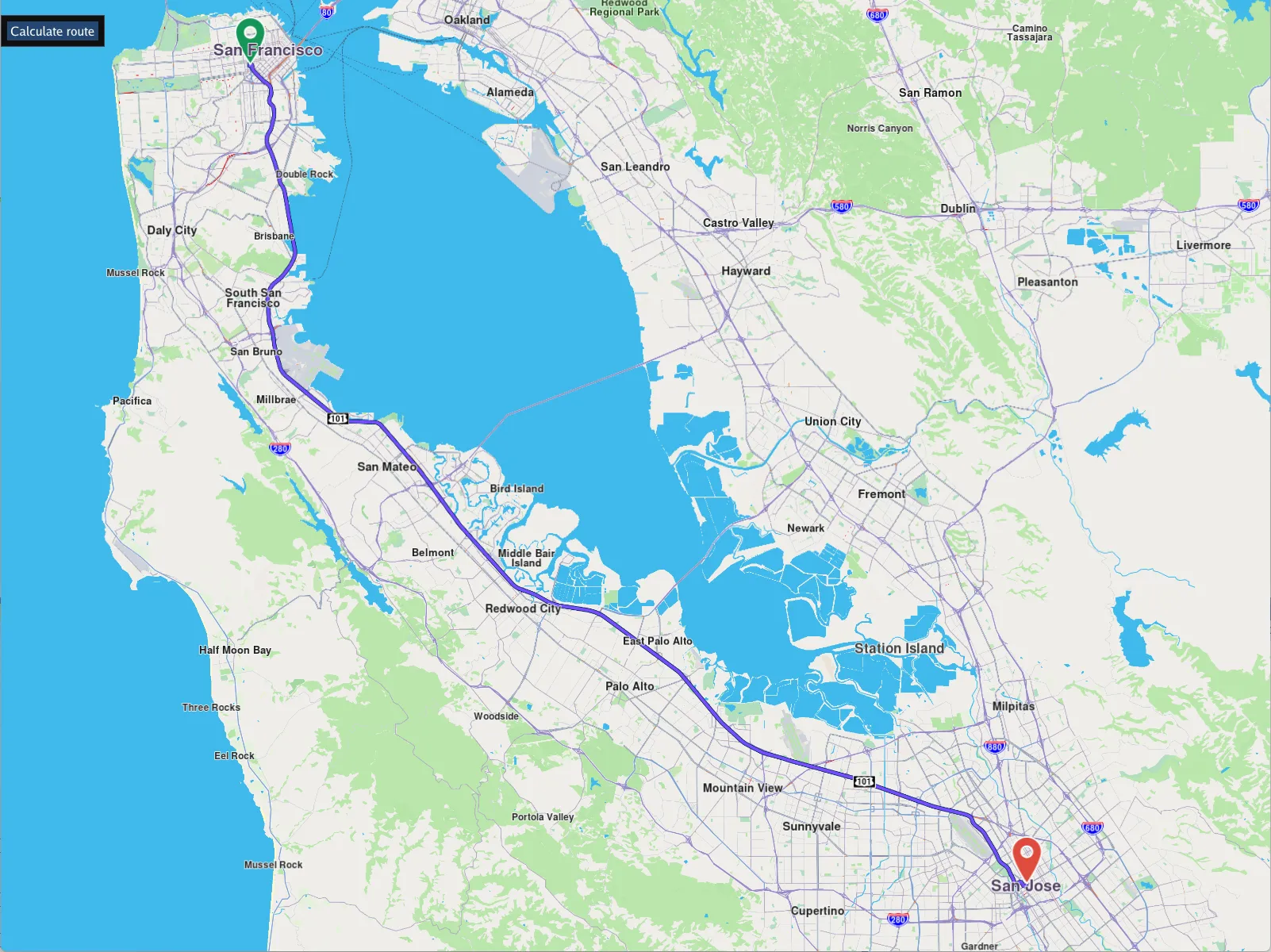
**Calculate Route**
---
### Calculate Route Multi View
|
Calculate 4 routes and add them in 4 separate interactive map views.
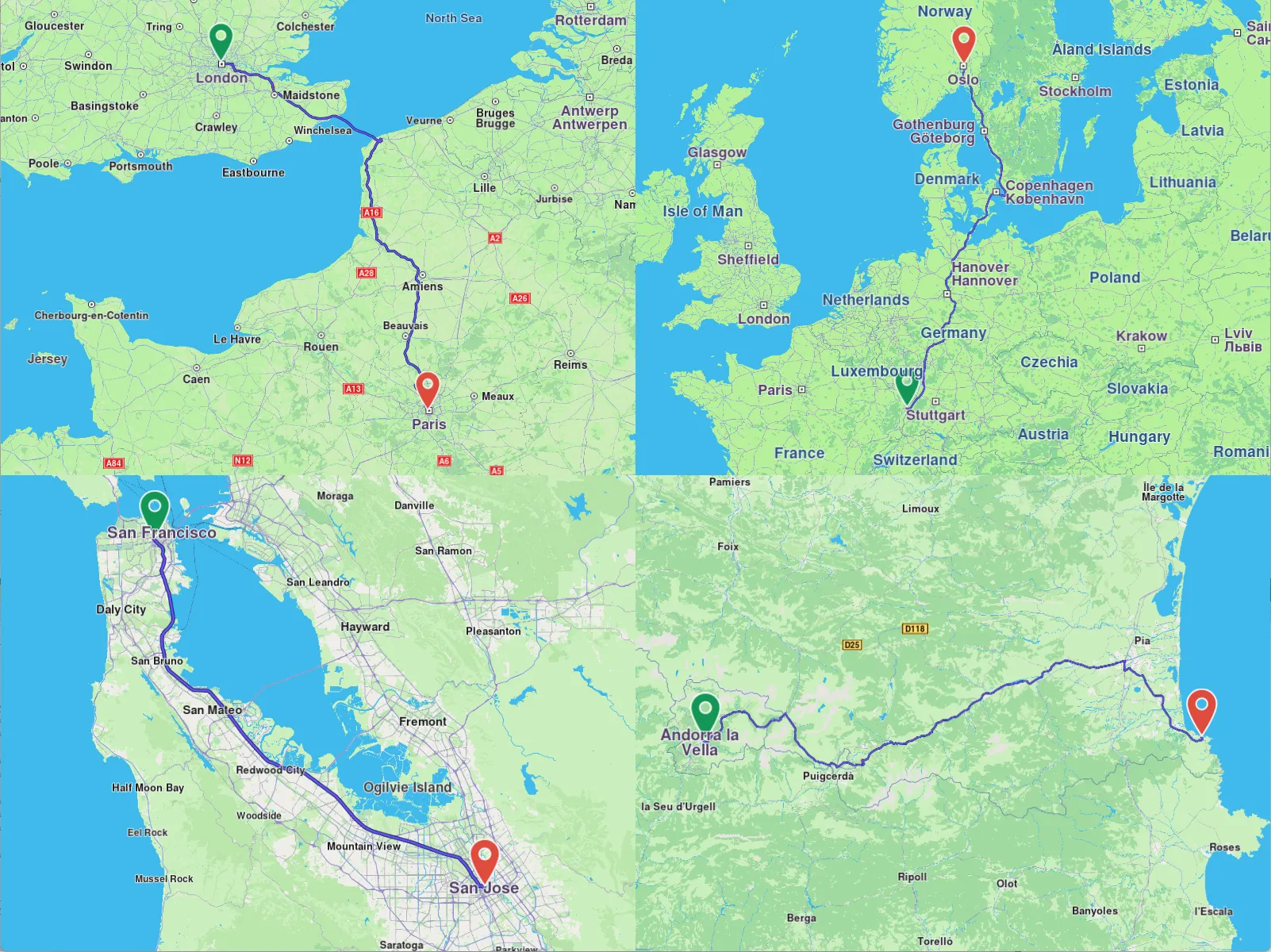
**Calculate Route Multi View**
##### Create 4 `MapView` interactive map objects[](#create-4-mapview-interactive-map-objects "Direct link to create-4-mapview-interactive-map-objects")
```cpp
// Map view in lower left viewport
gem::StrongPointer mapView1 = gem::MapView::produce(screen, gem::RectF(0.f, 0.f, 0.5f, 0.5f));
// Map view in upper left viewport
gem::StrongPointer mapView2 = gem::MapView::produce(screen, gem::RectF(0.f, 0.5f, 0.5f, 1.0f));
// Map view in lower right viewport
gem::StrongPointer mapView3 = gem::MapView::produce(screen, gem::RectF(0.5f, 0.f, 1.0f, 0.5f));
// Map view in upper right viewport
gem::StrongPointer mapView4 = gem::MapView::produce(screen, gem::RectF(0.5f, 0.5f, 1.f, 1.f));
```
##### Create 4 routes, one for each map[](#create-4-routes-one-for-each-map "Direct link to Create 4 routes, one for each map")
At least 2 waypoints define a route, the first is the departure position, and the last is the destination. There can be zero or more intermediate waypoints through which the route passes in the order they are listed. The coordinates are {latitude,longitude} in degrees; the landmark name is optional and can be an empty string.
```cpp
gem::LandmarkList waypoints1({
{ "San Francisco", { 37.77903, -122.41991 } },
{ "San Jose", { 37.33619, -121.89058 } }
});
gem::LandmarkList waypoints2({
{ "London", { 51.516128, -0.142828 } },
{ "Paris", { 48.848462, 2.327315 } }
});
gem::LandmarkList waypoints3({
{ "Andorra", { 42.50971 , 1.53787 } },
{ "Port Verdes", { 42.51851 , 3.10359 } }
});
gem::LandmarkList waypoints4({
{ "Strasbourg", { 48.51999 , 7.73254 } },
{ "Oslo", { 59.9265 , 10.7511 } }
});
```
##### Calculate the routes - car / fastest / without alternatives in result[](#calculate-the-routes---car--fastest--without-alternatives-in-result "Direct link to Calculate the routes - car / fastest / without alternatives in result")
The results of each route calculation is stored in its corresponding `RouteList` and each route calculation also has its own progress listener, so we know when the calculation, which occurs on a separate thread, so it does not block, is complete.
```cpp
gem::RouteList routes1, routes2, routes3, routes4;
ProgressListener routeListener1, routeListener2, routeListener3, routeListener4;
gem::RoutingService().calculateRoute(routes1, waypoints1,
gem::RoutePreferences().setTransportMode(gem::RTM_Car).setRouteType(gem::RT_Fastest).setAlternativesSchema(gem::AS_Never), &routeListener1);
gem::RoutingService().calculateRoute(routes2, waypoints2,
gem::RoutePreferences().setTransportMode(gem::RTM_Car).setRouteType(gem::RT_Fastest).setAlternativesSchema(gem::AS_Never), &routeListener2);
gem::RoutingService().calculateRoute(routes3, waypoints3,
gem::RoutePreferences().setTransportMode(gem::RTM_Car).setRouteType(gem::RT_Fastest).setAlternativesSchema(gem::AS_Never), &routeListener3);
gem::RoutingService().calculateRoute(routes4, waypoints4,
gem::RoutePreferences().setTransportMode(gem::RTM_Car).setRouteType(gem::RT_Fastest).setAlternativesSchema(gem::AS_Never), &routeListener4);
```
##### Check route calculation[](#check-route-calculation "Direct link to Check route calculation")
Use the progress listener for each route calculation to wait for each to finish. If there was no error, and the resulting route list contains at least one route for each of the 4 calculated route collections, add the first calculated route (at index 0) of each collection to their corresponding map view, and center on the route rendered on the interactive map. Keep the window until the user closes it.
```cpp
// Wait until route calculation finished & check success
if (WAIT_UNTIL(std::bind(&ProgressListener::IsFinished, &routeListener1), 30000) && routeListener1.GetError() == gem::KNoError
&& WAIT_UNTIL(std::bind(&ProgressListener::IsFinished, &routeListener2), 30000) && routeListener2.GetError() == gem::KNoError
&& WAIT_UNTIL(std::bind(&ProgressListener::IsFinished, &routeListener3), 30000) && routeListener3.GetError() == gem::KNoError
&& WAIT_UNTIL(std::bind(&ProgressListener::IsFinished, &routeListener4), 30000) && routeListener4.GetError() == gem::KNoError
&& !routes1.empty()
&& !routes2.empty()
&& !routes3.empty()
&& !routes4.empty())
{
// Draw computed route on map view in lower left viewport
mapView1->preferences().routes().add(routes1[0]);
mapView1->centerOnRoute(routes1[0], gem::Rect(), gem::Animation(gem::AnimationLinear, gem::ProgressListener(), 2000));
// Draw computed route on map view in upper left viewport
mapView2->preferences().routes().add(routes2[0]);
mapView2->centerOnRoute(routes2[0], gem::Rect(), gem::Animation(gem::AnimationLinear, gem::ProgressListener(), 2000));
// Draw computed route on map view in lower right viewport
mapView3->preferences().routes().add(routes3[0]);
mapView3->centerOnRoute(routes3[0], gem::Rect(), gem::Animation(gem::AnimationLinear, gem::ProgressListener(), 2000));
// Draw computed route on map view in upper right viewport
mapView4->preferences().routes().add(routes4[0]);
mapView4->centerOnRoute(routes4[0], gem::Rect(), gem::Animation(gem::AnimationLinear, gem::ProgressListener(), 2000));
}
WAIT_UNTIL_WINDOW_CLOSE();
return 0;
}
```
---
### Export Track
|
This guide demonstrates the following features:
* playback a pre-recorded navigation GPS-log in NMEA format to use as input, simulating a real navigation
* display dynamic path tracking/tracing of the traveled path on an interactive map
* save the track in a desired format, such as `.gpx`, `.kml`, `.geojson` or `.nmea`
**Export Track**
---
### Feed Sensor Data
|
Feed sensor data, such as position, acceleration, compass or temperature to the SDK.

**Feed Sensor Data**
---
### Finger Route
|
Render a route on the interactive map by drawing it, tracing with a finger.
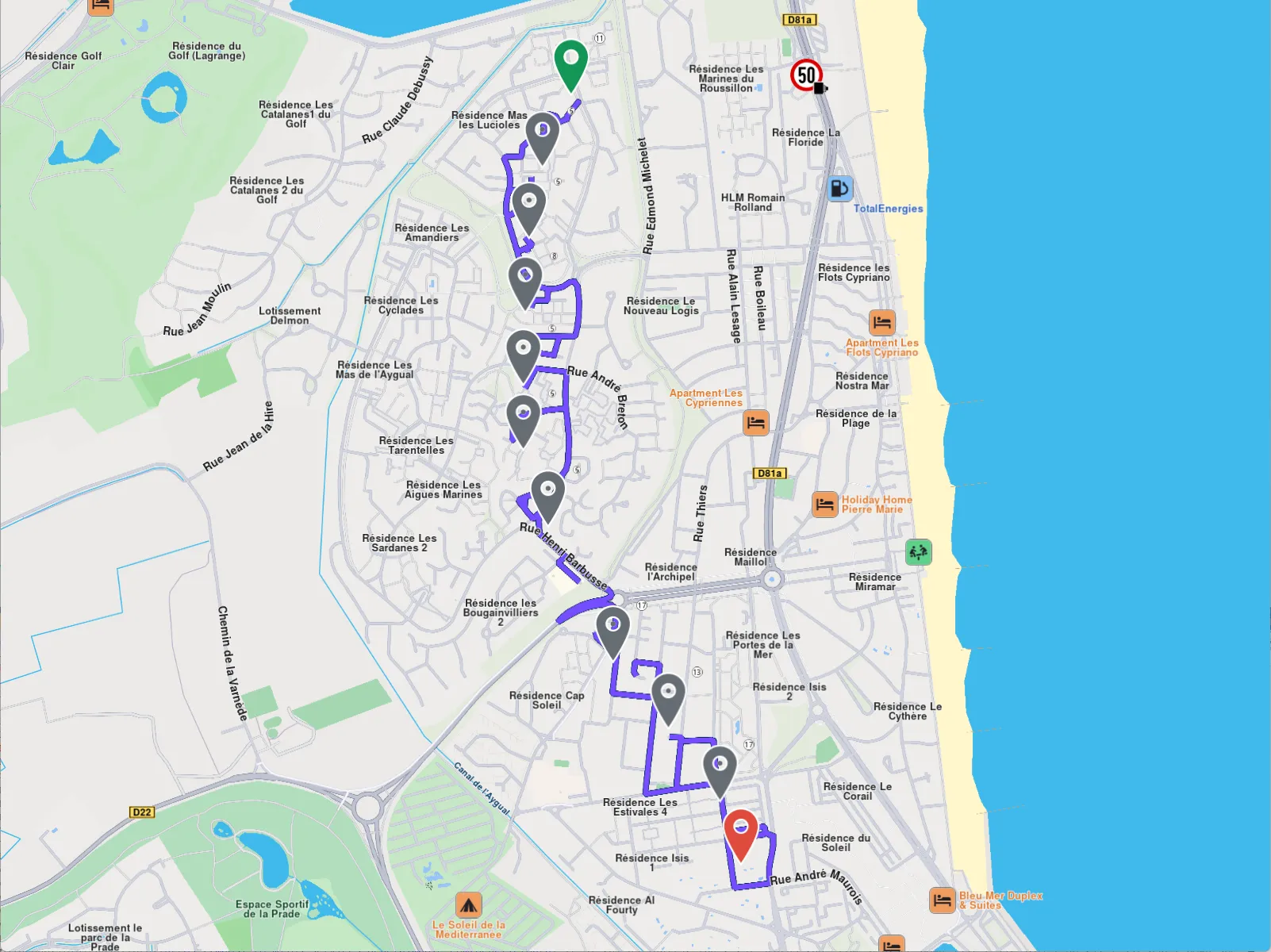
**Finger Route**
---
### GPX NMEA Playback
|
In this guide you will learn:
* how to calculate and render a route based on a GPX track as input waypoints
* playback a pre-recorded navigation GPS position log in NMEA format matching the route
* pause, resume, stop and restart the pre-recorded navigation playback
Graphic control interface using [ImGui](https://github.com/ocornut/imgui).
**Gpx Nmea Playback**
---
### GPX Routing Simulation
|
In this guide you will learn:
* how to calculate and render a route based on a GPX track as input waypoints
* simulate navigation along the route
* use a custom navigation listener to receive navigation events, such as started, waypoint reached, or destination reached
* dynamic detection if position arrow indicator is inside or outside the viewport
**GPX Routing Simulation**
---
### Low-End CPU Navigation
|
Adjust navigation properties for low-end embedded devices with limited resources.
The following configs are set for low-end CPU and hardware:
```cpp
auto mapPrefs = mapView.get()->preferences();
mapPrefs.enableCursorRender(false);
auto positionArrow = gem::MapSceneObject::getDefPositionTracker().first;
positionArrow->setVisibility(true);
mapPrefs.setBuildingsVisibility(gem::EBuildingsVisibility::BV_2D);
mapPrefs.setMapDetailsQualityLevel(gem::EMapDetailsQualityLevel::MDQL_Low);
mapPrefs.setDrawFPS(true, gem::Xy(120, 60));
mapPrefs.setViewAngle(0);
mapView.get()->setZoomLevel(60);
mapView.get()->extensions().setNavigationRouteLowRateUpdate(true);
mapView.get()->extensions().setLowEndCPUOptimizations(true);
mapPrefs.setMapLabelsFading(false);
mapPrefs.followPositionPreferences().setPerspective(gem::EMapViewPerspective::MVP_2D);
mapPrefs.followPositionPreferences().setViewAngle(0);
mapPrefs.followPositionPreferences().setTouchHandlerModifyPersistent(true);
```
**Low-End CPU Navigation**
---
### Play Route
|
Playback a previously recorded or generated GPS log navigation as input.
**Playback Navigation on a Route**
---
### Route Direction Arrows
|
In this guide you will learn how to render arrows on the route, indicating the direction of travel, and also set their color. `RoutingService` is used to compute a route and `NavigationService` to start a real or simulated navigation on that route, with the route direction arrows layer activated. The `Route Direction Arrows` layer must be added to the map style used for rendering the map.
**Route Direction Arrows**
##### Route Direction Arrows[](#route-direction-arrows-1 "Direct link to Route Direction Arrows")
Adding the Route Direction Arrows layer to a map style:
1. Go to the Styles tab in the [Online Studio](https://developer.magiclane.com/api/studio)
2. Select your style or create a new one and then under `Available Layers` filter by `arrow`
3. Drag the `Route Direction Arrows` layer from `Available Layers` to `Selected Layers` in the `Road arrows` section
4. Click on it in the list, to set its `Inner Color` and `Border Color` in the `Style` tab on the right
5. Name the style in the upper left by clicking on its current name, such as Basic 1, and then typing the new name, such as Route Arrows
6. Click on `Settings` in the upper right and in the `Resolution` drop-down select `Mobile` then click `Save`
7. Click the left arrow in the upper left corner to go back to the list of styles
8. Click the 3 dots to the right of your style and select `Download Style`
---
### Save GPX
|
In this guide you will learn how to save map matched improved positions obtained during a real or simulated navigation, in GPX format.
**Save GPX**
---
### Simulate Navigation
|
In this guide you will learn how to calculate a route, render it on an interactive map, and simulate navigation on that route. Graphic control interface using [ImGui](https://github.com/ocornut/imgui).
**Simulate Navigation**
---
### Activation Service
|
The Magic Lane Activation Service API is a C++ interface for securely activating licenses in Magic Lane SDK-based products. It simplifies the process of license distribution, activation, validation, and revocation - supporting both online and offline activation workflows.
##### Supported Scenarios[](#supported-scenarios "Direct link to Supported Scenarios")
Currently supported activation scenarios:
* One-time license activation.
* Automatic license renewal.
* Device-bound licenses.
##### Purpose[](#purpose "Direct link to Purpose")
This manual provides comprehensive documentation for integrating the Activation Service API. It includes:
* API endpoints.
* Request/response formats.
* Authentication requirements.
* Error codes.
* Example use cases.
##### Key Features[](#key-features "Direct link to Key Features")
* **License Activation:** Activate a license with a simple API call.
* **License Validation:** Check if a license key is valid and active.
* **Device Binding:** Licenses are bound to the activating device.
##### Intended Audience[](#intended-audience "Direct link to Intended Audience")
* Backend and frontend developers integrating the API.
* QA engineers automating license tests.
* Support engineers handling license activation issues.
##### Prerequisites[](#prerequisites "Direct link to Prerequisites")
To use this API, you should have:
* Basic understanding of HTTP and REST APIs.
* Familiarity with tools like Postman, curl, or HTTP clients.
* A developer account on Magic Lane platform.
* A valid Application Id for testing or production.
***
#### Getting Started[](#getting-started "Direct link to Getting Started")
The C++ Activation Service wraps around the underlying Activation REST API. It abstracts the communication, making it simple to trigger activation with just a function call.
##### Scenario 1: Device with Internet Connection[](#scenario-1-device-with-internet-connection "Direct link to Scenario 1: Device with Internet Connection")
This is the simplest and most common scenario.
Steps:
1. Obtain the Application Id which is allowed to issue license keys.
2. Implement the `gem::IProgressListener` interface (for tracking progress).
3. Get an instance of `gem::ActivationService`.
4. Call `activate()` on the instance.
5. Wait for `notifyComplete` from the progress listener.
6. If the returned error code is `gem::KNoError`, activation is completed.
**Function signature:**
```cpp
int activate(
ProgressListener listener,
const gem::String& applicationId,
const gem::String& licenseKey,
const gem::String& productId = gem::ProductID::CORE
);
```
**Parameter details:**
* `listener` – your implementation of `gem::IProgressListener`.
* `applicationId` – id obtained from Magic Lane platform.
* `licenseKey` – The unique UUID v4 string which was previously bought for the `productId` or was previously generated using `generateLicenseKey()` method.
* `productId` - (Optional) Product to activate. Defaults to `CORE`. It must match the productId that the license key is bound to.
> **Important:** Keep the `licenseKey`. It's essential for restoring or migrating activations later.
***
##### Scenario 2: Device without Internet Connection[](#scenario-2-device-without-internet-connection "Direct link to Scenario 2: Device without Internet Connection")
On devices with no Internet (e.g., embedded devices), activation requires an external step using a mobile app.
Steps:
1. Call `activate()`. It will return `gem::error::KRequired` and a Base64 blob in `notifyComplete`.
2. Display the Base64 blob as a QR code on the device screen.
3. Use the Activation Companion App to scan the QR code.
4. The app will:
* Make an HTTP request to:
```http
https://m71os.services.magicearthsdk.com/services_list_json
```
* Find the URL for Service ID 3.
* Append to the found URL:
```http
/services/tokens/v1/activations
```
* Send a POST request with:
```json
{ "request_blob": "" }
```
* Receive a 20-character `offline_activation_key`.
* Display it on the mobile screen.
5. User inputs the key using the device touchscreen.
6. Call `completeOfflineActivation(“<20-char-key>”)` on your `gem::ActivationService` instance.
7. Activation completes.
***
##### Scenario 3: Assisted Activation via Payment Flow (Activation Request + Polling)[](#scenario-3-assisted-activation-via-payment-flow-activation-request--polling "Direct link to Scenario 3: Assisted Activation via Payment Flow (Activation Request + Polling)")
This scenario allows applications to initiate license activation for products that have not yet been purchased. It’s designed for devices that are online, but where the user interaction (e.g., purchasing a license) happens outside the app - usually via QR code and mobile browser.
This is the preferred flow for enabling fast and user-friendly license purchases directly from within the app interface.
###### Steps:[](#steps "Direct link to Steps:")
1. The app sends a POST request to:
```http
POST /services/tokens/v1/activations/request
```
**Request body example:**
```json
{
"application_id": "a2c3ea17-e041-4867-a663-a6006224e457",
"product_id": "core-yearly"
}
```
**Response example:**
```json
{
"request_code": "52a9d591842e4f68b7bacfa0ba920e28",
"url": "https://pay.example.com/activate?request_code=52a9d591842e4f68b7bacfa0ba920e28"
}
```
* The app should generate a QR code for the returned URL and show it to the user.
* This link points to the secure hosted payment/checkout page.
2. While the user is completing the payment, the app should start polling for the license key:
```http
GET /services/tokens/v1/activations/poll?request_code=52a9d591842e4f68b7bacfa0ba920e28
```
**Possible responses:**
* `200 OK` with payload:
```json
{
"license_key": "5dc97096-3eff-488b-9c4d-66645dd4fa39"
}
```
The license key has been issued and can now be used in the standard `activate()` call.
* `204 No Content` → The request exists but is not yet fulfilled (waiting for payment).
* `404 Not Found` → The `request_code` was invalid or expired.
3. Once `license_key` is received, call:
```cpp
activationService.activate(listener, applicationId, licenseKey, productId);
```
This follows the same process as Scenario 1 and completes the license activation locally.
###### Notes[](#notes "Direct link to Notes")
* Each activation request has an expiration timestamp (default: 15 minutes), but the system allows fulfillment slightly after expiry in case the user is delayed.
* Expired and unfulfilled requests are cleaned up periodically by the backend.
* This flow is fully supported by the C++ SDK - the `activationService.activate(...)` call is used after retrieving the `licenseKey` from the polling endpoint.
***
#### 3. Restore or Migrate Activation[](#3-restore-or-migrate-activation "Direct link to 3. Restore or Migrate Activation")
To migrate a license (e.g., to a new device), you must first call `deactivate()` from the device on which it is active with matching parameters:
1. Same `applicationId`.
2. Same `licenseKey`.
3. Same `productId`.
If all conditions are met, the original activation is deactivated and now you are able to activate the license key on a new device.
In case `deactivate()` returns `gem::error::KRequired` either try again when having an internet connection or follow a similar flow like in Scenario 2:
Steps:
1. Call `deactivate()`. It will return `gem::error::KRequired` and a Base64 blob in `notifyComplete`.
2. Display the Base64 blob as a QR code on the device screen.
3. Use the Activation Companion App to scan the QR code.
4. The app will:
* Make an HTTP request to:
```http
https://m71os.services.magicearthsdk.com/services_list_json
```
* Find the URL for Service ID 3.
* Append to the found URL:
```http
/services/tokens/v1/activations
```
* Send a DELETE request with:
```json
{ "request_blob": "" }
```
* Receive a 20-character `offline_deactivation_key`.
* Display it on the mobile screen.
5. User inputs the key using the device touchscreen.
6. Call `completeOfflineDeactivation(“<20-char-key>”)` on your `gem::ActivationService` instance.
Deactivation completes.
warning
Once the `deactivate()` call is initiated, the license from the device enters a “PendingDeactivation” state which makes it no longer usable until the QR code is scanned by the Activation Companion App with success.
The `offline_deactivation_key` is for cleanup purposes of the old device. The license key is already usable after the successful QR scan.
---
### Alarms
In modern mobile applications, providing real-time notifications and alerts is crucial for ensuring a seamless user experience, especially in location-based services. The SDK offers a robust alarm system that enables developers to monitor and respond to various events based on the user's location, speed, and interactions with geographical boundaries or landmarks.
#### [📄️ Get started with Alarms](/docs/cpp/guides/alarms/get-started-alarms.md)
[The alarm system within the C++ SDK offers a range of monitoring and notification functionalities. It allows for the detection and management of different types of alarms, such as boundary crossings, speed limit violations, and landmark alerts. The system provides the ability to configure parameters like alarm distance, overspeed thresholds, and whether monitoring should occur even without a route being followed.](/docs/cpp/guides/alarms/get-started-alarms.md)
#### [📄️ Speed warnings](/docs/cpp/guides/alarms/speed-alarms.md)
[The SDK provides features for monitoring and notifying users about speed limits and violations. You can configure alerts for when a user exceeds the speed limit, when the speed limit changes on the new road segment with respect to the previous, and when the user returns to a normal speed range (onNormalSpeed). The SDK also allows you to set customizable thresholds for speed violations, which can be adjusted for both city and non-city areas. These features help provide timely and relevant speed-related notifications based on the user's location and current speed.](/docs/cpp/guides/alarms/speed-alarms.md)
#### [📄️ Landmark and overlay alarms](/docs/cpp/guides/alarms/landmark-and-overlay-alarms.md)
[The AlarmService can be configured to send notifications upon approaching specific landmarks or overlay items within a defined proximity. This behavior can be tailored to trigger notifications exclusively during navigation or simulation modes, or while freely exploring the map without a predefined route.](/docs/cpp/guides/alarms/landmark-and-overlay-alarms.md)
#### [📄️ Areas alarms](/docs/cpp/guides/alarms/areas-alarms.md)
[Trigger operations when users enter or exit defined geographic areas using the built-in AlarmService class.](/docs/cpp/guides/alarms/areas-alarms.md)
#### [📄️ Other alarms](/docs/cpp/guides/alarms/other-alarms.md)
[Receive alerts for environmental changes such as entering or exiting tunnels and transitions between day and night.](/docs/cpp/guides/alarms/other-alarms.md)
---
### Areas alarms
|
Trigger operations when users enter or exit defined geographic areas using the built-in `AlarmService` class.
***
#### Add areas to monitor[](#add-areas-to-monitor "Direct link to Add areas to monitor")
Define geographic areas and invoke the `monitorArea` method on your `AlarmService` instance. You can monitor three types: `RectangleGeographicArea`, `CircleGeographicArea`, and `PolygonGeographicArea`.
```cpp
RectangleGeographicArea rect = RectangleGeographicArea(
{ 40.71713, -74.00396 }, // top-left
{ 40.71357, -73.99925 } // bottom-right
);
CircleGeographicArea circle = CircleGeographicArea(
{ 40.77430, -73.97085 }, // center
100 // radius in meters
);
PolygonGeographicArea polygon = PolygonGeographicArea({
{ 40.77158, -73.97833 }, // point 1
{ 40.76882, -73.98061 }, // point 2
{ 40.76659, -73.97666 }, // point 3
{ 40.76945, -73.97441 } // point 4
});
alarmService->monitorArea(rect, "areaRect");
alarmService->monitorArea(circle, "areaCircle");
alarmService->monitorArea(polygon, "areaPolygon");
```
Assign a unique identifier to each area. This lets you determine which zone a user has entered or exited.
***
#### Get monitored areas[](#get-monitored-areas "Direct link to Get monitored areas")
Access active geofences via the `getMonitoredAreas` method. It returns a list of `AlarmMonitoredArea` objects containing the parameters you provided to `monitorArea`.
```cpp
List monitorAreas = alarmService->getMonitoredAreas();
for (auto monitorArea : monitorAreas)
{
GeographicArea area = monitorArea.area;
String id = monitorArea.id;
}
```
Tip
When defining a `PolygonGeographicArea`, always "close" the shape by making the first and last coordinates identical. Otherwise, the SDK may return polygons that don't match the one you provided.
***
#### Unmonitor an area[](#unmonitor-an-area "Direct link to Unmonitor an area")
Remove a monitored area by calling the `unmonitorArea` method with the same `GeographicArea` instance you provided to `monitorArea`.
```cpp
RectangleGeographicArea rect = RectangleGeographicArea(
{ 40.71713, -74.00396 }, // top-left
{ 40.71357, -73.99925 } // bottom-right
);
alarmService->monitorArea(rect);
alarmService->unmonitorArea(rect);
```
You can also use the `unmonitorAreas` method by passing a list of IDs:
```cpp
alarmService->unmonitorAreas({"firstIdToUnmonitor", "secondIdToUnmonitor"});
```
***
#### Get notified when users enter or exit areas[](#get-notified-when-users-enter-or-exit-areas "Direct link to Get notified when users enter or exit areas")
Attach an `AlarmListener` with the `onBoundaryCrossed` callback to your `AlarmService`. This callback returns two arrays: entered area IDs and exited area IDs.
```cpp
class MyAlarmListener : public IAlarmListener
{
void onBoundaryCrossed( const AlarmMonitoredAreaList &enteredAreas, const AlarmMonitoredAreaList &exitedAreas ) override
{
for (auto area : enteredAreas)
{
GEM_INFO_LOG("ENTERED AREA: %s", area.id);
}
for (auto area : exitedAreas)
{
GEM_INFO_LOG("EXITED AREA: %s", area.id);
}
}
};
auto myListener = StrongPointerFactory();
alarmService = AlarmService::produce(myListener);
```
***
#### Get user location areas[](#get-user-location-areas "Direct link to Get user location areas")
Retrieve zones the user is currently inside by calling the `getInsideAreas` method:
```cpp
auto insideAreas = alarmService->getInsideAreas();
```
info
For the `insideAreas` getter to return a non-empty list, the user must be inside at least one monitored area and must move or change position within that area.
To retrieve exited zones, call the `getOutsideAreas` method.
***
#### Relevant examples demonstrating areas alarms related features[](#relevant-examples-demonstrating-areas-alarms-related-features "Direct link to Relevant examples demonstrating areas alarms related features")
* [Areas Alarms](/docs/cpp/examples/routing-navigation/areas-alarms.md)
---
### Get started with Alarms
|
The alarm system within the C++ SDK offers a range of monitoring and notification functionalities. It allows for the detection and management of different types of alarms, such as boundary crossings, speed limit violations, and landmark alerts. The system provides the ability to configure parameters like alarm distance, overspeed thresholds, and whether monitoring should occur even without a route being followed.
The key feature of this system is its ability to monitor specific geographic areas or routes and trigger alarms when predefined conditions, such as crossing a boundary or entering/exiting a tunnel, are met. It also provides customization options for alarm behavior based on location (e.g., inside or outside city limits). Additionally, users can set up callbacks to receive notifications about specific events, including changes in monitoring state or when a landmark alarm is triggered.
The system supports interaction with various alarm types, including overlay item and landmark alarms, and offers an easy interface for both setting and getting alarm-related information.
tip
Multiple alarm services and listeners can operate simultaneously, allowing for the monitoring of various events concurrently.
#### Configure AlarmService and AlarmListener[](#configure-alarmservice-and-alarmlistener "Direct link to Configure AlarmService and AlarmListener")
The code snippet provided below defines an `AlarmListener` and creates an `AlarmService` based on this listener:
```cpp
// Create alarm listener and specify callbacks
class MyAlarmListenerImpl : public IAlarmListener
{
public:
void onBoundaryCrossed() override {}
void onMonitoringStateChanged(bool isMonitoringActive) override {}
void onTunnelEntered() override {}
void onTunnelLeft() override {}
void onLandmarkAlarmsUpdated() override {}
void onOverlayItemAlarmsUpdated() override {}
void onLandmarkAlarmsPassedOver() override {}
void onOverlayItemAlarmsPassedOver() override {}
void onHighSpeed(double limit, bool insideCityArea) override {}
void onSpeedLimit(double speed, double limit, bool insideCityArea) override {}
void onNormalSpeed(double limit, bool insideCityArea) override {}
void onEnterDayMode() override {}
void onEnterNightMode() override {}
};
auto alarmListener = StrongPointerFactory();
// Create alarm service based on the previously created listener
StrongPointer alarmService = AlarmService::produce(alarmListener);
```
Each callback method listed above can be specified to receive notifications about different events or topics, depending on your needs. These events cover a range of scenarios, such as boundary crossings, monitoring state changes, tunnel entries or exits, speed limits, and more. By customizing the callbacks, you can tailor the notifications to suit specific use cases, ensuring that the system responds appropriately to various triggers or conditions.
warning
The AlarmListener and AlarmService objects must remain in memory for the duration of the notification period. If these objects are removed, the callbacks will not be triggered. It's recommended to keep the `AlarmListener` and `AlarmService` variables in a class that is alive during the whole session.
#### Change the alarm listener[](#change-the-alarm-listener "Direct link to Change the alarm listener")
The alarm listener associated with the alarm service can be updated at any time, allowing for dynamic configuration and flexibility in handling various notifications.
```cpp
StrongPointer alarmService = AlarmService::produce(alarmListener);
alarmService->setAlarmListener( alarmListener );
```
note
Only one listener can be assigned to a service. For instance, if a new listener is registered using `setAlarmListener`, only the most recently set listener will be invoked when the events occur.
---
### Landmark and overlay alarms
|
The `AlarmService` can be configured to send notifications upon approaching specific landmarks or overlay items within a defined proximity. This behavior can be tailored to trigger notifications exclusively during navigation or simulation modes, or while freely exploring the map without a predefined route.
This can be used to implement different use cases such as:
* Notify users about incoming reports such as speed cameras, police, accidents or other road hazards.
* Notify users when approaching points of interest, such as historical landmarks, monuments, or scenic viewpoints.
* Notify users about traffic signs such as stop and give way signs.
tip
You can search for landmarks along the active route, whether in navigation or simulation mode, using specific categories or other criteria. Once identified, these landmarks can be added for monitoring. Be sure to account for potential route deviations.
warning
If notifications are not sent via the `AlarmListener` make sure that:
* The `AlarmService` and `AlarmListener` are properly initialized and are kept alive
* The `alarmDistance` and `monitorWithoutRoute` properties are configured as needed
* The stores / overlays to be monitored are **successfully** added to the `AlarmService`
* The overlay items are on the correct side of the road. If the items are on the opposite side of the road, notifications will not be triggered
#### Configure the alarm distance[](#configure-the-alarm-distance "Direct link to Configure the alarm distance")
The distance threshold measured in meters for triggering notifications when approaching a landmark or overlay item can be obtained as follows:
```cpp
auto alarmDistance = alarmService->getAlarmDistance();
```
This threshold can also be adjusted as needed. For example, the following snippet will configure the alarm service to start sending notifications when within 200 m of one of the monitored items:
```cpp
alarmService->setAlarmDistance( 200.0 ); // Set alarm distance to 200 meters
```
#### Configure alarms without active navigation[](#configure-alarms-without-active-navigation "Direct link to Configure alarms without active navigation")
The AlarmService can be configured to control whether notifications about approaching landmarks or overlay items are triggered exclusively during navigation (or navigation simulation) on a predefined route, or if they should also occur while freely exploring the map without an active navigation session.
The following snippet demonstrates how to enable notifications for monitored landmarks at all times, regardless of whether navigation is active:
```cpp
alarmService->setMonitorWithoutRoute( true );
```
The value of the preference set above can be accessed as follows:
```cpp
bool isMonitoringWithoutRoute = alarmService->getMonitorWithoutRoute();
```
#### Landmark alarms[](#landmark-alarms "Direct link to Landmark alarms")
##### Configure alarms listeners[](#configure-alarms-listeners "Direct link to Configure alarms listeners")
Users are notified through the `onLandmarkAlarmsUpdated` and `onLandmarkAlarmsPassedOver` callbacks when approaching the specified landmarks and when the landmarks have been passed respectively.
The following snippet demonstrates how to retrieve the next landmark to be intercepted and the distance to it and how to detect when a landmark has been passed:
```cpp
class MyAlarmListenerImpl : public IAlarmListener {
public:
explicit MyAlarmListenerImpl(StrongPointer svc) : alarmService(std::move(svc)) {}
void onLandmarkAlarmsUpdated() override
{
// The landmark alarm list containing the landmarks that are to be intercepted
auto landmarkAlarms = alarmService->getLandmarkAlarms();
// The landmarks and their distance from the reference position
// Sorted ascending by distance from the current position
auto items = landmarkAlarms.getItems();
// The closest landmark and its associated distance (in meters)
LandmarkPosition closestLandmark = items.front();
Landmark landmark = closestLandmark.getLandmark();
int distance = closestLandmark.getDistance();
GEM_INFO_LOG("The landmark %s is %d meters away", landmark.getName(), distance);
}
void onLandmarkAlarmsPassedOver() override
{
GEM_INFO_LOG("Landmark was passed over");
// The landmarks that were passed over
auto landmarkAlarmsPassedOver = alarmService->getLandmarkAlarmsPassedOver();
// Process the landmarks that were passed over ...
}
private:
StrongPointer alarmService;
};
```
note
The `onLandmarkAlarmsUpdated` callback will be continuously triggered once the threshold distance is exceeded, until the landmark is intercepted. The `onLandmarkAlarmsPassedOver` callback is called once when the landmark is intercepted.
warning
The items within `landmarkAlarmsPassedOver` do not have a predefined sort order. To identify the most recently passed landmark, you can compare the current list of items with the previous list of `landmarkAlarmsPassedOver` entries.
##### Specify the landmarks to be monitored[](#specify-the-landmarks-to-be-monitored "Direct link to Specify the landmarks to be monitored")
Landmarks can be defined and added to the AlarmService for monitoring. The user will receive notifications through the `onLandmarkAlarmsUpdated` callback when approaching specified landmarks.
```cpp
StrongPointer alarmService;
// Create landmarks to monitor
Landmark landmark1 = Landmark("Landmark 1", {49.0576, 1.9705});
Landmark landmark2 = Landmark("Landmark 2", {43.7704, 1.2360});
// Create landmark store and add the landmarks
auto landmarkStoreCreationResult = LandmarkStoreService().createLandmarkStore("Landmarks to be monitored");
StrongPointer landmarkStore = landmarkStoreCreationResult.first;
if(landmarkStore)
{
landmarkStore->addLandmark(landmark1);
landmarkStore->addLandmark(landmark2);
// Monitor the landmarks
alarmService->lmks().add( *landmarkStore.get() );
}
```
Multiple `LandmarkStore` instances can be added to the monitoring list simultaneously. These stores can be updated later by modifying the landmarks within them or removed from the monitoring list as needed.
#### Overlay alarms[](#overlay-alarms "Direct link to Overlay alarms")
The workflow for overlay items is similar to that for landmarks, with comparable behavior and functionality. Notifications for overlay items are triggered in the same way as for landmarks, based on proximity or other criteria. The steps for monitoring, and handling events related to overlay items align with those for landmarks. All the notices specified above for landmarks are also applicable for overlay items.
warning
To enable overlay alarms, a `MapView` must be created, and a style containing the overlay to be monitored should be applied. Additionally, the overlay needs to be enabled for the alarms to function properly.
##### Configure alarms listeners[](#configure-alarms-listeners-1 "Direct link to Configure alarms listeners")
The following snippet demonstrates how to retrieve the next overlay item to be intercepted and the distance to it and how to detect when a overlay item has been passed:
```cpp
class MyAlarmListenerImpl : public IAlarmListener {
public:
explicit MyAlarmListenerImpl(StrongPointer svc) : alarmService(std::move(svc)) {}
void onOverlayItemAlarmsUpdated() override
{
// The overlay item alarm list containing the overlay items that are to be intercepted
auto overlayItemAlarms = alarmService->getOverlayItemAlarms();
// The overlay items and their distance from the reference position
// Sorted ascending by distance from the current position
auto items = overlayItemAlarms.getItems();
// The closest overlay item and its associated distance
OverlayItemPosition closestOverlayItem = items.front();
OverlayItem overlayItem = closestOverlayItem.getOverlayItem();
int distance = closestOverlayItem.getDistance();
GEM_INFO_LOG("The overlay item %s is %d meters away", overlayItem.getName(), distance);
}
void onOverlayItemAlarmsPassedOver() override
{
// The overlay items that were passed over
auto overlayItemAlarmsPassedOver = alarmService->getOverlayItemAlarmsPassedOver();
// Process the overlay items that were passed over ...
GEM_INFO_LOG("Overlay item was passed over");
}
private:
StrongPointer alarmService;
};
```
##### Specify the overlays to be monitored[](#specify-the-overlays-to-be-monitored "Direct link to Specify the overlays to be monitored")
The workflow for specifying the overlay items to be monitored is a bit different from the workflow for landmarks. Instead of specifying the landmarks one by one, the overlay items are specified as a whole, based on the overlay and on the overlay categories.
The snippet below shows how to add the social reports overlay (containing police reports and road hazards) to be monitored:
```cpp
int socialReportsOverlayId = ECommonOverlayId::OID_SocialReports;
alarmService->overlays().add(socialReportsOverlayId);
```
---
### Other alarms
|
Receive alerts for environmental changes such as entering or exiting tunnels and transitions between day and night.
***
#### Get notified for tunnel events[](#get-notified-for-tunnel-events "Direct link to Get notified for tunnel events")
Set up notifications for entering and exiting tunnels using the `AlarmListener`:
```cpp
class MyAlarmListener : public IAlarmListener
{
void onTunnelEntered() override
{
GEM_INFO_LOG("Tunnel entered");
}
void onTunnelLeft() override
{
GEM_INFO_LOG("Tunnel left");
}
};
```
***
#### Get notified for day and night transitions[](#get-notified-for-day-and-night-transitions "Direct link to Get notified for day and night transitions")
Receive notifications when your location transitions between day and night based on geographical region and seasonal changes:
```cpp
class MyAlarmListener : public IAlarmListener
{
void onEnterDayMode() override
{
GEM_INFO_LOG("Day mode entered");
}
void onEnterNightMode() override
{
GEM_INFO_LOG("Night mode entered");
}
};
```
---
### Speed warnings
|
The SDK provides features for monitoring and notifying users about speed limits and violations. You can configure alerts for when a user exceeds the speed limit, when the speed limit changes on the new road segment with respect to the previous, and when the user returns to a normal speed range (onNormalSpeed). The SDK also allows you to set customizable thresholds for speed violations, which can be adjusted for both city and non-city areas. These features help provide timely and relevant speed-related notifications based on the user's location and current speed.
#### Configure the speed limit listener[](#configure-the-speed-limit-listener "Direct link to Configure the speed limit listener")
```cpp
class MyCppAlarmListenerImpl : public IAlarmListener {
public:
void onHighSpeed(double limit, bool insideCityArea) override
{
GEM_INFO_LOG(
"Speed limit exceeded %s city area - limit is %.2f m/s",
insideCityArea ? "inside" : "outside",
limit
);
}
void onSpeedLimit(double speed, double limit, bool insideCityArea) override
{
GEM_INFO_LOG(
"New speed limit updated to %.2f m/s (%s city area). Current speed is %.2f m/s",
limit,
insideCityArea ? "inside" : "outside",
speed
);
}
void onNormalSpeed(double limit, bool insideCityArea) override
{
GEM_INFO_LOG(
"Normal speed restored %s city area - limit is %.2f m/s",
insideCityArea ? "inside" : "outside",
limit
);
}
};
auto alarmListener = StrongPointerFactory();
StrongPointer alarmService = AlarmService::produce(alarmListener);
```
The `onHighSpeed` will continuously send notifications while the user exceeds with a given threshold the maximum speed limit for the current road section. The `onSpeedLimit` will be triggered once the current road section has a different speed than the previous road section. The `onNormalSpeed` will be triggered once the user speed becomes within the limit of the maximum speed limit for the current road section.
note
Although the parameter is named `insideCityArea`, it refers to areas with generally lower speed limits, such as cities, towns, villages, or similar settlements, regardless of their classification.
warning
The `limit` parameter provided to `onSpeedLimit` will be 0 if the matched road section does not have a maximum speed limit available or if no road could be found.
#### Set the threshold for speed[](#set-the-threshold-for-speed "Direct link to Set the threshold for speed")
The threshold for the maximum speed excess that triggers the `onHighSpeed` callback can be configured as follows:
```cpp
// Trigger onHighSpeed when the speed limit is exceeded by 1 m/s inside a city area
alarmService->setOverSpeedThreshold(1.0, true);
// Trigger onHighSpeed when the speed limit is exceeded by 3 m/s inside a city area
alarmService->setOverSpeedThreshold(3.0, true);
```
#### Get the threshold for the speed[](#get-the-threshold-for-the-speed "Direct link to Get the threshold for the speed")
The configured threshold can be accessed as follows:
```cpp
double currentThresholdInsideCity = alarmService->getOverSpeedThreshold(true);
double currentThresholdOutsideCity = alarmService->getOverSpeedThreshold(false);
```
---
### Core
The articles will guide you in working with landmarks and markers, providing a deeper understanding of predefined and user-defined points of interest, rich metadata, and dynamic annotations. Additionally, you’ll learn how to integrate layered map data through overlays and create navigable routes for various use cases. Finally, you’ll delve into real-time navigation system entities, capable of supporting turn-by-turn guidance and route simulation to enhance user experience.
#### [📄️ Base entities](/docs/cpp/guides/core/base-entities.md)
[On this page, we present the simpler ones (coordinates, position, path, geographic areas), while in the following pages we cover the more complex ones (landmarks, markers, overlays, routes).](/docs/cpp/guides/core/base-entities.md)
#### [📄️ Positions](/docs/cpp/guides/core/positions.md)
[The sense::IImprovedPosition classes provide a comprehensive representation of geographical and movement data for GPS-based systems. They include details like coordinates, speed, altitude, direction, and accuracy, along with road-related metadata such as speed limits and modifiers. With robust support for position quality assessment and timestamped data, it is well-suited for navigation and sensor-driven applications.](/docs/cpp/guides/core/positions.md)
#### [📄️ Landmarks](/docs/cpp/guides/core/landmarks.md)
[A landmark is a predefined, permanent location that holds detailed information such as its name, address, description, geographic area, categories (e.g., Gas Station, Shopping), entrance locations, contact details, and sometimes associated multimedia (e.g., icons or images). It represents significant, categorized locations with rich metadata, providing structured context about a place.](/docs/cpp/guides/core/landmarks.md)
#### [📄️ Markers](/docs/cpp/guides/core/markers.md)
[A marker is a visual representation (such as an icon or a geometry, like a polyline or polygon) placed at a specific geographic location on a map to indicate an important point of interest, event, or location.](/docs/cpp/guides/core/markers.md)
#### [📄️ Overlays](/docs/cpp/guides/core/overlays.md)
[An Overlay is an additional map layer, either default or user-defined, with data stored on Magic Lane servers, accessible in online and offline modes, with few exceptions.](/docs/cpp/guides/core/overlays.md)
#### [📄️ Landmarks vs Markers vs Overlays](/docs/cpp/guides/core/landmarks-markers-overlays.md)
[When building a sophisticated mapping application, choosing the right type of object to use for your specific needs is crucial. To assist in making an informed decision, we compare the three core mapping entities in the table below:](/docs/cpp/guides/core/landmarks-markers-overlays.md)
#### [📄️ Routes](/docs/cpp/guides/core/routes.md)
[A Route usually represents a navigable path between two or more landmarks (waypoints). It includes data such as distance, estimated time, and navigation instructions.](/docs/cpp/guides/core/routes.md)
#### [📄️ Navigation instructions](/docs/cpp/guides/core/navigation-instructions.md)
[The Maps SDK for C++ offers comprehensive real-time navigation guidance, providing detailed information on the current and upcoming route, including road details, street names, speed limits, and turn directions. It delivers essential data such as remaining travel time, distance to destination, and upcoming turn or road information, ensuring users receive accurate, timely instructions. Designed for both navigation and simulation scenarios, this feature enhances the overall user experience by supporting smooth and efficient route planning and execution.](/docs/cpp/guides/core/navigation-instructions.md)
#### [📄️ Traffic Events](/docs/cpp/guides/core/traffic-events.md)
[The Maps SDK for C++ provides real-time information about traffic events, such as delays, which can occur in various forms.](/docs/cpp/guides/core/traffic-events.md)
---
### Base entities
|
On this page, we present the simpler ones (coordinates, position, path, geographic areas), while in the following pages we cover the more complex ones (landmarks, markers, overlays, routes).
Reading this helps you understand and use the SDK effectively.
#### Coordinates[](#coordinates "Direct link to Coordinates")
The `Coordinates` class is a core component designed to represent geographic positions with an optional altitude. The Maps SDK for C++ uses the [WGS](https://en.wikipedia.org/wiki/World_Geodetic_System) coordinates standard. Below is an overview of its functionality:
Key Features:
* **Latitude**: Specifies the north-south position. Range: -90.0 to +90.0.
* **Longitude**: Specifies the east-west position. Range: -180.0 to +180.0.
* **Altitude** (optional): Specifies the height in meters. Can be positive or negative.
##### Instantiate Coordinates[](#instantiate-coordinates "Direct link to Instantiate Coordinates")
To create a `Coordinates` instance using latitude and longitude:
```cpp
auto coordinates = Coordinates(48.858844, 2.294351); // Eiffel Tower
```
##### Distance between coordinates[](#distance-between-coordinates "Direct link to Distance between coordinates")
To calculate the distance between two coordinates the `distance` method can be used. This method provides the distance between two coordinates in meters. It also takes into account the altitude if both coordinates have a value for this field.
```cpp
auto coordinates1 = Coordinates(48.858844, 2.294351);
auto coordinates2 = Coordinates(48.854520, 2.299751);
double distance = coordinates1.getDistance(coordinates2);
```
note
The `getDistance` method may exhibit slight inaccuracies.
#### Path[](#path "Direct link to Path")
A `Path` represents a sequence of connected coordinates.
The `Path` class is a core component for representing and managing paths on a map. It offers functionality for path creation, manipulation, and data export, allowing users to define paths and perform various operations programmatically.
Key Features
* **Path Creation & Management**
* Paths can be created from data buffers in multiple formats (e.g., GPX, KML, GeoJSON).
* Supports cloning paths in reverse order or between specific coordinates.
* **Coordinates Handling**
* Provides read-only access to internal coordinates lists.
* Retrieves a coordinates based on a percentage along the path.
* **Path Properties**
* **name**: Manage the name of the path.
* **area**: Retrieve the bounding rectangle of the path.
* **wayPoints**: Access waypoints along the path.
* **Export Functionality**
* Export path data in various formats such as GPX, KML, and GeoJSON.
To create a `Path` using coordinates:
```cpp
CoordinateList coords = {
Coordinates(40.786, -74.202),
Coordinates(40.690, -74.209),
Coordinates(40.695, -73.814),
Coordinates(40.782, -73.710),
};
Path gemPath = Path(coords);
```
To create a `Path` from GPX data:
```cpp
DataBuffer data = ...; // Path data in GPX format
Path path = Path(data, (int)EPathFileFormat.PFF_Gpx);
```
To export a `Path` to some given format (like GeoJson for example) you can proceed like this:
```cpp
DataBuffer exportedData = path.exportAs((int)EPathFileFormat.PFF_GeoJson);
```
#### Geographic areas[](#geographic-areas "Direct link to Geographic areas")
Geographic areas represent specific regions of the world and serve various purposes, such as centering, restricting searches to a specific region, geofencing, and more. Multiple entities can return a bounding box as a geographic area, defining the zone that contains the item.
The geographic area types are:
* **Rectangle Geographic Area**: Represents a rectangular area with the top and bottom sides parallel to the longitude and latitude lines.
* **Circle Geographic Area**: Encompasses an area around a specific coordinates with a certain distance.
* **Polygon Geographic Area**: Represents a complex area with high precision, ideal for more detailed geographic boundaries.
At the foundation of the geographic area hierarchy is the abstract `GeographicArea` class, which defines the following operations:
| Method / Field | Description | Return Type |
| --------------------- | -------------------------------------------------------------------------------------------------- | ------------------------- |
| `getBoundingBox` | Get the bounding box of the geographic area, which is the smallest rectangle surrounding the area. | `RectangleGeographicArea` |
| `convert` | Converts the geographic area to another type, if possible. | `GeographicArea` |
| `getCenterPoint` | Retrieves the center point of the geographic area, calculated as the geographic center. | `Coordinates` |
| `containsCoordinates` | Checks if the specified point is contained within the geographic area. | `bool` |
| `isDefault` | Checks if the geographic area has default values. | `bool` |
| `type` | Retrieves the specific type of the geographic area. | `EGeographicAreaType` |
| `reset` | Resets the geographic area to its default state. | `void` |
##### Rectangle geographic area[](#rectangle-geographic-area "Direct link to Rectangle geographic area")
The `RectangleGeographicArea` class represents a rectangular geographic area defined by two coordinates: the top-left and bottom-right corners. It provides operations to check for intersections, containment, and unions with other rectangles.
To create a new `RectangleGeographicArea`, the constructor can be used by providing the top-left and bottom-right coordinates.
```cpp
auto topLeftCoords = Coordinates(44.93343, 25.09946);
auto bottomRightCoords = Coordinates(44.93324, 25.09987);
auto area = RectangleGeographicArea(topLeftCoords, bottomRightCoords);
```
Warning
A valid `RectangleGeographicArea` should have the latitude of `topLeft` coordinates greater than the latitude of the `bottomRight` coordinates and the longitude of `topLeft` coordinates smaller than the longitude of `bottomRight` coordinate.
##### Circle geographic area[](#circle-geographic-area "Direct link to Circle geographic area")
The `CircleGeographicArea` class represents a circular geographic area defined by a center point and a radius. It provides methods for checking if a point lies within the circle, calculating the bounding box, and more.
To create a new `CircleGeographicArea`, the constructor can be used by providing the center point and the distance in meters:
```cpp
auto center = Coordinates(40.748817, -73.985428);
auto circle = CircleGeographicArea(center, 100000); // 100 km radius
```
##### Polygon geographic area[](#polygon-geographic-area "Direct link to Polygon geographic area")
The `PolygonGeographicArea` class can be used to represent complex custom areas with a high level of precision.
They can be created by providing the list of coordinates:
```cpp
CoordinateList coordinates = {
Coordinates(10, 0),
Coordinates(10, 10),
Coordinates(0, 10),
Coordinates(0, 0),
};
PolygonGeographicArea polygonGeographicArea = PolygonGeographicArea(coordinates);
```
Warning
A valid `PolygonGeographicArea` should have at least 3 coordinates. Avoid overlapping and intersecting edges.
---
### Landmarks
|
A **landmark** is a predefined, permanent location that holds detailed information such as its name, address, description, geographic area, categories (e.g., Gas Station, Shopping), entrance locations, contact details, and sometimes associated multimedia (e.g., icons or images). It represents significant, categorized locations with rich metadata, providing structured context about a place.
#### Landmark Structure[](#landmark-structure "Direct link to Landmark Structure")
###### Geographic Details[](#geographic-details "Direct link to Geographic Details")
A landmark's position is defined by its `coordinates`, which represent the centroid, and its `geographicArea`, representing the full boundary (e.g., circle, rectangle, or polygon). Since landmarks can correspond to buildings, roads, settlements, or regions, the geographic area can be complex. For specific bounding areas, the `getContourGeographicArea` method is used.
###### Descriptive Information[](#descriptive-information "Direct link to Descriptive Information")
Landmarks include attributes like `name`, `description`, and `author`. The name adapts to the SDK's language settings, ensuring localization where applicable.
###### Metadata[](#metadata "Direct link to Metadata")
Landmarks can belong to one or more `categories`, described by `LandmarkCategory`. Additional details like `contactInfo` (e.g., phone, email) and `extraInfo` (a structured hashmap) add flexibility for storing metadata.
###### Media and Imagery[](#media-and-imagery "Direct link to Media and Imagery")
Images associated with landmarks can be retrieved using getters like `image` (primary image) or `extraImage` (secondary images). Please note that these images might contain invalid data and it is the user's responsability to check the validity of the objects using the provided methods.
###### Advanced Metadata[](#advanced-metadata "Direct link to Advanced Metadata")
Attributes such as `landmarkStoreId`, `landmarkStoreType` provide information about assigned landmark store, the landmark store type. The `timeStamp` records information about the time the landmark was inserted into a store.
**Address**
The `address` attribute connects landmarks to `AddressInfo`, providing details about the physical address of the location.
###### Unique Identifier[](#unique-identifier "Direct link to Unique Identifier")
The `landmarkId` ensures every landmark is uniquely identifiable.
warning
If the `ContactInfo` or `ExtraInfo` object retrieved from a landmark is modified, you must use the corresponding setter to update the value associated with the landmark.
For example:
```cpp
ContactInfo info = landmark.getContactInfo();
info.addField(EContactInfoFieldType::FT_Phone, "5555551234", "office phone");
landmark.setContactInfo(info); // <-- Does not update the value associated with the landmark without this line
```
warning
The `ExtraInfo` object also stores data relevant for the geographic area, contour geographic area and the wikipedia related information.
Modifying the `extraInfo` field of the landmark may lead to the loss of this information if the related fields are not preserved.
#### Instantiating Landmarks[](#instantiating-landmarks "Direct link to Instantiating Landmarks")
Landmarks can be instantiated in two ways:
1. **Default Initialization**: `Landmark()` creates a basic landmark object.
2. **With a Name and Coordinates object**: `Landmark("name", coordinates)` uses a predefined `Coordinates` object.
warning
Creating a new landmark does not automatically make it visible on the map. Refer to the [Display landmarks](/docs/cpp/guides/maps/display-map-items/display-landmarks.md) guide for detailed instructions on how to display a landmark.
#### Interaction with Landmarks[](#interaction-with-landmarks "Direct link to Interaction with Landmarks")
##### Selecting landmarks[](#selecting-landmarks "Direct link to Selecting landmarks")
Landmarks are selectable by default, meaning user interactions, such as taps or clicks, can identify specific landmarks programmatically (e.g., through the function `cursorSelectionLandmarks()`). Refer to the [Landmark selection guide](/docs/cpp/guides/maps/interact-with-map.md#landmark-selection) for more details.
##### Highlighting landmarks[](#highlighting-landmarks "Direct link to Highlighting landmarks")
A list of landmarks can be highlighted, enabling customization of their visual appearance. Highlighting also allows displaying a list of user created landmarks on the map. When displaying them, we can also provide an identifier for the highlight. It is possible to de-activate that highlight or to update it - in this case the old highlight is overridden. Refer to the [Highlight landmarks](/docs/cpp/guides/maps/display-map-items/display-landmarks.md#highlight-landmarks) guide for more details.
##### Searching landmarks[](#searching-landmarks "Direct link to Searching landmarks")
Landmarks are searchable (both landmarks from map and user created landmarks). Search can be performed based on name, geographic location, proximity to a given route, address, and more. Options to filter the search based on landmark categories are available. Refer to the [Get started with Search](/docs/cpp/guides/search/get-started-search.md) guide for more details.
##### Calculating route with landmarks[](#calculating-route-with-landmarks "Direct link to Calculating route with landmarks")
Landmarks are the sole entities used for route calculations. For detailed guidance, refer to the [Get started with Routing](/docs/cpp/guides/routing/get-started-routing.md) guide.
##### Get notifications when approaching landmarks[](#get-notifications-when-approaching-landmarks "Direct link to Get notifications when approaching landmarks")
Alarms can be configured to notify users when approaching specific landmarks that have been custom-selected.
See the [Landmarks and overlay alarms](/docs/cpp/guides/alarms/landmark-and-overlay-alarms.md) guide for more details about implementing this feature.
#### Other usages[](#other-usages "Direct link to Other usages")
* Most map POIs (such as settlements, roads, addresses, businesses, etc.) are landmarks.
* Search results return a list of landmarks.
* Intermediary points in a Route are landmarks.
#### Landmark Categories[](#landmark-categories "Direct link to Landmark Categories")
Landmarks are categorized based on their assigned categories. Each category is defined by a unique ID, an image (which can be used in various UI components created by the SDK user), and a name that is localized based on the language set for the SDK in the case of default categories. Additionally, a landmark may be associated with a parent landmark store if assigned to one.
note
A single landmark can belong to multiple categories simultaneously.
##### Predefined generic categories[](#predefined-generic-categories "Direct link to Predefined generic categories")
The default landmark categories are presented below:
| **Category** | **Description** |
| -------------------------------- | ----------------------------------------------------------------------------- |
| **GasStation** | Locations where fuel is available for vehicles. |
| **Parking** | Designated areas for vehicle parking, including public and private lots. |
| **FoodAndDrink** | Places offering food and beverages, such as restaurants, cafes, or bars. |
| **Accommodation** | Facilities providing lodging, including hotels, motels, and hostels. |
| **MedicalServices** | Healthcare facilities like hospitals, clinics, and pharmacies. |
| **Shopping** | Retail stores, shopping malls, and markets for purchasing goods. |
| **CarServices** | Auto repair shops, car washes, and other vehicle maintenance services. |
| **PublicTransport** | Locations associated with buses, trains, trams, and other public transit. |
| **Wikipedia** | Points of interest with available Wikipedia information for added context. |
| **Education** | Educational institutions such as schools, universities, and training centers. |
| **Entertainment** | Places for leisure activities, such as cinemas, theaters, or amusement parks. |
| **PublicServices** | Government or civic buildings like post offices and administrative offices. |
| **GeographicalArea** | Specific geographical zones or regions of interest. |
| **Business** | Office buildings, corporate headquarters, and other business establishments. |
| **Sightseeing** | Tourist attractions, landmarks, and scenic points of interest. |
| **ReligiousPlaces** | Places of worship, such as churches, mosques, temples, or synagogues. |
| **Roadside** | Features or amenities located along the side of roads, such as rest areas. |
| **Sports** | Facilities for sports and fitness activities, like stadiums and gyms. |
| **Uncategorized** | Landmarks that do not fall into any specific category. |
| **Hydrants** | Locations of water hydrants, typically for firefighting purposes. |
| **EmergencyServicesSupport** | Facilities supporting emergency services, such as dispatch centers. |
| **CivilEmergencyInfrastructure** | Infrastructure related to emergency preparedness, such as shelters. |
| **ChargingStation** | Stations for charging electric vehicles. |
| **BicycleChargingStation** | Locations where bicycles can be charged, typically for e-bikes. |
| **BicycleParking** | Designated parking areas for bicycles. |
The id for each category can be found in the `EGenericCategoriesIDs` enum, each value having assigned an `id`. Use the `getCategory` method from the `GenericCategories` class to get the `LandmarkCategory` class associated with a `EGenericCategoriesIDs `value.
In addition to the predefined categories, custom landmark categories can be created, offering flexibility to define tailored classifications for specific needs or applications.
##### Tree structure[](#tree-structure "Direct link to Tree structure")
Each **generic landmark category** can include multiple **poi subcategories**. The `LandmarkCategory` is used both for generic categories and poi subcategories.
For example, the *Parking* generic category contains *Park and Ride*, *Parking Garage*, *Parking Lot*, *RV Park*, *Truck Parking*, *Truck Stop* and *Parking meter* poi subcategories.
To retrieve poi subcategories for a generic category, use the `getPoiCategories` method provided in the `GenericCategories` class. To find the parent generic category of a given subcategory use the `getGenericCategory` method provided in the `GenericCategories` class.
warning
Do not confuse the `getCategory` and `getGenericCategory` methods:
* The `getCategory` is used to get the `LandmarkCategory` object based on the id
* The `getGenericCategory` is used to get the *parent generic* `LandmarkCategory` object of the poi subcategory with the provided id.
##### Usage[](#usage "Direct link to Usage")
* Can be used as a filter parameter within the various types of search.
* Landmark visibility on the map can be toggled based on the categories.
* Landmark organization within a store
#### Landmark Stores[](#landmark-stores "Direct link to Landmark Stores")
**Landmark stores** are the primary collections used for organizing landmarks across the SDK. Each store contains landmarks and landmark categories, and is identified by a unique name and id. Stores are persisted on the device as SQLite database files and remain accessible across sessions.
##### Manage landmark stores[](#manage-landmark-stores "Direct link to Manage landmark stores")
The operations related to LandmarkStore management can be found within the `LandmarkStoreService` class.
###### Create a new landmark store[](#create-a-new-landmark-store "Direct link to Create a new landmark store")
A new landmark store can be created in the following way:
```cpp
auto landmarkStore = LandmarkStoreService().createLandmarkStore('MyLandmarkStore');
```
The `createLandmarkStore` will create a new landmark store with the given name if it does not already exist or will return the existing landmark store if an instance with the given name already exists. The method also provides optional parameters to set the zoom level at which the landmarks contained within are visible on the map and a custom file path for storing the landmark on the file system can also be provided.
warning
Since the landmark store is persistent, the `createLandmarkStore` method may return a `LandmarkStore` instance that already contains landmarks and categories from previous sessions, if a store with the same name was created before.
###### Get landmark store by id[](#get-landmark-store-by-id "Direct link to Get landmark store by id")
A landmark store can be obtained by its id:
```cpp
auto landmarkStoreById = LandmarkStoreService().getLandmarkStore(12345);
```
The `getLandmarkStore` method retrieves a valid `LandmarkStore` object when provided with a valid ID. If the ID does not correspond to any `LandmarkStore`, the method returns empty StrongPointer.
###### Get landmark store by name[](#get-landmark-store-by-name "Direct link to Get landmark store by name")
A landmark store can be obtained by its name:
```cpp
auto landmarkStoreByName = LandmarkStoreService().getLandmarkStore("MyLandmarkStore");
```
The `getLandmarkStore` method returns a valid `LandmarkStore` object if a landmark store exists with the given name and empty if the given name does not correspond to any `LandmarkStore`.
###### Iterate all landmark stores[](#iterate-all-landmark-stores "Direct link to Iterate all landmark stores")
Landmark stores can be retrieved via the `iterateLandmarkStores` function:
```cpp
std::vector> stores;
LandmarkStoreService().iterateLandmarkStores( [&stores]( StrongPointer store )
{
stores.push_back( store );
return true; // continue iteration
});
```
You can also filter the return landmark stores if desired.
note
The `iterateLandmarkStores `function returns both user created landmark stores and predefined stores in the Maps SDK for C++.
###### Remove landmark stores[](#remove-landmark-stores "Direct link to Remove landmark stores")
A landmark store can be removed in the following way:
```cpp
int landmarkStoreId = landmarkStore.getId();
landmarkStore.reset();
LandmarkStoreService().removeLandmarkStore(landmarkStoreId);
```
This will also remove the store from the persistent storage.
warning
Resetting the `LandmarkStore` StrongPointer is mandatory before calling the `removeLandmarkStore` method. If the store is not reset then it **will not be removed**.
The `removeLandmarkStore` method will fail if the store is in use (for example, if it is displayed on the map or monitored within the `AlarmService`). In this case, the `GEM_GET_API_ERROR()` macro will return `error::KInUse`.
###### Retrieving the landmark store type[](#retrieving-the-landmark-store-type "Direct link to Retrieving the landmark store type")
The type of a `LandmarkStore` can be returned by calling `LandmarkStoreService().getLandmarkStoreType` with the store ID.
###### Predefined landmark stores[](#predefined-landmark-stores "Direct link to Predefined landmark stores")
The Maps SDK for C++ includes several predefined landmark stores, and their IDs can be retrieved as follows:
```cpp
int mapPoisLandmarkStoreId = LandmarkStoreService().getMapPoisLandmarkStoreId();
int mapAddressLandmarkStoreId = LandmarkStoreService().getMapAddressLandmarkStoreId();
int mapCitiesLandmarkStoreId = LandmarkStoreService().getMapCitiesLandmarkStoreId;
```
These values can be useful when determining whether a landmark originated from the default map elements. If its associated `landmarkStoreId` has one of these 3 values, it means it comes from the map rather than from other custom data.
warning
These three landmark stores are not intended to be modified. They are only used for functionalities like:
* Filter the categories of landmarks displayed on the map.
* Check whether a landmark comes from the map.
* When searching, to filter the significant landmarks.
* When using alarms, to filter the significant landmarks.
###### Import landmark stores[](#import-landmark-stores "Direct link to Import landmark stores")
You can import a landmark store using data from a file or a raw data buffer.
The `importLandmarks` methods import data into an existing `LandmarkStore`. Before calling these methods, you must first create or retrieve the target LandmarkStore. The import can be performed from a supported file format (e.g., KML, GeoJSON) or directly from a raw data buffer. You can assign a category and a custom image to the imported landmarks. A ProgressListener is returned to monitor the import progress, and an optional callback can be used to handle completion and error states.
```cpp
landmarkStore.importLandmarks("/path/to/file",
ELandmarkFileFormat::LFF_Kml,
landmarkImage,
yourProgressListenerImpl,
yourCategoryId
);
```
**Parameters:**
* `path`: The file path of the landmark file to import.
* `format`: The file format (e.g., KML, GeoJSON), see `ELandmarkFileFormat`.
* `image`: An image to associate with the landmarks.
* `listener`: A listener to track progress.
* `categoryId`: The category ID for the imported landmark store. Must refer to an existing category. Use `KUncategorizedLandmarkCategId` to import without a category.
warning
* The `categoryId` must be valid.
###### Import from data buffer[](#import-from-data-buffer "Direct link to Import from data buffer")
Landmark stores can also be imported from a raw data buffer:
```cpp
landmarkStore.importLandmarks(data,
ELandmarkFileFormat::LFF_Kml,
landmarkImage,
yourProgressListenerImpl,
yourCategoryId
);
```
**Parameters:**
* `data`: The binary data representing the landmark file content.
* `format`: The file format (e.g., KML, GeoJSON), see `LandmarkFileFormat`.
* `image`: A map image to associate with the landmarks.
* `listener `: A listener to track progress.
* `categoryId`: The category ID for the imported landmarks.
tip
Use this method when you receive the data as a binary.
##### Browse landmark stores[](#browse-landmark-stores "Direct link to Browse landmark stores")
The `LandmarkBrowseSession` class provides an efficient way to browse and search within a `LandmarkStore` that contains a large number of landmarks.
To create a `LandmarkBrowseSession`, use the `createLandmarkBrowseSession` method available in the `LandmarkStore` class. This method takes a `LandmarkBrowseSessionSettings` object as an argument, which defines the sorting and filtering criteria for the session.
```cpp
LandmarkBrowseSessionSettings settings;
// set what you need in settings
settings.orderBy = LO_Distance;
auto browseSession = landmarkStore.createLandmarkBrowseSession(settings);
```
warning
Only the landmark contained within the store before the session creation are available in the browse session.
The available sorting and filter settings are:
| Field Name | Type | Default Value | Description |
| ------------------ | ---------------- | ------------------------- | --------------------------------------------------------------------------------------------------------------------------------------------------------------- |
| `descendingOrder` | `bool` | `false` | Specifies whether the sorting of landmarks should be in descending order. By default, sorting is ascending. |
| `orderBy` | `ELandmarkOrder` | `ELandmarkOrder::LO_Name` | Specifies the criteria used for sorting landmarks. By default, landmarks are sorted by name. Other options may include sorting by distance, and insertion date. |
| `nameFilter` | `String` | empty string | A filter applied to landmark names. Only landmarks that match this name substring will be included. |
| `categoryIdFilter` | `int` | `KInvalidLandmarkCategId` | Used to filter landmarks by category ID. The default value is considered invalid, meaning all categories are matched. |
| `coordinates` | `Coordinates` | an invalid instance | Specifies a point of reference used when ordering landmarks by distance. Only relevant when `orderBy == LandmarkOrder.distance`. |
The operations available within the `LandmarkBrowseSesssion` are:
| Member | Type | Description |
| ------------------------------------------------------------ | ---------------------------------------- | ------------------------------------------------------------------------------------------------------------- |
| `getId` | `int` (getter) | Retrieves the unique ID of this session. |
| `getLandmarkStoreId` | `int` (getter) | Returns the ID of the associated `LandmarkStore`. |
| `getLandmarkCount` | `int` (getter) | Gets the total number of landmarks in this session. |
| `getLandmarks(unsigned int fromIndex, unsigned int toIndex)` | `List` | Retrieves landmarks between indices `[fromIndex, toIndex)`. Used for pagination or slicing the landmark list. |
| `getLandmarkPosition(int landmarkId)` | `int` | Returns the 0-based index of a landmark by its ID, or a not-found code. |
| `getSettings` | `LandmarkBrowseSessionSettings` (getter) | Gets the current session settings. Modifying this object does not affect the session. |
#### Notes[](#notes "Direct link to Notes")
* The class encapsulates a **read-only API**, with no mutators for changing session configuration after creation.
##### Available operations[](#available-operations "Direct link to Available operations")
The `LandmarkStore` instance provides the following operations for managing landmarks and categories:
| Operation | Description |
| ----------------------------------------- | ---------------------------------------------------------------------------------------------------------------------------------------------------------------------------------------------------------- |
| `addCategory(LandmarkCategory& category)` | Adds a new category to the store. The category must have a name. After addition, the category belongs to this store. |
| `addLandmark` | Adds a **copy of the landmark** to a specified category in the store. Updates category info if the landmark already exists. Can specify a category. Defaults to uncategorized if no category is specified. |
| `getLandmark(int landmarkId)` | Retrieves the landmark with the specified landmarkId from the store. Returns null if the landmark does not exist in the store. |
| `updateLandmark` | Updates information about a specific landmark in the store. This does not affect the landmark's category. The landmark must belong to this store. |
| `getCategories` | Retrieves a list of all categories in the store. |
| `getCategoryById` | Fetches a category by its ID. Returns `null` if not found. |
| `getLandmarks` | Retrieves a list of landmarks in a specified category. Defaults to all categories if none is specified. |
| `removeCategory` | Removes a category by its ID. Optionally removes landmarks in the category or marks them as uncategorized. |
| `removeLandmark` | Removes a specific landmark from the store. |
| `updateCategory` | Updates a specific category's details. The category must belong to this store. |
| `removeAllLandmarks` | Removes all landmarks from the store. |
| `getId` | Retrieves the ID of the landmark store. |
| `getName` | Retrieves the name of the landmark store. |
| `getType` | Retrieves the type of the landmark store. Can be none, defaultType, mapAddress, mapPoi, mapCity, mapHighwayExit or mapCountry. |
##### Usage[](#usage-1 "Direct link to Usage")
* Landmarks are displayed on the map through landmark stores.
* Landmark stores are used to customize search functionality.
* Alarms for approaching landmarks are managed through landmark stores.
* Landmark stores are used for persisting landmarks between different sessions.
---
### Landmarks vs Markers vs Overlays
|
When building a sophisticated mapping application, choosing the right type of object to use for your specific needs is crucial. To assist in making an informed decision, we compare the three core mapping entities in the table below:
| Characteristic | Landmarks | Markers | Overlays |
| --------------------------------- | -------------------------------------------------------------------------------------------- | ---------------------------------------------------------------------------------------------------------------------------------------------------------------------------------------------------------------------------------------- | ----------------------------------------------------------------------------------------------------- |
| Select from map | basic selection using `cursorSelectionLandmarks()` | advanced selection using `cursorSelectionMarkers()`, providing matched marker and the collection it belongs to, plus positional details such as the marker’s index within its collection, which part/segment or vertex was hit and so on | basic selection using `cursorSelectionOverlayItems()` |
| On the map by default | yes | no | yes, if present within the style |
| Customizable render settings | basic level of customization using highlights | high level of customization using MarkerRenderSettings | within the style (in Studio). Also allows customization using highlights |
| Visibility and layering | toggleable based on the category and store | can individually be changed | toggleable based on the category and overlay |
| Searchable | yes | no | yes |
| Can be used for route calculation | yes | no | no |
| Can be used for alarms | yes | no | yes |
| Create custom items | programmatically within the client application | programmatically within the client application | using uploaded GeoJSON Data Sets (in Studio); they cannot be created within the client application(1) |
| Available offline | yes | yes | no, with some exceptions |
| Shared among users | yes, only for predefined landmarks. Changes made to landmarks and custom landmarks are local | no | yes, the overlay items are accessible by all users given they have the correct style applied |
| Extra info | address contact info, category, etc. | no | data with flexible structure (`SearchableParameterList`) |
note
Social reports can be created and modified by app clients and are accessible to all other users.
---
### Markers
|
A **marker** is a visual representation (such as an icon or a geometry, like a polyline or polygon) placed at a specific geographic location on a map to indicate an important point of interest, event, or location.
Markers can represent temporary or user-specified points on the map, such as user-defined locations, waypoints, or temporary annotations. While they are often represented by icons, they can also take the form of more complex geometries, like lines or shapes, depending on the context or requirements.
Markers typically contain only basic metadata, such as their position, title, or description, without extensive associated details.
By default, the map does not include any visual elements categorized as markers. Users have the ability to create and add markers to the map as needed.
#### Instantiating Markers[](#instantiating-markers "Direct link to Instantiating Markers")
Markers can be instantiated via:
1. **Default Initialization**: `Marker()` creates a basic marker object.
warning
Creating a marker does not automatically display it on the map. Ensure you set its coordinates and attach it to the desired map. Refer to the [Display markers guide](/docs/cpp/guides/maps/display-map-items/display-markers.md) for detailed instructions.
#### Marker Structure[](#marker-structure "Direct link to Marker Structure")
A marker can contain multiple coordinates, which can be organized into different parts. If no part is specified, the coordinates are added to a default part, indexed as 0. Each part is rendered differently based on the marker type.
##### Types of Markers[](#types-of-markers "Direct link to Types of Markers")
There are 3 types of markers:
* **Point markers** (each part is a group of points - array of coordinates)
* **Polyline markers** (each part is a polyline - array of coordinates)
* **Polygon markers** (each part is a polygon - array of coordinates)
The marker has methods for managing and manipulating markers on a map, including operations such as adding, updating, and deleting coordinates or parts.
A marker can be rendered in multiple ways on the map, either through default settings or user-specified rendering options:
* An image icon
* A polygon drawn with a specific color, with a specific fill color, etc.
* A polygon having an associated image at each point
**Point markers**
**Polyline marker**
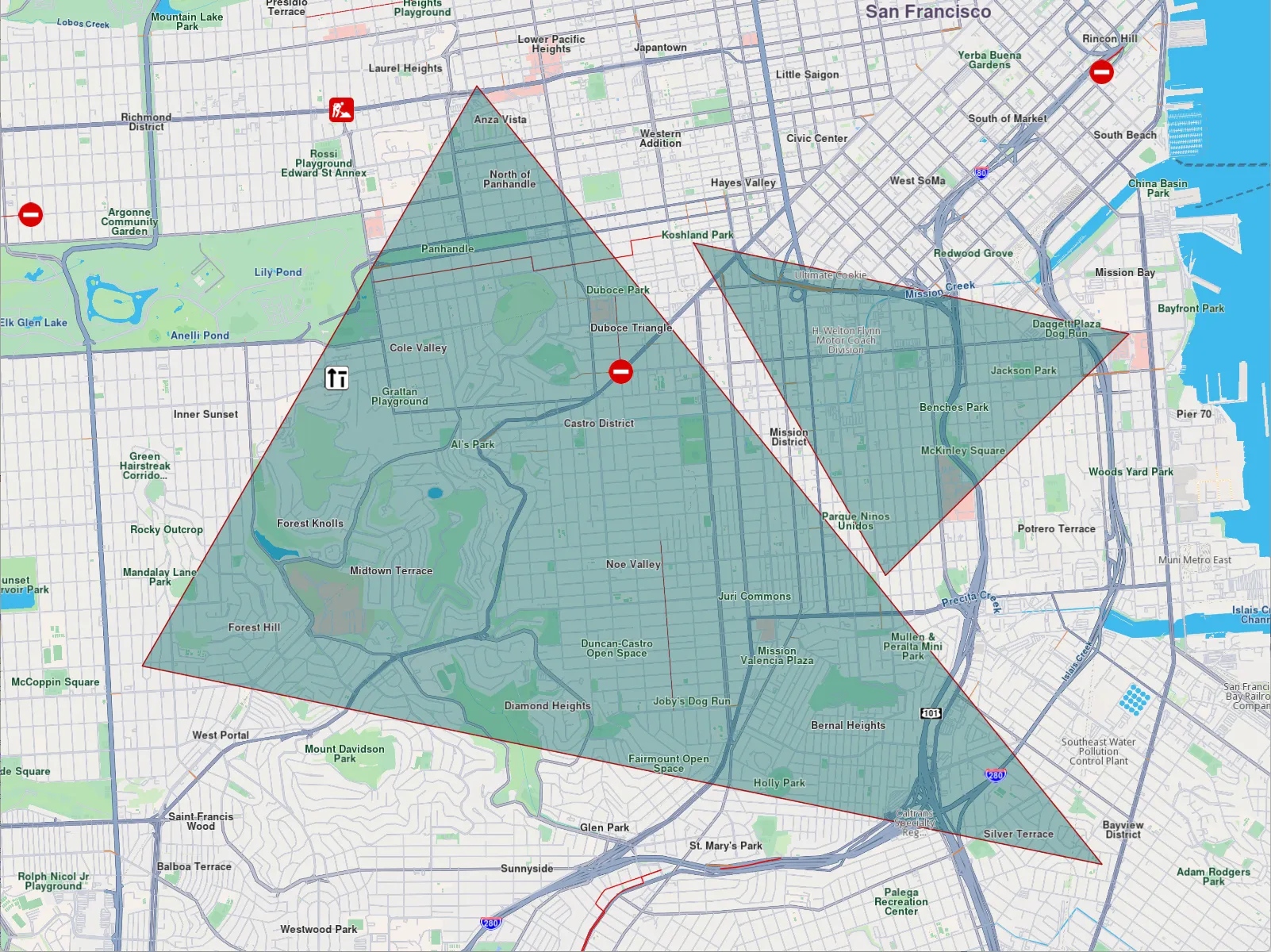
**Polygon marker**
#### Customization options[](#customization-options "Direct link to Customization options")
Markers offer extensive customization options on the map, enabling developers to tailor their appearance and behavior. Customizable features include:
* **Colors**: Modify the fill color, contour color, and text color to match the desired style.
* **Sizes**: Adjust dimensions such as line width, label size, and margins to fit specific requirements.
* **Labeling and Positioning**: Define custom labeling modes, reposition item or group labels, and adjust the alignment of labels and images relative to geographic coordinates.
* **Grouping Behavior**: Configure how multiple markers are grouped when located in proximity.
* **Icons**: Customize icons for individual markers or groups, including options for image fit and alignment.
* **Polyline and Polygon Textures**: Apply unique textures to polylines and polygons for enhanced visualization.
**MarkerSketches** are some predefined collections in the view. For each marker type, there is such a collection. Each element of the collection has a different render settings object.
Obviously, the regular list of markers has a more efficient rendering. -->
#### Interaction with Markers[](#interaction-with-markers "Direct link to Interaction with Markers")
##### Selecting markers[](#selecting-markers "Direct link to Selecting markers")
Markers are selectable by default, meaning user interactions, such as taps or clicks, can identify specific markers programmatically (e.g., through the function `cursorSelectionMarkers()`).
tip
When cursor is hovering over a grouped marker cluster, the `cursorSelectionMarkers` method will return the `MarkerMatch` of **group head marker**. See more about group head markers at [Marker Clustering](/docs/cpp/guides/maps/display-map-items/display-markers.md#marker-clustering).
The result is a list of matches. The match contains detailed information about the match:
* the marker type
* the collection of the marker
* the marker index in the collection
* the part index inside the marker
##### Searching markers[](#searching-markers "Direct link to Searching markers")
Markers are **not searchable**.
##### Calculating route with marker[](#calculating-route-with-marker "Direct link to Calculating route with marker")
Markers are **not** designed for route calculation.
tip
To enable route calculation and navigation, create a new landmark using the relevant coordinates of the marker and a representative name and use that object for routing.
#### MarkerCollection[](#markercollection "Direct link to MarkerCollection")
The `MarkerCollection` class is the main collection holding markers. All the markers within a collection have the same type and are styled in the same way.
##### MarkerCollection structure and operations[](#markercollection-structure-and-operations "Direct link to MarkerCollection structure and operations")
| Name | Type | Description |
| ------------------------------------------------ | ----------------------- | ------------------------------------------------------------------------------------------- |
| `getId` | int | Retrieves the collection's unique ID. |
| `clear()` | void | Deletes all markers from the collection. |
| `add(const Marker& marker, int index = -1)` | void | Adds a marker to the collection at a specific index (default is the end of the collection). |
| `indexOf(const Marker& marker)` | int | Returns the index of a given marker in the collection. |
| `del(int index)` | void | Deletes a marker from the collection by index. |
| `getArea` | RectangleGeographicArea | The geographic area enclosing all markers in the collection. |
| `getMarkerAt(int index)` | Marker | Returns the marker at a specific index or an empty marker if the index is invalid. |
| `getMarkerById(int id)` | Marker | Retrieves a marker by its unique ID. |
| `getPointsGroupHead(LargeInteger markerId)` | MarkerRef | Retrieves the head of a points group for a given marker ID. |
| `getPointsGroupComponents(LargeInteger groupId)` | List\ | Retrieves the components of a points group by its ID. |
| `getName` | String | The name of the marker collection. |
| `size` | int | Returns the number of markers in the collection. |
| `getType` | MarkerType | Retrieves the type of the marker collection. |
##### Instantiating MarkerCollections[](#instantiating-markercollections "Direct link to Instantiating MarkerCollections")
A marker collection is created by providing the name and the marker type:
```cpp
MarkerCollection markerCollection = MarkerCollection(EMarkerType::MT_Point, "myCollection");
```
##### Usage[](#usage "Direct link to Usage")
The `MarkerCollection` class is used to display markers on the map.
---
### Navigation instructions
|
The Maps SDK for C++ offers comprehensive real-time navigation guidance, providing detailed information on the current and upcoming route, including road details, street names, speed limits, and turn directions. It delivers essential data such as remaining travel time, distance to destination, and upcoming turn or road information, ensuring users receive accurate, timely instructions. Designed for both navigation and simulation scenarios, this feature enhances the overall user experience by supporting smooth and efficient route planning and execution.
The main class responsible for turn-by-turn live navigation. guidance is the `NavigationInstruction` class.
note
It is important to distinguish between `NavigationInstruction` and `RouteInstruction`. `NavigationInstruction` offers real-time, turn-by-turn navigation based on the user's current position and is relevant only during navigation or simulation. In contrast, `RouteInstruction` provides an overview of the entire route available as soon as the route is calculated and the list of instructions do not change as the user navigates on the route.
#### Instantiating navigation instructions[](#instantiating-navigation-instructions "Direct link to Instantiating navigation instructions")
Navigation instructions cannot be directly instantiated. Instead, they must be provided by the SDK while navigating. For detailed guidance on how to navigate on routes, refer to the [Getting Started with Navigation Guide](/docs/cpp/guides/navigation/get-started-navigation.md).
There are two main ways of getting a navigation instruction:
* `NavigationInstruction` instances can be obtained via the callback provided as parameters to the `startNavigation` and `startSimulation` methods.
* The `NavigationService` class provides a `getNavigationInstruction` method which returns the currently available navigation instruction. Make sure navigation/simulation is active before using the method provided above.
#### NavigationInstruction structure[](#navigationinstruction-structure "Direct link to NavigationInstruction structure")
| Member/Method | Type | Description |
| -------------------------------------------- | ------------------------ | ------------------------------------------------------------------------------------------------------------------------------------ |
| getCurrentCountryCodeISO | String | Returns the ISO 3166-1 alpha-3 country code for the current navigation instruction. Empty string means no country. |
| getCurrentStreetName | String | Returns the current street name. |
| getCurrentStreetSpeedLimit | double | Returns the maximum speed limit on the current street in meters per second. Returns 0 if not available. |
| getDriveSide | EDriveSide | Returns the drive side flag of the current traveled road. |
| hasNextNextTurnInfo | bool | Returns true if next-next turn information is available. |
| hasNextTurnInfo | bool | Returns true if next turn information is available. |
| getInstructionIndex | int | Returns the index of the current route instruction on the current route segment. |
| getLaneImage | LaneImage | Returns a customizable image representation of current lane configuration. The user is responsabile to verify if the image is valid. |
| getNavigationStatus | ENavigationStatus as int | Returns the navigation/simulation status. |
| getNextCountryCodeISO | String | Returns the ISO 3166-1 alpha-3 country code for the next navigation instruction. |
| getNextNextStreetName | String | Returns the next-next street name. |
| getNextNextTurnDetails | TurnDetails | Returns the full details for the next-next turn. Used for customizing turn display in UI. |
| getNextNextTurnImage | Image | Returns a simplified schematic image of the next-next turn. The user is responsible to verify if the image is valid. |
| getNextNextTurnInstruction | String | Returns the textual description for the next-next turn. |
| getNextSpeedLimitVariation | NextSpeedLimit | Returns the next speed limit variation within specified check distance. |
| getNextStreetName | String | Returns the next street name. |
| getNextTurnDetails | TurnDetails | Returns the full details for the next turn. Used for customizing turn display in UI. |
| getNextTurnImage | Image | Returns a simplified schematic image of the next turn. The user is responsible to verify if the image is valid. |
| getNextTurnInstruction | String | Returns the textual description for the next turn. |
| getRemainingTravelTimeDistance | TimeDistance | Returns the remaining travel time in seconds and distance in meters. |
| getRemainingTravelTimeDistanceToNextWaypoint | TimeDistance | Returns the remaining travel time in seconds and distance in meters to the next waypoint. |
| getCurrentRoadInformation | List\ | Returns the current road information list. |
| getNextRoadInformation | List\ | Returns the next road information list. |
| getNextNextRoadInformation | List\ | Returns the next-next road information list. |
| getSegmentIndex | int | Returns the index of the current route segment. |
| getSignpostDetails | SignpostDetails | Returns the extended signpost details. |
| getSignpostInstruction | String | Returns the textual description for the signpost information. |
| getTimeDistanceToNextNextTurn | TimeDistance | Returns the time (seconds) and distance (meters) to the next-next turn. Returns values for next turn if no next-next turn available. |
| getTimeDistanceToNextTurn | TimeDistance | Returns the time (seconds) and distance (meters) to the next turn. |
| getTraveledTimeDistance | TimeDistance | Returns the traveled time in seconds and distance in meters. |
#### Turn details[](#turn-details "Direct link to Turn details")
##### Next turn details[](#next-turn-details "Direct link to Next turn details")
The following snippet shows how to extract detailed instructions for the next turn along the route. It’s typically used in the navigation UI to show users the upcoming maneuver. You may also use this to provide turn-by-turn instructions with images or detailed text for navigation display:
```cpp
// If hasNextTurnInfo is false some details are not available
bool hasNextTurnInfo = navigationInstruction.hasNextTurnInfo();
if (hasNextTurnInfo) {
// The next turn instruction
String nextTurnInstruction = navigationInstruction.getNextTurnInstruction();
// The next turn details
TurnDetails turnDetails = navigationInstruction.getNextTurnDetails();
// Turn event type (continue straight, turn right, turn left, etc.)
ETurnEvent event = turnDetails.getEvent();
// The image representation of the abstract geometry
auto abstractGeometryImage = turnDetails.getAbstractGeometryImage();
// The image representation of the next turn
ImageRef turnImage = navigationInstruction.getNextTurnImage();
// Roundabout exit number (-1 if not a roundabout)
int roundaboutExitNumber = turnDetails.getRoundaboutExitNumber();
}
```
See the [TurnDetails](/docs/cpp/guides/core/routes.md#turn-details) guide for more details about the fields within the `TurnDetails` class.
##### Next next turn details[](#next-next-turn-details "Direct link to Next next turn details")
Details about the subsequent turn (i.e., the turn following the next one) can be crucial for certain use cases, such as providing a preview of upcoming maneuvers. These details can be accessed in a similar manner:
```cpp
// If hasNextNextTurnInfo is false some details are not available
bool hasNextNextTurnInfo = navigationInstruction.hasNextNextTurnInfo();
if (hasNextNextTurnInfo) {
String nextNextTurnInstruction = navigationInstruction.getNextNextTurnInstruction();
TurnDetails nextNextTurnDetails = navigationInstruction.getNextNextTurnDetails();
auto nextNextTurnImage = navigationInstruction.getNextNextTurnImage();
}
```
The `hasNextNextTurnInfo` might be false if the next instruction is the destination. The same operations discussed earlier for the next turn details can also be applied to the subsequent turn details.
#### Street information[](#street-information "Direct link to Street information")
##### Current street information[](#current-street-information "Direct link to Current street information")
The following snippet shows how to get information about the current road:
```cpp
// Current street name
String currentStreetName = navigationInstruction.getCurrentStreetName();
// Road info related to the current road
RoadInfoListRef currentRoadInfo = navigationInstruction.getCurrentRoadInformation();
// Country ISO code
String countryCode = navigationInstruction.getCurrentCountryCodeISO();
// The drive direction (left or right)
EDriveSide driveDirection = navigationInstruction.getDriveSide();
```
It is important to note that some streets may not have an assigned name. In such cases, `currentStreetName` will return an empty string. The `RoadInfo` class offers additional details, including the road name and shield type, which correspond to the official codes or names assigned to a road.
For example, the `currentStreetName` might return "Bloomsbury Street," while the `roadname` field in the associated RoadInfo instance could provide the official designation, such as "A400." This distinction ensures comprehensive road identification.
##### Next & next next street information[](#next--next-next-street-information "Direct link to Next & next next street information")
Information about the next street, as well as the street following it (next-next street), can also be retrieved. These details include the street name, type, and other associated metadata, enabling enhanced navigation and situational awareness:
```cpp
// Street name
String nextStreetName = navigationInstruction.getNextStreetName();
String nextNextStreetName = navigationInstruction.getNextNextStreetName();
// Road info
RoadInfoListRef nextRoadInformation = navigationInstruction.getNextRoadInformation();
RoadInfoListRef nextNextRoadInformation = navigationInstruction.getNextNextRoadInformation();
// Next country iso code
String nextCountryCodeISO = navigationInstruction.getNextCountryCodeISO();
```
The fields associated with these streets retain the same meanings as discussed earlier about the current street.
warning
Ensure that `hasNextTurnInfo` and `hasNextNextTurnInfo` are true before attempting to access the respective fields. This verification prevents errors and ensures the availability of reliable data for the requested information.
#### Speed limit information[](#speed-limit-information "Direct link to Speed limit information")
The NavigationInstruction class not only provides information about the current road's speed limit but also offers details about upcoming speed limits within a specified distance, assuming the user adheres to the recommended navigation route.
The following snippet demonstrates how to retrieve these details and handle various scenarios appropriately:
```cpp
// The current street speed limit in m/s (0 if not available)
double currentStreetSpeedLimit = navigationInstruction.getCurrentStreetSpeedLimit();
// Get next speed limit in 500 meters
NextSpeedLimit nextSpeedLimit = navigationInstruction.getNextSpeedLimitVariation(500);
// Coordinates where next speed limit changes
Coordinates coordinatesWhereSpeedLimitChanges = nextSpeedLimit.coords;
// Distance to where the next speed limit changes
int distanceToNextSpeedLimitChange = nextSpeedLimit.distance;
// Value of the next speed limit (m/s)
double nextSpeedLimitValue = nextSpeedLimit.speed;
if (distanceToNextSpeedLimitChange == 0 && nextSpeedLimitValue == 0) {
GEM_INFO_LOG("The speed limit does not change within the specified interval");
} else if (nextSpeedLimitValue == 0) {
GEM_INFO_LOG("The speed limit changes in the specified interval but the value is not available");
} else {
GEM_INFO_LOG("The next speed limit changes to %.1f m/s in %d meters", nextSpeedLimitValue, distanceToNextSpeedLimitChange);
}
```
#### Lane image[](#lane-image "Direct link to Lane image")
The lane image can be used to more effectively illustrate the correct lane for upcoming turns, providing clearer guidance:
```cpp
LaneImageRef laneImage = navigationInstruction.getLaneImage();
DataBuffer laneImageData = laneImage.exportAs( Size(500, 300), EImageFileFormat::IFF_Png, LaneImageRenderSettings() );
```
Below is an example of a rendered lane image:

**Lane image containing three lanes**
#### Change the language of the instructions[](#change-the-language-of-the-instructions "Direct link to Change the language of the instructions")
The texts used in navigation instructions and related classes follow the language set in the SDK. See [the internationalization guide](/docs/cpp/guides/get-started/internationalization.md) for more details.
---
### Overlays
|
An `Overlay` is an additional map layer, either default or user-defined, with data stored on Magic Lane servers, accessible in **online** and **offline** modes, with few exceptions.
In order to define overlay data you can use the [Magic Lane Map Studio](https://developer.magiclane.com/documentation/OnlineStudio/guide_creating_a_style.html). It allows uploading data regarding the POIs and their corresponding categories and binary information (via `GeoJSON` format). An `Overlay` can have multiple associated categories and subcategories. A single item from an overlay is called an overlay item.
warning
If the corresponding map region has been downloaded locally, overlays will not be available in offline mode, except if they are downloaded too.
See the [Downloading overlays](/docs/cpp/guides/offline/manage-content.md#downloading-overlays) guide for more details.
Most overlay features can be used only when a `MapView` is created and a style containing the overlay is applied.
#### OverlayInfo[](#overlayinfo "Direct link to OverlayInfo")
##### OverlayInfo structure[](#overlayinfo-structure "Direct link to OverlayInfo structure")
The class that contains information about an overlay is `OverlayInfo`. It has the following structure:
| Method | Description | Type |
| ------------- | ----------------------------------------- | ----------------------- |
| getUid | Gets the unique ID of the overlay. | `int` |
| getCategories | Gets the categories of the overlay. | `List` |
| getCategory | Gets a category by its ID. | `OverlayCategory` |
| getImage | Gets the image of the overlay. | `ImageRef` |
| getName | Gets the name of the overlay. | `StringRef` |
| hasCategories | Checks if the category has subcategories. | `bool` |
##### Retrieving overlays[](#retrieving-overlays "Direct link to Retrieving overlays")
To get all overlays which are available for the current map style, the `OverlayService().getAvailableOverlays()` method is used in the following way:
```cpp
auto overlays = OverlaysService().getAvailableOverlays(yourProgressListenerImpl);
```
The `OverlayCollection` class contains methods and getters such as:
* **size**: returns the size of the collection.
* **getOverlayAt**: returns the `OverlayInfo` at a specified index and null if it doesn't exist.
* **getOverlayByUid**: returns an `OverlayInfo` by a given id.
The returned `OverlayCollection` contains all the overlays available for the current map style: alerts (`ECommonOverlayId::OID_Safety`), speed cameras (`ECommonOverlayId::OID_SocialReports`), public transit stops (`ECommonOverlayId::OID_PublicTransport`).
warning
It is possible that information for certain overlays is unavailable and needs to be downloaded when a network connection is accessible. As a result, the method returns a record of type `(OverlayCollectionRef, bool)`, where the boolean value in the second element is false, indicating that the information is currently unavailable. In this case, the given progress listener `notifyComplete` needs to be awaited.
##### Usage[](#usage "Direct link to Usage")
The primary function of the `OverlayInfo` class is to provide the categories within an overlay. It also provides the `Uid` of the overlay which can be used to filter the results of search and also can be used to toggle the visibility of the overlay on the map. Other fields can be displayed on the UI.
#### OverlayCategory[](#overlaycategory "Direct link to OverlayCategory")
The `OverlayCategory` class represents hierarchical data related to overlay categories.
##### OverlayCategory structure[](#overlaycategory-structure "Direct link to OverlayCategory structure")
The `OverlayCategory` has the following structure:
| Property / Method | Description | Type |
| ----------------- | ------------------------------------------------------------------- | ----------------------- |
| getUid | The category ID. | `int` |
| getOverlayUid | The parent overlay ID. Refers to the id of the `OverlayInfo` object | `int` |
| getImage | The category icon. | `ImageRef` |
| getName | The category name. | `StringRef` |
| getSubcategories | The subcategories of the category. | `List` |
| hasSubcategories | Checks if the category has subcategories. | `bool` |
##### Usage[](#usage-1 "Direct link to Usage")
The `OverlayCategory` class provides the `Uid`, which can be utilized in various search functionalities to filter results. Additionally, the `Uid` can be used to filter and manage overlay items that trigger alerts within the `AlarmService`.
#### OverlayItem[](#overlayitem "Direct link to OverlayItem")
The `OverlayItem` represents a single element from the overlay.
##### OverlayItem structure[](#overlayitem-structure "Direct link to OverlayItem structure")
The `OverlayItem` has the following structure:
| Property / Method | Description | Type |
| ---------------------------- | ------------------------------------------------------------------------------------------------------------------------------------------------------------------------------ | ----------------------- |
| getCategoryId | Gets the OverlayItem's category ID. May be 0 if the item does not belong to a specfic category. Gives the id of the root category which may not be the direct parent category. | int |
| getCoordinates | Gets the coordinates of the OverlayItem. | Coordinates |
| hasPreviewExtendedData | Checks if the OverlayItem has preview extended data (dynamic data). Available only for overlays predefined. | bool |
| getImage | Gets the image of the OverlayItem. | ImageRef |
| getName | Gets the name of the OverlayItem. | StringRef |
| getUid | Gets the unique ID of the OverlayItem within the overlay. | int |
| getOverlayInfo | Gets the parent OverlayInfo. | OverlayInfoRef |
| getPreviewData | Gets the OverlayItem preview data as a parameters list. | SearchableParameterList |
| getPreviewUrl | Gets the preview URL for the item (if any). | StringRef |
| getOverlayUid | Gets the parent overlay UID. | int |
| getPreviewExtendedData | Asynchronously gets the OverlayItem preview extended data. | int |
| cancelGetPreviewExtendedData | Cancels the asynchronous `getPreviewExtendedData` operation. | void |
warning
The `previewData` returned is not available if the parent map tile is disposed. Please get the preview data before further interactions with the map.
warning
Avoid confusing the Uid of `OverlayInfo`, `OverlayCategory`, and `OverlayItem`, as they each serve distinct purposes.
tip
To check if a `OverlayItem` belongs to a `OverlayInfo`, use the `getOverlayUid` method, or retrieve the whole `OverlayInfo` object via the `getOverlayInfo` method.
The `getPreviewData` method which provides more information structured inside a `SearchableParametersList`, information which depend on the overlay type. We can iterate through all the parameters (which are of type `Parameter`) within a `SearchableParameterList` in the following way:
```cpp
SearchableParameterList parameters = overlayItem.getPreviewData();
for (const auto& param : parameters){
// Unique for every parameter
auto key = param.getKey();
// Used for display on UI - might change depending on language
auto name = param.getName();
// The type of param.getValue template parameter
auto valueType = param.getType();
// The parameter value
auto value = param.getValue();
}
```
tip
The `getCategoryId` getter returns the ID of the root category, which may not necessarily be the direct parent category of the `OverlayItem`.
To obtain the direct parent category, you can use the following snippet:
```cpp
int parentCategoryId = overlayItem.getPreviewData.find("icon");
```
Use the `getCategory` method from the parent `OverlayInfo` class to retrieve the `OverlayCategory` object corresponding to this ID.
##### Usage[](#usage-2 "Direct link to Usage")
`OverlayItems` can be selected from the map or be provided by the `AlarmService` on approach. Other fields and information can be displayed on the UI.
#### Classification[](#classification "Direct link to Classification")
There are a few types of predefined overlays:
* Safety overlay
* Public transport overlay
* Social reports overlay
The `ECommonOverlayId` enum contains information about the ids of the predefined overlay categories.
##### Safety Overlay[](#safety-overlay "Direct link to Safety Overlay")
These overlays represent speed limit cameras, red light controls and so on.
**Speed limit overlay item**
**Red light control overlay item**
For a speed limit, `previewData` might include information searchable by keys like:
* `eStrDrivingDirection`: the driving direction on which the overlay item applies as string, eg. "Both Ways"
* `speedValue`: value of maximum allowed speed as integer, eg. 50
* `speedUnit`: measure unit of speed as string, eg "km/h"
* `Country`: country name where the overlay is reported as string, eg "FRA"
##### Public Transport Overlay[](#public-transport-overlay "Direct link to Public Transport Overlay")
This overlay is responsible for displaying public transport stations.
**Map displaying multiple bus stations**
For a bus station, `previewData` might include information searchable by keys like:
* `id`: unique overlay id as integer
* `create_stamp_utc`: unix epoch time when overlay has been created as integer
* `icon`: an array of 8-bit integeres representing icon data as Uint8List
* `name`: name of bus station as a string
warning
There are two types of public transport stops available on the map:
* Bus station with schedule information, available on the map as overlay items.
* Bus station without schedule information, available on the map as landmarks.
##### Social Reports Overlay[](#social-reports-overlay "Direct link to Social Reports Overlay")
This overlay is responsible for displaying fixed cameras, construction sites and more.
**Constructions overlay item**
**Fixed camera overlay item**
For a construction report, `previewData` includes information searchable by keys like:
* `longitude`: value for longitude coordinate as double
* `latitude`: value for latitude coordinates as double
* `owner_name`: user's name that reported the event as string
* `score`: likes (confirmations) offered by other users
* `location_address`: address of reported location as string, it contains street, city and country
The `SocialOverlay` class is responsible for generating, updating, and deleting social reports. It includes several methods designed to perform these operations efficiently.
#### Interaction with Overlays[](#interaction-with-overlays "Direct link to Interaction with Overlays")
##### Selecting overlay items[](#selecting-overlay-items "Direct link to Selecting overlay items")
Overlay items are selectable. When user taps or clicks, you can identify specific overlay items programmatically (e.g., through the function `cursorSelectionOverlayItems()`). Please refer to the [Map Selection Functionality](/docs/cpp/guides/maps/interact-with-map.md#map-selection-functionality) guide for more details.
##### Searching overlay items[](#searching-overlay-items "Direct link to Searching overlay items")
Overlays are searchable. This can be done in multiple ways, the most common being to set the right properties in the search preferences when performing a regular search. More details can be found within the [Get started with Search](/docs/cpp/guides/search/get-started-search.md) guide.
##### Calculating route with overlay items[](#calculating-route-with-overlay-items "Direct link to Calculating route with overlay items")
Overlay items are **not** designed for route calculation and navigation.
tip
Create a new landmark using the overlay item's relevant coordinates and a representative name, then utilize this object for routing purposes.
##### Get notifications when approaching overlay items[](#get-notifications-when-approaching-overlay-items "Direct link to Get notifications when approaching overlay items")
Alarms can be configured to notify users when they approach specific overlay items from selected overlays.
##### Activate highlights[](#activate-highlights "Direct link to Activate highlights")
Overlay Items can be highlighted using the `activateHighlight` method provided by the `MapView` class.
---
### Positions
|
The `sense::IPosition` and `sense::IImprovedPosition` classes provide a comprehensive representation of geographical and movement data for GPS-based systems. They include details like coordinates, speed, altitude, direction, and accuracy, along with road-related metadata such as speed limits and modifiers. With robust support for position quality assessment and timestamped data, it is well-suited for navigation and sensor-driven applications.
tip
Do not confuse `Coordinates` with `Position`. The `Coordinates` class represents a geographic location using latitude, longitude, and altitude, and is used widely throughout the SDK. In contrast, `sense::IPosition` and `sense::IImprovedPosition` carry additional sensor data and are primarily used to represent the user's current location and movement.
#### Instantiating GemPositions[](#instantiating-gempositions "Direct link to Instantiating GemPositions")
The `sense::IPosition` class can be instantiated using the provided methods within the `sense::DataFactory` class. Additionally, it can be accessed through the methods exposed by the Maps SDK for C++. For more details, refer to the [Get Started with Positioning](/docs/cpp/guides/positioning/get-started-positioning.md) guide.
#### Raw position data[](#raw-position-data "Direct link to Raw position data")
Raw position data represents unprocessed data from the GPS sensors of devices. It provides basic information. It corresponds to the `sense::IPosition` interface.
#### Map matched position data[](#map-matched-position-data "Direct link to Map matched position data")
Map matching is a method in location-based services that aligns raw GPS data with a digital map, correcting inaccuracies by snapping the position to the nearest logical location, such as roads. It corresponds with the `sense::IImprovedPosition` interface.
#### Raw position data vs map matched position data[](#raw-position-data-vs-map-matched-position-data "Direct link to Raw position data vs map matched position data")
The Map Matched positions provide more information, as it can be seen in the table below:
| Getters | Raw | Map Matched | When is available | Description |
| -------------------------- | --- | ----------- | --------------------- | ------------------------------------------------------------------------------------------------------------------- |
| getAcquisitionTimestamp | ✅ | ✅ | always | The system time when the data was collected from sensors. |
| getSatelliteTimestamp | ✅ | ✅ | always | The satellite timestamp when position was collected by the sensors. |
| getProvider | ✅ | ✅ | always | The provider type (GPS, network, unknown) |
| getLatitude & getLongitude | ✅ | ✅ | hasCoordinates | The latitude and longitude at the position in degrees |
| getAltitude | ✅ | ✅ | hasAltitude | The altitude at the given position. Might be negative |
| getSpeed | ✅ | ✅ | hasSpeed | The current speed (always non-negative) |
| getSpeedAccuracy | ✅ | ✅ | hasSpeedAccuracy | The current speed accuracy (always non-negative). Typical accuracy is 2 m/s in good conditions |
| getCourse | ✅ | ✅ | hasCourse | The current direction of movement in degrees (0 north, 90 east, 180 south, 270 west) |
| getCourseAccuracy | ✅ | ✅ | hasCourseAccuracy | The current heading accuracy is degrees (typical accuracy is 25 degrees) |
| getHorizontalAccuracy | ✅ | ✅ | hasHorizontalAccuracy | The horizontal accuracy in meters. Always positive. (typical accuracy 5-20 meters) |
| getVerticalAccuracy | ✅ | ✅ | hasVerticalAccuracy | The vertical accuracy in meters. Always positive. |
| getFixQuality | ✅ | ✅ | always | The accuracy quality (inertial – based on extrapolation, low – inaccurate, high – good accuracy, invalid – unknown) |
| getCoordinates | ✅ | ✅ | hasCoordinates | The coordinates of the position |
| getRoadModifiers | ❌ | ✅ | hasRoadLocalization | The road modifiers (such as tunnel, bridge, ramp, etc.) |
| getRoadSpeedLimit | ❌ | ✅ | always | The speed limit on the current road in m/s. It is 0 if no speedLimit information is available |
| getTerrainAltitude | ❌ | ✅ | hasTerrainData | The terrain altitude in meters. Might be negative. It can be different than altitude |
| getTerrainSlope | ❌ | ✅ | hasTerrainData | The current terrain slope in degrees. Positive values for ascent, negative values for descent. |
| getRoadAddress | ❌ | ✅ | always | The current address. |
note
The `getRoadSpeedLimit` field may not always have a value, even if the position is map matched. This can happen if data is unavailable for the current road segment or if the position is not on a road. In such cases, the `getRoadSpeedLimit` field will be set to 0.
tip
One common use case for `getSpeed` and `getRoadSpeedLimit` is to check if a user is exceeding the legal speed limit. The `AlarmService` class offers a reliable solution for this scenario. Refer to the [speed warnings guide](/docs/cpp/guides/alarms/speed-alarms.md) for more details.
---
### Routes
|
A Route usually represents a navigable path between two or more landmarks (waypoints). It includes data such as distance, estimated time, and navigation instructions.
Routes can be computed in different ways:
* Based on 2 or more intermediary landmarks (waypoints) - route is navigable.
* Over-track routes (based on a predefined `path`, which could come from a GPX file but is not limited to this) are navigable.
* Route ranges: These routes are **not** navigable and do not have segments or instructions.
A navigable route consists of one or more segments. Each segment represents the portion of the route between two consecutive waypoints and includes its own set of route instructions.
#### Instantiating Routes[](#instantiating-routes "Direct link to Instantiating Routes")
Routes cannot be instantiated directly. Instead, they must be computed based on a predefined list of landmarks. For detailed guidance on how to calculate routes, refer to the [Getting Started with Routing Guide](/docs/cpp/guides/routing/get-started-routing.md).
warning
Calculating a route does not automatically display it on the map. Refer to the [Display markers guide](/docs/cpp/guides/maps/display-map-items/display-markers.md) for detailed instructions on how to display one or more routes.
#### Route specializations[](#route-specializations "Direct link to Route specializations")
The SDK supports multiple route types, each tailored to specific use cases through dedicated classes:
1. **Normal Routes** - Standard routes computed for typical navigation scenarios.
2. **Public Transport (PT) Routes** - Routes calculated using a public transport mode, including additional details such as service frequency, ticket purchase information, and other transit-specific data.
3. **Over-Track (OT) Routes** - Routes generated from a predefined path, such as GPX files or paths drawn with the route finder.
4. **Electric Vehicle (EV) Routes** - Designed for EV-specific needs, including charging station information and related details. Not yet fully implemented.
##### Specific Classes[](#specific-classes "Direct link to Specific Classes")
Each route type is associated with specific classes that offer functionality suited to its requirements:
| **Route Type** | **Route Class** | **Segment Class** | **Instruction Class** |
| ---------------------- | --------------- | ----------------- | --------------------- |
| Normal Route | `Route` | `RouteSegment` | `RouteInstruction` |
| Public Transport Route | `PTRoute` | `PTRouteSegment` | `PTRouteInstruction` |
| Over-Track Route | `OTRoute` | Not Available | Not Available |
| Electric Vehicle Route | `EVRoute` | `EVRouteSegment` | `EVRouteInstruction` |
The specific classes extend the functionality of the base classes `RouteBase`, `RouteSegmentBase`, `RouteInstructionBase` that provide the common features for each type of entity.
#### Route structure[](#route-structure "Direct link to Route structure")
The most important route characteristics are:
| Field/Method | Type | Explanation |
| ------------------------ | ----------------------------- | ----------------------------------------------------------------------------------------------------------------------------------------------------------------------------------------------------------------------------------------------------------------- |
| getGeographicArea | RectangleGeographicArea | A geographic boundary or region covered by the route. |
| getPolygonGeographicArea | PolygonGeographicArea | A polygon representing the geographic area as a series of connected points. |
| getTilesGeographicArea | TilesCollectionGeographicArea | A collection of map tiles representing the geographic area. |
| getDominantRoads | List\ | A list of road names or identifiers that dominate the route. |
| hasFerryConnections | bool | Indicates whether the route includes ferry connections. |
| hasTollRoads | bool | Indicates whether the route includes toll roads. |
| getTollSections | List of TollSection | The list of toll sections along the route. |
| getIncursCosts | bool | Specifies if the route incurs any monetary costs, such as tolls or fees \[DEPRECATED - same as hasTollRoads] |
| getRouteStatus | ERouteStatus | If we are navigating a route and we deviate from it, the route is recalculated. This means that the `routeStatus` might signal that route is computed or we don't have internet connection, or even that on recomputation we got an error. |
| getTerrainProfile | RouteTerrainProfile | A profile of terrain elevations along the route, represented as a list of elevation values. |
| getSegments | List\ | A collection of route segments, each representing a specific portion of the route.Segments are split based on the initial waypoints that were used to compute the route.For Public Transit routes a segment is either a pedestrian part or a public transit part. |
| getTrafficEvents | List\ | A list of traffic events, such as delays or road closures, affecting the route. |
#### RouteSegment structure[](#routesegment-structure "Direct link to RouteSegment structure")
A route segment represents the portion of a route between two consecutive waypoints. For public transport routes, segments are further categorized as either pedestrian sections or public transit sections, depending on the mode of travel within that segment.
| Field/Method | Return Type | Description |
| ------------------- | ------------------------- | -------------------------------------------------------------------------------------------------------------------------- |
| `getWaypoints` | `List` | Retrieves the list of landmarks representing the start and end waypoints of the route segment. |
| `getTimeDistance` | `TimeDistance` | Provides the length in meters and estimated travel time in seconds for the route segment. |
| `getGeographicArea` | `RectangleGeographicArea` | Retrieves the smallest rectangle enclosing the geographic area of the route. |
| `getIncursCosts` | `bool` | Checks whether traveling the route or segment incurs a cost to the user. |
| `getSummary` | `String` | Provides a summary of the route segment. |
| `getInstructions` | `List` | Retrieves the list of route instructions for the segment. |
| `isCommon` | `bool` | Indicates whether the segment shares the same travel mode as the parent route. Mostly used within public transport routes. |
| `getTollSections` | `List` | The list of toll sections along the route segment. |
#### RouteInstruction structure[](#routeinstruction-structure "Direct link to RouteInstruction structure")
A route instruction provides detailed guidance for navigation, offering various methods to retrieve specific information about each maneuver the user needs to make, such as coordinates, turn directions, distances and time to next waypoints.
| Method | Return Type | Description |
| ---------------------------------------------- | ----------------------- | ---------------------------------------------------------------------------------------------- |
| `getCoordinates` | `Coordinates` | Gets coordinates for this route instruction. |
| `getCountryCodeISO` | `String` | Gets ISO 3166-1 alpha-3 country code for the navigation instruction. |
| `getExitDetails` | `String` | Gets exit route instruction text. |
| `getFollowRoadInstruction` | `String` | Gets textual description for follow road information. |
| `getRealisticNextTurnImage` | `AbstractGeometryImage` | Gets image for the realistic turn information. |
| `getRemainingTravelTimeDistance` | `TimeDistance` | Gets remaining travel time and distance until the destination |
| `getRemainingTravelTimeDistanceToNextWaypoint` | `TimeDistance` | Gets remaining travel time and distance to the next waypoint. |
| `getRoadInfo` | `List` | Gets road information. |
| `getRoadInfoImage` | `RoadInfoImage` | Gets road information image. |
| `getSignpostDetails` | `SignpostDetails` | Gets extended signpost details. |
| `getSignpostInstruction` | `String` | Gets textual description for the signpost information. |
| `getTimeDistanceToNextTurn` | `TimeDistance` | Gets distance and time to the next turn. |
| `getTraveledTimeDistance` | `TimeDistance` | Gets traveled time and distance. |
| `getTurnDetails` | `TurnDetails` | Gets full details for the turn. |
| `getTurnImage` | `Image` | Gets image for the turn. |
| `getTurnInstruction` | `String` | Gets textual description for the turn. |
| `hasFollowRoadInfo` | `bool` | Checks if follow road information is available. |
| `hasSignpostInfo` | `bool` | Checks if signpost information is available. |
| `hasTurnInfo` | `bool` | Checks if turn information is available. |
| `hasRoadInfo` | `bool` | Checks if road information is available. |
| `isCommon` | `bool` | Checks if this instruction is of common type - has the same transport mode as the parent route |
| `isExit` | `bool` | Checks if the route instruction is a main road exit instruction. |
| `isFerry` | `bool` | Checks if the route instruction is on a ferry segment. |
| `isTollRoad` | `bool` | Checks if the route instruction is on a toll road. |
note
It is important to distinguish between `NavigationInstruction` and `RouteInstruction`. `NavigationInstruction` offers real-time, turn-by-turn navigation based on the user's current position and is relevant only during navigation or simulation. In contrast, `RouteInstruction` provides an overview of the entire route available as soon as the route is calculated and the list of instructions do not change as the user navigates on the route.
#### Other classes[](#other-classes "Direct link to Other classes")
##### Time distance[](#time-distance "Direct link to Time distance")
The TimeDistance class is used to get details about the time and distance to/from certain important points of interests.
The TimeDistance class differentiates between unrestricted and restricted road portions. Restricted segments refer to non-public roads, while unrestricted represent publicly accessible roads:
| Field/Method | Type | Explanation |
| -------------------------------------- | -------- | ------------------------------------------------------------------------------------------ |
| `getUnrestrictedTime` | `int` | Unrestricted time in seconds. |
| `getRestrictedTime` | `int` | Restricted time in seconds. |
| `getUnrestrictedDistance` | `int` | Unrestricted distance in meters. |
| `getRestrictedDistance` | `int` | Restricted distance in meters. |
| `getRestrictedBeginEndRatio` | `double` | Ratio representing the division of restricted time/distance between the begin and the end. |
| `getTotalTime` | `int` | Total time in seconds (sum of unrestricted and restricted times). |
| `getTotalDistance` | `int` | Total distance in meters (sum of unrestricted and restricted distances). |
| `empty` | `bool` | Indicates whether the total time is zero. |
| `hasRestrictedBeginEndDifferentiation` | `bool` | Indicates if the begin and end have differentiated restricted values based on the ratio. |
| `getRestrictedTimeAtBegin` | `int` | Restricted time allocated to the beginning, based on the ratio. |
| `getRestrictedTimeAtEnd` | `int` | Restricted time allocated to the end, based on the ratio. |
| `getRestrictedDistanceAtBegin` | `int` | Restricted distance allocated to the beginning, based on the ratio. |
| `getRestrictedDistanceAtEnd` | `int` | Restricted distance allocated to the end, based on the ratio. |
##### Signpost details[](#signpost-details "Direct link to Signpost details")
Signposts near roadways typically indicate intersections and directions to various destinations. The SDK provides realistic renderings of these signposts, along with relevant supplementary information.
Below is an example of a rendered signpost details image:
**Signpost image captured during highway navigation**
The `SignpostDetails` class also provides properties such as:
| Member/Method | Type | Description |
| -------------------- | -------------------- | ------------------------------------------------------------------------- |
| `getBackgroundColor` | `Color` | Retrieves the background color of the signpost. |
| `getBorderColor` | `Color` | Retrieves the border color of the signpost. |
| `getTextColor` | `Color` | Retrieves the text color of the signpost. |
| `hasBackgroundColor` | `bool` | Indicates whether the signpost has a background color. |
| `hasBorderColor` | `bool` | Indicates whether the signpost has a border color. |
| `hasTextColor` | `bool` | Indicates whether the signpost has a text color. |
| `getItems` | `List` | Retrieves a list of `SignpostItem` elements associated with the signpost. |
| `getImage` | `SignpostImage` | Retrieves the signpost image. |
Each `SignpostItem` has the following properties:
| Member/Method | Type | Description |
| -------------------- | ------------------------- | -------------------------------------------------------------------------------------- |
| `getRow` | `int` | Retrieves the one-based row of the item. Zero indicates not applicable. |
| `getColumn` | `int` | Retrieves the one-based column of the item. Zero indicates not applicable. |
| `getConnectionInfo` | `ESignpostConnectionInfo` | Retrieves the connection type of the item (branch, towards, exit, invalid) |
| `getPhoneme` | `String` | Retrieves the phoneme assigned to the item if available, otherwise empty. |
| `getPictogramType` | `ESignpostPictogramType` | Retrieves the pictogram type for the item (airport, busStation, parkingFacility, etc). |
| `getShieldType` | `ERoadShieldType` | Retrieves the shield type for the item (county, state, federal, interstate, etc) |
| `getText` | `String` | Retrieves the text assigned to the item, if available. |
| `getType` | `ESignpostItemType` | Retrieves the type of the item (placeName, routeNumber, routeName, etc). |
| `hasAmbiguity` | `bool` | Indicates if the item has ambiguity. Avoid using such items for TTS. |
| `hasSameShieldLevel` | `bool` | Indicates if the road code item has the same shield level as its road. |
The field `nextTurnInstruction` provides an instruction in text format, suitable for displaying on UI. Please use the `onTextToSpeechInstruction` callback for getting an instruction suitable for text-to-speech.
##### Turn Details[](#turn-details "Direct link to Turn Details")
The `TurnDetails` class provides details such as:
* **event**: enum containing the turn type. Values for this field include straight, right, left, lightLeft, lightRight, sharpRight, sharpLeft, roundaboutExitRight, roundabout, roundRight, roundLeft, infoGeneric, driveOn, exitNr, exitLeft, exitRight, stayOn and more.
* **abstractGeometryImage**: abstract image of the turn (the user needs to verify if the image is valid). The colors might be further personalized with `AbstractGeometryImageRenderSettings`.
* **roundaboutExitNumber**: the roundabout exist number if it exists.
###### Turn details abstract image vs. turn image:[](#turn-details-abstract-image-vs-turn-image "Direct link to Turn details abstract image vs. turn image:")
The difference between images obtained via `abstractGeometryImage` (left) and `turnImage` (right) is shown below:

**Turn details abstract image**

**Turn image**
* **abstractGeometryImage**: Provides a detailed representation of the entire intersection, offering a comprehensive view of the turn geometry. This image can be customized, including options to adjust various colors for better visual alignment with the application's theme.
* **turnImage**: Delivers a simplified schematic of the upcoming turn, focusing solely on the essential turn direction. Unlike abstractGeometryImage, this method does not support customization.
tip
Each image is assigned a unique identifier. You can use the `Uid` getter of the images classes to retrieve this id and update the image in the UI only when the ID changes. This strategy can significantly enhance performance during navigation, especially in scenarios where frequent updates might otherwise impact efficiency.
###### Abstract geometry image customization[](#abstract-geometry-image-customization "Direct link to Abstract geometry image customization")
The `AbstractGeometryImageRenderSettings` allows for abstract geometry render settings customization, with the possibility of specifying the colors, improving the overall user experience:
```cpp
AbstractGeometryImageRenderSettings customizedRenderSettings = AbstractGeometryImageRenderSettings(
Colors.red,
Colors.green,
Colors.blue,
Colors.yellow,
);
```
The render settings from above will create the following image when used:

**Customized next turn details abstract image**
#### Toll sections[](#toll-sections "Direct link to Toll sections")
The `TollSection` class represents a tolled portion of a route. It defines where the toll segment starts and ends (measured in meters from the beginning of the route), along with the toll cost and currency.
| Member | Type | Description |
| ---------------- | -------- | ------------------------------------------------------------------------ |
| `startDistanceM` | `int` | Distance in meters where the section starts (from route starting point). |
| `endDistanceM` | `int` | Distance in meters where the section ends (from route starting point). |
| `cost` | `float` | Cost in the specified currency. |
| `currency` | `String` | Currency code, e.g. EUR, USD. |
If no data for the cost of the section is available then the cost field is 0 and the currency field is empty string.
tip
In order to get the WGS Coordinates of the start and end of a `TollSection`, you can use the `Route.getCoordinateOnRoute` method, passing the `startDistanceM` and `endDistanceM` values respectively.
#### Change the language of the instructions[](#change-the-language-of-the-instructions "Direct link to Change the language of the instructions")
The texts used in route instructions and related classes follow the language set in the SDK. See [the internationalization guide](/docs/cpp/guides/get-started/internationalization.md) for more details.
---
### Traffic Events
|
The Maps SDK for C++ provides real-time information about traffic events, such as delays, which can occur in various forms.
When enabled and supported by the applied map style, traffic events are visually represented on the map as red overlays on affected road segments.
Based on the source of the event:
* Most traffic events are provided by the Magic Lane servers if online and provide up-to-date traffic data
* The user can add custom user-defined roadblocks in order to blacklist certain road segments or areas.
Based on the impact zone:
* The traffic event can be a path-based traffic area, following the shape of a road.
* The traffic event can be an area-based traffic area, including a larger geographic area.
The central class for handling both traffic events and roadblocks is `TrafficEvent`. Instances of this class can be obtained either through user interaction with the map (e.g., selecting a road segment) or as part of user-defined roadblock operations. For route-specific traffic data, the SDK provides the `RouteTrafficEvent` class, which extends `TrafficEvent` by including detailed information relevant to a specific route. These events are provided by the route.
Traffic events, including delays and user-defined roadblocks, are fully integrated into the routing and navigation logic. This ensures that calculated routes dynamically account for traffic conditions and any restricted segments.
#### TrafficEvent structure[](#trafficevent-structure "Direct link to TrafficEvent structure")
The `TrafficEvent` class has the following structure:
| Member | Type | Description |
| -------------------------- | ------------------------- | --------------------------------------------------------------------------------------------------------------- |
| `isRoadblock` | `bool` | Returns `true` if the event represents a roadblock. |
| `getDelay` | `int` | Estimated delay in seconds. Returns `-1` if unknown. |
| `getLength` | `int` | Length in meters of the road segment affected. Returns `-1` if unknown if the event is an area-based roadblock. |
| `getImpactZone` | `ETrafficEventImpactZone` | Indicates if the event affects a point or area. |
| `getReferencePoint` | `Coordinates` | The central coordinate for the event. Returns `(0,0)` for area events. |
| `getBoundingBox` | `RectangleGeographicArea` | Geographical bounding box surrounding the event. |
| `getDescription` | `String` | Human-readable description of the traffic event. If it is a user-defined roadblock contains the id |
| `getEventClass` | `ETrafficEventClass` | Classification of the traffic event. |
| `getEventSeverity` | `ETrafficEventSeverity` | Severity level of the event. |
| `getImage` | `Image` | Retrieves the event image in internal format (`Image`). |
| `getPreviewUrl` | `String` | Returns a URL to preview the traffic event. Returns empty if not available (user-defined roadblock). |
| `isUserRoadblock` | `bool` | Returns `true` if the event is a user-defined roadblock. |
| `getAffectedTransportMode` | `ETrafficTransportMode` | Returns the transport mode affected by the event. |
| `getStartTime` | `Time` | UTC start time of the traffic event, if available. |
| `getEndTime` | `Time` | UTC end time of the traffic event, if available. |
| `hasOppositeSibling` | `bool` | Returns `true` if a sibling event exists in the opposite direction. Relevant for path-based events. |
#### RouteTrafficEvent structure[](#routetrafficevent-structure "Direct link to RouteTrafficEvent structure")
The `RouteTrafficEvent` class extends `TrafficEvent` with the following members:
| Member | Type | Description |
| -------------------------- | --------------------------- | ------------------------------------------------------------------------------------------------------------------- |
| `getDistanceToDestination` | `int` | Returns the distance in meters from the event's position on the route to the destination. Returns 0 if unavailable. |
| `getFrom` | `Coordinates` | The starting point of the traffic event on the route. |
| `getTo` | `Coordinates` | The end point of the traffic event on the route. |
| `getFromLandmark` | `std::pair` | Returns the starting point as a landmark and a flag indicating if data is cached locally. |
| `getToLandmark` | `std::pair` | Returns the end point as a landmark and a flag indicating if data is cached locally. |
| `asyncUpdateToFromData` | `void` | Asynchronously updates the `from` and `to` landmarks' address and description info from the server. |
| `cancelUpdate()` | `void` | Cancels the pending async update request for landmark data. |
#### Usage[](#usage "Direct link to Usage")
* Used to provide traffic information about a route. See the [Get ETA and Traffic information guide](/docs/cpp/guides/routing/get-started-routing.md#get-eta-and-traffic-information) for more details.
* Used to implement user-defined roadblocks. See the [Roadblocks guide](/docs/cpp/guides/navigation/roadblocks.md) for more details.
Traffic events provide insights into road conditions, delays, closures, and more. Some events provided by the `ETrafficEventClass` are:
* trafficRestrictions
* roadworks
* parking
* delays
* accidents
* roadConditions
`ETrafficEventSeverity` possible values are: stationary, queuing, slowTraffic, possibleDelay, unknown.
---
### Driver Behaviour
|
The Driver Behaviour feature enables the analysis and scoring of a driver's behavior during a trip, identifying risky driving patterns and summarizing them with safety scores. This feature tracks both real-time and session-level driving events, such as harsh braking, cornering, or ignoring traffic signs, and evaluates overall risk using multiple criteria.
This data can be used to offer user feedback, identify unsafe habits, and assess safety levels over time. All information is processed using on-device sensor data (via the configured `DataSource`) and optionally matched to the road network if `useMapMatch` is enabled.
#### Starting and Stopping Analysis[](#starting-and-stopping-analysis "Direct link to Starting and Stopping Analysis")
To use the Driver Behaviour module, a session must be started using the `startAnalysis` method of the `DriverBehaviour` object. The session is closed using `stopAnalysis`, which returns a `DriverBehaviourAnalysis` instance representing the complete analysis.
```cpp
auto driverBehaviour = bh::DriverBehaviour::produce(
myDataSource,
true
);
bool started = driverBehaviour->startAnalysis();
// ... after some driving
auto result = driverBehaviour->stopAnalysis();
if (!result.isValid())
{
GEM_INFO_LOG("The analysis is invalid and cannot be used");
}
```
warning
All `DriverBehaviourAnalysis` instances expose an `isValid` getter to determine whether the analysis is valid. Always verify this property before accessing or relying on the data it contains.
#### Inspecting a Driving Session[](#inspecting-a-driving-session "Direct link to Inspecting a Driving Session")
The result returned by `stopAnalysis` (or via `getLastAnalysis`) contains aggregate and detailed information on the trip:
```cpp
if (!result.isValid()) {
GEM_INFO_LOG("The analysis is invalid and cannot be used");
return;
}
Time startTime = result.getStartTime();
Time finishTime = result.getFinishTime();
double distance = result.getKilometersDriven();
double drivingDuration = result.getMinutesDriven();
double speedingTime = result.getMinutesSpeeding();
```
The session also includes risk scores:
```cpp
bh::DrivingScores scores = result.getDrivingScores();
if (scores.isDefault()) {
GEM_INFO_LOG("No driving scores available");
return;
}
double speedRisk = scores.getSpeedAverageRiskScore();
double brakingRisk = scores.getHarshBrakingScore();
double fatigue = scores.getFatigueScore();
double overallScore = scores.getAggregateScore();
```
note
Each score ranges from 0 (unsafe) to 100 (safe). A score of -1 means invalid or unavailable.
#### Inspecting a Driving Session[](#inspecting-a-driving-session-1 "Direct link to Inspecting a Driving Session")
Use the `drivingEvents` property of the session result to access discrete driving incidents that were detected:
```cpp
auto events = result.getDrivingEvents();
for (auto& event : events)
GEM_INFO_LOG("Event at location (%f, %f) at time %llu with type %d", event.getLatitudeDeg(), event.getLongitudeDeg(), event.getTime().asInt(), (int)event.getEventType() );
```
Event types are defined by the bh::EDrivingEvent enum:
#### Driving Event Types[](#driving-event-types "Direct link to Driving Event Types")
| Enum Value | Description |
| ------------------- | ---------------------- |
| `NoEvent` | No event |
| `StartingTrip` | Starting a trip |
| `FinishingTrip` | Finishing a trip |
| `Resting` | Resting |
| `HarshAcceleration` | Harsh acceleration |
| `HarshBraking` | Harsh braking |
| `Cornering` | Cornering |
| `Swerving` | Swerving |
| `Tailgating` | Tailgating |
| `IgnoringSigns` | Ignoring traffic signs |
#### Real-time Feedback[](#real-time-feedback "Direct link to Real-time Feedback")
If the analysis is ongoing, you can fetch real-time scores using:
```cpp
auto instantScores = driverBehaviour->getInstantaneousScores();
```
These reflect the user's current behavior and are useful for immediate in-app feedback.
#### Stop Analysis and Get Last Analysis[](#stop-analysis-and-get-last-analysis "Direct link to Stop Analysis and Get Last Analysis")
To stop an ongoing analysis you can use:
```cpp
auto analysis = driverBehaviour->stopAnalysis();
if (!analysis.isValid())
{
GEM_INFO_LOG("No valid analysis available");
return;
}
```
You can also retrieve the last completed analysis:
```cpp
auto lastAnalysis = driverBehaviour->getLastAnalysis();
if (!lastAnalysis.isValid())
{
GEM_INFO_LOG("No valid analysis available");
return;
}
```
#### Retrieve Past Analyses[](#retrieve-past-analyses "Direct link to Retrieve Past Analyses")
All completed sessions are stored locally and accessible via:
```cpp
auto pastSessions = driverBehaviour->getAllDriverBehaviourAnalyses();
```
You can also obtain a combined analysis over a time interval:
```cpp
Time start = Time::getUniversalTime() - LargeInteger(7 * 24 * 3600 * 1000); // 7 days ago
Time end = Time::getUniversalTime();
auto combinedAnalysis = driverBehaviour->getCombinedAnalysis(start, end);
```
#### Analyses Storage Location[](#analyses-storage-location "Direct link to Analyses Storage Location")
Driver behaviour analyses are stored locally on the device. Inside the app’s directory, a folder named **`DriverBehaviour`** is created (at the same level as `Data`).
#### Data Cleanup[](#data-cleanup "Direct link to Data Cleanup")
To save space or comply with privacy policies, older sessions can be erased:
```cpp
Time time = Time::getUniversalTime() - LargeInteger(30 * 24 * 3600 * 1000); // 30 days ago
driverBehaviour->eraseAnalysesOlderThan(time);
```
note
Driver behaviour analysis requires a properly configured `DataSource`. See the [Positioning guide](/docs/cpp/guides/positioning/get-started-positioning.md) to set up your data pipeline. To ensure reliable results, make sure to start and stop the analysis appropriately and avoid frequent interruptions or overlapping sessions.
---
### Fleet management
Fleet management
#### [🗃️ Introduction](/docs/cpp/guides/fleet-management/introduction.md)
[3 items](/docs/cpp/guides/fleet-management/introduction.md)
#### [📄️ Customers](/docs/cpp/guides/fleet-management/customer.md)
[The Customer class is a core component of the Fleet Management SDK, allowing users to create, manage, and retrieve customer data. Customers represent entities that place orders and serve as primary points for delivery or pickup. Each customer has a unique identity and a defined location, ensuring accurate routing and logistics optimization.](/docs/cpp/guides/fleet-management/customer.md)
#### [📄️ Orders](/docs/cpp/guides/fleet-management/order.md)
[The Order class provides functionalities for managing orders within the VRP system. An order represents a pickup or delivery request and contains information such as location, customer details, time constraints, and priority settings. The API allows users to:](/docs/cpp/guides/fleet-management/order.md)
#### [📄️ Miscellaneous Location](/docs/cpp/guides/fleet-management/misc-location.md)
[The MiscLocation class allows users to manage miscellaneous locations in the Fleet Management SDK. MiscLocations are points of interest, depots, or other locations relevant to logistics and route optimization. This API provides endpoints to:](/docs/cpp/guides/fleet-management/misc-location.md)
#### [📄️ Vehicles](/docs/cpp/guides/fleet-management/vehicle.md)
[The Vehicle class enables users to manage their fleet efficiently within the Fleet Management SDK. Vehicles play a crucial role in optimizing logistics and route planning. This API provides endpoints to:](/docs/cpp/guides/fleet-management/vehicle.md)
#### [📄️ Configuration Parameters](/docs/cpp/guides/fleet-management/configuration-parameters.md)
[Configuration Parameters class in Fleet Management SDK define key settings that influence the behavior of the route optimization process. These settings determine aspects such as optimization goals, search time limits, and flexibility in handling orders. Proper configuration ensures that the algorithm meets the operational constraints of the routing problem.](/docs/cpp/guides/fleet-management/configuration-parameters.md)
#### [📄️ Vehicle Constraints](/docs/cpp/guides/fleet-management/vehicle-constraints.md)
[Vehicle Constraints class in Fleet Management SDK define the limitations and requirements applied to a vehicle during the route optimization process. These constraints ensure that the vehicle operates within its capabilities, such as capacity, distance, and revenue limits. Properly configuring these constraints ensures that the optimization algorithm generates feasible and efficient routes for the vehicle.](/docs/cpp/guides/fleet-management/vehicle-constraints.md)
#### [📄️ Optimizations](/docs/cpp/guides/fleet-management/optimization.md)
[The Optimization class is a core component of the Fleet Management SDK. An optimization represents a set of orders, vehicles, constraints, and other parameters that define a routing problem. Whenever an optimization operation - such as creating, updating, or reoptimizing - is performed, it returns a Request object. This object allows you to track the status and progress of the operation asynchronously. It includes details such as the request ID, creation time, associated entity, status, and any error messages. Once the request is completed, the resulting solution can be retrieved. For more information about request handling, see the end of this page.](/docs/cpp/guides/fleet-management/optimization.md)
#### [📄️ Routes](/docs/cpp/guides/fleet-management/route.md)
[The Route class provides functionalities for managing and optimizing routes within a Vehicle Routing Problem (VRP) solution. A route represents the trip that a vehicle takes to visit a set of orders, and it is part of an optimization solution. The API allows users to:](/docs/cpp/guides/fleet-management/route.md)
#### [📄️ Territories](/docs/cpp/guides/fleet-management/territory.md)
[The Territory class enables users to manage geographical areas within the VRP system. Territories are used to define service areas, organize operations, and manage orders within specific regions. This API provides endpoints to:](/docs/cpp/guides/fleet-management/territory.md)
#### [📄️ Fuel Prices](/docs/cpp/guides/fleet-management/fuel-prices.md)
[Overview](/docs/cpp/guides/fleet-management/fuel-prices.md)
#### [📄️ Service](/docs/cpp/guides/fleet-management/service.md)
[The Service is the core component of the VRP (Vehicle Routing Problem) system, managing various operations such as creating, updating, retrieving, and deleting objects like customers, vehicles, orders, territories, and miscellaneous locations. It also handles routes optimization, ensuring efficient deliveries and pickups. The Service class acts as a bridge between the backend system and users by handling asynchronous operations through listeners.](/docs/cpp/guides/fleet-management/service.md)
---
### Configuration Parameters
|
`Configuration Parameters` class in Fleet Management SDK define key settings that influence the behavior of the route optimization process. These settings determine aspects such as optimization goals, search time limits, and flexibility in handling orders. Proper configuration ensures that the algorithm meets the operational constraints of the routing problem.
#### Configuration Parameters Structure[](#configuration-parameters-structure "Direct link to Configuration Parameters Structure")
Each Configuration Parameter consists of:
| Name | Type | Description |
| ------------------------- | ------------------------ | ---------------------------------------------------------------------------------------------------------------------------------------------------------------------------------------------------------------------------------------------------------------------------------------------------------------------------------------------------------------------------------------------------------------------------------------------------------------------------------------------------------------------------------------------------------------------------------------------------------------------------------------------------------------------------------------------------------------------------------------------------------------- |
| **Name** | `String` | The name of the optimization/route configuration. |
| **IgnoreTimeWindow** | `bool` | Specifies whether time-windows are ignored during optimization. Default is `false`. |
| **AllowDroppingOrders** | `bool` | Specifies whether the algorithm is allowed to drop orders if no solution is found by visiting all of them. Default is `false`. |
| **GroupingOrders** | `bool` | Specify if the orders will be grouped. If the distance between any two orders is less than 10 meters, those orders will be considered part of the same group. Default is `false`. |
| **BalancedRoutes** | `EBalanceRoutesOption` | Specifies the option to balance routes of an optimization.
**Possible values:**
• `EB_None (0)`: No balancing.
• `EB_ByTime (1)`: Balance by time.
• `EB_ByNumberOfOrders (2)`: Balance by the number of orders. |
| **OptimizationCriterion** | `EOptimizationCriterion` | Specifies the optimization criterion.
**Possible values:**
• `OC_Time (0)`: The problem will be optimized by distance. (the route with the shortest distance).
• `OC_Distance (1)`: The problem will be optimized by time. (the route with the shortest time). |
| **ArrangeCriterion** | `EArrangeCriterion` | Specifies the arrangement criterion for optimizing time.
**Used only if OptimizationCriterion = Distance.**
• `AC_Matrix (0)`: The orders are arranged based on the matrix distance.
• `AC_Euclidian (1)`: The distance between 2 orders is calculated with Euclidean distance formula(in straight line) and the result is rounded.
• `AC_ExactEuclidian (2)`: The distance between 2 orders is calculated with Euclidean distance formula(in straight line) and the result is decimal.
• `AC_Geodesic (3)`: The distance between 2 orders is calculated in straight line taking into consideration the curve of the Earth.
• `AC_Manhattan (4)`: The distance between 2 orders is calculated with the Manhattan distance formula. |
| **OptimizationQuality** | `EOptimizationQuality` | Specifies the optimization quality (solution accuracy).
**Possible values:**
• `OQ_Unoptimized (0)`: The algorithm will return an unoptimized solution.
• `OQ_Fast (1)`: The algorithm will return the first solution found. (Not an accurate solution)
• `OQ_Optimized (2)`: The algorithm will return an optimized solution.
• `OQ_Best (3)`: The algorithm will return the best solution found in the specified time. |
| **MaxSearchTime** | `unsigned int` | Maximum time (in seconds) the algorithm can search for a solution. This parameter is considered only when the Optimization Quality is set to OQ\_Best. Default is `300` seconds. |
| **MaxWaitTime** | `unsigned int` | Maximum time (in seconds) that vehicles can wait at an order to align with the next order's time window. Default is `INT_MAX`. |
| **RouteType** | `ERouteType` | Specifies the route type.
**Possible values:**
• `RT_RoundRoute (0)`: The route will return at the first order (circuit).
• `RT_EndAnywhere (1)`: The route will end at the most efficient order selected by the algorithm.
• `RT_CustomEnd (2)`: The route will end at the specified order. |
| **Restrictions** | `ERoadRestrictions` | Specifies road restrictions for distance and time matrix calculations.
**Possible values:**
• `RR_None (0)`: No restrictions.
• `RR_Tolls (1)`: Avoid toll road restriction.
• `RR_Highways (2)`: Avoid highways restriction. |
| **DistanceUnit** | `EDistanceUnit` | Specifies the unit of distance used in optimization and routing calculations.
**Possible values:**
• `DU_Kilometers (0)`: Distance in kilometers.
• `DU_Miles(1)`: Distance in miles. |
| **OrderSequenceOptions** | `OrdersSequenceMap` | Specifies the association between different orders that should be visited in a certain order.
**Format:** A map where each pair contains an enum and a list of lists, where each inner list is a sequence of order IDs. |
#### Example Usage[](#example-usage "Direct link to Example Usage")
[]()
```cpp
ConfigurationParameters config;
config.setName("Test Optimization");
config.setIgnoreTimeWindow(false);
config.setAllowDroppingOrders(true);
config.setMaxSearchTime(600);
config.setRouteType(ERouteType::RT_RoundRoute);
config.setOptimizationCriterion(EOptimizationCriterion::OC_Distance);
```
##### Explanation[](#explanation "Direct link to Explanation")
This setup configures an optimization with the following characteristics:
* **"Test Optimization" as the instance name** – Helps in identifying the optimization session.
* **Time windows are considered** (`IgnoreTimeWindow = false`) – Ensures delivery times are respected.
* **Orders can be dropped if necessary** (`AllowDroppingOrders = true`) – If an order is impossible to fulfill, it can be left out.
* **Algorithm runs for a maximum of 600 seconds** (`MaxSearchTime = 600`) – Limits the computation time.
* **Minimization of travel distance as the primary goal** (`OptimizationCriterion = OC_Distance`) – The algorithm will prioritize shorter routes.
* **Every route of the optimization will be circular** (`RouteType = RT_RoundRoute`) - The routes will start and end at the same location.
---
### Customers
|
The `Customer` class is a core component of the Fleet Management SDK, allowing users to create, manage, and retrieve customer data. Customers represent entities that place orders and serve as primary points for delivery or pickup. Each customer has a unique identity and a defined location, ensuring accurate routing and logistics optimization.
Using this API, developers can:
* **Add new customers** to the system.
* **Retrieve and update customer details** such as address, contact information, and custom attributes.
* **Delete customers** when they are no longer needed.
* **Access historical order data** for a customer.
By integrating this API, businesses can streamline their customer management and optimize logistics operations effectively.
#### Customer Structure[](#customer-structure "Direct link to Customer Structure")
Each customer object consists of the following attributes:
| Name | Type | Description | Setter | Getter |
| --------------- | ---------------- | ------------------------------------------------------ | ------ | ------ |
| **Id** | `LargeInteger` | Unique identifier for the customer. | ❌ | ✅ |
| **Coordinates** | `Coordinates` | Coordinates representing the location of the customer. | ✅ | ✅ |
| **Address** | `AddressInfo` | Address information of the customer. | ✅ | ✅ |
| **Alias** | `String` | Alias name for the customer. | ✅ | ✅ |
| **FirstName** | `String` | First name of the customer. | ✅ | ✅ |
| **LastName** | `String` | Last name of the customer. | ✅ | ✅ |
| **Email** | `String` | Email address of the customer. | ✅ | ✅ |
| **PhoneNumber** | `String` | Phone number of the customer. | ✅ | ✅ |
| **CustomData** | `CustomDataList` | Custom data associated with the customer. | ✅ | ✅ |
#### Managing Customers[](#managing-customers "Direct link to Managing Customers")
##### Creating a Customer[](#creating-a-customer "Direct link to Creating a Customer")
Add a customer to the agenda to create orders for this customer and to use them in optimizations.
Note
If the operation is successful, the customer will have an id assigned; which can be retrieved using the method customer.getId(), if not, an error code is returned which can be interpreted as mentioned at the end of the page.
###### How it works[](#how-it-works "Direct link to How it works")
1. Create a `vrp::Customer` and set the desired fields.
2. Create a `ProgressListener` and `vrp::Service`.
3. Call the `addCustomer()` method from the `vrp::Service` using the `vrp::Customer` and `ProgressListener` and wait for the operation to be done.
###### Example[](#example "Direct link to Example")
[]()
```cpp
// Define customer coordinates
gem::Coordinates coords(48.853543, 2.265137);
// Define customer address
gem::AddressInfo address;
address.setField("France", gem::EAddressField::Country);
address.setField("Île-de-France", gem::EAddressField::County);
address.setField("Paris", gem::EAddressField::City);
address.setField("75016", gem::EAddressField::PostalCode);
address.setField("Rue du Dr Blanche", gem::EAddressField::StreetName);
address.setField("38", gem::EAddressField::StreetNumber);
// Create a `vrp::Customer` and set the desired fields.
gem::vrp::Customer customer;
customer.setCoordinates(coords);
customer.setAlias("Auteuil");
customer.setAddress(address);
customer.setEmail("example@example.com");
customer.setPhoneNumber("+1234567890");
// Initialize Service and Listener
ProgressListener listener;
gem::vrp::Service service;
// Call the `addCustomer()` method from the `vrp::Service` using the `vrp::Customer` and `ProgressListener` and wait for the operation to be done.
int res = service.addCustomer(&listener, customer);
if (res == gem::KNoError)
{
WAIT_UNTIL(std::bind(&ProgressListener::IsFinished, &listener), 5000);
// Check operation success
if (listener.IsFinished() && listener.GetError() == gem::KNoError)
std::cout << "Customer added successfully. ID: " << customer.getId() << std::endl;
else
std::cout << "Failed to add customer: Operation timed out or server returned an error." << std::endl;
}
else
std::cout << "Failed to send addCustomer request." << std::endl;
```
##### Retrieving Customers[](#retrieving-customers "Direct link to Retrieving Customers")
There are two ways to retrieve customer data:
###### a) Get a Customer by ID[](#a-get-a-customer-by-id "Direct link to a) Get a Customer by ID")
Get a certain Customer by ID.
###### How it works[](#how-it-works-1 "Direct link to How it works")
1. Create a `ProgressListener`, a `vrp::Service` and a `vrp::Customer`.
2. Call the `getCustomer()` method from the `vrp::Service` using the `vrp::Customer` from 1.), the ID of the customer that you want to retrieve and the `ProgressListener`.
3. Once the operation completes, the `vrp::Customer` from 1.) will be populated.
[]()
```cpp
// Retrieve a specific customer by id
ProgressListener listener;
gem::vrp::Service service;
gem::vrp::Customer customer;
gem::LargeInteger customerId = 0; // Set your customer id
int res = service.getCustomer(&listener, customer, customerId);
if (res == gem::KNoError)
{
WAIT_UNTIL(std::bind(&ProgressListener::IsFinished, &listener), 5000);
if (listener.IsFinished() && listener.GetError() == gem::KNoError)
std::cout << "Customer returned successfully" << std::endl;
else
std::cout << "Failed to retrive customer: Operation timed out or server returned an error." << std::endl;
}
else
std::cout << "Failed to send getCustomer request." << std::endl;
```
###### b) Get All Customers (with optional filtering)[](#b-get-all-customers-with-optional-filtering "Direct link to b) Get All Customers (with optional filtering)")
Returns all customers of the API user (which contain the search term).
###### How it works[](#how-it-works-2 "Direct link to How it works")
1. Create a `ProgressListener` and `vrp::Service`and a `vrp::CustomerList`.
2. Call the `getCustomers()` method from the `vrp::Service` and the `ProgressListener`.
3. Once the operation completes, the list from 1.) will be populated with customers that match the search criteria.
[]()
```cpp
// Retrieve all customers, optionally filtering by a search term
ProgressListener listener;
gem::vrp::Service service;
gem::vrp::CustomerList customers;
gem::String searchTerm = "John";
int res = service.getCustomers(listener, customers, searchTerm);
if (res == gem::KNoError)
{
WAIT_UNTIL(std::bind(&ProgressListener::IsFinished, &listener), 20000);
if (listener.IsFinished() && listener.GetError() == gem::KNoError)
std::cout << customers.size() << " customers returned successfully" << std::endl;
else
std::cout << "Failed to retrive customers: Operation timed out or server returned an error." << std::endl;
}
else
std::cout << "Failed to send getCustomers request." << std::endl;
```
##### Updating a Customer[](#updating-a-customer "Direct link to Updating a Customer")
Saves the updates made to a customer. Customers can be updated with new addresses, contact details, or other relevant information.
###### How it works[](#how-it-works-3 "Direct link to How it works")
1. Create a `ProgressListener` and a `vrp::Service`.
2. Retrieve the customer you want to update (see [Get Customer](/docs/cpp/guides/fleet-management/customer.md#a-get-a-customer-by-id)) in a `vrp::Customer`.
3. Change the desired fields of the `vrp::Customer`.
4. Call the `updateCustomer()` method from the `vrp::Service` using the `vrp::Customer` from 2.) and `ProgressListener` and wait for the operation to be done.
###### Example[](#example-1 "Direct link to Example")
[]()
```cpp
ProgressListener listener;
gem::vrp::Service service;
// Retrieve an existing customer by id
gem::vrp::Customer customer;
gem::LargeInteger customerId = 0; // Set your customer id
int res = service.getCustomer(&listener, customer, customerid);
if (res == gem::KNoError)
{
WAIT_UNTIL(std::bind(&ProgressListener::IsFinished, &listener), 20000);
if(listener.IsFinished() && listener.GetError() == gem::KNoError)
{
// Update an existing customer's information
customer.setEmail("newemail@example.com");
customer.setPhoneNumber("+9876543210");
customer.setAddress(newAddress);
// Call the update method
int res = service.updateCustomer(listener, customer);
if (res == gem::KNoError)
{
WAIT_UNTIL(std::bind(&ProgressListener::IsFinished, &listener), 5000);
if (listener.IsFinished() && listener.GetError() == gem::KNoError)
std::cout << "Customer updated successfully" << std::endl;
else
sstd::cout << "Failed to update customer: Operation timed out or server returned an error." << std::endl;
}
else
std::cout << "Failed to send updateCustomer request." << std::endl;
}
else
std::cout << "Failed to fetch customer: Operation timed out or server returned an error." << std::endl;
}
else
std::cout << "Failed to send getCustomer request." << std::endl;
```
##### Deleting a Customer[](#deleting-a-customer "Direct link to Deleting a Customer")
Customers can be deleted individually or in bulk.
Note
If orders are created based on a customer, deleting the customer will also delete the associated orders.
###### How it works[](#how-it-works-4 "Direct link to How it works")
1. Create a `ProgressListener` and `vrp::Service`.
2. Call the `deleteCustomer()` method from the `vrp::Service` using the customer object and `ProgressListener` and wait for the operation to be done.
###### Example[](#example-2 "Direct link to Example")
[]()
```cpp
ProgressListener listener;
gem::vrp::Service service;
// Remove multiple customers by IDs
LargeIntList customersToDelete = {123, 456, 789};
int res = service.deleteCustomer(listener, customersToDelete);
if (res == gem::KNoError)
{
WAIT_UNTIL(std::bind(&ProgressListener::IsFinished, &listener), 5000);
if (listener.IsFinished() && listener.GetError() == gem::KNoError)
std::cout << "Customer deleted successfully" << std::endl;
else
std::cout << "Failed to delete customer: Operation timed out or server returned an error." << std::endl;
}
else
std::cout << "Failed to send deleteCustomer request." << std::endl;
```
##### Retrieving Customer Order History[](#retrieving-customer-order-history "Direct link to Retrieving Customer Order History")
Get in which optimizations and routes has the customer made order.
###### How it works[](#how-it-works-5 "Direct link to How it works")
1. Create a `ProgressListener`, a `vrp::Service` and a `vrp::CustomerOrderList`.
2. Call the `getCustomerOrdersHistory()` method from the `vrp::Service` using the `vrp::CustomerOrderList` from 1.), the ID of the customer and the `ProgressListener`.
3. Once the operation completes, the `vrp::CustomerOrderList` from 1.) will be populated.
note
A `vrp::CustomerOrder` is an object that contains an order and a map that contains all the optimizations and routes associated with this order.
[]()
```cpp
ProgressListener listener;
gem::vrp::Service serv;
gem::vrp::Customer customer;
gem::LargeInteger customerId = 0; // Set your customer id
int res = serv.getCustomer(&listener, customer, customerId);
if (res == gem::KNoError)
{
WAIT_UNTIL(std::bind(&ProgressListener::IsFinished, &listener), 5000);
if (listener.IsFinished() && listener.GetError() == gem::KNoError)
{
gem::vrp::CustomerOrderList history;
res = serv.getCustomerOrdersHistory(&listener, history, customer);
if (res == gem::KNoError)
{
WAIT_UNTIL(std::bind(&ProgressListener::IsFinished, &listener), 5000);
if (!listener.IsFinished() || listener.GetError() != gem::KNoError)
std::cout << "Failed to get customer orders history: Operation timed out or server returned an error." << std::endl;
}
else
std::cout << "Failed to send getCustomerOrdersHistory request." << std::endl;
}
else
std::cout << "Failed to fetch customer: Operation timed out or server returned an error." << std::endl;
}
else
std::cout << "Failed to send getCustomer request." << std::endl;
```
#### Error Handling[](#error-handling "Direct link to Error Handling")
This API returns specific error codes to indicate potential issues. Below is a summary of common errors and how to resolve them:
| Error Code | Description | Solution |
| ---------------- | ------------------------------------------------- | ------------------------------------------------ |
| `KInvalidInput` | Missing required fields or invalid customer data. | Ensure all mandatory fields are properly filled. |
| `KNotFound` | The specified customer ID does not exist. | Verify that the correct customer ID is provided. |
| `KInternalAbort` | Server-side issue or unexpected parsing error. | Retry the request or check API status. |
---
### Fuel Prices
|
#### Overview[](#overview "Direct link to Overview")
The `Fuel Prices` class allows users to manage fuel prices for different fuel types within the VRP system. This API is essential for calculating accurate fuel costs for vehicles, especially when optimizing routes. The API provides endpoints to:
* **Set fuel prices** for different fuel types.
* **Retrieve fuel prices** along with the time they were last updated.
#### Fuel Price Structure[](#fuel-price-structure "Direct link to Fuel Price Structure")
The fuel price structure consists of the following components:
##### FuelPricePair[](#fuelpricepair "Direct link to FuelPricePair")
Each `FuelPricePair` represents a fuel type and its corresponding price.
| Name | Type | Description |
| --------- | ----------- | --------------------------------------------------------------------------------------------------------------------------------------------------------------------------------------------------------------------------------------------------------------------------------------------------------------------------------------------------------------------------------------------------------------------------------------------------------------- |
| **fuel** | `EFuelType` | The type of fuel.
**Possible values:**
• `FT_None (-1)`: Used for pedestrian and bike types.
• `FT_DieselStandard (0)`: Standard diesel fuel type.
• `FT_DieselPremium (1)`: Premium diesel fuel type.
• `FT_GasolineStandard (2)`: Standard gasoline fuel type.
• `FT_GasolinePremium (3)`: Premium gasoline fuel type.
• `FT_Electric (4)`: Electric fuel type.
• `FT_LPG (5)`: LPG (Liquid Petroleum Gas) fuel type. |
| **price** | `float` | The price of one liter of fuel or one kWh (for electric vehicles). |
##### FuelPrices[](#fuelprices "Direct link to FuelPrices")
The `FuelPrices` structure contains a list of `FuelPricePair` elements and the time when the prices were added.
| Name | Type | Description |
| ---------------- | ------------------- | ---------------------------------------------- |
| **fuelPrices** | `FuelPricePairList` | A list of fuel prices, one for each fuel type. |
| **additionTime** | `Time` | The time when the fuel prices were added. |
#### Managing Fuel Prices[](#managing-fuel-prices "Direct link to Managing Fuel Prices")
##### 1. Setting Fuel Prices[](#1-setting-fuel-prices "Direct link to 1. Setting Fuel Prices")
Set the desired prices for each fuel type. The time will be automatically updated if the operation is successful.
###### How it works[](#how-it-works "Direct link to How it works")
1. Create a `FuelPrices` object and populate the `fuelPrices` list with `FuelPricePair` elements for each fuel type.
2. Create a `ProgressListener` and `vrp::Service`.
3. Call the `addFuelPrices()` method from the `vrp::Service` using the `FuelPrices` object and `ProgressListener`.
4. Wait for the operation to complete.
###### Example[](#example "Direct link to Example")
[]()
```cpp
// Create a FuelPrices object and set fuel prices
gem::vrp::FuelPricePair dieselStPrice;
dieselStPrice.fuel = gem::vrp::EFuelType::FT_DieselStandard;
dieselStPrice.price = 1.08;
gem::vrp::FuelPricePair dieselPrPrice;
dieselPrPrice.fuel = gem::vrp::EFuelType::FT_DieselPremium;
dieselPrPrice.price = 1.15;
gem::vrp::FuelPricePairList pricesPairList;
pricesPairList.toStd().push_back(dieselStPrice);
pricesPairList.toStd().push_back(dieselPrPrice);
gem::vrp::FuelPrices prices;
prices.fuelPrices = pricesPairList;
// Initialize Service and Listener
ProgressListener listener;
gem::vrp::Service service;
// Call the addFuelPrices method and wait for completion
int res = service.addFuelPrices(&listener, prices);
if (res == gem::KNoError)
{
WAIT_UNTIL(std::bind(&ProgressListener::IsFinished, &listener), 10000);
// Check operation success
if (listener.IsFinished() && listener.GetError() == gem::KNoError)
std::cout << "Fuel prices set successfully" << std::endl;
else
std::cout << "Failed to add fuelPrices: Operation timed out or server returned an error." << std::endl;
}
else
std::cout << "Failed to send addFuelPrices request." << std::endl;
```
##### 2. Retrieving Fuel Prices[](#2-retrieving-fuel-prices "Direct link to 2. Retrieving Fuel Prices")
Get all the changes of the fuel prices and when they were made.
Note
The first one in the list is the most recent change. All the routes created after this change will use these prices to calculate the cost.
###### How it works[](#how-it-works-1 "Direct link to How it works")
1. Create a `ProgressListener`, a `vrp::Service`, and a `FuelPricesList`.
2. Call the `getFuelPrices()` method from the `vrp::Service` using the `FuelPricesList` and `ProgressListener`.
3. Once the operation completes, the `FuelPricesList` will be populated with all fuel prices that was added.
###### Example[](#example-1 "Direct link to Example")
[]()
```cpp
// Initialize Service, Listener, and FuelPricesList
ProgressListener listener;
gem::vrp::Service service;
gem::vrp::FuelPricesList fuelPricesList;
// Call the getFuelPrices method
int res = service.getFuelPrices(listener, fuelPricesList);
if (res == gem::KNoError)
{
// Wait for completion
WAIT_UNTIL(std::bind(&ProgressListener::IsFinished, &listener), 5000);
// Check operation success and process the results
if (listener.IsFinished() && listener.GetError() == gem::KNoError )
for (const auto& fuelPrices : fuelPricesList)
{
std::cout << "Fuel prices added at: " << fuelPrices.additionTime << std::endl;
for (const auto& fuelPricePair : fuelPrices.fuelPrices)
std::cout << "Fuel Type: " << fuelPricePair.fuel << ", Price: " << fuelPricePair.price << std::endl;
}
else
std::cout << "Failed to retrive fuel prices: Operation timed out or server returned an error." << std::endl;
}
else
std::cout << "Failed to send getFuelPrices request." << std::endl;
```
#### Error Handling[](#error-handling "Direct link to Error Handling")
This API returns specific error codes to indicate potential issues. Below is a summary of common errors and how to resolve them:
| Error Code | Description | Solution |
| ---------------- | --------------------------------------------------- | ------------------------------------------------ |
| `KInvalidInput` | Missing required fields or invalid fuel price data. | Ensure all mandatory fields are properly filled. |
| `KInternalAbort` | Server-side issue or unexpected parsing error. | Retry the request or check API status. |
---
### Introduction
#### [📄️ Overview](/docs/cpp/guides/fleet-management/introduction/overview.md)
[Built into the Maps SDK for C++, Magic Lane's Fleet Management SDK provides a high-performance VRP optimization engine - exposing a flexible C++ API that models customers, orders, departures and destinations, vehicles, territories, fuel costs, and custom constraints - to automatically generate cost- and time-efficient fleet and delivery routes, online or offline.](/docs/cpp/guides/fleet-management/introduction/overview.md)
#### [📄️ Workflow](/docs/cpp/guides/fleet-management/introduction/workflow.md)
[\ Progress Tracking](/docs/cpp/guides/fleet-management/introduction/progress-tracking.md)
[What is a ProgressListener?](/docs/cpp/guides/fleet-management/introduction/progress-tracking.md)
---
### Overview
|
Built into the Maps SDK for C++, Magic Lane's Fleet Management SDK provides a high-performance VRP optimization engine - exposing a flexible C++ API that models customers, orders, departures and destinations, vehicles, territories, fuel costs, and custom constraints - to automatically generate cost- and time-efficient fleet and delivery routes, online or offline.
#### What is the Vehicle Routing Problem?[](#what-is-the-vehicle-routing-problem "Direct link to What is the Vehicle Routing Problem?")
The **Vehicle Routing Problem (VRP)** is a classic optimization problem in logistics and transportation. The goal is to determine the most efficient routes for a fleet of vehicles to deliver goods or services to a set of customers. The problem involves optimizing various factors such as travel distance, time, vehicle capacity, and customer time windows, while minimizing costs and maximizing efficiency.
VRP is widely used in industries such as delivery services, waste collection, public transportation, and more. It helps businesses reduce operational costs, improve customer satisfaction, and optimize resource utilization.
#### Fleet Management SDK Overview[](#fleet-management-sdk-overview "Direct link to Fleet Management SDK Overview")
The **Fleet Management SDK** system is a powerful tool designed to solve complex vehicle routing problems. It provides a comprehensive set of features to model, optimize, and manage routes for fleets of vehicles. The system is highly customizable, allowing users to define various constraints, preferences, and optimization criteria to suit their specific needs.
##### Key Features of Fleet Management SDK[](#key-features-of-fleet-management-sdk "Direct link to Key Features of Fleet Management SDK")
1. **Customers**
* Customers are the recipients of orders. They include essential information such as addresses, contact details, and any custom data relevant to routing and communication. Each customer is linked to one or more orders, enabling efficient planning.
2. **Orders**
* Orders represent tasks like delivering goods or picking up items. Each order is associated with a customer and contains details such as the number of packages, weight, volume, time windows, and service requirements. Orders are central to the optimization process.
3. **Miscellaneous Locations**
* These are important locations that are not directly tied to customers but are essential for routing , such as depots, warehouses, or other routing-related points of interest.
4. **Vehicles**
* Vehicles are the resources used to fulfill orders. Each vehicle can be customized with attributes like type (car, truck, bike, etc.), capacity, fuel type, consumption rates, and operational constraints such as working hours and road restrictions.
5. **Territories**
* Territories define geographical zones used to group orders or restrict vehicle operations. These can be drawn as polygons, circles, or rectangles and help in organizing operations regionally.
6. **Fuel Prices**
* Fuel prices are used to estimate the cost of routes. The system supports different fuel types (e.g., diesel, gasoline, electric), allowing cost calculations based on consumption and real-world prices.
7. **Optimization**
* Optimization is the core process where all elements- orders, vehicles, constraints, and configuration parameters are combined. The SDK uses powerful algorithms to generate the most efficient routes while respecting constraints.
8. **Routes**
* Routes are the outcome of the optimization process. They specify the sequence of orders to be visited by each vehicle, along with details like travel distance, time, and fuel consumption.
9. **Service**
* The Service is the core component of the VRP (Vehicle Routing Problem) system, managing various operations such as creating, updating, retrieving, and deleting objects like customers, vehicles, orders, territories, and miscellaneous locations. It also handles routes optimization, ensuring efficient deliveries and pickups. The Service class acts as a bridge between the backend system and users by handling asynchronous operations through listeners.
---
### Progress Tracking
|
##### What is a `ProgressListener`?[](#what-is-a-progresslistener "Direct link to what-is-a-progresslistener")
A `ProgressListener` is a **thread-safe mechanism** that tracks long-running or asynchronous operations in the Magic Lane SDK. It provides structured notifications for events such as:
* Task start
* Progress updates
* Status changes
* Completion
##### **Why Use a Progress Listener?**[](#why-use-a-progress-listener "Direct link to why-use-a-progress-listener")
* To **monitor background operations** (like loading, network calls, computations).
* To receive updates in real time via **well-defined callback functions**.
* To ensure thread-safe and delayed execution.
##### `ProgressListener` Methods[](#progresslistener-methods "Direct link to progresslistener-methods")
| Method | Description | Triggered When |
| ----------------------------------------- | ------------------------------------------------------------------------------- | --------------------------------------- |
| `notifyStart(bool hasProgress)` | Marks the beginning of an operation | At operation start (`NotifyStart`) |
| `notifyProgress(int percent)` | Reports progress in % (0–100) | During operation |
| `notifyStatusChanged(int status)` | Notifies about internal status transitions | Optional, mid-operation |
| `notifyComplete(int reason, String hint)` | Indicates the operation has completed, along with a reason and optional message | At end (`NotifyComplete`), exactly once |
###### `notifyStart(bool hasProgress)`[](#notifystartbool-hasprogress "Direct link to notifystartbool-hasprogress")
* **Purpose**: Notifies that the operation has started.
* **Parameter**: `hasProgress` indicates whether the operation will report progress updates (`true`) or not (`false`).
* **Usage**: Called at the beginning of an operation. It's a **mandatory call** to signal that an operation is in progress.
###### `notifyComplete(int reason, String hint)`[](#notifycompleteint-reason-string-hint "Direct link to notifycompleteint-reason-string-hint")
* **Purpose**: Notifies that the operation has finished.
* **Parameters**:
* `reason`: An integer indicating the reason or status of completion (e.g., success, failure).
* `hint`: Optional descriptive information about the result.
* **Usage**: Called when the operation finishes. It may trigger cleanup, UI updates, or further logic depending on the outcome.
##### Example Usage[](#example-usage "Direct link to Example Usage")
[]()
```cpp
gem::vrp::Service service;
ProgressListener listener;
int res = service.addCustomer(&listener, customer);
WAIT_UNTIL(std::bind(&ProgressListener::IsFinished, &listener), 5000);
if (listener.IsFinished() && listener.GetError() == gem::KNoError && res == gem::KNoError) {
std::cout << "Customer added successfully." << std::endl;
}
```
Behind the scenes:
* `NotifyStart(...)` is called at the beginning of `addCustomer`.
* Periodic `NotifyProgress(...)` calls are made if enabled.
* `NotifyComplete(...)` is called when finished.
#### `WAIT_UNTIL`[](#wait_until "Direct link to wait_until")
##### What It Does[](#what-it-does "Direct link to What It Does")
The `WAIT_UNTIL` macro repeatedly **evaluates a condition (predicate function)** until it returns `true` or a specified **timeout (in milliseconds)** is reached.
note
`WAIT_UNTIL` is intended **only for testing purposes**. It is commonly used in asynchronous workflows to wait for operations (like network calls or background tasks) to complete during tests.
##### Behavior[](#behavior "Direct link to Behavior")
1. Records the current time as a starting reference.
2. Enters a loop where it:
* Calls the predicate function.
* If the result is `true`, exits immediately and returns `true`.
* If the result is `false`:
* Advances an internal timer (`m_pAPITimer->Tick()`).
* Sleeps for a short interval (based on the timer period).
* Checks if the elapsed time has exceeded the timeout.
3. If the condition is not satisfied within the timeout, it returns `false`.
---
### Workflow
|
**Order of Operations**
[]()
You can view a complete example [here](https://issuetracker.magiclane.com/magiclane/maps-sdk-examples-for-cpp/-/blob/master/Examples/VRP/AddFullOptimization/AddFullOptimization.cpp).
#### Class Diagram[](#class-diagram "Direct link to Class Diagram")
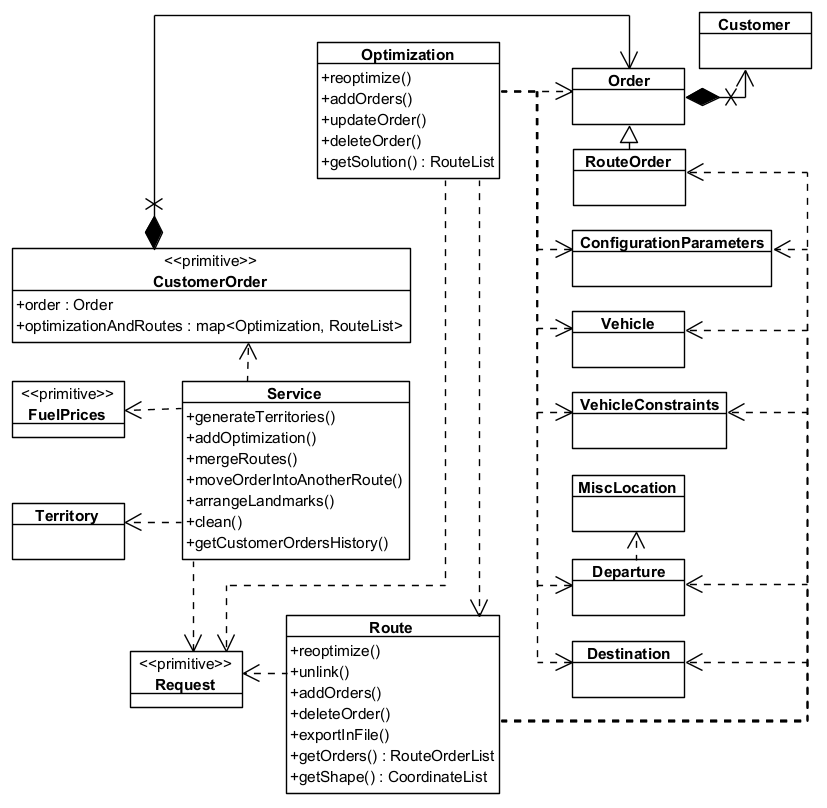
**CLass Diagram**
#### How Fleet Management SDK works[](#how-fleet-management-sdk-works "Direct link to How Fleet Management SDK works")
1. **Define Orders and Customers**: Start by creating orders that need to be fulfilled and associating them with customers. Each order includes details like location, priority, delivery requirements, time windows, weight, and volume.
2. **Set Up Vehicles and Constraints**: Define the fleet of vehicles available for routing. Each vehicle can have different capacities, fuel types, operational hours, and allowed road types.
3. **Set Configuration Parameters**: Set up the optimization criteria such as minimizing distance, time, or cost. You can also define constraints like vehicle capacity, time windows, and road restrictions.
4. **Execute Optimization**: The system uses advanced algorithms to compute the most efficient routes based on the defined goals and constraints, ensuring all orders are fulfilled effectively.
5. **Track the Status of the Optimization**: When an optimization request is initiated, a request object is created. This object allows you to monitor the progress and status of the optimization process.
6. **Review and Manage Routes**: After optimization, review the generated routes. You can make changes - such as adding or removing orders - and re-optimize to improve results.
7. **Execute and Monitor**: Once routes are finalized, they can be executed by the fleet. The system provides real-time tools to track vehicle progress.
##### Use Cases[](#use-cases "Direct link to Use Cases")
* **Delivery Services**: Optimize routes for delivery trucks to ensure timely and cost-effective delivery of goods to customers.
* **Field Service Management**: Plan routes for service technicians to visit multiple customer locations for maintenance or repairs.
* **Waste Collection**: Optimize routes for garbage trucks to collect waste from residential and commercial areas efficiently.
---
### Miscellaneous Location
|
The `MiscLocation` class allows users to manage miscellaneous locations in the Fleet Management SDK. MiscLocations are points of interest, depots, or other locations relevant to logistics and route optimization. This API provides endpoints to:
* **Add new miscellaneous locations** to the system.
* **Retrieve and update location details** such as alias, address, and coordinates.
* **Delete miscellaneous locations** when they are no longer needed.
Note
Miscellaneous locations can be used as departure points. For more information, see [Departure](/docs/cpp/guides/fleet-management/misc-location.md#departure)
Additionally, miscellaneous locations can also serve as destinations. Refer to [Destination](/docs/cpp/guides/fleet-management/misc-location.md#destination) for further details."
#### MiscLocation Structure[](#misclocation-structure "Direct link to MiscLocation Structure")
Each miscellaneous location object consists of the following attributes:
| Name | Type | Description | Setter | Getter |
| --------------- | -------------- | ------------------------------------------------------- | ------ | ------ |
| **Id** | `LargeInteger` | Unique identifier for the miscellaneous location. | ❌ | ✅ |
| **IsDepot** | `bool` | Indicates whether the location is a depot. | ✅ | ✅ |
| **Coordinates** | `Coordinates` | Geographical coordinates of the miscellaneous location. | ✅ | ✅ |
| **Address** | `AddressInfo` | Address information of the miscellaneous location. | ✅ | ✅ |
| **Alias** | `String` | Alias name of the miscellaneous location. | ✅ | ✅ |
#### Managing MiscLocations[](#managing-misclocations "Direct link to Managing MiscLocations")
##### Creating a MiscLocation[](#creating-a-misclocation "Direct link to Creating a MiscLocation")
Add a miscellaneous location to the agenda, allowing it to be utilized as a point of interest, depot, or any other location relevant to logistics and route optimization.
Note
If the operation is successful, the miscLocation will have an id assigned; which can be retrieved using the method miscLocation.getId(), if not, an error code is returned which can be interpreted as mentioned at the end of the page.
###### How it works[](#how-it-works "Direct link to How it works")
1. Create a `vrp::MiscLocation` and set the desired fields.
2. Create a `ProgressListener` and `vrp::Service`.
3. Call the `addMiscLocation()` method from the `vrp::Service` using the `vrp::MiscLocation` and `ProgressListener` and wait for the operation to be done.
###### Example[](#example "Direct link to Example")
[]()
```cpp
// Define MiscLocation address
gem::AddressInfo address;
address.setField("USA", gem::EAddressField::Country);
address.setField("New York", gem::EAddressField::City);
address.setField("10007", gem::EAddressField::PostalCode);
address.setField("Broadway", gem::EAddressField::StreetName);
// Define MiscLocation coordinates
gem::Coordinates coords(40.712776, -74.005974);
// Create a `vrp::MiscLocation` and set the desired fields.
gem::vrp::MiscLocation location;
location.setAlias("Central Depot");
location.setIsDepot(true);
location.setCoordinates(coords);
location.setAddress(address);
// Initialize Service and Listener
ProgressListener listener;
gem::vrp::Service service;
// Call the addMiscLocation method
int res = service.addMiscLocation(&listener, location);
// Wait for completion
WAIT_UNTIL(std::bind(&ProgressListener::IsFinished, &listener), 5000);
if (res == gem::KNoError)
{
// Check operation success
if (listener.IsFinished() && listener.GetError() == gem::KNoError && res == gem::KNoError)
std::cout << "MiscLocation added successfully. ID: " << location.getId() << std::endl;
else
std::cout << "Failed to add miscLocation: Operation timed out or server returned an error." << std::endl;
}
else
std::cout << "Failed to send addMiscLocation request." << std::endl;
```
##### Retrieving MiscLocations[](#retrieving-misclocations "Direct link to Retrieving MiscLocations")
There are two ways to retrieve MiscLocation data:
###### a) Get a MiscLocation by ID[](#a-get-a-misclocation-by-id "Direct link to a) Get a MiscLocation by ID")
Get a certain MiscLocation by ID.
###### How it works[](#how-it-works-1 "Direct link to How it works")
1. Create a `ProgressListener`, a `vrp::Service` and a `vrp::MiscLocation`.
2. Call the `getMiscLocation()` method from the `vrp::Service` using the `vrp::MiscLocation` from 1.), the ID of the miscLocation that you want to retrieve and the `ProgressListener`.
3. Once the operation completes, the `vrp::MiscLocation` from 1.) will be populated.
[]()
```cpp
// Retrieve a specific MiscLocation by id
ProgressListener listener;
gem::vrp::Service service;
gem::vrp::MiscLocation miscLocation;
LargeInteger locationId = 0; // Set your miscLocation id
int res = service.getMiscLocation(listener, miscLocation, locationId);
if (res == gem::KNoError)
{
WAIT_UNTIL(std::bind(&ProgressListener::IsFinished, &listener), 5000);
if (listener.IsFinished() && listener.GetError() == gem::KNoError && res == gem::KNoError)
std::cout << "MiscLocation returned successfully" << std::endl;
else
std::cout << "Failed to retrive miscLocation: Operation timed out or server returned an error." << std::endl;
}
else
std::cout << "Failed to send getMiscLocation request." << std::endl;
```
###### b) Get All MiscLocations[](#b-get-all-misclocations "Direct link to b) Get All MiscLocations")
Returns all miscLocations of the API user (which contain the search term).
###### How it works[](#how-it-works-2 "Direct link to How it works")
1. Create a `ProgressListener` and `vrp::Service`and a `vrp::MiscLocationList`.
2. Call the `getMiscLocations()` method from the `vrp::Service` and the `ProgressListener`.
3. Once the operation completes, the list from 1.) will be populated with miscLocations that match the search criteria.
[]()
```cpp
// Retrieve all MiscLocations, optionally filtering by a search term
ProgressListener listener;
gem::vrp::Service service;
gem::vrp::MiscLocationList locations;
gem::String searchTerm = "Depot";
int res = service.getMiscLocations(listener, locations, searchTerm);
if (res == gem::KNoError)
{
WAIT_UNTIL(std::bind(&ProgressListener::IsFinished, &listener), 20000);
if (listener.IsFinished() && listener.GetError() == gem::KNoError && res == gem::KNoError)
std::cout << miscLocations.size() << " miscLocations returned successfully" << std::endl;
else
std::cout << "Failed to retrive miscLocations: Operation timed out or server returned an error." << std::endl;
}
else
std::cout << "Failed to send getMiscLocations request." << std::endl;
```
##### Updating a MiscLocation[](#updating-a-misclocation "Direct link to Updating a MiscLocation")
Saves the updates made to a miscLocation. MiscLocations can be updated with new alias, address, or coordinates.
###### How it works[](#how-it-works-3 "Direct link to How it works")
1. Create a `ProgressListener` and a `vrp::Service`.
2. Retrieve the miscLocation you want to update (see [Get MiscLocation](/docs/cpp/guides/fleet-management/misc-location.md#a-get-a-misclocation-by-id)) in a `vrp::MiscLocation`.
3. Change the desired fields of the `vrp::MiscLocation`.
4. Call the `updateMiscLocation()` method from the `vrp::Service` using the `vrp::MiscLocation` from 2.) and `ProgressListener` and wait for the operation to be done.
###### Example[](#example-1 "Direct link to Example")
[]()
```cpp
ProgressListener listener;
gem::vrp::Service service;
// Retrieve an existing MiscLocation by id
gem::vrp::MiscLocation location;
LargeInteger locationId = 0; // Set your misclocation id
int res = service.getMiscLocation(listener, location, locationId);
if (res == gem::KNoError)
{
WAIT_UNTIL(std::bind(&ProgressListener::IsFinished, &listener), 20000);
if(listener.IsFinished() && listener.GetError() == gem::KNoError)
{
// Update misclocation properties
location.setAlias("Updated Depot");
gem::Coordinates newCoords(41.123456, -73.987654);
location.setCoordinates(newCoords);
// Save the updated details
res = service.updateMiscLocation(listener, location);
if (res == gem::KNoError)
{
WAIT_UNTIL(std::bind(&ProgressListener::IsFinished, &listener), 5000);
if (listener.IsFinished() && listener.GetError() == gem::KNoError )
std::cout << "MiscLocation updated successfully" << std::endl;
else
std::cout << "Failed to update miscLocation: Operation timed out or server returned an error." << std::endl;
}
else
std::cout << "Failed to send updateMiscLocation request." << std::endl;
}
else
std::cout << "Failed to retrive miscLocation: Operation timed out or server returned an error." << std::endl;
}
else
std::cout << "Failed to send getMiscLocation request." << std::endl;
```
##### Deleting a MiscLocation[](#deleting-a-misclocation "Direct link to Deleting a MiscLocation")
MiscLocations can be deleted individually or in bulk.
Note
If a miscellaneous location that needs to be deleted was previously used to create orders or as a departure point, the id\_depot in those orders or the departure field will be set to 0.
###### How it works[](#how-it-works-4 "Direct link to How it works")
1. Create a `ProgressListener` and `vrp::Service`.
2. Call the `deleteMiscLocation()` method from the `vrp::Service` using the miscLocation object and `ProgressListener` and wait for the operation to be done.
[]()
```cpp
ProgressListener listener;
gem::vrp::Service service;
// Remove multiple MiscLocations by IDs
LargeIntList locationsToDelete = {111, 222, 333};
int res = service.deleteMiscLocation(listener, locationsToDelete);
if (res == gem::KNoError)
{
WAIT_UNTIL(std::bind(&ProgressListener::IsFinished, &listener), 5000);
if (listener.IsFinished() && listener.GetError() == gem::KNoError && res == gem::KNoError)
std::cout << "MiscLocations deleted successfully" << std::endl;
else
std::cout << "Failed to delete miscLocations: Operation timed out or server returned an error." << std::endl;
}
else
std::cout << "Failed to send deleteMiscLocation request." << std::endl;
```
#### Error Handling[](#error-handling "Direct link to Error Handling")
This API returns specific error codes to indicate potential issues. Below is a summary of common errors and how to resolve them:
| Error Code | Description | Solution |
| ---------------- | ---------------------------------------------- | ------------------------------------------------ |
| `KInvalidInput` | Missing required fields or invalid data. | Ensure all mandatory fields are properly filled. |
| `KNotFound` | The specified MiscLocation ID does not exist. | Verify that the correct location ID is provided. |
| `KInternalAbort` | Server-side issue or unexpected parsing error. | Retry the request or check API status. |
#### Departure[](#departure "Direct link to Departure")
##### Overview[](#overview "Direct link to Overview")
Departures in Fleet Management SDK define the starting points for vehicle routes. These locations serve as the origin of a route and can impact optimization by influencing travel distance and time.
##### Departure Structure[](#departure-structure "Direct link to Departure Structure")
Each Departure consists of:
| Name | Type | Description | Setter | Getter |
| ---------------------- | -------------- | ----------------------------------------------------------------------------------- | ------ | ------ |
| **DepotId** | `LargeInteger` | Unique identifier for the depot associated with the departure. | ✅ | ✅ |
| **Alias** | `String` | Alias name of the departure. | ✅ | ✅ |
| **Coordinates** | `Coordinates` | Geographical coordinates (latitude, longitude) of the departure. | ✅ | ✅ |
| **MatchedCoordinates** | `Coordinates` | Matched geographical coordinates (latitude, longitude) of the departure. | ❌ | ✅ |
| **Address** | `AddressInfo` | Address information of the departure. | ✅ | ✅ |
| **NumberOfPackages** | `unsigned int` | Number of packages with which the vehicle is loaded. Default is 0. | ❌ | ✅ |
| **Weight** | `float` | Weight with which the vehicle is loaded. Default is 0. | ❌ | ✅ |
| **Cube** | `float` | Cubic volume with which the vehicle is loaded. Default is 0. | ❌ | ✅ |
| **DepartureTime** | `Time` | Time at which the vehicle departs from the location. | ❌ | ✅ |
| **TimeToNext** | `unsigned int` | Time required to travel to the next order. | ❌ | ✅ |
| **DistanceToNext** | `float` | Distance to the next order in the distance unit set in the ConfigurationParameters. | ❌ | ✅ |
##### Example Usage[](#example-usage "Direct link to Example Usage")
[]()
```cpp
Departure departure;
departure.SetAlias("Warehouse A");
departure.SetCoordinates(coordinates);
departure.SetAddress(address);
departure.SetDepotId(12345);
```
Setting precise departure locations improves route planning and boosts the efficiency of vehicle operations with the Fleet Management SDK.
#### Destination[](#destination "Direct link to Destination")
##### Overview[](#overview-1 "Direct link to Overview")
Destinations in Fleet Management SDK define the final stop for a vehicle route. These locations mark the endpoint of a route and play a key role in optimizing route efficiency.
##### Destination Structure[](#destination-structure "Direct link to Destination Structure")
Each Destination consists of:
| Name | Type | Description | Setter | Getter |
| ---------------------- | ------------- | -------------------------------------------------------------------------------------------------------------------- | ------ | ------ |
| **Alias** | `String` | Alias name of the destination. | ✅ | ✅ |
| **Coordinates** | `Coordinates` | Geographical coordinates (latitude, longitude) of the destination. | ✅ | ✅ |
| **MatchedCoordinates** | `Coordinates` | Matched geographical coordinates (latitude, longitude) of the destination. | ❌ | ✅ |
| **Address** | `AddressInfo` | Address information of the destination. | ✅ | ✅ |
| **ArrivalTime** | `Time` | Time at which the vehicle arrives at the destination. | ❌ | ✅ |
| **TraveledDistance** | `float` | Distance traveled by the vehicle to reach this destination, in the distance unit set in the ConfigurationParameters. | ❌ | ✅ |
##### Example Usage[](#example-usage-1 "Direct link to Example Usage")
[]()
```cpp
Destination destination;
destination.SetAlias("Customer B");
destination.SetCoordinates(coordinates);
destination.SetAddress(address);
```
By accurately managing destination locations, ensures optimal route planning and timely deliveries.
---
### Optimizations
|
The `Optimization` class is a core component of the Fleet Management SDK. An optimization represents a set of orders, vehicles, constraints, and other parameters that define a routing problem. Whenever an optimization operation - such as creating, updating, or reoptimizing - is performed, it returns a `Request` object. This object allows you to track the status and progress of the operation asynchronously. It includes details such as the request ID, creation time, associated entity, status, and any error messages. Once the request is completed, the resulting solution can be retrieved. For more information about request handling, see the end of this page.
The API allows users to:
* **Create new optimizations** with orders, vehicles, and constraints.
* **Retrieve existing optimizations** by ID or list all optimizations.
* **Update optimization parameters** such as constraints or vehicles.
* **Delete optimizations** when no longer needed.
* **Reoptimize** existing optimizations to find better solutions.
* **Add or remove orders** from an existing optimization.
* **Retrieve solutions** for an optimization.
#### Optimization Structure[](#optimization-structure "Direct link to Optimization Structure")
Each optimization object consists of the following attributes:
| Name | Type | Description | Setter | Getter |
| --------------------------- | --------------------------------------- | -------------------------------------------------------------------------------------------------------------------------------------------------------------------------------------------------------------------------------------------------- | ------ | ------ |
| **Id** | `LargeInteger` | Unique identifier for the optimization, used for updates. | ❌ | ✅ |
| **ConfigurationParameters** | `ConfigurationParameters` | Configuration parameters for the optimization. | ✅ | ✅ |
| **Orders** | `OrderList` | List of orders to be delivered or picked up during the optimization. | ✅ | ✅ |
| **Vehicles** | `VehicleList` | List of vehicles available for optimization. | ✅ | ✅ |
| **VehiclesConstraints** | `VehicleConstraintsList` | Constraints that apply to the vehicles in the optimization.
If there are multiple vehicles, you can either set a single set of constraints that applies to all vehicles or apply different constraints for each vehicle. | ✅ | ✅ |
| **Departures** | `DepartureList` | List of departure points where the vehicles start their routes. | ✅ | ✅ |
| **Destinations** | `DestinationList` | List of destinations where the vehicles finish their routes. | ✅ | ✅ |
| **MatrixBuildType** | `EMatrixBuildType` | Defines the method used to construct the distance and time matrices for the optimization.
**Possible values:**
• `MBT_Set (0)`: Matrices are set by the user.
• `MBT_Real (1)`: Real road distance or time traveled by the vehicle. | ✅ | ✅ |
| **DistanceMatrices** | `std::map` | Distance matrices for the optimization (used when matrixBuildType is MBT\_Set).
A different distance matrix is used for each vehicle type from optimization. | ✅ | ✅ |
| **TimeMatrices** | `std::map` | Time matrices for the optimization (used when matrixBuildType is MBT\_Set).
A different time matrix is used for each vehicle type from optimization. | ✅ | ✅ |
| **CreationTime** | `Time` | Time when the optimization was created (in Epoch format). | ❌ | ✅ |
#### Managing Optimizations[](#managing-optimizations "Direct link to Managing Optimizations")
##### Creating an Optimization[](#creating-an-optimization "Direct link to Creating an Optimization")
An optimization must be created before it can be solved. It defines the routing problem by including **orders**, **vehicles**, and **constraints**. To solve the optimization, the system initiates the process and returns a **Request** object. This object allows you to track the status of the optimization until the solution is ready.
Note
Adding an optimization returns a **Request** object, which allows you to track the status of the optimization process. Once the request status is finished, the solution can be retrieved using getSolution(). A route is the trip that a vehicle travels to visit the orders, so the number of routes returned is maximum the number of vehicles set in the optimization(see [**Routes**](/docs/cpp/guides/fleet-management/route.md)). If in the optimization only one vehicle is used, then the solution will contain only one route.
###### How it works[](#how-it-works "Direct link to How it works")
1. Create a `vrp::OrderList` and add the orders to it. Each order needs to have a customer set; you can either add a new customer and then set it to the order, or you can use a previously created customer (see [Get Customer](/docs/cpp/guides/fleet-management/customer.md#a-get-a-customer-by-id))
2. Create a `vrp::ConfigurationParameters` and set the desired parameters.
3. Create one `vrp::VehicleConstraints` for each vehicle and set them to a `vrp::VehicleConstraintsList`.
4. Create a `vrp::Optimization`, set the desired fields and the objects created at 1.), 2.) and 3.) to it.
5. Create a `ProgressListener`, `vrp::Service`, and a `vrp::Request` that will be used for traking the request status.
6. Call the `addOptimization()` method from `vrp::Service` using the list from 5.), the `vrp::Optimization` from 4.) and the progress listener.
7. After adding an optimization, check whether the associated request has reached the finished status. Once completed, you can retrieve the optimization results by calling the `getSolution()` method, which returns a `vrp::RouteList` containing the generated routes.
###### Example[](#example "Direct link to Example")
[]()
```cpp
// Initialize Service and Listener
ProgressListener listener;
gem::vrp::Service service;
// Initialize Customers
gem::vrp::Customer c0;
c0.setCoordinates(gem::Coordinates(48.234270, -2.133208));
c0.setAlias("c0");
c0.setPhoneNumber("+12312312");
c0.setEmail("c0@yahoo.com");
int ret = service.addCustomer(&listener, c0);
WAIT_UNTIL(std::bind(&ProgressListener::IsFinished, &listener), 5000);
gem::vrp::Customer c1;
c1.setCoordinates(gem::Coordinates(45.854137, 2.853998));
c1.setAlias("c1");
c1.setEmail("c1@yahoo.com");
c1.setPhoneNumber("+12312312");
ret = service.addCustomer(&listener, c1);
WAIT_UNTIL(std::bind(&ProgressListener::IsFinished, &listener), 5000);
gem::vrp::Customer c2(gem::Coordinates(46.199373, 0.069986));
c2.setAlias("c2");
c2.setPhoneNumber("+12312312");
c2.setEmail("c2@yahoo.com");
ret = service.addCustomer(&listener, c2);
WAIT_UNTIL(std::bind(&ProgressListener::IsFinished, &listener), 5000);
// Initialize Orders
gem::vrp::OrderList orders;
gem::vrp::Order order0(c0);
order0.setNumberOfPackages(5);
order0.setWeight(15.7);
order0.setCube(0.2);
order0.setServiceTime(600);
order0.setTimeWindow(std::make_pair(gem::Time(1596783600000), gem::Time(1596870000000))); // August 7, 2020 7:00:00 AM - August 8, 20207:00:00 AM
order0.setType(gem::vrp::EOrderType::OT_PickUp);
ret = service.addOrder(&listener, order0, false);
WAIT_UNTIL(std::bind(&ProgressListener::IsFinished, &listener), 5000);
orders.push_back(order0);
gem::vrp::Order order1(c1);
order1.setNumberOfPackages(4);
order1.setWeight(15.5);
order1.setCube(0.9);
order1.setTimeWindow(std::make_pair(gem::Time(1596783600000), gem::Time(1596870000000))); // August 7, 2020 7:00:00 AM - August 8, 20207:00:00 AM
order1.setType(gem::vrp::EOrderType::OT_PickUp);
ret = service.addOrder(&listener, order1, false);
WAIT_UNTIL(std::bind(&ProgressListener::IsFinished, &listener), 5000);
orders.push_back(order1);
gem::vrp::Order order2(c2);
order2.setNumberOfPackages(8);
order2.setWeight(5.5);
order2.setCube(0.3);
order2.setServiceTime(600);
order2.setTimeWindow(std::make_pair(gem::Time(1596798000000), gem::Time(1596839600000))); // August 7, 2020 11:00:00 AM - 10:33:20 PM
order2.setType(gem::vrp::EOrderType::OT_Delivery);
ret = service.addOrder(&listener, order2, false);
WAIT_UNTIL(std::bind(&ProgressListener::IsFinished, &listener), 5000);
orders.push_back(order2);
gem::vrp::Order order3(c3);
order3.setTimeWindow(std::make_pair(gem::Time(1596803600000), gem::Time(1596870000000))); // August 7, 2020 12:33:20 PM - August 8, 20207:00:00 AM
order3.setType(gem::vrp::EOrderType::OT_Delivery);
ret = service.addOrder(&listener, order3, false);
WAIT_UNTIL(std::bind(&ProgressListener::IsFinished, &listener), 5000);
orders.push_back(order3);
// Initialize Configuration parameters
gem::vrp::ConfigurationParameters configParams;
configParams.setName("France optimization");
configParams.setIgnoreTimeWindow(false); // will not consider the time window for the order
configParams.setOptimizationCriterion(gem::vrp::EOptimizationCriterion::OC_Distance);
configParams.setOptimizationQuality(gem::vrp::EOptimizationQuality::OQ_Optimized);
configParams.setMaxWaitTime(18000); // A vehicle can wait maximum 5 hours between a order and the next one, in order to visit the nextone within its time window
configParams.setRouteType(gem::vrp::ERouteType::RT_CustomEnd);
configParams.setRestrictions(gem::vrp::ERoadRestrictions::RR_None);
configParams.setDistanceUnit(gem::vrp::EDistanceUnit::DU_Kilometers);
// Initialize Vehicles
gem::vrp::VehicleList vehicles;
gem::vrp::Vehicle vehicle1;
vehicle1.setName("Vehicle 1");
vehicle1.setType(gem::vrp::EVehicleType::VT_Car);
vehicle1.setStatus(gem::vrp::EVehicleStatus::VS_Available);
vehicle1.setManufacturer("Kia");
vehicle1.setModel("Ceed");
vehicle1.setFuelType(gem::vrp::EFuelType::FT_GasolinePremium);
vehicle1.setConsumption(6.5);
vehicle1.setLicensePlate("BV01ASD");
vehicle1.setMaxWeight(300);
vehicle1.setMaxCube(15);
vehicle1.setStartTime(420); // August 7, 2020 7:00:00 AM
vehicle1.setEndTime(420); // August 8, 2020 7:00:00 AM
int res = service.addVehicle(&listener, vehicle1);
WAIT_UNTIL(std::bind(&ProgressListener::IsFinished, &listener), 5000);
vehicles.push_back(vehicle1);
// Initialize Vehicle constraints
gem::vrp::VehicleConstraintsList vehConstraintsList;
gem::vrp::VehicleConstraints vehConstr;
vehConstr.setMaxNumberOfPackages(100);
vehConstr.setMaxRevenue(2000);
vehConstr.setStartDate(gem::Time(2020, 8, 7)); // August 7, 2020
vehConstr.setEndDate(gem::Time(2020, 8, 8)); // August 8, 2020
vehConstr.setMinNumberOfOrders(1);
vehConstr.setMaxNumberOfOrders(50);
vehConstr.setMinDistance(1);
vehConstr.setMaxDistance(19000);
vehConstraintsList.push_back(vehConstr);
gem::vrp::Departure departure;
departure.setAlias("Depot 1");
departure.setCoordinates(gem::Coordinates(48.618893, -1.353635));
gem::vrp::Destination destination;
destination.setAlias("Destination");
destination.setCoordinates(gem::Coordinates(47.617484, 1.152466));
gem::vrp::Optimization optimization;
optimization.setConfigurationParameters(configParams);
optimization.setVehicles(vehicles);
optimization.setDepartures({departure});
optimization.setDestinations({destination});
optimization.setOrders(orders);
optimization.setVehiclesConstraints(vehConstraintsList);
optimization.setMatrixBuildType(gem::vrp::EMatrixBuildType::MBT_Real);
// Create an Optimization object and set its properties
gem::vrp::Optimization optimization;
optimization.setConfigurationParameters(configParams);
optimization.setOrders(orders);
optimization.setVehicles(vehicles);
optimization.setVehiclesConstraints(vehConstraintsList);
optimization.setDepartures(departures);
optimization.setDestinations(destinations);
optimization.setMatrixBuildType(gem::vrp::EMatrixBuildType::MBT_Real);
// Call the addOptimization method
std::shared_ptr request = std::make_shared();
int res = service.addOptimization(&listener, optimization, request);
WAIT_UNTIL(std::bind(&ProgressListener::IsFinished, &listener), 10000);
// Wait for completion
WAIT_UNTIL([&]() {
serv.getRequest(&listener, request, request->id);
WAIT_UNTIL(std::bind(&ProgressListener::IsFinished, &listener), 7000);
return request->status == gem::vrp::ERequestStatus::eFinished;
}, 40000);
// Check operation success
if (listener.IsFinished() && listener.GetError() == gem::KNoError && res == gem::KNoError) {
std::cout << "Optimization added successfully. ID: " << optimization.getId() << std::endl;
} else {
std::cout << "Optimization could not be added." << std::endl;
}
```
##### Retrieving the Solution for an Optimization[](#retrieving-the-solution-for-an-optimization "Direct link to Retrieving the Solution for an Optimization")
Returns the solution for an optimization. The result is a list of routes.
###### How it works[](#how-it-works-1 "Direct link to How it works")
1. Create a `ProgressListener`, a `vrp::Service` and a `vrp::RouteList`.
2. Call the `getSolutionForOptimization()` method from the `vrp::Service` using the list from 1.), the ID of the optimization and the `ProgressListener`.
3. Once the operation completes, the list from 1.) will be populated.
###### Example[](#example-1 "Direct link to Example")
[]()
```cpp
ProgressListener listener;
gem::vrp::Service service;
// Retrieve the optimization for which you want to obtain the solution.
gem::vrp::Optimization optimization;
gem::LargeInteger optimizationId = 0; // Set your optimization id
int res = serv.getOptimization(&listener, optimization, optimizationId);
if (res == gem::KNoError)
{
WAIT_UNTIL(std::bind(&ProgressListener::IsFinished, &listener), 20000);
if(listener.IsFinished() && listener.GetError() == gem::KNoError)
{
// Retrieve the solution for the optimization
gem::vrp::RouteList routes;
res = optimization.getSolution(&listener, routes);
if (res == gem::KNoError)
{
WAIT_UNTIL(std::bind(&ProgressListener::IsFinished, &listener), 5000);
if (listener.IsFinished() && listener.GetError() == gem::KNoError)
std::cout << "Solution returned successfully" << std::endl;
else
std::cout << "Failed to get solution for optimization: Operation timed out or server returned an error." << std::endl;
}
else
std::cout << "Failed to send getSolution request." << std::endl;
}
else
std::cout << "Failed to retrive optimization: Operation timed out or server returned an error." << std::endl;
}
else
std::cout << "Failed to send getOptimization request." << std::endl;
```
##### Retrieving Optimizations[](#retrieving-optimizations "Direct link to Retrieving Optimizations")
There are two ways to retrieve optimization data:
###### a) Get an Optimization by ID[](#a-get-an-optimization-by-id "Direct link to a) Get an Optimization by ID")
Get a certain optimization
###### How it works[](#how-it-works-2 "Direct link to How it works")
1. Create a `ProgressListener`, a `vrp::Service` and a `vrp::Optimization`.
2. Call the `getOptimization()` method from the `vrp::Service` using the `vrp::Optimization` from 1.), the ID of the optimization that you want to retrieve and the `ProgressListener`.
3. Once the operation completes, the `vrp::Optimization` from 1.) will be populated.
[]()
```cpp
ProgressListener listener;
gem::vrp::Service service;
gem::vrp::Optimization optimization;
LargeInteger optimizationId = 0; // Set your optimization id
// Retrieve a specific optimization by id
int res = service.getOptimization(listener, optimization, optimizationId);
if (res == gem::KNoError)
{
// Wait for completion
WAIT_UNTIL(std::bind(&ProgressListener::IsFinished, &listener), 10000);
// Check operation success
if (listener.IsFinished() && listener.GetError() == gem::KNoError)
std::cout << "Optimization retrieved successfully. ID: " << optimization.getId() << std::endl;
else
std::cout << "Failed to retrive optimization: Operation timed out or server returned an error." << std::endl;
}
else
std::cout << "Failed to send getOptimization request." << std::endl;
```
###### b) Get All Optimizations (with optional filtering)[](#b-get-all-optimizations-with-optional-filtering "Direct link to b) Get All Optimizations (with optional filtering)")
Returns all optimizations of the API user (which contain the search term).
###### How it works[](#how-it-works-3 "Direct link to How it works")
1. Create a `ProgressListener`, a `vrp::Service` and a `vrp::OptimizationList`.
2. Call the `getOptimizations()` method from the `vrp::Service` using the list from 1.) and the `ProgressListener`.
3. Once the operation completes, the list from 1.) will be populated.
[]()
```cpp
// Retrieve all optimizations
ProgressListener listener;
gem::vrp::Service service;
gem::vrp::OptimizationList optimizations;
gem::String searchTerm = "Optimization";
// Retrieve all routes
int res = service.getOptimizations(listener, optimizations, searchTerm);
if (res == gem::KNoError)
{
// Wait for completion
WAIT_UNTIL(std::bind(&ProgressListener::IsFinished, &listener), 5000);
// Check operation success
if (listener.IsFinished() && listener.GetError() == gem::KNoError && res == gem::KNoError)
std::cout << "optimizations retrieved successfully." << std::endl;
else
std::cout << "Failed to retrive optimizations: Operation timed out or server returned an error." << std::endl;
}
else
std::cout << "Failed to send getOptimizations request." << std::endl;
```
##### Updating an Optimization[](#updating-an-optimization "Direct link to Updating an Optimization")
Makes changes to an optimization and triggers a reoptimization. The updated solution can be retrieved using getSolution() once the request status is Finished.
Note
Orders within an optimization **cannot be updated directly** using `UpdateOptimization()`. However, all other fields in the optimization can be modified using this method.
To modify orders, refer to the following examples:
* [Adding Orders to an Optimization](/docs/cpp/guides/fleet-management/optimization.md#adding-orders-to-an-optimization)
* [Updating an Order from an Optimization](/docs/cpp/guides/fleet-management/optimization.md#updating-an-order-from-an-optimization)
* [Deleting an Order from an Optimization](/docs/cpp/guides/fleet-management/optimization.md#deleting-an-order-from-an-optimization)
Once the optimization is updated, it will be reoptimized. The reoptimized solution can be retrieved using `getSolution()` once the request status is `Finished`.
###### How it works[](#how-it-works-4 "Direct link to How it works")
1. Create a `ProgressListener` and a `vrp::Service`.
2. Retrieve the optimization you want to update (see [Get Optimization](/docs/cpp/guides/fleet-management/optimization.md#a-get-an-optimization-by-id)) in a `vrp::Optimization`.
3. Change the desired fields of the `vrp::Optimization`.
4. Create a `vrp::RouteList`, and a `vrp::Request` that will be use for traking the status of the operation.
5. Call the `updateOptimization()` method from the `vrp::Service` using the list from 4.), the `vrp::Optimization` from 2.), the optimization will be reoptimized.
6. Check if the associated request has reached the finished status. Once completed, you can retrieve the optimization results by calling the `getSolution()` method, which returns a `vrp::RouteList` containing the reoptimized routes.
###### Example[](#example-2 "Direct link to Example")
[]()
```cpp
// Retrieve an existing optimization by id
ProgressListener listener;
gem::vrp::Service service;
gem::vrp::Optimization optimization;
LargeInteger optimizationId = 0; // Set your optimization id
int res = service.getOptimization(listener, optimization, optimizationId);
WAIT_UNTIL(std::bind(&ProgressListener::IsFinished, &listener), 20000);
// Change configuration parameters
gem::vrp::ConfigurationParameters configParams = optimization.getConfigurationParameters();
configParams.setName(configParams.getName() + " updated");
configParams.setRouteType(gem::vrp::ERouteType::RT_EndAnywhere);
configParams.setIgnoreTimeWindow(true);
configParams.setDistanceUnit(gem::vrp::EDistanceUnit::DU_Miles);
// Update optimization properties
optimization.setConfigurationParameters(configParams);
std::shared_ptr request = std::make_shared();
res = service.updateOptimization(&listener, optimization, request);
WAIT_UNTIL(std::bind(&ProgressListener::IsFinished, &listener), 10000);
WAIT_UNTIL([&]() {
service.getRequest(&listener, request, request->id);
WAIT_UNTIL(std::bind(&ProgressListener::IsFinished, &listener), 7000);
return request->status == gem::vrp::ERequestStatus::eFinished;
}, 40000);
gem::vrp::RouteList routes;
res = optimization.getSolution(&listener, routes);
WAIT_UNTIL(std::bind(&ProgressListener::IsFinished, &listener), 10000);
if (listener.IsFinished() && listener.GetError() == gem::KNoError && res == gem::KNoError)
std::cout << "Optimization updated successfully" << std::endl;
else
std::cout << "Optimization couldn't be updated" << std::endl;
```
##### Deleting an Optimization[](#deleting-an-optimization "Direct link to Deleting an Optimization")
Delete the optimizations for the user. Optimizations can be deleted individually or in bulk.
Note
When an optimization is deleted, the routes assigned to that optimization are also deleted.
###### How it works[](#how-it-works-5 "Direct link to How it works")
1. Create a `ProgressListener` and `vrp::Service`.
2. Call the `deleteOptimization()` method from the `vrp::Service` using the optimization's id and `ProgressListener` and wait for the operation to be done.
###### Example[](#example-3 "Direct link to Example")
[]()
```cpp
ProgressListener listener;
gem::vrp::Service service;
// Remove multiple optimizations by IDs
LargeIntList optimizationsToDelete = {101, 202, 303};
int res = service.deleteOptimization(listener, optimizationsToDelete);
if (res == gem::KNoError)
{
// Wait for completion
WAIT_UNTIL(std::bind(&ProgressListener::IsFinished, &listener), 5000);
// Check operation success
if (listener.IsFinished() && listener.GetError() == gem::KNoError && res == gem::KNoError)
std::cout << "Optimizations deleted successfully." << std::endl;
else
std::cout << "Failed to delete optimization: Operation timed out or server returned an error." << std::endl;
}
else
std::cout << "Failed to send deleteOptimization request." << std::endl;
```
##### Reoptimizing an Optimization[](#reoptimizing-an-optimization "Direct link to Reoptimizing an Optimization")
Creates a new and better solution (if exists) for the optimization. The latest fuel prices are used for the new solution (see [Get Fuel Prices](/docs/cpp/guides/fleet-management/fuel-prices.md#2-retrieving-fuel-prices)).
###### How it works[](#how-it-works-6 "Direct link to How it works")
1. Create a `ProgressListener`, a `vrp::Service` a `vrp::RouteList` and a `vrp::Request`.
2. Call the `reoptimizeOptimization()` method from the `vrp::Service` using the `vrp::RouteList` from 1.), the ID of the optimization that you will be reoptimized and the `ProgressListener`.
3. Check if the associated request has reached the finished status. Once completed, you can retrieve the optimization results by calling the `getSolution()` method, which returns a `vrp::RouteList` containing the reoptimized routes.
###### Example[](#example-4 "Direct link to Example")
[]()
```cpp
ProgressListener listener;
gem::vrp::Service service;
gem::vrp::Optimization optimization;
gem::LargeInteger optimizationId = 0; // Set your optimization id
// Retrive a specific optimization by id
int res = service.getOptimization(&listener, optimization, optimizationId);
WAIT_UNTIL(std::bind(&ProgressListener::IsFinished, &listener), 20000);
// Reoptimize an existing optimization
std::shared_ptr request = std::make_shared();
res = optimization.reoptimize(&listener, request);
WAIT_UNTIL(std::bind(&ProgressListener::IsFinished, &listener), 20000);
WAIT_UNTIL([&]() {
service.getRequest(&listener, request, request->id);
WAIT_UNTIL(std::bind(&ProgressListener::IsFinished, &listener), 7000);
return request->status == gem::vrp::ERequestStatus::eFinished;
}, 40000);
// Take the new solution
gem::vrp::RouteList routes;
res = optimization.getSolution(&listener, routes);
WAIT_UNTIL(std::bind(&ProgressListener::IsFinished, &listener), 10000);
if (listener.IsFinished() && listener.GetError() == gem::KNoError && res == gem::KNoError)
std::cout << "Optimization reoptimized successfully" << std::endl;
else
std::cout << "Optimization couldn't be reoptimized" << std::endl;
```
##### Adding Orders to an Optimization[](#adding-orders-to-an-optimization "Direct link to Adding Orders to an Optimization")
Add orders to the optimization. The orders will be added at the end of the existing optimization's orders list. If the optimization is also reoptimized, the added orders will be assigned to the optimization's routes.
###### How it works[](#how-it-works-7 "Direct link to How it works")
1. Create a `vrp::Order` with the desired fields for each order that will be added and insert them in a `vrp::OrderList`.
2. Create a `ProgressListener` and `vrp::Service`.
3. Retrieve the optimization like in the example `GetOptimization()` in a `vrp::Optimization`.
4. Call the `optimization.addOrders()` method from `vrp::Optimization` using the list from 1.), a boolean to specify if the optimization should be reoptimized and the `ProgressListener`.
5. Check if the associated request has reached the finished status. Once completed, you can retrieve the optimization results by calling the `getSolution()` method, which returns a `vrp::RouteList` containing the generated routes.
###### Example[](#example-5 "Direct link to Example")
[]()
```cpp
ProgressListener listener;
gem::vrp::Service service;
gem::vrp::Optimization optimization;
gem::LargeInteger optimizationId = 0; // Set your optimization id
int ret = service.getOptimization(&listener, optimization, optimizationId);
WAIT_UNTIL(std::bind(&ProgressListener::IsFinished, &listener), 20000);
// Initialize customers
gem::vrp::Customer c1;
c1.setCoordinates(gem::Coordinates(47.016075, -0.849623));
c1.setAlias("c1");
c1.setPhoneNumber("+12312312");
c1.setEmail("c1@yahoo.com");
ret = service.addCustomer(&listener, c1);
WAIT_UNTIL(std::bind(&ProgressListener::IsFinished, &listener), 5000);
gem::vrp::Customer c2(gem::Coordinates(45.212821, 3.166858));
c2.setAlias("c2");
c2.setPhoneNumber("+12312312");
c2.setEmail("c2@yahoo.com");
ret = service.addCustomer(&listener, c2);
WAIT_UNTIL(std::bind(&ProgressListener::IsFinished, &listener), 5000);
// Initialize orders that will be added
gem::vrp::OrderList ordersToAdd;
gem::vrp::Order orderToAdd1(c1);
orderToAdd1.setNumberOfPackages(5);
orderToAdd1.setServiceTime(600);
orderToAdd1.setType(gem::vrp::EOrderType::OT_PickUp);
ret = service.addOrder(&listener, orderToAdd1, false);
WAIT_UNTIL(std::bind(&ProgressListener::IsFinished, &listener), 5000);
ordersToAdd.push_back(orderToAdd1);
gem::vrp::Order orderToAdd2(c2);
orderToAdd2.setNumberOfPackages(4);
orderToAdd2.setType(gem::vrp::EOrderType::OT_Delivery);
ret = service.addOrder(&listener, orderToAdd2, false);
WAIT_UNTIL(std::bind(&ProgressListener::IsFinished, &listener), 5000);
ordersToAdd.push_back(orderToAdd2);
bool reoptimize = true;// Set reoptimize to true, which means that a new solution will be computed with new orders included.
// Add new orders to an optimization
std::shared_ptr request = std::make_shared();
ret = optimization.addOrders(&listener, ordersToAdd, request, reoptimize);
WAIT_UNTIL(std::bind(&ProgressListener::IsFinished, &listener), 10000);
WAIT_UNTIL([&]() {
service.getRequest(&listener, request, request->id);
WAIT_UNTIL(std::bind(&ProgressListener::IsFinished, &listener), 7000);
return request->status == gem::vrp::ERequestStatus::eFinished;
}, 40000);
if (listener.IsFinished() && listener.GetError() == gem::KNoError && ret == gem::KNoError)
std::cout << "Orders added successfully" << std::endl;
else
std::cout << "Orders couldn't be added or the optimization couldn't be reoptimized" << std::endl;
```
##### Updating an Order from an Optimization[](#updating-an-order-from-an-optimization "Direct link to Updating an Order from an Optimization")
Update an order from an existing optimization.
Note
These changes will also be seen in the route orders for the routes involved in the optimization. So when you want to update a route order you can use this method.
###### How it works[](#how-it-works-8 "Direct link to How it works")
1. Create a `ProgressListener` and a `vrp::Service`.
2. Retrieve the optimization like in the example `GetOptimization()` in a `vrp::Optimization`.
3. Create a `vrp::Order` and initialize it with the optimization order that you want to update.
4. Make the desired changes on the `vrp::Order` from 3.).
5. Call the `optimization.updateOrder()` method from the `vrp::Optimization` from 2.) using the `vrp::Order` from 3.) and the `ProgressListener`.
6. Once the operation completes, the `vrp::Optimization` from 2.) will contain the new optimization with the order updated.
###### Example[](#example-6 "Direct link to Example")
[]()
```cpp
ProgressListener listener;
gem::vrp::Service service;
gem::vrp::Optimization optimization;
gem::LargeInteger optimizationId = 0; // Set your optimization
// Retrieve a specific optimization by id
int res = service.getOptimization(listener, optimization, optimizationId);
if (res == gem::KNoError)
{
// Wait for completion
WAIT_UNTIL(std::bind(&ProgressListener::IsFinished, &listener), 10000);
// Check operation success
if (listener.IsFinished() && listener.GetError() == gem::KNoError)
{
if (optimization.getOrders().size() > 2)// Check if the optimization has at least two orders to avoid going out of range
{
// Update the order 2 from the optimization
gem::vrp::Order order = optimization.getOrders().at(2);
order.setNumberOfPackages(3);
order.setServiceTime(360);
res = optimization.updateOrder(&listener, order);
if (res == gem::KNoError)
{
WAIT_UNTIL(std::bind(&ProgressListener::IsFinished, &listener), 5000);
if (listener.IsFinished() && listener.GetError() == gem::KNoError)
std::cout << "Order updated successfully" << std::endl;
else
std::cout << "Failed to update order: Operation timed out or server returned an error." << std::endl;
}
else
std::cout << "Failed to send updateOrder request." << std::endl;
}
else
std::cout << "The optimization hasn't at least two orders" << std::endl;
}
else
std::cout << "Failed to retrive optimization: Operation timed out or server returned an error." << std::endl;
}
else
std::cout << "Failed to send getOptimization request." << std::endl;
```
##### Deleting an Order from an Optimization[](#deleting-an-order-from-an-optimization "Direct link to Deleting an Order from an Optimization")
Delete an order from an existing optimization. It will not appear in the Route as well.
Note
A route must contain at least two orders for one to be deleted. If the order you want to delete is the only one in the route, it cannot be deleted.
###### How it works[](#how-it-works-9 "Direct link to How it works")
1. Create a `ProgressListener` and a `vrp::Service`.
2. Retrieve the optimization like in the example `GetOptimization()` in a `vrp::Optimization`.
3. Create a `vrp::Order` and initialize it with the order that you want to delete.
4. Call the `deleteOrder()` method from `vrp::Optimization` from 2.) using the `vrp::Order` from 3.) and the `ProgressListener`.
5. Once the operation completes, the new optimization will be returned in the `vrp::Optimization` from 2.).
###### Example[](#example-7 "Direct link to Example")
[]()
```cpp
ProgressListener listener;
gem::vrp::Service service;
gem::LargeInteger optimizationId = 0; // Set your optimization id
gem::vrp::Optimization optimization;
// Retrieve a specific optimization by id
int res = service.getOptimization(&listener, optimization, optimizationId);
if (res == gem::KNoError)
{
WAIT_UNTIL(std::bind(&ProgressListener::IsFinished, &listener), 20000);
if (listener.IsFinished() && listener.GetError() == gem::KNoError)
{
if (optimization.getOrders().size() > 4)// Check if the optimization has at least four orders to avoid going out of range
{
//Delete the fourth order of the optimization
gem::vrp::Order order = optimization.getOrders().at(4);
res = optimization.deleteOrder(&listener, order);
if (res == gem::KNoError)
{
WAIT_UNTIL(std::bind(&ProgressListener::IsFinished, &listener), 5000);
if (listener.IsFinished() && listener.GetError() == gem::KNoError)
std::cout << "Order deleted successfully" << std::endl;
else
std::cout << "Failed to deleted order: Operation timed out or server returned an error." << std::endl;
}
else
std::cout << "Failed to send deleteOrder request." << std::endl;
}
else
std::cout << "The optimization hasn't at least four orders" << std::endl;
}
else
std::cout << "Failed to retrive optimization: Operation timed out or server returned an error." << std::endl;
}
else
std::cout << "Failed to send getOptimization request." << std::endl;
```
#### Error Handling[](#error-handling "Direct link to Error Handling")
The API provides specific error codes to identify potential issues. Below is a summary of common errors and their solutions:
| Error Code | Description | Solution | ||-|-| | `KInvalidInput` | Missing required fields or invalid data. | Ensure all mandatory fields are filled. You can check the error message in the request to see more details. | | `KNotFound` | The specified optimization ID does not exist.| Verify that the correct optimization ID is used. | | `KInternalAbort` | Server-side issue or unexpected error. | Retry the request or check API status. | | `KNoRoute` | Optimization could not be solved. | Check constraints and parameters. |
#### Request Handling[](#request-handling "Direct link to Request Handling")
Optimization operations such as `addOptimization`, `updateOptimization`, and `reoptimize` return a `Request` object. This object allows you to track the status of the operation.
##### Request Structure[](#request-structure "Direct link to Request Structure")
| Name | Type | Description | Setter | Getter |
| ---------------- | ---------------- | ------------------------------------------------------------------------- | ------ | ------ |
| **RequestId** | `LargeInteger` | Unique identifier for the request. | ❌ | ✅ |
| **CreationTime** | `LargeInteger` | The time when the request was created. | ❌ | ✅ |
| **EntityId** | `LargeInteger` | The ID of the entity (e.g., optimization) associated with the request. | ❌ | ✅ |
| **Status** | `ERequestStatus` | The current status of the request (e.g., Created, In Progress, Finished). | ❌ | ✅ |
| **ErrorMessage** | `std::string` | A message describing any errors that occurred during processing. | ❌ | ✅ |
##### Example of Tracking a Request[](#example-of-tracking-a-request "Direct link to Example of Tracking a Request")
[]()
```cpp
// Retrieve the status of a request
std::shared_ptr request = std::make_shared();
int res = service.getRequest(listener, request, requestId);
if (res == gem::KNoError)
{
// Wait for completion
WAIT_UNTIL(std::bind(&ProgressListener::IsFinished, &listener), 5000);
// Check operation success
if (listener.IsFinished() && listener.GetError() == gem::KNoError && res == gem::KNoError)
std::cout << "Request status: " << request->status << std::endl;
else
std::cout << "Failed to retrive request: Operation timed out or server returned an error." << std::endl;
}
else
std::cout << "Failed to send getRequest request." << std::endl;
```
---
### Orders
|
The `Order` class provides functionalities for managing orders within the VRP system. An order represents a pickup or delivery request and contains information such as location, customer details, time constraints, and priority settings. The API allows users to:
* **Create new orders** with relevant details.
* **Retrieve existing orders** by ID or list all orders.
* **Update order information** such as address, time window, or priority.
* **Delete orders** when no longer needed.
#### Order Structure[](#order-structure "Direct link to Order Structure")
Each order object consists of the following attributes:
| Name | Type | Description | Setter | Getter |
| -------------------- | ------------------------------------- | ------------------------------------------------------------------------------------------------------------------------------------------------------------------------------------------------------------------------------------------------------------------------------------------------------------------------------------------------------------------------------------------------------------------------------------------------------------------------------------------------------------------------------------------------------------------------------------------------------------------------------------------------------------ | ------ | ------ |
| **Id** | `LargeInteger` | Unique identifier for the order. | ❌ | ✅ |
| **Coordinates** | `Coordinates` | Geographical coordinates of the order. | ✅ | ✅ |
| **Address** | `AddressInfo` | Address information of the order. | ✅ | ✅ |
| **Customer** | `ICustomer` | Customer who placed the order. | ✅ | ✅ |
| **Alias** | `String` | Alias name of the order. | ✅ | ✅ |
| **FirstName** | `String` | First name associated with the order. | ✅ | ✅ |
| **LastName** | `String` | Last name associated with the order. | ✅ | ✅ |
| **PhoneNumber** | `String` | Phone number associated with the order. | ✅ | ✅ |
| **Type** | `EOrderType` | Type of the order.
**Possible values:**
• `OT_PickUp (0)`: Order is for pickup.
• `OT_Delivery (1)`: Order is for delivery. | ✅ | ✅ |
| **TimeWindow** | `std::pair` | Time window for delivery or pickup. | ✅ | ✅ |
| **ServiceTime** | `unsigned int` | Service time at the delivery or pickup location (in seconds). | ✅ | ✅ |
| **NumberOfPackages** | `unsigned int` | Number of packages to be delivered or picked up. | ✅ | ✅ |
| **Weight** | `float` | Weight of the goods to be delivered or picked up. | ✅ | ✅ |
| **Cube** | `float` | Cubic volume of the goods to be delivered or picked up. | ✅ | ✅ |
| **Revenue** | `float` | Revenue associated with the order. | ✅ | ✅ |
| **Priority** | `EOrderPriority` | Priority of the order.
**Possible values:**
• `OP_Low (0)`: Low priority.
• `OP_High (1)`: High priority. | ✅ | ✅ |
| **Status** | `EOrderStatus` | Status of the order.
**Possible values:**
• `OS_Unscheduled (0)`: Order is not part of a route.
• `OS_Scheduled (1)`: Order is part of a route. | ❌ | ✅ |
| **State** | `EOrderState` | State of the order.
**Possible values:**
• `OS_Failed (-2)`: The order has encountered a failure or error during the delivery or pick-up process.
• `OS_Rejected (-1)`: The order has been rejected and will not be processed.
• `OS_Completed (0)`: The order has been successfully completed.
• `OS_New (1)`:The order has not yet been assigned to any route.
• `OS_OnRoute (2)`: The order is currently in transit or en route to its destination.
• `OS_Servicing (3)`: The order is in the process of being serviced or fulfilled.
• `OS_Skipped (4)`: The order has been skipped by the driver.
| ❌ | ✅ |
| **CreationTime** | `Time` | Creation time of the order. | ❌ | ✅ |
| **DepotId** | `LargeInteger` | Depot ID to which the order belongs. | ✅ | ✅ |
| **CustomData** | `CustomDataList` | Custom data associated with the order. | ✅ | ✅ |
#### Managing Orders[](#managing-orders "Direct link to Managing Orders")
##### Creating an Order[](#creating-an-order "Direct link to Creating an Order")
Orders must be created before they can be processed in optimizations.
Note
If the operation is successful, the order will have an id assigned; which can be retrieved using the method order.getId(), if not, an error code is returned which can be interpreted as mentioned at the end of the page.
###### How it works[](#how-it-works "Direct link to How it works")
1. Create a `vrp::Order` and set the desired fields.
2. Create a `ProgressListener` and `vrp::Service`.
3. Call the `addOrder()` method from the `vrp::Service` using the `vrp::Order` and `ProgressListener` and wait for the operation to be done.
###### Example[](#example "Direct link to Example")
[]()
```cpp
ProgressListener listener;
gem::vrp::Service service;
// Retrieve an existing customer by id
gem::vrp::Customer customer;
gem::LargeInteger customerId = 0; // Set your customer id
int res = service.GetCustomer(&listener, customer, customerid);
WAIT_UNTIL(std::bind(&ProgressListener::IsFinished, &listener), 20000);
// Define order coordinates
gem::Coordinates coords(48.853543, 2.265137);
// Define order address
gem::AddressInfo address;
address.setField("France", gem::EAddressField::Country);
address.setField("Île-de-France", gem::EAddressField::County);
address.setField("Paris", gem::EAddressField::City);
address.setField("75016", gem::EAddressField::PostalCode);
address.setField("Rue du Dr Blanche", gem::EAddressField::StreetName);
address.setField("38", gem::EAddressField::StreetNumber);
// Create a `vrp::Order` and set the desired fields.
gem::vrp::Order order;
order.setCustomer(customer);
order.setAlias("Package");
order.setFirstName("John");
order.setLastName("Doe");
order.setPhoneNumber("+1234567890");
order.setCoordinates(coords);
order.setAddress(address);
order.setNumberOfPackages(5);
order.setWeight(12.5);
order.setCube(1.2);
order.setPriority(gem::vrp::EOrderPriority::OP_High);
order.setType(gem::vrp::EOrderType::OT_PickUp);
// Call the addOrder method
int res = service.addOrder(&listener, order);
if (res == gem::KNoError)
{
// Wait for completion
WAIT_UNTIL(std::bind(&ProgressListener::IsFinished, &listener), 5000);
// Check operation success
if (listener.IsFinished() && listener.GetError() == gem::KNoError)
std::cout << "Order added successfully. ID: " << order.getId() << std::endl;
else
std::cout << "Failed to add order: Operation timed out or server returned an error." << std::endl;
}
else
std::cout << "Failed to send addOrder request." << std::endl;
```
##### Retrieving Orders[](#retrieving-orders "Direct link to Retrieving Orders")
There are two ways to retrieve order data:
###### a) Get an Order by ID[](#a-get-an-order-by-id "Direct link to a) Get an Order by ID")
Get a certain Order by ID.
###### How it works[](#how-it-works-1 "Direct link to How it works")
1. Create a `ProgressListener`, a `vrp::Service` and a `vrp::Order`.
2. Call the `getOrder()` method from the `vrp::Service` using the `vrp::Order` from 1.), the ID of the order that you want to retrieve and the `ProgressListener`.
3. Once the operation completes, the `vrp::Order` from 1.) will be populated.
[]()
```cpp
// Retrieve a specific order by id
ProgressListener listener;
gem::vrp::Service service;
gem::vrp::Order order;
LargeInteger orderId = 0; // Set your order id
int res = service.getOrder(listener, order, orderId);
if (res == gem::KNoError)
{
WAIT_UNTIL(std::bind(&ProgressListener::IsFinished, &listener), 5000);
if (listener.IsFinished() && listener.GetError() == gem::KNoError)
std::cout << "Order returned successfully" << std::endl;
else
std::cout << "Failed to retrive order: Operation timed out or server returned an error." << std::endl;
}
else
std::cout << "Failed to send getOrder request." << std::endl;
```
###### b) Get All Orders (with optional filtering)[](#b-get-all-orders-with-optional-filtering "Direct link to b) Get All Orders (with optional filtering)")
Returns all orders of the API user (which contain the search term).
###### How it works[](#how-it-works-2 "Direct link to How it works")
1. Create a `ProgressListener` and `vrp::Service`and a `vrp::OrderList`.
2. Call the `getOrders()` method from the `vrp::Service` and the `ProgressListener`.
3. Once the operation completes, the list from 1.) will be populated with orders that match the search criteria.
[]()
```cpp
// Retrieve all orders, optionally filtering by a search term
ProgressListener listener;
gem::vrp::Service service;
gem::vrp::OrderList orders;
gem::String searchTerm = "John";
int res = service.getOrders(listener, orders, searchTerm);
if (res == gem::KNoError)
{
WAIT_UNTIL(std::bind(&ProgressListener::IsFinished, &listener), 20000);
if (listener.IsFinished() && listener.GetError() == gem::KNoError)
std::cout << orders.size() << " orders returned successfully" << std::endl;
else
std::cout << "Failed to retrive orders: Operation timed out or server returned an error." << std::endl;
}
else
std::cout << "Failed to send getOrders request." << std::endl;
```
##### Updating an Order[](#updating-an-order "Direct link to Updating an Order")
Saves the updates made to a order. Orders can be updated with new addresses, contact details, or other relevant information.
Note
Once an order is created, the customer associated with the order cannot be changed.
##### How it works[](#how-it-works-3 "Direct link to How it works")
1. Create a `ProgressListener` and a `vrp::Service`.
2. Retrieve the order you want to update (see [Get Order](/docs/cpp/guides/fleet-management/order.md#a-get-an-order-by-id)) in a `vrp::Order`.
3. Change the desired fields of the `vrp::Order`.
4. Call the `updateOrder()` method from the `vrp::Service` using the `vrp::Order` from 2.) and `ProgressListener` and wait for the operation to be done.
###### Example[](#example-1 "Direct link to Example")
[]()
```cpp
ProgressListener listener;
gem::vrp::Service service;
// Retrieve an existing order by id
gem::vrp::Order order;
LargeInteger orderId = 0; // Set your order id
int res = service.getOrder(listener, order, orderId);
if (res == gem::KNoError)
{
WAIT_UNTIL(std::bind(&ProgressListener::IsFinished, &listener), 20000);
if(listener.IsFinished() && listener.GetError() == gem::KNoError)
{
// Update order properties
order.setNumberOfPackages(10);
order.setWeight(25.0);
order.setPriority(gem::vrp::EOrderPriority::OP_High);
// Save the updated details
res = service.updateOrder(listener, order);
if (res == gem::KNoError)
{
WAIT_UNTIL(std::bind(&ProgressListener::IsFinished, &listener), 5000);
if (listener.IsFinished() && listener.GetError() == gem::KNoError)
std::cout << "Order was updated successfully." << std::endl;
else
std::cout << "Failed to update order: Operation timed out or server returned an error." << std::endl;
}
else
std::cout << "Failed to send updateOrder request." << std::endl;
}
else
std::cout << "Failed to fetch order: Operation timed out or server returned an error." << std::endl;
}
else
std::cout << "Failed to send getOrder request." << std::endl;
```
##### Deleting an Order[](#deleting-an-order "Direct link to Deleting an Order")
Orders can be deleted individually or in bulk.
###### How it works[](#how-it-works-4 "Direct link to How it works")
1. Create a `ProgressListener` and `vrp::Service`.
2. Call the `deleteOrder()` method from the `vrp::Service` using the order object and `ProgressListener` and wait for the operation to be done.
Note
When orders are deleted, they will also be removed from any optimizations they were used in.
[]()
```cpp
ProgressListener listener;
gem::vrp::Service service;
// Remove multiple orders by IDs
LargeIntList ordersToDelete = {101, 202, 303};
int res = service.deleteOrder(listener, ordersToDelete);
if (res == gem::KNoError)
{
WAIT_UNTIL(std::bind(&ProgressListener::IsFinished, &listener), 5000);
if (listener.IsFinished() && listener.GetError() == gem::KNoError)
std::cout << "Order deleted successfully" << std::endl;
else
std::cout << "Failed to delete order: Operation timed out or server returned an error." << std::endl;
}
else
std::cout << "Failed to send deleteOrder request." << std::endl;
```
#### Error Handling[](#error-handling "Direct link to Error Handling")
The API provides specific error codes to identify potential issues. Below is a summary of common errors and their solutions:
| Error Code | Description | Solution | ||-|-| | `KInvalidInput` | Missing required fields or invalid data. | Ensure all mandatory fields are filled. | | `KNotFound` | The specified order ID does not exist. | Verify that the correct order ID is used. | | `KInternalAbort` | Server-side issue or unexpected error. | Retry the request or check API status. |
---
### Routes
|
The `Route` class provides functionalities for managing and optimizing routes within a Vehicle Routing Problem (VRP) solution. A route represents the trip that a vehicle takes to visit a set of orders, and it is part of an optimization solution. The API allows users to:
* **Retrieve existing routes** by ID or list all routes.
* **Update route parameters** such as vehicle, constraints, or orders.
* **Delete routes** when no longer needed.
* **Reoptimize** existing routes to find better solutions.
* **Add or remove orders** from an existing route.
* **Merge multiple routes** into a single route.
* **Export route data** in various formats.
#### Route Structure[](#route-structure "Direct link to Route Structure")
Each route object consists of the following attributes:
| Name | Type | Description | Setter | Getter |
| --------------------------- | --------------------------------------- | ----------------------------------------------------------------------------------------------------------------------------------------------------------------------------------------------------------------------------------------------------------------------------------------------------------- | ------ | ------ |
| **Id** | `LargeInteger` | Unique identifier for the route, used for updates. | ❌ | ✅ |
| **OptimizationId** | `LargeInteger` | Identifier of the optimization to which the route belongs. | ❌ | ✅ |
| **ConfigurationParameters** | `ConfigurationParameters` | Parameters used to configure the route. | ✅ | ✅ |
| **Orders** | `RouteOrderList` | List of orders in the route, ordered by the visit order. | ❌ | ✅ |
| **Vehicle** | `Vehicle` | The vehicle assigned to the route. | ✅ | ✅ |
| **VehicleConstraints** | `IVehicleConstraints` | Constraints that apply to the vehicle for the route. | ✅ | ✅ |
| **Departure** | `Departure` | Departure details of the route. | ✅ | ✅ |
| **Destination** | `Destination` | Destination details of the route. | ✅ | ✅ |
| **MatrixBuildType** | `EMatrixBuildType` | Defines the method used to construct the distance and time matrices.
**Possible values:**
• `MBT_Set (0)`: Matrices are set by the user.
• `MBT_Real (1)`: Real road distance or time traveled by the vehicle. | ✅ | ✅ |
| **DistanceMatrices** | `std::map` | Distance matrices for the route (used when matrixBuildType is MBT\_Set). | ❌ | ✅ |
| **TimeMatrices** | `std::map` | Time matrices for the route (used when matrixBuildType is MBT\_Set). | ❌ | ✅ |
| **RideStatus** | `ERideStatus` | The current status of the ride.
**Possible values:**
• `RS_Finished (0)`: Ride is completed.
• `RS_New (1)`: Ride is ready to start.
• `RS_Started (2)`: Ride is in progress.
• `RS_CanceledByDriver (3)`: Canceled by driver.
• `RS_CanceledByFleet (4)`: Canceled by fleet. | ❌ | ✅ |
| **TotalDistance** | `float` | Total distance traveled by the vehicle (in the set distance unit). | ❌ | ✅ |
| **TotalTime** | `int` | Total duration of the route in seconds. | ❌ | ✅ |
| **TotalServiceTime** | `int` | Total service time of all the orders in the route (in seconds). | ❌ | ✅ |
| **TotalWaitTime** | `int` | Total wait time during the route (in seconds). | ❌ | ✅ |
| **NeededFuel** | `float` | Total fuel used during the route. | ❌ | ✅ |
| **Cost** | `float` | Total cost of the route.
Calculated based on fuel consumption and distance for driving, or 0 for walking. | ❌ | ✅ |
| **Shape** | `CoordinatesList` | Shape of the route as a list of coordinates. | ❌ | ✅ |
| **CreationTime** | `Time` | Time when the route was created. | ❌ | ✅ |
#### Managing Routes[](#managing-routes "Direct link to Managing Routes")
##### Retrieving a Route[](#retrieving-a-route "Direct link to Retrieving a Route")
There are two ways to retrieve Routes:
###### a) Get a Route by ID[](#a-get-a-route-by-id "Direct link to a) Get a Route by ID")
Get a certain route.
###### How it works[](#how-it-works "Direct link to How it works")
1. Create a `ProgressListener`, a `vrp::Service` and a `vrp::Route`.
2. Call the `getRoute()` method from the `vrp::Service` using the `vrp::Route` from 1.), the ID of the route that you want to retrieve and the `ProgressListener`.
3. Once the operation completes, the `vrp::Route` from 1.) will be populated.
[]()
```cpp
ProgressListener listener;
gem::vrp::Service service;
gem::vrp::Route route;
gem::LargeInteger routeId = 0; // Set your route id
// Retrieve a specific route by id
int res = service.getRoute(&listener, route, routeId);
if (res == gem::KNoError)
{
// Wait for completion
WAIT_UNTIL(std::bind(&ProgressListener::IsFinished, &listener), 10000);
// Check operation success
if (listener.IsFinished() && listener.GetError() == gem::KNoError)
std::cout << "Route returned successfully" << std::endl;
else
std::cout << "Failed to retrive route: Operation timed out or server returned an error." << std::endl;
}
else
std::cout << "Failed to send getRoute request." << std::endl;
```
###### b) Get All Routes[](#b-get-all-routes "Direct link to b) Get All Routes")
Returns all routes of the API user (which contain the search term).
###### How it works[](#how-it-works-1 "Direct link to How it works")
1. Create a `ProgressListener`, a `vrp::Service` and a `vrp::RouteList`.
2. Call the `getRoutes()` method from the `vrp::Service` using the list from 1.) and the `ProgressListener`.
3. Once the operation completes, the list from 1.) will be populated.
[]()
```cpp
ProgressListener listener;
gem::vrp::Service service;
gem::vrp::RouteList routes;
gem::String searchTerm = "Route";
// Retrieve all routes
int res = service.getRoutes(listener, routes);
if (res == gem::KNoError)
{
// Wait for completion
WAIT_UNTIL(std::bind(&ProgressListener::IsFinished, &listener), 5000);
// Check operation success
if (listener.IsFinished() && listener.GetError() == gem::KNoError)
std::cout << "Routes retrieved successfully." << std::endl;
else
std::cout << "Failed to retrive routes: Operation timed out or server returned an error." << std::endl;
}
else
std::cout << "Failed to send getRoutes request." << std::endl;
```
##### Updating a Route[](#updating-a-route "Direct link to Updating a Route")
Routes can be updated with new parameters, such as vehicle or constraints. Make changes on Route and return the new solution after reptimizing the changed route.
Note
Orders within a route **cannot be updated directly** using `UpdateRoute()`. However, all other fields in the route can be modified using this method.
To modify orders, refer to the following examples:
* [Adding Orders to a Route](/docs/cpp/guides/fleet-management/route.md#adding-orders-to-a-route)
* [Updating an Order from a Optimization](/docs/cpp/guides/fleet-management/optimization.md#updating-an-order-from-an-optimization)
* [Deleting an Order from a Route](/docs/cpp/guides/fleet-management/route.md#deleting-an-order-from-a-route)
###### How it works[](#how-it-works-2 "Direct link to How it works")
1. Create a `ProgressListener` and a `vrp::Service`.
2. Retrieve the route you want to update (see [Get Route](/docs/cpp/guides/fleet-management/route.md#a-get-a-route-by-id)) in a `vrp::Route`.
3. Change the desired fields of the `vrp::Route`.
4. Call the `updateRoute()` method from the `vrp::Service` using the `vrp::Route` from 2.), the route will be reoptimized.
5. Check if the associated request has reached the finished status. Once completed, you can retrieve the updated route by calling the `getRoute()` method, which returns a `vrp::Route` containing the updated route.
###### Example[](#example "Direct link to Example")
[]()
```cpp
ProgressListener listener;
gem::vrp::Service service;
gem::vrp::Route route;
gem::LargeInteger routeId = 0; // Set your route id
int res = service.getRoute(&listener, route, routeId);
WAIT_UNTIL(std::bind(&ProgressListener::IsFinished, &listener), 20000);
gem::vrp::ConfigurationParameters configParams = route.getConfigurationParameters();
configParams.setName(configParams.getName() + " updated");
configParams.setRouteType(gem::vrp::ERouteType::RT_RoundRoute);
gem::vrp::Vehicle vehicle;
int vehicleId = 0; // Set your vehicle id
res = service.getVehicle(&listener, vehicle, vehicleId);
WAIT_UNTIL(std::bind(&ProgressListener::IsFinished, &listener), 5000);
gem::vrp::VehicleConstraints vehConstr = route.getVehicleConstraints();
vehConstr.setMaxNumberOfPackages(80);
vehConstr.setMaxDistance(700);
route.setConfigurationParameters(configParams);
route.setVehicleConstraints(vehConstr);
// Update route properties
std::shared_ptr request = std::make_shared();
res = service.updateRoute(&listener, route, request);
// Wait for completion
WAIT_UNTIL(std::bind(&ProgressListener::IsFinished, &listener), 20000);
WAIT_UNTIL([&]() {
service.getRequest(&listener, request, request->id);
WAIT_UNTIL(std::bind(&ProgressListener::IsFinished, &listener), 7000);
return request->status == gem::vrp::ERequestStatus::eFinished;
}, 40000);
// Check operation success
if (listener.IsFinished() && listener.GetError() == gem::KNoError && res == gem::KNoError)
std::cout << "Route updated successfully" << std::endl;
else
std::cout << "Route couldn't be updated or reoptimized" << std::endl;
```
##### Deleting a Route[](#deleting-a-route "Direct link to Deleting a Route")
Delete the routes from the list. Routes can be deleted individually or in bulk.
Note
The orders of a deleted route will also be deleted from the optimization to which the route belongs. If the route is the only route of an optimization, then it cannot be deleted, instead delete the optimization (see [Delete Optimization](/docs/cpp/guides/fleet-management/optimization.md#deleting-an-optimization)).
###### How it works[](#how-it-works-3 "Direct link to How it works")
1. Create a `ProgressListener` and `vrp::Service`.
2. Call the `deleteRoute()` method from the `vrp::Service` using the routes' IDs and `ProgressListener` and wait for the operation to be done.
###### Example[](#example-1 "Direct link to Example")
[]()
```cpp
ProgressListener listener;
gem::vrp::Service service;
// Remove multiple routes by IDs
LargeIntList routesToDelete = {101, 202, 303};
int res = service.deleteRoute(listener, routesToDelete);
if (res == gem::KNoError)
{
// Wait for completion
WAIT_UNTIL(std::bind(&ProgressListener::IsFinished, &listener), 5000);
// Check operation success
if (listener.IsFinished() && listener.GetError() == gem::KNoError)
std::cout << "Routes deleted successfully." << std::endl;
else
std::cout << "Failed to delete route: Operation timed out or server returned an error." << std::endl;
}
else
std::cout << "Failed to send deleteRoute request." << std::endl;
```
##### Reoptimizing a Route[](#reoptimizing-a-route "Direct link to Reoptimizing a Route")
Reoptimization allows you to find a better solution for an existing route.
Note
Rearranges the orders in a better order of visit, if exists. The latest fuel prices are used to calculate the route's cost (see Get Fuel Prices[Get Fuel Prices](/docs/cpp/guides/fleet-management/fuel-prices.md#2-retrieving-fuel-prices) example).
###### How it works[](#how-it-works-4 "Direct link to How it works")
1. Create a `ProgressListener`, a `vrp::Service` and a `vrp::Route`.
2. Call the `route.reoptimize()` using the `vrp::Route` from 1.) and the `ProgressListener`.
3. Check if the associated request has reached the finished status. Once completed, you can retrieve the updated route by calling the `getRoute()` method, which returns a `vrp::Route` containing the reoptimized route.
###### Example[](#example-2 "Direct link to Example")
[]()
```cpp
ProgressListener listener;
gem::vrp::Service serv;
gem::vrp::Route route;
gem::LargeInteger routeId = 0; // Set your route id
// Retrive a specific optimization by id
int res = serv.getRoute(&listener, route, routeId);
WAIT_UNTIL(std::bind(&ProgressListener::IsFinished, &listener), 10000);
// Reoptimize an existing optimization
std::shared_ptr request = std::make_shared();
res = route.reoptimize(&listener, request);
WAIT_UNTIL(std::bind(&ProgressListener::IsFinished, &listener), 20000);
WAIT_UNTIL([&]() {
serv.getRequest(&listener, request, request->id);
WAIT_UNTIL(std::bind(&ProgressListener::IsFinished, &listener), 7000);
return request->status == gem::vrp::ERequestStatus::eFinished;
}, 40000);
// Check operation success
if (listener.IsFinished() && listener.GetError() == gem::KNoError && res == gem::KNoError)
std::cout << "Route reoptimized successfully" << std::endl;
else
std::cout << "Route couldn't be reoptimized" << std::endl;
```
##### Adding Orders to a Route[](#adding-orders-to-a-route "Direct link to Adding Orders to a Route")
Add a list of orders into an existing route's orders list. The orders will also be added in the optimization's orders list.
Note
There are three options to add orders to a route:
* at the end of the route's orders list.
* at the optimal positions, which are determined by the algorithm.The orders are inserted at the best positions between the route's orders, without rearranging the route's orders.
* at specified positions between the route's orders.
The route can be reoptimized, which means that after the addition, the route orders will be rearranged in the best order of visit, so it doesn’t matter which option was chosen to add the orders. The orders will be also added in the list of orders of the route's optimization.
###### How it works[](#how-it-works-5 "Direct link to How it works")
1. Create a `vrp::RouteOrder` for each order that will be added. Set the specified position at which it will be added using the method `setIndexInRoute()` and set other desired fields.
2. Insert all the `vrp::RouteOrder` created at 1.) in a `vrp::RouteOrderList`.
3. Create a `ProgressListener`, `vrp::Service` and a `vrp::Request` that will be used for traking the request status.
4. Retrieve the route like in the example `GetRoute()` in a `vrp::Route`. 5 Call the `route.addOrders()` method from `vrp::Route`, using the list from 2.), a boolean to specify if the route should be reoptimized, a boolean to specify if the orders should be added at the optimal position (in this examples it has to be `false`) and the `ProgressListener`.
5. Check if the associated request has reached the finished status. Once completed, you can retrieve the updated route by calling the `getRoute()` method, which returns a `vrp::Route` containing the reoptimized route.
###### Example[](#example-3 "Direct link to Example")
Add orders at specified postions. You can also see more examples here: [**Examples**](/docs/cpp/examples/fleet-management.md)
[]()
```cpp
ProgressListener listener;
gem::vrp::Service serv;
// Get customer
gem::vrp::Customer customer;
gem::LargeInteger customerId = ; // Set your customer id
int res = serv.getCustomer(&listener, customer, customerId);
WAIT_UNTIL(std::bind(&ProgressListener::IsFinished, &listener), 5000);
// Initialize orders
gem::vrp::RouteOrderList ordersToAdd;
gem::vrp::RouteOrder orderToAdd1(customer); // The order will have the name, coordinates, address and phone number of the customer
orderToAdd1.setCoordinates(gem::Coordinates(47.904776, 1.216904));
orderToAdd1.setIndexInRoute(2); // Added at position 2
orderToAdd1.setNumberOfPackages(4);
orderToAdd1.setServiceTime(420);
orderToAdd1.setTimeWindow(std::make_pair(gem::Time(2021, 5, 18, 10, 15), gem::Time(2021, 5, 18, 13)));
orderToAdd1.setType(gem::vrp::EOrderType::OT_PickUp);
res = serv.addOrder(&listener, orderToAdd1, false);
WAIT_UNTIL(std::bind(&ProgressListener::IsFinished, &listener), 5000);
ordersToAdd.push_back(orderToAdd1);
gem::vrp::RouteOrder orderToAdd2(customer);
orderToAdd2.setCoordinates(gem::Coordinates(46.869536, 3.251640));
orderToAdd2.setIndexInRoute(5); // Added at position 5
orderToAdd2.setNumberOfPackages(5);
orderToAdd2.setTimeWindow(std::make_pair(gem::Time(2021, 5, 18, 9, 30), gem::Time(2021, 5, 18, 15, 30)));
orderToAdd2.setServiceTime(240);
orderToAdd2.setType(gem::vrp::EOrderType::OT_Delivery);
res = serv.addOrder(&listener, orderToAdd2, false);
WAIT_UNTIL(std::bind(&ProgressListener::IsFinished, &listener), 5000);
ordersToAdd.push_back(orderToAdd2);
gem::vrp::Route route;
gem::LargeInteger routeId = -1; // Set your route id
res = serv.getRoute(&listener, route, routeId);
WAIT_UNTIL(std::bind(&ProgressListener::IsFinished, &listener), 10000);
bool reoptimize = false;
bool optimzalPosition = false;
std::shared_ptr request = std::make_shared();
res = route.addOrders(&listener, ordersToAdd, optimzalPosition, request, reoptimize);
WAIT_UNTIL(std::bind(&ProgressListener::IsFinished, &listener), 10000);
WAIT_UNTIL([&]() {
serv.getRequest(&listener, request, request->id);
WAIT_UNTIL(std::bind(&ProgressListener::IsFinished, &listener), 7000);
return request->status == gem::vrp::ERequestStatus::eFinished;
}, 40000);
if (listener.IsFinished() && listener.GetError() == gem::KNoError && res == gem::KNoError)
std::cout << "Orders added successfully" << std::endl;
else
std::cout << "Orders couldn't be added" << std::endl;
```
##### Deleting an Order from a Route[](#deleting-an-order-from-a-route "Direct link to Deleting an Order from a Route")
Delete an order from an existing route. The order will also be deleted from the optimization.
Note
A route must contain at least two orders for one to be deleted. If the order you want to delete is the only one in the route, it cannot be deleted.
###### How it works[](#how-it-works-6 "Direct link to How it works")
1. Create a `ProgressListener` and a `vrp::Service`.
2. Retrieve the route like in the example `GetRoute()` in a `vrp::Route`.
3. Create a `vrp::RouteOrder` and initialize it with the order that you want to delete.
4. Call the `deleteOrder()` method from `vrp::Route` from 2.) using the `vrp::RouteOrder` from 3.) and the `ProgressListener`.
5. Once the operation completes, the `vrp::Route` from 2.) will be updated.
###### Example[](#example-4 "Direct link to Example")
[]()
```cpp
ProgressListener listener;
gem::vrp::Service service;
gem::vrp::Route route;
gem::LargeInteger routeId = 0; // Set your route id
// Retrieve a specific route by id
int res = service.getRoute(&listener, route, routeId);
WAIT_UNTIL(std::bind(&ProgressListener::IsFinished, &listener), 10000);
if (route.getOrders().size() > 4) // Check if the route has at least four orders to avoid going out of range
{
//Delete the fourth order of the route
gem::vrp::RouteOrder order4 = route.getOrders().at(4);
res = route.deleteOrder(&listener, order4);
WAIT_UNTIL(std::bind(&ProgressListener::IsFinished, &listener), 20000);
if (listener.IsFinished() && listener.GetError() == gem::KNoError && res == gem::KNoError)
std::cout << "Order deleted successfully" << std::endl;
else
std::cout << "Orders couldn't be deleted" << std::endl;
}
else
std::cout << "The route hasn't at least four orders" << std::endl;
```
##### Unlink Routes[](#unlink-routes "Direct link to Unlink Routes")
Unlinks a route from its optimization. The route will no longer be a part of the optimization's solution. The orders used in this route will be deleted from the optimization. A new optimization will be created for the unlinked route. The new optimization will have same configuration parameters, vehicle constraints and the rest of the fields as the unlinked route.
Warning
The route cannot be unlinked if it is the only route in the optimization's solution.
###### How it works[](#how-it-works-7 "Direct link to How it works")
1. Create a `ProgressListener` and a `vrp::Service`.
2. Call the `unlinkRoute()` method from the `vrp::Service` using the route's id which will be unlinked and the `ProgressListener` and wait for the operation to be done.
###### Example[](#example-5 "Direct link to Example")
[]()
```cpp
ProgressListener listener;
gem::vrp::Service service;
gem::vrp::Route route;
gem::LargeInteger routeId = 0; // Set your route id
// Retrieve a specific route by id
int res = service.getRoute(&listener, route, routeId);
if (res == gem::KNoError)
{
WAIT_UNTIL(std::bind(&ProgressListener::IsFinished, &listener), 10000);
if(listener.IsFinished() && listener.GetError() == gem::KNoError)
{
// Unlink route from the optimization
res = route.unlink(&listener);
WAIT_UNTIL(std::bind(&ProgressListener::IsFinished, &listener), 20000);
if (res == gem::KNoError)
{
if (listener.IsFinished() && listener.GetError() == gem::KNoError &
std::cout << "Route unlinked successfully" << std::endl;
else
std::cout << "Failed to unlink route: Operation timed out or server returned an error." << std::endl;
}
else
std::cout << "Failed to send unlink request." << std::endl;
}
else
std::cout << "Failed to retrive route: Operation timed out or server returned an error." << std::endl;
}
else
std::cout << "Failed to send getRoute request." << std::endl;
```
##### Merging Routes[](#merging-routes "Direct link to Merging Routes")
Merge multiple routes into a new one. A new optimization will be created for the merged route. The optimization will have same configuration parameters, vehicle constraints and the rest of the fields as the first route from the list. The merged route will not be optimized.
Warning
Routes with matrices build type set to `EMatrixBuildType::MBT_Set`, cannot be merged.
###### How it works[](#how-it-works-8 "Direct link to How it works")
1. Create a `ProgressListener`, a `vrp::Service`, a `LargeIntList` with the route ids to be merged and a `vrp::Route` in which the merged route will be returned.
2. Call the `mergeRoutes()` method from the `vrp::Service` using the `vrp::Route` and list from 1.) and the `ProgressListener`.
3. Once the operation completes, the merged route will be returned in the `vrp::Route` from 1.)
###### Example[](#example-6 "Direct link to Example")
[]()
```cpp
ProgressListener listener;
gem::vrp::Service service;
gem::LargeIntList routeIds;
routeIds.push_back(0); // Set the id of the first route
routeIds.push_back(0); // Set the id of the second route
routeIds.push_back(0); // Set the id of the third route
// Merge multiple routes into one
gem::vrp::Route route;
int res = service.mergeRoutes(&listener, route, routeIds);
if (res == gem::KNoError)
{
WAIT_UNTIL(std::bind(&ProgressListener::IsFinished, &listener), 20000);
if (listener.IsFinished() && listener.GetError() == gem::KNoError)
std::cout << "Routes merged successfully." << std::endl;
else
std::cout << "Failed to merge route: Operation timed out or server returned an error." << std::endl;
}
else
std::cout << "Failed to send mergeRoutes request." << std::endl;
```
#### Error Handling[](#error-handling "Direct link to Error Handling")
The API provides specific error codes to identify potential issues. Below is a summary of common errors and their solutions:
| Error Code | Description | Solution | ||-|-| | `KInvalidInput` | Missing required fields or invalid data. | Ensure all mandatory fields are filled. | | `KNotFound` | The specified route ID does not exist. | Verify that the correct route ID is used. | | `KInternalAbort` | Server-side issue or unexpected error. | Retry the request or check API status. | | `KNoRoute` | Route could not be reoptimized. | Check constraints and parameters. |
#### Request Handling[](#request-handling "Direct link to Request Handling")
Route operations such as `reoptimize`, `addOrders`, and `mergeRoutes` return a `Request` object. This object allows you to track the status of the operation.
##### Request Structure[](#request-structure "Direct link to Request Structure")
* **Request ID** (*LargeInteger*): Unique identifier for the request.
* **Creation Time** (*LargeInteger*): The time when the request was created.
* **Entity ID** (*LargeInteger*): The ID of the entity (e.g., route) associated with the request.
* **Status** (*ERequestStatus*): The current status of the request (e.g., created, in progress, finished).
* **ErrorMessage** (*std::string*): A message describing any errors that occurred.
##### Example of Tracking a Request[](#example-of-tracking-a-request "Direct link to Example of Tracking a Request")
[]()
```cpp
// Retrieve the status of a request
std::shared_ptr request = std::make_shared();
int res = service.getRequest(listener, request, requestId);
if (res == gem::KNoError)
{
// Wait for completion
WAIT_UNTIL(std::bind(&ProgressListener::IsFinished, &listener), 5000);
// Check operation success
if (listener.IsFinished() && listener.GetError() == gem::KNoError && res == gem::KNoError)
std::cout << "Request status: " << request->status << std::endl;
else
std::cout << "Failed to retrive request: Operation timed out or server returned an error." << std::endl;
}
else
std::cout << "Failed to send getRequest request." << std::endl;
```
---
### Service
|
The **Service** is the core component of the VRP (Vehicle Routing Problem) system, managing various operations such as creating, updating, retrieving, and deleting objects like customers, vehicles, orders, territories, and miscellaneous locations. It also handles routes optimization, ensuring efficient deliveries and pickups. The Service class acts as a bridge between the backend system and users by handling asynchronous operations through listeners.
This documentation provides an in-depth explanation of the Service class, how it works, and example usage.
#### How Service Works[](#how-service-works "Direct link to How Service Works")
The `Service` class provides API endpoints for interacting with different objects in the VRP system. Operations execute asynchronously, requiring a `ProgressListener` to track execution status and completion.
##### Key Functionalities[](#key-functionalities "Direct link to Key Functionalities")
* **Customer Management**: Manage [customers](/docs/cpp/guides/fleet-management/customer.md) by adding, updating, retrieving, and deleting them.
* **Order Processing**: Manage [orders](/docs/cpp/guides/fleet-management/order.md), including creation, retrieval, updates, and prioritization.
* **Miscellaneous Locations**: Handle depots and custom locations. See [Miscellaneous Locations](/docs/cpp/guides/fleet-management/misc-location.md).
* **Vehicle Management**: Manage [vehicles](/docs/cpp/guides/fleet-management/vehicle.md) with attributes like type, capacity, and availability.
* **Territory Management**: Define and modify [territories](/docs/cpp/guides/fleet-management/territory.md) for better operational control.
* **Optimizations**: Optimize routes considering vehicle capacities, service times, and order constraints. See [Optimization](/docs/cpp/guides/fleet-management/optimization.md).
* **Routes**: Managing and optimizing routes within a Vehicle Routing Problem (VRP). See [Routes](/docs/cpp/guides/fleet-management/route.md).
* **Fuel Prices**: Manage fuel prices for different fuel types within the VRP system. See [Fuel Prices](/docs/cpp/guides/fleet-management/fuel-prices.md).
* **Data Cleanup**: Remove outdated or unnecessary data.
Each function follows an asynchronous execution pattern, requiring a listener to track progress and completion.
#### Progress Listener[](#progress-listener "Direct link to Progress Listener")
The `ProgressListener` is a crucial component for tracking the progress and completion of asynchronous operations. It provides notifications when an operation starts, progresses, or finishes.
##### Example[](#example "Direct link to Example")
[]()
```cpp
ProgressListener listener;
gem::vrp::Service service;
int res = service.clean(listener);
if (res == gem::KNoError)
{
WAIT_UNTIL(std::bind(&ProgressListener::IsFinished, &listener), 5000);
if (listener.IsFinished() && listener.GetError() == gem::KNoError)
std::cout << "Cleanup completed successfully." << std::endl;
else
std::cout << "Cleanup failed: Operation timed out or server returned an error." << std::endl;
}
else
std::cout << "Failed to send clean request." << std::endl;
```
#### Service Operations[](#service-operations "Direct link to Service Operations")
##### Creating an Object[](#creating-an-object "Direct link to Creating an Object")
All objects such as customers, vehicles, orders, and territories must be created before use.
###### Example Adding a Customer[](#example-adding-a-customer "Direct link to Example Adding a Customer")
Note
If the operation is successful, the customer will have an id assigned; which can be retrieved using the method customer.getId().
###### How it works[](#how-it-works "Direct link to How it works")
1. Create a `vrp::Customer` and set the desired fields.
2. Create a `ProgressListener` and `vrp::Service`.
3. Call the `addCustomer()` method from the `vrp::Service` using the `vrp::Customer` and `ProgressListener` and wait for the operation to be done.
[]()
```cpp
// Define customer coordinates
gem::Coordinates coords(48.853543, 2.265137);
// Define customer address
gem::AddressInfo address;
address.setField("France", gem::EAddressField::Country);
address.setField("Île-de-France", gem::EAddressField::County);
address.setField("Paris", gem::EAddressField::City);
address.setField("75016", gem::EAddressField::PostalCode);
address.setField("Rue du Dr Blanche", gem::EAddressField::StreetName);
address.setField("38", gem::EAddressField::StreetNumber);
// Create a `vrp::Customer` and set the desired fields.
gem::vrp::Customer customer;
customer.setCoordinates(coords);
customer.setAlias("Auteuil");
customer.setAddress(address);
customer.setEmail("example@example.com");
customer.setPhoneNumber("+1234567890");
// Initialize Service and Listener
ProgressListener listener;
gem::vrp::Service service;
// Call the `addCustomer()` method from the `vrp::Service` using the `vrp::Customer` and `ProgressListener` and wait for the operation to be done.
int res = service.addCustomer(&listener, customer);
if (res == gem::KNoError)
{
WAIT_UNTIL(std::bind(&ProgressListener::IsFinished, &listener), 5000);
// Check operation success
if (listener.IsFinished() && listener.GetError() == gem::KNoError)
std::cout << "Customer added successfully. ID: " << customer.getId() << std::endl;
else
std::cout << "Failed to add customer: Operation timed out or server returned an error." << std::endl;
}
else
std::cout << "Failed to send addCustomer request." << std::endl;
```
##### Retrieving Objects[](#retrieving-objects "Direct link to Retrieving Objects")
Get a Specific Request
###### Example Get a Vehicle by ID[](#example-get-a-vehicle-by-id "Direct link to Example Get a Vehicle by ID")
###### How it works[](#how-it-works-1 "Direct link to How it works")
1. Create a `ProgressListener`, a `vrp::Service` and a `vrp::Vehicle`.
2. Call the `getVehicle()` method from the `vrp::Service` using the `vrp::Vehicle` from 1.), the ID of the vehicle that you want to retrieve and the `ProgressListener`.
3. Once the operation completes, the `vrp::Vehicle` from 1.) will be populated.
[]()
```cpp
// Retrieve a specific vehicle by id
ProgressListener listener;
gem::vrp::Service service;
LargeInteger vehicleId = 0; // set your vehicle id
int res = service.getVehicle(listener, vehicle, vehicleId);
if (res == gem::KNoError)
{
WAIT_UNTIL(std::bind(&ProgressListener::IsFinished, &listener), 5000);
if (listener.IsFinished() && listener.GetError() == gem::KNoError)
std::cout << "Vehicle returned successfully" << std::endl;
else
std::cout << "Failed to retrive vehicle: Operation timed out or server returned an error." << std::endl;
}
else
std::cout << "Failed to send getVehicle request." << std::endl;
```
###### Example Get All Orders[](#example-get-all-orders "Direct link to Example Get All Orders")
Returns all the Orders of the API user. SearchTerm the parameter for general search across Orders.
###### How it works[](#how-it-works-2 "Direct link to How it works")
1. Create a `ProgressListener` and `vrp::Service`and a `vrp::OrderList`.
2. Call the `getOrders()` method from the `vrp::Service` and the `ProgressListener`.
3. Once the operation completes, the list from 1.) will be populated with orders that match the search criteria.
[]()
```cpp
// Retrieve all orders, optionally filtering by a search term
ProgressListener listener;
gem::vrp::Service service;
gem::vrp::OrderList orders;
gem::String searchTerm = "John";
int res = service.getOrders(listener, orders, searchTerm);
if (res == gem::KNoError)
{
WAIT_UNTIL(std::bind(&ProgressListener::IsFinished, &listener), 20000);
if (listener.IsFinished() && listener.GetError() == gem::KNoError)
std::cout << orders.size() << " orders returned successfully" << std::endl;
else
std::cout << "Failed to retrive orders: Operation timed out or server returned an error." << std::endl;
}
else
std::cout << "Failed to send getOrders request." << std::endl;
```
##### Updating Objects[](#updating-objects "Direct link to Updating Objects")
###### Example Updating an Territory[](#example-updating-an-territory "Direct link to Example Updating an Territory")
Territories can be updated with new names, types, or geographical data.
note
If the shape or the size of the territory is updated, then the list of orders that are inside the territory was also updated. You can access it using the method `territory.getOrders()`.
###### How it works[](#how-it-works-3 "Direct link to How it works")
1. Create a `ProgressListener` and a `vrp::Service`.
2. Retrieve the territory you want to update (see [Get Territory](/docs/cpp/guides/fleet-management/territory.md#a-get-a-territory-by-id)) example) in a `vrp::Territory`.
3. Change the desired fields of the `vrp::Territory`.
4. Call the `updateTerritory()` method from the `vrp::Service` using the `vrp::Territory` from 2.) and the `ProgressListener` and wait for the operation to be done.
[]()
```cpp
// Retrieve an existing territory by id
ProgressListener listener;
gem::vrp::Service service;
gem::vrp::Territory territory;
LargeInteger territoryId = 0; // Set your territory id
int res = service.getTerritory(listener, territory, territoryId);
if (res == gem::KNoError)
{
WAIT_UNTIL(std::bind(&ProgressListener::IsFinished, &listener), 20000);
if(listener.IsFinished() && listener.GetError() == gem::KNoError)
{
// Update territory properties
territory.setName("Updated Delivery Zone");
territory.setType(gem::vrp::ETerritoryType::TT_Rectangle);
gem::DoubleListList newData;
gem::DoubleList corner1 = { 46.575722, 0.345311 };
gem::DoubleList corner2 = { 46.582438, 0.358969 };
newData.push_back(corner1);
newData.push_back(corner2);
territory.setData(newData);
// Save the updated details
res = service.updateTerritory(listener, territory);
if (res == gem::KNoError)
{
WAIT_UNTIL(std::bind(&ProgressListener::IsFinished, &listener), 5000);
if (listener.IsFinished() && listener.GetError() == gem::KNoError)
std::cout << "Territory updated successfully" << std::endl;
else
std::cout << "Failed to update territory: Operation timed out or server returned an error." << std::endl;
}
else
std::cout << "Failed to send updateTerritory request." << std::endl;
}
else
std::cout << "Failed to retrive territory: Operation timed out or server returned an error." << std::endl;
}
else
std::cout << "Failed to send getTerritory request." << std::endl;
```
##### Deleting Objects[](#deleting-objects "Direct link to Deleting Objects")
Objects can be removed individually or in bulk.
###### Example Delete Route[](#example-delete-route "Direct link to Example Delete Route")
Delete the routes from the list. Routes can be deleted individually or in bulk.
Note
The orders of a deleted route will also be deleted from the optimization to which the route belongs (excepting the orders that are also used in other routes of the same optimization, such as depots). If the route is the only route of an optimization, then it cannot be deleted, instead delete the optimization (see [Delete Optimization](/docs/cpp/guides/fleet-management/optimization.md#deleting-an-optimization)).
###### How it works[](#how-it-works-4 "Direct link to How it works")
1. Create a `ProgressListener` and `vrp::Service`.
2. Call the `deleteRoute()` method from the `vrp::Service` using the routes' IDs and `ProgressListener` and wait for the operation to be done.
[]()
```cpp
ProgressListener listener;
gem::vrp::Service service;
// Remove multiple routes by IDs
LargeIntList routesToDelete = {101, 202, 303};
int res = service.deleteRoute(listener, routesToDelete);
if (res == gem::KNoError)
{
// Wait for completion
WAIT_UNTIL(std::bind(&ProgressListener::IsFinished, &listener), 5000);
// Check operation success
if (listener.IsFinished() && listener.GetError() == gem::KNoError)
std::cout << "Routes deleted successfully." << std::endl;
else
std::cout << "Failed to delete route: Operation timed out or server returned an error." << std::endl;
}
else
std::cout << "Failed to send deleteRoute request." << std::endl;
```
#### Cleaning All Data[](#cleaning-all-data "Direct link to Cleaning All Data")
The **clean** operation deletes all the date saved for an user.
###### Example Cleaning All Data[](#example-cleaning-all-data "Direct link to Example Cleaning All Data")
[]()
```cpp
ProgressListener listener;
gem::vrp::Service service;
int res = service.clean(listener);
if (res == gem::KNoError)
{
WAIT_UNTIL(std::bind(&ProgressListener::IsFinished, &listener), 5000);
if (listener.IsFinished() && listener.GetError() == gem::KNoError)
std::cout << "Cleanup completed successfully." << std::endl;
else
std::cout << "Cleanup failed: Operation timed out or server returned an error." << std::endl;
}
else
std::cout << "Failed to send clean request." << std::endl;
```
#### Advanced Operations[](#advanced-operations "Direct link to Advanced Operations")
This section covers advanced functionalities that allow users to perform complex operations such as retrieving customer order history, merging or unlinking routes, generating territories, and retrieving territory-specific orders. Each operation is designed to optimize workflows and improve efficiency.
##### Retrieving Customer Order History[](#retrieving-customer-order-history "Direct link to Retrieving Customer Order History")
**Purpose**: This operation allows you to retrieve the order history of a specific customer, including details about the optimizations and routes associated with their orders.
**Use Case**:
* Dividing a city into neighborhoods (one territory for each neighborhood) then creating an optimization using the commands in each territory.
**How It Works**:
The system queries the database for all orders placed by the customer and returns information about the optimizations and routes involved. This helps in understanding customer patterns and improving service delivery.
Note
**Important Notes**:
* Ensure the customer ID is valid and accessible.
For a detailed step-by-step guide, refer to [Retrieving Customer Order History](/docs/cpp/guides/fleet-management/customer.md#retrieving-customer-order-history).
##### Merging Routes[](#merging-routes "Direct link to Merging Routes")
**Purpose**: Combine multiple routes into a single, unified route.
**Use Case**:
* Consolidate routes for better resource utilization.
* Simplify route management by reducing the number of active routes.
**How It Works**:
* Select multiple routes to merge.
* A new optimization is created for the merged route, inheriting configuration parameters, vehicle constraints, and other fields from the first route in the list.
* The merged route is not automatically optimized after creation.
Note
**Important Notes**:
* The merged route retains the properties of the first route in the list.
* Orders from the merged routes are combined into the new route.
For a detailed step-by-step guide, refer to [Merging Routes](/docs/cpp/guides/fleet-management/route.md#merging-routes).
##### Unlinking Routes[](#unlinking-routes "Direct link to Unlinking Routes")
**Purpose**: Remove a route from its associated optimization, making it independent.
**Use Case**:
* Separate a route for individual management or re-optimization.
* Remove a route from an optimization without deleting its orders.
**How It Works**:
* The selected route is unlinked from its optimization.
* A new optimization is created for the unlinked route, preserving its original configuration parameters, vehicle constraints, and other fields.
* Orders from the unlinked route are removed from the original optimization.
Note
**Important Notes**:
* The unlinked route becomes a standalone entity.
* The new optimization can be modified or re-optimized as needed.
For a detailed step-by-step guide, refer to [Unlink Routes](/docs/cpp/guides/fleet-management/route.md#unlink-routes).
##### Generating Territories[](#generating-territories "Direct link to Generating Territories")
**Purpose**: Automatically create territories based on a set of geographic coordinates.
**Use Case**:
* Divide a large area into smaller, manageable territories for efficient order management.
* Assign orders to specific territories for better organization.
**How It Works**:
* Use the **generateTerritories** method to create territories.
* Provide a set of coordinates (minimum 3 coordinates per territory).
* If the number of territories is not specified, the algorithm determines the optimal number based on the input data.
Note
**Important Notes**:
* At least 3 coordinates are required to generate a single territory.
* The number of coordinates should be at least 3 times the number of territories to be created.
For a detailed step-by-step guide, refer to this [Generate Territories](/docs/cpp/guides/fleet-management/territory.md#generating-territories).
##### Retrieving Territory Orders[](#retrieving-territory-orders "Direct link to Retrieving Territory Orders")
**Purpose**: Fetch all orders assigned to a specific territory.
**Use Case**:
* View and manage orders within a specific geographic area.
* Analyze order distribution across territories.
**How It Works**:
* Use the **getTerritoriesOrders** function to retrieve orders.
* Provide the territory ID to fetch all orders located within that territory.
Note
**Important Notes**:
* The function returns all orders associated with the specified territory ID.
* Ensure the territory ID is valid and corresponds to an existing territory.
For a detailed step-by-step guide, refer to this [Retrieving Territory Orders](/docs/cpp/guides/fleet-management/territory.md#retrieving-territory-orders).
#### Error Handling[](#error-handling "Direct link to Error Handling")
| Error Code | Description | Solution | | - | - | | | `KInvalidInput` | Missing required fields or invalid data. | Ensure all fields are properly filled. | | `KNotFound` | The specified object ID does not exist. | Verify the correct ID is used. | | `KInternalAbort` | Server-side issue or unexpected error. | Retry the request or check system logs. |
#### Conclusion[](#conclusion "Direct link to Conclusion")
The **Service** is a powerful tool for managing logistics operations, offering asynchronous execution and flexibility in handling various objects. Whether dealing with orders, customers, vehicles, or territories, this API ensures efficient and scalable interactions.
For more details, refer to the linked object documentation:
* [Customer](/docs/cpp/guides/fleet-management/customer.md)
* [Order](/docs/cpp/guides/fleet-management/order.md)
* [Miscellaneous Location](/docs/cpp/guides/fleet-management/misc-location.md)
* [Vehicle](/docs/cpp/guides/fleet-management/vehicle.md)
* [Optimization](/docs/cpp/guides/fleet-management/optimization.md).
* [Route](/docs/cpp/guides/fleet-management/route.md).
* [Territory](/docs/cpp/guides/fleet-management/territory.md)
* [Fuel Prices](/docs/cpp/guides/fleet-management/fuel-prices.md).
---
### Territories
|
The `Territory` class enables users to manage geographical areas within the VRP system. Territories are used to define service areas, organize operations, and manage orders within specific regions. This API provides endpoints to:
* **Add new territories** to the system.
* **Retrieve and update territory details** such as name, type, and geographical data.
* **Delete territories** when they are no longer needed.
* **Generate territories dynamically** based on provided coordinates.
* **Retrieve orders** inside the territory, then those orders can be used to create a new optimization.
#### Territory Structure[](#territory-structure "Direct link to Territory Structure")
Each territory object consists of the following attributes:
| Name | Type | Description | Setter | Getter |
| ---------- | ---------------- | -------------------------------------------------------------------------------------------------------------------------------------------------------------------------------------------------------------- | ------ | ------ |
| **Id** | `LargeInteger` | Unique identifier for the territory. | ❌ | ✅ |
| **Name** | `String` | Name of the territory. | ✅ | ✅ |
| **Type** | `ETerritoryType` | Type of the territory
**Possible values:**
• `TT_Polygo (0)`: Territory is polygon shape.
• `TT_Circle (1)`: Territory is circle shape.
• `TT_Rectangle (2)`: Territory is rectangle shape | ✅ | ✅ |
| **Data** | `DoubleListList` | Data defining the territory shape.
**Details:**
• Circle: center and a point on the circle.
• Rectangle: two diagonally opposite points.
• Polygon: all its points. | ✅ | ✅ |
| **Color** | `Rgba` | Color of the territory. | ✅ | ✅ |
| **Orders** | `OrderList` | List of orders located inside the territory. | ❌ | ✅ |
#### Managing Territories[](#managing-territories "Direct link to Managing Territories")
##### Creating a Territory[](#creating-a-territory "Direct link to Creating a Territory")
Territories must be created before they can be used for optimizations.
Note
If the operation is successful, the territory will have an id assigned; which can be retrieved using the method territory.getId().
###### How it works[](#how-it-works "Direct link to How it works")
1. Create a `vrp::Territory` and set the name, type (`Circle`, in this case), color and data. The data must contain the center's coordinates and the radius.
2. Create a `ProgressListener` and `vrp::Service`.
3. Call the `addTerritory()` method from the `vrp::Service` using the `vrp::Territory` and `ProgressListener` and wait for the operation to be done.
###### Example[](#example "Direct link to Example")
[]()
```cpp
// Create a Territory object and set its properties
gem::vrp::Territory territory;
territory.setName("Delivery Zone 1");
territory.setType(gem::vrp::ETerritoryType::TT_Circle);
territory.setColor(gem::Rgba(255, 42, 0, 1));
gem::DoubleListList data;
gem::DoubleList center = { 46.603125, 0.354550 };
gem::DoubleList radius = { 46.593494, 0.376579 };
data.push_back(center);
data.push_back(radius);
territory.setData(data);
// Initialize Service and Listener
ProgressListener listener;
gem::vrp::Service service;
// Call the addTerritory method
int res = service.addTerritory(&listener, territory);
if (res == gem::KNoError)
{
// Wait for completion
WAIT_UNTIL(std::bind(&ProgressListener::IsFinished, &listener), 5000);
// Check operation success
if (listener.IsFinished() && listener.GetError() == gem::KNoError)
std::cout << "Territory added successfully. ID: " << territory.getId() << std::endl;
else
std::cout << "Failed to add territory: Operation timed out or server returned an error." << std::endl;
}
else
std::cout << "Failed to send addTerritory request." << std::endl;
```
##### Retrieving Territories[](#retrieving-territories "Direct link to Retrieving Territories")
There are two ways to retrieve territory data:
###### a) Get a Territory by ID[](#a-get-a-territory-by-id "Direct link to a) Get a Territory by ID")
Get a certain territory.
###### How it works[](#how-it-works-1 "Direct link to How it works")
1. Create a `ProgressListener`, a `vrp::Service` and a `vrp::Territory`.
2. Call the `getTerritory()` method from the `vrp::Service` using the `vrp::Territory` from 1.), the ID of the territory that you want to retrieve and the `ProgressListener`.
3. Once the operation completes, the `vrp::Territory` from 1.) will be populated.
[]()
```cpp
// Retrieve a specific territory by id
ProgressListener listener;
gem::vrp::Service service;
gem::vrp::Territory territory;
LargeInteger territoryId = 0; // Set your territory id
int res = service.getTerritory(listener, territory, territoryId);
if (res == gem::KNoError)
{
WAIT_UNTIL(std::bind(&ProgressListener::IsFinished, &listener), 5000);
if (listener.IsFinished() && listener.GetError() == gem::KNoError)
std::cout << "Territory returned successfully" << std::endl;
else
std::cout << "Failed to retrive territory: Operation timed out or server returned an error." << std::endl;
}
else
std::cout << "Failed to send getTerritory request." << std::endl;
```
###### b) Get All Territories (with optional filtering)[](#b-get-all-territories-with-optional-filtering "Direct link to b) Get All Territories (with optional filtering)")
Returns all territories of the API user (which contain the search term).
###### How it works[](#how-it-works-2 "Direct link to How it works")
1. Create a `ProgressListener`, a `vrp::Service` and a `vrp::TerritoryList`.
2. Call the `getAllTerritories()` method from the `vrp::Service` using the list from 1.) and the `ProgressListener`.
3. Once the operation completes, the list from 1.) will be populated.
[]()
```cpp
// Retrieve all territories
ProgressListener listener;
gem::vrp::Service service;
gem::vrp::TerritoryList territories;
gem::String searchTerm = "North";
int res = service.getTerritories(listener, territories, searchTerm);
if (res == gem::KNoError)
{
WAIT_UNTIL(std::bind(&ProgressListener::IsFinished, &listener), 20000);
if (listener.IsFinished() && listener.GetError() == gem::KNoError)
std::cout << territories.size() << " territories returned successfully" << std::endl;
else
std::cout << "Failed to retrive territories: Operation timed out or server returned an error." << std::endl;
}
else
std::cout << "Failed to send getTerritories request." << std::endl;
```
##### Updating a Territory[](#updating-a-territory "Direct link to Updating a Territory")
Territories can be updated with new names, types, or geographical data.
note
If the shape or the size of the territory is updated, then the list of orders that are inside the territory was also updated. You can access it using the method `territory.getOrders()`.
###### How it works[](#how-it-works-3 "Direct link to How it works")
1. Create a `ProgressListener` and a `vrp::Service`.
2. Retrieve the territory you want to update (see [Get Territory](/docs/cpp/guides/fleet-management/territory.md#a-get-a-territory-by-id)) in a `vrp::Territory`.
3. Change the desired fields of the `vrp::Territory`.
4. Call the `updateTerritory()` method from the `vrp::Service` using the `vrp::Territory` from 2.) and the `ProgressListener` and wait for the operation to be done.
###### Example[](#example-1 "Direct link to Example")
[]()
```cpp
// Retrieve an existing territory by id
ProgressListener listener;
gem::vrp::Service service;
gem::vrp::Territory territory;
LargeInteger territoryId = 0; // Set your territory id
int res = service.getTerritory(listener, territory, territoryId);
if (res == gem::KNoError)
{
WAIT_UNTIL(std::bind(&ProgressListener::IsFinished, &listener), 20000);
if(listener.IsFinished() && listener.GetError() == gem::KNoError)
{
// Update territory properties
territory.setName("Updated Delivery Zone");
territory.setType(gem::vrp::ETerritoryType::TT_Rectangle);
gem::DoubleListList newData;
gem::DoubleList corner1 = { 46.575722, 0.345311 };
gem::DoubleList corner2 = { 46.582438, 0.358969 };
newData.push_back(corner1);
newData.push_back(corner2);
territory.setData(newData);
// Save the updated details
res = service.updateTerritory(listener, territory);
if (res == gem::KNoError)
{
WAIT_UNTIL(std::bind(&ProgressListener::IsFinished, &listener), 5000);
if (listener.IsFinished() && listener.GetError() == gem::KNoError)
std::cout << "Territory updated successfully" << std::endl;
else
std::cout << "Failed to update territory: Operation timed out or server returned an error." << std::endl;
}
else
std::cout << "Failed to send updateTerritory request." << std::endl;
}
else
std::cout << "Failed to retrive territory: Operation timed out or server returned an error." << std::endl;
}
else
std::cout << "Failed to send getTerritory request." << std::endl;
```
##### Deleting a Territory[](#deleting-a-territory "Direct link to Deleting a Territory")
Territories can be deleted individually or in bulk.
###### How it works[](#how-it-works-4 "Direct link to How it works")
1. Create a `ProgressListener` and `vrp::Service`.
2. Call the `deleteTerritory()` method from the `vrp::Service` using the territory's ID and `ProgressListener` and wait for the operation to be done.
[]()
```cpp
ProgressListener listener;
gem::vrp::Service service;
// Remove multiple territories by IDs
LargeIntList territoriesToDelete = {111, 222, 333};
int res = service.deleteTerritory(listener, territoriesToDelete);
if (res == gem::KNoError)
{
WAIT_UNTIL(std::bind(&ProgressListener::IsFinished, &listener), 5000);
if (listener.IsFinished() && listener.GetError() == gem::KNoError)
std::cout << "Territory deleted successfully" << std::endl;
else
std::cout << "Failed to delete territory: Operation timed out or server returned an error." << std::endl;
}
else
std::cout << "Failed to send deleteTerritory request." << std::endl;
```
##### Retrieving Territory Orders[](#retrieving-territory-orders "Direct link to Retrieving Territory Orders")
Returns all orders that are inside the territory with the ID sent from the user.
###### How it works[](#how-it-works-5 "Direct link to How it works")
1. Create a `ProgressListener` and `vrp::Service`and a `vrp::OrderList` in which the orders will be returned.
2. Call the `getTerritoriesOrders()` method from `vrp::Service` and the `ProgressListener`. using the lists from .
3. Once the operation completes, the list from 1.) will contain the orders that are inside territory.
###### Example[](#example-2 "Direct link to Example")
[]()
```cpp
ProgressListener listener;
gem::vrp::Service service;
gem::LargeInteger territoryId = 0 // Set your territory id
gem::vrp::OrderList ordersInsideTerritory;
// Get orders inside territories
ret = m_service.getTerritoriesOrders(&m_listener, territoryId, ordersInsideTerritory);
if (res == gem::KNoError)
{
WAIT_UNTIL(gp::make_binder(m_listener, &MockProgressListener::IsFinished), 20000);
if (listener.IsFinished() && listener.GetError() == gem::KNoError && territories.size() == 3)
std::cout << "Orders retrived successfully" << std::endl;
else
std::cout << "Failed to retrive orders inside territories: Operation timed out or server returned an error." << std::endl;
}
else
std::cout << "Failed to send getTerritoriesOrders request." << std::endl;
```
##### Generating Territories[](#generating-territories "Direct link to Generating Territories")
Generate territories based on a list of coordinates.
Note
To generate one territory, minimum 3 coordinates are needed; remember that the number of coordinates should be at least 3 times the number of territories that you want to create.If the number of territories to be created is not specified, the algorithm will determinate how many should be created.
###### How it works[](#how-it-works-6 "Direct link to How it works")
1. Create a `CoordinatesList` and add all the `Coordinates`.
2. Create a `ProgressListener`, `vrp::Service` and `vrp::Territorylist`, in which the territories will be returned.
3. Call the `generateTerritories()` method from `vrp::Service` using the lists from 2.) and 1., specify the number of territories that you want to create and the progress listener.
4. Once the operation completes, the list from 2.) will contain the generated territories.
###### Example[](#example-3 "Direct link to Example")
[]()
```cpp
gem::CoordinatesList coords = { gem::Coordinates(47.592266,8.089206), gem::Coordinates(48.568867,9.122461), gem::Coordinates(50.487137,14.161686),
gem::Coordinates(49.851322,20.489012), gem::Coordinates(49.471581,7.480935), gem::Coordinates(46.858112,21.328030),
gem::Coordinates(51.427933,9.794261), gem::Coordinates(46.602039,10.907111), gem::Coordinates(48.667385,17.154114),
gem::Coordinates(46.674530,25.333998), gem::Coordinates(48.248165,18.071995), gem::Coordinates(48.694458,19.731777) };
ProgressListener listener;
gem::vrp::Service service;
gem::vrp::TerritoryList territories;
int territoriesNumber = 3;
int res = service.generateTerritories(&listener, territories, coords, territoriesNumber); // To generate one territory minimum 3coordinates are needed, so to create 3 territories, coords's size should be at least 9
if (res == gem::KNoError)
{
WAIT_UNTIL(std::bind(&ProgressListener::IsFinished, &listener), 10000);
if (listener.IsFinished() && listener.GetError() == gem::KNoError && territories.size() == 3)
std::cout << "Territories generated successfully" << std::endl;
else
std::cout << "Failed to generate territories: Operation timed out or server returned an error." << std::endl;
}
else
std::cout << "Failed to send generateTerritories request." << std::endl;
```
#### Error Handling[](#error-handling "Direct link to Error Handling")
This API returns specific error codes to indicate potential issues. Below is a summary of common errors and how to resolve them:
| Error Code | Description | Solution |
| ---------------- | -------------------------------------------------- | ------------------------------------------------- |
| `KInvalidInput` | Missing required fields or invalid territory data. | Ensure all mandatory fields are properly filled. |
| `KNotFound` | The specified territory ID does not exist. | Verify that the correct territory ID is provided. |
| `KInternalAbort` | Server-side issue or unexpected parsing error. | Retry the request or check API status. |
---
### Vehicles
|
The `Vehicle` class enables users to manage their fleet efficiently within the Fleet Management SDK. Vehicles play a crucial role in optimizing logistics and route planning. This API provides endpoints to:
* **Add new vehicles** to the fleet.
* **Retrieve and update vehicle details** such as type, capacity, and status.
* **Delete vehicles** when they are no longer in use.
* **Monitor last known positions and fuel consumption** to enhance operational efficiency.
#### Vehicle Structure[](#vehicle-structure "Direct link to Vehicle Structure")
Each vehicle object consists of the following attributes:
| Name | Type | Description | Setter | Getter |
| ----------------- | ---------------- | --------------------------------------------------------------------------------------------------------------------------------------------------------------------------------------------------------------------------------------------------------------------------------------------------------------------------------------------------------------------------------------------------------------------------------------------------------------------------- | ------ | ------ |
| **Id** | `LargeInteger` | Unique identifier for the vehicle. | ❌ | ✅ |
| **Type** | `EVehicleType` | The type of the vehicle.
**Possible values:**
• `VT_Car (0)`: Car vehicle type.
• `VT_Pedestrian (1)`: Pedestrian vehicle type.
• `VT_EBike (2)`: Electric bike vehicle type.
• `VT_Truck (3)`: Truck vehicle type.
• `VT_Bike (4)`: Regular bike vehicle type. | ✅ | ✅ |
| **Status** | `EVehicleStatus` | The status of the vehicle.
**Possible values:**
• `VS_Unavailable (-1)`: Vehicle is unavailable.
• `VS_Available (0)`: Vehicle is available.
• `VS_EnRoute (1)`: Vehicle is en route. | ✅ | ✅ |
| **Name** | `String` | The name of the vehicle. | ✅ | ✅ |
| **Manufacturer** | `String` | The manufacturer of the vehicle. | ✅ | ✅ |
| **Model** | `String` | The model of the vehicle. | ✅ | ✅ |
| **LicensePlate** | `IString` | The license plate of the vehicle. | ✅ | ✅ |
| **FuelType** | `EFuelType` | The fuel type of the vehicle.
**Possible values:**
• `FT_None (-1)`: Used for pedestrian and bike types.
• `FT_DieselStandard (0)`: Standard diesel fuel type.
• `FT_DieselPremium (1)`: Premium diesel fuel type.
• `FT_GasolineStandard (2)`: Standard gasoline fuel type.
• `FT_GasolinePremium (3)`: Premium gasoline fuel type.
• `FT_Electric (4)`: Electric fuel type.
• `FT_LPG (5)`: LPG (Liquid Petroleum Gas) fuel type. | ✅ | ✅ |
| **LastPosition** | `Coordinates` | The last known position of the vehicle. | ✅ | ✅ |
| **Consumption** | `float` | The consumption of the vehicle (l/100 km or kWh/100 km). | ✅ | ✅ |
| **BikePower** | `float` | The power of the bicycle in watts. | ✅ | ✅ |
| **BikerWeight** | `float` | The minimum weight that the vehicle can carry (only for bikes). | ✅ | ✅ |
| **MaxLoadWeight** | `float` | The maximum weight that the vehicle can carry. | ✅ | ✅ |
| **MaxLoadCube** | `float` | The maximum cubic volume that the vehicle can carry. | ✅ | ✅ |
| **Height** | `float` | The height of the vehicle. | ✅ | ✅ |
| **Width** | `float` | The width of the vehicle. | ✅ | ✅ |
| **Weight** | `float` | The weight of the vehicle. | ✅ | ✅ |
| **Length** | `float` | The length of the vehicle. | ✅ | ✅ |
| **AxleLoad** | `float` | The axle load of the vehicle. | ✅ | ✅ |
| **FixedCost** | `float` | The fixed cost of the vehicle. | ✅ | ✅ |
| **CostPerHour** | `float` | The cost per hour of the vehicle. | ✅ | ✅ |
| **StartTime** | `int` | The start time of the working program, in minutes from midnight. | ✅ | ✅ |
| **EndTime** | `int` | The end time of the working program, in minutes from startTime. | ✅ | ✅ |
#### Managing Vehicles[](#managing-vehicles "Direct link to Managing Vehicles")
##### Creating a Vehicle[](#creating-a-vehicle "Direct link to Creating a Vehicle")
Async adds a vehicle in the list of vehicles of the API user. The list of vehicles represents the fleet of the user.
Note
If the operation is successful, the vehicle will have an id assigned; which can be retrieved using the method vehicle.getId(), if not, an error code is returned which can be interpreted as mentioned at the end of the page.
###### How it works[](#how-it-works "Direct link to How it works")
1. Create a `vrp::Vehicle` and set the desired fields.
2. Create a `ProgressListener` and `vrp::Service`.
3. Call the `addVehicle()` method from the `vrp::Service` using the `vrp::Vehicle` and `ProgressListener` and wait for the operation to be done.
###### Example[](#example "Direct link to Example")
[]()
```cpp
// Create a Vehicle object and set its properties
gem::vrp::Vehicle vehicle;
vehicle.setName("Delivery Van 1");
vehicle.setType(gem::vrp::EVehicleType::VT_Truck);
vehicle.setStatus(gem::vrp::EVehicleStatus::VS_Available);
vehicle.setManufacturer("Ford");
vehicle.setModel("Transit");
vehicle.setFuelType(gem::vrp::EFuelType::FT_Diesel);
vehicle.setConsumption(8.5);
vehicle.setLicensePlate("XYZ-1234");
vehicle.setMaxLoadWeight(2000);
vehicle.setMaxLoadCube(12.5);
vehicle.setStartTime(420);// the vehicle start time of the working program in minutes from midninght
vehicle.setEndTime(540); // the vehicle end time of the working program in minutes from startTime
// Initialize Service and Listener
ProgressListener listener;
gem::vrp::Service service;
// Call the addVehicle method
int res = service.addVehicle(&listener, vehicle);
if (res == gem::KNoError)
{
// Wait for completion
WAIT_UNTIL(std::bind(&ProgressListener::IsFinished, &listener), 5000);
// Check operation success
if (listener.IsFinished() && listener.GetError() == gem::KNoError)
std::cout << "Vehicle added successfully. ID: " << vehicle.getId() << std::endl;
else
std::cout << "Failed to add vehicle: Operation timed out or server returned an error." << std::endl;
}
else
std::cout << "Failed to send addVehicle request." << std::endl;
```
##### Retrieving Vehicles[](#retrieving-vehicles "Direct link to Retrieving Vehicles")
There are two ways to retrieve vehicle data:
###### a) Get a Vehicle by ID[](#a-get-a-vehicle-by-id "Direct link to a) Get a Vehicle by ID")
###### How it works[](#how-it-works-1 "Direct link to How it works")
1. Create a `ProgressListener`, a `vrp::Service` and a `vrp::Vehicle`.
2. Call the `getVehicle()` method from the `vrp::Service` using the `vrp::Vehicle` from 1.), the ID of the vehicle that you want to retrieve and the `ProgressListener`.
3. Once the operation completes, the `vrp::Vehicle` from 1.) will be populated.
[]()
```cpp
// Retrieve a specific vehicle by id
ProgressListener listener;
gem::vrp::Service service;
LargeInteger vehicleId = 0; // set your vehicle id
int res = service.getVehicle(listener, vehicle, vehicleId);
if (res == gem::KNoError)
{
WAIT_UNTIL(std::bind(&ProgressListener::IsFinished, &listener), 5000);
if (listener.IsFinished() && listener.GetError() == gem::KNoError)
std::cout << "Vehicle returned successfully" << std::endl;
else
std::cout << "Failed to retrive vehicle: Operation timed out or server returned an error." << std::endl;
}
else
std::cout << "Failed to send getVehicle request." << std::endl;
```
###### b) Get All Vehicles (with optional filtering)[](#b-get-all-vehicles-with-optional-filtering "Direct link to b) Get All Vehicles (with optional filtering)")
Returns all vehicles of the API user (which contain the search term).
###### How it works[](#how-it-works-2 "Direct link to How it works")
1. Create a `ProgressListener`, a `vrp::Service` and a `vrp::VehicleList`.
2. Call the `getAllVehicles()` method from the `vrp::Service` using the list from 1.) and the `ProgressListener`.
3. Once the operation completes, the list from 1.) will be populated.
[]()
```cpp
// Retrieve all vehicles, optionally filtering by a search term
ProgressListener listener;
gem::vrp::Service service;
gem::String searchTerm = "Truck";
gem::vrp::VehicleList vehicles;
int res = service.getVehicles(listener, vehicles, searchTerm);
if (res == gem::KNoError)
{
WAIT_UNTIL(std::bind(&ProgressListener::IsFinished, &listener), 20000);
if (listener.IsFinished() && listener.GetError() == gem::KNoError)
std::cout << vehicles.size() << " vehicles returned successfully" << std::endl;
else
std::cout << "Failed to retrive vehicles: Operation timed out or server returned an error." << std::endl;
}
else
std::cout << "Failed to send getVehicles request." << std::endl;
```
##### Updating a Vehicle[](#updating-a-vehicle "Direct link to Updating a Vehicle")
Vehicles can be updated with new status, consumption rate, or other relevant information.
Note
If the consumption was changed and the vehicle was used in a route, the next time you access (retrieve) the route, its cost will be updated considering the new consumption of the vehicle.
###### How it works[](#how-it-works-3 "Direct link to How it works")
1. Create a `ProgressListener` and a `vrp::Service`.
2. Retrieve the vehicle you want to update (see \[Get Vehicle]./Vehicle#a-get-a-vehicle-by-id)) in a `vrp::Vehicle`.
3. Change the desired fields of the `vrp::Vehicle`.
4. Call the `updateVehicle()` method from the `vrp::Service` using the `vrp::Vehicle` from 2.) and the `ProgressListener` and wait for the operation to be done.
###### Example[](#example-1 "Direct link to Example")
[]()
```cpp
// Retrieve an existing vehicle by id
ProgressListener listener;
gem::vrp::Service service;
gem::vrp::Vehicle vehicle;
LargeInteger vehicleId = 0;// Set your vehicle id
int res = service.getVehicle(listener, vehicle, vehicleId);
if (res == gem::KNoError)
{
WAIT_UNTIL(std::bind(&ProgressListener::IsFinished, &listener), 20000);
if(listener.IsFinished() && listener.GetError() == gem::KNoError)
{
// Update vehicle properties
vehicle.setStatus(gem::vrp::EVehicleStatus::VS_Unavailable);
vehicle.setConsumption(10);
// Save the updated details
res = service.updateVehicle(listener, vehicle);
if (res == gem::KNoError)
{
WAIT_UNTIL(std::bind(&ProgressListener::IsFinished, &listener), 5000);
if (listener.IsFinished() && listener.GetError() == gem::KNoError)
std::cout << "Vehicle updated successfully" << std::endl;
else
std::cout << "Failed to update vehicle: Operation timed out or server returned an error." << std::endl;
}
else
std::cout << "Failed to send updupdateVehicleateOrder request." << std::endl;
}
else
std::cout << "Failed to retrive vehicle: Operation timed out or server returned an error." << std::endl;
}
else
std::cout << "Failed to send getVehicle request." << std::endl;
```
##### Deleting a Vehicle[](#deleting-a-vehicle "Direct link to Deleting a Vehicle")
Vehicles can be deleted individually or in bulk.
note
Deleted vehicle will no longer appear in the routes to which the vehicle was assigned; their cost will be re-calculated using the default values (the vehicle's type is a car which runs on standard gasoline and has a consumption of 7.5 l/100km).
###### How it works[](#how-it-works-4 "Direct link to How it works")
1. Create a `ProgressListener` and `vrp::Service`.
2. Call the `deleteVehicle()` method from the `vrp::Service` using the vehicle's id and `ProgressListener` and wait for the operation to be done.
[]()
```cpp
ProgressListener listener;
gem::vrp::Service service;
// Remove multiple vehicles by IDs
LargeIntList vehiclesToDelete = {111, 222, 333};
int res = service.deleteVehicle(listener, vehiclesToDelete);
if (res == gem::KNoError)
{
WAIT_UNTIL(std::bind(&ProgressListener::IsFinished, &listener), 5000);
if (listener.IsFinished() && listener.GetError() == gem::KNoError && res == gem::KNoError)
std::cout << "Vehicle deleted successfully" << std::endl;
else
std::cout << "Failed to delete Vehicle: Operation timed out or server returned an error." << std::endl;
}
else
std::cout << "Failed to send deleteVehicle request." << std::endl;
```
#### Error Handling[](#error-handling "Direct link to Error Handling")
This API returns specific error codes to indicate potential issues. Below is a summary of common errors and how to resolve them:
| Error Code | Description | Solution |
| ---------------- | ------------------------------------------------ | ------------------------------------------------ |
| `KInvalidInput` | Missing required fields or invalid vehicle data. | Ensure all mandatory fields are properly filled. |
| `KNotFound` | The specified vehicle ID does not exist. | Verify that the correct vehicle ID is provided. |
| `KInternalAbort` | Server-side issue or unexpected parsing error. | Retry the request or check API status. |
---
### Vehicle Constraints
|
`Vehicle Constraints` class in Fleet Management SDK define the limitations and requirements applied to a vehicle during the route optimization process. These constraints ensure that the vehicle operates within its capabilities, such as capacity, distance, and revenue limits. Properly configuring these constraints ensures that the optimization algorithm generates feasible and efficient routes for the vehicle.
#### Vehicle Constraints Structure[](#vehicle-constraints-structure "Direct link to Vehicle Constraints Structure")
Each Vehicle Constraint consists of:
| Name | Type | Description |
| ----------------------- | -------------- | --------------------------------------------------------------------------------------------------------------------------------------- |
| **StartDate** | `Time` | The date when the vehicle starts its route. Default is the current UTC time. |
| **MaxNumberOfPackages** | `unsigned int` | The maximum number of packages that the vehicle can carry. Default is `INT_MAX`. |
| **MinNumberOfOrders** | `unsigned int` | The minimum number of orders that the vehicle must visit. Default is `0`. |
| **MaxNumberOfOrders** | `unsigned int` | The maximum number of orders that the vehicle can visit. Default is `INT_MAX`. |
| **MinDistance** | `float` | The minimum distance that the vehicle must travel (in the same distance unit as set in `ConfigurationParameters`). Default is `0`. |
| **MaxDistance** | `float` | The maximum distance that the vehicle can travel (in the same distance unit as set in `ConfigurationParameters`). Default is `INT_MAX`. |
| **MaxRevenue** | `float` | The maximum revenue that the vehicle can collect in total from all customers. Default is `INT_MAX`. |
| **FuelPrice** | `float` | The price for 1 liter of fuel or 1 kWh for an electric engine. This value is set using the `Service::addFuelPrices()` method. |
#### Example Usage[](#example-usage "Direct link to Example Usage")
[]()
```cpp
gem::vrp::VehicleConstraints vehicleConstraints;
vehicleConstraints.setStartDate(startTime);
vehicleConstraints.setEndDate(endTime);
vehicleConstraints.setMaxNumberOfPackages(100);
vehicleConstraints.setMinNumberOfOrders(5);
vehicleConstraints.setMaxNumberOfOrders(20);
vehicleConstraints.setMinDistance(50.0f);
vehicleConstraints.setMaxDistance(500.0f);
vehicleConstraints.setMaxRevenue(10000.0f);
```
##### Explanation[](#explanation "Direct link to Explanation")
This setup configures a vehicle with the following vehicleConstraints:
* **Start time** – The vehicle begins its route at the specified `startTime`.
* **End time** – The vehicle must finish its route by the specified `endTime`.
* **Maximum of 100 packages** – The vehicle can carry up to 100 packages.
* **Minimum of 5 orders** – The vehicle must visit at least 5 orders.
* **Maximum of 20 orders** – The vehicle can visit up to 20 orders.
* **Minimum distance of 50 units** – The vehicle must travel at least 50 units (e.g., kilometers or miles, depending on the configuration).
* **Maximum distance of 500 units** – The vehicle cannot travel more than 500 units.
* **Maximum revenue of 10,000** – The total revenue collected from all customers must not exceed 10,000.
These constraints ensure that the vehicle operates within its defined limits, allowing the optimization algorithm to generate feasible and efficient routes.
---
### Get started
The Magic Lane SDKs enable developers to build advanced navigation and mapping applications with minimal setup. The guides below walk you through creating an API key, integrating the SDK of your choice, building your first application, and following best practices for optimal performance.
#### [📄️ Integrate the SDK](/docs/cpp/guides/get-started/integrate-sdk.md)
[This guide walks you through downloading and integrating the Magic Lane C++ SDK into your project.](/docs/cpp/guides/get-started/integrate-sdk.md)
#### [📄️ Create your first app](/docs/cpp/guides/get-started/create-first-app.md)
[The guide will walk you through the steps to create a simple C++ application that displays a map using the MagicLane Maps SDK.](/docs/cpp/guides/get-started/create-first-app.md)
#### [📄️ Usage guidelines](/docs/cpp/guides/get-started/usage-guidelines.md)
[This page covers recommended usage guidelines for the Maps SDK for C++. Following these practices helps ensure code reliability and prevents common integration pitfalls.](/docs/cpp/guides/get-started/usage-guidelines.md)
#### [📄️ Internationalization](/docs/cpp/guides/get-started/internationalization.md)
[The Magic Lane SDK for C++ provides extensive multilingual and localization support, ensuring seamless integration for global applications.](/docs/cpp/guides/get-started/internationalization.md)
#### [📄️ Optimization best practices](/docs/cpp/guides/get-started/optimization-best-practices.md)
[This guide highlights key strategies to improve app performance and resource management when using the Magic Lane SDK for C++.](/docs/cpp/guides/get-started/optimization-best-practices.md)
#### [📄️ Coding with AI](/docs/cpp/guides/get-started/coding-with-ai.md)
[Use LLM-friendly documentation files and AI coding assistants to accelerate development with the Magic Lane Maps SDK for C++.](/docs/cpp/guides/get-started/coding-with-ai.md)
---
### Coding with AI
|
Magic Lane provides machine-readable documentation files that integrate with popular AI coding assistants. Use them to get accurate, context-aware answers about the Maps SDK for C++ while you code.
#### Available resources[](#available-resources "Direct link to Available resources")
Two files are generated with every documentation build and published alongside the docs:
| File | Contents | URL |
| ----------------- | ------------------------------------------------- | -------------------------------------------------------------------------------------------------------- |
| **llms-full.txt** | Developer guides, explanations, and code examples | [developer.magiclane.com/docs/cpp/llms-full.txt](https://developer.magiclane.com/docs/cpp/llms-full.txt) |
| **llms.txt** | Concise API overview and page index | [developer.magiclane.com/docs/cpp/llms.txt](https://developer.magiclane.com/docs/cpp/llms.txt) |
These files follow the [llms.txt](https://llmstxt.org/) standard and contain detailed concept explanations, code examples, documentation references, and source file locations for verification.
#### Using with AI coding tools[](#using-with-ai-coding-tools "Direct link to Using with AI coding tools")
Download both files and place them in your project. Each tool reads them differently - follow the setup for the one you use.
##### Cursor[](#cursor "Direct link to Cursor")
1. Create a `.cursor` directory in your project root.
2. Place `llms-full.txt` and `llms.txt` inside it.
3. Open **Cursor Settings → Rules** and add a new rule with type **Apply Intelligently**.
4. Set the description to: *Use this rule whenever a question is asked about Magic Lane Maps SDK for C++.*
5. Reference the files in the rule body. Cursor will automatically use them when relevant.
##### GitHub Copilot[](#github-copilot "Direct link to GitHub Copilot")
1. Create a `.copilot` directory in your project root.
2. Place `llms-full.txt` and `llms.txt` inside it.
3. In Copilot Chat, reference the files by stating:
```text
Please use the context from the llms.txt files in the .copilot directory
when answering questions about the Magic Lane Maps SDK.
```
##### JetBrains AI Assistant[](#jetbrains-ai-assistant "Direct link to JetBrains AI Assistant")
1. Create a `.idea/ai` directory in your project root.
2. Place `llms-full.txt` and `llms.txt` inside it.
3. Reference the files in AI Assistant chat when asking about the SDK.
##### Windsurf[](#windsurf "Direct link to Windsurf")
1. Create a `.windsurf` directory in your project root.
2. Place `llms-full.txt` and `llms.txt` inside it.
3. Reference the files in chat for context-aware responses.
##### Claude Desktop / Claude Code[](#claude-desktop--claude-code "Direct link to Claude Desktop / Claude Code")
Pass the `llms-full.txt` URL directly in your prompt:
```
Use https://developer.magiclane.com/docs/cpp/llms-full.txt as context
for the following question about the Magic Lane Maps SDK for C++:
[YOUR QUESTION HERE]
```
#### Context7 MCP server[](#context7-mcp-server "Direct link to Context7 MCP server")
For a more integrated experience, use the [Context7 MCP server](https://context7.com/magiclane/magiclane-maps-sdk-for-cpp-docs-context7) which connects AI tools directly to the Magic Lane documentation.
info
**Requirements:**
* Latest version of Visual Studio Code
* [GitHub Copilot extension](https://code.visualstudio.com/docs/copilot/overview) enabled
* GitHub account sign-in
##### Step 1: Install the Context7 MCP server[](#step-1-install-the-context7-mcp-server "Direct link to Step 1: Install the Context7 MCP server")
Open the **Extensions** tab in Visual Studio Code and search for the [Context7 MCP Server](vscode:extension/Upstash.context7-mcp). Click **Install**.
Verify the Context7 MCP Server appears under **MCP Servers - Installed** in the Extensions tab. Right-click on the Context7 MCP Server and select **Start Server**.
##### Step 2: Configure in Copilot Chat[](#step-2-configure-in-copilot-chat "Direct link to Step 2: Configure in Copilot Chat")
In Copilot Chat, click **Configure Tools...**. Select the `MCP Server: Context7` option from the available tools.
Set the chat to **Agent mode**. Your first prompt should include a variation of this text:
```text
Always use context7 for each request. Do never assume the name of classes or methods.
Use multiple requests to context7 if required.
Check the classes or methods.
Use the Magic Lane Maps SDK for C++ Documentation docs: https://context7.com/magiclane/magiclane-maps-sdk-for-cpp-docs-context7
[ENTER WHAT YOU NEED TO DO HERE]
```
info
You can add this prompt to the Custom Instruction file. See the [VS Code docs](https://code.visualstudio.com/docs/copilot/copilot-customization?originUrl=%2Fdocs%2Fcopilot%2Fchat%2Fcopilot-chat-context#_custom-instructions) for details.
Grant access to the **Context7 MCP Server** when prompted. The LLM will have full access to the Magic Lane SDK documentation.
Context7 also works with Cursor, Claude Desktop, and Windsurf.
#### Tips[](#tips "Direct link to Tips")
* Include `use context7` in your prompts if the AI references classes or methods that don't exist.
* Experiment with different prompts and models to get the best results.
* The `llms-full.txt` file is best for general questions and guides. Use `llms.txt` for a quick overview of available pages.
* Always verify generated code against the official [API reference](/docs/cpp/api-reference/).
---
### Create your first app
|
The guide will walk you through the steps to create a simple C++ application that displays a map using the MagicLane Maps SDK.
For this guide you will need to have an API key - follow our [step-by-step guide](https://developer.magiclane.com/docs/guides/get-started) to sign up for a free account, create a project and generate your API key.
#### Create a simple C++ app (without map)[](#create-a-simple-c-app-without-map "Direct link to Create a simple C++ app (without map)")
Sometimes we don't need to display a map, but still want to access functionalities like search, routing etc.
In such cases we first need to initialize the engine before using SDK functionalities. Also, at the end we need to free the resources (release the SDK).
You can do this using the following the code from Environment::SdkSession class:
```cpp
// Get new project API token from:
// https://developer.magiclane.com/api/projects
std::string projectApiToken = "YOUR_API_TOKEN";
#if defined(API_TOKEN)
projectApiToken = std::string( API_TOKEN );
#else
auto value = std::getenv( "GEM_TOKEN" );
if( value != nullptr )
projectApiToken = value;
#endif
// declare an SDKSession which packs the SDK initialization in its constructor
Environment::SdkSession session(projectApiToken, yourLogFilePath);
// declare and interact with objects that don't require a map like gem::RoutingService, gem::SearchService, etc.
// when session goes out of scope, its destructor is called and the SDK is released.
```
warning
Instantiating an SDK object before the SDK is initialized will return an object that has a null pointer inside it. Meaning, calls on this kind of object without prior checking for null, will lead to a crash.
App authorization token can also be set later (if needed) with `SdkSettings().setAppAuthorization(projectApiToken)` setter.
#### Create a C++ app with a map[](#create-a-c-app-with-a-map "Direct link to Create a C++ app with a map")
In order to create an application with a map you can write the following code:
```cpp
int main( int argc, char **argv )
{
// Get new project API token from:
// https://developer.magiclane.com/api/projects
std::string projectApiToken = "";
#if defined(API_TOKEN)
projectApiToken = std::string( API_TOKEN );
#else
auto value = std::getenv( "GEM_TOKEN" );
if( value != nullptr )
projectApiToken = value;
#endif
// Sdk objects can be created & used below this line
Environment::SdkSession session(projectApiToken, { argc > 1 ? argv[1] : "" }); // SDK API debug logging path
if (GEM_GET_API_ERROR() != gem::KNoError) // check for errors after session creation
return GEM_GET_API_ERROR();
// Create an interactive map view
CTouchEventListener pTouchEventListener;
gem::StrongPointer mapView = gem::MapView::produce(session.produceOpenGLContext(Environment::WindowFrameworks::Available, "MapView", &pTouchEventListener));
if ( !mapView )
{
GEM_LOGE( "Error creating gem::MapView: %d", GEM_GET_API_ERROR() );
}
WAIT_UNTIL_WINDOW_CLOSE();
return 0;
}
```
**Displaying a default day map**
warning
If the API key is not configured, some features will be restricted, and a watermark will appear on the map. Functionality such as map downloads, updates, and other features may be unavailable or may not function as expected. Please ensure the API token is set correctly. Ensure the API key is stored securely and protected against unauthorized access or exposure.
The method `verifyAppAuthorization` from the `SdkSettings` class might be used to check if the token is set:
```cpp
SdkSettings().verifyAppAuthorization(token, yourProgressListenerImpl)
// Status of the token will be delivered on `notifyComplete` callback of your given progress listener.
// It can be:
// gem::KNoError - The token is set and is valid.
// gem::error::KInvalidInput - The token is invalid.
// gem::error::KExpired - The token is expired.
// gem::error::KAccessDenied - The token is blacklisted.
```
---
### Integrate the SDK
|
This guide walks you through downloading and integrating the Magic Lane C++ SDK into your project.
#### Download the SDK[](#download-the-sdk "Direct link to Download the SDK")
| Version | Download |
| -------------- | ----------------------------------------------------------------------------------------------------------------------------------------------------------------------------------------- |
| 1.0.0 (Latest) | [MAGICLANE-MAPS-SDK-CPP-WIN-VS2022-x64-7.1.26.13.91248F27DC.zip](https://developer.magiclane.com/sdk/sdk/Windows/20260327/MAGICLANE-MAPS-SDK-CPP-WIN-VS2022-x64-7.1.26.13.91248F27DC.zip) |
note
The Linux build is available upon request. Contact Magic Lane [here](mailto:info@magiclane.com) to obtain the Linux package.
#### SDK package structure[](#sdk-package-structure "Direct link to SDK package structure")
The Maps SDK for C++ package for Windows x64 includes headers, platform-specific shared libraries, CMake integration files, and the required runtime resources:
```text
+---bin
| +---Debug/x64/ GEM_d.dll
| +---Release/x64/ GEM.dll
|
+---include/API/ Header files (.h)
| +---Extensions/ Extended functionality headers
|
+---lib
| +---cmake/GEM/ CMake configuration files
| +---Debug/x64/ GEM_d.lib
| +---Release/x64/ GEM.lib
|
+---share/Data/ Runtime resources needed for initial startup of the SDK
```
#### Build and run[](#build-and-run "Direct link to Build and run")
To get started quickly, clone or download the official examples repository:
```bash
git clone https://github.com/github/magiclane-maps-sdk-examples-for-cpp.git
```
The repository contains a comprehensive set of example projects covering maps, navigation, search, routing, VRP, and more. Follow the build instructions in the repository's [README.md](https://github.com/magiclane/magiclane-maps-sdk-examples-for-cpp/blob/main/README.md) to configure prerequisites, set up your environment, and build the examples.
#### Configure your API key[](#configure-your-api-key "Direct link to Configure your API key")
An API key is required to unlock the full functionality of the SDK. Follow the [Get Started guide](https://developer.magiclane.com/docs/guides/get-started) to generate your key.
warning
Without a valid API key, a watermark will be displayed and all online services - including mapping, searching, and routing - will be throttled after a few minutes.
---
### Internationalization
|
The Magic Lane SDK for C++ provides extensive multilingual and localization support, ensuring seamless integration for global applications. By supporting a wide range of localizations, the SDK helps applications meet internationalization standards, enhance user engagement, and reduce friction for end-users across different markets.
#### Set the SDK language[](#set-the-sdk-language "Direct link to Set the SDK language")
To configure the SDK's language, select a language from the `SdkSettings().getLanguageList()` getter and assign it using the `SdkSettings().setLanguage` setter.
```cpp
auto engLang = SdkSettings().getBestLanguageMatch("eng");
SdkSettings().setLanguage(engLang);
```
Note
The `languageCode` follows the [ISO 639-3 standard](https://iso639-3.sil.org/code_tables/639/data). Multiple variants may exist for a single language code. Further filtering can be applied using the `getRegionCode` getter within the `Language` object, which adheres to the [ISO 3166-1](https://en.wikipedia.org/wiki/ISO_3166-1_alpha-3) standard.
This operation modifies affects the following:
* **Landmark search results** : the displayed names of landmarks.
* **Overlay items** : names and details shown on the map and in search results.
* **Landmark category** : the displayed names.
* **Overlay** : the displayed names.
* **Navigation and routing instructions** : text-based instructions intended for on-screen display.
*(Text-to-speech instructions remain unaffected.)*
* **`name` field of `GemParameter` objects** returned by operations such as:
* Weather forecasts
* Overlay item previews
* Traffic event previews
* Content store parameters
* Route extra information
* Data source parameters
* **Content store item names** : names of downloadable road maps and styles.
* **Wikipedia external information** : titles, descriptions, and localized URLs.
#### Set the text to speech instructions language[](#set-the-text-to-speech-instructions-language "Direct link to Set the text to speech instructions language")
The language of the TTS instructions is different from the SDK language and are managed separately. It is also possible to change between a wide selection of voices.
warning
The SDK Language and the TTS language are not automatically synchronized. It is the API user's responsibility to keep these settings in sync, depending on the use case.
#### Map language[](#map-language "Direct link to Map language")
To ensure the map uses the same language all over the world, use the following code:
```cpp
SdkSettings().setMapLanguage(EMapLanguage::AutomaticLanguage);
```
To show location names in their native language (where available) for the respective region, use this code:
```cpp
SdkSettings().setMapLanguage(EMapLanguage::NativeLanguage);
```
For example, if the SDK language is set to English:
* When MapLanguage is set to automatic, landmarks like Beijing are translated and displayed on the map as “Beijing.”
* When MapLanguage is set to native, landmarks remain in their local language and are displayed as “北京市.”
#### Set the unit of measurement[](#set-the-unit-of-measurement "Direct link to Set the unit of measurement")
In order to change between the different unit systems use the `setUnitSystem` setter of the `SdkSettings` class.
The following unit systems are supported:
| Unit | Distance | Temperature |
| ------------ | --------------------- | ------------------ |
| `Metric` | Kilometers and meters | Celsius degrees |
| `ImperialUK` | Miles and yards | Celsius degrees |
| `ImperialUS` | Miles and feet | Fahrenheit degrees |
This change will affect:
* The values for distance interpolated in strings (both intended for display and TTS) such as navigation and routing instructions
* The values provided by the map scale
* The values for temperature used in weather forecasts
Keep in mind that all values returned by numeric getters and required by numeric setters are expressed using SI (International System) units, regardless of the `unitSystem` setting:
* meters for distance
* seconds for time
* kilograms for mass
* meters per second for speed
* watts for power
warning
Exceptions to this convention are explicitly documented in the API reference and user guide. For example, the `TruckProfile` class uses centimeters for its dimension properties instead of SI units.
#### DateTime convention[](#datetime-convention "Direct link to DateTime convention")
Most members returning a `DateTime` value use the UTC time zone.
warning
A notable exception includes the Public Transport related times like `departureTime`, `tripDate`, `arrivalTime` and `RoutePreferences::getTimestamp` members. These members return the **local time** of the trip’s location.
These exceptions are documented in both the API reference and the user guide.
Tip
Use the `TimezoneService` class to convert between UTC and local time zones. See the [TimezoneService guide](/docs/cpp/guides/timezone-service.md) for more details.
#### Number separators[](#number-separators "Direct link to Number separators")
Numbers can be formatted using custom characters for decimal and digit group separators.
These settings are controlled via the `SdkSettings` class.
##### Set the decimal separator[](#set-the-decimal-separator "Direct link to Set the decimal separator")
The **decimal separator** divides the whole and fractional parts of a number.
Use the `setDecimalSeparator` setter of the `SdkSettings` class to set a character used as a decimal separator.
##### Set the digit group separator[](#set-the-digit-group-separator "Direct link to Set the digit group separator")
The digit group separator is used to group large numbers (e.g., separating thousands).
Use the `setDigitGroupSeparator` setter of the `SdkSettings` class to set a character used as a digit group separator.
#### ISO Code Conversions[](#iso-code-conversions "Direct link to ISO Code Conversions")
Various methods require and provide different standards of ISO codes. Use the `ISOCodeConversions` class to convert country or language codes between formats.
For country codes, use the static `ISOCodeConversions::convertCountryIso` method. For language codes, use `ISOCodeConversions::convertLanguageIso` method.
For example:
```cpp
// Converting conutry ISO from ISO 3166-1 alpha-2 to ISO 3166-1 alpha-3
auto res1 = ISOCodeConversions().convertCountryIso("BR", EISOCodeType::ISO_3); // BRA
// Converting conutry ISO from ISO 3166-1 alpha-3 to ISO 3166-1 alpha-2
auto res2 = ISOCodeConversions().convertCountryIso("BRA", EISOCodeType:ISO_2); // BR
// Converting language ISO from ISO 3166-1 alpha-3 to ISO 3166-1 alpha-2
auto res3 = ISOCodeConversions().convertLanguageIso("hun", EISOCodeType::ISO_2); // hu
// Converting language ISO from ISO 3166-1 alpha-2 to ISO 3166-1 alpha-3
auto res4 = ISOCodeConversions().convertLanguageIso("hu", EISOCodeType::ISO_3); // hun
```
---
### Optimization best practices
|
This guide highlights key strategies to improve app performance and resource management when using the Magic Lane SDK for C++.
By following these best practices, you can create smoother user experiences, reduce unnecessary processing, and maintain efficient use of memory and system resources.
#### Minimize SDK method calls[](#minimize-sdk-method-calls "Direct link to Minimize SDK method calls")
Frequent calls to SDK methods, including getters, setters, and object constructors, can be computationally expensive and may lead to UI lag or degraded performance, especially in performance-critical paths such as rendering or user interactions.
In order to improve efficiency and avoid potential performance issues:
###### Cache static or infrequently changing values[](#cache-static-or-infrequently-changing-values "Direct link to Cache static or infrequently changing values")
For example, values like IDs, names, or other immutable properties should be retrieved once and stored locally. Repeatedly querying such values from the SDK can introduce unnecessary overhead. Identify which values can be cached and which values are often changing and need to be queried each time depending on your use case.
warning
Avoid retrieving a large number of elements all at once, as this can lead to increased memory usage and slower performance.
A more efficient approach may be, depending on your use case, to fetch values lazily - only when they are needed for the first time - and cache them for future use. This ensures optimal resource utilization while maintaining responsiveness.
###### Avoid repeated collection queries[](#avoid-repeated-collection-queries "Direct link to Avoid repeated collection queries")
When accessing a collection (such as lists of elements) from the SDK multiple times within a short scope, store the result in a temporary variable rather than calling the SDK method repeatedly.
###### Throttle or debounce rapid calls[](#throttle-or-debounce-rapid-calls "Direct link to Throttle or debounce rapid calls")
Debouncing ensures that a function is executed only once after a specified delay, and only after the final event in a rapid sequence of interactions. This pattern is particularly useful in scenarios involving user interaction with elements such as text fields, buttons, sliders, or other dynamic UI components.
When such interactions trigger SDK method calls in quick succession, it can lead to performance issues or unnecessary processing. Instead, debounce these calls to ensure the SDK method is invoked only once, after a defined period of inactivity. This approach reduces redundant calls and improves overall application responsiveness.
###### Use the provided listeners to detect changes[](#use-the-provided-listeners-to-detect-changes "Direct link to Use the provided listeners to detect changes")
Instead of polling the SDK to detect state changes (which generates repeated calls), register listeners provided by the SDK. This allows your code to react to changes only when they occur and avoids unnecessary calls to check the SDK state.
###### Lazy initialization and deferred loading[](#lazy-initialization-and-deferred-loading "Direct link to Lazy initialization and deferred loading")
Initialize or load SDK objects when they are actually needed. Avoid early or unnecessary SDK calls during app startup or in unused paths. This approach can greatly improve the performance of the app startup time.
#### Request and redraw images only when the image id changes[](#request-and-redraw-images-only-when-the-image-id-changes "Direct link to Request and redraw images only when the image id changes")
The `Image`, `AbstractGeometryImage`, `LaneImage`, `SignpostImage`, and `RoadInfoImage` classes expose a `getUid` getter that uniquely identifies each image instance.
During navigation, it's possible for sequential `NavigationInstruction` objects to reference identical images. To optimize performance, avoid re-requesting or redrawing images if their `uid` matches those from the previous instruction.
#### Avoid calls to the SDK when UI animations are ongoing[](#avoid-calls-to-the-sdk-when-ui-animations-are-ongoing "Direct link to Avoid calls to the SDK when UI animations are ongoing")
To ensure smooth user experience and prevent potential performance issues, avoid making calls to the SDK while UI animations are in progress. These calls can introduce delays or cause stuttering in the animation rendering.
Whenever possible, schedule SDK calls to occur either **before** the animation starts or **after** it has fully completed. This approach helps maintain fluid animations and reduces the risk of dropped frames or UI lag.
#### Avoid the unnecessary creation of `MapView` objects[](#avoid-the-unnecessary-creation-of-mapview-objects "Direct link to avoid-the-unnecessary-creation-of-mapview-objects")
While multiple `MapView` objects can be used simultaneously, having a large number of them active at once may negatively impact performance.
To optimize, avoid maintaining a list of `MapView` instances. Also reuse a single map view object whenever possible rather than creating new ones on demand.
---
### Usage guidelines
|
This page covers recommended usage guidelines for the Maps SDK for C++. Following these practices helps ensure code reliability and prevents common integration pitfalls.
#### Working with images[](#working-with-images "Direct link to Working with images")
Images in the SDK are represented as abstract objects, not directly drawable on the UI. The relevant classes are `Image`, `AbstractGeometryImage`, `LaneImage`, `SignpostImage`, and `RoadInfoImage`.
These classes provide the following methods and getters:
* `getUid`: Returns the unique ID of the image. If two images are the same, then they have the same UID. This allows the user to optimize UI redraws and trigger an update only when the image changes.
* `isValid`: Returns whether the image data is valid. If invalid, both `getRenderableImageBytes` and `getRenderableImage` return `null`.
* `exportAs`: Returns a DataBuffer containing the binary representation of the image in the requested format. A specialized method (`exportAs`) also supports exporting directly to a file path.
##### Plain images[](#plain-images "Direct link to Plain images")
The `Image` class corresponds to plain (typically non-vector) images. These images have a recommended size and aspect ratio but can be resized to any dimension in order to be drawn (with possible loss of quality).
An `Image` can be instantiated in the following ways:
* Via the constructor that accepts a `DataBuffer` with image data and format.
* Using one of the predefined IDs from the `images::Core` enum.
* By providing a path to an image file on disk (e.g., `.jpg`, `.png`, `.bmp`).
##### Special images[](#special-images "Direct link to Special images")
The `AbstractGeometryImage`, `LaneImage`, `SignpostImage`, and `RoadInfoImage` classes correspond to vector images generated by the SDK based on internal data. They provide customizable options for rendering. They do not have a default size or aspect ratio.
The `LaneImage`, `SignpostImage`, and `RoadInfoImage` classes might be best displayed at a particular aspect ratio depending on the image content. To render the images at a suitable size, provide a IBitmap implementation accordingly. Rendering will always be done at the size specified by the user (the resulting image might be distorted).
The particularities of each image type are presented in the table below:
| Class | Size and aspect ratio | Customizable render options | Instantiable by the user |
| ----------------------- | ----------------------------------------------------------------------------- | ---------------------------------------------- | ----------------------------------------------------------------------- |
| `Image` | Usually fixed and retrievable via the `getSize` and `getAspectRatio` getters. | Not available | Yes, via the provided constructors. It can be also provided by the SDK. |
| `AbstractGeometryImage` | Generated by the SDK. Size and aspect ratio not retrievable. | Yes, via `AbstractGeometryImageRenderSettings` | No. Can only be provided by the SDK. |
| `LaneImage` | Generated by the SDK. Size and aspect ratio not retrievable. | Yes, via `LaneImageRenderSettings` | No. Can only be provided by the SDK. |
| `SignpostImage` | Generated by the SDK. Size and aspect ratio not retrievable. | Yes, via `SignpostImageRenderSettings` | No. Can only be provided by the SDK. |
| `RoadInfoImage` | Generated by the SDK. Size and aspect ratio not retrievable. | Background color customizable via `Rgba` | No. Can only be provided by the SDK. |
#### Do not extend the classes provided by the SDK[](#do-not-extend-the-classes-provided-by-the-sdk "Direct link to Do not extend the classes provided by the SDK")
The SDK is designed to deliver all necessary functionalities in an intuitive and straightforward manner. Avoid extending any of the Maps SDK for C++ classes. Use the callback methods provided by the SDK for seamless integration.
#### Check the error code[](#check-the-error-code "Direct link to Check the error code")
Many methods return error codes that indicate the outcome of the operation. Ensure that all failure cases are handled appropriately to maintain code robustness and prevent unexpected behavior.
The `gem::error` namespace defines the possible values corresponding to the outcome of an operation. The following values indicate successful outcomes:
* `gem::KNoError`: The operation completed successfully.
* `gem::error::KReducedResult`: The operation completed successfully, but only a subset of the results was returned.
* `gem::error::KScheduled`: The operation has been scheduled for execution at a later time.
Other SDK methods might result in failure in certain cases (if the system runs out of memory for example), even if they don't return a `error` value. In this cases, the error code can be obtained via the `GET_GEM_API_ERROR()` macro. After each operation the error code can be consulted in the following way:
```cpp
// Any SDK call...
int error = GET_GEM_API_ERROR();
if (error == gem::KNoError) GEM_INFO_LOG("The last operation succeeded.");
else GEM_INFO_LOG("The last operation failed with error: %d", error);
```
warning
Make sure to check the error code using the `GET_GEM_API_ERROR()` macro immediately after the operation completes. Delaying this check could result in other SDK operations being executed, which might overwrite the error code.
#### Units of measurement[](#units-of-measurement "Direct link to Units of measurement")
The SDK primarily uses SI units for measurements, including:
* Meter (distance).
* Second (time).
* Kilogram (mass).
* Meters per second (speed).
* Watts for power (consumption).
The length value and measurement unit used in TTS (text-to-speech) instructions, such as "After 150 meters, bear left," are determined by the unit system configured through the `SdkSettings().setUnitSystem` setter.
warning
In certain cases, other units of measurement are used as they are better suited. For instance, the `height`, `length` and `width` fields of the `TruckProfile` class are measured in centimeters. These exceptions are clearly indicated in the API reference.
#### Provide SDK logs when reporting issues[](#provide-sdk-logs-when-reporting-issues "Direct link to Provide SDK logs when reporting issues")
##### Native level logs[](#native-level-logs "Direct link to Native level logs")
There are also logs at the native code level (C++). These logs events can be intercepted using an own implementation of `IApiCallLogger`. The logs granularity can be configured using by overriding `onGetLogLevel` method.
In order to add a new entry to the native logs, use the `Debug().log` method. Check `GEM_INFO_LOG` macro on how to call it.
Only the logs with a level equal to or higher than the configured level will be delivered.
Please provide native logs when reporting issues.
warning
The logs may contain sensitive information, so review them before sharing publicly.
##### Other useful information[](#other-useful-information "Direct link to Other useful information")
When submitting a bug report, include the following to help with diagnosis:
* A clear, concise description of the issue.
* Steps to reproduce, including a minimal code sample where possible.
* Expected versus actual behavior.
* Screenshots or videos, if applicable.
* SDK version in use.
* Platform details (OS, version, device model).
* Console logs captured during the issue.
* Geographical location, if relevant (e.g., for routing, navigation, or search issues).
* Any other context that may assist in resolving the problem.
Additionally, ensure you are running the latest SDK version, as newer releases often include bug fixes and performance improvements.
#### Legal requirements[](#legal-requirements "Direct link to Legal requirements")
Certain features, such as police and speed camera reports, may be restricted or prohibited by law in some jurisdictions. Ensure that the `safety` overlay and the corresponding entries in `socialReports` overlay are disabled where applicable. Additionally, restrict the availability of the `SocialOverlay` features based on local regulations.
The Magic Lane Maps SDK for C++ utilizes data from **OpenStreetMap**. Ensure proper attribution in accordance with the [OpenStreetMap license](https://osmfoundation.org/wiki/Licence).
Any use or display of Wikipedia content must include appropriate attribution as outlined in the [Reusers' rights and obligations](https://en.wikipedia.org/wiki/Wikipedia:Copyrights#Reusers'_rights_and_obligations) section of Wikipedia's copyright guidelines.
---
### Maps SDK for C++
|
Welcome to the Developer Guide for the Magic Lane Maps SDK for C++. This guide provides everything you need to build immersive, location-aware applications with seamless mapping and navigation capabilities.
#### Why use the Maps SDK for C++ ?[](#why-use-the-maps-sdk-for-c- "Direct link to Why use the Maps SDK for C++ ?")
With a unique combination of capabilities, Magic Lane has turned the vision of advanced navigation into a reality:
* **Global Coverage**: Access to up-to-date, high-quality OpenStreetMap data, provides global coverage for mapping and navigation needs.
* **3D Terrain Topography**: A visually immersive experience with detailed 3D terrain modeling.
* **Lightweight and Efficient**: Designed for high performance, the SDKs run smoothly even on lower-resource devices
* **Optimized Navigation**:
* **Turn-by-Turn Navigation**: Offers optimized routing for car, pedestrian, and bicycle navigation, ensuring accurate and efficient routes tailored to each mode of transportation.
* **Voice Guidance**: Optional voice guidance available in multiple languages, enhancing the navigation experience.
* **Offline Functionality**:
* **Offline Maps**: Download maps and use them offline, ensuring uninterrupted service even in areas without internet connectivity.
* **Offline Features**: Key features such as mapping, searching, routing, and turn-by-turn navigation continue to work seamlessly offline.
* **Customizable Routing**: Flexible routing options, allowing developers to customize routing preferences based on specific requirements
* **Real-Time Traffic and Incident Information**: Integration of real-time traffic data and incident updates to adjust routes dynamically and improve accuracy.
* **Routing with Traffic Awareness**: Enhanced routing that considers real-time traffic data, ensuring optimal travel times and route adjustments as traffic conditions change.
* **Customizable Map Styles**: Customizable map appearance, enabling developers to adjust colors, elements, and design to fit their app’s branding and user experience.
* **Advanced Search Capabilities**: Comprehensive search functionality, including POI (Points of Interest), addresses and geocoding features
* **Recorder Feature**: Advanced sensor recorder to capture, manage, and analyze sensor data during navigation sessions, enabling developers to collect valuable insights and providing comprehensive activity tracking.
* **Flexible API & SDKs**: Developer-friendly API and SDK with documentation, making integration into various applications straightforward and flexible.
* **Cross-Platform Support**: Full support for Android, iOS, ensuring compatibility with a broad range of devices and environments.
* **Comprehensive Developer Documentation**: Extensive documentation with sample code, best practices and API reference, empowering developers to get started quickly and easily.
These guides enable you to get quickly started using Magic Lane - Maps SDK for C++ to render your first interactive map, then plot a route, simulate navigation along the route, and search for points of interest.
#### Audience[](#audience "Direct link to Audience")
This documentation is tailored for developers already acquainted with C++ development concepts. It assumes a basic understanding of user-facing map and navigation applications. With this guide, you'll be equipped to explore and build applications using the Maps SDK for C++.
---
### Minimum requirements
|
#### Development Machine[](#development-machine "Direct link to Development Machine")
The **Magic Lane Maps SDK for C++** supports development on the following platforms:
* **Windows:** Windows 10 or later with Microsoft Visual Studio 2019 or 2022
* **Linux:** Modern Linux distribution with GCC/Clang toolchain and standard development tools
* **macOS:** Alternatively, macOS users can develop using Docker Desktop with a Linux container environment
**System requirements:**
* **Processor:** x64 CPU (Intel or AMD)
* **Memory:** Minimum 8 GB RAM (16 GB recommended)
* **Graphics:** OpenGL ES compatible GPU and drivers
* **Storage:** At least 2 GB of free disk space for SDK libraries and dependencies
The SDK is distributed as a C++ library, consisting of header files and platform-specific shared libraries (`.dll` on Windows, `.so` on Linux).
note
The Linux build is available upon request. Contact Magic Lane [here](mailto:info@magiclane.com) to obtain the Linux package.
#### Target Devices[](#target-devices "Direct link to Target Devices")
The SDK is engineered for high efficiency and broad portability across a wide range of platforms and hardware configurations.
**Supported architectures:**
* ARM 32-bit and 64-bit Linux (including the Raspberry Pi family, down to Raspberry Pi Zero)
* x64 Linux distributions
* Microsoft Windows (desktop)
**Minimum device requirements:**
* **CPU:** ARMv6 or newer (ARM), x64 (Intel/AMD)
* **Memory:** 512 MB RAM
* **Graphics:** OpenGL ES compatible GPU (hardware acceleration optional but recommended)
* **Storage:** 100 MB available for SDK runtime files
With a lightweight footprint and minimal hardware demands, the SDK is well suited for both embedded and desktop deployments.
---
### Location Wikipedia
|
Landmarks can include Wikipedia data such as title, image title, URL, description, page summary, and language. The `ExternalInfo` class handles Wikipedia data.
#### Check Wikipedia Data Availability[](#check-wikipedia-data-availability "Direct link to Check Wikipedia Data Availability")
Use the `hasWikiInfo` method to check if a landmark has Wikipedia data:
```cpp
auto externalInfo = ExternalInfo::produce();
bool hasExternalInfo = externalInfo->hasWikiInfo(landmark);
```
danger
Do not modify Wikipedia-related fields in the `extraInfo` property when changing landmark data.
#### Get Wikipedia Information[](#get-wikipedia-information "Direct link to Get Wikipedia Information")
Populate an `ExternalInfo` object by calling the `requestWikiInfo` method:
```cpp
auto externalInfo = ExternalInfo::produce();
externalInfo->requestWikiInfo(
landmark,
yourProgressListenerImpl);
// Wait for the operation to complete (replace with your own synchronization mechanism).
WAIT_UNTIL( std::bind( &YourProgressListenerImpl::IsFinished, yourProgressListenerImpl ), 15000 );
// Data about the page
String title = externalInfo->getWikiPageTitle();
String content = externalInfo->getWikiPageDescription();
String language = externalInfo->getWikiPageLanguage();
String pageUrl = externalInfo->getWikiPageURL();
```
A `requestWikiInfo` call can be canceled by calling `cancelWikiInfo()`. Other `request` calls can be canceled by calling the corresponding `cancel` methods with the same progress listener object.
info
Wikipedia data is provided in the language specified in `SDKSettings`. See [Internationalization](/docs/cpp/guides/get-started/internationalization.md) for details.
**Results:**
* **Success:** Returns `KNoError` and the `ExternalInfo` object is populated with data. Get methods will return the content.
* **Failure:** Returns one of these errors and `ExternalInfo` remains empty:
* `error::KInvalidInput` - Landmark does not contain Wikipedia information
* `error::KConnection` - No internet connection available
* `error::KNotFound` - Wikipedia information could not be retrieved
* `error::KGeneral` - Unspecified error occurred
#### Get Wikipedia Image Data[](#get-wikipedia-image-data "Direct link to Get Wikipedia Image Data")
Access image details from the `ExternalInfo` class:
```cpp
int imgCount = externalInfo->getWikiImagesCount();
String imageUrl = externalInfo->getWikiImageURL(0);
String imageDescription = externalInfo->getWikiImageDescription(0);
String imageTitle = externalInfo->getWikiImageTitle(0);
```
Retrieve detailed image information using the `requestWikiImageInfo` method:
```cpp
String outImageInfo;
externalInfo->requestWikiImageInfo(yourProgressListenerImpl,
0, // image index
outImageInfo);
// Wait for the operation to complete then do something with the info
```
The `requestWikiImageInfo` method accepts a progress listener that can also be used to cancel the request by calling the `cancelWikiImageInfoRequest` method.
#### Relevant example demonstrating Wikipedia-related features[](#relevant-example-demonstrating-wikipedia-related-features "Direct link to Relevant example demonstrating Wikipedia-related features")
* [Location Wikipedia](/docs/cpp/examples/places-search/location-wikipedia.md)
---
### Maps
Through this series, we’ll take you step-by-step into key concepts such as adjusting map views, interacting with maps using gestures, and implementing personalized styles. Additionally, you’ll discover how to handle map overlays, markers, routes, and navigation, all while ensuring a smooth and engaging user experience. Whether you’re a seasoned developer or new to mapping technology, this guide will empower you to build innovative, map-driven applications with ease.
#### [📄️ Get started with maps](/docs/cpp/guides/maps/get-started.md)
[The Maps SDK for C++ delivers powerful mapping capabilities, enabling developers to effortlessly integrate dynamic map views into their applications. Core features include embedding and customizing map views, controlling displayed locations, and fine-tuning map properties. At the center of the mapping API is the MapView, a subclass of Canvas, offering a wide range of configurable options.](/docs/cpp/guides/maps/get-started.md)
#### [📄️ Adjust the map view](/docs/cpp/guides/maps/adjust-map.md)
[The Maps SDK for C++ provides multiple ways to modify the map view, center on coordinates or areas, including \`MapView\` functionality for exploring different perspectives.](/docs/cpp/guides/maps/adjust-map.md)
#### [📄️ Interact with the map](/docs/cpp/guides/maps/interact-with-map.md)
[The Maps SDK for C++ map view natively supports common touch events click and double-click for zooming. The table below outlines the available gestures and their default behaviors on the map.](/docs/cpp/guides/maps/interact-with-map.md)
#### [🗃️ Display map items](/docs/cpp/guides/maps/display-map-items.md)
[6 items](/docs/cpp/guides/maps/display-map-items.md)
#### [📄️ Styling](/docs/cpp/guides/maps/styling.md)
[The appearance of the map can be tailored by applying different styles. You can either download a predefined map style using the \`ContentStore\` class, which offers a variety of ready-to-use styles, or create a custom style using Magic Lane Map Studio which you can download and configure. In this guide, we’ll explore both methods in detail.](/docs/cpp/guides/maps/styling.md)
---
### Adjust the map view
|
The Maps SDK for C++ provides multiple ways to modify the map view, center on coordinates or areas, including `MapView` functionality for exploring different perspectives.
The SDK enables a range of features, including zooming in and out, tilting the camera, centering on specific locations, and more, all through the `MapView` object.
* Use `getViewport` getter to return the current viewport of the map view.
* Center on specific coordinates with `centerOnCoordinates` which takes extra parameters for centering preferences such as zoom level, screen position, map angle, animation and more.
* Center on a specific geographic area represented by a rectangle with coordinates as corners with `centerOnArea`.
* Align map according to the north direction by using `alignNorthUp`.
* Adjust the current zoom level using `setZoomLevel`, where lower values result in a more zoomed-out view.
* Perform a scrolling behavior based on horizontal and vertical scroll offsets with `scroll` method.
* `MapCamera` class provides further functionality such as manipulating orientation, position, and state.
#### Map viewport[](#map-viewport "Direct link to Map viewport")
The map viewport refers to the area displayed by the `MapView` object. Getting the current viewport provides a `Rect` object which consists of xy (left and top) screen coordinates and width and height on `MapView`.
The top left coordinate of the screen is represented by \[0, 0] and bottom right \[`viewport.width`, `viewport.height`].
```cpp
auto currentViewport = mapView->getViewport();
```
This viewport can be useful when you need to use methods such as `centerOnCoordinates`. When `Xy` object is provided the values must be inside the viewport boundaries.
#### Map centering[](#map-centering "Direct link to Map centering")
Map centering can be achieved using the `centerOnCoordinates`, `centerOnArea`, `centerOnRoute`, `centerOnRouteInstruction`, `centerOnRouteTrafficEvent` methods.
##### Map centering on coordinates[](#map-centering-on-coordinates "Direct link to Map centering on coordinates")
In order to center the [WGS](https://en.wikipedia.org/wiki/World_Geodetic_System) coordinates on the viewport coordinates you can use the `centerOnCoordinates` method like so:
```cpp
mapView->centerOnCoordinates( { 48.86130, 2.33387 } );
```
A linear animation can be incorporated while centering, as demonstrated below:
```cpp
mapView>centerOnCoordinates(
{ 52.14569, 1.0615 },
gem::Animation(gem::Animation::AnimationLinear, 2000));
```
tip
You can call the `skipAnimation()` method of `MapView` to bypass the animation. To check if an animation is in progress the `isAnimationInProgress` getter can be used. To check if the camera is moving (as a consequence of an animation or not), the `isCameraMoving` getter can be used.
In order to convert a screen position to WGS coordinates, the `mapView->transformScreenToWgs()` method is used:
```cpp
Coordinates coordsToCenter = mapController->transformScreenToWgs(gem::Xy(pos.x, pos.y));
mapView->centerOnCoordinates(coordsToCenter, 70 /* zoom level */);
```
note
If the applied style includes elevation and terrain data is loaded, the `transformScreenToWgs` method returns `Coordinates` objects that include altitude. You can check for terrain support using the `hasTerrainTopography` getter on `MapView`.
To convert WGS coordinates to screen coordinates, the `mapView->transformWgsToScreen()`:
```cpp
Coordinates wgsCoordinates = Coordinates( { 8, 25 } );
Xy screenPosition = mapView->transformWgsToScreen(wgsCoordinates);
```
tip
You can also convert a `Rect` to a `RectangleGeographicArea` using the `transformScreenToWgs` method.
This centers the view precisely on the specified coordinates, positioning them at position of the cursor (which by default is in the center of the screen).
##### Map centering on coordinates at given screen position[](#map-centering-on-coordinates-at-given-screen-position "Direct link to Map centering on coordinates at given screen position")
To center on a different area of the viewport (not the position of the cursor), provide a `Xy` parameter. Note that `x` coordinate should be in \[0, `viewport.width`] and `y` coordinate between \[0, `viewport.height`].
The following example demonstrates how to center the map at one-third of its height:
```cpp
auto widthPixels = mapView->getViewport().width;
auto heightPixels = mapView->getViewport().height;
mapView->centerOnCoordinates(
{ 52.48209, -2.48888 },
40,
{ widthPixels / 2, heightPixels / 3 }
);
```
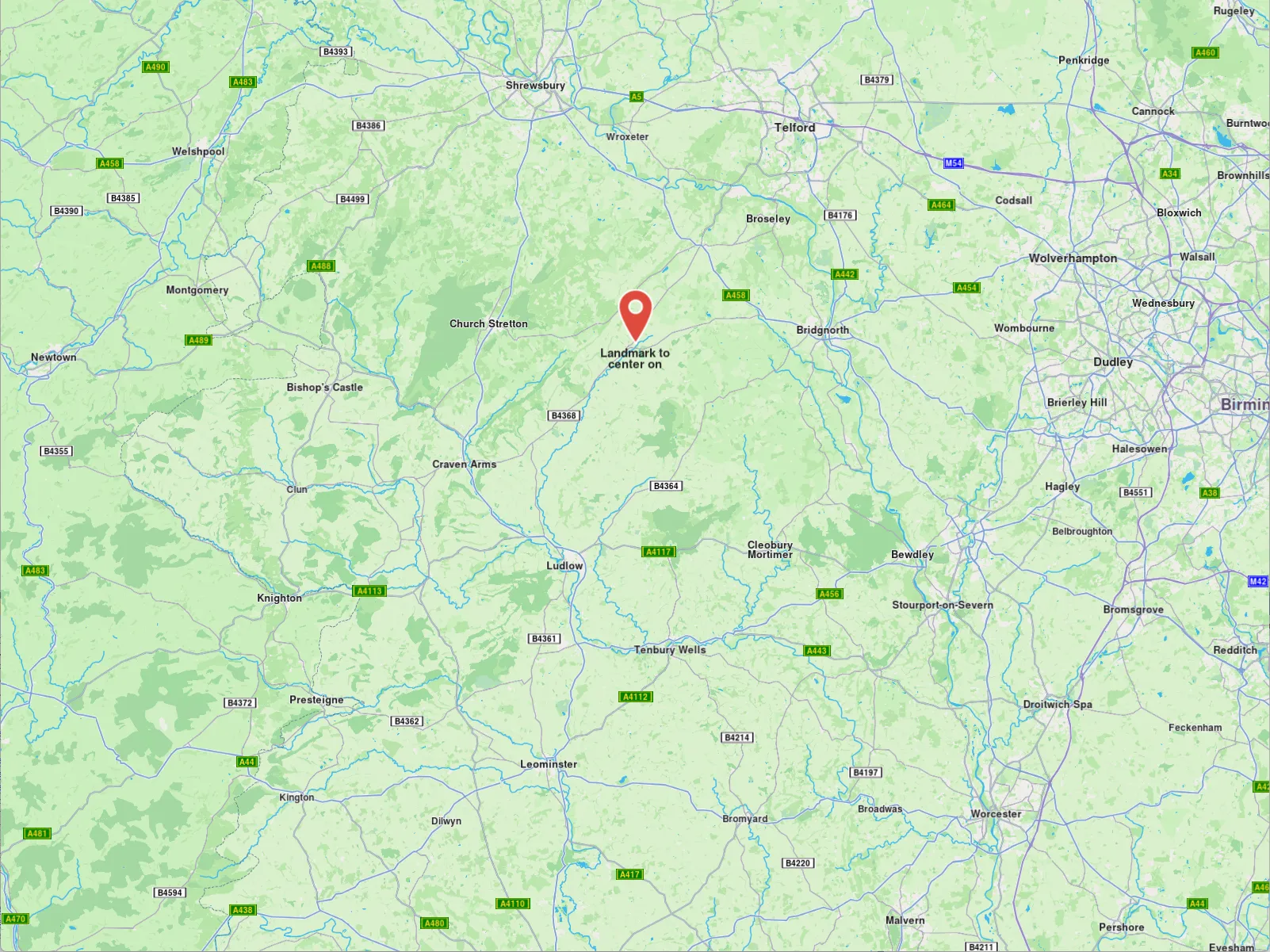
**Centered at one-third of map height**
tip
More parameters such as `animation`, `mapAngle`, `viewAngle` and `zoomLevel` can be passed to the method in order to achieve a higher level of control.
##### Map centering on area[](#map-centering-on-area "Direct link to Map centering on area")
Centering can be done on a specific `RectangleGeographicArea` which consists of top left and bottom right coordinates.
```cpp
auto topLeftCoords = Coordinates(44.93343, 25.09946);
auto bottomRightCoords = Coordinates(44.93324, 25.09987);
auto area = RectangleGeographicArea(topLeftCoords, bottomRightCoords);
mapView->centerOnArea(area);
```
This will center the view on the geographic area ensuring the `RectangleGeographicArea` covers most of the viewport. For centering the geographic area on a particular coordinate of the viewport, the `xy` parameter should be provided.
Alternatively, to center the `RectangleGeographicArea` method on a specific region of the viewport, you can use the specialized`centerOnArea` method. This requires passing the `viewRc` parameter, represented as a `RectType`, which defines the targeted region of the screen. The `Rect` passed to the `viewRc` parameter determines the positioning of the centered area relative to the top-left coordinates. Consequently, the top-right corner will be at `left` + `Rectangle`'s width.
info
As the width and height of `Rectangle` decrease, the centering will result in a more zoomed-out view. For a more zoomed-in perspective, use larger values within the range \[1, viewport.width - x] and \[1, viewport.height - y].
tip
Use the `getOptimalRoutesCenterViewport` and `getOptimalHighlightCenterViewport` methods to compute the viewport region that best fits given routes and highlights.
##### Map centering on area with padding[](#map-centering-on-area-with-padding "Direct link to Map centering on area with padding")
Centering on an area using padding can be done with by altering the screen coordinates (in physical pixels) by adding/subtracting the padding value. Then a new `RectangleGeographicArea` object needs to be instantiated with the padded screen coordinates transformed into wgs coordinates using `MapView::transformScreenToWgs(point)`.
The following code exemplifies the process:
```cpp
// Getting the RectangleGeographicArea in which the route belongs
auto routeArea = route.getGeographicArea();
const auto paddingPixels = 200;
// Getting the top left point screen coordinates in physical pixels
auto routeAreaTopLeftPoint = mapView->transformWgsToScreen(routeArea.getTopLeft());
// Adding padding by shifting point in the top left
auto topLeftPadded = Xy(
routeAreaTopLeftPoint.x - paddingPixels,
routeAreaTopLeftPoint.y - paddingPixels
);
auto routeAreaBottomRightPoint = mapView->transformWgsToScreen(routeArea.getBottomRight());
// Adding padding by shifting point downwards three times the padding
auto bottomRightPadded = Xy(
routeAreaBottomRightPoint.x + paddingPixels,
routeAreaBottomRightPoint.y + 3 * paddingPixels
);
// Converting points with padding to wgs coordinates
auto paddedTopLeftCoordinate = mapView->transformScreenToWgs(topLeftPadded);
auto paddedBottomRightCoordinate = mapView->transformScreenToWgs(bottomRightPadded);
mapView->centerOnArea(RectangleGeographicArea(
paddedTopLeftCoordinate,
paddedBottomRightCoordinate
));
```
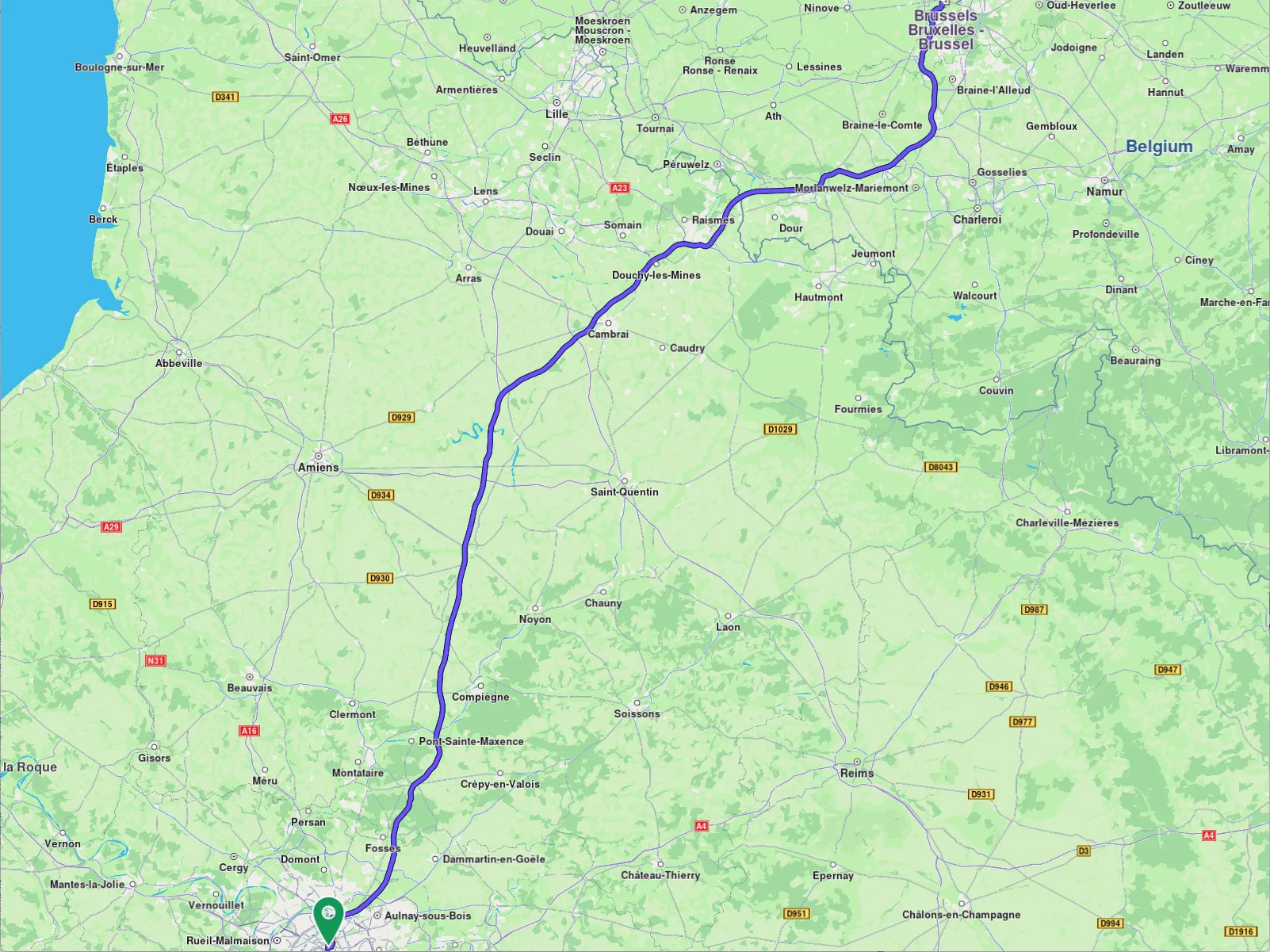
**Route without padding**
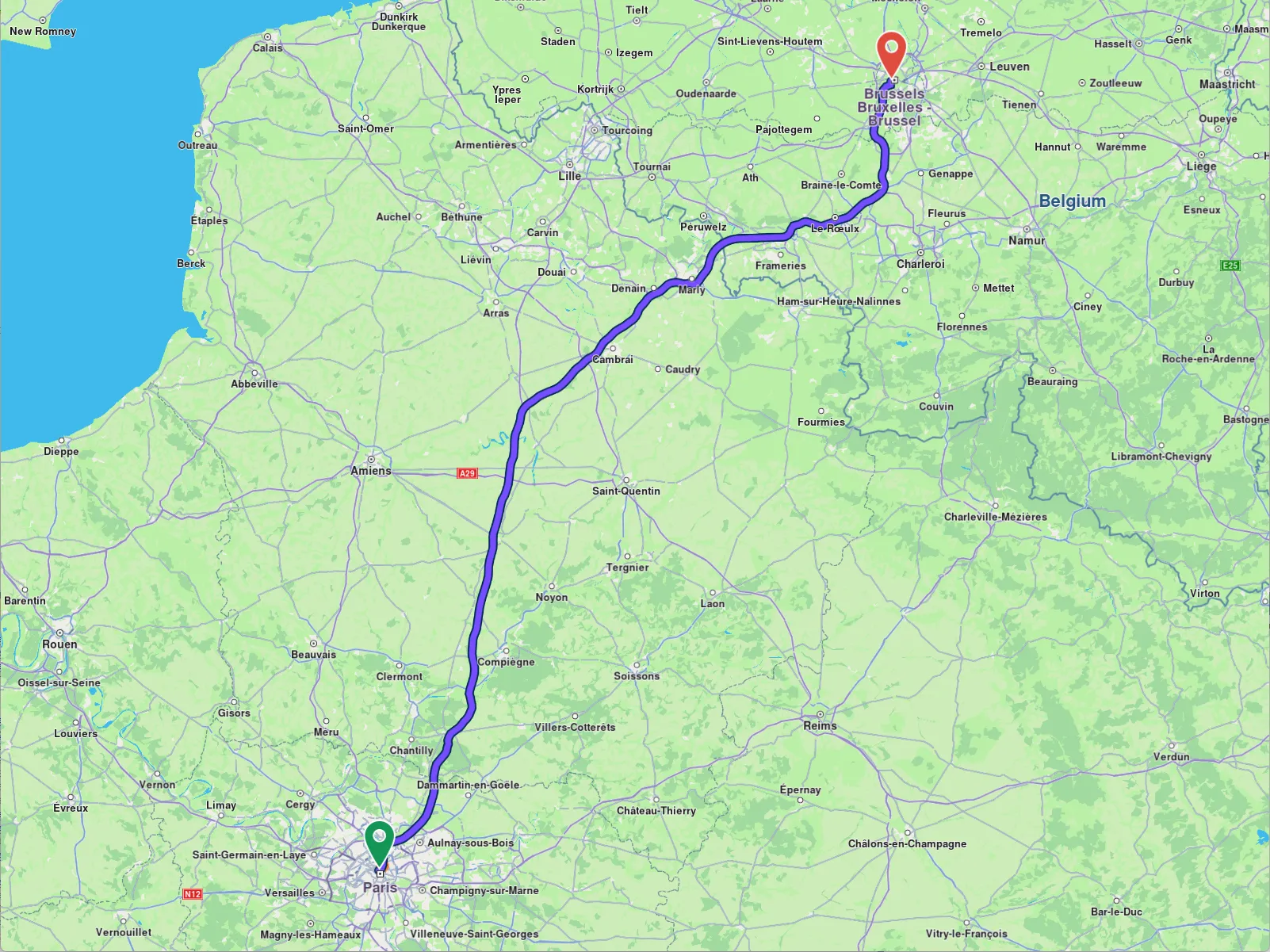
**Route with center padding**
#### Map zoom[](#map-zoom "Direct link to Map zoom")
This is done throughout `setZoomLevel` method of `MapView` class in the following way:
```cpp
mapView->setZoomLevel(50);
```
To get the current zoom level use the `getZoomLevel` getter. A bigger value means the camera is closer to the terrain.
The maximum and minimum allowed zoom levels can be accessed via the `getMaxZoomLevel` and `getMinZoomLevel` getters from the `MapView` class. This class also provides setters for these limits. In order to check if a particular zoom level can be applied, use the `canZoom` method.
#### Map rotation angle[](#map-rotation-angle "Direct link to Map rotation angle")
This is done throughout `setRotationAngle` setter of `MapViewPreferences` inside of `MapView` like so:
```cpp
mapView->preferences().setRotationAngle( 45 );
```
The provided value needs to be between 0 and 360. By default, the camera has a rotation angle value of 0 degrees corresponding to the north-up alignment. Note that the rotation axis is always perpendicular to the ground and passes through the camera, regardless of the current camera orientation.
#### Map view angle[](#map-view-angle "Direct link to Map view angle")
The camera can transform the flat 2D map into a 3D perspective, allowing you to view features like distant roads appearing on the horizon. By default, the camera has a top-down perspective (viewAngle = 90°).
In addition to adjusting the camera's view angle, you can modify its tilt angle. The `tiltAngle` is defined as the complement of the `viewAngle`, calculated as `tiltAngle = 90-viewAngle`
In order to change the view angle of camera you need to access the `preferences` field of `MapView` like so:
```cpp
mapView->preferences().setViewAngle( 60 );
```
**Map with a view angle of 60 degrees**
**Map with a view angle of 0 degrees**
To adjust the camera's perspective dynamically, you can utilize both the `setTiltAngle` and `setViewAngle` properties.
The difference between the different types of angles is shown below:
**Tilt angle & view angle**
**Rotation angle**
Note
Keep in mind that adjusting the rotation value produces different outcomes depending on the camera's tilt. When the camera is tilted, changing the rotation will shift the target location, whereas with no tilt, the target location remains fixed.
#### Map perspective[](#map-perspective "Direct link to Map perspective")
Map perspective can be either two dimensional or three dimensional and can also be set by using `MapViewPreferences` method `setMapViewPerspective`:
```cpp
mapView->preferences().setMapViewPerspective(EMapViewPerspective::MVP_3D);
```
By default, the map perspective is two-dimensional.
**Map with a two-dimensional perspective**
**Map with a three-dimensional perspective**
A three-dimensional perspective gives buildings a realistic, 3D appearance, while a two-dimensional perspective makes them appear as flat shapes.
note
To ensure three-dimensional buildings are visible, the camera angle should not be perpendicular to the map. Instead, the view angle must be less than 90 degrees.
The same effect can be implemented more precisely using the `setTiltAngle`/`setViewAngle` setters.
#### Buildings visibility[](#buildings-visibility "Direct link to Buildings visibility")
Buildings visibility can be controlled using the `buildingsVisibility` getter/setter from the `MapViewPreferences` class:
* `BV_Default`: Uses the default visibility defined in the map style.
* `BV_Hide`: Hides all buildings.
* `BV_2D`: Displays buildings as flat 2D polygons without height.
* `BV_3D`: Displays buildings as 3D polygons with height.
```cpp
mapView->preferences().setBuildingsVisibility( EBuildingsVisibility::BV_2D );
```
Buildings become visible when the camera is zoomed in close to the ground. The 3D effect is most noticeable when viewed from a tilted angle. Note that the 3D buildings do not reflect realistic or accurate heights.
#### Store and restore a view[](#store-and-restore-a-view "Direct link to Store and restore a view")
The map camera object has getters and setters for position and orientation ensuring a high level of control over the map view.
For storing a particular view the `cameraState` getter can be used. This member returns a `DataBuffer` object and depending on the usecase this can be stored inside a variable or serialized in a file.
```cpp
auto state = mapView->getCamera()->getCameraState();
```
Restoring a saved view can be done easily using the `cameraState` setter:
```cpp
mapView->getCamera()->setCameraState( state );
```
Alternatively the `position` and `orientation` can be stored and restored separately using the provided getters and setters.
Note
Please note that `cameraState` does not contain information about the current style.
#### Download individual map tiles[](#download-individual-map-tiles "Direct link to Download individual map tiles")
A map tile is a small, rectangular image or data chunk that represents a specific geographic area at a particular zoom level on a `MapView` object. Tiles are usually downloaded when panning or zooming in on a map, and they are used to render the map's visual content. However, you can also download tiles that are not currently visible on the screen, using the `MapDownloaderService` class.
##### Configuring the MapDownloaderService[](#configuring-the-mapdownloaderservice "Direct link to Configuring the MapDownloaderService")
The service can be configured by setting specific maximum area size in square kilometers to download by using the `setMaxSquareKm` setter:
```cpp
auto service = MapDownloaderService::produce();
// Set a new value
service->setMaxSquareKm( 100 );
// Verify the new value
int updatedMaxSquareKm = service->getMaxSquareKm();
```
The larger the area, the more tiles can be downloaded, which can lead to increased memory usage. The default value is 1000 square kilometers.
warning
If the `RectangleGeographicArea` surface exceeds the `MaxSquareKm`, the `MapDownloaderService` will return `error::KOutOfRange`.
Downloading tiles is done by calling the `startDownload` method of `MapDownloaderService` like so:
```cpp
auto service = MapDownloaderService::produce();
ProgressListener yourProgressListenerImpl;
service->setMaxSquareKm( 300 );
service->startDownload(
{
// Area in which the tiles will be downloaded that is under 300 square kilometers
RectangleGeographicArea(
Coordinates(67.69866, 24.81115),
Coordinates(67.58326, 25.36093))
},
yourProgressListenerImpl );
```
When tiles are downloaded, the `notifyComplete` callback of the supplied progress listener implementation is invoked with a `gem::error` parameter indicating the success or failure of the operation. If the download is successful, the error will be `gem::KNoError`. Downloaded tiles are stored in the cache and can be used later for features such as viewing map content, `searchAlongRoute`, `searchAroundPosition`, `searchInArea` without requiring an internet connection.
**Downloaded tiles centered in the middle, top and bottom tiles are not available**
Note
SearchService().search method will return `error::KInvalidInput` when trying to search in a downloaded tiles area as it requires indexing, which is not available for downloaded tiles.
Download can be canceled by calling the `cancelDownload` method of `MapDownloaderService` and the `notifyComplete` callback will be invoked with `error::KCancel`.
tip
Trying to download previously downloaded tiles will not result in a `error::KUpToDate`, as downloaded tiles are present inside the `Data/Temporary/Tiles` folder of your application folder as `.dat1` files.
You can access detailed download statistics for map tiles using the `getTransferStatistics` method.
warning
Downloaded map tiles via `MapDownloaderService` do not support operations such as free-text search, routing, or turn-by-turn navigation while offline. They are primarily intended for caching map data for visual display purposes only.
For full offline functionality, including search and navigation, refer to the [Manage Offline Content Guide](/docs/cpp/guides/offline/manage-content.md) to learn how to download roadmap data designed for full offline use.
#### Change map settings while following the current position[](#change-map-settings-while-following-the-current-position "Direct link to Change map settings while following the current position")
The `FollowPositionPreferences` class provides more customization while the camera in the follow position mode. To retrieve an instance, use the snippet below:
```cpp
auto preferences = mapView->preferences().followPositionPreferences();
```
See the [customize follow position settings guide](/docs/cpp/guides/positioning/show-your-location-on-the-map.md#customize-follow-position-settings) for more details.
#### Relevant examples demonstrating map related features[](#relevant-examples-demonstrating-map-related-features "Direct link to Relevant examples demonstrating map related features")
* [Map View](/docs/cpp/examples/maps-3dscene/map-view.md)
* [Map Perspective](/docs/cpp/examples/maps-3dscene/map-perspective.md)
* [Center Map](/docs/cpp/examples/maps-3dscene/center-map.md)
---
### Display map items
This collection of articles covers a wide range of features and techniques for displaying various elements on a map within a mobile application, including landmarks, markers, overlays, routes, instructions, and paths.
#### [📄️ Display landmarks](/docs/cpp/guides/maps/display-map-items/display-landmarks.md)
[When displaying the map, we can choose what types of landmarks we want to display. Each landmark can have one or more LandmarkCategory. To selectively display specific categories of landmarks programmatically, you can use the addStoreCategoryId method provided by the LandmarkStoreCollection class:](/docs/cpp/guides/maps/display-map-items/display-landmarks.md)
#### [📄️ Display markers](/docs/cpp/guides/maps/display-map-items/display-markers.md)
[The base class for the marker hierarchy is Marker. It encapsulates coordinates assigned to a specific part. Multiple coordinates can be added to the same marker and be separated into different parts. If no part is specified, the coordinates are added to a default part, indexed as 0. The coordinates are stored in a list-like structure, where you can specify their index explicitly. By default, the index is set to -1, meaning the coordinate will be appended to the end of the list.](/docs/cpp/guides/maps/display-map-items/display-markers.md)
#### [📄️ Display overlays](/docs/cpp/guides/maps/display-map-items/display-overlays.md)
[Overlays are used to provide enhanced, layered information that adds contextual value to a base map, offering users dynamic, interactive, and customized data that can be visualized on top of other map elements.](/docs/cpp/guides/maps/display-map-items/display-overlays.md)
#### [📄️ Display routes](/docs/cpp/guides/maps/display-map-items/display-routes.md)
[Routes can be displayed on the map by using \`preferences().routes().add(route, isMainRoute). Multiple routes can be displayed at the same time, but only one is the main one, the others being treated as secondary. Specifying which one is the main route can be done when calling MapViewRouteCollection::setMainRoute\` setter.](/docs/cpp/guides/maps/display-map-items/display-routes.md)
#### [📄️ Display route instructions](/docs/cpp/guides/maps/display-map-items/display-route-instructions.md)
[Instructions are represented as arrows on the map and can be displayed by using \`MapView:](/docs/cpp/guides/maps/display-map-items/display-route-instructions.md)
#### [📄️ Display paths](/docs/cpp/guides/maps/display-map-items/display-paths.md)
[Paths can be displayed by adding them into \`MapViewPathCollection. The MapViewPathCollection is an iterable collection, having fields like size, add, remove, removeAt, getPathAt and getPathByName\`.](/docs/cpp/guides/maps/display-map-items/display-paths.md)
---
### Display landmarks
|
### Filter landmarks by category
When displaying the map, we can choose what types of landmarks we want to display. Each landmark can have one or more `LandmarkCategory`. To selectively display specific categories of landmarks programmatically, you can use the `addStoreCategoryId` method provided by the `LandmarkStoreCollection` class:
```cpp
// Clear all the landmark types on the map
mapView->preferences.lmks.clear();
// Display only gas stations
mapView->preferences.lmks.addStoreCategoryId(
GenericCategories().getLandmarkStoreId(), EGenericCategoriesIDs::GasStation);
```
This allows filtering the default map data. Next, we might want to also add custom landmarks to the map (see the next section).
#### Display custom landmarks[](#display-custom-landmarks "Direct link to Display custom landmarks")
Landmarks can be added to the map by storing them in a `LandmarkStore`. Next, the `LandmarkStore` is added to the `LandmarkStoreCollection` within `MapViewPreferences`. The following code demonstrates all these steps: first, creating custom landmarks, then adding them to a store, and finally adding the store to the collection of stores.
```cpp
List landmarksToAdd;
Image imageData = Image( image::Core::Search_Results_Pin );
Landmark landmark1 = Landmark();
landmark1.setName( "Added landmark1" );
landmark1.setCoordinates( { 51.509865, -0.118092} );
landmark1.setImage( imageData );
landmarksToAdd.push_back( landmark1 );
Landmark landmark2 = Landmark();
landmark2.setName( "Added landmark2");
landmark2.setCoordinates( { 51.505165, -0.112992} );
landmark2.setImage ( imageData );
landmarksToAdd.push_back( landmark2 );
auto landmarkStoreCreationResult = LandmarkStoreService().createLandmarkStore( "landmarks" );
if(landmarkStoreCreationResult.second == KNoError
|| landmarkStoreCreationResult.second == error::KExist)
{
LandmarkStore& landmarkStore = *landmarkStoreCreationResult.first;
for (auto lmk : landmarksToAdd)
landmarkStore.addLandmark( lmk );
mapView->preferences().lmks().add( landmarkStore );
}
```
**Landmarks displayed**
Some methods of `LandmarkStoreCollection` class are explained below:
* `add(const LandmarkStore& lms)`: add a new store to be displayed on map. All the landmarks from the store will be displayed, regardless of the category provided.
* `addAllStoreCategories(int storeId)`: does the same thing as `add` but uses the `storeId`, not the `LandmarkStore` instance.
* `addStoreCategoryId(int storeId, int categoryId)`: adds the landmarks with the specified category from the landmark store on the map.
* `clear()`: removes all landmark stores from the map.
* `contains(int storeId, int categoryId)`: check if the specified category ID from the specified store ID was already added.
* `contains(const LandmarkStore& lms)`: check if the specified store has any categories of landmarks shown on the map.
#### Highlight landmarks[](#highlight-landmarks "Direct link to Highlight landmarks")
Highlights allow customizing a list of landmarks, making them more visible and providing options to customize the render settings. Highlights can only be used upon Landmarks. By default, highlighted landmarks are not selectable but can be made selectable if necessary.
Highlighting a landmark allows:
* Customizing its appearance.
* Temporarily isolating it from standard interactions - it cannot be selected (default behavior, can be modified for each highlight).
tip
Landmarks retrieved through search or other means can be highlighted to enhance their prominence and customize their appearance. Additionally, custom landmarks can be highlighted, but they have to be added to a `LandmarkStore` first.
##### Activate highlights[](#activate-highlights "Direct link to Activate highlights")
Highlights can be displayed on map by using `MapView::activeHighlight`. For demonstration purposes, a new `Landmark` object will be instantiated and filled with specifications using available setters. Next, the created landmark needs to be added to a `List` and a `HighlightRenderSettings` needs to be provided in order to enable desired customizations. Then `activateHighlight` can be called with an unique `highlightId`.
```cpp
List landmarksToHighlight;
Image imageData = Image(image::Core::Search_Results_Pin);
Landmark landmark;
landmark.setName("New Landmark");
landmark.setCoordinates(Coordinates(52.48209, -2.48888));
landmark.setImage(imageData);
landmark.setExtraImage(imageData);
landmarksToHighlight.push_back(landmark);
HighlightRenderSettings settings;
settings.setOption(EHighlightOptions::HO_NoFading | EHighlightOptions::HO_Overlap);
settings.setImageSize(50);
settings.setTextSize(10);
auto landmarkStoreResult = LandmarkStoreService().createLandmarkStore("landmarks");
if (landmarkStoreResult.second == KNoError || landmarkStoreResult.second == error::KExist)
{
LandmarkStore& lmkStore = *landmarkStoreResult.first;
lmkStore.addLandmark(landmark);
mapView->preferences().lmks().add(lmkStore);
}
mapView->activateHighlight(landmarksToHighlight, settings, 2);
mapView->centerOnCoordinates(Coordinates(52.48209, -2.48888), 40);
```
##### Hightlight options[](#hightlight-options "Direct link to Hightlight options")
The `EHighlightOptions` enum provides several options to customize the behavior of highlighted landmarks:
| Option | Description |
| -------------- | ------------------------------------------------------------------------------------------------------------------------------------------------------------------------ |
| `showLandmark` | Shows the landmark icon & text. By default is enabled. |
| `showContour` | Shows the landmark contour area if available. By default, this option is enabled. |
| `group` | Groups landmarks when many are present in close proximity. Available only with `showLandmark`. By default it is disabled. |
| `overlap` | Overlap highlight over existing map data. Available only with `showLandmark`. By default, disabled. |
| `noFading` | Disable highlight fading in/out. Available only with `showLandmark`. By default, disabled. |
| `bubble` | Displays highlights in a bubble with custom icon placement inside the text. Available only with `showLandmark`. Automatically invalidates `group`. By default, disabled. |
| `selectable` | Makes highlights selectable using `setCursorScreenPosition`. Available only with `showLandmark`. By default, disabled. |
warning
When showing bubble highlights, if the whole bubble does not fit on the screen, it will not be displayed at all. Make sure to truncate the text if the text length is very long.
warning
For a landmark contour to be displayed, the landmark must have a valid contour area. Landmarks which have a polygon representation on OpenStreetMap will have a contour area.
Make sure the contour geographic related fields from the `extraInfo` property of the `Landmark` are not removed or altered.
##### Deactivate highlights[](#deactivate-highlights "Direct link to Deactivate highlights")
To remove a displayed landmark from the map, use `MapView::deactivateHighlight(id)` to selectively remove a specific landmark, or `MapView::deactivateAllHighlights()` to clear all displayed landmarks at once.
```cpp
mapView->deactivateHighlight( 2 );
```
To get the highlighted landmarks based on a particular highlight id:
##### Get highlighted landmarks[](#get-highlighted-landmarks "Direct link to Get highlighted landmarks")
```cpp
List landmarks = mapView->getHighlight(2);
```
tip
Overlay items can also be highlighted using the `activateHighlight` specialized method in a similar way.
#### Disabling landmarks[](#disabling-landmarks "Direct link to Disabling landmarks")
Removing all presented landmarks can be done by calling `removeAllStoreCategories(GenericCategories().getLandmarkStoreId())` method of `LandmarkStoreCollection` class. The following code does just that:
```cpp
mapView->preferences().lmks()
.removeAllStoreCategories(GenericCategories().getLandmarkStoreId());
```
---
### Display markers
|
The base class for the marker hierarchy is `Marker`. It encapsulates coordinates assigned to a specific part. Multiple coordinates can be added to the same marker and be separated into different parts. If no part is specified, the coordinates are added to a default part, indexed as 0. The coordinates are stored in a list-like structure, where you can specify their index explicitly. By default, the index is set to -1, meaning the coordinate will be appended to the end of the list.
**Displaying a marker with coordinates separated into different parts**
**Displaying a marker with coordinates added to same part**
```cpp
// code used for displaying a marker with coordinates separated into different parts
auto marker = Marker();
marker.add(Coordinates(52.1459, 1.0613), -1, 0);
marker.add(Coordinates(52.14569, 1.0615), -1, 0);
marker.add(Coordinates(52.14585, 1.06186), -1, 1);
marker.add(Coordinates(52.14611, 1.06215), -1, 1);
```
```cpp
// code used for displaying a marker with coordinates added to the same part
auto marker = Marker();
marker.add(Coordinates(52.1459, 1.0613), -1, 0);
marker.add(Coordinates(52.14569, 1.0615), -1, 0);
marker.add(Coordinates(52.14585, 1.06186), -1, 0);
marker.add(Coordinates(52.14611, 1.06215), -1, 0);
```
To display any type of marker on a map, it must first be added to a `MarkerCollection`. Creating a collection of markers requires providing a name and specifying the desired `EMarkerType` enum as parameters for its constructor. The collection of markers displayed above used `EMarkerType::MT_Polyline`, but it can also be `EMarkerType::MT_Point` or `EMarkerType::MT_Polygon`.
Once the `MarkerCollection` object has been populated, it must be added to the `MapViewMarkerCollections` field within the `MapViewPreferences` class. This can be accessed through the `MapView`, as shown below:
```cpp
mapView->preferences().markers().add(markerCollection);
```
##### Point Type Marker[](#point-type-marker "Direct link to Point Type Marker")
Visually represented as an icon, it is used to dynamically highlight user-defined locations. To display a point-type marker, the `MarkerCollection` to which the markers are added must be of the `MarkerType.point` type.
```cpp
auto marker = Marker();
marker.add(Coordinates(52.1459, 1.0613), -1, 0);
marker.add(Coordinates(52.14569, 1.0615), -1, 0);
marker.add(Coordinates(52.14585, 1.06186), -1, 1);
marker.add(Coordinates(52.14611, 1.06215), -1, 1);
auto markerCollection = MarkerCollection( EMarkerType::MT_Point, "myCollection");
markerCollection.add(marker);
mapView->preferences().markers().add(markerCollection);
mapView->centerOnArea(markerCollection.getArea(), 90);
```
The result will be the following:
**Displaying point-type markers on map**
Info
By default, point-type markers appear as blue circles up to a specific zoom level. When the zoom threshold is exceeded, they automatically cluster into orange circles, and at higher levels of clustering, they transition to red circles. Learn more at [Marker Clustering](#marker-clustering)
##### Polyline Type Marker[](#polyline-type-marker "Direct link to Polyline Type Marker")
This type of marker is designed to display a continuous line consisting of one or more connected straight-line segments. To use it, ensure the `MarkerCollection` specifies `markerType` as `EMarkerType::MT_Polyline`. It's important to note that markers can include multiple coordinates, which may or may not belong to the same part. Coordinates within the same part are connected by a polyline, which is red by default, while coordinates outside the part remain unconnected.
For more information, see [Markers section](/docs/cpp/guides/maps/display-map-items/display-markers.md).
##### Polygon Type Marker[](#polygon-type-marker "Direct link to Polygon Type Marker")
This type of marker is designed to display a closed two-dimensional figure composed of straight-line segments that meet at their endpoints. To use it, ensure the `MarkerCollection `specifies `markerType` as `EMarkerType::MT_Polygon`.
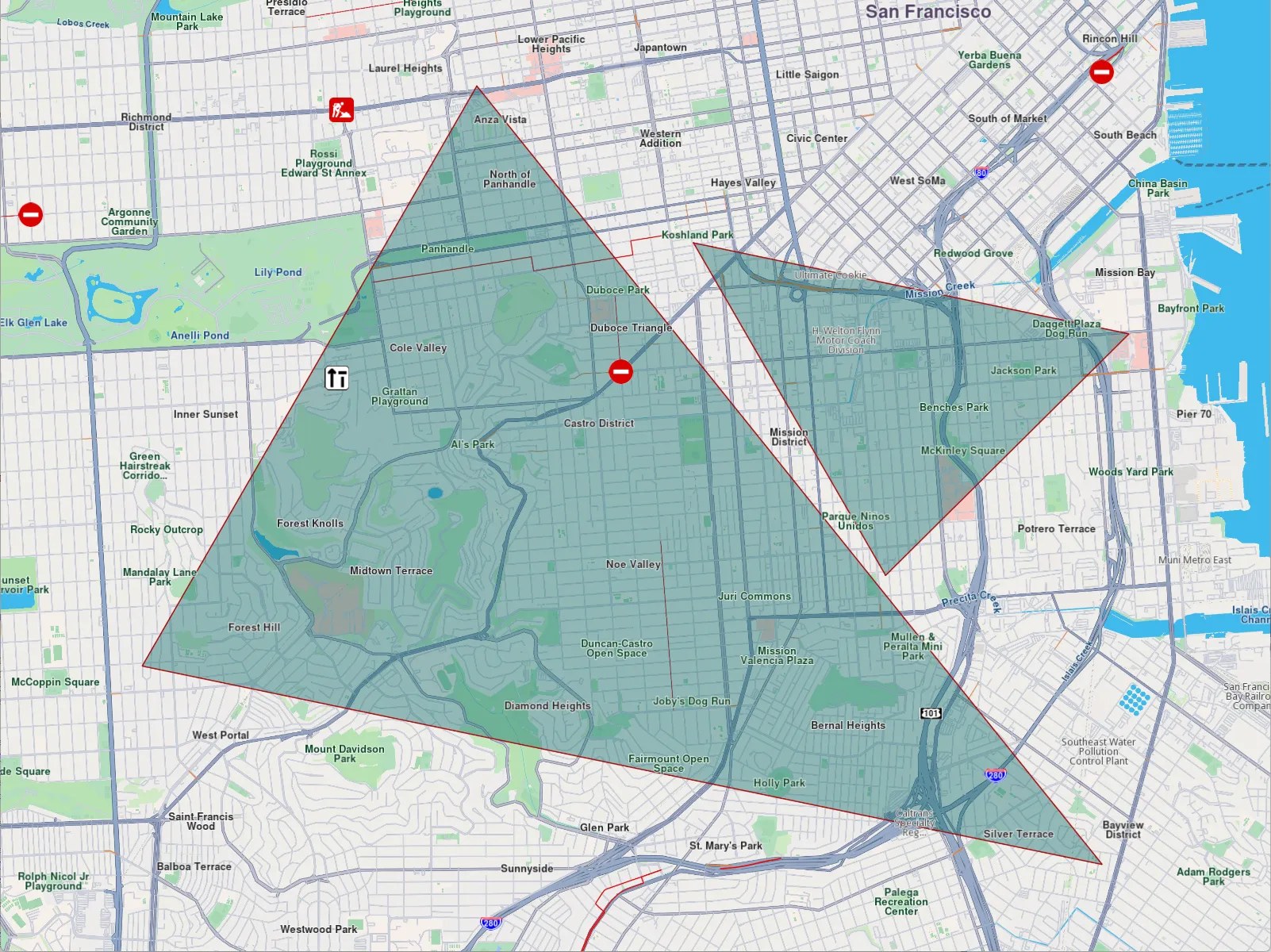
**Polygon drawn between three coordinates**
note
To successfully create a polygon, at least three coordinates must be added to the same part. Otherwise, the result will be an open polyline rather than a closed shape.
Polygons can be customized using properties like `polygonFillColor` and `polygonTexture`. Additionally, since polygon edges are essentially polylines, you can further refine their appearance with polyline-related attributes such as `polylineInnerColor`, `polylineOuterColor`, `polylineTexture`, and more.
##### Marker Customizations[](#marker-customizations "Direct link to Marker Customizations")
To customize the appearance of markers on MapView, you can use the `MarkerCollectionRenderSettings` class.
This class is designed for customizing the appearance of individual markers. It includes various fields that can influence a marker's appearance, regardless of its type, as it provides customizable features for all marker types. For example:
* For markers of type `EMarkerType::MT_Polyline`, you can use fields such as `polylineInnerColor`, `polylineOuterColor`, `polylineInnerSize`, and `polylineOuterSize`.
* For `EMarkerType::MT_Polygon`, the `polygonFillColor`, `polygonTexture` fields are available, among others.
* For `EMarkerType::MT_Point`, you can use fields such as `labelTextColor`, `labelTextSize`, `image`, `imageSize`.
All dimensional sizes (`imageSize`, `labelTextSize`, etc.) are measured in millimeters.
Note
If customizations unrelated to a marker's specific type are applied - for example, using `polylineInnerColor` for a `EMarkerType::MT_Point`-they will simply be ignored, and the marker's appearance will remain unaffected.
For `EMarkerType::MT_Point`, a key customizable field is `labelingMode`. This field is a set that consists of values from `EMarkerLabelingMode` enum. This allows you to enable desired features, such as positioning the label text above the icon or placing the icon above the marker's coordinates, by adding them to the `labelingMode` set as shown below:
```cpp
auto renderSettings = MarkerCollectionRenderSettings();
renderSettings.labelingMode = EMarkerLabelingMode::MLM_ItemLabelVisible |
EMarkerLabelingMode::MLM_TextAbove |
EMarkerLabelingMode::MLM_IconBottomCenter;
mapView->preferences().markers().add(markerCollection, renderSettings);
```
info
To hide/show a marker's name or its group's name, create a `MarkerCollectionRenderSettings` object with a `labelingMode` that excludes/includes `EMarkerLabelingMode::MLM_ItemLabelVisible` and `EMarkerLabelingMode::MLM_GroupLabelVisible`.
The above code will result in the following marker appearance:
**Displaying a marker with text above icon**
**Displaying a marker with text centered on icon**
note
To assign a name to a marker, use the name setter of the `Marker` class.
To customize the icons of the displayed markers, add the collection to `MapViewMarkerCollections` and configure a `MarkerCollectionRenderSettings` instance with the relevant image field. This field controls the appearance of the entire collection.
```cpp
Image image = Image(image::Core::Search_Results_Pin);
auto renderSettings = MarkerCollectionRenderSettings(image);
```
Code above is setting a custom icon to a marker. The result is the following:
**Displaying point-type markers with render settings**
###### Marker Sketches[](#marker-sketches "Direct link to Marker Sketches")
To customize the appearance of each marker individually, use the `MarkerSketches` class, which extends `MarkerCollection`. This lets you define unique styles and properties for every marker. You can obtain a MarkerSketches object using the `MapViewMarkerCollections::sketches()` method:
```cpp
auto sketches = mapView->preferences().markers().sketches(EMarkerType::MT_Point);
```
Typical operations are adding a sketch with an optional per‑marker render configuration and position, reading a sketch’s rendering configuration.
note
There are only three `MarkerSketches` collections, one for each marker type: `EMarkerType::MT_Point`, `EMarkerType::MT_Polyline`, and `EMarkerType::MT_Polygon`. Each collection is singleton.
Adding markers to a `MarkerSketches` collection is similar to adding them to a `MarkerCollection`. However, when adding markers to a `MarkerSketches` collection, you can specify individual `MarkerRenderSettings` and index for each marker. This allows for greater customization of each marker's appearance.
```cpp
auto marker1 = Marker();
marker1.add(Coordinates(39.76741, -46.8962));
marker1.setName("HelloMarker");
auto sketches = mapView->preferences().markers().sketches( EMarkerType::MT_Point );
MarkerRenderSettings renderSettings;
renderSettings.setLabelingMode( EMarkerLabelingMode::MLM_ItemLabelVisible |
EMarkerLabelingMode::MLM_TextAbove |
EMarkerLabelingMode::MLM_IconBottomCenter );
renderSettings.setLabelTextColor( Rgba( 255, 0, 0, 255 ) );
renderSettings.setLabelTextSize( 3.0 );
renderSettings.setImage( Image( image::Core::Search_Results_Pin ) );
sketches.add(marker1, renderSettings, 0);
mapView->centerOnArea( sketches.getArea(), 90 );
```

**Displaying a marker using MarkerSketches**
In order to change a marker's appearance after it has been added to a `MarkerSketches` collection, you can use `setRenderSettings` method:
```cpp
sketches.setRenderSettings(
0, // marker index
newRenderSettings)
);
```
In order to obtain the current render settings of a marker, you can use `getRenderSettings` method called with the marker index:
```cpp
const MarkerRenderSettings* returnedSettings = sketches.getRenderSettings(0);
```
warning
Calling `getRenderSettings` with an invalid index will return a null `MarkerRenderSettings` object.
The `MarkerSketches` collection does not need to be added to `MapViewMarkerCollections`, as it is already part of it. Any changes made to the `MarkerSketches` collection will be automatically reflected on the map.
tip
Adding a `MarkerSketches` object to `MapViewMarkerCollections` with `MarkerCollectionRenderSettings` will be overwritten by the individual `MarkerRenderSettings` of markers from the collection.
##### Marker Clustering[](#marker-clustering "Direct link to Marker Clustering")
Clustering or grouping is a default feature of markers. Beyond a certain zoom level, the markers automatically cluster into a single marker containing a number of items lesser than `lowGCount` default value if the group is a low density one. The image of those groups can be customized with `lowDensityPointsGroupImage`, `mediumDensityPointsGroupImage`, `highDensityPointsGroupImage` fields of `MarkerCollectionRenderSettings`. The number of markers contained by a group can be set through `lowDensityPointsGroupMaxCount`, `mediumDensityPointsGroupMaxCount`.
**Grouping behaviour**
```cpp
// code for markers not grouping at zoom level 70
mapView->preferences().markers().add(markerCollection);
mapView->centerOnArea(markerCollection.getArea(), 70);
```
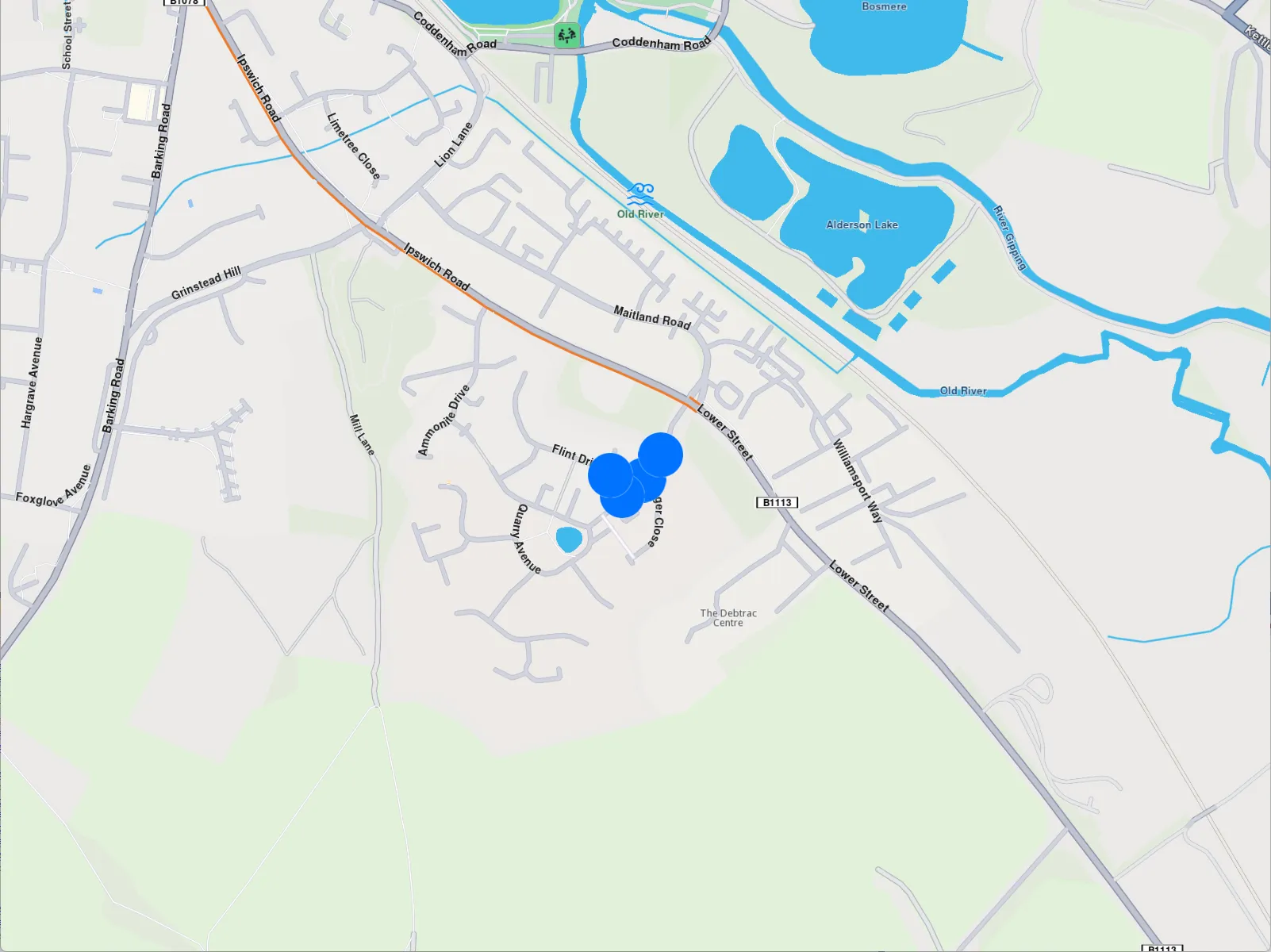
**Markers not clustering**
```cpp
// code for markers grouping at zoom level 70
auto renderSettings = MarkerCollectionRenderSettings();
renderSettings.setLabelingMode( EMarkerLabelingMode::MLM_None ); // don't display a label
renderSettings.pointsGroupingZoomLevel = 70;
mapView->preferences().markers().add(markerCollection, renderSettings);
mapView->centerOnArea(markerCollection.getArea(), 70);
```
**Clustered markers**
note
You can disable marker clustering by setting the `pointGroupingZoomLevel` to 0. However, note that doing so for a large number of markers may significantly impact performance, as rendering each individual marker increases GPU resource usage.
Marker clusters are represented by the first marker from the collection as the **group head**. The group head marker is returned by the `getPointsGroupHead` method:
```cpp
auto markerCollection = MarkerCollection(EMarkerType::MT_Point, "Collection1");
auto marker1 = Marker(Coordinates(39.76717, -46.89583), "Name1");
auto marker2 = Marker(Coordinates(39.767138, -46.895640), "Name2");
auto marker3 = Marker(Coordinates(39.767145, -46.895690), "Name3");
markerCollection.add(marker1);
markerCollection.add(marker2);
markerCollection.add(marker3);
auto renderSettings = MarkerCollectionRenderSettings();
renderSettings.buildPointsGroupConfig = true;
mapView->preferences().markers().add( markerCollection, renderSettings );
// This centering triggers marker grouping
mapView->centerOnCoordinates(Coordinates( 39.76717, -46.89583), 50);
// Give the example some time to run
WAIT_TIME_OUT(250);
auto marker = markerCollection.getPointsGroupHead(marker2.getId()); // Returns marker1
```
Since marker grouping depends on the loading of tiles at a certain zoom level, you need to wait for them to load; otherwise, calling `getPointsGroupHead` will return a reference to the queried marker, because the markers are not yet grouped. Thus `markerCollection.getPointsGroupComponents` will return an empty list.
warning
This behavior occurs only when the `MarkerCollection` is added to `MapViewMarkerCollections` using **MarkerCollectionRenderSettings::buildPointsGroupConfig true** and the markers are **grouped** based on the zoom level. In all other cases, the method returns a direct reference to the queried marker.
All markers from a group can be returned by using `getPointsGroupComponents` method called with the head marker id, returned by `MarkerCollection::getPointsGroupHead` method, which is considered the `groupId`. This method returns all markers except the group head marker.
```cpp
auto marker = markerCollection.getPointsGroupHead(marker2.getId());
auto groupMarkers =
markerCollection.getPointsGroupComponents(marker.getId());
```
warning
If `getPointsGroupComponents` is not invoked with the ID of the group head marker, the method will return an empty list.
---
### Display overlays
|
Overlays are used to provide enhanced, layered information that adds contextual value to a base map, offering users dynamic, interactive, and customized data that can be visualized on top of other map elements.
##### Disabling overlays[](#disabling-overlays "Direct link to Disabling overlays")
Overlays can be disabled either by applying a predefined, custom map style created in [Magic Lane Map Studio](https://developer.magiclane.com/documentation/OnlineStudio/guide_creating_a_style.html) - where certain overlays are already disabled - or by using the `disableOverlay` method, as shown below:
```cpp
auto error = OverlayService().disableOverlay(ECommonOverlayId::OID_PublicTransport);
```
Passing -1 (default value) as the optional `categUid` parameter indicates that we want to disable the entire public transport overlay, rather than targeting a specific category.
The error returned will be `KNoError` if the overlay was disabled or `error::KNotFound` if no overlay (or overlay category) with the specified ID was found in the applied style.
To disable specific overlays within a category, you'll need to retrieve their unique identifiers (uid) as shown below:
```cpp
auto availableOverlaysResult = OverlayService().getAvailableOverlays(yourProgressListenerImplementation);
// wait until notifyComplete is received in your progress listener implementation
auto collection = availableOverlaysResult.first;
auto overlayInfo = collection.getOverlayAt(0);
if(overlayInfo)
{
auto uid = overlayInfo.getUid();
auto err = OverlayService().enableOverlay( uid );
}
```
##### Enabling overlays[](#enabling-overlays "Direct link to Enabling overlays")
In a similar way, the overlay can be enabled using the `enableOverlay` method by providing the overlay id. It also has an optional `categUid` parameter, which when left as default, it activates whole overlay rather than a specific category.
---
### Display paths
|
[Paths](/docs/cpp/guides/core/base-entities.md#path) can be displayed by adding them into `MapViewPathCollection`. The `MapViewPathCollection` is an iterable collection, having fields like `size`, `add`, `remove`, `removeAt`, `getPathAt` and `getPathByName`.
```cpp
mapView->preferences().paths().add(path);
```
The `add` method of `MapViewPathCollection` includes optional parameters for customizing the appearance of paths on the map, such as `colorBorder`, `colorInner`, `szBorder`, and `szInner`. To center the map on a path, use the `MapView::centerOnArea()` method with the path's area retrieved from the area getter.
```cpp
mapView->preferences().paths().add(path);
mapView->centerOnArea(path.getArea());
```
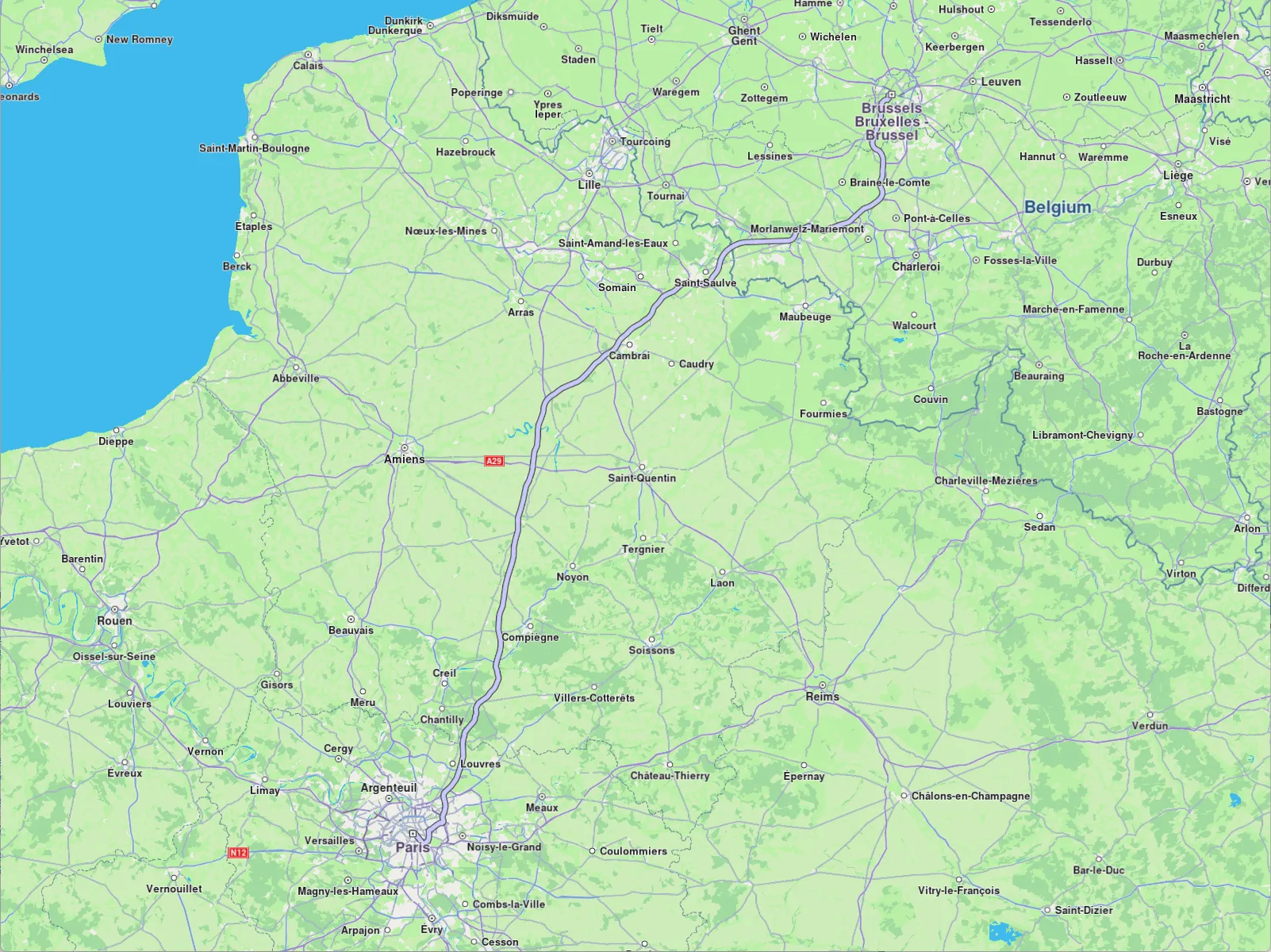
**Path displayed**
To remove all paths from `MapView` use `MapViewPathCollection::clear()`. To remove selectively, use `MapViewPathCollection::remove(path)` or `MapViewPathCollection::removeAt(index)`.
---
### Display route instructions
|
Instructions are represented as arrows on the map and can be displayed by using `MapView::centerOnRouteInstruction(instruction, zoomLevel)`. To obtain a route's instructions, see the [Get the route segments and instructions](/docs/cpp/guides/routing/get-started-routing.md#get-the-route-segments-and-instructions) section. The following example iterates through all instructions of the first segment of a route and displays each one by centering:
```cpp
for( auto instruction : route.getSegments().front().getInstructions())
{
mapView->centerOnRouteInstruction(instruction, 75);
WAIT_TIME_OUT( 2000 ); // allow some time to pass between centers
}
```
**Turn right arrow instruction**
warning
Only one instruction can be displayed at a time. To remove it, call `centerOnRouteInstruction` with an empty (default) `RouteInstruction` object like so `centerOnRouteInstruction(RouteInstruction())`.
---
### Display routes
|
Routes can be displayed on the map by using `preferences().routes().add(route, isMainRoute)`. Multiple routes can be displayed at the same time, but only one is the main one, the others being treated as secondary. Specifying which one is the main route can be done when calling `MapViewRouteCollection::add` by passing true to the `bMainRoute` parameter, or by calling the `MapViewRouteCollection::setMainRoute` setter.
```cpp
mapView->preferences().routes().add(route, true);
mapView->centerOnRoute(route);
```
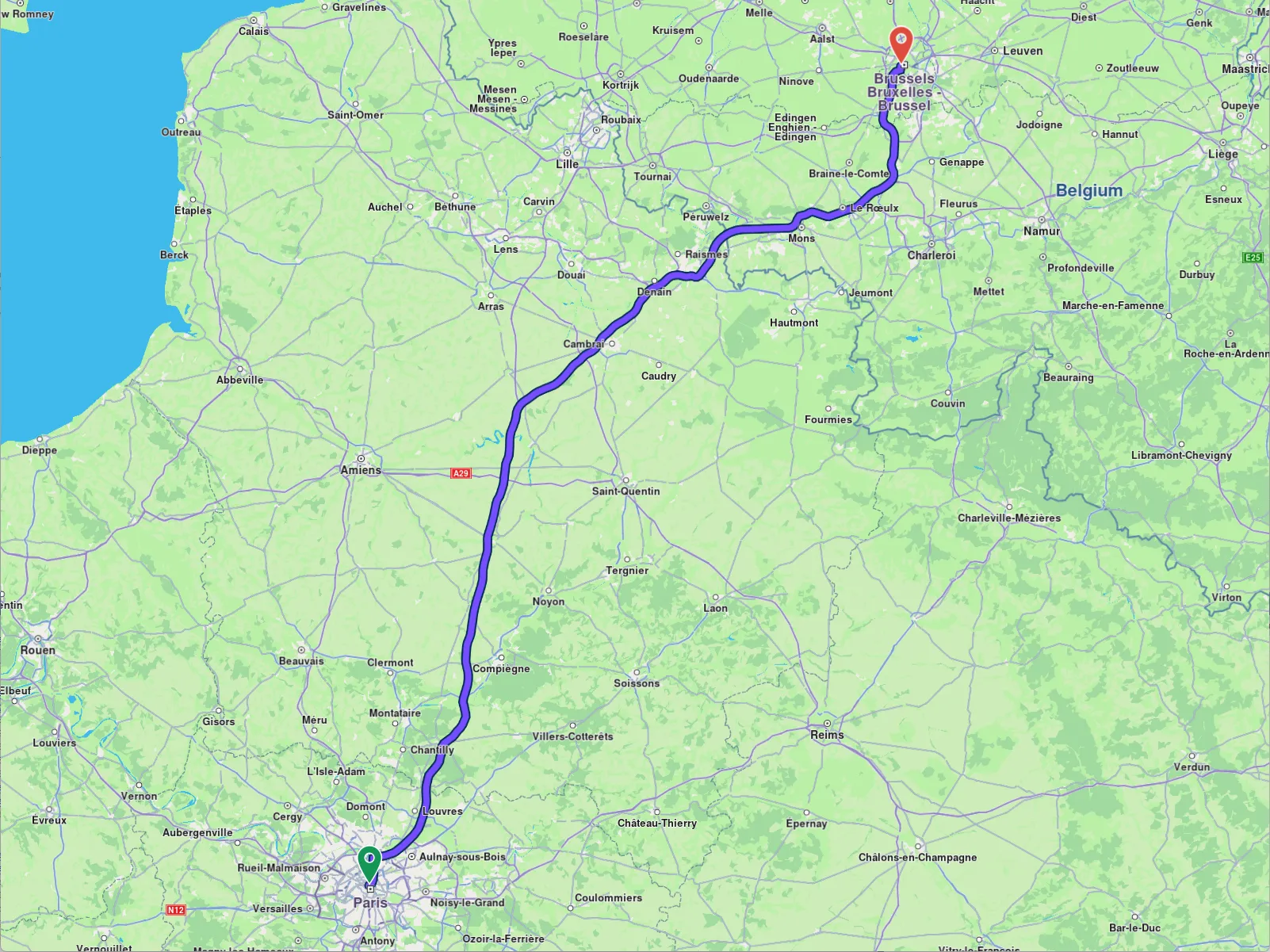
**Route displayed**
tip
To center on a route with padding, refer to the [Adjust Map View](/docs/cpp/guides/maps/adjust-map.md#map-centering-on-area-with-padding) guide. Utilize the `viewRectangle` parameter in the `centerOnRoute` method to define the specific region of the viewport that should be centered.
```cpp
mapView->preferences().routes().add(route1, true);
mapView->preferences().routes().add(route2, false);
mapView->preferences().routes().add(route3, false);
mapView->centerOnMapRoutes();
```
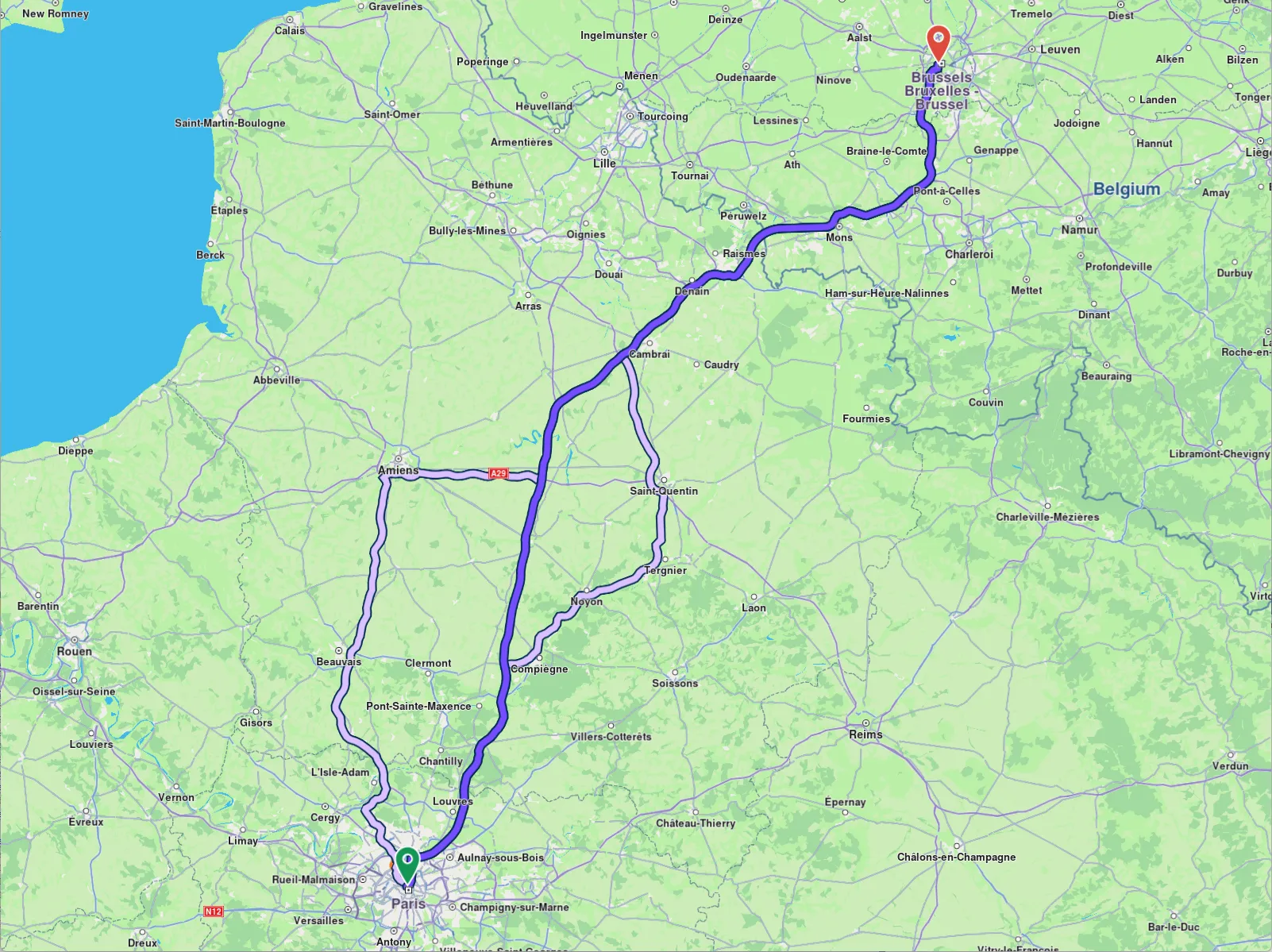
**Three routes displayed, one in the middle is main**
Route appearance on map can be customized via `RouteRenderSettings` when added, passed to the `MapViewRoutesCollection.add`'s optional parameter `settings`, or later on, via `MapViewRoute::setRenderSettings` setter.
```cpp
RouteRenderSettings routeRenderSettings;
routeRenderSettings.setContourInnerColor( Rgba(255, 0, 0, 255) );
mapView->preferences().routes().add(route, routeRenderSettings);
```
```cpp
mapView->preferences().routes().setRenderSettings(route, routeRenderSettings);
```
All dimensional sizes within the `RouteRenderSettings` are measured in millimeters.
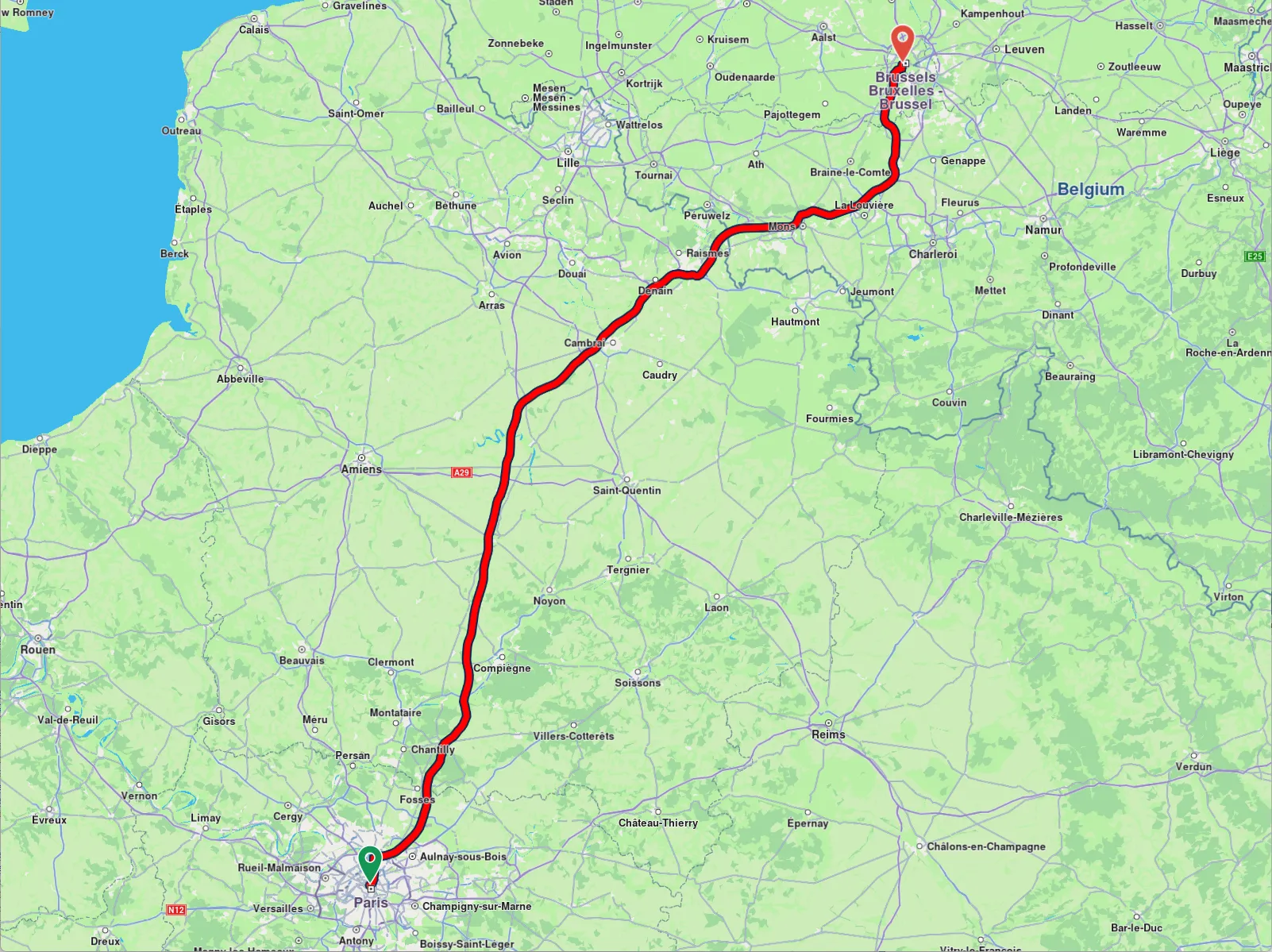
**Route displayed with custom render settings**
To remove displayed routes, use `MapViewRoutesCollection::clear()`.
##### Set route labels[](#set-route-labels "Direct link to Set route labels")
A route can include a label that provides information such as ETA, distance, toll prices, and more. To attach a label to a route, the label optional parameter `label` of the `MapViewRoutesCollection.add` method is utilized:
```cpp
mapView->preferences().routes().add(route, true, "Added label");
```
**Route with label**
You can enhance the label by adding up to **two icons** using the optional `images` parameter, which accepts a `List`. Available icons can be accessed through the `image::Core` enum. Image position inside the label must be formatted using `%%image_index%%` like in the example below.
```cpp
ImageList imageList;
imageList.push_back( Image( image::Core::FavoriteHeart ) );
imageList.push_back( Image( image::Core::Waypoint_Finish ) );
mapView->preferences().routes().add(routes.front(), true,
"This is a custom label %%0%% %%1%%",
imageList);
```
**Label with custom icons**
##### Check what portion of a route is visible on a screen region[](#check-what-portion-of-a-route-is-visible-on-a-screen-region "Direct link to Check what portion of a route is visible on a screen region")
To retrieve the visible portion of a route - defined by its start and end distances in meters - use the `getVisibleRouteInterval` method from the `MapView`:
```cpp
auto pairStartEndDistance = mapView->getVisibleRouteInterval(route);
```
You can also provide a custom screen region to the `getVisibleRouteInterval` method, instead of using the entire viewport. The method will return `(0,0)` if the route is not visible on the provided viewport/region of the viewport.
danger
If `getVisibleRouteInterval()` is called immediately after `centerOnRoutes()` (or any other centering operation), the animation must complete before invoking `getVisibleRouteInterval()`.
If no animation is provided, you may need to call `mapView->getScreen()->render()` to update the render state or allow the SDK to process some timer events; otherwise, `getVisibleRouteInterval()` may return `(0,0)`.
The animation wait should be implemented as shown in the examples - using a loop that periodically sends timer events to the SDK. Without these events, the operation will not complete.
See the `WAIT_UNTIL` macro in the examples for a reference implementation.
---
### Get started with maps
|
The Maps SDK for C++ delivers powerful mapping capabilities, enabling developers to effortlessly integrate dynamic map views into their applications. Core features include embedding and customizing map views, controlling displayed locations, and fine-tuning map properties. At the center of the mapping API is the `MapView`, a subclass of `Canvas`, offering a wide range of configurable options.
#### Display a map[](#display-a-map "Direct link to Display a map")
The following code demonstrates how to show a map view. This is the `CenterMap.cpp` file.
```cpp
#include "Environment.h"
#include
int main( int argc, char** argv )
{
// Get new project API token from:
// https://developer.magiclane.com/api/projects
std::string projectApiToken = "";
#if defined(API_TOKEN)
projectApiToken = std::string( API_TOKEN );
#else
auto value = std::getenv( "GEM_TOKEN" );
if( value != nullptr )
projectApiToken = value;
#endif
// Sdk objects can be created & used below this line
Environment::SdkSession session(projectApiToken, { argc > 1 ? argv[1] : "" }); // SDK API debug logging path
if (GEM_GET_API_ERROR() != gem::KNoError) // check for errors after session creation
return GEM_GET_API_ERROR();
// Create an interactive map view
CTouchEventListener pTouchEventListener;
gem::StrongPointer mapView = gem::MapView::produce(session.produceOpenGLContext(Environment::WindowFrameworks::Available, "CenterMap", &pTouchEventListener));
if( !mapView )
{
GEM_LOGE( "Error creating gem::MapView: %d", GEM_GET_API_ERROR() );
}
mapView->centerOnCoordinates({ 48.86130, 2.33387 }, 72);
WAIT_UNTIL_WINDOW_CLOSE();
return 0;
}
#if ( defined(_WIN32) || defined(_WIN64) ) && !defined(__MINGW32__) && !defined(__MINGW64__)
int WINAPI WinMain( HINSTANCE hInstance, // Instance
HINSTANCE hPrevInstance, // Previous Instance
LPSTR lpCmdLine, // Command Line Parameters
int nCmdShow )
{
main( 0, nullptr );
return 0;
}
#endif
```

**Displaying a default day map**
To create a `MapView`, the only required component is an implementation of an OpenGL context.
```cpp
static StrongPointer produce(OpenGLContext context, MapViewListener listener = MapViewListener())
```
For better code clarity and reusability, the examples include an `Environment` class that simplifies the initialization of the Magic Lane SDK and provides several ready-to-use OpenGL context implementations.
tip
Multiple `MapView` objects can be instantiated within a single application, allowing for the display of different data on each map. Each `MapView` is independently controlled.
Note that certain settings, such as language, overlay visibility, and position tracking, are shared across all `MapView` instances within the application.
#### Relevant examples demonstrating map related features[](#relevant-examples-demonstrating-map-related-features "Direct link to Relevant examples demonstrating map related features")
* [Map View](/docs/cpp/examples/maps-3dscene/map-view.md)
* [Map Perspective](/docs/cpp/examples/maps-3dscene/map-perspective.md)
* [Center Map](/docs/cpp/examples/maps-3dscene/center-map.md)
* [Markers](/docs/cpp/examples/maps-3dscene/markers.md)
* [Map Style](/docs/cpp/examples/maps-3dscene/map-style.md)
---
### Interact with the map
|
The Maps SDK for C++ map view natively supports common touch events click and double-click for zooming. The table below outlines the available gestures and their default behaviors on the map.
| Gesture | Description |
| ------------------------------ | -------------------------------------------------------------------------------------------------------------------------------------------------------------------------------------------------------------------------------------------------------------------------------------------------------- |
| Tap / Left Click | **Tap the screen with one finger or left mouse click**. This gesture does not have a predefined map action. |
| Double Tap / Double Left Click | **To zoom the map in by a fixed amount**, tap the screen twice with one finger or left mouse click. |
| Long Press / Long Left Click | **Press and hold one finger or left mouse click to the screen**. This gesture does not have a predefined map action. |
| Pan | **To move the map**, press and hold one finger or left mouse click to the screen, and move it in any direction. The map will keep moving with a little momentum after the finger was lifted or left mouse button was raised. |
| 2 Finger Pan / Shove | **To tilt the map**, press and hold two fingers to the screen, and move them vertically. No behavior is predefined for other directions. |
| 2 Finger Tap | **To align map towards north**, tap the screen with two fingers. |
| Pinch | **To zoom in or out continuously**, press and hold two fingers to the screen, and increase or decrease the distance between them. **To rotate the map continuously**, press and hold two fingers to the screen, and change the angle between them either by rotating them both or by moving one of them. |
| Scroll | **To zoom in or out continuously**, use the mouse scroll wheel in the desired direction. |
The SDK provides support in `MapView`, for informing whenever the user performs and action that could be detected. Usually, you will want to add a specific behavior to your application after a gesture was detected, like performing a selection after a tap on map.
#### Event Handling in MapViewListener[](#event-handling-in-mapviewlistener "Direct link to Event Handling in MapViewListener")
`MapViewListener` derives from `ICanvasListener`, which provides a set of event methods for responding to user interactions on the map. Implement the following methods to handle each type of gesture:
* Tap: `onTouch`
* Double Tap (one finger taps the same area in quick succession): `onDoubleTouch`
* Two Taps (two fingers tap the screen simultaneously): `onTwoTouches`
* Long Press: `onLongPress`
* Pan: `onMove` obtains the two points between which the movement occurred.
* Shove: `onShove`obtains the angle, and gesture specific points
* Rotate: `onMapAngleUpdate`
* Fling: `onSwipe`
* Pinch: `onPinch`
The user can also listen for composite gestures:
* Tap followed by a pan: `onTouchMove`
* Pinch followed by a swipe: `onPinchSwipe`
* Tap followed by a pinch: `onTouchPinch`
* Two double touches: `onTwoDoubleTouches`
warning
Your implementation of `MapViewListener` can only be supplied when creating the `MapView`.
Use `onViewRendered` to retrieve information on the status updates of view data integrity and camera transitions whenever the map starts or stops moving.
warning
This callback is triggered when the camera is moved programmatically using methods like `centerOnRoutes`, `followPosition`, or `centerOnArea`, but not when the user performs a panning gesture. For detecting **user behaviour**, use `onMove`.
The `onViewportResized` method allows you to monitor when the map's viewport dimensions change. This can occur when the user resizes the application window or changes the orientation of the device. In this callback, you receive a `RectType` object representing the new viewport size.
Use cases include:
* Adjusting overlays or UI elements to fit the new viewport size.
* Triggering animations or updates based on the map's dimensions.
#### Enable and disable gestures[](#enable-and-disable-gestures "Direct link to Enable and disable gestures")
Touch gestures can be disabled or enabled by calling `enableTouchGestures` method like so:
```cpp
mapView->preferences().enableTouchGestures(ETouchGestures::TG_OnTouch, false);
```
Note
The desired gestures in the `ETouchGestures` enum list can be enabled or disabled by setting the `enable` parameter to `true` or `false`, respectively. By default, all gestures are enabled.
The TouchGestures enum supports the following gesture types:
* *Basic Touch*: onTouch, onLongDown, onDoubleTouch, onTwoPointersTouch, onTwoPointersDoubleTouch
* *Movement*: onMove, onTouchMove, onSwipe
* *Pinch and Rotation*: onPinchSwipe, onPinch, onRotate, onShove
* *Combined Gestures*: onTouchPinch, onTouchRotate, onTouchShove, onRotatingSwipe
* *Other*: internalProcessing
For checking if a gesture is enables the `isTouchGestureEnabled` method can be used:
```cpp
bool isTouchEnabled = mapView->preferences().isTouchGestureEnabled(ETouchGestures::TG_OnTouch);
```
warning
Executing resource-intensive tasks within `MapViewListener` related callbacks can degrade performance.
#### Map selection functionality[](#map-selection-functionality "Direct link to Map selection functionality")
After detecting a gesture, such as a tap, usually some specific action like selecting a landmark or a route is performed on MapView. This selection is made using a map cursor, which is invisible by default. To showcase its functionality, the cursor can be made visible using the `MapViewPreferences` setting:
```cpp
// Enable cursor (default is true)
mapView->preferences().enableCursor( true );
// Enable cursor to render on screen
mapView->preferences().enableCursorRender( true );
```
Doing this will result in a crosshair like icon in center of screen.
**Displaying a cursor**
##### Landmark selection[](#landmark-selection "Direct link to Landmark selection")
To get the selected landmarks, you can use the following code for example when a touch event is detected:
```cpp
YourMapViewListenerImpl::onTouch(const Xy &pos)
{
// Set the cursor position.
mapView->setCursorScreenPosition(pos);
// Get the landmarks at the cursor position.
auto landmarks = mapView->cursorSelectionLandmarks();
for(const auto& landmark : landmarks)
{
// handle landmark
}
}
```
Note
At higher zoom levels, landmarks provided by the cursorSelectionLandmarks method may lack some details for optimization purposes. Use `SearchService().searchLandmarkDetails` to retrieve full landmark details if needed.
Note
The selected landmarks are returned by the `cursorSelectionLandmarks` function, which is called after updating the cursor's position. This step is essential because the SDK only detects landmarks that are positioned directly under the cursor.
warning
The cursor screen position is also used for determining the default screen position for centering (unless other values are specified). Modifying the screen position might change the behavior of centering in unexpected ways. Reset the cursor position to the center of the screen once you're done interacting with it.
##### Street selection[](#street-selection "Direct link to Street selection")
The following code can be used in order to return selected streets under the cursor:
```cpp
YourMapViewListenerImpl::onTouch(const Xy &pos)
{
// Set the cursor position.
mapView->setCursorScreenPosition(pos);
// Get the streets at the cursor position.
auto streets = mapView->cursorSelectionStreets();
for(const auto& street : streets)
{
auto streetName = street.getName();
}
}
```
warning
Setting the cursor screen position is an asynchronous operation and each function call needs to be awaited. Otherwise, the result list may be empty. The operation is finished when the `onViewRendered` callback is received with `tivStatus` `EViewDataTransitionStatus::VD_Complete`.
Street name can then be displayed on screen. This is the result:
**Displaying a cursor selected street name**
Note
The visibility of the cursor has no impact whatsoever on the selection logic.
Getting the current cursor screen position is done by calling `getCursorScreenPosition` getter of `MapView`.
##### List of selection types[](#list-of-selection-types "Direct link to List of selection types")
To summarize, there are multiple methods used to select different types of elements on the map. You can see all those in the following table.
| Entity | Select method | Result type | Observations |
| -------------- | ------------------------------- | -------------------- | ------------------------------------------------- |
| Landmark | `cursorSelectionLandmarks` | `List` | |
| Marker | `cursorSelectionMarkers` | `List` | Returns `MarkerMatch`, not a `Marker` |
| OverlayItem | `cursorSelectionOverlayItems` | `List` | |
| Street | `cursorSelectionStreets` | `List` | Streets are handled as landmarks |
| Route | `cursorSelectionRoutes` | `List` | |
| Path | `cursorSelectionPath` | `Path` | Empty is returned if no path is found |
| MapSceneObject | `cursorSelectionMapSceneObject` | `MapSceneObject` | Empty is returned if no map scene object is found |
| TrafficEvent | `cursorSelectionTrafficEvents` | `List` | |
As you can see, when selecting markers a list of `MarkerMatch` elements is returned. The match specifies information about the matched marker (the marker collection in which the marker resides, the index of the marker in the collection, the matched part index, the matched index of the point in the part).
You can also override callbacks that are called when the cursor is placed over elements when implementing `IMapViewListener` class:
* `onCursorSelectionUpdatedLandmarks` for landmarks
* `onCursorSelectionUpdatedMarkers` for markers
* `onCursorSelectionUpdatedOverlayItems` for overlay items
* `onCursorSelectionUpdatedRoutes` for routes
* `onCursorSelectionUpdatedPath` for paths
* `onCursorSelectionUpdatedTrafficEvents` for traffic events
* `onCursorSelectionUpdatedMapSceneObject` for map scene objects
These callbacks are triggered whenever the selection changes - for example, when new elements are selected, the selection switches to different elements, or the selection is cleared (in which case the callback is invoked with null or an empty list).
#### Capture the map view as an image[](#capture-the-map-view-as-an-image "Direct link to Capture the map view as an image")
In certain situations, it may be necessary to save the map as an image - for example, to generate previews that are too expensive to redraw in real time. In this case, the captureImage method can be used. It returns an `Image` object which can be later exported to different formats.
```cpp
auto image = mapView->captureAsImage();
if (image.isDefault())
{
GEM_INFO_LOG("Could not capure image");
} else
{
auto pngBuffer = image.exportAs( Size(500, 300), EImageFileFormat::IFF_Png);
}
```
warning
Capturing the map view as an image may not work correctly when the map rendering is disabled.
tip
To ensure that any ongoing map animations or loading have completed, wait for the callback provided to `onViewRendered` to be triggered with `tivStatus` set to `EViewDataTransitionStatus::VD_Complete` before capturing the image. Make sure to implement a timeout, as the `onViewRendered` is only triggered when the map is rendering - and will not be called if everything is already loaded.
---
### Styling
|
The appearance of the map can be tailored by applying different styles. You can either download a predefined map style using the `ContentStore` class, which offers a variety of ready-to-use styles, or create a custom style using [Magic Lane Map Studio](https://developer.magiclane.com/documentation/OnlineStudio/guide_creating_a_style.html) which you can download and configure. In this guide, we’ll explore both methods in detail.
#### Apply predefined styles[](#apply-predefined-styles "Direct link to Apply predefined styles")
To apply a predefined map style, it must first be downloaded, as it is not loaded into memory by default. As mentioned earlier, this can be achieved using the `ContentStore` class. To begin, we’ll retrieve a list of all available styles for preview purposes and then proceed to download the ones we wish to use.
Here’s how you can get previews of the available map styles, represented as a `List`, with the following code:
```cpp
void getStyles()
{
// In YourProgressListenerImpl write a bool IsFinished function that returns true
// after notifyComplete was received.
auto listener = StrongPointerFactory();
auto err = ContentStore().asyncGetStoreContentList( EContentType::CT_ViewStyleLowRes, listener );
// Wait until the operation completes or timeout after 5000 milliseconds.
WAIT_UNTIL( std::bind( &YourProgressListenerImpl::IsFinished, listener ), 5000 );
auto items = ContentStore().getStoreContentList( EContentType::CT_ViewStyleLowRes );
// If items.second is true it means the list is locally cached,
// hence asyncGetStoreContentList was successful.
if( items.second )
{
// Do what you intend to do with the items
for( auto item : items.first )
{
auto name = item.getName();
auto id = item.getId();
}
}
}
```
Method `asyncGetStoreContentList` can be used to obtain other content such as car models, road maps, tts voices and more.
note
There are two types of preview styles available: `EContentType::CT_ViewStyleHighRes` and `EContentType::CT_ViewStyleLowRes.`
* `EContentType::CT_ViewStyleHighRes` is designed for obtaining styles optimized for high-resolution displays, such as those on mobile devices.
* `EContentType::CT_ViewStyleLowRes` is intended for styles suited to low-resolution displays, such as desktop monitors.
In the parameters of the `getStoreContentList` method, two values are provided:
* `List` that contains the items retrieved from the content store, such as map styles in this case. If a previous `asyncGetStoreContentList` completes with error, this list will be empty.
* boolean value that specifies whether the content store item (e.g., the map style) is already available in cache memory (and thus doesn't require downloading) or if it needs to be downloaded. If the operation failed, this value will be false.
A `ContentStoreItem` has the following attributes/methods:
| Attribute/Methods | Explanation |
| ----------------------- | ---------------------------------------------------------------------------- |
| getName | Gets the name of the associated product. |
| getId | Get the unique id of the item in the content store. |
| getChapterName | Gets the product chapter name translated to interface language. |
| getCountryCodes | Gets the country code (ISO 3166-1 alpha-3) list of the product as text. |
| getLanguage | Gets the full language code for the product. |
| getType | Gets the type of the product as a \[EContentType] value. |
| getFileName | Gets the full path to the content data file when available. |
| getClientVersion | Gets the client version of the content. |
| getTotalSize | Get the size of the content in bytes. |
| getAvailableSize | Gets the available size of the content in bytes. |
| isCompleted | Checks if the item is completed downloaded. |
| getStatus | Gets current item status. |
| pauseDownload | Pause a previous download operation. |
| cancelDownload | Cancel a previous download operation. |
| getDownloadProgress | Get current download progress. |
| canDeleteContent | Check if associated content can be deleted. |
| deleteContent | Delete the associated content |
| isImagePreviewAvailable | Check if there is an image preview available on the client. |
| getImagePreview | Get the preview. The user is responsible to check if the image is valid. |
| getContentParameters | Get additional parameters for the content. |
| getUpdateItem | Get corresponding update item. |
| isUpdatable | Check if item is updatable, i.e. it has a newer version available. |
| getUpdateSize | Get update size (if an update is available for this item). |
| getUpdateVersion | Get update version (if an update is available for this item). |
| asyncDownload | Asynchronous start/resume the download of the content store product content. |
warning
Keep in mind that certain attributes may not apply to specific types of `ContentStoreItem`. For instance, the `countryCodes` attribute will not provide meaningful data for a `EContentType::CT_ViewStyleLowRes`, as styles are not associated with any particular country.
Downloading a map style is done by calling `ContentStoreItem::asyncDownload()` as shown below:
```cpp
ContentStoreItem style;
// In YourProgressListenerImpl write a bool IsFinished function that returns true
// after notifyComplete was received.
auto listener = StrongPointerFactory();
style.asyncDownload(listener);
// Wait until the operation completes or timeout after 5000 milliseconds.
WAIT_UNTIL( std::bind( &YourProgressListenerImpl::IsFinished, listener ), 5000 );
// You can track the progress by checking the value received on YourProgressListenerImpl::notifyProgress
```
Now, all that is left to do is applying the downloaded style by using `mapView>preferences().setMapStyle(style)` called with the item:
```cpp
ContentStoreItem style; // previously downloaded
mapView>preferences().setMapStyle(style);
```
Map styles can be set by using `MapViewPreferences::setMapStyleByPath()` or `MapViewPreferences.setMapStyleById()`.
* `MapViewPreferences:setMapStyleByPath()` takes as parameter the `ContentStoreItem`'s path which can be obtained by calling `ContentStoreItem::getFileName()`.
* `MapViewPreferences::setMapStyleById()` takes as parameter the unique id of the `ContentStoreItem`, obtained by calling `ContentStoreItem::getId()`
```cpp
mapView>preferences().setMapStyleByPath(currentStyle.getFileName());
mapView>preferences().setMapStyleById(currentStyle.getId());
```
#### Apply custom styles[](#apply-custom-styles "Direct link to Apply custom styles")
A custom map style can be created in [Magic Lane Map Studio](https://developer.magiclane.com/documentation/OnlineStudio/guide_creating_a_style.html). By following the guide you'll end up with a .style file. This file will be loaded into application and applied as a style.
Loading the style into memory is done with a simple:
```cpp
String path = "/on/device/path/to/custom/style/Custom1.style";
mapView>preferences().setMapStyleByPath(path);
```
A smooth transition can be enabled by passing the `smoothTransition` parameter of `setMapStyleByPath` as true.
**Default map style**
**Custom added map style**
#### Get notified about style changes[](#get-notified-about-style-changes "Direct link to Get notified about style changes")
The user can be notified when the style changes by implementing `onSetMapStyle` method from `IMapViewListener` which is passed on the creation of the `MapView`:
```cpp
// Replace listener with your implementation of IMapViewListener that handles `onSetMapStyle`.
static StrongPointer produce(OpenGLContext context, MapViewListener listener = MapViewListener())
```
The `onSetMapStyle` callback provides the following parameters:
* `id`: The id of the style
* `stylePath`: The path to the `.style` file
* `viaApi`: A boolean indicating if the style was set via API or not
#### Relevant examples demonstrating map styling related features[](#relevant-examples-demonstrating-map-styling-related-features "Direct link to Relevant examples demonstrating map styling related features")
* [Map Style](/docs/cpp/examples/maps-3dscene/map-style.md)
---
### Navigation
The Magic Lane Maps SDK for C++ provides a complete toolkit for building turn-by-turn navigation applications. Key features include live guidance, offline support, and real-time alerts for speed limits, traffic conditions, and route deviations with automatic recalculation. A built-in location simulator is also available for testing during development.
#### [📄️ Get started with Navigation](/docs/cpp/guides/navigation/get-started-navigation.md)
[The Maps SDK for C++ provides developers with comprehensive tools to build a robust turn-by-turn navigation system. This functionality enables applications to track the current device location relative to a predefined route and deliver real-time navigational guidance.](/docs/cpp/guides/navigation/get-started-navigation.md)
#### [📄️ Better route detection](/docs/cpp/guides/navigation/better-route-detection.md)
[The Maps SDK for C++ continuously monitors traffic conditions and automatically evaluates alternative routes to ensure optimal navigation. This feature enhances user experience by providing real-time route adjustments, reducing travel time, and improving overall efficiency, especially in dynamic traffic environments.](/docs/cpp/guides/navigation/better-route-detection.md)
#### [📄️ Roadblocks](/docs/cpp/guides/navigation/roadblocks.md)
[A roadblock is a user-defined restriction applied to a specific road segment or geographic area, used to reflect traffic disruptions such as construction, closures, or areas to avoid.](/docs/cpp/guides/navigation/roadblocks.md)
---
### Better route detection
|
The Maps SDK for C++ continuously monitors traffic conditions and automatically evaluates alternative routes to ensure optimal navigation. This feature enhances user experience by providing real-time route adjustments, reducing travel time, and improving overall efficiency, especially in dynamic traffic environments.
#### Requirements[](#requirements "Direct link to Requirements")
###### Route preferences[](#route-preferences "Direct link to Route preferences")
For this feature to function, the route used in navigation or simulation must be computed with specific settings within the `RoutePreferences` object:
* the `transportMode` needs to be `ERouteTransportMode::RTM_Car` or `ERouteTransportMode::RTM_Lorry`
* the `avoidTraffic` needs to be `ETrafficAvoidance::TA_All` or `ETrafficAvoidance::TA_Roadblocks`
* the `routeType` needs to be `ERouteType::RT_Fastest`
Unless the settings are set as above the better route detection feature will not trigger.
```cpp
auto prefs = RoutePreferences();
prefs.setRouteType( ERouteType::RT_Fastest );
prefs.setAvoidTraffic( ETrafficAvoidance::TA_Roadblocks );
prefs.setTransportMode( ERouteTransportMode::RTM_Car );
```
Additional settings can be configured within the `RoutePreferences` object during route calculation, as long as they do not override or conflict with the required preferences mentioned above.
###### Traffic[](#traffic "Direct link to Traffic")
For the callbacks to be triggered, traffic needs to be present of the route on which the navigation is active.
###### Significant time gain[](#significant-time-gain "Direct link to Significant time gain")
A newly identified route must have a substantial time delay compared to the current route for it to be considered. The relevant callback will only be triggered if an alternative route offers a time savings of more than five minutes, ensuring that route adjustments are meaningful and beneficial to the user.
warning
The better route detection feature will not function as intended if any of the required conditions outlined above are not met.
#### Listen for notification events[](#listen-for-notification-events "Direct link to Listen for notification events")
The `startSimulation` and `startNavigation` methods provided by the `NavigationService` class allow the registration of a `NavigationListener` that will be notified with the following (and not only) events:
* `onBetterRouteDetected` : Triggered when a better route is identified. It provides information such as the newly detected route, its total travel time, the traffic-induced delay on the new route, and the time savings compared to the current route.
* `onBetterRouteInvalidated` : Triggered when a previously detected better route is no longer valid. This can occur if the user deviates from the shared trunk of both routes, an even better alternative becomes available, or changing traffic conditions eliminate the previously detected advantage.
* `onBetterRouteRejected` : Triggered when no suitable alternative route is found during the better route check.
It is the responsibility of the API user to manage the recommended route. The navigation service does not automatically switch to the better route, requiring explicit handling and implementation by the user.
```cpp
class MyNavigationListenerImpl : public INavigationListener
{
public:
void onBetterRouteDetected(const Route &route, int travelTime, int delay, int timeGain) override
{
GEM_INFO_LOG("A better route has been detected - total travel time: %d s, traffic delay on the better route: %d s, time gain from current route: %d s", travelTime, delay, timeGain);
// Do something with the route ...
}
void onBetterRouteInvalidated() override
{
GEM_INFO_LOG("The previously found better route is no longer valid");
}
void onBetterRouteRejected(int reason) override
{
GEM_INFO_LOG("The check for better route failed with reason: %d", reason);
}
// Other needed overrides
};
auto yourNavigationListenerImpl = StrongPointerFactory();
NavigationService().startSimulation(
route,
yourNavigationListenerImpl,
yourRecorderProgressListenerImpl
);
```
#### Force the check for better route[](#force-the-check-for-better-route "Direct link to Force the check for better route")
The system automatically performs the better route check at predefined intervals, provided all required conditions are met.
Additionally, the API user can manually trigger the check by calling the `checkBetterRoute` static method from the `Debug` class. If a better route is found, the `onBetterRouteDetected` callback is invoked; otherwise, if no suitable alternative is available, the `onBetterRouteRejected` callback is triggered - assuming the check was successfully initiated.
```cpp
Debug().checkBetterRoute();
```
---
### Get started with Navigation
|
The Maps SDK for C++ provides developers with comprehensive tools to build a robust turn-by-turn navigation system. This functionality enables applications to track the current device location relative to a predefined route and deliver real-time navigational guidance.
**Navigating on route**
Key Features:
* **Turn-by-Turn Directions**: Provides detailed route instructions based on the device’s current location, ensuring accurate navigation.
* **Live Guidance**: Navigation instructions can be delivered as text and integrated with a Text-to-Speech (TTS) system for voice-based guidance.
* **Warning Alerts**: A versatile alert system that notifies users of conditions such as speed limits, traffic reports, and other important events along the route.
* **Offline Functionality**: Essential navigation features remain operational offline, provided that map data has been pre-downloaded or cached.
The turn-by-turn navigation system relies on continuous acquisition of device data, including location, speed, and heading. These data points are matched against the mapped route and used to generate accurate guidance for the user. Instructions are dynamically updated as the user progresses along the route.
In the event that the user deviates from the planned route, the system will notify them of their off-track distance and provide the option for route recalculations or updates. Additionally, the system can dynamically adjust the route based on real-time traffic conditions, offering more efficient and faster alternatives to optimize navigation.
Additionally, developers can leverage a built-in location simulator to test navigation functionalities during the app development phase.
#### How does it work?[](#how-does-it-work "Direct link to How does it work?")
To enable navigation, the first step is to compute a valid, navigable route (note that non-navigable routes, such as range routes, are not supported).
The SDK offers two methods for navigating a route:
* **Navigation:** This method relies on the position data provided by the PositionService to guide the user along the route.
* **Simulation:** This method does not require user-provided position data. Instead, it simulates the navigation instructions that would be delivered to the user, allowing developers to test and preview the experience without needing an actual position.
If we are in navigation mode, the position is provided by `PositionService`.It can use:
* **Real GPS Data:** When `PositionService::setDataSource` is called with `sense::DataSourceFactory::produceLive()`, the service will use real-time GPS data to provide position updates. This requires the appropriate application permissions, which differ between Android and iOS. Additionally, the application must programmatically request these permissions from the user.
* **Custom Position Data:** In this mode, a custom data source can be configured to supply position updates. No permissions are required in this case, as the positions are provided through the custom source rather than the device's GPS. If you want to use a custom position take a look at [Custom positioning](/docs/cpp/guides/positioning/custom-positioning.md).
Currently, only one of navigation and simulation can be active at a time, regardless of the number of maps present within the application.
#### Starting a navigation[](#starting-a-navigation "Direct link to Starting a navigation")
Given that a route has been computed, the simplest way to navigate it is by implementing the following code:
```cpp
// Implement your own version of INavigationListener in order to listen to navigation specific events.
auto navigationListenerPtr = StrongPointerFactory();
// Implement your own version of IProgressListener. This will be used for tracking the operation of recalculate route.
auto progressListenerPtr = StrongPointerFactory();
// Start navigation.
int err = NavigationService().startNavigation(
route,
navigationListenerPtr, // navigation listener
progressListenerPtr // progress listener (used on recalculation)
);
// Handle start errors
if (err != KNoError)
{
GEM_INFO_LOG("Failed to start navigation: %d", err);
}
// [Optional] Set the camera to follow position.
// Usually we want this when in navigation mode
mapView->startFollowingPosition();
// At any moment, we can cancel the navigation
// NavigationService().cancelNavigation(navigationListenerPtr);
```
The `error` provided by the `onNavigationError` function can have the following values:
| Value | Significance |
| ---------------------------- | ----------------------------------------------------------------------------------------------------------------------------------------------------------------- |
| `KNoError` | successfully completed |
| `error::KCancel` | cancelled by the user |
| `error::KWaypointAccess` | couldn't be found with the current preferences |
| `error::KConnectionRequired` | if allowOnlineCalculation = false in the routing preferences and the calculation can't be done on the client side due to missing data |
| `error::KExpired` | calculation can't be done on client side due to missing necessary data and the client world map data version is no longer supported by the online routing service |
| `error::KRouteTooLong` | routing was executed on the online service and the operation took too much time to complete (usually more than 1 min, depending on the server overload state) |
| `error::KInvalidated` | the offline map data changed ( offline map downloaded, erased, updated ) during the calculation |
| `error::KNoMemory` | routing engine couldn't allocate the necessary memory for the calculation |
The navigation can be stopped at any moment or it will be stopped when we reach the destination.
**Navigating on route**
Typically (optional), before starting navigation, we instruct the `MapView` to begin following the user's position.
To enhance navigation clarity, the route is displayed on a map. This also includes turn-by-turn navigation arrows that disappear once the user has passed them. More about presenting routes [here](/docs/cpp/guides/maps/display-map-items/display-routes.md).
**Navigating on displayed route**
Navigating on said route will change color of passed route portion with the color specified via `setTraveledInnerColor` method of `RouteRenderSettings`.
**Parsed route is displayed with a gray color (default)**
#### Starting a simulation[](#starting-a-simulation "Direct link to Starting a simulation")
To start a simulation, you can use the following approach similar to starting a navigation:
```cpp
// Start simulation.
int err = NavigationService().startSimulation(
route,
navigationListenerPtr,
progressListenerPtr,
2.0f // speed multiplier
);
```
When simulating we can specify a `speedMultiplier` to set the simulation speed (1.0 is default and corresponds to the maximum speed limit for each road segment). See `simulationMinSpeedMultiplier` and `simulationMaxSpeedMultiplier` getters from `NavigationService` for the range of allowed values.
#### Listen for navigation events[](#listen-for-navigation-events "Direct link to Listen for navigation events")
A wide range of navigation-related events can be monitored. Here is a list of them:
```cpp
void onNavigationInstruction(const NavigationInstruction& navigationInstruction) {}
void onNavigationStarted() {}
void onWaypointReached(const Landmark& landmark) {}
void onDestinationReached(const Landmark& landmark) {}
void onRouteUpdated(const Route& route) {}
void onBetterRouteDetected(
const Route& route, int travelTime, int delay, int timeGain) {}
void onBetterRouteRejected(int error /*gem::error*/) {}
void onBetterRouteInvalidated() {}
void onSkipNextIntermediateDestinationDetected() {}
void onTurnAround() {}
```
These events are described in the following table:
| Event | Explanation |
| ---------------------------------------------------------------------------------- | ------------------------------------------------------------------------------------------------------------------------------------------------------------------------------------------------------------------------------------------------------------------------ |
| onNavigationInstruction(const NavigationInstruction& navigationInstruction) | Triggered when a new navigation instruction is available, providing details about the instruction. |
| onNavigationStarted() | Called when navigation begins, signaling the start of the route guidance. |
| onWaypointReached(const Landmark& landmark) | Invoked when a waypoint in the route is reached, including details of the waypoint. |
| onDestinationReached(const Landmark& landmark) | Called upon reaching the final destination, with information about the destination landmark. |
| onRouteUpdated(const Route& route) | Fired when the current route is updated, providing the new route details. |
| onBetterRouteDetected(const Route& route, int travelTime, int delay, int timeGain) | Triggered when a better alternative route is detected, including the new route and details such as travel time, delays caused by traffic and time gains. See the [Better route detection guide](/docs/cpp/guides/navigation/better-route-detection.md) for more details. |
| onBetterRouteRejected(int error) | Called when a check for better routes fails, with details of the rejection error. Used especially for debugging. |
| onBetterRouteInvalidated() | Indicates that a previously suggested better route is no longer valid. |
| onSkipNextIntermediateDestinationDetected() | Indicates we are getting away from the first intermediary waypoint. If this is received, it could be a good moment to call `NavigationService().skipNextIntermediateDestination()`. |
| onTurnAround() | Called when user travel direction violates a link one way restriction or after a navigation route recalculation, if the new route is heading on the opposite user travel direction. |
note
Most callbacks from the table provided above can be used for both simulation and navigation. The `onSkipNextIntermediateDestinationDetected` and `onTurnAround` methods do not make sense on a simulation and will not be called.
note
When getting the `onSkipNextIntermediateDestinationDetected()` notification it makes sense to drop the first intermediary waypoint. This can be done like this (can make sense also in other situations):
```cpp
NavigationService().skipNextIntermediateDestination();
```
#### Data source based navigation[](#data-source-based-navigation "Direct link to Data source based navigation")
Navigation typically relies on the current GPS position. However, it is also entirely valid to perform navigation using custom-defined positions.
This this can be done by creating a custom data source, setting the position service to the given data source, starting the data source and starting navigation as you would with live data source.
See the [custom positioning guide](/docs/cpp/guides/positioning/custom-positioning.md) for more information on how to create a custom data source.
#### Stop navigation/simulation[](#stop-navigationsimulation "Direct link to Stop navigation/simulation")
The `cancelNavigation` method from the `NavigationService` class can be used to stop both navigations and simulations, by passing the same `INavigationListener` implementation used in `startSimulation` or `startNavigation` methods. At the moment it is not possible to pause the simulation.
note
After stopping the simulation the data source used in the position service is set back to the previous data source if it exists.
#### Export Navigation instruction[](#export-navigation-instruction "Direct link to Export Navigation instruction")
The `exportAs` method serializes the current **navigation instruction** into a `DataBuffer`.
For now, the only supported format is `EPathFileFormat::PFF_PackedGeometry`.
```cpp
DataBuffer buff = instruction.exportAs(EPathFileFormat::PFF_PackedGeometry);
```
warning
`exportAs` only works with **`EPathFileFormat::PFF_PackedGeometry`**. Passing any other value will return an empty `DataBuffer`.
#### Relevant examples demonstrating navigation related features[](#relevant-examples-demonstrating-navigation-related-features "Direct link to Relevant examples demonstrating navigation related features")
* [Simulate navigation](/docs/cpp/examples/routing-navigation/simulate-navigation.md)
---
### Roadblocks
|
A roadblock is a user-defined restriction applied to a specific road segment or geographic area, used to reflect traffic disruptions such as construction, closures, or areas to avoid.
It influences route planning by marking certain paths or zones as unavailable for navigation.
Roadblocks can be **path-based** (defined by a sequence of coordinates) or **area-based** (covering a geographic region), and may be either **temporary** or **persistent**, depending on their intended duration. Persistent roadblocks remain after a SDK uninitialization. Temporary roadblocks are short-lived.
The primary entity responsible for representing roadblocks is the `TrafficEvent` class. Check the [Traffic Events guide](/docs/cpp/guides/core/traffic-events.md) for more details. Roadblocks are mainly managed through the `TrafficService` class.
While some roadblocks are provided in real time by online data from Magic Lane servers, users can also define their own **user roadblocks** to customize routing behavior.
If the applied style includes traffic data and traffic display is enabled (`MapViewPreferences::setTrafficVisibility` is set to true), a visual indication of the blocked portion will appear on the map, highlighted in red.
tip
Adding/removing user roadblocks affects only the current user and does not impact other users' routes.
#### Configure the traffic service[](#configure-the-traffic-service "Direct link to Configure the traffic service")
Traffic behavior can be customized through the `TrafficPreferences` instance, accessible via the `TrafficService` class. The `TrafficPreferences` class provides the `useTraffic` property, which defines how traffic data should be applied during routing and navigation.
The `ETrafficUsage` enum offers the following configuration options:
| Value | Description |
| ------------ | ------------------------------------------------------------------ |
| `UseNone` | Disables all traffic data usage. |
| `UseOnline` | Uses both online and offline traffic data (default setting). |
| `UseOffline` | Uses only offline traffic data, including user-defined roadblocks. |
For example, in order to set allow only offline usage the following line can be used:
```cpp
trafficService.preferences().setUseTraffic(ETrafficUsage::UseOffline);
```
#### Add a temporary user roadblock while in navigation[](#add-a-temporary-user-roadblock-while-in-navigation "Direct link to Add a temporary user roadblock while in navigation")
A roadblock can be added to bypass a portion of the route for a specified distance. Once the roadblock is applied, the route will be recalculated, and the updated route will be returned via the `onRouteUpdated` callback of the listener implementation provided to either the `startNavigation` or `startSimulation` method.
The snippet below will add a roadblock of 100 meters starting in 10 meters:
```cpp
NavigationService().setNavigationRoadBlock(100, 10);
```
Roadblocks added through the `setNavigationRoadBlock` method provided by the `NavigationService` only affect the ongoing navigation.
#### Check if a geographic position has traffic information[](#check-if-a-geographic-position-has-traffic-information "Direct link to Check if a geographic position has traffic information")
The `getOnlineServiceRestrictions` method can be used. It takes a `Coordinates` object as argument and returns a `ETrafficOnlineRestrictions` enum.
For example, in order to check if traffic events are available for a certain geographic position:
```cpp
Coordinates coords( 50.108, 8.783 );
ETrafficOnlineRestrictions restriction = TrafficService().getOnlineServiceRestrictions( coords );
```
The `ETrafficOnlineRestrictions` enum provides the following values:
* `Settings`: Online traffic is disabled in the `TrafficPreferences` object.
* `Connection`: No internet connection is available.
* `NetworkType`: Not allowed on extra charged networks (e.g., roaming).
* `ProviderData`: Required provider data is missing.
* `WorldMapVersion`: The world map version is outdated and incompatible. Please update the road map.
* `DiskSpace`: Insufficient disk space to download or store traffic data.
* `InitFail`: Failed to initialize the traffic service.
#### Add a user-defined persistent roadblock[](#add-a-user-defined-persistent-roadblock "Direct link to Add a user-defined persistent roadblock")
To add a persistent user-defined roadblock, the user must provide the following:
* **startTime** : the timestamp indicating when the roadblock becomes active.
* **expireTime** : the timestamp indicating when the roadblock is no longer in effect.
* **transportMode** : the specific mode of transport affected by the roadblock.
* **id** : a unique string ID for the roadblock.
* **coords/area** : either:
* a list of coordinates (for path-based roadblocks), or
* a geographic area (for area-based roadblocks).
When a user-defined roadblock is added, it will affect routing and navigation between the specified **startTime** and **expireTime**. Once the **expireTime** is reached, the roadblock is automatically removed without any user intervention.
warning
The following conditions apply when adding a roadblock:
* If roadblocks are disabled in the `TrafficPreferences` object, the addition will fail with the `error::KActivation` code.
* If a roadblock already exists at the same location where the user attempts to add a new one, the operation will fail with the `error::KExist` code.
* If the input parameters are invalid (e.g., **expireTime** is later than **startTime**, missing **id**, or invalid coordinates/area object), the addition will fail with the `error::KInvalidInput` code.
* If a roadblock with the same **id** already exists, the addition will fail with the `error::KInUse` code.
##### Add an area-based persistent roadblock[](#add-an-area-based-persistent-roadblock "Direct link to Add an area-based persistent roadblock")
The `addPersistentRoadblock` method specialized for areas is used to add **area-based** user roadblocks. It accepts a `GeographicArea` object which represents the area to be avoided.
The method returns:
* If the addition is successful, the method returns the newly created `TrafficEvent` instance along with the `KNoError` code.
* If the addition fails, the method returns a **default** `TrafficEvent` and an appropriate `error` code, indicating the reason for the failure.
For example, adding a area-based user-defined persistent roadblock on a given area, starting from now and available for 1 hour which affects cars can be done in the following way:
```cpp
auto area = RectangleGeographicArea( {46.764942, 7.122563}, {46.762031, 7.127992});
auto now = Time::getUniversalTime();
LargeInteger oneHour = 3600 * 1000; // milliseconds in one hour
auto result = TrafficService().addPersistentRoadblock(
area,
now,
now + oneHour,
ERouteTransportMode::RTM_Car,
"test_id");
if (result.second == KNoError) {
GEM_INFO_LOG("The addition was successful");
TrafficEvent event = result.first;
} else {
GEM_INFO_LOG("The addition failed with error code %d", result.second);
}
```
##### Add a path-based persistent roadblock[](#add-a-path-based-persistent-roadblock "Direct link to Add a path-based persistent roadblock")
The `addPersistentRoadblock` method specialized for coordinates is used to add **path-based** user roadblocks. It accepts a list of `Coordinate` objects and supports two modes of operation:
* **Single Coordinate**: Defines a **point-based** roadblock. This may result in two roadblocks being created - one for each travel direction.
* **Multiple Coordinates**: Defines a **path-based** roadblock, starting at the first coordinate and ending at the last. This is used to restrict access along a specific road segment.
For example, adding a path-based user-defined persistent roadblock on both sides of the matching road, starting from now and available for 1 hour which affects cars can be done in the following way:
```cpp
CoordinatesList coords;
coords.push_back( Coordinates( 45.64695, 25.62070 ) );
auto now = Time::getUniversalTime();
LargeInteger oneHour = 3600 * 1000; // milliseconds in one hour
auto result = TrafficService().addPersistentRoadblock(
coords,
now,
now + oneHour,
ERouteTransportMode::RTM_Car,
"test_id"
);
if (result.second == KNoError) {
GEM_INFO_LOG("The addition was successful");
TrafficEvent event = result.first;
} else {
GEM_INFO_LOG("The addition failed with error code %d", result.second);
}
```
warning
In addition to the scenarios described above, the `addPersistentRoadblock` method may also fail in the following cases:
* **No Suitable Road Found**: If a valid road cannot be identified at the specified coordinates, or if no road data (online or offline) is available for the given location, the method will return **default** `TrafficEvent` along with the `error::KNotFound` error code.
* **Route Computation Failed**: If multiple coordinates are provided but a valid route cannot be computed between them, the method will return **default** `TrafficEvent` and the `error::KNoRoute` error code.
##### Add an anti-area persistent roadblock[](#add-an-anti-area-persistent-roadblock "Direct link to Add an anti-area persistent roadblock")
If a region contains a persistent roadblock, the user may wish to whitelist a specific sub-area within the larger restricted zone to allow routing and navigation through that portion. This can be achieved using the `addPersistentAntiRoadblock` method with area, which accepts the same arguments as the `addPersistentRoadblock` method described above.
This functionality enables fine-grained control over blocked regions by allowing exceptions within otherwise restricted areas.
#### Get all user-defined persistent roadblocks[](#get-all-user-defined-persistent-roadblocks "Direct link to Get all user-defined persistent roadblocks")
The `getPersistentRoadblocks` getter provided by the `TrafficService` provides the list of persistent roadblocks.
The following snippet iterates through all persistent roadblocks - both path-based and area-based - and prints their unique identifiers.
```cpp
auto roadblocks = TrafficService().getPersistentRoadblocks();
for (auto roadblock : roadblocks)
{
GEM_INFO_LOG("%s", roadblock.getDescription());
}
```
All user-defined roadblocks that are currently active or scheduled to become active are returned. Expired roadblocks are automatically removed.
#### Get user-defined persistent roadblocks[](#get-user-defined-persistent-roadblocks "Direct link to Get user-defined persistent roadblocks")
To get both path-based and area-based roadblocks if the identifier is known use the `getPersistentRoadblock` method. This method takes the identifier string as argument and returns null if the event could not be found or the event if it exists.
```cpp
auto event = TrafficService().getPersistentRoadblock("unique_id");
if (!event.isDefault())
{
GEM_INFO_LOG("Event was found");
} else
{
GEM_INFO_LOG("Event does not exist");
}
```
#### Remove user-defined roadblocks[](#remove-user-defined-roadblocks "Direct link to Remove user-defined roadblocks")
##### Remove persistent user-defined roadblock by id[](#remove-persistent-user-defined-roadblock-by-id "Direct link to Remove persistent user-defined roadblock by id")
Use the `removePersistentRoadblock` method with string to remove a roadblock if the identifier is known.
```cpp
auto error = TrafficService().removePersistentRoadblock("identifier");
if (error == KNoError){
GEM_INFO_LOG("Removal succeded");
} else {
GEM_INFO_LOG("Removal failed with error code %d", error);
}
```
The method returns `KNoError` if the roadblock was removed and `error::KNotFound` if no roadblock was found with the given id. This method work both for path-based and area-based roadblocks.
##### Remove persistent user-defined roadblock by coordinates[](#remove-persistent-user-defined-roadblock-by-coordinates "Direct link to Remove persistent user-defined roadblock by coordinates")
Use the `removePersistentRoadblock` method with coordinates to remove a path-based roadblock by providing the method with the *first* coordinate of the roadblock to be removed.
```cpp
auto error = TrafficService().removePersistentRoadblock(coords);
if (error == KNoError){
GEM_INFO_LOG("Removal succeded");
} else {
GEM_INFO_LOG("Removal failed with error code %d", error);
}
```
The method returns `KNoError` if the roadblock was removed and `error::KNotFound` if no roadblock was found starting with the given coordinate.
##### Remove all user-defined persistent roadblocks[](#remove-all-user-defined-persistent-roadblocks "Direct link to Remove all user-defined persistent roadblocks")
Use the `removeAllPersistentRoadblocks` method to delete all existing user-defined roadblocks.
#### Get preview of a path-based user-defined roadblock[](#get-preview-of-a-path-based-user-defined-roadblock "Direct link to Get preview of a path-based user-defined roadblock")
Before adding a persistent user roadblock, the user can preview the path using an intermediary list of coordinates generated between two positions. This functionality is provided by the `getPersistentRoadblockPathPreview` method, which helps visualize the intended roadblock on the map.
This method takes as arguments:
* `UserRoadblockPathPreviewCoordinate` `from` - The starting point of the roadblock. Can be obtained:
* from a `Coordinates` object.
* returned by the `getPersistentRoadblockPathPreview` method to allow daisy-chaining multiple segments.
* `Coordinates` `to` - The ending point of the roadblock.
* `ERouteTransportMode` `transportMode` - The transport mode (e.g., car, bicycle, pedestrian) to be used for the roadblock preview and calculation.
The method returns a tuple containing:
* `List` - A list of intermediate coordinates forming the preview path. This list can be used to render a polyline or marker path on the map.
* `UserRoadblockPathPreviewCoordinate` - The updated `end` coordinate, which can be reused as the `from` argument to preview or chain additional segments.
* `error` - Error code of the operation. This may include the same error codes returned by `addPersistentRoadblock`. The rest of the return values are not valid if the error is not success.
For example, in oder to get the preview of a user-defined path-based roadblock between two `Coordinate` objects:
```cpp
Coordinates startCoordinates = ...
Coordinates endCoordinates = ...
UserRoadblockPathPreviewCoordinate previewStart;
previewStart.coord = startCoordinates;
auto result =
TrafficService().getPersistentRoadblockPathPreview(
previewStart,
endCoordinates,
ERouteTransportMode::RTM_Car
);
auto coordinates = std::get<0>( result );
previewStart = std::get<1>(result);
auto previewError = std::get<2>(result);
if (previewError != KNoError) {
GEM_INFO_LOG("Error %d during preview calculation", previewError);
} else {
// Draw the path on the UI
Path previewPath(coordinates);
mapView->preferences().paths().add(previewPath);
// If the user is happy with the roadblock preview,
// the roadblock can be added using addPersistentRoadblockByCoordinates
}
```
#### Persistent roadblock listener[](#persistent-roadblock-listener "Direct link to Persistent roadblock listener")
The Magic Lane SDK for C++ also allows users to register for notifications related to persistent roadblocks. These notifications are triggered in the following cases:
* When a roadblock's `startTime` becomes greater than the current time - via the `onRoadblocksActivated` callback
* When a roadblock's `endTime` becomes less than the current time - via the `onRoadblocksExpired` callback
These callback provide the activated/expired `List`.
Implement `IPersistentRoadblockListener` listener and set it into the `TrafficService`:
```cpp
class MyPersistentRoadblockListener : public IPersistentRoadblockListener
{
public:
void onRoadblocksExpired(const TrafficEventList& eventList) override
{
// Do something with the events
}
void onRoadblocksActivated(const TrafficEventList& eventList) override
{
// Do something with the events
}
};
auto listener = StrongPointerFactory();
TrafficService().setPersistentRoadblockListener(listener);
```
---
### Offline
The SDK provides extensive offline functionality through downloadable map regions. Once downloaded, users can search for landmarks, calculate and navigate routes, and explore the map -- all without an active internet connection. The SDK also supports downloading and managing additional content such as maps and styles.
#### [📄️ Introduction](/docs/cpp/guides/offline/introduction.md)
[The Maps SDK for C++ provides extensive offline functionality through its map download capabilities. Users can search for landmarks, calculate and navigate routes, and explore the map without requiring an active internet connection.](/docs/cpp/guides/offline/introduction.md)
#### [📄️ Manage content](/docs/cpp/guides/offline/manage-content.md)
[The Maps SDK for C++ offers comprehensive functionality for managing offline content.](/docs/cpp/guides/offline/manage-content.md)
#### [📄️ Update content](/docs/cpp/guides/offline/update-content.md)
[The Magic Lane Maps SDK for C++ allows updating downloaded content to stay synchronized with the latest map data. New map versions are released every few weeks.](/docs/cpp/guides/offline/update-content.md)
---
### Introduction
|
The Maps SDK for C++ provides extensive offline functionality through its map download capabilities. Users can search for landmarks, calculate and navigate routes, and explore the map without requiring an active internet connection.
However, certain features, such as overlays, live traffic information and other online-dependent services, are unavailable in offline mode.
The SDK empowers users to download maps for entire countries or specific regions directly to their devices, enabling seamless offline access to essential features. Additionally, it allows users to update their downloaded maps, ensuring they always have access to the latest data and improvements for offline use.
The SDK is designed to support map updates, ensuring users always have access to the latest data. New map versions are typically released every few weeks globally, providing regular enhancements and improvements.
Additionally, the SDK allows for user notifications about available updates, keeping them informed and in control. Developers can configure update preferences, such as restricting updates or downloads to Wi-Fi connections only, or permitting them over cellular data, offering flexibility based on user needs and network conditions.
#### SDK Features available offline[](#sdk-features-available-offline "Direct link to SDK Features available offline")
##### Core Entities[](#core-entities "Direct link to Core Entities")
| Entity | Offline Availability |
| -------------------------------------------------------------- | ----------------------------------------------------------------------------------------------------------------------------------------------------------------------------- |
| [Base entities](/docs/cpp/guides/core/base-entities.md) | Fully operational in offline use cases, as they do not require an active internet connection. |
| [Position](/docs/cpp/guides/core/positions.md) | Partially available. Raw position data is always accessible, but map-matched position data is only available if the relevant region has been previously downloaded or cached. |
| [Landmarks](/docs/cpp/guides/core/landmarks.md) | Fully available in offline mode. |
| [Markers](/docs/cpp/guides/core/markers.md) | Fully available in offline mode. |
| [Overlays](/docs/cpp/guides/core/overlays.md) | Not available in offline mode. |
| [Routes](/docs/cpp/guides/core/routes.md) | Partially available. The `trafficEvents` getter will return an empty list when there is no internet connection. |
| [Navigation](/docs/cpp/guides/core/navigation-instructions.md) | Fully available in offline mode if navigation is started on an offline-calculated route. |
note
Map tiles are automatically cached based on the user's location, camera position, and calculated routes to enhance performance and offline accessibility.
##### Map View[](#map-view "Direct link to Map View")
The `MapView` methods function as expected in offline mode. However, methods that request data from regions that are not covered or cached will return will return empty results (e.g., an empty list or an empty string, depending on the method). For instance, calling `MapView::getNearestLocations()` with `Coordinates` outside of covered areas will result in an empty list.
##### Map Styling[](#map-styling "Direct link to Map Styling")
Setting a new map style is supported in offline mode, provided the style has been downloaded beforehand. Note that styles containing extensive data, such as Satellite and Weather styles, may not display meaningful information when offline.
##### Services[](#services "Direct link to Services")
The following services are available offline only within downloaded map regions:
* `RoutingService`
* `SearchService`
* `GuidedAddressSearchService`
* `NavigationService`
* `LandmarkStoreService`
* `PositionService`
The remaining services such as `OverlayService` and `ContentStore` are **not supported** in offline mode.
Calling `SearchService::search` with queries outside of downloaded map regions will result in an `error::KNotFound`. Same goes for `RoutingService::calculateRoute`. Other services might return `error::KConnectionRequired`.
info
`AlarmService` has limited functionality during offline sessions, as overlay-related features are unavailable.
##### Sdk Settings[](#sdk-settings "Direct link to Sdk Settings")
Most fields and methods in `SdkSettings` function independently of the internet connection status, with the exception of authorization-related functionalities. The authorization with `GEM_TOKEN` **requires** an active internet connection. Consequently, you cannot authorize the Maps SDK for C++ without being online. Invoking `SdkSettings::verifyAppAuthorization` will result in a `error::KConnectionRequired` error through its callback if there is no internet connection.
---
### Manage Content
|
The Maps SDK for C++ offers comprehensive functionality for managing offline content.
The supported downloadable content types are defined in the `EContentType` enum:
* `CT_ViewStyleHighRes`: High-dpi screen optimized map styles that can be applied offline. These include both a selection of default styles and user-created styles from the studio, based on the API key.
* `CT_ViewStyleLowRes`: Low-dpi screen map styles, optimized for smaller file sizes while maintaining essential details.
* `CT_RoadMap` : Offline maps covering countries and regions. Within a downloaded region, users can perform searches, calculate routes, and navigate without an internet connection.
* `CT_HumanVoice`: Pre-recorded voice files used to deliver spoken navigation instructions and warnings.
tip
For most use cases, the high-resolution map styles option is recommended over its low-resolution counterpart.
The `ContentStore` class is responsible for managing and providing a list of downloadable items. Each item is represented by the `ContentStoreItem` class, which encapsulates details such as name, image, type, version, and size. Additionally, it offers operations for downloading and deleting content.
warning
Ensure that the API token is both set and valid. Some operations might return `error::KBusy` if no valid API key is set.
warning
Modifying downloaded maps (download, delete, update) may interrupt ongoing operations such as search, route calculation, or navigation. If this occurs, the `notifyComplete` callback will be triggered with a `error::KInvalidated` value.
#### List Online Content[](#list-online-content "Direct link to List Online Content")
To retrieve a list of available content from the Magic Lane servers, use the `asyncGetStoreContentList` method from the `ContentStore` class. This method accepts a `ProgressListener`, which allows the operation to be stopped if needed. If the operation fails to start, it returns an error.
```cpp
auto listener = StrongPointerFactory();
auto err = ContentStore().asyncGetStoreContentList(EContentType::CT_RoadMap, listener);
if (err != KNoError)
{
GEM_INFO_LOG("Failed to request the list of content store items: %d", err);
}
// after the above operation completes, call `getLocalContentList`
```
note
The `asyncGetStoreContentList` method should be called only when an active internet connection is available and the current offline version is not expired. If no internet connection is available or if the current offline map version is expired, use the `getLocalContentList` method to retrieve the offline content list instead.
#### List Local Content[](#list-local-content "Direct link to List Local Content")
The `getLocalContentList` method can be used to get the list of local content available offline.
```cpp
auto ContentStoreItemList items = ContentStore().getLocalContentList(EContentType::CT_RoadMap);
/// Do something with the items
```
Note
The `getLocalContentList` method returns content store items that are either ready for use or currently downloading, as well as those pending download.
#### Filter Content[](#filter-content "Direct link to Filter Content")
To obtain a **filtered** list of available content from the Magic Lane servers, use the `asyncGetStoreFilteredList` method from the `ContentStore` class. You can filter content by specifying country ISO 3166-3 codes and by geographic area using a `RectangleGeographicArea`.
```cpp
auto listener = StrongPointerFactory();
EContentType filteredContentType = EContentType::CT_RoadMap;
StringList filteredCountries;
RectangleGeographicArea filteredArea(
Coordinates(53.7731, -1.7990),
Coordinates(38.4549, 21.1696)
);
ContentStore().asyncGetStoreFilteredList( filteredContentType, filteredCountries, filteredArea, listener );
```
Note
The `getStoreFilteredList` method returns the filtered content store items that were last requested via `asyncGetStoreFilteredList` method.
##### Method behaviour[](#method-behaviour "Direct link to Method behaviour")
| Condition | `notifyComplete` Result |
| ------------------------------------------------------------------------------------------------- | --------------------------------------------------------------------------------------- |
| The `countries` list contains invalid ISO 3166-3 codes | `KNoError` with an empty `ContentStoreItem` list. |
| The `countries` list includes countries incompatible with the specified `RectangleGeographicArea` | `KNoError` with an empty `ContentStoreItem` list. |
| Insufficient memory to complete the operation | `error::KNoMemory` with an empty `ContentStoreItem` list. |
| Invalid `GeographicArea` (e.g., invalid coordinates) | `KNoError` with a full list of `ContentStoreItem`; behaves as if no filter was applied. |
| The `area` parameter is an empty `TilesCollectionGeographicArea` | `error::KInvalidInput` with an empty `ContentStoreItem` list. |
| HTTP request failed | `error::KGeneral` with an empty `ContentStoreItem` list. |
#### Content Store Item Fields[](#content-store-item-fields "Direct link to Content Store Item Fields")
###### Fields Containing General Information[](#fields-containing-general-information "Direct link to Fields Containing General Information")
| Getters | Description |
| ---------------------- | -------------------------------------------------------------------------------------------------------- |
| `getName` | The name of the associated product, automatically translated. |
| `getId` | The unique ID of the item in the content store. |
| `getType` | The type of the product as a `EContentType` value. |
| `getFileName` | The full path to the content data file. |
| `getTotalSize` | The total size of the content in bytes. |
| `getAvailableSize` | The downloaded size of the content. |
| `getUpdateSize` | The update size if an update is available. |
| `getStatus` | The current status of the item as a `EContentStoreItemStatus`. |
| `getContentParameters` | Additional information about an item is the form of a `SearchableParameterList` object |
| `getImagePreview` | The image associated with the content store item. The user is responsible to check if the image is valid |
tip
For checking if a `ContentStoreItem` is downloaded/available/downloading/updating use the `status` field value:
* `CIS_Unavailable`: The content store item is not downloaded and cannot be used.
* `CIS_Completed`: The content store item has been downloaded and is ready to be used.
* `CIS_Paused`: The download operation has been paused by the user.
* `CIS_DownloadQueued`: The download is queued and will proceed once resources are available.
* `CIS_DownloadWaitingNetwork`: No internet connection is established, and the download will proceed once a network connection is available.
* `CIS_DownloadWaitingFreeNetwork`: The SDK is waiting for a free network connection to continue the download.
* `CIS_DownloadRunning`: The download is actively in progress.
* `CIS_UpdateWaiting`: An update operation is underway.
The `contentParameters` field provides information such as:
* For `CT_RoadMap` type:
* `Copyright` : value of type `String` containing the copyright information for the road map
* `MapData provider` : value of type `String` containing the name of the map data provider
* `Release date` : value of type `String` containing the release date for the road map in `DD.MM.YYYY` format
* `Default name` : value of type `String` containing the name of the item
* For `CT_ViewStyleHighRes` type:
* `Background-Color` : value of type `String` containing the background color in decimal format (ex: `4294957738` which when converted to hex corresponds with `#FFFFDAAA`). Can be used to check if a style is a dark-mode or light-mode recommended style by checking the brightness of this value
* For `CT_HumanVoice` type:
* `language` : value of type `String` containing the BCP 47 language code (e.g., `eng_IRL`)
* `gender` : value of type `String` indicating the speaker's gender (e.g., `Female`)
* `type` : value of type `String` specifying the type of voice used (e.g., `human`)
* `native_language` : value of type `String` containing the name of the language in its native form (e.g., `English`)
The image can be got via the `imagePreview` getter:
```cpp
bool isImagePreviewAvailable = contentStoreItem.isImagePreviewAvailable();
if (isImagePreviewAvailable)
{
Image previewImage = contentStoreItem.getImagePreview();
);
// Do something with the preview image.
}
```
warning
Content store items of type `CT_RoadMap` do not have an image preview. The `MapDetails::getCountryFlag` method can be used to get the flag image associated with a country code instead.
Use the `getCountryCodes` getter to obtain the country codes associated with a content store item of type `CT_RoadMap`.
###### Fields Containing Download and Update Information[](#fields-containing-download-and-update-information "Direct link to Fields Containing Download and Update Information")
| Field Name / Methods | Description |
| --------------------- | ------------------------------------------------------------------------------------------------------------------------ |
| `getClientVersion` | The client version of the content. |
| `getUpdateVersion` | The update version if an update is available. Returns a dummy object with fields set to 0 if no new version is available |
| `getDownloadProgress` | The current download progress as a percentage. |
| `getUpdateItem` | The corresponding update item if an update is in progress. |
| `isCompleted` | Checks if the item has been completely downloaded. |
| `isUpdatable` | Checks if the item has a newer version available. |
| `canDeleteContent` | Checks if the content can be deleted. |
While the download is in progress, you can retrieve details about the downloaded content:
* **`isCompleted`**: Returns `true` if the download is completed; otherwise, returns `false` (indicating that the download has not started or has started but not yet completed).
* **`getDownloadProgress`**: Returns the download progress as an integer between 0 and 100. It returns `0` if the download has not started.
* **`getStatus`**: Returns the current status of the content store item.
###### Fields Relevant to `EContentType::CT_RoadMap` Type Items[](#fields-relevant-to-econtenttypect_roadmap-type-items "Direct link to fields-relevant-to-econtenttypect_roadmap-type-items")
| Field Name | Description |
| ----------------- | --------------------------------------------------------------------------------------------------------------------------------------------------------------------------------------------------------------------------------------------------------------------------------------- |
| `getChapterName` | Some large countries are divided into multiple content store items (e.g., the USA is split into states). All items within the same country share the same chapter. This chapter is empty if the item is not of the `RoadMap` type or if the country is not divided into multiple items. |
| `getCountryCodes` | A list of country codes (ISO 3166-1 alpha-3) associated with the product. |
| `getLanguage` | The full language details for the product. |
###### Fields Relevant to `ContentType.CT_HumanVoice` Type Items[](#fields-relevant-to-contenttypect_humanvoice-type-items "Direct link to fields-relevant-to-contenttypect_humanvoice-type-items")
| Field Name | Description |
| ----------------- | ------------------------------------------------------------------------- |
| `getCountryCodes` | A list of country codes (ISO 3166-1 alpha-3) associated with the product. |
| `getLanguage` | The full language details for the product. |
tip
Use the `ISOCodeConversions` class for conversions between the different types of codes. See the [internationalization documentation](/docs/cpp/guides/get-started/internationalization.md#iso-code-conversions) for more details.
#### Download Content Store Item[](#download-content-store-item "Direct link to Download Content Store Item")
For downloading a content store item, the `asyncDownload` method can be used:
```cpp
auto listener = StrongPointerFactory();
contentStoreItem.asyncDownload( listener );
```
The `notifyComplete` method of the given listener is invoked at the end of the operation, returning the result of the download. If the item is successfully downloaded, err is set to `KNoError`. In case of an error, other values may be returned (e.g., `error::KIo` if the item is already downloaded).
Additionally, users can implement `notifyProgress` method of the listener to receive real-time progress updates. This callback is triggered with the current download progress, represented as an integer between 0 and 100.
##### Download on Extra Charged Networks[](#download-on-extra-charged-networks "Direct link to Download on Extra Charged Networks")
The SDK includes functionality to restrict downloads on networks with additional charges, which may cause downloads to not work as expected.
To enable downloads on such networks, use the `setAllowOffboardServiceOnExtraChargedNetwork` method from the `SdkSettings` class.
```cpp
SdkSettings().setAllowOffboardServiceOnExtraChargedNetwork(EServiceGroupType::ContentService, true);
```
Alternatively, the `asyncDownload` method can be called with `allowChargedNetworks` set to `true`, bypassing the value set via `setAllowOffboardServiceOnExtraChargedNetwork`.
If a download operation is requested while the user is on an extra-charged network, and `setAllowOffboardServiceOnExtraChargedNetwork` is set to false for the content service without passing the true value for the `allowChargedNetworks` optional parameter, the download will be automatically scheduled and will proceed once the user switches to a non-extra-charged network. In this case, the `status` field of the corresponding `ContentStoreItem` object will be set to `EContentStoreItemStatus::CIS_DownloadQueued`.
##### Pause download[](#pause-download "Direct link to Pause download")
The download can be paused using the `pauseDownload` method. This method causes the `notifyComplete` event of the supplied listener to be called with error::KSuspended. In order to resume the download call `asyncDownload` as shown above.
warning
No further operations should be performed on the `ContentStoreItem` object until the pause operation has completed and the corresponding callback has been invoked.
##### Delete Downloaded Content[](#delete-downloaded-content "Direct link to Delete Downloaded Content")
Downloaded content can be removed from local storage by calling the `deleteContent` method on the corresponding `ContentStoreItem` object, after checking if the item can be removed:
```cpp
if (contentStoreItem.canDeleteContent()){
auto error = contentStoreItem.deleteContent();
GEM_INFO_LOG("Item %s deletion resulted with code %d", contentStoreItem.getName(), error);
} else {
GEM_INFO_LOG("Item cannot be deleted");
}
```
warning
Do not confuse the functionality provided by the `ContentStore` / `ContentStoreItem` classes with that of the `MapDownloaderService` class.
* The `ContentStore` API is designed for **downloading full offline content**, including data required for features such as free-text search, routing, and turn-by-turn navigation.
* In contrast, the `MapDownloaderService` is intended for caching map tiles mainly for visual display purposes. Tiles downloaded via `MapDownloaderService` **do not support** most search operations, routing or navigation while offline.
See the [download individual map tiles documentation](/docs/cpp/guides/maps/adjust-map.md#download-individual-map-tiles) for more details about the `MapDownloaderService`.
#### Downloading overlays[](#downloading-overlays "Direct link to Downloading overlays")
Overlays can be downloaded for specific regions to enable offline functionality. To do this, you must first download a map region, after which the overlays become available for download within those offline areas. Downloading overlays for offline use is done through the `grabOverlayOfflineData` method of `OverlayService`.
```cpp
auto overlayUid = ECommonOverlayId::OID_Safety; // Example overlay UID (e.g., speed cameras)
if (!OverlayService().isOverlayOfflineDataGrabberSupported(overlayUid))
{
GEM_INFO_LOG("Overlay offline data grabber not supported for this overlay");
return;
}
OverlayService().enableOverlayOfflineDataGrabber(overlayUid);
OverlayService().grabOverlayOfflineData(overlayUid, listener);
// Optionally, you can cancel the task if needed
// OverlayService().cancelGrabOverlayOfflineData(overlayUid);
// Disable the grabber when it's no longer needed
OverlayService().disableOverlayOfflineDataGrabber(overlayUid);
```
warning
* Not all overlays support offline data grabbing. Use the `isOverlayOfflineDataGrabberSupported` method to check if a specific overlay supports this feature.
* After completing the download, disable the offline data grabber using `disableOverlayOfflineDataGrabber` to prevent unnecessary resource usage.
After downloading, the overlay items will be available in offline mode within the downloaded map regions. You can verify if the overlay data has been successfully downloaded if overlay items are visible inside the downloaded map region in offline mode.
**Offline speed camera overlay item visible**
tip
Ensure to enable the offline data grabber using `enableOverlayOfflineDataGrabber` before initiating the download process, otherwise, the the `notifyComplete` callback will return `error::KActivation`.
Call enableOverlayOfflineDataGrabber only with an overlay UID that supports offline grabbing; if the UID is unsupported, enabling will not work and will not return `KNoError`.
Note
Not all overlay types support offline functionality (eg. Alerts or Public Transit Stops). For instance, public transport stops will still require an internet connection to display the relevant data, thus will be rendered as landmarks instead of overlay items in offline mode.
You can check if the overlay data grabber has been enabled for a specific overlay using the `isOverlayOfflineDataGrabberEnabled` method.
---
### Update Content
|
The Magic Lane Maps SDK for C++ allows updating downloaded content to stay synchronized with the latest map data. New map versions are released every few weeks. The update operation supports the `CT_RoadMap`, `CT_ViewStyleLowRes`, and `CT_ViewStyleHighRes` content types. This article focuses on the `CT_RoadMap` type, as it is the most common use case. Updating styles mostly follows the same process.
The SDK requires all road map content store items to have the same version. It is not possible to have multiple `CT_RoadMap` items with different versions, meaning partial updates of individual items are not supported.
Based on the client's content version relative to the newest available release, it can be in one of three states, as defined by the `IOffboardListener::EStatus` enum:
| Status | Description |
| ------------- | -------------------------------------------------------------------------------------------------------------------------------------------------------------------------------------------------------------------------------------------------------------------------------------------------------------------------------------------------------------------------------------------------------------------------------------------------------------------------------------------------------------------------------------------------- |
| `ExpiredData` | The client version is significantly outdated and no longer supports online operations.
All features - such as search, route calculation, and navigation - will function exclusively on the device using downloaded regions, even if an internet connection is available. If an operation like route calculation is attempted in non-downloaded regions, it will fail with a `error::KExpired` error code.
An update is **mandatory** to restore online functionality. Only relevant for `EContentType::CT_RoadMap` elements. |
| `OldData` | The client version is outdated but still supports online operations.
Features will work online when a connection is available and offline when not. While offline, only downloaded regions are accessible, but online access allows operations across the entire map.
An update is **recommended** as soon as possible. Relevant for all types of content store elements. |
| `UpToDate` | The client version has the latest map data. Features function online when connected and offline using downloaded regions.
No updates are available. Relevant for all types of content store elements. |
The Magic Lane servers support online operations for the most up-to-date version (`IOffboardListener::EStatus::UpToDate`) and the previous version (`IOffboardListener::EStatus::OldData`) of road map data.
note
After installation, the app includes a default map version of type `ExpiredData`, which contains no available content. Therefore, an update is required before the app can be used. Internet access is required for the initial use of the app.
#### Update process overview[](#update-process-overview "Direct link to Update process overview")
1. The map update process is initiated by the API user which starts the download process.
2. The process downloads the newer data in background ensuring the full usability of the current ( old ) map dataset for browsing, search and navigation. The content is downloaded in a close-to-current user position order, i.e. nearby maps are downloaded first.
3. Once all new version data is downloaded the API user is notified and the update is applied by replacing the files is an atomic operation. (API user must call `apply`).
If the user's storage size does not allow the existence of the old and new dataset at the same time, the update required an additional step:
4. The remaining offline maps which did not download because of the out-of-space exception should be downloaded by the API user by a usual call to the `ContentStoreItem::asyncDownload`.
#### Listen for map updates[](#listen-for-map-updates "Direct link to Listen for map updates")
You can listen for map updates by handling the `onWorldwideRoadMapSupportStatus` method from `IOffboardListener`.
```cpp
class YourOffboardListenerImpl : public IOffboardListener
{
void onWorldwideRoadMapSupportStatus(IOffboardListener::EStatus status) override
{
switch (status) {
case IOffboardListener::EStatus::UpToDate:
GEM_INFO_LOG("The map version is up-to-date.");
break;
case IOffboardListener::EStatus::OldData:
GEM_INFO_LOG(
"A new map version is available. Online operation on the current map version are still supported.");
break;
case IOffboardListener::EStatus::ExpiredData:
GEM_INFO_LOG(
"The map version has expired. All operations will be executed offline.");
break;
}
}
};
```
The SDK automatically triggers the map version check at an appropriate moment. To manually force the check, you can call the `checkForUpdate` method from the `ContentStore`:
```cpp
auto operationErrorCode = ContentStore().checkForUpdate(EContentType::CT_RoadMap);
```
The `checkForUpdate` method returns `KNoError` if the check has been initiated and `error::KConnectionRequired` if no internet connection is available.
note
If the `checkForUpdate` method is provided with the `EContentType:CT_RoadMap` argument, then the `IOffboardListener::onWorldwideRoadMapSupportStatus` will be called. If other values are supplied to the `checkForUpdate` method (such as map styles), then the response will be returned via the `IOffboardListener::onAvailableContentUpdate` callback.
#### Create content updater[](#create-content-updater "Direct link to Create content updater")
To update the road maps, you must instantiate a `ContentUpdater` object. This object manages all operations related to the update process:
```cpp
auto contentUpdaterResult = ContentStore().createContentUpdater(EContentType::CT_RoadMap);
if (contentUpdaterResult.second != KNoError && contentUpdaterResult.second != error::KExist){
GEM_INFO_LOG("Error regarding the content updater creation : %d", contentUpdaterResult.second);
return;
}
```
The `createContentUpdater` method returns a `ContentUpdater` instance along with an error code indicating the status of the updater creation for the specified `EContentType`:
* If the error code is `KNoError`, the `ContentUpdater` was successfully created and is ready for use.
* If the error code is `error::KExist`, a `ContentUpdater` for the specified `EContentType` already exists, and the existing instance is returned. This instance remains valid and can be used.
* If the error code corresponds to any other `error` value, the `ContentUpdater` instantiation has failed, and the returned object is not usable.
#### Start the update[](#start-the-update "Direct link to Start the update")
In order to start the update process, you must call the `update` method from the `ContentUpdater` object created earlier. The `update` method accepts the following parameters:
* a boolean indicating whether the update can proceed on networks that may incur additional charges. If false, the update will only run on free networks, such as Wi-Fi.
* a progress listener for tracking status updates, progress and completion.
* an EDataSavePolicy value, for overriding the default save behavior if needed. The most common error codes are:
* `KNoError` if the update was successful.
* `error::KInUse` if the update is already running and could not be started.
* `error::KNotSupported` if the update operation is not supported for the given content type.
* `error::KNoDiskSpace` if there is not enough space on the device for the update.
* `error::KIo` if an error regarding file operations occurred.
#### Content updater status[](#content-updater-status "Direct link to Content updater status")
The `EContentUpdaterStatus` enum provided by the `notifyStatusChanged` method has the following values:
| Enum Value | Description |
| -------------------------- | ------------------------------------------------------------------------------------------------------------------------------------------------------------------------------------------------------------------------------------------------------------------------------------ |
| `Idle` | The update process has not started. It's the default state of the `ContentUpdater` |
| `WaitConnection` | Waiting for an internet connection to proceed (Wi-Fi or mobile). |
| `WaitWIFIConnection` | Waiting for a Wi-Fi connection before continuing. Available if the `update` method has been called with `false` value for the `allowChargeNetwork` parameter. |
| `CheckForUpdate` | Checking for available updates. |
| `Download` | Downloading the updated content. The overall progress and the per-item progress is available. |
| `FullyReady` | The update is fully downloaded and ready to be applied. The `ContentUpdater::getItems` list will contain the target items for the update. An `apply` call is required for the update to be applied |
| `PartiallyReady` | The update is partially downloaded but can still be applied. The content available offline that wasn't yet updated will be deleted if the update is applied and the remaining items will be updated. |
| `DownloadRemainingContent` | Downloading any remaining content after applying the update. If the `apply` method is called while the `PartiallyReady` status is set, then this will be the new status. The user must get the list of remaining content items from the updater and start normal download operation. |
| `DownloadPendingContent` | Downloads any pending content that has not yet been retrieved. If a new item starts downloading during an update, it will complete after the update finishes (at the latest version). This value is provided while these downloads are in progress. |
| `Complete` | The update process has finished successfully. The `notifyComplete` callback is also triggered with `KNoError` |
| `Error` | The update process encountered an error. The `notifyComplete` callback is also triggered with the appropriate error code |
#### ContentStore details[](#contentstore-details "Direct link to ContentStore details")
Details about the `ContentUpdater` objects can be got via the provided getters:
```cpp
EContentUpdaterStatus status = contentUpdater->getStatus();
int progress = contentUpdater->getProgress();
bool isStarted = contentUpdater->isStarted();
bool canApplyUpdate = contentUpdater->canApply();
bool isUpdateStarted = contentUpdater->isStarted();
```
#### Finish the update process[](#finish-the-update-process "Direct link to Finish the update process")
Once `notifyStatusChanged` is called with a `EContentUpdaterStatus` value of `FullyReady` or `PartiallyReady`, the update can be applied using the `apply` method of the `ContentUpdater` class.
* if the status is `FullyReady`, all items have been downloaded.
* if the status is `PartiallyReady`, only a subset of the items has been downloaded. Applying the update will remove outdated items that were not fully downloaded, restricting offline functionality to the updated content only. The remaining items will continue downloading.
```cpp
class YourProgressListenerImpl : public ProgressListenerImpl
{
void notifyStatusChanged (int status) override
{
GEM_INFO_LOG("OnStatusUpdated with code %d", status);
if (status == (int)EContentUpdaterStatus::FullyReady ||
status == (int)EContentUpdaterStatus::PartiallyReady)
{
if (!contentUpdater->canApply()){
GEM_INFO_LOG("Cannot apply content update");
return;
}
auto applyError = contentUpdater->apply();
GEM_INFO_LOG("Apply resolved with code %d", applyError);
}
}
};
```
The `apply` method returns:
* `KNoError` if the update was applied successfully.
* `error::KUpToDate` if the update is already up to date and no changes were made.
* `error::KInvalidated` if the update operation has not been started successfully via the `update` method.
* `error::KIo` if an error regarding the file system occurred while updating the content.
The `notifyComplete` will also be triggered with the appropriate error code.
#### Update resources[](#update-resources "Direct link to Update resources")
The Magic Lane Maps SDK for C++ includes built-in resources such as icons and translations. Automatic update for these resources is enabled by default in `IOffboardListener::isResourcesUpdateAllowed`. It can be disabled by overriding this function and returning false.
Once the resources update is ready to be applied, the API user is notified via `IOffboardListener::onResourcesReadyToDeploy`. The API user doesn't have to do anything to apply the update, the update is going to be applied on the next SDK initialization.
---
### Positioning & Sensors
The Positioning module provides powerful tools for managing location data in your app, enabling features like navigation, tracking, and location-based services. It offers flexibility by supporting both real GPS data and custom location sources, allowing for dynamic and accurate position tracking. In addition, the Recorder module complements the Positioning capabilities by enabling the recording of sensor data. With customizable settings, it allows you to tailor the recording process for various data types, such as video, audio, or sensor information.
#### [📄️ Sensors and data sources](/docs/cpp/guides/positioning/sensors-and-data-sources.md)
[This section provides an overview of how the Maps C++ SDK integrates with various sensors and external data sources to enhance map functionality and interactivity. From GPS and compass data to accelerometer readings and custom telemetry inputs, the SDK is designed to support a wide range of sensor-driven scenarios.](/docs/cpp/guides/positioning/sensors-and-data-sources.md)
#### [📄️ Get started with positioning](/docs/cpp/guides/positioning/get-started-positioning.md)
[The Positioning module enables your application to obtain and utilize location data, serving as the foundation for features like navigation, tracking, and location-based services. This data can be sourced either from the device's GPS or from a custom data source, offering flexibility to suit diverse application needs.](/docs/cpp/guides/positioning/get-started-positioning.md)
#### [📄️ Show location on map](/docs/cpp/guides/positioning/show-your-location-on-the-map.md)
[The location of the device is shown by default using an arrow position tracker. If a DataSource has been successfully set in PositionService and is being fed regularly with new position data objects then the position tracker showing the current location should be visible on the map as an arrow.](/docs/cpp/guides/positioning/show-your-location-on-the-map.md)
#### [📄️ Custom positioning](/docs/cpp/guides/positioning/custom-positioning.md)
[The Maps SDK for C++ allows setting custom data source with the PositionService to dynamically manage and simulate location data. This approach allows for external or simulated positioning data, providing flexibility beyond traditional GPS signals, and is ideal for testing or custom tracking solutions.](/docs/cpp/guides/positioning/custom-positioning.md)
#### [📄️ Recorder](/docs/cpp/guides/positioning/recorder.md)
[The Recorder module is a comprehensive tool designed for managing sensor data recording.](/docs/cpp/guides/positioning/recorder.md)
#### [📄️ Projections](/docs/cpp/guides/positioning/projections.md)
[Besides the Coordinates class, the Maps SDK for C++ provides a Projection class that represents the base class for different geocoordinate systems such as:](/docs/cpp/guides/positioning/projections.md)
---
### Custom positioning
|
The Maps SDK for C++ allows setting custom data source with the PositionService to dynamically manage and simulate location data. This approach allows for external or simulated positioning data, providing flexibility beyond traditional GPS signals, and is ideal for testing or custom tracking solutions.
#### Create custom data source[](#create-custom-data-source "Direct link to Create custom data source")
The following code snippet illustrates how to integrate a custom data source with the PositionService to manage and simulate location data dynamically. Instead of relying on real GPS signals, the custom data source provides flexibility by allowing external or simulated position data to be used in the application.
```cpp
// Create a custom data source.
auto dataSource = sense::DataSourceFactory::produceExternal( { sense::EDataType::Position } );
if (!dataSource){
GEM_INFO_LOG("The datasource could not be created");
return;
}
// Positions will be provided from the data source.
PositionService().setDataSource(dataSource);
// Start the data source.
dataSource->start();
// Push the first position in the data source
dataSource->pushData(
sense::DataFactory::producePosition(
Time::getUniversalTime().asInt() /* acquisition time */,
48.85682,
2.34375,
0, /* altitude */
0, /* course */
0 /* speed */
)
);
// Optional, usually done if we want the map to take into
// account the current position.
mapView->startFollowingPosition();
while (true)
{
WAIT_TIMEOUT(1000); // wait some time between position updates
// Provide latitude, longitude, heading, speed.
double lat = 45;
double lon = 10;
double course = 0;
double speed = 0;
// Add each position to data source.
dataSource->pushData(
sense::DataFactory::producePosition(
Time::getUniversalTime().asInt() /* acquisition time */,
lat,
lon,
0, /* altitude */
course,
speed
));
}
```
How It Works:
* **Creating and Registering a Custom Data Source**: A custom DataSource object is created and configured to handle position data. This data source is registered with the PositionService, overriding the default GPS-based data provider. This allows the application to retrieve location updates from the custom source.
* **Starting the Data Source**: The custom data source is activated by calling the start() method. Once started, it becomes ready to accept and process location data that is pushed into it.
* **Pushing Initial Position Data**: An initial position is sent to the data source using the pushData method. This data includes details such as latitude, longitude, altitude, heading/course, speed, and a timestamp. It acts as a starting point for tracking the location.
* **Enabling Map Follow Mode**: The startFollowingPosition method ensures the map camera follows the position tracker. As the custom data source provides new position updates, the map view adjusts automatically to keep the position tracker in focus.
* **Updating Location Data in Real-Time**: A loop continuously generates and pushes simulated position updates to the data source at regular intervals (every 1000 milliseconds). These updates include coordinates, heading/course, and speed. This dynamic update mechanism allows the application to simulate movement or integrate location data from custom sources, such as a mock GPS or external tracking systems.
#### Improve custom data source positions[](#improve-custom-data-source-positions "Direct link to Improve custom data source positions")
While providing latitude, longitude, and timestamp may suffice for some use cases, this data may not offer sufficient accuracy, particularly during navigation. In such cases, the system might occasionally register incorrect turns or unexpected deviations. To improve precision, the `heading/course` field of the external position object is utilized to indicate the direction of movement, which is factored into the positioning calculations.
##### Calculate heading[](#calculate-heading "Direct link to Calculate heading")
A simple function to calculate the heading knowing the current coordinate and the next coordinate is presented below:
```cpp
double _getHeading(Coordinates from, Coordinates to)
{
auto dx = to.getLongitude() - from.getLongitude();
auto dy = to.getLatitude() - from.getLatitude();
const double radianToDegree = 57.2957795;
auto val = atan2(dx, dy) * radianToDegree;
if (val < 0) val + 360;
return val;
}
```
##### Calculate speed[](#calculate-speed "Direct link to Calculate speed")
The `speed` field from the external position object can be computed using by dividing the distance between the two coordinates by the duration of the movement between the two coordinates. The distance can be computed using the `getDistance` method from the `Coordinate` class.
```cpp
double _getSpeed(Coordinates from, Coordinates to, LargeInteger timestampAtFrom, LargeInteger timestampAtTo)
{
LargeInteger timeDiff = timestampAtTo - timestampAtFrom;
timeDiff = timeDiff / 1000; // convert to seconds
double distance = from.getDistance(to);
if (timeDiff == 0)
{
return 0;
}
return distance / timeDiff;
}
```
If the coordinates to be pushed in the custom data source are not known they can be extrapolated based on the previous values.
#### Remove the custom datasource[](#remove-the-custom-datasource "Direct link to Remove the custom datasource")
To remove the data source once we don't need it anymore, we can proceed in the following way:
```cpp
// Create a custom data source.
auto dataSource = sense::DataSourceFactory::produceExternal( { sense::EDataType::Position } );
if (!dataSource){
GEM_INFO_LOG("The datasource could not be created");
return;
}
// Positions will be provided from the data source.
PositionService().setDataSource(dataSource);
// Start the data source.
dataSource->start();
// Do something with the data source...
// Stop the data source.
dataSource->stop();
// Remove the data source from the position service by setting an empty one.
PositionService().setDataSource(sense::DataSourcePtr());
```
warning
It's important to stop the data source and remove it from the position service once work is finished with it. Otherwise there can be unexpected problems especially when trying to use other data sources (live or custom).
#### Create simulation data source[](#create-simulation-data-source "Direct link to Create simulation data source")
The following code snippet illustrates how to integrate a simulation data source with the PositionService to manage and simulate location data dynamically. Instead of relying on real GPS signals, the simulation data source provides flexibility by following a given route. This kind of data source behaves as a route simulation.
```cpp
// Create a simulation data source.
auto dataSource = sense::DataSourceFactory::produceSimulation(route);
// Positions will be provided from the data source.
PositionService().setDataSource(dataSource);
// Start the data source.
dataSource->start();
```
How It Works:
* **Creating and Registering a Custom Data Source**: A custom DataSource object is created and configured to handle position data. This data source is registered with the PositionService, overriding the default GPS-based data provider. This allows the application to retrieve location updates from the custom source.
* **Starting the Data Source**: The custom data source is activated by calling the start() method. Once started, it starts simulating the given route.
#### Remove the simulation datasource[](#remove-the-simulation-datasource "Direct link to Remove the simulation datasource")
To remove the data source once we don't need it anymore, we can proceed in the following way:
```cpp
auto dataSource = sense::DataSourceFactory::produceSimulation(route);
PositionService().setDataSource(dataSource);
dataSource->start();
// Do something with the data source...
// Stop the data source.
dataSource->stop();
// Remove the data source from the position service by setting an empty one.
PositionService().setDataSource(sense::DataSourcePtr());
```
warning
It's important to stop the data source and remove it from the position service once work is finished with it. Otherwise there can be unexpected problems especially when trying to use other data sources (live or custom).
#### Create log data source[](#create-log-data-source "Direct link to Create log data source")
The following code snippet illustrates how to integrate a log data source with the PositionService to manage and simulate location data dynamically. Instead of relying on real GPS signals, the log data source provides flexibility by mirroring a given log file. This enables the application to replay location data from a stable and predefined log, ensuring uniformity across different runs.
```cpp
// Create a simulation data source.
auto dataSource = sense::DataSourceFactory::produceLog(logFile);
// Positions will be provided from the data source.
PositionService().setDataSource(dataSource);
```
warning
The log data source will start automatically when created, so there is no need to call the start() method.
How It Works:
* **Creating and Registering a Custom Data Source**: A custom DataSource object is created and configured to handle position data. This data source is registered with the PositionService, overriding the default GPS-based data provider. This allows the application to retrieve location updates from the custom source.
* **Starting the Data Source**: The custom data source is activated by calling the start() method. Once started, it starts simulating the recorded data.
#### Remove the log datasource[](#remove-the-log-datasource "Direct link to Remove the log datasource")
To remove the data source once we don't need it anymore, we can proceed in the following way:
```cpp
auto dataSource = sense::DataSourceFactory::produceLog(logFile);
PositionService().setDataSource(dataSource);
// Do something with the data source...
// Stop the data source.
dataSource->stop();
// Remove the data source from the position service by setting an empty one.
PositionService().setDataSource(sense::DataSourcePtr());
```
warning
The log data source cannot be of type `.gm`. Using this file type is not supported in the public SDK. You can use another format, such as `gpx`, `nmea` or `kml`, that can be exported from the `.gm` file.
warning
It's important to stop the data source and remove it from the position service once work is finished with it. Otherwise there can be unexpected problems especially when trying to use other data sources (live or custom).
#### Relevant example demonstrating custom positioning related features[](#relevant-example-demonstrating-custom-positioning-related-features "Direct link to Relevant example demonstrating custom positioning related features")
* [GPX NMEA Playback](/docs/cpp/examples/routing-navigation/gpx-nmea-playback.md)
---
### Get started with positioning
|
The Positioning module enables your application to obtain and utilize location data, serving as the foundation for features like navigation, tracking, and location-based services. This data can be sourced either from the device's GPS or from a custom data source, offering flexibility to suit diverse application needs.
Using the Positioning module, you can:
* Leverage real GPS data: Obtain highly accurate, real-time location updates directly from the device's built-in GPS sensor.
* Integrate custom location data: Configure the module to use location data provided by external sources, such as mock services or specialized hardware.
In the following sections, you will learn how to grant the necessary location permissions for your app, set up live data sources, and manage location updates effectively. Additionally, we will explore how to customize the position tracker to align with your application's design and functionality requirements. This comprehensive guide will help you integrate robust and flexible positioning capabilities into your app.
#### Receive location updates[](#receive-location-updates "Direct link to Receive location updates")
To receive updates about changes in the current position, we can register a listener implementation in `PositionService` using the `addListener` method with the desired `sense::EDataType` for example `sense::EDataType::Position` or `sense::EDataType::ImprovedPosition`. The given listener will be called continuously as new updates about current position are made.
tip
Consult the [Positions guide](/docs/cpp/guides/core/positions.md) for more information about the `IPosition` class and the differences between raw positions and map matched position.
##### Raw positions[](#raw-positions "Direct link to Raw positions")
To listen for raw position updates (as they are pushed to the data source or received via the sensors), the following code can be used:
```cpp
class MyPositionListenerImpl : public IPositionListener
{
public:
void onNewPosition( sense::PositionPtr pos ) override
{
// process new position
}
};
auto myPositionListenerPtr = gem::StrongPointerFactory();
PositionService().addListener( myPositionListenerPtr, sense::EDataType::Position );
```
##### Map matched positions[](#map-matched-positions "Direct link to Map matched positions")
Code similar to the one above, with the change that the `sense::EDataType` is now `ImprovedPosition`.
```cpp
class MyPositionListenerImpl : public IPositionListener
{
public:
void onNewPosition( sense::PositionPtr position ) override
{
// process new position
auto improvedPosition = position->cast();
// Current coordinates
Coordinates coordinates = improvedPosition->getCoordinates();
GEM_INFO_LOG( "New position: Lat=%f, Lon=%f", coordinates.getLatitude(), coordinates.getLongitude() );
// Speed in m/s (-1 if not available)
double speed = improvedPosition->getSpeed();
// Speed limit in m/s on the current road (0 if not available)
double speedLimit = improvedPosition->getRoadSpeedLimit();
// Heading angle in degrees (N=0, E=90, S=180, W=270, -1 if not available)
double course = improvedPosition->getCourse();
// Information about current road (if it is in a tunnel, bridge, ramp, one way, etc.)
auto roadModifiers = improvedPosition->getRoadModifier();
// Quality of the current position
auto fixQuality = improvedPosition->getFixQuality();
// Horizontal and vertical accuracy in meters
double accuracyHorizontal = improvedPosition->getHorizontalAccuracy();
double accuracyVertical = improvedPosition->getVerticalAccuracy();
}
};
auto myPositionListenerPtr = gem::StrongPointerFactory();
PositionService().addListener( myPositionListenerPtr, sense::EDataType::ImprovedPosition );
```
note
During simulation, the positions provided through the given listener implementation correspond to the simulated locations generated as part of the navigation simulation process.
#### Get current location[](#get-current-location "Direct link to Get current location")
To retrieve the current location, we can use the `getPosition` getter from the `PositionService` class. This method returns a `PositionPtr` object containing the latest location information or `empty` if no position data is available. This method is useful for accessing the most recent position data without registering for continuous updates.
```cpp
auto currentPosition = PositionService().getPosition( sense::EDataType::Position );
if(currentPosition && currentPosition->isValid())
GEM_INFO_LOG( "Current position is valid" );
else
GEM_INFO_LOG( "Current position is NOT valid" );
```
The same getter can be used for map-matched positions by asking for `ImprovedPosition` and then casting the given object to `sense::IImprovedPosition`.
---
### Projections
|
Besides the `Coordinates` class, the Maps SDK for C++ provides a `Projection` class that represents the base class for different geocoordinate systems such as:
* `WGS84` (World Geodetic System 1984)
* `GK` (Gauss-Kruger)
* `UTM` (Universal Transverse Mercator)
* `LAM` (Lambert)
* `BNG` (British National Grid)
* `MGRS` (Military Grid Reference System)
* `W3W` (What three words)
To know the type of the `Projection` you can use the `type` getter:
```cpp
auto type = projection.type();
```
#### WGS84 Projection[](#wgs84-projection "Direct link to WGS84 Projection")
The `WGS84` projection is a widely used geodetic datum that serves as the foundation for GPS and other mapping systems. It provides a standard reference frame for the Earth's surface, allowing for accurate positioning and navigation. A `WGS84` projection can be instantiated using a `Coordinates` object:
```cpp
auto projectionObj = Projection_WGS84({51.50328, -0.11067});
```
Then, the coordinates can be accessed and set using the `coordinates` getter and setter:
```cpp
auto coordinates = projectionObj.getCoordinates(); // Get coordinates
projectionObj.set({ 40.77228, -73.97136 }); // Set coordinates
```
info
The coordinates getter returns empty if the coordinates are not set.
#### GK Projection[](#gk-projection "Direct link to GK Projection")
The `Gauss-Kruger` projection is a cylindrical map projection that is commonly used for large-scale mapping in regions with a north-south orientation. It divides the Earth into zones, each with its own coordinate system, allowing for accurate representation of geographic features. A `Gauss-Kruger` projection can be instantiated using the following constructor:
```cpp
auto projectionObj = Projection_GK();
projectionObj.set(/*x:*/ 6325113.72, /*y:*/ 5082540.66, /*zone:*/ 1);
```
In order to obtain the x, y and zone values, the `getEasting`, `getNorthing` and `getZone` getters can be used, while setting them can be done using the `set` method:
```cpp
auto projectionObj = Projection_GK();
projectionObj.set(/*x:*/ 6325113.72, /*y:*/ 5082540.66, /*zone:*/ 1);
auto type = projectionObj.type(); // EProjectionType::EPR_Gk
auto zone = projectionObj.getZone(); // 1
auto easting = projectionObj.getEasting(); // 6325113.72
auto northing = projectionObj.getNorthing(); // 5082540.66
projectionObj.set(1, 1, 2);
auto newZone = projectionObj.getZone(); // 2
auto newEasting = projectionObj.getEasting(); // 1
auto newNorthing = projectionObj.getNorthing(); // 1
```
warning
The `Gauss-Kruger` projection is currently supported only for countries that use **Bessel ellipsoid**. Trying to convert to and from `Gauss-Kruger` projection for other countries will result in a `error::KNotSupported` error.
#### BNG Projection[](#bng-projection "Direct link to BNG Projection")
The `BNG` (British National Grid) projection is a coordinate system used in Great Britain for mapping and navigation. It provides a grid reference system that allows for precise location identification within the country. A `BNG` projection can be instantiated using the following constructor:
```cpp
auto projectionObj = Projection_BNG();
```
In order to obtain the easting and northing values, the `getEasting` and `getNorthing` getters can be used, while setting them can be done using the `set` method:
```cpp
auto projectionObj = Projection_BNG();
projectionObj.set(1, 1);
auto type = projectionObj.type(); // EProjectionType::EPR_Bng
auto newEasting = projectionObj.getEasting(); // 1
auto newNorthing = projectionObj.getNorthing(); // 1
```
#### MGRS Projection[](#mgrs-projection "Direct link to MGRS Projection")
The `MGRS` (Military Grid Reference System) projection is a coordinate system used by the military for precise location identification. It combines the UTM and UPS coordinate systems to provide a grid reference system that is easy to use in the field. A `MGRS` projection can be instantiated using the following constructor:
```cpp
auto projectionObj = Projection_MGRS();
```
In order to obtain the easting, northing, zone and letters values, the `getEasting`, `getNorthing`, `getZone` and `getSq100kIdentifier` getters can be used, while setting them can be done using the `set` method:
```cpp
auto projectionObj = Projection_MGRS();
projectionObj.set(
1, 1, "B", "WC");
auto type = projectionObj.type(); // EProjectionType::EPR_Mgrs
auto newEasting = projectionObj.getEasting(); // 1
auto newNorthing = projectionObj.getNorthing(); // 1
auto newZone = projectionObj.getZone(); // B
auto newLetters = projectionObj.getSq100kIdentifier(); // WC
```
#### W3W Projection[](#w3w-projection "Direct link to W3W Projection")
The `W3W` (What three words) projection is a geocoding system that divides the world into a grid of 3m x 3m squares, each identified by a unique combination of three words. This system provides a simple and memorable way to reference specific locations. A `W3W` projection can be instantiated using the following constructor:
```cpp
auto projectionObj = Projection_W3W();
```
In order to obtain and set the token and words values, the `token` and `words` getters and setters can be used.
#### LAM Projection[](#lam-projection "Direct link to LAM Projection")
The `LAM` (Lambert) projection is a conic map projection that is commonly used for large-scale mapping in regions with an east-west orientation. It provides a way to represent geographic features accurately while minimizing distortion. A `LAM` projection can be instantiated using the following constructor:
```cpp
auto projectionObj = Projection_LAM(/*x:*/ 6325113.72, /*y:*/ 5082540.66);
```
In order to obtain the x and y values, the `x` and `y` getters can be used, while setting them can be done using the `set` method.
```cpp
auto projectionObj = Projection_LAM(/*x:*/ 6325113.72, /*y:*/ 5082540.66);
projectionObj.set(1, 1);
auto type = projectionObj.type(); // EProjectionType::EPR_Lam
auto newX = projectionObj.getX(); // 1
auto newY = projectionObj.getY(); // 1
```
#### UTM Projection[](#utm-projection "Direct link to UTM Projection")
The `UTM` (Universal Transverse Mercator) projection is a global map projection that divides the world into a series of zones, each with its own coordinate system. It provides a way to represent geographic features accurately while minimizing distortion. A `UTM` projection can be instantiated using the following constructor:
```cpp
auto projectionObj = Projection_UTM(/*x:*/ 6325113.72, /*y:*/ 5082540.66, /*zone:*/ 1, /*hemisphere:*/ EHemisphere::HEM_South);
```
In order to obtain the x, y, zone and hemisphere values, the `x`, `y`, `zone` and `hemisphere` getters can be used, while setting them can be done using the `set` method:
```cpp
auto projectionObj = Projection_UTM(/*x:*/ 6325113.72, /*y:*/ 5082540.66, /*zone:*/ 1, /*hemisphere:*/ EHemisphere::HEM_South);
projectionObj.set(1, 1, 2, EHemisphere::HEM_North);
auto type = projectionObj.type(); // EProjectionType::EPR_Utm
auto newZone = projectionObj.getZone(); // 2
auto newX = projectionObj.getX(); // 1
auto newY = projectionObj.getY(); // 1
auto newHemisphere = projectionObj.getHemisphere(); // EHemisphere::HEM_North
```
#### Projection Service[](#projection-service "Direct link to Projection Service")
The `ProjectionService` class provides a method to convert between different projection types. It allows you to transform coordinates from one projection to another, making it easier to work with various geospatial data formats. The class is abstract and features a static `convert` method:
```cpp
auto from = Projection_WGS84();
from.set({51.5074, -0.1278});
auto to = Projection_MGRS();
ProjectionService().convert(
from,
to,
yourProgressListenerImpl
);
// Wait for the operation to complete (replace with your own synchronization mechanism).
WAIT_UNTIL( std::bind( &YourProgressListenerImpl::IsFinished, yourProgressListenerImpl ), 15000 );
auto easting = to.getEasting(); // 99316
auto northing = to.getNorthing(); // 10163
auto zone = to.getZone(); // 30U
auto sq100kIdentifier = to.getSq100kIdentifier(); // XC
```
warning
ProjectionService::convert works with `Projection_W3W` only if the `Projection_W3W` object has a **valid** token that can be obtained from [what3words.com](https://developer.what3words.com/public-api). If the token is not set, the conversion will fail and the `error::KNotSupported` error will be returned via `notifyComplete`.
---
### Recorder
|
The **Recorder** module is a comprehensive tool designed for managing sensor data recording.
The Recorder supports a wide range of configurable parameters through the `RecorderConfiguration`, allowing developers to tailor recording behavior to specific application needs. Features include:
* **Customizable storage options**: Define log directories, manage disk space, and specify the duration of recordings.
* **Data type selection**: Specify which data types (e.g., video, audio, or sensor data) to record.
* **Video and audio options**: Set video resolution, enable/disable audio recording, and manage chunk durations. It's possible to record only sensor data, sensor data + video, sensor data + audio or sensor data + video + audio.
The Recorder provides comprehensive methods to control the recording lifecycle:
* **Start, stop, pause, and resume** recordings.
* Automatic restarts for continuous recording with chunked durations.
The Recorder supports various transportation modes (e.g., car, pedestrian, bike), enabling detailed analysis and classification of recordings based on context.
To prevent overwhelming the device's storage, the Recorder allows for setting disk space limits and automatically manages logs based on specified retention thresholds.
In the following class diagram you can see the main classes used by the `Recorder` and the relationships between them:
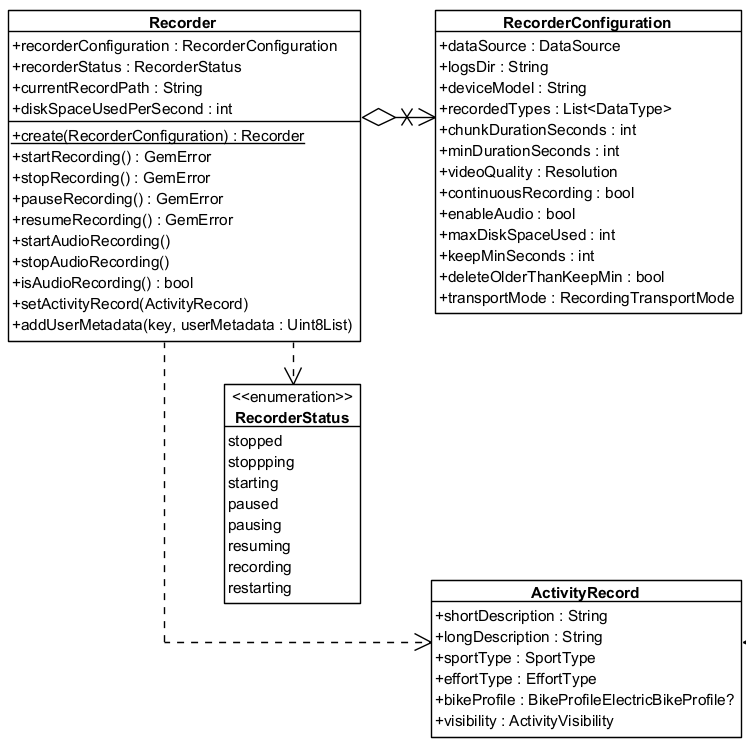
**Recorder**
#### Initialize the Recorder[](#initialize-the-recorder "Direct link to Initialize the Recorder")
The Recorder cannot be directly instantiated. Instead, the `produce` method is used to obtain a configured Recorder instance.
```cpp
RecorderConfigurationPtr recorderConfiguration = gem::StrongPointerFactory();
recorderConfiguration->dataSource = yourDataSource;
recorderConfiguration->logsDir = pathToRecordDirectory;
recorderConfiguration->recordedTypes.push_back( sense::EDataType::Position );
StrongPointer recorder = Recorder::produce( recorderConfiguration );
```
info
If the `dataSource`, `logsDir` and `recordedTypes` parameters are not populated with valid data, the `startRecording` method will return `error::KInvalidInput` and no data will be recorded.
##### Configure the `RecorderConfiguration`[](#configure-the-recorderconfiguration "Direct link to configure-the-recorderconfiguration")
| Recorder configuration attribute | Description |
| -------------------------------- | ---------------------------------------------------------------------------- |
| dataSource | The source providing the data to be recorded. |
| logsDir | The directory used to keep the logs |
| deviceModel | The device model. Deprecated, use hardwareSpecifications instead. |
| hardwareSpecifications | Extensive details about the device as a hashmap. |
| recordedTypes | The data types that are recorded |
| minDurationSeconds | The minimum duration for the recording to be saved |
| videoQuality | The video quality |
| chunkDurationSeconds | The chunk duration time in seconds |
| bContinuousRecording | Whether the recording should continue automatically when chunk time achieved |
| bEnableAudio | This flag will be used to determine if audio is needed to be recorded or not |
| maxDiskSpaceUsed | When reached, it will stop the recording |
| keepMinSeconds | Will not delete any record if this threshold is not reached |
| deleteOlderThanKeepMin | Older logs that exceeds minimum kept seconds threshold should be deleted |
| transportMode | The transport mode |
warning
If the log duration is shorter than `minDurationSeconds` the `stopRecording` method of `Recorder` will not save the recording and will return `error::KRecordedLogTooShort`.
The `error::KRecordedLogTooShort` error may also occur if an insufficient number of positions were emitted, even when the duration between `startRecording` and `stopRecording` exceeds `minDurationSeconds`. To test the recording functionality, you can create a custom external `DataSource` and push custom positions. Refer to the [custom positioning guide](/docs/cpp/guides/positioning/custom-positioning.md) for more details. The external `DataSource` created needs to be provided to the `RecorderConfiguration` object.
Be aware that if `minChunkDuration` is set too high, it may cause `error::KNoDiskSpace` since the SDK will estimate how much space is required for the entire chunk.
The `videoQuality` parameter is based on the `Resolution` enum defined below. Each value represents a standard video resolution that affects recording quality and storage requirements.
##### Camera Resolutions[](#camera-resolutions "Direct link to Camera Resolutions")
| Resolution Enum Value | Description | Dimensions (pixels) |
| --------------------- | ------------------- | ------------------- |
| `UNKNOWN` | No resolution set. | - |
| `SD_480p` | Standard Definition | 640 × 480 |
| `HD_720p` | High Definition | 1280 × 720 |
| `FullHD_1080p` | Full HD | 1920 × 1080 |
| `WQHD_1440p` | Wide Quad HD | 2560 × 1440 |
| `UHD_4K_2160p` | Ultra HD (4K) | 3840 × 2160 |
| `UHD_8K_4320p` | Ultra HD (8K) | 7680 × 4320 |
Estimated storage usage
The actual disk usage depends on platform and encoding settings, but here are rough size estimates used internally by the SDK for calculating space requirements:
| Resolution | Approx. Bytes/sec | Approx. MB/min |
| ------------------- | ----------------- | -------------- |
| `SD_480p` | 210,000 | ~12 MB/min |
| `HD_720p` (iOS) | 1,048,576 | ~60 MB/min |
| `HD_720p` (Android) | 629,760 | ~37 MB/min |
| `FullHD_1080p` | 3,774,874 | ~130 MB/min |
> Note: 1 MB = 1,048,576 bytes (binary MB). These are estimates and may vary slightly by platform and encoding settings.
> Note: These values are used to pre-check disk availability when `chunkDurationSeconds` is set.
##### Recording lifecycle[](#recording-lifecycle "Direct link to Recording lifecycle")
1. **Starting the Recorder**:
* Call the `startRecording` method to initiate recording. The recorder transitions to the `Recording` state.
2. **Pausing and Resuming**:
* Use `pauseRecording` and `resumeRecording` to manage interruptions.
3. **Chunked Recordings**:
* If a chunk duration is set in the configuration, the recording automatically stops when the duration is reached. A new recording will begin seamlessly if continuous recording is enabled, ensuring uninterrupted data capture.
4. **Stopping the Recorder**:
* The `stopRecording` method halts recording, and the system ensures logs meet the configured minimum duration before saving them as `.gm` files inside `logsDir`.
#### How to use the Recorder[](#how-to-use-the-recorder "Direct link to How to use the Recorder")
The following sections will present some use cases for the recorder, demonstrating its functionality in different scenarios.
```cpp
auto liveDataSource = sense::DataSourceFactory::produceLive();
String tracksPath = "path/to/record/directory";
if (!liveDataSource){
GEM_INFO_LOG("The datasource could not be created");
return;
}
RecorderConfigurationPtr recorderConfiguration = gem::StrongPointerFactory();
recorderConfiguration->dataSource = liveDataSource;
recorderConfiguration->logsDir = tracksPath;
recorderConfiguration->recordedTypes.push_back( sense::EDataType::Position );
// Create recorder based on configuration
StrongPointer recorder = Recorder::produce( recorderConfiguration );
if(!recorder)
{
GEM_INFO_LOG("The recorder could not be created");
return;
}
// Add a listener to monitor recording progress and status updates
recorder->addListener(yourRecorderProgressListenerImpl);
auto errorStart = recorder->startRecording();
if (errorStart != KNoError) {
GEM_INFO_LOG("Error starting recording: %d", errorStart);
}
// Other code
auto errorStop = recorder->stopRecording();
if (errorStop != KNoError) {
GEM_INFO_LOG("Error stopping recording: %d", errorStop);
}
```
warning
The `Recorder` will only save data explicitly defined in the `recordedTypes` list, any other data will be ignored.
warning
The `startRecording` and `stopRecording` methods may still do work in background. Design your logic around the status updates delivered on the supplied progress listener.
#### Record Metrics[](#record-metrics "Direct link to Record Metrics")
The `RecordMetrics` object provides **performance metrics** for a recorded activity.
Available only when the recorder is in `RecorderStatus.recording` status.
Users can access:
* `distanceMeters` → The total distance traveled in meters.
* `elevationGainMeters` → The total elevation gain in meters.
* `avgSpeedMps` → The average speed in meters per second.
These values allow you to analyze ride or workout performance, monitor progress, and build custom dashboards or statistics.
```cpp
auto errorStart = recorder->startRecording();
if (errorStart != KNoError)
{
GEM_INFO_LOG("Error starting recording: %d", errorStart);
}
// Get the recorder metrics at any time while recording
auto metrics = recorder->getMetrics();
GEM_INFO_LOG("Average speed: %f", metrics.avgSpeedMps);
GEM_INFO_LOG("Distance in meters: %f", metrics.distanceMeters);
GEM_INFO_LOG("Elevation gain: %f", metrics.elevationGainMeters);
```
tip
The metrics reset at the start of each recording, and once the recording is stopped, the collected data is available in LogMetadata.
#### Record audio[](#record-audio "Direct link to Record audio")
The recorder also supports audio recording. To enable this functionality, set the `bEnableAudio` parameter in the `RecorderConfiguration` to true and invoke the `startAudioRecording` method from the `Recorder` class. To stop the audio recording, use the `stopAudioRecording` method. The following code snippet illustrates this process:
```cpp
auto liveDataSource = sense::DataSourceFactory::produceLive();
String tracksPath = "path/to/record/directory";
if (!liveDataSource){
GEM_INFO_LOG("The datasource could not be created");
return;
}
RecorderConfigurationPtr recorderConfiguration = gem::StrongPointerFactory();
recorderConfiguration->dataSource = liveDataSource;
recorderConfiguration->logsDir = tracksPath;
recorderConfiguration->recordedTypes.push_back( sense::EDataType::Position );
recorderConfiguration->bEnableAudio = true;
// Create recorder based on configuration
StrongPointer recorder = Recorder::produce( recorderConfiguration );
if(!recorder)
{
GEM_INFO_LOG("The recorder could not be created");
return;
}
auto errorStart = recorder->startRecording();
if (errorStart != KNoError) {
GEM_INFO_LOG("Error starting recording: %d", errorStart);
}
// At any moment enable audio recording
recorder->startAudioRecording();
// Other code
// At any moment stop audio recording
recorder->stopAudioRecording();
auto errorStop = recorder->stopRecording();
if (errorStop != KNoError) {
GEM_INFO_LOG("Error stopping recording: %d", errorStop);
}
```
tip
The audio recording will result in a log file of type `.mp4`. This file also contains the binary data of a `.gm` file, but it is accessible by system players.
#### Record video[](#record-video "Direct link to Record video")
The recorder also supports video recording. To enable this functionality, add `sense::EDataType::Camera` to the `recordedTypes` and set the `videoQuality` parameter in the `RecorderConfiguration` to your desired resolution, we recommend using `sense::EResolution::Enum::HD_720p`. The video recording starts at the call of the `startRecording` method and stops at the `stopRecording` method. The following code snippet illustrates this process:
```cpp
RecorderConfigurationPtr recorderConfiguration = gem::StrongPointerFactory();
recorderConfiguration->dataSource = liveDataSource;
recorderConfiguration->logsDir = tracksPath;
recorderConfiguration->recordedTypes.push_back( sense::EDataType::Position );
recorderConfiguration->recordedTypes.push_back( sense::EDataType::Camera );
recorderConfiguration->videoQuality = sense::EResolution::Enum::HD_720p;
// Create recorder based on configuration
StrongPointer recorder = Recorder::produce( recorderConfiguration );
if(!recorder)
{
GEM_INFO_LOG("The recorder could not be created");
return;
}
auto errorStart = recorder->startRecording();
if (errorStart != KNoError) {
GEM_INFO_LOG("Error starting recording: %d", errorStart);
}
// Other code
auto errorStop = recorder->stopRecording();
if (errorStop != KNoError) {
GEM_INFO_LOG("Error stopping recording: %d", errorStop);
}
```
tip
The camera recording will result in a log file of type `.mp4`. This file also contains the binary data of a `.gm` file, but it is accessible by system players.
warning
Don't forget to request permission for camera usage if you add the `sense::EDataType::Camera` parameter to `recordedTypes`.
If using `chunkDurationSeconds`
When `chunkDurationSeconds` is set, the SDK will **check available disk space before starting the recording**.
If there isn't enough space to store an entire chunk (based on the selected resolution), the recorder will not start and will return `error::KNoDiskSpace`.
Make sure to estimate required storage ahead of time. See [Camera Resolutions](#camera-resolutions) for expected sizes.
#### Record multimedia[](#record-multimedia "Direct link to Record multimedia")
To record a combination of audio, video and sensors you can do that by setting up the `RecorderConfiguration` with all the desired functionalities. The following code snippet illustrates this process:
```cpp
RecorderConfigurationPtr recorderConfiguration = gem::StrongPointerFactory();
recorderConfiguration->dataSource = liveDataSource;
recorderConfiguration->logsDir = tracksPath;
recorderConfiguration->recordedTypes.push_back( sense::EDataType::Position );
recorderConfiguration->recordedTypes.push_back( sense::EDataType::Camera );
recorderConfiguration->videoQuality = sense::EResolution::Enum::HD_720p;
recorderConfiguration->bEnableAudio = true;
// Create recorder based on configuration
StrongPointer recorder = Recorder::produce( recorderConfiguration );
if(!recorder)
{
GEM_INFO_LOG("The recorder could not be created");
return;
}
// optional : add a listener to monitor recording progress and status updates
recorder->addListener(yourRecorderProgressListenerImpl);
auto errorStart = recorder->startRecording();
if (errorStart != KNoError) {
GEM_INFO_LOG("Error starting recording: %d", errorStart);
}
// At any moment enable audio recording
recorder->startAudioRecording();
// Other code
// At any moment stop audio recording
recorder->stopAudioRecording();
auto errorStop = recorder->stopRecording();
if (errorStop != KNoError) {
GEM_INFO_LOG("Error stopping recording: %d", errorStop);
}
```
tip
The audio recording will result in a log file of type `.mp4`. This file also contains the binary data of a `.gm` file, but it is accessible by system players.
#### Related[](#related "Direct link to Related")
* [Save GPX](/docs/cpp/examples/routing-navigation/save-gpx.md)
#### Recorder Bookmarks and Metadata[](#recorder-bookmarks-and-metadata "Direct link to Recorder Bookmarks and Metadata")
The SDK utilizes the proprietary `.gm` file format for recordings, offering several advantages over standard file types:
* Supports multiple data types, including acceleration, rotation, and more.
* Allows embedding custom user data in binary format.
* Enables automatic storage management by the SDK to optimize space usage.
Recordings are saved as `.gm` or `.mp4` files by the Recorder. The `RecorderBookmarks` class provides functionality for managing recordings, including exporting `.gm` or `.mp4` files to other formats such as `.gpx`, as well as importing external formats and converting them to `.gm` for seamless SDK integration.
Additionally, the `LogMetadata` class serves as an object-oriented representation of a `.gm` or `.mp4` file, offering features such as retrieving start and end timestamps, coordinates, and path details at varying levels of precision.
The `RecorderBookmarks` class for enhanced log management:
* **Export and Import Logs**: Convert logs to/from different formats such as GPX, NMEA, and KML.
* **Log Metadata**: Retrieve details like start and end timestamps, transport mode and size.
In the following class diagram you can see the main classes used by the `RecorderBookmarks` and the relationships between them:
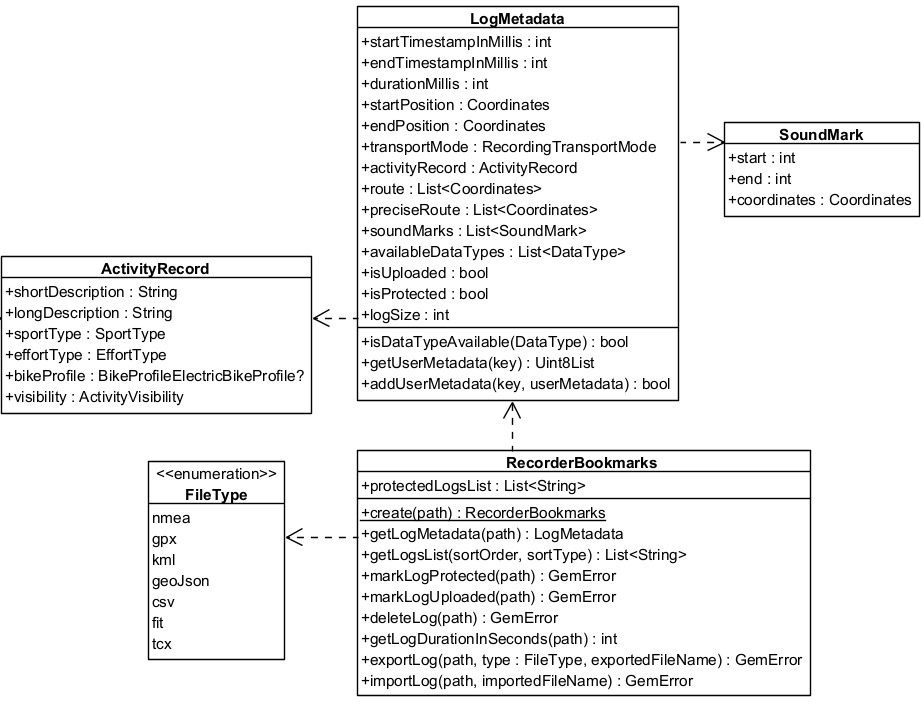
**RecorderBookmarks**
##### Export logs[](#export-logs "Direct link to Export logs")
```cpp
// Create recorderBookmarks
// It loads all .gm and .mp4 files at logsDir
StrongPointer bookmarks = RecorderBookmarks::produce( tracksPath );
if(!bookmarks) return;
// Get list of logs
List logList = bookmarks->getLogsList();
// Export last recording as a GPX file with a given name
// Assumes the logList is not empty
auto exportLogError = bookmarks->exportLog(
logList.back(),
EFileType::Gpx,
"My_File_Name"
);
if (exportLogError != KNoError) {
GEM_INFO_LOG("Error exporting log: %d", exportLogError);
}
```
The resulting file will be `My_File_Name.gpx`. If the name of the exported file is **not specified**, then the log name will be used.
warning
Exporting a `.gm` file to other formats may result in data loss, depending on the data types supported by each format.
tip
The exported file will be in the same directory as the original log file.
##### Import logs[](#import-logs "Direct link to Import logs")
Importing logs involves loading a standard file format (such as `gpx`, `nmea` or `kml`) into a `.gm` file, enabling it to be processed further.
```cpp
auto importError = bookmarks->importLog("path/to/file", "My_File_Name");
if (importError != KNoError)
{
GEM_INFO_LOG("Error importing log: %d", importError);
}
```
##### Access metadata[](#access-metadata "Direct link to Access metadata")
Each log contains metadata accessible through the `LogMetadata` class.
```cpp
StrongPointer bookmarks = RecorderBookmarks::produce( logsDir );
if(bookmarks)
{
// Get list of logs
List logList = bookmarks->getLogsList();
StrongPointer logMetadata = bookmarks->getMetadata(logList.back());
}
```
warning
The `getMetadata` method will return `empty` strong pointer if the log file does not exist inside the `logsDir` directory or if the log file is not a valid `.gm` file.
The metadata within a `LogMetadata` object contains:
* **getStartPosition / getEndPosition**: Geographic coordinates for the log's beginning and end.
* **getUserMetadata / addUserMetadata**: Store and retrieve additional data using a key-value approach.
* **getPreciseRoute**: A comprehensive list of all recorded coordinates, capturing the highest level of detail possible.
* **getRoute**: A list of route coordinates spaced at least 20 meters apart, with a three-second recording delay between each coordinate.
* **getTransportMode**: `ERecordingTransportMode` of recording.
* **getStartTimestampInMillis / getEndTimestampInMillis**: Timestamp of the first/last sensor data.
* **getDurationMillis**: Log duration.
* **isProtected**: Check if a log file is protected. Protected logs will not be automatically deleted after `keepMinSeconds` specified in `RecorderConfiguration`.
* **getLogSize**: Get the log size in bytes.
* **isDataTypeAvailable**: Verify if a data type is produced by the log file.
* **getSoundMarks**: A list of recorded soundmarks.
* **getActivityRecord**: The recorded activity details.
* **getMetrics**: Basic metrics about the recorded log.
To visualize the recorded route, a `Path` object can be constructed using the route coordinates from the `LogMetadata`. This path can then be displayed on a map. For more details, refer to the documentation on the [path entity](/docs/cpp/guides/core/base-entities.md#path) and [display paths](/docs/cpp/guides/maps/display-map-items/display-paths.md).
##### Custom user metadata[](#custom-user-metadata "Direct link to Custom user metadata")
Users can add custom metadata to a log either during recording or after it has been completed. This is done using the `addUserMetadata` method, available in both the `Recorder` and `LogMetadata` classes. The method requires a `String` key and the associated data as a `DataBuffer`.
To retrieve previously added metadata, use the `getUserMetadata` method of the `LogMetadata` class.
```cpp
StrongPointer logMetadata = bookmarks->getMetadata(logPath);
DataBuffer imageSample; // fill imageSample with image data
// Save image encoded in DataBuffer
logMetadata->addUserMetadata("ImgData", imageSample);
// Get image
StrongPointer imageData = logMetadata->getUserMetadata("ImgData");
// Do something with imageData...
```
#### ActivityRecord[](#activityrecord "Direct link to ActivityRecord")
The `ActivityRecord` class captures details about a recorded activity, including descriptions, sport type, effort level, and visibility settings. It ensures comprehensive metadata for recorded sessions.
##### Attributes[](#attributes "Direct link to Attributes")
| Attribute | Description |
| ------------------ | ----------------------------------------------------- |
| `shortDescription` | A brief summary of the activity. |
| `longDescription` | A detailed explanation of the activity. |
| `sportType` | The type of sport involved in the activity. |
| `effortType` | The intensity of effort (e.g., easy, moderate, hard). |
| `bikeProfile` | Bike profile details (if applicable). |
| `visibility` | Defines who can view the activity. |
#### RecordMetrics[](#recordmetrics "Direct link to RecordMetrics")
The `RecordMetrics` object provides essential statistics about a recorded log. These metrics are useful for analyzing movement, elevation, and speed data.
| Attribute | Description |
| --------------------- | ---------------------------------------------------------------------- |
| `distanceMeters` | Total distance covered during the log, measured in meters. |
| `elevationGainMeters` | Total elevation gained over the course of the log, measured in meters. |
| `avgSpeedMps` | Average speed throughout the log, measured in meters per second. |
##### Setting the activity record[](#setting-the-activity-record "Direct link to Setting the activity record")
```cpp
auto errorStart = recorder->startRecording();
if (errorStart != KNoError) {
GEM_INFO_LOG("Error starting recording: %d", errorStart);
}
// Other code
ActivityRecord activityRecord;
activityRecord.shortDescription = "Morning Run";
activityRecord.longDescription = "A 5km run through the park.";
activityRecord.sportType = ESportType::Run;
activityRecord.effortType = EffortType::Moderate;
activityRecord.visibility = EVisibility::Everyone;
recorder->setActivityRecord( activityRecord );
// Other code
auto errorStop = recorder->stopRecording();
if (errorStop != KNoError) {
GEM_INFO_LOG("Error stopping recording: %d", errorStop);
}
```
warning
Call this method while recording, calling it after stopping will not affect the existing recordings.
##### Getting the activity record[](#getting-the-activity-record "Direct link to Getting the activity record")
```cpp
StrongPointer bookmarks = RecorderBookmarks::produce( tracksPath );
if (!bookmarks){
GEM_INFO_LOG("Bookmarks could not be created");
return;
}
auto logList = bookmarks->getLogsList();
StrongPointer metadata = bookmarks->getMetadata(logList.back());
if (!metadata) {
GEM_INFO_LOG("Log metadata could not be retrieved");
return;
}
ActivityRecord activityRecord = metadata->getActivityRecord();
```
---
### Sensors and data sources
|
This section provides an overview of how the Maps C++ SDK integrates with various sensors and external data sources to enhance map functionality and interactivity. From GPS and compass data to accelerometer readings and custom telemetry inputs, the SDK is designed to support a wide range of sensor-driven scenarios.
You'll learn how to access and configure these inputs, how the SDK responds to real-time changes, and how to incorporate your own data streams into the mapping experience. Whether you're building navigation apps, augmented reality layers, or location-aware services, this section will guide you through the sensor and data integration process.
#### Sensor types[](#sensor-types "Direct link to Sensor types")
The supported sensor data types can be summarized in the following table:
| **Type** | **Description** |
| --------------------- | ----------------------------------------------------------------------------------------------------------------------------------------------- |
| **Acceleration** | Measures linear movement of the device in three-dimensional space. Useful for detecting motion, steps, or sudden changes in speed. |
| **Activity** | Represents user activity such as walking, running, or being stationary, typically inferred from motion data. Only available on Android devices. |
| **Attitude** | Describes the orientation of the device in 3D space, often expressed as Euler angles or quaternions. |
| **Battery** | Provides battery status information such as charge level and power state. |
| **Camera** | Indicates data coming from or triggered by the device's camera, such as frames or detection events. |
| **Compass** | Gives directional heading relative to magnetic or true north using magnetometer data. |
| **Magnetic Field** | Reports raw magnetic field strength, useful for environmental sensing or heading correction. |
| **Orientation** | Combines multiple sensors (like accelerometer and magnetometer) to calculate absolute device orientation. |
| **Position** | Basic geographic position data, including latitude, longitude, and optionally altitude. |
| **Improved Position** | Enhanced position data that has been refined using filtering, correction services, or sensor fusion. |
| **Gyroscope** | Measures the rate of rotation around the device’s axes, used to detect turns and angular movement. |
| **Temperature** | Provides temperature readings, either ambient or internal device temperature. |
| **Notification** | Represents external or system-level events that are not tied to physical sensors. |
| **Mount Information** | Describes how the device is physically mounted or oriented within a fixed system, such as in a vehicle. |
| **Heart Rate** | Biometric data representing beats per minute, typically from a fitness or health sensor. |
| **NMEA Chunk** | Raw navigation data in NMEA sentence format, typically from GNSS receivers for high-precision tracking. Only available on Android devices. |
| **Unknown** | A fallback type used when the source of the data cannot be determined. |
More details about the `sense::IPosition` and `sense::IImprovedPosition` classes are available [here](/docs/cpp/guides/core/positions.md).
warning
When using `EDataType` values, ensure that the specific types are supported on the target platform. Attempting to create data sources or recordings with unsupported types may result in failures.
#### Working with data sources[](#working-with-data-sources "Direct link to Working with data sources")
A simplified view of the main classes used to work with data sources can be seen in the following diagram:
**DataSource**
There are multiple possible data types, represented by the `EDataType` enum. Each sensor value is stored in a class that is derived from `sense::IData`. Two such classes are `IPosition` and `IAcceleration`.
If you want to create objects of these types, a helper class `sense::DataFactory` is provided. This class has static methods like `producePosition`, `produceAcceleration` that can create custom sensor data. In principle, this will only be necessary if you want to create a custom data source that will be fed with custom data.
You can create a `IDataSource` by using one of the static methods from `sense::DataSourceFactory`:
* `produceLive`: Creates a data source that collects data from the device’s built-in sensors in real time. This is the most common use case for applications relying on actual sensor input.
* `produceExternal`: Creates a custom data source that accepts user-supplied data. You can feed data into this source via the `pushData` method. Note that `pushData` will return `false` if used with a non-external source.
* `produceLog`: Creates a data source that replays data from a previously recorded session (log file: gpx, nmea). This is useful for debugging, training, or offline data processing. See the [Recorder docs](/docs/cpp/guides/positioning/recorder.md) for information about recording data.
* `produceSimulation`: Creates a data source that simulates movement along a specified route. It can be used for UI prototyping, testing, or feature validation without relying on real-world movement.
The first two types (live and external) are categorized under `EDataSourceType::Live`, whereas the latter two (log and simulation) fall under `EDataSourceType::Playback`.
note
By default, a data source starts automatically upon creation. However, it's possible that it hasn't fully initialized by the time you obtain the data source object.
If you add a `DataSourceListener` immediately after acquiring the data source, there's a chance you'll miss the initial "playing status changed" notification that indicates the data source has started - since it may already be in the started state when the listener is attached.
##### Configuring and Controlling a Data Source[](#configuring-and-controlling-a-data-source "Direct link to Configuring and Controlling a Data Source")
Once created, a data source can be stopped or started using the appropriate control methods:
```cpp
dataSource->stop();
// ...
dataSource->start();
```
You can also configure a data source’s behavior using methods like:
* `setConfiguration`: to set the sampling rate or data filtering behavior.
* `setMockData`: to simulate data updates.
warning
The `setMockData` method for live data sources supports only the `EDataType::Position` type. To mock other data types, use an external `DataSource`.
##### Using `DataSourceListener`[](#using-datasourcelistener "Direct link to using-datasourcelistener")
To receive updates from a data source, you can register a `DataSourceListener`. This listener allows you to react to various events such as:
* Changes in the playing status of the data source.
* Interruptions in data flow (e.g., sensor stopped, app went to background, etc.).
* New sensor data becoming available.
* Progress updates during playback.
You can implement a sense::IDataSourceListener:
```cpp
class MyDataSourceListenerImpl : public sense::IDataSourceListener
{
public:
void onPlayingStatusChanged( sense::EDataType type, sense::EPlayingStatus status) override
{
GEM_INFO_LOG( "DataSource type %d changed status to %d", type, status );
}
void onDataInterruptionEvent( sense::EDataType type, sense::EDataInterruptionReason reason, bool ended ) override
{
GEM_INFO_LOG( "DataSource type %d interruption event. Reason: %d, ended: %d", type, reason, ended );
}
void onNewData( sense::DataPtr data ) override
{
GEM_INFO_LOG( "DataSource new data received of type %d", data->getType() );
}
void onProgressChanged( LargeInteger progressMs) override
{
GEM_INFO_LOG( "DataSource progress changed: %lld ms", progressMs );
}
};
```
Once created, this listener can be registered with a `IDataSource`, for a specific `EDataType` (in this case the position):
```cpp
auto listenerPtr = gem::StrongPointerFactory();
myDataSourcePtr->addListener( listenerPtr, sense::EDataType::Position );
```
Later, you can remove the listener when it’s no longer needed:
```cpp
dataSourcePtr->removeListener( listenerPtr, sense::EDataType::Position );
```
#### Using the `IPlayback` interface[](#using-the-iplayback-interface "Direct link to using-the-iplayback-interface")
The `IPlayback` interface allows you to control data sources that support playback functionality - specifically those of type `sense::EDataSourceType::Playback`, such as *log files* or *simulated route replays*. **It is not compatible with live or custom data sources**.
To access a `IPlayback` instance, you can check the type of the data source and retrieve it accordingly:
```cpp
if(myDataSourcePtr->getDataSourceType() == sense::EDataSourceType::Playback)
{
auto playbackPtr = myDataSourcePtr->getPlayback();
playback->pause();
// ...
playback->resume();
}
```
As shown above, playback-enabled data sources can be paused and resumed. Additionally, you can adjust the playback speed by setting a `speedMultiplier`, which must fall within the range defined by `IPlayback:getMinSpeedMultiplier` and `IPlayback::getMaxSpeedMultiplier`.
To control playback position, use `IPlayback::getCurrentPosition`, which represents the elapsed time in milliseconds from the beginning of the log or simulation. This allows you to skip to any point in the playback.
You also have access to supplementary metadata, such as:
* `IPlayback::getLogPath` – the path to the log file being executed
* `IPlayback::getRoute` – the route being simulated (if applicable)
#### Tracking positions[](#tracking-positions "Direct link to Tracking positions")
Positions from a `IDataSource` can be tracked on a map by rendering a marker polyline between relevant map links points. This is done by using the `MapViewExtensions` class member of `MapView`.
**Tracked path**
The following code illustrates the functionality shown in the screenshot above.
```cpp
auto mapViewExtensions = mapView->extensions();
MarkerCollectionRenderSettings settings;
settings.polylineInnerColor = Rgba( 255, 0, 0, 255 ); // red
settings.polylineOuterColor = Rgba( 255, 255, 0, 255 ); // yellow
settings.polylineInnerSize = 3.0f;
settings.polylineOuterSize = 2.0f;
auto err = mapViewExtensions.startTrackPositions(
500, // ms
settings,
myDataSourcePtr);
// other code ...
mapViewExtensions.stopTrackPositions();
```
| **Method** | **Parameters** | **Return type** |
| ----------------------- | -------------------------------------------------------------------------------------------------------------------------------------------------------------------------------------------------------------------------------------------------------------------------------------------------------------------------- | ---------------------------------------------------------------------------- |
| **startTrackPositions** | - `updatePositionMs`: The tracked position collection update frequency. High frequency may decrease rendering performances on low end devices
- `MarkerCollectionRenderSettings`: The markers collection rendering settings in the map view
- `DataSourcePtr`: The DataSource object which positions are tracked | `error` |
| **stopTrackPositions** | | - `KNoError` on success
- `error::KNotFound` if tracking is not started |
| **isTrackedPositions** | | `bool` |
| **getTrackedPositions** | | `List` |
info
If the `dataSource` parameter is left null, tracking will use the current `IDataSource` set in `PositionService`. If no `IDataSource` is set in `PositionService`, `error::KNotFound` will be returned.
##### Getting tracked positions[](#getting-tracked-positions "Direct link to Getting tracked positions")
After calling `MapViewExtensions::startTrackPositions`, you can retrieve the tracked positions later using `getTrackedPositions` getter. This method returns a list of Coordinates that are used to render the path polyline on `MapView`.
```cpp
auto mapViewExtensions = mapView->extensions();
mapViewExtensions.getTrackedPositions;
// other code ...
mapViewExtensions.stopTrackPositions();
```
warning
Calling the `getTrackedPositions` getter **after** the `stopTrackPositions` is called will result in returning an empty list.
---
### Show location on map
|
The location of the device is shown by default using an arrow position tracker. If a `DataSource` has been successfully set in `PositionService` and is being fed regularly with new position data objects then the position tracker showing the current location should be visible on the map as an arrow.
**Default position tracker showing current position**
At the moment it is not possible to have multiple position trackers on the map.
note
GPS accuracy may be limited in environments such as indoor spaces, areas with weak GPS signals, or locations with significant obstructions, such as narrow streets or between tall buildings. In these situations, the tracker may exhibit erratic movement within a confined area. Additionally, the performance of device sensors, such as the accelerometer and gyroscope, can further impact GPS positioning accuracy.
This behavior is more pronounced when the device is stationary.
#### Start follow position[](#start-follow-position "Direct link to Start follow position")
Following the position tracker can be done calling the `startFollowingPosition` method on the `MapView`.
```cpp
mapView->startFollowingPosition();
```
When the `startFollowingPosition` method is called, the camera enters a mode where it automatically follows the movement and rotation of the position tracker. This ensures the user's current location and orientation are consistently centered and updated on the map.
The `startFollowingPosition` method can take parameters such as `animation`, which controls the movement from the current map camera position to the position of the tracker and `zoomLevel` and `viewAngle`.
##### Set map rotation mode[](#set-map-rotation-mode "Direct link to Set map rotation mode")
When following position, it is possible to have the map rotated with the user orientation:
```cpp
auto prefs = mapView->preferences().followPositionPreferences();
prefs.setMapRotationMode(EFollowPositionMapRotationMode::FPMRM_PositionHeading);
```
If you want to use the compass sensor for map rotation use `EFollowPositionMapRotationMode::FPMRM_Compass`:
```cpp
prefs.setMapRotationMode(EFollowPositionMapRotationMode::FPMRM_Compass);
```
The map rotation can also be fixed to a given angle using the `EFollowPositionMapRotationMode::FPMRM_Fixed` value and providing an `angle` value:
```cpp
prefs.setMapRotationMode(EFollowPositionMapRotationMode::FPMRM_Fixed, 30);
```
A value of `0` given for the `angle` parameter represents north-up alignment
The `getMapRotationMode` returns a pair containing:
* the current `EFollowPositionMapRotationMode` mode
* the map angle set in case of `EFollowPositionMapRotationMode::FPMRM_Fixed`
#### Exit follow position[](#exit-follow-position "Direct link to Exit follow position")
The `stopFollowingPosition` method from the mapController can be used to programmatically stop following the position.
```cpp
mapView->stopFollowingPosition();
```
The follow mode will be exited automatically if the user interacts with the map. Actions such as panning, or tilting will disable the camera's automatic tracking. This can be deactivated by setting `setTouchHandlerExitAllow` to false (see the section below).
#### Customize follow position settings[](#customize-follow-position-settings "Direct link to Customize follow position settings")
The `FollowPositionPreferences` class has options which can be used to customize the behavior of following the position. This can be accessed from the `preferences` getter of the `MapView`.
The fields defined in `FollowPositionPreferences` take effect only when the camera is in follow position mode. To customize camera behavior when not following the position, refer to the fields available in `MapViewPreferences` and `MapView`.
| Field / Method | Type | Explanation |
| --------------------------------- | ------ | ---------------------------------------------------------------------------------------------------- |
| setCameraFocus | XyF | The position on the viewport where the position tracker is located on the screen. |
| setTimeBeforeTurnPresentation | int | The time interval before starting a turn presentation. In seconds. |
| setTouchHandlerExitAllow | bool | If set to false then gestures made by the user will exit follow position mode |
| setTouchHandlerModifyPersistent | bool | If set to true then changes made by the user using gestures are persistent |
| setViewAngle | double | The viewAngle used within follow position mode |
| setZoomLevel | int | The zoomLevel used within follow position mode |
| setAccuracyCircleVisibility | bool | Specifies if the accuracy circle should be visible (regardless if is in follow position mode or not) |
| isTrackObjectFollowingMapRotation | bool | Specifies if the track object should follow the map rotation |
Please refer to the [adjust map guide](/docs/cpp/guides/maps/adjust-map.md) for more information about the `viewAngle`, `zoomLevel` and `cameraFocus` fields.
If no zoom level is set, a default value is used.
###### Use of *touchHandlerModifyPersistent*[](#use-of-touchhandlermodifypersistent "Direct link to use-of-touchhandlermodifypersistent")
When the camera enters follow position mode and manually adjusts the zoom level or view angle, these modifications are retained until the mode is exited, either manually or programmatically.
If `touchHandlerModifyPersistent` is set to `true`, then invoking `startFollowingPosition` (with default parameters for zoom and angle) will restore the zoom level and view angle from the previous follow position session.
If `touchHandlerModifyPersistent` is set to `false`, then calling `startFollowingPosition` (with default zoom and angle parameters) will result in appropriate values for the zoom level and view angle being recalculated.
tip
It is recommended to set the `touchHandlerModifyPersistent` property value right before calling the `startFollowingPosition` method.
###### Use of *touchHandlerExitAllow*[](#use-of-touchhandlerexitallow "Direct link to use-of-touchhandlerexitallow")
If the camera is in follow position mode and the `touchHandlerExitAllow` property is set to `true`, a two-finger pan gesture in a non-vertical direction will cause the camera to exit follow position mode.
If `touchHandlerExitAllow` is set to false, the user cannot manually exit follow position mode through touch gestures. In this case, the mode can only be exited programmatically by calling the `stopFollowingPosition` method.
##### Set circle visibility[](#set-circle-visibility "Direct link to Set circle visibility")
For example, in order to show the accuracy circle visibility on the map (which is by default hidden):
```cpp
auto prefs = mapView->preferences().followPositionPreferences();
int error = prefs.setAccuracyCircleVisibility(true);
```
**Accuracy circle turned on**
##### Customize circle color[](#customize-circle-color "Direct link to Customize circle color")
The accuracy circle color can be set using the `setDefPositionTrackerAccuracyCircleColor` static method from the `MapSceneObject` class:
```cpp
auto setErrorCode = MapSceneObject::setDefPositionTrackerAccuracyCircleColor(Rgba(255, 0, 0, 0));
GEM_INFO_LOG("Error code for setting the circle color: %d", setErrorCode);
```
tip
It is recommended to use colors with partial opacity instead of fully opaque colors for improved visibility and usability.
The current color can be retrieved using the `getDefPositionTrackerAccuracyCircleColor` static method:
```cpp
Rgba color = MapSceneObject::getDefPositionTrackerAccuracyCircleColor();
```
##### Set position of the position tracker on the viewport[](#set-position-of-the-position-tracker-on-the-viewport "Direct link to Set position of the position tracker on the viewport")
In order to set the position tracker on a particular spot of the viewport while in follow position mode the `setCameraFocus` method can be used:
```cpp
// Calculate the position relative to the viewport
float twoThirdsX = 2. / 3.;
float threeFifthsY = 3. / 5.;
XyF position = XyF(twoThirdsX, threeFifthsY);
// Set the position of the position tracker in the viewport
// while in follow position mode
auto prefs = mapView->preferences().followPositionPreferences();
auto error = prefs.setCameraFocus(position);
mapView->startFollowingPosition();
```
The `setCameraFocus` method uses a coordinate system relative to the viewport, not physical pixels. In this way `XyF(0.0, 0.0)` corresponds with top left corner and `XyF(1.0, 1.0)` corresponds with right bottom corner.
#### Customize position icon[](#customize-position-icon "Direct link to Customize position icon")
The SDK supports customizing the position tracker to suit your application's requirements. Check `ESceneObjectFileFormat` enum for supported formats.
```cpp
// Declare the scene data object list
SceneObjectDataList objectList;
// Populate the list with the desired scene data objects.
// Customize the position tracker
MapSceneObject::customizeDefPositionTracker(objectList);
```
Besides simple 2D icons, 3D objects as `glb` files can be set. The format parameter of the customizeDefPositionTracker should be set to `ESceneObjectFileFormat::SOFF_Tex` in this case.
At this moment it is not possible to set different icons for different maps.
**Custom position tracker**
#### Other position tracker settings[](#other-position-tracker-settings "Direct link to Other position tracker settings")
Other settings such as scale and the visibility of the position tracker can be changed using the methods available on the `MapSceneObject` which can be obtained using `MapSceneObject::getDefPositionTracker()`.
##### Change the position tracker scale[](#change-the-position-tracker-scale "Direct link to Change the position tracker scale")
To change the scale of the position tracker we can use the `scale` setter:
```cpp
// Get the position tracker
auto mapSceneObject = MapSceneObject::getDefPositionTracker();
// Change the scale
mapSceneObject.first->setScaleFactor(0.5f);
```
A value of 1.0f corresponds with the default scale value. The parameter passed to the setter should be in the range `(0.0f, mapSceneObject.first->getMaxScaleFactor()]`. The code snippet from above sets half the scale.
Note
The scale of the position tracker stays constant on the viewport regardless of the map zoom level.
##### Change the position tracker visibility[](#change-the-position-tracker-visibility "Direct link to Change the position tracker visibility")
To change the visibility of the position tracker we can use the `visibility` setter:
```cpp
// Get the position tracker
auto mapSceneObject = MapSceneObject::getDefPositionTracker();
// Change the visibility
mapSceneObject.first->setVisibility(false);
```
The snippet above makes the position tracker invisible.
---
### Public Transit Stops
|
This API provides access to public transport data including agencies, routes, stops, and trips. Fetch and explore real-time public transportation information from selected positions on the map.
Tip
The public transport data structure follows the [General Transit Feed Specification (GTFS)](https://gtfs.org/documentation/schedule/reference/) and offers access to a subset of GTFS fields and entities.
**Key features:**
* Query public transport overlays by screen position
* Retrieve information about transport agencies, stops, routes, and trips
* Access real-time data including delays and cancellations
* View metadata about accessibility, bike allowances, and platform details
* Filter trips by route type, route short name, or agency
**How it works:**
* Set a position on the map using `setCursorScreenPosition`
* Query for public transport overlays with `cursorSelectionOverlayItems`
* Retrieve stop information using `getPreviewExtendedData()` on each overlay item of `ECommonOverlayId::OID_PublicTransport` type.
* Use the populated `SearchableParameterList` object to explore agencies, stops, and trips
***
#### Query Public Transit Stops[](#query-public-transit-stops "Direct link to Query Public Transit Stops")
```cpp
class MyMapViewListenerImpl : public IMapViewListener
{
public:
void setMapView(StrongPointer mv)
{
mapView = mv;
}
void onLongDown(const Xy &pos) override
{
// Set cursor position on the screen.
mapView->setCursorScreenPosition(pos);
// Wait for the map view to fully load the tiles
// Get the overlay items at that position.
auto items = mapView->cursorSelectionOverlayItems();
// For each overlay item at that position.
for (auto item : items)
{
auto overlayId = item.getOverlayUid();
// We're interested only in public tranposrt overlay items.
if(overlayId == ECommonOverlayId::OID_PublicTransport)
{
// Declare the searchable parameter list that will get populated with the public transit data.
SearchableParameterList ptStopInfo;
item.getPreviewExtendedData(ptStopInfo, yourProgressListenerImpl);
// Wait for the operation to complete (replace with your own synchronization mechanism).
WAIT_UNTIL( std::bind( &YourProgressListenerImpl::IsFinished, yourProgressListenerImpl ), 15000 );
// Start using the information, it must contain data now.
if (!ptStopInfo.empty())
{
// Information about agencies.
auto agencies = ptStopInfo.find(opid::kPT_agencies);
// Information about stops and generic routes
// (routes that don't have `heading` set)
auto stops = ptStopInfo.find(opid::kPT_stops);
// Information about trips (together with
// route, agency, stop times, real-time info, etc.)
auto trips = ptStopInfo.find(opid::kPT_trips);
// Go through stops.
for (auto stop : stops.first)
{
// Get the stop details.
auto stopDetails = stop.getValue();
GEM_INFO_LOG("Stop id: %llu", stopDetails.find(opid::kPT_stop_id).first);
GEM_INFO_LOG("Stop name: %s", stopDetails.find(opid::kPT_stop_name).first);
GEM_INFO_LOG("Routes:");
auto stopRoutes = stopDetails.find(opid::kPT_stop_routes);
// Go through the routes that visit this stop
for (auto route : stopRoutes.first)
{
auto routeDetails = route.getValue();
GEM_INFO_LOG(" Route id: %llu", routeDetails.find(opid::kPT_route_id).first);
GEM_INFO_LOG(" Route short name: %s", routeDetails.find(opid::kPT_route_short_name).first);
GEM_INFO_LOG(" Route long name: %s", routeDetails.find(opid::kPT_route_long_name).first);
}
}
}
}
}
}
private:
StrongPointer mapView;
};
```
Tip
Obtain `SearchableParameterList` instances with public transit data by performing an overlay search using `ECommonOverlayId::OID_PublicTransport`. Retrieve the corresponding `OverlayItem`s and use their `getPreviewExtendedData` method to access stop information.
See the [Search on overlays](/docs/cpp/guides/search/get-started-search.md#search-on-overlays) guide for details.
danger
All returned times are local times represented as `epoch time` values in UTC (timezone offset 0). Use the `TimezoneService` to convert them to other time zones.
danger
Two types of public transit stops exist on the map:
* `OverlayItem` stops selected via `cursorSelectionOverlayItems` - provide extensive `extendedData` details and display with a blue icon (default style) - available only in Online mode.
* `Landmark` stops selected via `cursorSelectionLandmarks` - provide limited details and display with a gray icon (default style) - available in Offline mode.
The public transit overlay items might hide the equivalent landmarks in the same area.
***
#### Agencies[](#agencies "Direct link to Agencies")
A `SearchableParameterList` containing an Agency has the following values:
| Key | Type | Description |
| ------------- | -------- | ----------------------------------- |
| `agency_id` | `int` | Agency ID |
| `agency_name` | `String` | Full name of the transit agency. |
| `agency_url` | `String` | Optional URL of the transit agency. |
***
#### Public Transport Routes[](#public-transport-routes "Direct link to Public Transport Routes")
A `SearchableParameterList` containing a public transit Route has the following values:
| Key | Type | Description |
| ------------------ | -------------- | ---------------------------------------------------------------------------------------------------------------------------------------------------- |
| `route_id` | `LargeInteger` | Route ID |
| `route_short_name` | `String` | Short name of a route. Often a short, abstract identifier (e.g., "32", "100X") that riders use to identify a route. May be null. |
| `rout_long_name` | `String` | Full name of a route. This name is generally more descriptive than the short name and often includes the route's destination or stop. |
| `route_type` | `int` | Type of route. Check opid::pt::ERouteType values. |
| `route_color` | `String` | Route color designation that matches public-facing material. May be used to color the route on the map or to be shown on UI elements. In hex format. |
| `route_text_Color` | `String` | Legible color to use for text drawn against a background of `routeColor`. In hex format. |
| `route_heading` | `String` | Optional heading information. |
##### Route Types[](#route-types "Direct link to Route Types")
The `opid::pt::EPTRouteType` enum represents the type of public transport route:
| Enum Case | Description |
| ------------------- | ---------------------------------------------------------------------------------------------- |
| `RT_Bus` | Bus, Trolleybus. Used for short and long-distance bus routes. |
| `RT_Underground` | Subway, Metro. Any underground rail system within a metropolitan area. |
| `RT_Railway` | Rail. Used for intercity or long-distance travel. |
| `RT_Tram` | Tram, Streetcar, Light rail. Any light rail or street level system within a metropolitan area. |
| `RT_WaterTransport` | Water transport. Used for ferries and other water-based transit. |
| `RT_Misc` | Miscellaneous. Includes other types of public transport not covered by the other categories. |
***
#### Stops[](#stops "Direct link to Stops")
A `SearchableParameterList` containing a public transit Stop has the following values:
| Key | Type | Description |
| ------------ | ------------------------- | ----------------------------------------------------------------------------------------------------------------------------------------------------- |
| `stop_id` | `LargeInteger` | Identifies a location: stop/platform, station, entrance/exit, node or boarding area |
| `stop_name` | `String` | Name of the location. Matches the agency's rider-facing name for the location as printed on a timetable, published online, or represented on signage. |
| `is_station` | `bool` | Whether this location is a station or not. A station is considered a physical structure or area that contains one or more platforms. |
| `routes` | `SearchableParameterList` | Associated routes for the stop. Contains all routes serving this stop, whether active at the given time or not. |
***
#### Stop Times[](#stop-times "Direct link to Stop Times")
A `SearchableParameterList` containing a public transit Stop Time has the following values:
| Key | Type | Description |
| ---------------- | -------- | ----------------------------------------------------------- |
| `stop_name` | `String` | The name of the serviced stop. |
| `departure_time` | `int` | Optional departure time in the local timezone. |
| `has_realtime` | `bool` | Whether data is provided in real-time or not. |
| `delay` | `int` | Delay in seconds. Not available if `has_realtime` is false. |
| `is_before` | `bool` | Whether the stop time is before the current time. |
| `stop_details` | `int` | Bitwise details about bike or wheelchair accessibility. |
| `lat` | `double` | WGS latitude for the stop. |
| `lon` | `double` | WGS longitude for the stop. |
***
#### Trips[](#trips "Direct link to Trips")
A `SearchableParameterList` containing a public transit Trip has the following values:
| Key | Type | Description |
| -------------------------- | ------------------------- | ----------------------------------------------------------------------------------------------------------------------------------------------- |
| `agency_id` | `int` | Associated agency id. |
| `trip_index` | `int` | Trip index. |
| `trip_date` | `int` | The date of the trip as epoch. |
| `departure_time` | `int` | Departure time of the trip from the first stop as epoch. |
| `has_realtime` | `bool` | Whether real-time data is available. |
| `is_cancelled` | `bool` | Whether the trip is cancelled by realtime. |
| `delay_minutes` | `int` | Delay in minutes. Not available if `has_realtime` is false. |
| `stop_times` | `SearchableParameterList` | Details of stop times in the trip. |
| `stop_index` | `int` | The current stop index inside the whole list of stops that this trip passes through. This value changes based on which stop you tap on the map. |
| `stop_platform_code` | `String` | Platform code. For example inside train stations. |
| `is_wheelchair_accessible` | `bool` | Whether the stop is wheelchair accessible. |
| `is_bike_allowed` | `bool` | Whether bikes are allowed on the stop. |
danger
A public transit `Route` represents the public-facing service riders recognize (e.g., "Bus 42"). A public transit `Trip` is a single scheduled journey along that route at a specific time with its own stop times and sequence. The route is the line identity; trips are individual vehicle runs throughout the day.
***
#### Public Transit Extended Data[](#public-transit-extended-data "Direct link to Public Transit Extended Data")
A `SearchableParameterList` containing a public transit extended data has the following values:
| Key | Type | Description |
| ---------- | ------------------------- | --------------------------------------------- |
| `agencies` | `SearchableParameterList` | Agencies serving the selected item. |
| `trips` | `SearchableParameterList` | Trips in which the selected item is involved. |
| `stops` | `SearchableParameterList` | Stops associated with the trips. |
***
#### Relevant examples demonstrating public transit related features[](#relevant-examples-demonstrating-public-transit-related-features "Direct link to Relevant examples demonstrating public transit related features")
* [Public Transit Stop](/docs/cpp/examples/maps-3dscene/public-transit-stop.md)
---
### Routing
Routing functionality provides a robust solution for calculating, customizing, and analyzing routes for various transportation needs. You can calculate routes between a start and destination point, include intermediate waypoints for multi-stop routes, and determine areas accessible within a specific range. Additionally, the routing service allows you to retrieve turn-by-turn instructions, traffic event details, and estimate time of arrival (ETA) along with travel durations and distances. The system supports a variety of options such as computing terrain profiles for elevation data, displaying routes on a map, and handling public transit routes.
#### [📄️ Get started with routing](/docs/cpp/guides/routing/get-started-routing.md)
[Here’s a quick overview of what you can do with routing:](/docs/cpp/guides/routing/get-started-routing.md)
#### [📄️ Handling RoutePreferences](/docs/cpp/guides/routing/route-preferences.md)
[Before computing a route, we need to specify some route options.](/docs/cpp/guides/routing/route-preferences.md)
#### [📄️ Advanced features](/docs/cpp/guides/routing/advanced-features.md)
[In order to compute a route range we need to:](/docs/cpp/guides/routing/advanced-features.md)
#### [📄️ Route Bookmarks](/docs/cpp/guides/routing/route-bookmarks.md)
[This guide explains how to store, manage, and retrieve route collections as bookmarks between application sessions.](/docs/cpp/guides/routing/route-bookmarks.md)
#### [📄️ Roundtrips](/docs/cpp/guides/routing/roundtrips.md)
[The Routing API offers the ability to generate a random route, starting at a given waypoint and back to that same point.](/docs/cpp/guides/routing/roundtrips.md)
---
### Advanced features
|
### Compute route ranges
In order to compute a route range we need to:
* Specify in the `RoutePreferences` the most important route preference (others can also be used):
* `setRouteRanges` with a list of range values, one for each route we compute and a `quality` value \[0, 100]. The quality representing the quality of the generated polygons. Measurement units are corresponding to the specified `routeType` (see the table below)
* \[optional] `setTransportMode` (by default `ERouteTransportMode::RTM_Car`)
* \[optional] `setRouteType` (can be `RT_Fastest`, `RT_Economic`, `RT_Shortest` - by default is `RT_Fastest`)
* The list of landmarks used in `calculateRoute` will contain only one landmark, the starting point for the route range computation.
| Preference | Measurement unit |
| ---------- | ---------------- |
| fastest | seconds |
| shortest | meters |
| economic | Wh |
warning
Routes computed using route ranges are **not navigable**.
warning
The `ERouteType::RT_Scenic` route type is not supported for route ranges.
Route can be computed with a code like the following. It is a range route computation because it only has a simple `Landmark` and `routeRanges` contains values (in this case 2 routes will be computed).
```cpp
// Define the departure.
Landmark startLandmark( "start", { 48.85682, 2.34375 });
// Define the route preferences.
// Compute 2 ranges, 30 min and 60 min
RoutePreferences routePreferences;
routePreferences.setRouteType( ERouteType::RT_Fastest );
routePreferences.setRouteRanges( { 1800, 3600 }, 100 );
RouteList resultedRoutes;
RoutingService().calculateRoute(resultedRoutes,
{ startLandmark },
routePreferences,
yourProgressListenerImpl
);
```
Note
The computed routes can be displayed on the map, just like any regular route, with the only difference that the additional settings `RouteRenderSettings.m_fillColor` is used to define the polygon fill color.
#### Compute path based routes[](#compute-path-based-routes "Direct link to Compute path based routes")
A `Path` is a structure containing a list of coordinates (a track). It can be created based on:
* custom coordinates specified by the user
* coordinates recorded in a GPX file
* coordinates obtained by doing a finger draw on the map
Sometimes we want to compute routes based on a list of one or more **Path backed landmark**(s) and optionally some regular `Landmark`(s). In this case the result will only contain one route. The path provided as waypoint track is used as a hint for the routing algorithm.
You can see an example below of a route computation over a path (the highlighted area represents the code necessary to create the list with one element of type landmark built based on a path):
```cpp
CoordinatesList coords{
{ 40.786, -74.202 },
{ 40.690, -74.209 },
{ 40.695, -73.814 },
{ 40.782, -73.710 }
};
// Create the path.
Path path( coords );
// Declare a landmark that will hold the path.
Landmark pathLandmark( "path landmark", {} );
// Set the path data to the landmark.
RouteBookmarks::setWaypointTrackData( pathLandmark, path );
// The landmark list containing the path landmark.
LandmarkList landmarkList{ pathLandmark }; // other landmarks can be added as well, simple or with path data
// Define the route preferences.
auto routePreferences = RoutePreferences();
RouteList resultedRoutes;
RoutingService().calculateRoute(resultedRoutes,
landmarkList,
routePreferences,
yourProgressListenerImpl
);
```
#### Computing a route based on a GPX file[](#computing-a-route-based-on-a-gpx-file "Direct link to Computing a route based on a GPX file")
You can compute a route based on a GPX file by using the `path based landmark` described in the previous section. The only difference is how we create the `Path`.
```cpp
DataBuffer gpxDataBuf; // fill gpxDataBuf with GPX data containing a track
Path path( gpxDataBuf, (int) EPathFileFormat::PFF_Gpx, yourPathCreationProgressListenerImpl);
// Wait until the path creation is complete.
// Declare a landmark that will hold the path.
Landmark pathLandmark( "path landmark", {} );
// Set the path data to the landmark.
RouteBookmarks::setWaypointTrackData( pathLandmark, path );
// The landmark list containing the path landmark.
LandmarkList landmarkList{ pathLandmark }; // other landmarks can be added as well, simple or with path data
// Define the route preferences.
auto routePreferences = RoutePreferences();
routePreferences.setTransportMode(ERouteTransportMode::RTM_Bicycle);
RouteList resultedRoutes;
RoutingService().calculateRoute(resultedRoutes,
landmarkList,
routePreferences,
yourProgressListenerImpl
);
```
The resulted `List` will only contain one element, a path based `Landmark`.
#### Compute public transit routes[](#compute-public-transit-routes "Direct link to Compute public transit routes")
In order to compute a public transit route we need to set the `transportMode` field in the `RoutePreferences` like this:
```cpp
// Define the route preferences with public transport mode.
RoutePreferences routePreferences;
routePreferences.setTransportMode( ERouteTransportMode::RTM_Public );
```
warning
Public transit routes are not navigable.
The full source code to compute a public transit route and handle it could look like this:
```cpp
// Define the departure.
Landmark departureLandmark("departure", { 45.6646, 25.5872 } );
// Define the destination.
Landmark destinationLandmark("destination", { 45.6578, 25.6233 } );
// Define the route preferences with public transport mode.
RoutePreferences routePreferences;
routePreferences.setTransportMode(ERouteTransportMode::RTM_Public);
RouteList resultedRoutes;
RoutingService().calculateRoute(resultedRoutes,
{ departureLandmark, destinationLandmark },
routePreferences,
yourProgressListenerImpl
);
// Wait for the operation to complete (replace with your own synchronization mechanism).
WAIT_UNTIL( std::bind( &YourProgressListenerImpl::IsFinished, yourProgressListenerImpl ), 15000 );
if (!resultedRoutes.empty())
{
// Display the routes on map.
bool mainRoute = true;
for (auto route : resultedRoutes)
{
mapView->preferences().routes().add(route, mainRoute);
mainRoute = false;
}
// Convert normal route to PTRoute
auto ptRoute = resultedRoutes.front().toPTRoute();
// Convert each segment to PTRouteSegment
auto ptSegments = ptRoute.getSegments();
for(auto segment : ptSegments)
{
auto ptSegment = segment.toPTRouteSegment();
ETransitType transitType = ptSegment.getTransitType();
if(ptSegment.isCommon())
{ // PT segment
List ptInstructions = segment.getInstructions();
for(auto instr : ptInstructions)
{
auto ptInstr = instr.toPTRouteInstruction();
// handle public transit instruction
String stationName = ptInstr.getName();
auto departure = ptInstr.getDepartureTime();
auto arrival = ptInstr.getArrivalTime();
// ...
}
}
else
{ // walk segment
List instructions = ptSegment.getInstructions();
for(auto walkInstr : instructions)
{
// handle walk instruction
}
}
}
}
```
Once routes are computed, if the computation was for public transport route, you can convert a resulted route to a public transit route via `toPTRoute()`. After that you have full access to the methods specific to this kind of route.
A public transit route is a sequence of one or more segments. Each segment is either a walking segment, either a public transit segment. You can determine the segment type based on the `ETransitType`.
`ETransitType` can have the following values: TT\_Walk, TT\_Bus, TT\_Underground, TT\_Railway, TT\_Tram, TT\_WaterTransport, TT\_Other, TT\_SharedBike, TT\_SharedScooter, TT\_SharedCar, TT\_Unknown.
tip
Other settings related to public transit (such as departure/arrival time) can be specified within the `RoutePreferences` object passed to the `calculateRoute` method:
```cpp
auto now = Time::getUniversalTime();
LargeInteger oneHour = 3600 * 1000; // milliseconds in one hour
RoutePreferences customRoutePreferences;
customRoutePreferences.setTransportMode(ERouteTransportMode::RTM_Public);
// The arrival time is set to one hour from now.
customRoutePreferences.setAlgorithmType( EPTAlgorithmType::PTAT_Arrival);
customRoutePreferences.setTimestamp( now + oneHour );
// Sort the routes by the best time.
customRoutePreferences.setSortingStrategy(EPTSortingStrategy::PTSS_Best_Time);
// Accessibility preferences
customRoutePreferences.setUseBikes(false);
customRoutePreferences.setUseWheelchair( false );
```
#### Export a Route to file[](#export-a-route-to-file "Direct link to Export a Route to file")
The `exportToFile` method allows you to export a route from `RouteBookmarks` into a file on disk. This makes it possible to store the route for later use or share it with other systems.
The file will be saved at the exact location provided in the **path** parameter, so always ensure the directory exists and is writable.
```cpp
auto error = yourRouteBookmarksObj->exportToFile(index, filePath);
```
TIP
When exporting a route, make sure to handle possible errors:
* **`error::KNotFound`** - This occurs if the given route index does not exist.
* **`error::KIo`** - This occurs if the file cannot be created or written to.
#### Export a Route as String[](#export-a-route-as-string "Direct link to Export a Route as String")
The `exportAs` method allows you to export a route into a textual representation. The returned value is a `String` containing the full route data in the requested format.
This makes it easy to store the route as a file or share it with other applications that support formats like GPX, KML, NMEA, or GeoJSON.
```cpp
DataBuffer dataGpx = resultedRoutes.front().exportAs(EPathFileFormat::PFF_Gpx);
// You now have the full GPX as a string, written inside a DataBuffer.
```
---
### Get started with routing
|
Here’s a quick overview of what you can do with routing:
* Calculate routes from a start point to a destination.
* Include intermediary waypoints for multi-stop routes.
* Compute range routes to determine areas reachable within a specific range.
* Plan routes over predefined tracks.
* Customize routes with preferences like route types, restrictions, and more.
* Retrieve maneuvers and turn-by-turn instructions.
* Access detailed route profiles for further analysis.
#### Calculate routes[](#calculate-routes "Direct link to Calculate routes")
You can calculate a route with the code below. This route is navigable, which means that later it is possible to do a navigation/ simulation on it.
```cpp
// Define the departure.
Landmark departure("Departure", { 48.85682, 2.34375 });
// Define the destination.
Landmark destination( "Destination", { 50.84644, 4.34587 } );
LandmarkList landmarks;
landmarks.push_back( departure );
landmarks.push_back( destination );
RoutePreferences routePreferences; // defaults
RouteList routes;
auto listener = StrongPointerFactory();
// Start route calculation (progress listener is a placeholder; in real code provide your own implementation)
auto err = RoutingService().calculateRoute(
routes,
landmarks,
routePreferences,
listener // Provide your implementation to receive completion notifications
);
if(err != KNoError)
{
GEM_INFO_LOG( "Error starting route calculation: %d", err );
FAIL() << "Routing failed to start";
}
// Allow some time to execute the route calculation or wait for the given progress listener to be called back with completion
WAIT_UNTIL( std::bind( &YourProgressListenerImpl::IsFinished, listener ), 5000 );
// Check the operation result
err = listener->GetError(); // implement a GetError method in your progress listener to retrieve the error code that was delivered in notifyComplete
if( err == KNoError )
{
GEM_INFO_LOG( "Number of routes: %d", (int)routes.size() );
ASSERT_FALSE( routes.empty() );
}
else if( err == error::KCancel )
{
GEM_INFO_LOG( "Route computation canceled" );
GTEST_SKIP();
}
else
{
GEM_INFO_LOG( "Error computing route: %d", err );
FAIL() << "Routing failed";
}
```
The `err` provided `notifyComplete` or operation start can have the following values:
| Value | Significance |
| ---------------------------- | ----------------------------------------------------------------------------------------------------------------------------------------------------------------- |
| `KNoError` | successfully completed |
| `error::KCancel` | cancelled by the user |
| `error::KWaypointAccess` | couldn't be found with the current preferences |
| `error::KConnectionRequired` | if allowOnlineCalculation = false in the routing preferences and the calculation can't be done on the client side due to missing data |
| `error::KExpired` | calculation can't be done on client side due to missing necessary data and the client world map data version is no longer supported by the online routing service |
| `error::KRouteTooLong` | routing was executed on the online service and the operation took too much time to complete (usually more than 1 min, depending on the server overload state) |
| `error::KInvalidated` | the offline map data changed ( offline map downloaded, erased, updated ) during the calculation |
| `error::KNoMemory` | routing engine couldn't allocate the necessary memory for the calculation |
The previous example shows how to define your start and end points, set route preferences, and handle the callback for results. If needed, you can cancel the ongoing computation by using the same progress listener object:
```cpp
RoutingService().cancelRoute(progressListenerGivenOnCalculateRoute);
```
When the route is canceled, the `notifyComplete` will be called with `err` = `error::KCancel`.
#### Get ETA and traffic information[](#get-eta-and-traffic-information "Direct link to Get ETA and traffic information")
Once the route is computed, you can retrieve additional details like the estimated time of arrival (ETA) and traffic information. Here’s how you can access these:
```cpp
TimeDistance td = route.getTimeDistance(false);
auto totalDistance = td.getTotalDistance();
// same with:
//auto totalDistance = td.getUnrestrictedDistance() + td.getRestrictedDistance();
auto totalDuration = td.getTotalTime();
// same with:
//auto totalDuration = td.getUnrestrictedTime() + td.getRestrictedTime();
// by default activePart = true
TimeDistance remainTd = route.getTimeDistance(true);
auto totalRemainDistance = remainTd.getTotalDistance();
auto totalRemainDuration = remainTd.getTotalTime();
```
By using the method `Route::getTimeDistance` we can get the time and distance for a route. If the `activePart` parameter is `false`, it means the distance is computed for the entire route initially computed, otherwise it is computed only for the active part (the part still remaining to be navigated).
In the example `unrestricted` means the part of the route that is on public property and `restricted` the part of the route that is on private property. Time is measured in seconds and distance in meters.
If you want to gather traffic details, you can do so like this:
```cpp
List trafficEvents = route.getTrafficEvents();
for (auto event : trafficEvents) {
ERouteTransportMode transportMode = (ERouteTransportMode)event.getAffectedTransportMode();
String description = event.getDescription();
ETrafficEventClass eventClass = event.getEventClass();
ETrafficEventSeverity eventSeverity = event.getEventSeverity();
Coordinates from = event.getFrom();
Coordinates to = event.getTo();
bool isRoadBlock = event.isRoadblock();
}
```
Check the [Traffic Events guide](/docs/cpp/guides/core/traffic-events.md) for more details.
#### Display routes on map[](#display-routes-on-map "Direct link to Display routes on map")
After calculating the routes, they are not automatically displayed on the map. To visualize and center the map on the route, refer to the [display routes on maps](/docs/cpp/guides/maps/display-map-items/display-routes.md) related documentation. The Maps SDK for C++ offers extensive customization options, allowing for flexible preferences to tailor the display to your needs.
#### Get the Terrain Profile[](#get-the-terrain-profile "Direct link to Get the Terrain Profile")
When computing the route we can choose to also build the `TerrainProfile` for the route.
In order to do that `RoutePreferences` must specify we want to also generate the `BuildTerrainProfile`:
```cpp
RoutePreferences routePreferences;
routePreferences.setBuildTerrainProfile( true );
```
warning
Setting the `BuildTerrainProfile` with the `enable` flag set to true to the preferences used within `calculateRoute` is mandatory for getting route terrain profile data.
Later, use the profile for elevation data or other terrain-related details:
```cpp
auto terrainProfile = route.getTerrainProfile();
if (terrainProfile)
{
float minElevation = terrainProfile.getMinElevation();
float maxElevation = terrainProfile.getMaxElevation();
int minElevDist = terrainProfile.getMinElevationDistance();
int maxElevDist = terrainProfile.getMaxElevationDistance();
float totalUp = terrainProfile.getTotalUp();
float totalDown = terrainProfile.getTotalDown();
// elevation at 100m from the route start
float elevation = terrainProfile.getElevation(100);
for (auto section : terrainProfile.getRoadTypeSections()) {
ERoadType roadType = section.type;
int startDistance = section.startDistanceM;
}
for (auto section : terrainProfile.getSurfaceSections()) {
ESurfaceType surfaceType = section.type;
int startDistance = section.startDistanceM;
}
for (auto section : terrainProfile.getClimbSections()) {
EGrade grade = section.grade;
float slope = section.slope;
int startDistanceM = section.startDistanceM;
int endDistanceM = section.endDistanceM;
}
List categs = { -16, -10, -7, -4, -1, 1, 4, 7, 10, 16 };
List steepSections = terrainProfile.getSteepSections(categs);
for (auto section : steepSections) {
int categ = section.categ;
int startDistanceM = section.startDistanceM;
}
}
```
`ERoadType` possible values are: R\_Motorways, R\_StateRoad, R\_Road, R\_Street, R\_Cycleway, R\_Path, R\_SingleTrack.
`ESurfaceType` possible values are: S\_Asphalt, S\_Paved, S\_Unpaved, S\_Unknown.
**Route profile chart**
**Route profile sections**
#### Get the route segments and instructions[](#get-the-route-segments-and-instructions "Direct link to Get the route segments and instructions")
Once a route has been successfully computed, you can retrieve a detailed list of its `segments` by calling `getSegments()`. Each segment represents the portion of the route between two consecutive waypoints and includes its own set of `route instructions`.
For instance, if a route is computed with five waypoints, it will consist of four segments, each with distinct instructions.
In the case of public transit routes, segments can represent either pedestrian paths or public transit sections.
Here’s an example of how to access and use this information, focusing on some key `RouteInstruction` properties:
| Methods | Type | Explanation |
| ------------------------------------- | --------------------- | ------------------------------------------------------------------------------------------------------------------ |
| getTraveledTimeDistance | TimeDistance | Time and distance from the beginning of the route. |
| getRemainingTravelTimeDistance | TimeDistance | Time and distance to the end of the route. |
| getCoordinates | Coordinates | The coordinates indicating the location of the instruction. |
| getRemainTravelTimeDistToNextWaypoint | TimeDistance | Time and distance until the next waypoint. |
| getTimeDistanceToNextTurn | TimeDistance | Time and distance until the next turn. |
| getTurnDetails | TurnDetails | Get full details for the turn. |
| getTurnInstruction | String | Get textual description for the next instruction. |
| getRoadInfo | List\ | Get road information. |
| hasFollowRoadInfo | bool | Check is the road has follow road information. |
| getFollowRoadInstruction | String | Get textual description for the follow road information. |
| getCountryCodeISO | String | Get ISO 3166-1 alpha-3 country code for the navigation instruction. |
| getExitDetails | String | Get the exit route instruction text. |
| getSignpostInstruction | String | Get textual description for the signpost information. |
| getSignpostDetails | SignpostDetails | Get extended signpost details. |
| getRoadInfoImage | RoadInfoImage | Get customizable road image. The user is responsible to check if the image is valid. |
| getTurnImage | Image | Get turn image. The user is responsible to check if the image is valid. |
| getRealisticNextTurnImage | AbstractGeometryImage | Get customizable image for the realistic turn information. The user is responsible to check if the image is valid. |
**List containing route instructions**
Data from the instruction list above is obtained via the following methods of `RouteInstruction`:
* `turnInstruction` : Bear left onto A 5.
* `followRoadInstruction` : Follow A 5 for 132m.
* `traveledTimeDistance.getTotalDistance()` : 6.2km. (after formatting to km)
* `turnDetails.abstractGeometryImage()` : Instruction image or empty when image is invalid.
#### Relevant examples demonstrating routing related features[](#relevant-examples-demonstrating-routing-related-features "Direct link to Relevant examples demonstrating routing related features")
* [Calculate Route](/docs/cpp/examples/routing-navigation/calculate-route.md)
* [Finger Route](/docs/cpp/examples/routing-navigation/finger-route.md)
* [GPX Routing Simulation](/docs/cpp/examples/routing-navigation/gpx-routing-simulation.md)
* [Calculate Route Multi View](/docs/cpp/examples/routing-navigation/calculate-route-multi-view.md)
---
### Roundtrips
|
The Routing API offers the ability to generate a random route, starting at a given waypoint and back to that same point.
The main differences between roundtrip generation and normal routing are:
* A normal route needs to have at least two input waypoints. Roundtrip generation needs only one; if multiple waypoints are given, the additional ones are ignored. The generated roundtrip will consist of multiple *output* waypoints however; the additional ones are created by the algorithm.
* Normal routing is deterministic: as long as all relevant inputs (map data, live traffic information, etc) remain unchanged, you can expect the same route to be generated for a given sequence of waypoints. The roundtrip generation algorithm, on the other hand, is random by design: every time you call `calculateRoute` a new roundtrip will be generated. It is however possible to explicitly specify a "seed value", in which case for a given seed value the generated roundtrip will be the same each time, as long as all other relevant data isn't changed.
Apart from that, all the normal routing preferences, such as the vehicle profile and the user's fitness factor, are taken into account.
#### Relevant data types[](#relevant-data-types "Direct link to Relevant data types")
The `ERangeType` enumeration is used to specify the meaning of the units used for the `range` parameter. At the time of this writing, this enumeration is only used for the roundtrips feature.
| ERangeType value | Numeric value | Description |
| ---------------- | ------------- | -------------------------------------------------------------------------------------------------------------------- |
| Default | 0 | Equivalent to `DistanceBased` when route type is `RT_Shortest`; equivalent to `TimeBased` for all other route types. |
| DistanceBased | 1 | Range is a distance, measured in meters. |
| TimeBased | 2 | Range is a duration, measured in seconds. |
| (EnergyBased) | (3) | Not currently supported. |
For example, a value of 10,000 would mean 10km for a distance-based request but 10,000 seconds, or about three hours, for a time-based request. To avoid confusion is is recommended to avoid the `Default` value and specify `DistanceBased` or `TimeBased` explicitly. The `Default` value is supported for consistency with the Ranges (aka Isochrones) feature.
#### Relevant parameters[](#relevant-parameters "Direct link to Relevant parameters")
| Parameter | Type | Description |
| ---------- | ---------- | ------------------------------------------------------------------------------------------------------------------------------------------------------------------------------------------------ |
| range | uint32 | Desired length or duration of the roundtrip. The algorithm will attempt to approximate this target but is not guaranteed to match it exactly. |
| rangeType | ERangeType | Units in which the range are specified, as described above. |
| randomSeed | uint32 | Value 0 will randomly generate a different roundtrip each time. For any other value, roundtrip generation is deterministic, as long as all relevant other data and parameters stay the same too. |
#### Relevant API calls[](#relevant-api-calls "Direct link to Relevant API calls")
On the `RoutePreferences` class in `GEM_RoutingPreferences.h`:
| Method | description |
| --------------------------------------------------------------------------------------------------------- | ------------------------------------------ |
| `RoutePreferences& setRoundtripParameters(uint32_t range, ERangeType rangeType, uint32_t randomSeed = 0)` | Set the roundtrip parameters |
| `uint32_t getRoundtripRange() const` | Get the currently set roundtrip range |
| `gem::ERangeType getRoundtripRangeType() const` | Get the currently set roundtrip range type |
| `uint32_t getRoundtripRandomSeed() const` | Get the currently set random seed value |
#### Usage[](#usage "Direct link to Usage")
Create a `Preferences` object and set the `range` and `rangeType` parameters, as appropriate. A `range` value greater than zero is what defines a routing call as a roundtrip request.
Make sure that the value chosen for the range is appropriate for the range units used; e.g. Then, call `RoutingService::calculateRoute` as usual, with at least one waypoint and with a greater-than-zero range value in the preferences object.
As with any other routing call, the calculation will happen asynchronously and `notifyComplete` will be called on the `ProgressListener` when finished. As always, be sure to check the return code; because of the random nature of the roundtrip generation algorithm it can sometimes happen that multiple calls with identical parameters will sometimes succeed and other times fail.
warning
When the user has selected a roundtrip and wants to start navigating it, the generated route should first be converted to an OnTrack route! This is so that re-routing will work correctly when the user deviates from their route and wants to return to it. Otherwise, because of the nondeterministic nature of the generation algorithm, it can happen than after a recalculation a different route will result.
Here is an example of how to convert a route to an OnTrack route:
```cpp
Landmark wpt;
RouteBookmarks::setWaypointTrackData( wpt, roundtripRoute.getPath() );
Route newRoute;
RoutesList routesList;
routesList.push_back(newRoute);
auto preferencesWithoutRoundtrip = RoutePreferences(routePreferences).setRoundtripParameters(0, gem::ERangeType::Default);
RoutingService().calculateRoute( routesList, { wpt }, preferencesWithoutRoundtrip, listener);
```
In the `notifyComplete` handler of that final `calculateRoute` you would then have the route to call `gem::NavigationService().startNavigation()` on.
---
### Route Bookmarks
|
This guide explains how to store, manage, and retrieve route collections as bookmarks between application sessions.
***
#### Create a bookmarks collection[](#create-a-bookmarks-collection "Direct link to Create a bookmarks collection")
Create a new bookmarks collection using the `RouteBookmarks::produce` method with a unique name:
```cpp
auto bookmarks = RouteBookmarks::produce("my_trips");
```
If a collection with the same name exists, it opens the existing collection.
Access the file path using the `getFilePath` getter:
```cpp
String path = bookmarks->getFilePath();
```
***
#### Add routes[](#add-routes "Direct link to Add routes")
Add a route to the collection using the `add` method. Provide a unique name and waypoints list. Optionally include route preferences and specify whether to overwrite existing routes.
```cpp
bookmarks->add(
"Home to Office",
{ homeLandmark, officeLandmark },
myPreferences,
false
);
```
**Parameters:**
* **`name`** - Unique route name
* **`waypoints`** - List of landmarks defining the route
* **`preferences`** - Optional route preferences
* **`overwrite`** - Replace existing route with same name (default: `false`)
info
If a route with the same name exists and `overwrite` is `false`, the operation fails.
***
#### Import routes from files[](#import-routes-from-files "Direct link to Import routes from files")
Import multiple routes from a file using `addTrips`. Returns the number of imported routes or `error::KInvalidInput` on failure.
```cpp
int count = bookmarks->addTrips("/path/to/bookmarks_file");
if (count == error::KInvalidInput){
GEM_INFO_LOG("Invalid file path provided for import.");
} else {
GEM_INFO_LOG("%d trips imported successfully.", count);
}
```
***
#### Export routes to files[](#export-routes-to-files "Direct link to Export routes to files")
Export a specific route to a file using `exportToFile` with the route index and destination path.
```cpp
auto result = bookmarks->exportToFile(0, "/path/to/exported_route");
GEM_INFO_LOG("Export completed with result: %d", result);
```
**Return values:**
* **`KNoError`** - Export successful
* **`error::KNotFound`** - Route does not exist
* **`error::KIo`** - File cannot be created
***
#### Access route details[](#access-route-details "Direct link to Access route details")
Get the number of routes in the collection using the `size` property:
```cpp
int count = bookmarks->size();
```
Get details of a specific route by index:
```cpp
auto name = bookmarks->getName(0);
auto waypoints = bookmarks->getWaypoints(0);
auto prefs = bookmarks->getPreferences(0);
auto timestamp = bookmarks->getTimestamp(0);
```
info
Methods return `default` if the index is out of bounds or data is unavailable. The `getTimestamp` method returns when the route was added or modified.
Find the index of a route by name using the `find` method:
```cpp
int index = bookmarks->find("Home to Office");
if (index >= 0) {
GEM_INFO_LOG("Route found at index %d", index);
} else {
GEM_INFO_LOG("Error finding route: %d", index);
}
```
**Return values:**
* Route index if found (positive value)
* `error::KNotFound` if not found
##### Sort bookmarks[](#sort-bookmarks "Direct link to Sort bookmarks")
Change the sort order using the `setSortOrder` method:
**Available sort orders:**
* **`ERouteBookmarksSortOrder::RBSO_SortByDate`** (default) - Most recent first
* **`ERouteBookmarksSortOrder::RBSO_SortByName`** - Alphabetical order
##### Configure auto-delete mode[](#configure-auto-delete-mode "Direct link to Configure auto-delete mode")
Enable or disable auto-delete mode using the `setAutoDeleteMode` method. When enabled, the bookmarks database is deleted when the object is destroyed.
***
#### Update routes[](#update-routes "Direct link to Update routes")
Update an existing route using the `update` method with the route index and new details:
```cpp
bookmarks->update(
0,
"New Name",
{ newStart, newEnd },
newPrefs
);
```
info
The `update` method only modifies provided fields, leaving others unchanged.
***
#### Remove routes[](#remove-routes "Direct link to Remove routes")
Remove a route by index using the `remove` method:
```cpp
bookmarks->remove(0);
```
Clear all routes from the collection using the `clear` method:
```cpp
bookmarks->clear();
```
---
### Handling RoutePreferences
|
Before computing a route, we need to specify some route options.
The most generic supported route options are briefly presented in the following table.
| Preference | Explanation | Default Value |
| ----------------------------------- | ----------------------------------------------------------------------------------------------------------------------------------------------------------- | ------------------------------------- |
| setAccurateTrackMatch | Enables accurate track matching for routes. | true |
| setAllowOnlineCalculation | Allows online calculations. | true |
| setAlternativeRoutesBalancedSorting | Balances sorting of alternative routes. | true |
| setAlternativesSchema | Defines the schema for alternative routes. | ERouteAlternativesSchema::AS\_Default |
| setAutomaticTimestamp | Automatically includes a timestamp. | true |
| setDepartureHeading | Sets departure heading and accuracy. | heading: -1, accuracy: 0 |
| setIgnoreRestrictionsOverTrack | Ignores restrictions over the track. | false |
| setMaximumDistanceConstraint | Enables maximum distance constraints. | true |
| setPathAlgorithm | Algorithm used for path calculation. | ERoutePathAlgorithm::PA\_ML |
| setPathAlgorithmFlavor | Flavor for the path algorithm. | ERoutePathFlavor::PF\_ML |
| setResultDetails | Level of details in the route result. | ERouteResultDetails::RD\_Full |
| setRouteRanges | Ranges for the routes (isochrones). Quality of the resulted polygons. | \[], quality: 100 |
| setRouteType | Preferred route type. | ERouteType::RT\_Fastest |
| setTimestamp | Custom timestamp for the route. Used with PT Routes to specify the desired arrival/departure time. It represents the **local time** of the route start/end. | empty (current time will be used) |
| setTransportMode | Transport mode for the route. | ERouteTransportMode::RTM\_Car |
warning
In order to compute the `timestamp` in the required format, please check the snippet below:
```cpp
Landmark departureLandmark ( "departure", { 45.65, 25.60} );
Landmark destinationLandmark ( "destination", { 46.76, 23.58 } );
auto now = Time::getUniversalTime();
LargeInteger oneHour = 3600 * 1000; // Milliseconds in one hour
TimezoneResult result;
TimezoneService().getTimezoneInfo(
result,
departureLandmark.getCoordinates(),
now + oneHour, // Compute time for one hour later
yourProgressListenerImpl
);
// When notifyComplete is received in yourProgressListenerImpl, get the timestamp from the result
result.getLocalTime();
// Pass the timestamp to RoutePreferences
```
Check the [Timezone Service guide](/docs/cpp/guides/timezone-service.md) for more details.
Enabling complex structures creation options are presented in the following table:
| Preference | Explanation | Default Value |
| ---------------------- | -------------------------------------- | ----------------------- |
| setBuildConnections | Enables building of route connections. | false, maxLengthM: -1 |
| setBuildTerrainProfile | Enables building of terrain profile. | false, minVariation: -1 |
Route specific options for custom profiles are presented in the following table:
| Preference | Explanation | Default Value |
| -------------------- | -------------------------------------------- | ---------------------------- |
| setBikeProfile | Profile configuration for bikes. | EBikeProfile::BP\_City |
| setCarProfile | Profile configuration for cars. | CarProfile() |
| setEvProfile | Profile configuration for electric vehicles. | EVProfile() |
| setPedestrianProfile | Profile configuration for pedestrians. | EPedestrianProfile::PP\_Walk |
| setTruckProfile | Profile configuration for trucks. | TruckProfile() |
Avoid options are presented in the following table:
| Preference | Explanation | Default Value |
| ----------------------------- | ---------------------------------- | ---------------------------------- |
| setAvoidBikingHillFactor | Factor to avoid biking hills. | 0.5 |
| setAvoidCarpoolLanes | Avoids carpool lanes. | false |
| setAvoidFerries | Avoids ferries in the route. | false |
| setAvoidMotorways | Avoids motorways in the route. | false |
| setAvoidTollRoads | Avoids toll roads in the route. | false |
| setAvoidTraffic | Strategy for avoiding traffic. | ETrafficAvoidance:TA\_None |
| setAvoidTurnAroundInstruction | Avoids turn-around instructions. | false |
| setAvoidUnpavedRoads | Avoids unpaved roads in the route. | false |
Emergency vehicles preferences are shown in the following table:
| Preference | Explanation | Default Value |
| ----------------------- | ------------------------------- | ----------------------- |
| setEmergencyVehicleMode | Enables emergency vehicle mode. | false, extraFreedom = 0 |
Public Transport preferences are shown in the following table:
| Preference | Explanation | Default Value |
| ------------------------------- | -------------------------------------- | --------------------------------------- |
| setAlgorithmType | Algorithm type used for routing. | EPTAlgorithmType::PTAT\_Departure |
| setMinimumTransferTimeInMinutes | Minimum transfer time in minutes. | 1 |
| setMaximumTransferTimeInMinutes | Sets maximum transfer time in minutes. | 300 |
| setMaximumWalkDistance | Maximum walking distance in meters. | 5000 |
| setSortingStrategy | Strategy for sorting routes. | EPTSortingStrategy::PTSS\_Best\_Time |
| setRouteTypePreferences | Preferences for route types. | ERouteTypePreferences:RTP\_None |
| setUseBikes | Enables use of bikes in the route. | false |
| setUseWheelchair | Enables wheelchair-friendly routes. | false |
| setRouteGroupIdsEarlierLater | IDs for earlier/later route groups. | \[] |
A short example of how they can be used to compute the fastest car route and also to compute a terrain profile is presented below:
```cpp
RoutePreferences routePreferences;
routePreferences.setTransportMode( ERouteTransportMode::RTM_Car );
routePreferences.setRouteType( ERouteType::RT_Fastest );
routePreferences.setBuildTerrainProfile(true);
```
There are also properties that can't be set and only can be obtained for a route, in order to know how that route was computed:
| Preference | Explanation | Default Value |
| ------------------ | --------------------- | --------------------------- |
| getRouteResultType | Type of route result. | ERouteResultType::RRT\_Path |
#### Computing truck routes[](#computing-truck-routes "Direct link to Computing truck routes")
To compute routes for trucks we can write code like the following by initializing the `truckProfile` field of `RoutePreferences`:
```cpp
// Define the departure.
Landmark departureLandmark( "departure", { 48.87126, 2.33787} );
// Define the destination.
Landmark destinationLandmark ( "destination", { 51.4739, -0.0302 } );
TruckProfile truckProfile;
truckProfile.height = 180; // cm
truckProfile.length = 500; // cm
truckProfile.width = 200; // cm
truckProfile.axleLoad = 1500; // kg
truckProfile.maxSpeed = 60; // km/h
truckProfile.mass = 3000; // kg
truckProfile.fuel = EFuelType::FT_Diesel;
// Define the route preferences with current truck profile and lorry transport mode.
RoutePreferences routePreferences;
routePreferences.setTruckProfile( truckProfile );
routePreferences.setTransportMode( ERouteTransportMode::RTM_Lorry ); // <- This field is crucial
RouteList resultedRoutes;
RoutingService().calculateRoute(resultedRoutes,
{ departureLandmark, destinationLandmark },
routePreferences,
yourProgressListenerImpl
);
```
`EFuelType` can have the following values: petrol, diesel, lpg (liquid petroleum gas), electric.
By default, all field except `fuel` have default value 0, meaning they are not considered in the routing. `fuel` by default is `EFuelType::FT_Diesel`.
#### Computing caravan routes[](#computing-caravan-routes "Direct link to Computing caravan routes")
Certain vehicles, such as caravans or trailers, may be restricted on some roads due to their size or weight, yet still permitted on roads where trucks are prohibited.
To calculate routes for caravans or trailers, we can use the `truckProfile` field of `RoutePreferences` with the appropriate dimensions and weight.
```cpp
// Define the departure.
Landmark departureLandmark( "departure", { 48.87126, 2.33787} );
// Define the destination.
Landmark destinationLandmark ( "destination", { 51.4739, -0.0302 } );
TruckProfile truckProfile;
truckProfile.height = 180; // cm
truckProfile.length = 500; // cm
truckProfile.width = 200; // cm
truckProfile.axleLoad = 1500; // kg
// Define the route preferences with current truck profile and lorry transport mode.
RoutePreferences routePreferences;
routePreferences.setTruckProfile( truckProfile );
routePreferences.setTransportMode( ERouteTransportMode::RTM_Car ); // <- This field is crucial to distinguish caravan from truck
RouteList resultedRoutes;
RoutingService().calculateRoute(resultedRoutes,
{ departureLandmark, destinationLandmark },
routePreferences,
yourProgressListenerImpl
);
```
At least one of the fields `height`, `length`, `width` or `axleLoad` must be set to a non-zero value in order for the settings to be taken into account during routing. If all these fields are set to 0 then a normal car route will be calculated.
---
### Search
The SDK supports several search methods including text search, proximity search, and category-based search, with customizable preferences like fuzzy matching and distance limits. Additionally, users can search for custom landmarks or within overlays. For geocoding, the SDK provides reverse geocoding, converting geographic coordinates into comprehensive address details, and geocoding, which allows locating specific places based on address components. The SDK also offers integration with Wikipedia for location-based content, and auto-suggestions to dynamically generate search results while typing.
#### [📄️ Getting started with Search](/docs/cpp/guides/search/get-started-search.md)
[The Maps SDK for C++ provides a flexible and robust search functionality, allowing the search of locations using text queries and coordinates:](/docs/cpp/guides/search/get-started-search.md)
#### [📄️ Search & Geocoding features](/docs/cpp/guides/search/search-geocoding-features.md)
[This guide explains how to use geocoding and reverse geocoding features to convert coordinates to addresses and vice versa, search along routes, and implement auto-suggestions.](/docs/cpp/guides/search/search-geocoding-features.md)
---
### Getting started with Search
|
The Maps SDK for C++ provides a flexible and robust search functionality, allowing the search of locations using text queries and coordinates:
* Text Search: Perform searches using a text query and geographic coordinates to prioritize results within a specific area.
* Search Preferences: Customize search behavior using various options, such as allowing fuzzy results, limiting search distance, or specifying the number of results.
* Category-Based Search: Filter search results by predefined categories, such as gas stations or parking areas.
* Proximity Search: Retrieve all nearby landmarks without specifying a text query.
#### Text search[](#text-search "Direct link to Text search")
The simplest way to search for something is by providing text and specifying coordinates. The coordinates serve as a hint, prioritizing points of interest (POIs) within the indicated area.
```cpp
LandmarkList results;
SearchPreferences preferences;
preferences.setMaxMatches(40);
preferences.setAllowFuzzyResults(true);
auto listener = StrongPointerFactory();
const String textFilter("Paris");
Coordinates referenceCoords(45.0, 10.0);
int startErr = SearchService().search(
results,
listener, // progress listener
textFilter,
referenceCoords,
preferences // preferences
// optional locationHint omitted
);
ASSERT_EQ(startErr, KNoError) << "Search did not start";
// Wait for async completion (up to 5s)
WAIT_UNTIL(std::bind(&YourProgressListenerImpl::IsFinished, listener), 5000);
int completeErr = listener->GetError();
if (completeErr == KNoError)
{
GEM_INFO_LOG("Search completed. Results: %d", (int)results.size());
// Basic inspection (names if available)
for (auto &lm : results)
{
if (!lm.isDefault())
{
auto name = lm.getName();
(void)name;
}
}
}
else if (completeErr == error::KCancel)
{
GEM_INFO_LOG("Search canceled by user");
SUCCEED();
}
else
{
GEM_INFO_LOG("Search failed. Error: %d", completeErr);
FAIL() << "Search failed";
}
```
The `err` provided `notifyComplete` or operation start can have the following values:
| Value | Significance |
| -------------------------- | ------------------------------------------------------------------------------------------------------------------------------------------------------------ |
| `KNoError` | successfully completed |
| `error::KCancel` | cancelled by the user |
| `error::KNoMemory` | search engine couldn't allocate the necessary memory for the operation |
| `error::KOperationTimeout` | search was executed on the online service and the operation took too much time to complete (usually more than 1 min, depending on the server overload state) |
| `error::KNetworkTimeout` | can't establish the connection or the server didn't respond on time |
| `error::KNetworkFailed` | search was executed on the online service and the operation failed due to bad network connection |
#### Specifying preferences[](#specifying-preferences "Direct link to Specifying preferences")
As seen in the previous example, before searching we need to specify some `SearchPreferences`. The following characteristics apply to a search:
| Methods | Type | Default Value | Explanation |
| ------------------------------ | ---- | ------------- | ------------------------------------------------------------------------------------ |
| setAllowFuzzyResults | bool | true | Allows fuzzy search results, enabling approximate matches for queries. |
| setEstimateMissingHouseNumbers | bool | true | Enables estimation of missing house numbers in address searches. |
| setExactMatch | bool | false | Restricts results to only those that exactly match the query. |
| setMaxMatches | int | 40 | Specifies the maximum number of search results to return. |
| setSearchAddresses | bool | true | Includes addresses in the search results. This option also includes roads. |
| setSearchMapPOIs | bool | true | Includes points of interest (POIs) on the map in the search results. |
| setSearchOnlyOnboard | bool | false | Limits the search to onboard (offline) data only. |
| setThresholdDistance | int | 2147483647 | Defines the maximum distance (in meters) for search results from the query location. |
| setEasyAccessOnlyResults | bool | false | Restricts results to locations that are easily accessible. |
##### Search by category[](#search-by-category "Direct link to Search by category")
The Maps SDK for C++ allows the user to filter results based on the category. Some predefined categories are available and can be accessed using `GenericCategories()::getCategories`.
In the following example, we perform a search for a text query, limiting the results to the first two categories (e.g., gas stations and parking):
```cpp
LandmarkList results;
SearchPreferences preferences;
preferences.setMaxMatches(40);
preferences.setAllowFuzzyResults(true);
preferences.setSearchMapPOIs(true);
preferences.setSearchAddresses(false);
auto categories = GenericCategories().getCategories();
if (categories.size() >= 2)
{
auto first = categories[0];
auto second = categories[1];
preferences.lmks().addStoreCategoryId(first.getLandmarkStoreId(), first.getId());
preferences.lmks().addStoreCategoryId(second.getLandmarkStoreId(), second.getId());
}
Coordinates position(48.83952, 2.334284);
const String textFilter("Paris");
auto listener = StrongPointerFactory();
int startErr = SearchService().searchAroundPosition(
results,
listener,
position,
textFilter,
preferences
);
if (startErr != KNoError)
{
GEM_INFO_LOG("searchAroundPosition did not start. Err=%d", startErr);
}
else
{
WAIT_UNTIL(std::bind(&YourProgressListenerImpl::IsFinished, listener), 5000);
int completeErr = listener->GetError();
if (completeErr == KNoError)
{
GEM_INFO_LOG("searchAroundPosition completed. Results=%d", (int)results.size());
for (auto &lm : results)
{
if (!lm.isDefault())
{
auto name = lm.getName();
(void)name;
}
}
}
else if (completeErr == error::KCancel)
{
GEM_INFO_LOG("searchAroundPosition canceled");
}
else
{
GEM_INFO_LOG("searchAroundPosition failed. Err=%d", completeErr);
}
}
```
tip
Set the `searchAddresses` to false in order to filter non-relevant results.
##### Search on custom landmarks[](#search-on-custom-landmarks "Direct link to Search on custom landmarks")
By default all search methods operate on the landmarks provided by default on the map. You can enable search functionality for custom landmarks by creating a landmark store containing the desired landmarks and adding it to the search preferences.
```cpp
Landmark landmark1;
landmark1.setCoordinates( Coordinates(25.0, 30.0) );
landmark1.setName( "My Custom Landmark1" );
Landmark landmark2;
landmark2.setCoordinates( Coordinates(25.005, 30.005) );
landmark2.setName( "My Custom Landmark2" );
// Create a store and add the landmarks
auto storeResult = LandmarkStoreService().createLandmarkStore( "LandmarksToBeSearched" );
if (storeResult.second == KNoError || storeResult.second == error::KExist)
{
LandmarkStore& store = *storeResult.first;
store.addLandmark( landmark1 );
store.addLandmark( landmark2 );
// Configure search preferences (disable map POIs + addresses: search only custom landmarks)
SearchPreferences preferences;
preferences.setSearchMapPOIs( false );
preferences.setSearchAddresses( false );
// Add the custom store to search preferences
preferences.lmks().add( store );
// Prepare results container and progress listener
LandmarkList results;
auto listener = StrongPointerFactory();
// Start search
int startErr = SearchService().search(
results,
listener,
String( "My Custom Landmark" ),
Coordinates( 25.003, 30.003 ),
preferences
);
if (startErr == KNoError)
{
// Wait for async completion (max 5s)
WAIT_UNTIL( std::bind( &ProgressListenerImpl::IsFinished, listener ), 5000 );
int completeErr = listener->GetError();
if (completeErr == KNoError)
{
GEM_INFO_LOG( "Number of results: %d", (int)results.size() );
for (auto &lm : results)
{
if (!lm.isDefault())
{
auto name = lm.getName();
(void)name;
}
}
}
else if (completeErr == error::KCancel)
{
GEM_INFO_LOG( "Search canceled" );
}
else
{
GEM_INFO_LOG( "Search failed. Err=%d", completeErr );
}
}
else
{
GEM_INFO_LOG( "Search did not start. Err=%d", startErr );
}
}
else
{
GEM_INFO_LOG( "Could not create or access landmark store. Err=%d", storeResult.second );
}
```
warning
The landmark store **retains** the landmarks added to it across sessions, until the app is **uninstalled**. This means a previously created landmark store with the same name might already exist in persistent storage and may contain pre-existing landmarks. For more details, refer to the [documentation on LandmarkStore](/docs/cpp/guides/core/landmarks.md#landmark-stores).
tip
Set the `searchAddresses` and `searchMapPOIs` to false in order to filter non-relevant results.
##### Search on overlays[](#search-on-overlays "Direct link to Search on overlays")
You can perform searches on overlays by specifying the overlay ID. It is recommended to consult the [Overlay documentation](/docs/cpp/guides/core/overlays.md) for a deeper understanding and details about proper usage.
In the example below, we demonstrate how to search within items from the safety overlay. Custom overlays can also be used, provided they are activated in the applied map style:
```cpp
int overlayId = ECommonOverlayId::OID_Safety;
OverlayService().enableOverlay( overlayId );
SearchPreferences preferences;
preferences.setSearchMapPOIs(false);
preferences.setSearchAddresses(false);
preferences.overlays().add(overlayId);
LandmarkList results;
auto listener = StrongPointerFactory();
int startErr = SearchService().search(
results,
listener,
String("Speed"),
Coordinates(48.76930, 2.34483),
preferences
);
if (startErr == KNoError)
{
WAIT_UNTIL(std::bind(&YourProgressListenerImpl::IsFinished, listener), 5000);
int completeErr = listener->GetError();
if (completeErr == KNoError)
{
if (results.empty())
{
GEM_INFO_LOG("No results");
}
else
{
GEM_INFO_LOG("Number of results: %d", (int)results.size());
// If you have a MapView instance:
// mapView->centerOnCoordinates(results.front().getCoordinates());
}
}
else if (completeErr == error::KCancel)
{
GEM_INFO_LOG("Search canceled");
}
else
{
GEM_INFO_LOG("Search failed. Err=%d", completeErr);
}
}
else
{
GEM_INFO_LOG("Search did not start. Err=%d", startErr);
}
```
In order to convert the returned `Landmark` to a `OverlayItem` use the `getOverlayItem` getter of the `Landmark` class. This methods returns the associated `OverlayItem` if available, emtpy otherwise.
tip
Set the `searchAddresses` and `searchMapPOIs` to false in order to filter non-relevant results.
warning
Overlay search requires the existence of a `MapView` with a style that includes the overlay being searched.
If the map is not initialized or the overlay is not part of the current map style, the `preferences().overlays().add` operation will fail with a `error::KNotFound` error, and the search will return `error::KInvalidInput` with no results. The default map style does include all common overlays.
#### Search for location[](#search-for-location "Direct link to Search for location")
If you don't specify any text, all the landmarks in the closest proximity are returned, limited to `maxMatches`.
```cpp
LandmarkList results;
SearchPreferences preferences;
preferences.setMaxMatches(40)
.setAllowFuzzyResults(true);
auto listener = StrongPointerFactory();
Coordinates coords(45.0, 10.0);
int startErr = SearchService().searchAroundPosition(
results,
listener,
coords, // position
String(), // empty text filter
preferences
);
if (startErr == KNoError)
{
WAIT_UNTIL(std::bind(&YourProgressListenerImpl::IsFinished, listener), 5000);
int completeErr = listener->GetError();
if (completeErr == KNoError)
{
if (results.empty())
{
GEM_INFO_LOG("No results");
}
else
{
GEM_INFO_LOG("Number of results: %d", (int)results.size());
}
}
else
{
GEM_INFO_LOG("Error: %d", completeErr);
}
}
else
{
GEM_INFO_LOG("Search did not start: %d", startErr);
}
```
To limit the search to a specific area, provide a `RectangleGeographicArea` to the optional `locationHint` parameter.
```cpp
Coordinates coords(41.68905, -72.64296);
RectangleGeographicArea searchArea(
Coordinates(41.98846, -73.12412), // top-left
Coordinates(41.37716, -72.02342) // bottom-right
);
LandmarkList results;
SearchPreferences preferences;
preferences.setMaxMatches(400);
auto listener = StrongPointerFactory();
int startErr = SearchService().search(
results,
listener,
String("N"),
coords,
preferences,
searchArea // locationHint
);
// wait notifyComplete, handle errors
```
warning
The reference coordinates used for search must be located within the `RectangleGeographicArea` provided to the `locationHint` parameter. Otherwise, the search will return an empty list.
#### Show the results on the map[](#show-the-results-on-the-map "Direct link to Show the results on the map")
In most use cases the landmarks found by search are already present on the map. If the search was made on custom landmark stores see the [add map landmarks](/docs/cpp/guides/maps/display-map-items/display-landmarks.md#display-custom-landmarks) section for adding landmarks to the map.
To zoom to a landmark found via search, we can use `MapView::centerOnCoordinates` on the coordinates of the landmark found (`Landmark::getCoordinates`). See the documentation for [map centering](/docs/cpp/guides/maps/adjust-map.md#map-centering) for more info.
#### Change the language of the results[](#change-the-language-of-the-results "Direct link to Change the language of the results")
The language of search results and category names is determined by the `SdkSettings::setLanguage()` setting. Check the [the internationalization guide](/docs/cpp/guides/get-started/internationalization.md) section for more details.
#### Relevant examples demonstrating search related features[](#relevant-examples-demonstrating-search-related-features "Direct link to Relevant examples demonstrating search related features")
* [Free Text Search](/docs/cpp/examples/places-search/free-text-search.md)
* [Text Search in Geographic Area](/docs/cpp/examples/places-search/text-search-geographic-area.md)
* [Search Around](/docs/cpp/examples/places-search/search-around.md)
---
### Search & Geocoding features
|
This guide explains how to use geocoding and reverse geocoding features to convert coordinates to addresses and vice versa, search along routes, and implement auto-suggestions.
***
#### Convert coordinates to addresses[](#convert-coordinates-to-addresses "Direct link to Convert coordinates to addresses")
Transform geographic coordinates into detailed address information including country, city, street name, and postal code.
Search around a coordinate to get the corresponding address. The **AddressInfo** object contains information about the country, city, street name, street number, postal code, state, district, and country code.
Access individual fields using the `getField` method, or convert the entire address to a formatted string using the `format` method.
```cpp
SearchPreferences prefs;
prefs.setThresholdDistance(50); // meters
Coordinates coordinates( 51.519305, -0.128022 );
// where results will be populated
LandmarkList results;
SearchService().searchAroundPosition(
results,
yourProgressListenerImpl,
coordinates,
String(), // don't filter by name
prefs);
// Wait for the operation to complete (replace with your own synchronization mechanism).
WAIT_UNTIL( std::bind( &YourProgressListenerImpl::IsFinished, yourProgressListenerImpl ), 15000 );
// Get the operation's error (replace with your own error retrieval mechanism).
auto err = yourProgressListenerImpl->GetError();
if (err != KNoError || results.empty())
{
GEM_INFO_LOG("No results found");
}
else
{
Landmark landmark = results.front();
AddressInfo addressInfo = landmark.getAddress();
auto country = addressInfo.getField(EAddressField::Country);
auto city = addressInfo.getField(EAddressField::City);
auto street = addressInfo.getField(EAddressField::StreetName);
auto streetNumber = addressInfo.getField(EAddressField::StreetNumber);
String fullAddress = addressInfo.format( {}, {});
GEM_INFO_LOG("Address: %s", fullAddress.toStdString().c_str());
}
```
***
#### Convert addresses to coordinates[](#convert-addresses-to-coordinates "Direct link to Convert addresses to coordinates")
Convert address components into geographic coordinates using a hierarchical structure.
Addresses follow a tree-like structure where each node is a **Landmark** with a specific `AddressDetailLevel`. The hierarchy starts with country-level landmarks, followed by cities, streets, and house numbers.
danger
The address structure varies by country. Some countries do not have states or provinces. Use the `getNextAddressDetailLevel` method from the `GuidedAddressSearchService` class to get the next available levels in the address hierarchy.
##### Search for countries[](#search-for-countries "Direct link to Search for countries")
Search at the country level to find the parent landmark for hierarchical address searches.
```cpp
LandmarkList results;
GuidedAddressSearchService().search(results,
Landmark(), // default landmark
String("Germany"), // filter
EAddressDetailLevel::AD_Country, // detail level Country
yourProgressListenerImpl
);
// Wait for the operation to complete (replace with your own synchronization mechanism).
WAIT_UNTIL( std::bind( &YourProgressListenerImpl::IsFinished, yourProgressListenerImpl ), 15000 );
auto err = yourProgressListenerImpl->GetError();
if (err != KNoError || results.empty())
{
GEM_INFO_LOG("No results found");
}
else
{
// do something with result
}
```
This method restricts results to country-level landmarks and works with flexible search terms regardless of language.
##### Navigate the address hierarchy[](#navigate-the-address-hierarchy "Direct link to Navigate the address hierarchy")
Search through the address structure from country to house number using parent landmarks and detail levels.
Possible **EAddressDetailLevel** values: `AD_NoDetail`, `AD_Country`, `AD_State`, `AD_County`, `AD_District`, `AD_City`, `AD_Settlement`, `AD_PostalCode`, `AD_Street`, `AD_StreetSection`, `AD_StreetLane`, `AD_StreetAlley`, `AD_HouseNumber`, `AD_Crossing`.
Search for child landmarks step by step:
```cpp
auto countryLandmark = GuidedAddressSearchService().getCountryLevelItem("ESP");
GEM_INFO_LOG("Country: %s", countryLandmark.getName());
// Use the address search to get a landmark for a city in Spain (e.g., Barcelona).
LandmarkList cities;
GuidedAddressSearchService().search(cities,
countryLandmark,
"Barcelona",
EAddressDetailLevel::AD_City,
yourProgressListenerImpl
);
// Wait for the operation to complete (replace with your own synchronization mechanism).
WAIT_UNTIL( std::bind( &YourProgressListenerImpl::IsFinished, yourProgressListenerImpl ), 15000 );
if (cities.empty()) return;
GEM_INFO_LOG("City: %s", cities.front().getName());
yourProgressListenerImpl = StrongPointerFactory();
// Use the address search to get a predefined street's landmark in the city (e.g., Carrer de Mallorca).
LandmarkList streets;
GuidedAddressSearchService().search(streets,
cities.front(),
"Carrer de Mallorca",
EAddressDetailLevel::AD_Street,
yourProgressListenerImpl
);
// Wait for the operation to complete (replace with your own synchronization mechanism).
WAIT_UNTIL( std::bind( &YourProgressListenerImpl::IsFinished, yourProgressListenerImpl ), 15000 );
if (streets.empty()) return;
GEM_INFO_LOG("Street: %s", streets.front().getName());
yourProgressListenerImpl = StrongPointerFactory();
// Use the address search to get a predefined house number's landmark on the street (e.g., House Number 401).
LandmarkList houseNumbers;
GuidedAddressSearchService().search(houseNumbers,
streets.front(),
"401",
EAddressDetailLevel::AD_HouseNumber,
yourProgressListenerImpl
);
// Wait for the operation to complete (replace with your own synchronization mechanism).
WAIT_UNTIL( std::bind( &YourProgressListenerImpl::IsFinished, yourProgressListenerImpl ), 15000 );
if (houseNumbers.empty()) return;
GEM_INFO_LOG( "House number : %s", houseNumbers.front().getName());
// Now you can use the resulted house number Landmark to Navigate to it for instance
```
The `getCountryLevelItem` method returns the root node for the specified country code. If the country code is invalid, it returns empty. Alternatively, use the `search` method with `EAddressDetailLevel::AD_Country`.
***
#### Access Wikipedia information[](#access-wikipedia-information "Direct link to Access Wikipedia information")
Retrieve Wikipedia content for search results to provide additional context about landmarks.
Perform a standard search, then call `ExternalInfo::requestWikiInfo` to get Wikipedia descriptions for identified landmarks.
***
#### Search along routes[](#search-along-routes "Direct link to Search along routes")
Find landmarks and points of interest along a predefined route.
Use `SearchService().searchAlongRoute` to search for landmarks within a specified distance from the route:
```cpp
SearchService().searchAlongRoute(
results,
yourProgressListenerImpl,
route);
// Wait for the operation to complete (replace with your own synchronization mechanism).
WAIT_UNTIL( std::bind( &YourProgressListenerImpl::IsFinished, yourProgressListenerImpl ), 15000 );
auto err = yourProgressListenerImpl->GetError();
if (err != KNoError || results.empty())
{
GEM_INFO_LOG("No results found");
}
else
{
// do something with results
}
```
Use `SearchPreferences::setThresholdDistance` to specify the maximum distance from the route for landmarks to be included. Configure other `SearchPreferences` fields based on your use case.
---
### Settings Service
|
The Settings Service stores key-value pairs in permanent storage using the `SettingsService` class. Settings are saved in a `.ini` file format.
***
#### Step 1: Create a Settings Service[](#step-1-create-a-settings-service "Direct link to Step 1: Create a Settings Service")
Create or open a settings storage using the factory constructor of `SettingsService`. If no path is provided, a default one is used:
```cpp
auto settings = SettingsService();
```
You can provide a custom path:
```cpp
auto settings = SettingsService("/custom/settings/path");
```
Access the current file path where settings are stored:
```cpp
String currentPath = settings.getPath();
```
***
#### Step 2: Add and get values[](#step-2-add-and-get-values "Direct link to Step 2: Add and get values")
Store various types of data using set methods:
```cpp
settings.setValue("username", "john_doe");
settings.setValue("isLoggedIn", true);
settings.setValue("launchCount", 5);
settings.setValue("highScore", 1234567890123);
settings.setValue("volume", 0.75);
```
Retrieve values using get methods. These methods accept an optional `defaultValue` parameter returned when the key is not found in the selected group. The `defaultValue` does not set the value.
```cpp
String username = settings.getValue("username", "guest");
bool isLoggedIn = settings.getValue("isLoggedIn", false);
int launchCount = settings.getValue("launchCount", 0);
int highScore = settings.getValue("highScore", 0);
double volume = settings.getValue("volume", 1.0);
```
When you set a value on one type and get it on another type, a conversion occurs:
```cpp
settings.setValue("count", 1234);
String value = settings.getValue("count", ""); // Returns '1234'
```
Tip
Each change may take up to one second to be written to storage. Use the `flush` method to ensure changes are written to permanent storage immediately.
***
#### Step 3: Organize with groups[](#step-3-organize-with-groups "Direct link to Step 3: Organize with groups")
Groups organize settings into logical units. The default group is `DEFAULT`. Only one group can be active at a time, and nested groups are not allowed.
```cpp
// All operations above this are made inside DEFAULT
settings.beginGroup("USER_PREFERENCES");
// All operations here are made inside USER_PREFERENCES
settings.beginGroup("OTHER_SETTINGS");
// All operations here are made inside OTHER_SETTINGS
settings.endGroup();
// All operations below this are made inside DEFAULT
```
Get the current group using the `getGroup` method.
danger
The values passed to `beginGroup` are converted to upper-case.
Tip
A `flush` is automatically done after the group is changed.
***
#### Step 4: Remove values[](#step-4-remove-values "Direct link to Step 4: Remove values")
##### Remove value by key[](#remove-value-by-key "Direct link to Remove value by key")
The `remove` method accepts a key (or pattern) and returns the number of deleted entries from the current group:
```cpp
int removedCount = settings.remove("username");
```
##### Clear all values[](#clear-all-values "Direct link to Clear all values")
Use the `clear` method to remove all settings from all groups:
```cpp
settings.clear();
```
---
### Social reports
|
Social reports are user-generated alerts about real-time driving conditions or incidents on the road, including accidents, police presence, road construction, and more.
Users can create reports with category, name, image, and other parameters. They can vote on accuracy, comment on events, confirm or deny validity, and delete their own reports. Social reports are visible to all users with the social overlay enabled and a compatible map style.
***
#### Report categories[](#report-categories "Direct link to Report categories")
The following categories and subcategories are provided in the form of a hierarchical structure, based on the `OverlayCategory` class:
```text
┌ Police Car (id 256)
│ - My Side (id 264)
│ - Opposite Side (id 272)
│ - Both Sides (280)
└■
┌ Fixed Camera (id 512)
│ - My Side (id 520)
│ - Opposite Side (id 528)
│ - Both Sides (536)
└■
┌ Traffic (id 768)
│ - Moderate (id 776)
│ - Heavy (id 784)
│ - Standstill (792)
└■
┌ Crash (id 1024)
│ - My Side (id 1032)
│ - Opposite Side (id 1040)
└■
┌ Crash (id 1024)
│ - My Side (id 1032)
│ - Opposite Side (id 1040)
└■
┌ Road Hazard (id 1280)
│ - Pothole (id 1288)
│ - Constructions (id 1296)
│ - Animals (id 1312)
│ - Object on Road (id 1328)
│ - Vehicle Stopped on Road (id 1344)
└■
┌ Weather Hazard (id 1536)
│ - Fog (id 1544)
│ - Ice on Road (id 1552)
│ - Flood (id 1560)
│ - Hail (id 1568)
└■
┌ Road Closure (id 3072)
│ - My Side (id 3080)
│ - Opposite Side (id 3088)
│ - Both Sides (id 3096)
└■
```
The main categories and subcategories can be retrieved via the following snippet:
```cpp
List categories = SocialOverlay().getReportsOverlayInfo().getCategories(String());
for (auto category : categories)
{
GEM_INFO_LOG("Category name: %s", category.getName());
GEM_INFO_LOG("Category id: %d", category.getUid());
for (auto subCategory : category.getSubcategories())
{
GEM_INFO_LOG("Subcategory name: %s", subCategory.getName());
GEM_INFO_LOG("Subcategory id: %d", subCategory.getUid());
}
}
```
More details about the `OverlayCategory` class structure can be found in the [Overlay documentation](/docs/cpp/guides/core/overlays.md).
***
#### Step 1: Prepare and upload a report[](#step-1-prepare-and-upload-a-report "Direct link to Step 1: Prepare and upload a report")
Before uploading a social report, prepare it first. The `SocialOverlay` class provides two flavors of `prepareReporting` to handle the report preparation phase.
The first `prepareReporting` method takes a category ID and uses the current user's location or a specified data source, while the second method accepts both a category ID and a `Coordinates` entity, enabling reporting from a different location. These methods return an integer called `prepareId`, which is passed to the `report` method to upload a social overlay item.
Prepare and report a social overlay item:
```cpp
// Example coordinates, the current position from PositionService can be used here
Coordinates reportCoordinates( 51.51907, -0.12892 );
// Get the prepare id. Handle any error as needed.
int prepareId = SocialOverlay().prepareReporting(reportCoordinates);
// Get the subcategory id
auto info = SocialOverlay().getReportsOverlayInfo();
List categs = info.getCategories(String());
int subcategId = 0;
// Find the desired subcategory id (replace with your own logic to select the subcategory). We're chosing "Fog" as an example since it doesn't require a map matched position.
for( auto categ : categs)
{
List subcategories = categ.getSubcategories();
for( auto subcateg : subcategories)
{
if(subcateg.getName() == "Fog") // Example subcategory name
{
subcategId = subcateg.getUid();
break;
}
}
}
// Do the reporting
auto reportErr = SocialOverlay().report(
prepareId,
subcategId,
String(), // description
Image(), // snapshot
ParameterList(), // additional parameters
yourProgressListenerImpl
);
// Check reportErr for errors.
// Wait for the operation to complete (replace with your own synchronization mechanism).
WAIT_UNTIL( std::bind( &YourProgressListenerImpl::IsFinished, yourProgressListenerImpl ), 15000 );
// Get the operation's error (replace with your own error retrieval mechanism). Handle it.
auto operationErr = yourProgressListenerImpl->GetError();
```
If you want to use a location from a specific data source, you can pass the data source to the `prepareReporting` method, as shown below:
```cpp
// Assuming 'ds' is an instance of a valid DataSource
int prepareId = SocialOverlay().prepareReporting(ds, 0);
```
danger
`prepareReporting` must be called with a `DataSource` whose position data is classified as **high accuracy** by the map-matching system (the only exception is the `Weather Hazard` category (and its subcategories), `categId = 1536`, which does not require accurate positioning). If a high-accuracy data source is not provided, the method returns `error::KNotFound` and the report cannot be prepared.
The report is displayed for a limited duration before being automatically removed.
The reporting result is provided via the `notifyComplete` callback with the following `error` values:
* `error::KInvalidInput` - Category ID is invalid, parameters are ill-formatted, or snapshot is an invalid image
* `error::KSuspended` - Rate limit for the user is exceeded
* `error::KExpired` - Prepared report is too old
* `error::KNotFound` - No accurate data source is detected
* `KNoError` - Operation succeeded
A reporting operation can be cancelled by calling the `cancel` method from the `SocialOverlay` class (applicable for other operations such as confirmReport, denyReport, updateReport, etc.) with the same progress listener object that was used to initiate the operation.
danger
Most report categories require the `prepareReporting` method to ensure higher report accuracy by confirming the user's proximity to the reported location. See the [Get started with Positioning](/docs/cpp/guides/positioning/get-started-positioning.md) guide for more information about configuring the data source.
The `prepareReporting` method with custom `Coordinates` works only for `Weather Hazard` categories and subcategories contained within.
danger
While reporting events, the `prepareReporting` method needs to be in preparing mode (categId=0) rather than dry run mode (categId !=0).
Tip
The `report` function accepts the following optional parameters:
* `snapshot` - Provide an image for the report (e.g., `"png"` or `"jpeg"`)
* `params` - A `ParameterList` configuration object for further customization of report details
These parameters are optional and can be omitted if not needed.
***
#### Step 2: Update a report[](#step-2-update-a-report "Direct link to Step 2: Update a report")
Update an existing report's parameters using the `SocialOverlay().updateReport` method:
```cpp
List overlayItems = mapView->cursorSelectionOverlayItems();
ParameterList newParameterList;
// populate it as needed
SocialOverlay().updateReport(
overlayItems.front(),
newParameterList,
yourProgressListenerImpl);
```
The structure of the `ParameterList` object passed to the `update` method should follow the structure returned by the `OverlayItem`'s `previewData`. The keys of the fields accepted can be found inside `gem::opid` namespace.
The `updateReport` method provides the following `error` values via the `notifyComplete` callback:
* `error::KInvalidInput` - `ParameterList`'s structure is incorrect
* `KNoError` - Operation completed successfully
Tip
A user can obtain a report `OverlayItem` through the following methods:
* **Map Selection** - Select an item directly from the map using the `cursorSelectionOverlayItems` method provided by the `MapView`
* **Search** - Perform a search that includes preferences configured to return overlay items
* **Proximity Alerts** - Via the `AlarmListener`, when approaching a report that triggers an alert
***
#### Step 3: Delete a report[](#step-3-delete-a-report "Direct link to Step 3: Delete a report")
Delete a report using `SocialOverlay().deleteReport`. Only the original creator of the report has the authority to delete it.
The `delete` method provides the following `error` values on the `notifyComplete` method:
* `error::KInvalidInput` - Item is not a social report overlay item or not the result of an alarm notification
* `error::KAccessDenied` - User does not have the required rights
* `KNoError` - Operation completed successfully
***
#### Step 4: Interact with reports[](#step-4-interact-with-reports "Direct link to Step 4: Interact with reports")
##### Provide positive feedback[](#provide-positive-feedback "Direct link to Provide positive feedback")
Provide positive feedback for a reported event using `SocialOverlay().confirmReport`, which increases the score value within `OverlayItem().previewData`.
##### Provide negative feedback[](#provide-negative-feedback "Direct link to Provide negative feedback")
Deny inaccurate reports using `SocialOverlay().denyReport`, which accepts an `OverlayItem` object as its parameter. Reports with many downvotes are removed automatically.
Both `confirmReport` and `denyReport` provide the following `error` values using the `notifyComplete` callback:
* `error::KInvalidInput` - Item is not a social report overlay item or not the result of an alarm notification
* `error::KAccessDenied` - User already voted
* `KNoError` - Operation completed successfully
##### Add comment[](#add-comment "Direct link to Add comment")
Contribute comments to a reported event using `SocialOverlay().addComment`:
```cpp
SocialOverlay().addComment(
overlayItem,
"This is a comment",
yourProgressListenerImpl);
```
Added comments can be viewed within the `OverlayItem`'s `previewData`.
The `addComment` method provides the following `error` values on the `notifyComplete` callback:
* `error::KInvalidInput` - Item is not a social report overlay item or not the result of an alarm notification
* `error::KConnectionRequired` - No internet connection is available
* `error::KBusy` - Another comment operation is in progress
* `KNoError` - Comment was added
***
#### Step 5: Get updates about a report[](#step-5-get-updates-about-a-report "Direct link to Step 5: Get updates about a report")
Track changes to a report using the `SocialReportListener` class.
Create and register a listener for a specific `OverlayItem` report:
```cpp
class MySocialReportListener : public ISocialReportListener
{
public:
void onReportUpdated(const gem::OverlayItem& report) override
{
GEM_INFO_LOG("The report has been updated");
}
};
auto yourSocialReportListener = StrongPointerFactory();
int error = SocialOverlay().registerReportListener(overlayItem, yourSocialReportListener);
if (error != KNoError)
{
GEM_INFO_LOG("The register failed: %d", error);
}
```
The `registerReportListener` method returns the following possible values:
* `error::KInvalidInput` - Provided `OverlayItem` is not a social overlay item
* `error::KExist` - Listener already registered for the report
* `KNoError` - Listener successfully registered
Unregister the listener:
```cpp
auto error = SocialOverlay().unregisterReportListener(overlayItem, yourSocialReportListener);
if (error != KNoError)
{
GEM_INFO_LOG("The unregister failed");
}
```
The `unregisterReportListener` method returns the following possible values:
* `error::KInvalidInput` - Provided `OverlayItem` is not a social overlay item
* `error::KNotFound` - Listener was not registered for the report
* `KNoError` - Listener successfully removed
***
---
### Timezone service
|
The `TimezoneService` provides functionality for managing and retrieving time zone information. It allows you to transform a UTC `Time` to a specific time zone, but also provides other details regarding the offset and the timezone.
The `TimezoneService` class provides methods to get timezone information online (more accurate and takes into account new changes) or offline (faster, works regardless of network access but may be outdated).
* `getTimezoneInfo` methods retrieve timezone information either by geographic coordinates or by timezone ID. Users can choose to query Magic Lane’s online services for accurate data or use the less precise offline resource.
warning
The offline timezone resource must be periodically updated in order to provide relevant results.
#### The TimezoneResult structure[](#the-timezoneresult-structure "Direct link to The TimezoneResult structure")
The `TimezoneResult` class represents the result of a time zone lookup operation. It contains the following properties:
| Methods | Type | Description |
| --------------- | ----------- | -------------------------------------------------------------------------------------------------------------------------------------------------------------------------------------------- |
| `getDstOffset` | `int` | Daylight Saving Time (DST) offset in seconds. |
| `getUtcOffset` | `int` | The raw UTC offset, excluding DST. Can be negative. In seconds. |
| `getOffset` | `int` | The total offset in respect to UTC (`dstOffset` + `utcOffset`). Can be negative. In seconds. |
| `getStatus` | `ETZStatus` | Status of the response. See the values below. |
| `getTimezoneId` | `String` | The timezone identifier in format `Continent/City_Name`. Examples: `Europe/Paris`, `America/New_York`. |
| `getLocalTime` | `Time` | The local time as a `Time` object, but representing the local time of the requested timezone, affected by offsets. Use the `day`, `hour`, `minute`, `second` getters from the `Time` object. |
The `ETZStatus` enum represents the status of a time zone lookup operation. It can have the following values:
* `TZ_Success` - the request was successful.
* `TZ_InvalidCoordinate` - the provided geographic coordinates were invalid or out of range.
* `TZ_WrongTimezoneId` - the provided timezone identifier was malformed or not recognized.
* `TZ_WrongTimestamp` - the provided timestamp (Time) was invalid or could not be parsed.
* `TZ_TimezoneNotFound` - no timezone could be found for the given input.
* `TZ_SuccessUsingObsoleteData` - the request succeeded but the service had to fall back to obsolete/outdated timezone data. Relevant when using `accurateResult` set to false. Please update the SDK.
#### Get timezone info by coordinates[](#get-timezone-info-by-coordinates "Direct link to Get timezone info by coordinates")
##### Get timezone info by coordinates online[](#get-timezone-info-by-coordinates-online "Direct link to Get timezone info by coordinates online")
The `getTimezoneInfo` method with coordinates allows you to retrieve time zone information based on geographic coordinates (latitude and longitude) and an UTC `Time`. This can be useful for applications that need to determine the local time zone for a specific location.
```cpp
TimezoneResult result;
TimezoneService().getTimezoneInfo( result,
Coordinates(55.626, 37.457),
Time::getUniversalTime(), // <-- now time in UTC
yourProgressListenerImpl
);
```
##### Get timezone info by coordinates offline[](#get-timezone-info-by-coordinates-offline "Direct link to Get timezone info by coordinates offline")
The `getTimezoneInfo` method allows you to retrieve time zone information based on geographic coordinates (latitude and longitude) and an UTC `Time` without making an online request. This can be useful for applications that need to determine the local time zone for a specific location without relying on network access. Simply set `accurateResult` parameter to true.
```cpp
TimezoneResult result;
TimezoneService().getTimezoneInfo( result,
Coordinates(55.626, 37.457),
Time::getUniversalTime(), // <-- now time in UTC
ProgressListener(), // <-- progress listener not needed in this case. The result is returned right away.
true
);
```
#### Get timezone info by timezone ID[](#get-timezone-info-by-timezone-id "Direct link to Get timezone info by timezone ID")
##### Get timezone info by timezone ID online[](#get-timezone-info-by-timezone-id-online "Direct link to Get timezone info by timezone ID online")
The `getTimezoneInfo` method with `timezoneId` allows you to retrieve time zone information based on a specific timezone ID and an UTC `Time`.
```cpp
TimezoneResult result;
TimezoneService().getTimezoneInfo( result,
"Europe/Moscow",
Time::getUniversalTime(), // <-- now time in UTC
yourProgressListenerImpl
);
```
##### Get timezone info by timezone ID offline[](#get-timezone-info-by-timezone-id-offline "Direct link to Get timezone info by timezone ID offline")
The `getTimezoneInfo` method allows you to retrieve time zone information based on a specific timezone ID and an UTC `Time` without making an online request. This can be useful for applications that need to determine the local time zone for a specific location without relying on network access.
```cpp
TimezoneResult result;
TimezoneService().getTimezoneInfo( result,
"Europe/Moscow",
Time::getUniversalTime(), // <-- now time in UTC
ProgressListener(), // <-- progress listener not needed in this case. The result is returned right away.
true
);
```
---
### Weather
The `WeatherService` class provides a full range of weather data access, from current conditions to hourly and daily forecasts. Supported parameters include temperature, air quality, atmospheric pressure, wind speed, UV index, and more.
#### [📄️ Base Entities](/docs/cpp/guides/weather/base-entities.md)
[Weather-related functionalities are organized into distinct classes, each designed to encapsulate specific weather data.](/docs/cpp/guides/weather/base-entities.md)
#### [📄️ Weather Service](/docs/cpp/guides/weather/weather-service.md)
[The WeatherService class provides methods for retrieving current, hourly, and daily weather forecasts.](/docs/cpp/guides/weather/weather-service.md)
---
### Base Entities
|
Weather-related functionalities are organized into distinct classes, each designed to encapsulate specific weather data.
The main classes include `LocationForecast`, `Conditions`, and `Parameter`. This guide provides a detailed explanation of each class and its purpose.
***
#### LocationForecast[](#locationforecast "Direct link to LocationForecast")
The `LocationForecast` class retains data such as the forecast update datetime, the geographic location, and forecast data.
| Property | Type | Description |
| ---------- | ------------------ | ------------------------------ |
| `updated` | `Time` | Forecast update datetime (UTC) |
| `coord` | `Coordinates` | Geographic location |
| `forecast` | `List` | Forecast data |
***
#### Conditions[](#conditions "Direct link to Conditions")
The `Conditions` class retains weather conditions for a given timestamp.
| Property | Type | Description |
| ------------- | ----------------- | --------------------------------------------------------------- |
| `type` | `String` | For possible values see add ref\[PredefinedParameterTypeValues] |
| `stamp` | `Time` | Datetime for condition (UTC) |
| `image` | `Image` | The conditions image |
| `description` | `String` | Description translated according to the current SDK language |
| `daylight` | `EDaylight` | Daylight condition |
| `params` | `List` | Parameter list |
***
#### Parameter[](#parameter "Direct link to Parameter")
The `Parameter` class contains weather parameter data.
| Property | Type | Description |
| -------- | -------- | ----------------------------------------------------- |
| `type` | `String` | For possible values see below |
| `value` | `double` | Value |
| `name` | `String` | Name translated according to the current SDK language |
| `unit` | `String` | Unit |
##### Parameter Type Values[](#parameter-type-values "Direct link to Parameter Type Values")
The common values for `Parameter::type` are:
| Property | Description | Unit |
| ----------------- | -------------------------- | ---- |
| `AirQuality` | Air quality value | - |
| `DewPoint` | Dew point value | °C |
| `FeelsLike` | Feels like value | °C |
| `Humidity` | Humidity value | % |
| `Pressure` | Atmospheric pressure value | mb |
| `SunRise` | Sun rise time | - |
| `SunSet` | Sun set time | - |
| `Temperature` | Current temperature value | °C |
| `UV` | Ultra violet index value | - |
| `Visibility` | Visibility distance | km |
| `WindDirection` | Wind direction value | ° |
| `WindSpeed` | Wind speed value | km/h |
| `TemperatureLow` | Temperature low value | °C |
| `TemperatureHigh` | Temperature high value | °C |
danger
The `WeatherService` may return data with varying property types, depending on data availability. A response might include only a subset of the values listed above.
***
---
### Weather Service
|
The `WeatherService` class provides methods for retrieving current, hourly, and daily weather forecasts.
***
#### Get Current Weather Forecast[](#get-current-weather-forecast "Direct link to Get Current Weather Forecast")
Use the `getCurrent` method to retrieve the current weather forecast. Provide coordinates for the desired location, and the forecast will be populated by the time `notifyComplete` is received.
```cpp
auto locationCoordinates = Coordinates(48.864716, 2.349014);
weather::LocationForecastList locationForecastList;
WeatherService().getCurrent(
{ locationCoordinates },
locationForecastList,
yourProgressListenerImpl
);
// Wait for the operation to complete (replace with your own synchronization mechanism).
WAIT_UNTIL( std::bind( &YourProgressListenerImpl::IsFinished, yourProgressListenerImpl ), 15000 );
// Process the locationForecastList as needed
GEM_INFO_LOG("Forecast lenght list: %d", locationForecastList.size());
```
danger
Verify that `LocationForecast` contains `Conditions` and each `Condition` includes a `Parameter`. If data is unavailable for the specified location and time, the API may return empty lists.
info
The result contains as many `LocationForecast` objects as coordinates provided to the `coords` parameter.
***
#### Get Hourly Weather Forecast[](#get-hourly-weather-forecast "Direct link to Get Hourly Weather Forecast")
Use the `getHourlyForecast` method to retrieve hourly weather forecasts. Specify the number of hours and coordinates for the desired location.
```cpp
auto locationCoordinates = Coordinates(48.864716, 2.349014);
weather::LocationForecastList locationForecastList;
WeatherService().getHourlyForecast(
24,
{ locationCoordinates },
locationForecastList,
yourProgressListenerImpl
);
// Wait for the operation to complete (replace with your own synchronization mechanism).
WAIT_UNTIL( std::bind( &YourProgressListenerImpl::IsFinished, yourProgressListenerImpl ), 15000 );
// Process the locationForecastList as needed
GEM_INFO_LOG("Forecast lenght list: %d", locationForecastList.size());
if(!locationForecastList.empty())
GEM_INFO_LOG( "Number of forecasts for the location: %d", locationForecastList.front().forecast.size() );
```
danger
The number of requested hours must not exceed 240. Exceeding this limit results in an empty response and a `error::KOutOfRange` error.
***
#### Get Daily Weather Forecast[](#get-daily-weather-forecast "Direct link to Get Daily Weather Forecast")
Use the `getDailyForecast` method to retrieve daily weather forecasts. Specify the number of days and coordinates for the desired location.
```cpp
auto locationCoordinates = Coordinates(48.864716, 2.349014);
weather::LocationForecastList locationForecastList;
WeatherService().getDailyForecast(
10,
{ locationCoordinates },
locationForecastList,
yourProgressListenerImpl
);
// Wait for the operation to complete (replace with your own synchronization mechanism).
WAIT_UNTIL( std::bind( &YourProgressListenerImpl::IsFinished, yourProgressListenerImpl ), 15000 );
// Process the locationForecastList as needed
GEM_INFO_LOG("Forecast lenght list: %d", locationForecastList.size());
if(!locationForecastList.empty())
GEM_INFO_LOG( "Number of forecasts for the location: %d", locationForecastList.front().forecast.size() );
```
danger
The number of requested days must not exceed 10. Exceeding this limit results in an empty response and a `error::KOutOfRange` error.
***
#### Get Weather Forecast at certain times in the future[](#get-weather-forecast-at-certain-times-in-the-future "Direct link to Get Weather Forecast at certain times in the future")
Use the `getForecast` method to retrieve weather forecasts for specific future times at coordinates. Provide a list of `TimeDistanceCoordinate`, and `getForecast` populates as many `LocationForecast` objects as items in the list.
```cpp
TimeDistanceCoordinate timeDistanceCoordinate;
timeDistanceCoordinate.coords = Coordinates( 48.864716, 2.349014 );
timeDistanceCoordinate.timespan = 48 * 3600; // 2 days from now
weather::LocationForecastList locationForecastList;
WeatherService().getForecast(
{ timeDistanceCoordinate },
locationForecastList,
yourProgressListenerImpl
);
// Wait for the operation to complete (replace with your own synchronization mechanism).
WAIT_UNTIL( std::bind( &YourProgressListenerImpl::IsFinished, yourProgressListenerImpl ), 15000 );
// Process the locationForecastList as needed
GEM_INFO_LOG("Forecast lenght list: %d", locationForecastList.size());
if(!locationForecastList.empty())
GEM_INFO_LOG( "Number of forecasts for the location: %d", locationForecastList.front().forecast.size() );
```
info
The `timespan` parameter in `TimeDistanceCoordinate `specifies the time offset into the future for the forecast (e.g 2 days from now).
***
---